New Trade Zone
Trade Zone is now live
Use the new Trade Zone for auctions and instant-price trades so Pokemon and item offers are easy to find.


Moemoekyuuun
Suspended
-
Joined
-
Last visited
Everything posted by Moemoekyuuun
-
Did you not see it in place of Signature^^
-
Tell me when you are free to do it
-
Hello Do you also sell services for leveling legendary mons , I mean like any other service...use my account to do it
-
Diancie
-
Bump
-
^ Price are Lowered
-
I've tried add you on discord


-
@Raika Can you also do Service for leveling legendary mons?If you are interested let me know and how much you charge
-
To start the latios latios quest you must need 300 evolved dex and complete the jirachi quest Read more here https://pokemonrevolution.net/forum/topic/163727-legendary-megathread-complete-quests-and-seen-data/#comment-442665
-
-
Still cant find the npc I think i need mods help for this
-
still same ill try after the MT
-
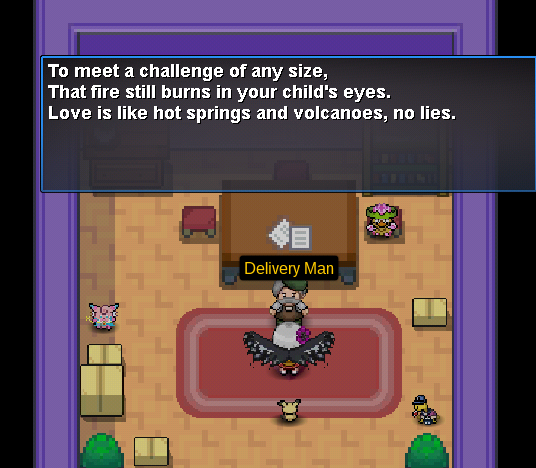
I've tried to contact all the npc in lavaridge town, I also got advice from several people before. Maybe I'll try one more time
-
-
300k then
-
-
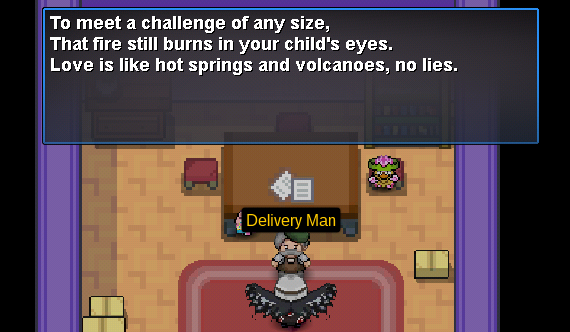
Does anyone know where this place is, I think I got a different clue from the people I saw from their videos or threads. I hope someone or mods can help me solve this
-
No sry
-
Can I start 100k?
-
^^
-
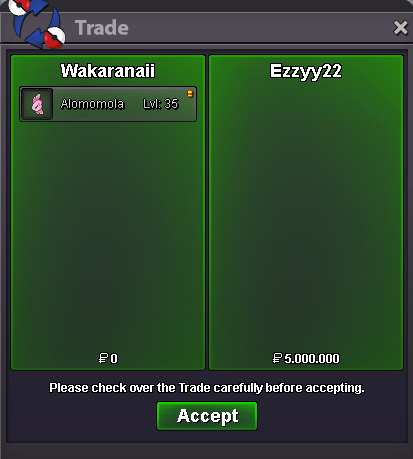
Sold Ty for @Ezzyy22
-
Yes
-
Auction over Sold for @Ezzyy22
-
15mins left

-
Last Bump Around 1 hrs left