




New Trade Zone
Trade Zone is now live
Use the new Trade Zone for auctions and instant-price trades so Pokemon and item offers are easy to find.


Lacomus
Registered User
-
Joined
-
Last visited
Everything posted by Lacomus
-
Welcome to the auction 🙂 Start: 1 Pokedollar Min bid: 1 Pokedollar Payment: Pokedollars Duration: 1 Day (24 hours, after the first bid) UPDATES - Highest bidder @Gajith007 20k - Auction closed
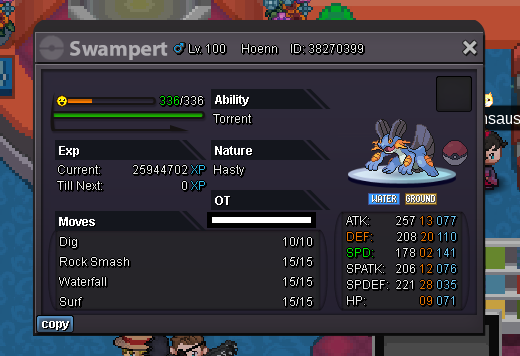 Welcome to the auction 🙂 Start: 1 Oran Berry Min bid: 1 Oran Berry Payment: Oran Berries Duration: 1 Day (24 hours, after the first oran berry) UPDATES - Highest bidder @Clouty 60 Oran Berries - Auction closed
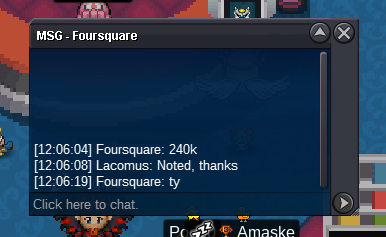
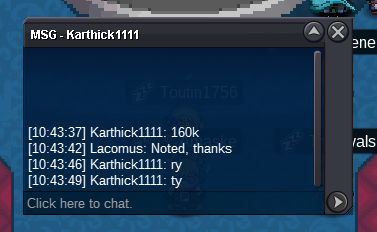
 Removed. The last post duplicated twiceApprox 5 hours remainingConsidering the 11 hours being up, looks like you've taken it @Eddypoo I'm in vermi, if that's convenient. Will be here all dayWTB "godly" event Pikachu's or other Pikachu's (others such as rock star, pop star, belle, phd, libre or hat-wearing ones). Friendly buyer. DM me if you want to, thanks!@Isildurr2x ❤️Approx 8 hours remainingApprox 40 hours remainingHaven't done any of these trainers on hard mode etc. Considering its Brock, the obvious thing to say is probably fill your team with Water / Grass types (Greninja, Lapras, Milotic, Sceptile, Venusaur, Ferrothorn...). However, if he's got more than rock types, then maybe not@Immortalx That's an invalid bid. The current offer stands beyond that with @Raikaisa665 at 14,002 Pokedollars. Sorry150kWelcome to the auction 🙂 Start: 1 Pokedollar Min bid: 1 Pokedollar Payment: Pokedollars Duration: 11 hours (after the first bid) UPDATES - Highest bidder @Eddypoo 18,004 Pokedollars - Auction closed
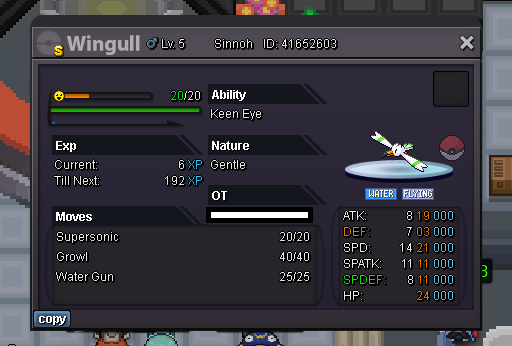 Updated 11/04/2023UPDATES - Oran Berries sold - Leppa Berries sold - Sitrus Berries soldStart both (20k)Approx 25 hours remaining






Account
Navigation
Search
Configure browser push notifications
Chrome (Android)
- Tap the lock icon next to the address bar.
- Tap Permissions → Notifications.
- Adjust your preference.
Chrome (Desktop)
- Click the padlock icon in the address bar.
- Select Site settings.
- Find Notifications and adjust your preference.
Safari (iOS 16.4+)
- Ensure the site is installed via Add to Home Screen.
- Open Settings App → Notifications.
- Find your app name and adjust your preference.
Safari (macOS)
- Go to Safari → Preferences.
- Click the Websites tab.
- Select Notifications in the sidebar.
- Find this website and adjust your preference.
Edge (Android)
- Tap the lock icon next to the address bar.
- Tap Permissions.
- Find Notifications and adjust your preference.
Edge (Desktop)
- Click the padlock icon in the address bar.
- Click Permissions for this site.
- Find Notifications and adjust your preference.
Firefox (Android)
- Go to Settings → Site permissions.
- Tap Notifications.
- Find this site in the list and adjust your preference.
Firefox (Desktop)
- Open Firefox Settings.
- Search for Notifications.
- Find this site in the list and adjust your preference.