




New Trade Zone
Trade Zone is now live
Use the new Trade Zone for auctions and instant-price trades so Pokemon and item offers are easy to find.

Lacomus
Registered User
-
Joined
-
Last visited
Everything posted by Lacomus
-
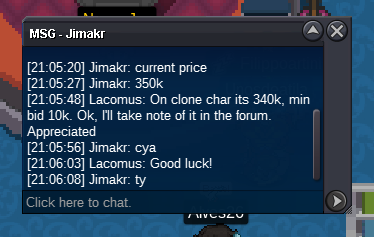
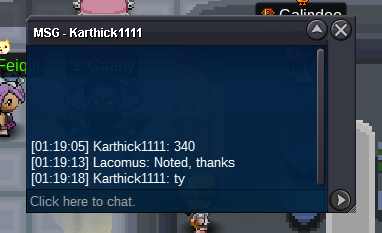
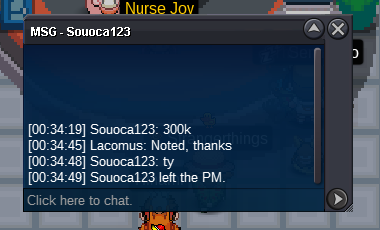
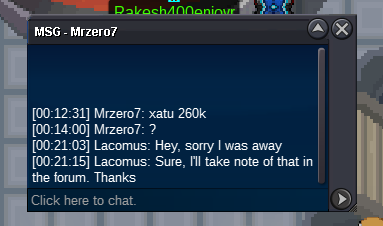
@Thomasbr Are pikas strictly a bundle? I'm interested in a couple350k100kEDIT: Didn't read this was gold server (I'm only on silver). Apologises@Luffyz Sure, no rush. Take your timeClaim Pink Phanpy @Luffyz you in vermi?If you're a collector that's into the niche of low IV mons (01 - 09 IV), I've got some in my box, selling 10k each. Drop me a DM, thanks@Jimakr Auction over, your bid has come out on top. Drop me a line when you're next free. Appreciated!Updated 04/04/2023Start SquirtleApprox 14 hours remainingAppreciated @Souoca123 enjoy your Xatu. Thanks to everyone else who took part+10k travel
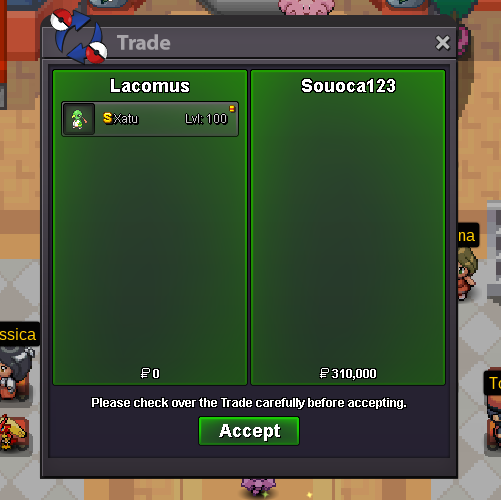 @Souoca123 Auction closed, you win. I'll be hanging around the event map today, if you're in this areaUpdated 03/04/2023From my generation it sounds like, the good old days. Feel the same way. Warm welcome Chris, hope you enjoy the gameGood event Pikachu's or other Pikachu's (others being rock star, pop star, belle, phd, libre pikachus or hat-wearing ones). Friendly buyer. DM me if you want to, thanks!PS Approx 13 hours remaining@Souoca123 Hmm, strange. Maybe a connection problem. I'm definitely online at the moment. Appreciate the bid anyway

Account
Navigation
Search
Configure browser push notifications
Chrome (Android)
- Tap the lock icon next to the address bar.
- Tap Permissions → Notifications.
- Adjust your preference.
Chrome (Desktop)
- Click the padlock icon in the address bar.
- Select Site settings.
- Find Notifications and adjust your preference.
Safari (iOS 16.4+)
- Ensure the site is installed via Add to Home Screen.
- Open Settings App → Notifications.
- Find your app name and adjust your preference.
Safari (macOS)
- Go to Safari → Preferences.
- Click the Websites tab.
- Select Notifications in the sidebar.
- Find this website and adjust your preference.
Edge (Android)
- Tap the lock icon next to the address bar.
- Tap Permissions.
- Find Notifications and adjust your preference.
Edge (Desktop)
- Click the padlock icon in the address bar.
- Click Permissions for this site.
- Find Notifications and adjust your preference.
Firefox (Android)
- Go to Settings → Site permissions.
- Tap Notifications.
- Find this site in the list and adjust your preference.
Firefox (Desktop)
- Open Firefox Settings.
- Search for Notifications.
- Find this site in the list and adjust your preference.