




New Trade Zone
Trade Zone is now live
Use the new Trade Zone for auctions and instant-price trades so Pokemon and item offers are easy to find.

Pinkorabane
Registered User
-
Joined
-
Last visited
Everything posted by Pinkorabane
-
New add
-
open
-
-10% on all thing during XMAS
-
open back
-
Deleted candid.
-
up
-
Open
-
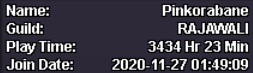
1. What's your Player name (IGN)? 2. Number of hours played? 3434h21min 3. What's your favorite Pokemon? 4. What do you enjoy doing the most in PRO? (Hunting, PvP, trading, etc) I love hunting pokemon > Training these > Pvp and trading 5. How long have you been playing Pokemon? (Optional) It's Pikachu 6. Favorite ice cream flavor. (Optional) I dont like ice cream , so idk
-
Open
-
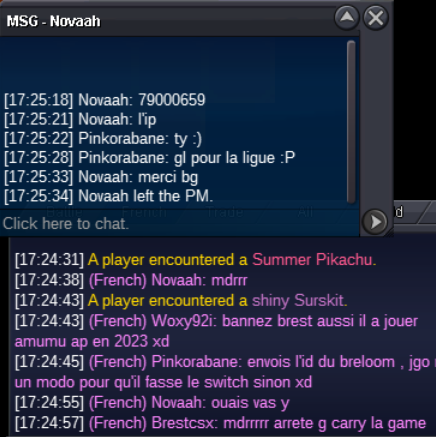
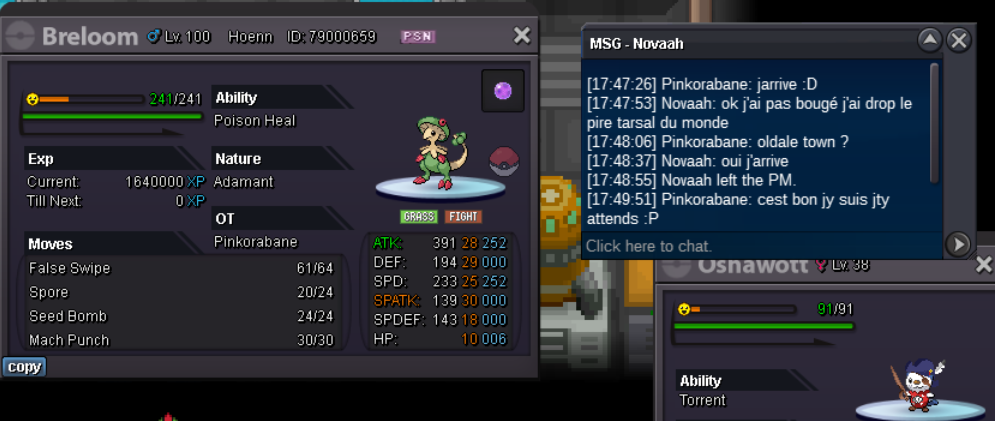
HI big fail , i try to help player for trade evo , this kadabra into alakazam I trade my breloom vs kadabra ( bcs full party ) And the player ( Novaah ) forget to tell me he dont clear all region My breloom is from Hoeen , and Novaah only clear kanto and actualy in johto 79000659 was the ID of my breloom > In french chat , my msg at 17:24:45 = ( Write me my breloom ID in private message , i go try to contact staff for restore it ) We are on Silvers server Player name : Pinkorabane (me) // Novaah ( Player with my breloom Region Lock ) Server : Silvers Server ID of breloom : 79000659 If u need screenshoot from Novaah , i can try to contact him for the locked pokemon on his computer EDIT : Novaah is a very cool player ! Tryhard jotho / League / Ratata quest for giving back my breloom Breloom Back to home ❤️ [TICKET CLOSED]
-
LEVEL SERVICE CLOSE ! Stop pm INGAME thanks
-
Hey , abra available , i go ingame
-
up +6pokemon
-
up
-
Im in game / Shoporabane ( Vermi city )
-
Face Ball
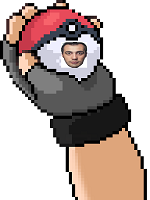

-
Available
-
up
-
up
-
Hey im ingame /pm shoporabane
-
Up 🙂
-
+14 pokemon
-
Open
-
up
-
up