




New Trade Zone
Trade Zone is now live
Use the new Trade Zone for auctions and instant-price trades so Pokemon and item offers are easy to find.

Feeki
Registered User
-
Joined
-
Last visited
Everything posted by Feeki
-
Quick and trustworthy! 😉 Got my ultra trash Hoopa 😂
-
-
-
151k bronzong
-
start
-
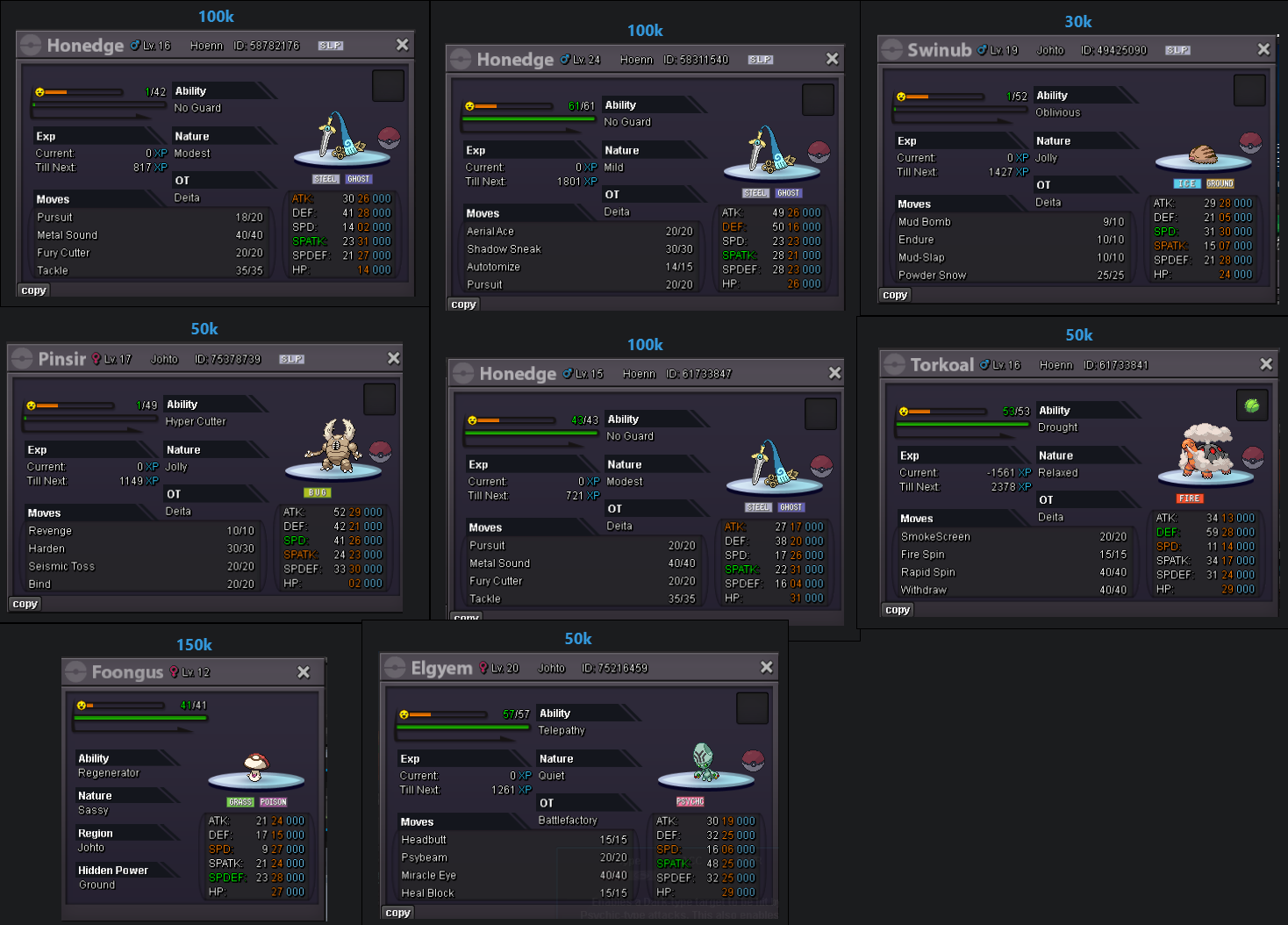
Hello wtb these pokes:
-
-
start brave breloom
-
Still waiting for answer 🙂
-
Start ditto
-
@Doakes I got the Electivire and the price is deducted from my account! Thanks for your help!
-
@Tainzo I won the auction. Let me know when we can trade!
-
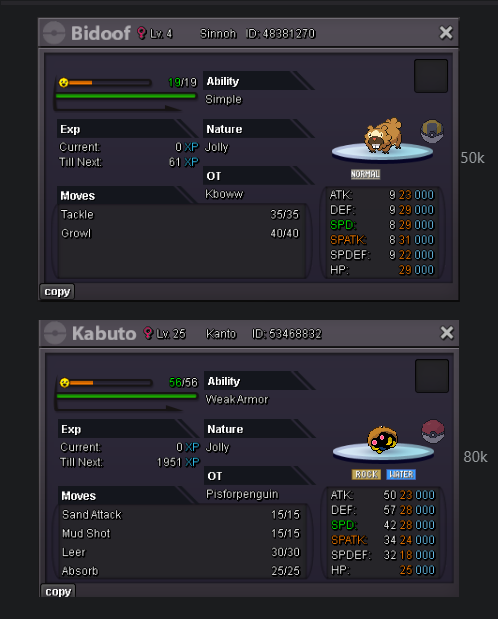
Hello! I'd like to buy these 2:
-
301k
-
Hey, you don't even play the game! :"D @Th0maszz 200k
-
start
-
bump
-
Thanks @Epicmon! Don't worry I can wait until Monday. Just write me a message when you are on 😉
-
start wingull and marill
-
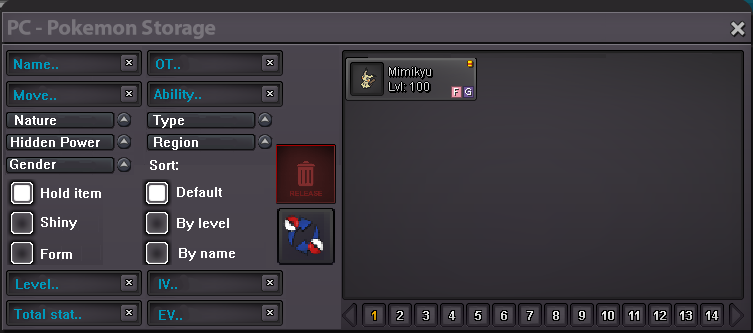
Dear staff members! You added a Search Bar to the Lending Trades window, and said maybe will be used elsewhere so I came up with a more user friendly version for the PC box version: This has the same functionality, but more user friendly because players don't have to learn all those terms for searching, and makes searchings much faster too! Filters: Name, OT, Move, Ability: Normal Text box with string input. Nature, Type, Hidden Power, Region, Gender: Drop-down list of values where we can choose one. Hold item, Shiny, Form: Checkbox with Tre/False value Sort: Checkbox (same as current one) Level, Total stat, IV, EV: Works same way as in lending window, for example: Level text box: 100 shows only lvl 100 pokemon >=50 shows lvl 50 or higher pokemon Total stat text box: speed>=284, spdef>150 shows pokemon with at least 284 speed and more than 150 spdef (same with IV and EV filters) Bonus: added the lending window button next to release button. If anyone like this idea give a heart or comment please!
-
-
261k goodra
-
Goodra 220k
-
-
It's a very desired feature but it's already on the DEV's to-do list: https://pokemonrevolution.net/forum/topic/159019-dev-to-do-list/

