New Trade Zone
Trade Zone is now live
Use the new Trade Zone for auctions and instant-price trades so Pokemon and item offers are easy to find.


Nisenco
Registered User
-
Joined
-
Last visited
Everything posted by Nisenco
-
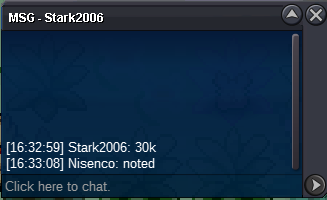
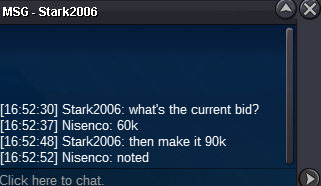
90k from Stark2006
-
Starting offer : 30k Min bid : 30k End: 1 Hour after first bid (5:33 PM GMT +1) https://countingdownto.com/?c=5167803 CC 400k accepted Countdown
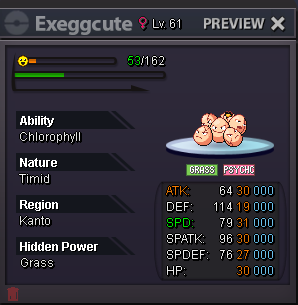
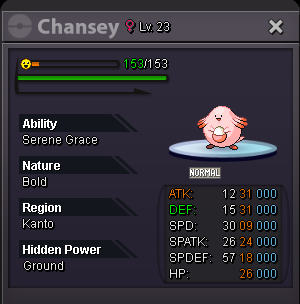 Starting offer : 100k Min bid : 100k End: Saturday 02.12.2023 3PM GMT+1 Insta: 1,5m
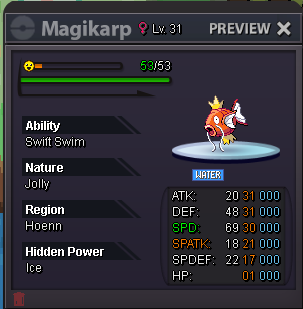 Starting offer : 200k Min bid : 100k End: Saturday 02.12.2023 3PM GMT+1 No insta
 Thank you for this great guide! The typo doesn't bother me personally, but if you want, you can correct it. Best regards! 🙂 PS: I've only just noticed that the user hasn't been active for a while... oh well.This guide is really excellently written! Thank you very much, Bhimoso!1. What's your Player name (IGN)? Nisenco 2. Number of hours played? 15 hours (more to come) 3. What's your favorite Pokemon? Gengar 4. What do you enjoy doing the most in PRO? (Hunting, PvP, trading, etc) Since I'm new, the only thing that is wholesome to me seeing other players on the Routes/Cities 5. How long have you been playing Pokemon? (Optional) Every game since Red/Blue or at least one of each Gen (Blue, Silver, Sapphire, Fire Red, Platin, SoulSilver, Black, Black 2, Y, Alpha Sapphire, Moon, Ultra Moon, Let's Go Eevee, Shield, Arceus and Violet 6. Favorite ice cream flavor. (Optional) Stracciatella