




New Trade Zone
Trade Zone is now live
Use the new Trade Zone for auctions and instant-price trades so Pokemon and item offers are easy to find.


Divinegold
Registered User
-
Joined
-
Last visited
Everything posted by Divinegold
-
Hello there, For the moon encounter you require Membership
-
+1, Seems good haha
-
Do you have discord ?
-
Hello there, You need to beat Horon at Dark Valley without having a Pokemon faint, and the catchable Darkrai will respawn.
-
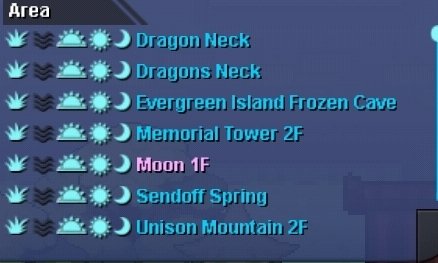
Hello there, You can encounter gible in Moon with membership Goodluck for your hunt!
-
-
Hello there, You are allowed to own up to 4 accounts, you can trade stuffs with this 4 accounts freely.
-
Hello there, Did you try VPN?
-
Hello there, Could you try connecting to a VPN or changing the network to wifi to mobile data or vice versa and check whether it helps?
-
-
-
-
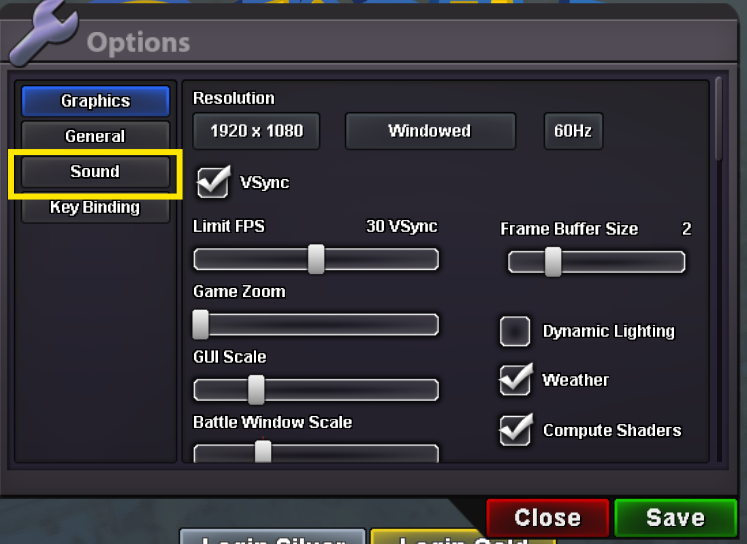
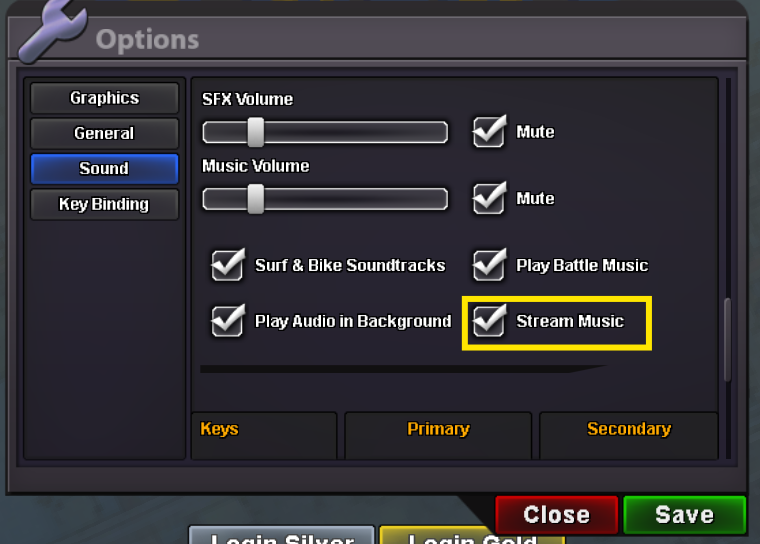
Hello again, If you press Esc key options pop up there nagivate to Sound > Disable Stream music You can try disabling some times it fixes.. Hope it gets fixed for you.
-
Hello there, Could you try connecting to a VPN and disabling the stream music ? And check whether it helps
-
-
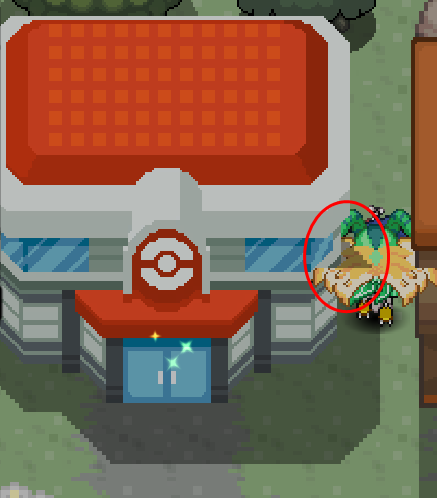
Hello there, I would like to report a minor layer bug. At the edge of the Pokécenter tile, a shadow appears on top of the player instead of behind it. This happens only at the tile edge, as shown in the attached screenshot. Location: Pokécenter tile edge Vermillion City. Thank you for your time. Kind regards, DivineGold
-
Hello, could you try connecting through a VPN and see if that helps?
-
Hello there, Any Pokémon that has reached Level 100 without evolving can be evolved using a Mysterious Candy. You can get one from any of these places: Its available in all Departmental stores Where to get it: It's available at all Department Stores: Kanto: Celadon City. Johto: Goldenrod City. Hoenn: Lilycove City. PvE Coin Shop, where you pay with PvE Coins for 2 PvE coins. Price: 5k per candy in Departmental shops. Goodluck!
-
+1
-
-
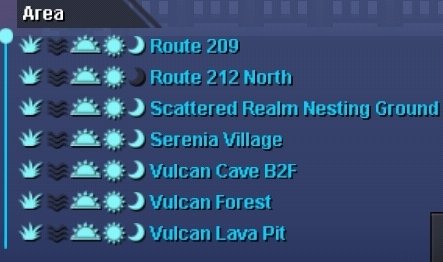
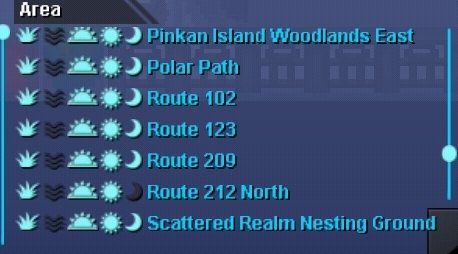
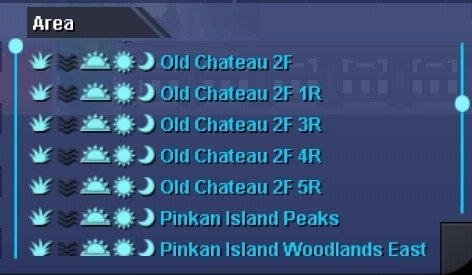
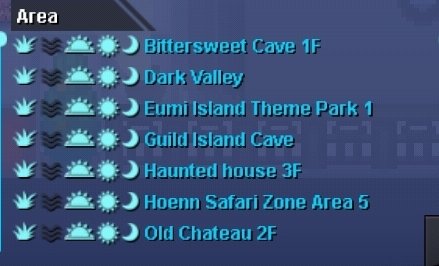
Hello, Ralts cannot be found in Love Island, You can check the locations of specific pokemon in PokeDex if you seen data and the right side menu of the screen. Here are the locations for Ralts: Here is the Side menu: If you click it will be displayed as: You can enter the map location in there and also can check the mons encounterable there in that specific location. Hope it was helpful.. Goodluck!
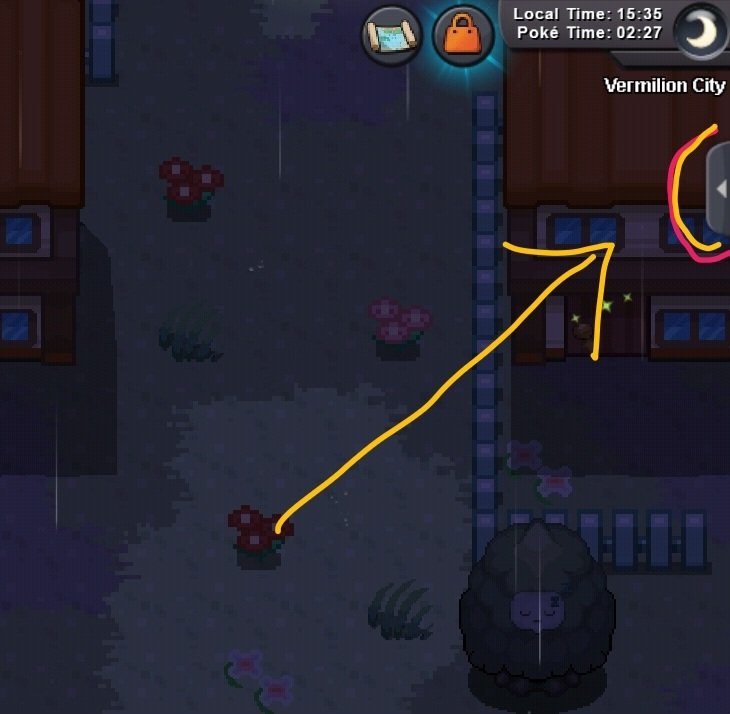
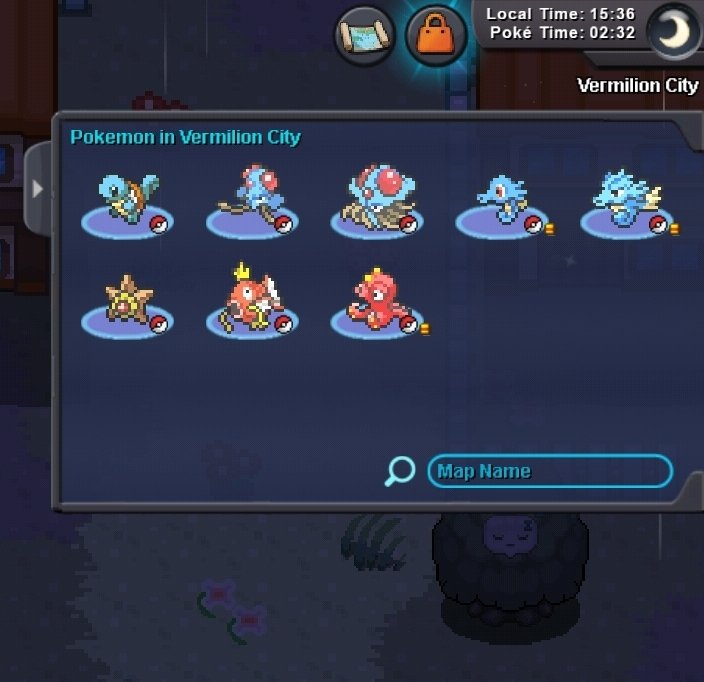
-
Hello there, The Website was under maintenance, but i hope it works now can you check again ?
-
Hello there, Is not a bug but a limitation, You cant able to use items there.
-
Hello there, Happy to hear it got solved. Goodluck! Have fun..
-
