New Trade Zone
Trade Zone is now live
Use the new Trade Zone for auctions and instant-price trades so Pokemon and item offers are easy to find.

Crimsonazura
Registered User
-
Joined
-
Last visited
-
Try again and hopefully they will respond to you soon. Give them time. Best of luck to you,
-
I wouldn’t be sharing my email out on a public forums, the best way to resolve this is by going through General Complaints Area and seeking out more private support.
-
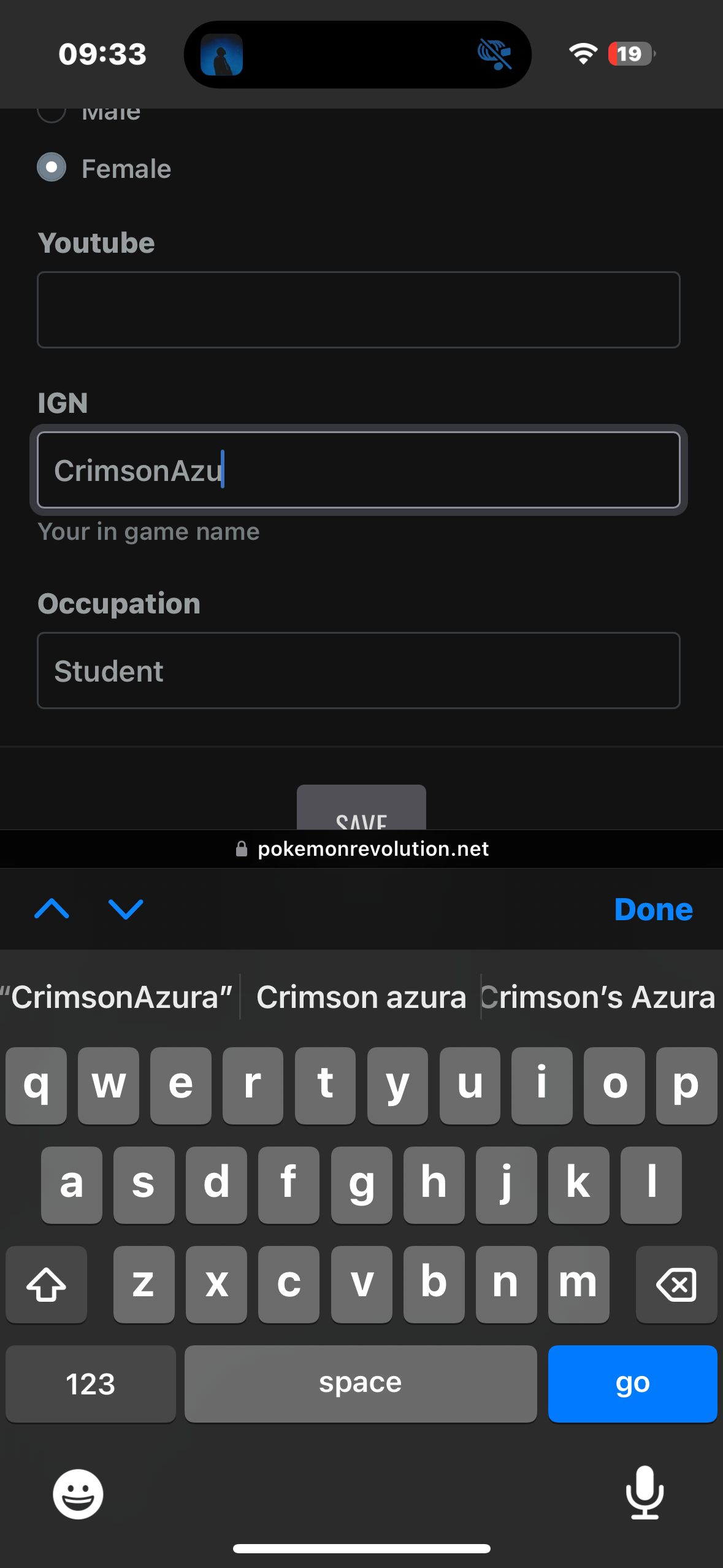
Hi, I’ve come to discovered that the IGN slot for the forums is too small to fully contain my username. This may be the case for others as well. Maybe we can resolve this?
-
Self destruct
-
406 going back up
-
8/10
-
-
-
Hi, I am not a staff member and can not help with changing your username, neither would any staff be able to do so for you. You may easily change your username here for 500 coins, which do cost money. Hope this helps, have a great day.
-
Hi, You can try reinstalling the client to resolve the issue and it should hopefully fix this for you.
-
I apologise for naming another Pokemon MMO, it was just a reference to their iOS download comparability, my apologies.
-
Hi, I’m an iOS only player who also owns a Windows PC and soon a MacBook. Over the past while, I have seen others with struggles in and around iOS usage. Yes, Apple doesn’t allow third party applications in the App Store, but there are other solutions. What if we used AltStore? Sideloader? Both and others are perfect examples of ways we could play on iOS. Should we do this? Yes! Is it possible? Yes! Let me know any of your ideas we could put forward to the staff.