




New Trade Zone
Trade Zone is now live
Use the new Trade Zone for auctions and instant-price trades so Pokemon and item offers are easy to find.

Cloysterface
Registered User
-
Joined
-
Last visited
Everything posted by Cloysterface
-
you can accept cash + pokes for ttar or just cash?
-
start 50k insta 300k 50k steps last 6 hours

-
just showed a lvl 100 female cute charm lopunny ev trained with 4 beauty moves and i still lost by -4. Seems theres still more to the puzzle. nvm just read the post above me, it seems to be kinda solved then lmao
-
end in 2:21 pm GMT so about 56 minutes
-
bump also here is proof of hp fire

-
i would like a percentage like in showdown +1
-
start 100k insta 700k 100k steps last 24h

-
200k
-
the auction started when ruthlessslayer says "start scyther", so auction is still ongoing
-
300k
-
Hello, my apologies I had removed it as I wanted to double check its price value with some people. I have now reopened if you or anybody else wish to bid on it. I apologize for this inconvenience.
-
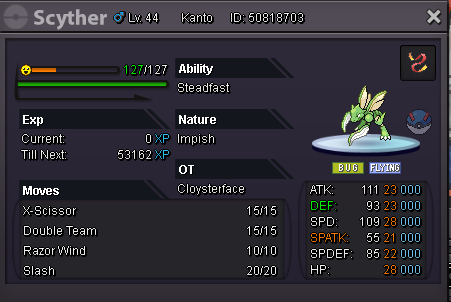
hi all, I have reopened scyther now. start 1.5m, insta 3m, last 24h, 100k steps
-
sorry, i tried adding but it didnt work for some reason and it sold for insta shortly after trying to add you on discord.
-
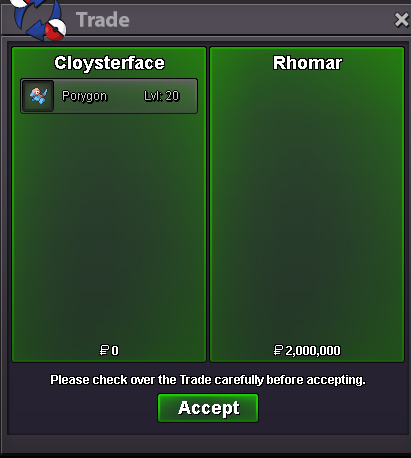
porygon sold

-
for porygon

-
bump
-
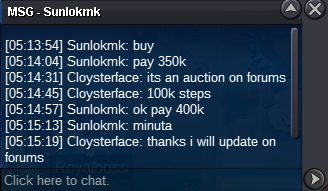
for porygon
-
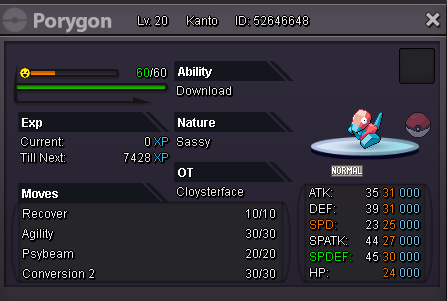
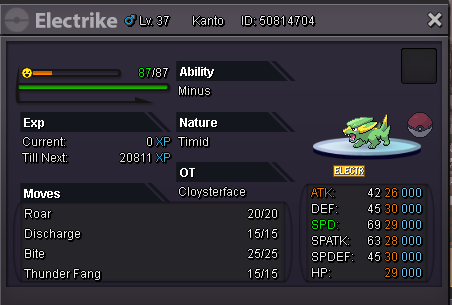
start 300k, insta 2m, last 24h, 100k steps-> SOLD FOR INSTA NOT HP ICE start 300k, insta 1.2m, last 24h, 100k steps SCYTHER IS ON PAGE 2
-
800k
-
i start 500k
-
1m
-
-
u win u online?
-
bump
-
bump
