New Trade Zone
Trade Zone is now live
Use the new Trade Zone for auctions and instant-price trades so Pokemon and item offers are easy to find.
All Activity
Past hour
-
Meowouan joined the community
-
Moonoo1 joined the community
Today
-
Ryuk017 joined the community
-
Imperator6 joined the community
-
[Tool] Shiny Tracker Overlay - Windows, Linux, Mac and Android (PC v3.14 / Android v2.2) Shiny Tracker Overlay is a free screen-reading helper for encounter and shiny hunting. It counts your encounters, shows your real spawn rates, alerts you when a target or shiny appears, keeps a list of your catches, and makes a picture of your hunt to share. It only reads the screen. It does not change the game, click anything, or play for you. Beta warning: reading the screen is never perfect. Always check the game yourself before you run from a valuable encounter. === DOWNLOAD === These links never change and always give you the newest version, so you can bookmark them or pass them on. WINDOWS 10/11 (64-bit) - v3.14 https://github.com/KaizenMMO/shinytracker-builds/releases/latest/download/ShinyTrackerOverlay-Windows.zip LINUX (64-bit, X11 or Wayland) - v3.14 https://github.com/KaizenMMO/shinytracker-builds/releases/latest/download/ShinyTrackerOverlay-Linux-x86_64.tar.gz MAC (M1 or newer, macOS 13 or later) - v3.14 https://github.com/KaizenMMO/shinytracker-builds/releases/latest/download/ShinyTrackerOverlay-Mac-AppleSilicon.dmg ANDROID (64-bit phones and tablets, Android 10 or newer) - v2.2 https://github.com/KaizenMMO/shinytracker-builds/releases/download/android/ShinyTracker-Android.apk All releases and notes: https://github.com/KaizenMMO/shinytracker-builds/releases Already have it? You don't need to download again. The app tells you when an update is out. === WHAT'S NEW === PC v3.14 - Fixed: the app could refuse to start after you had taught it both the normal and a special form of the same Pokemon. If it wouldn't open for you, this version fixes it, and your hunts are still there. - Settings > UPDATES has a "Copy link" button for Windows, Linux and Mac, so you can send a friend the right download. Android v2.2 - No more setup. Go into a wild battle and the app finds the battle on screen by itself, and follows it if it moves. - Updates now download and install from inside the app. The NEWS tab in the app lists every change. === GETTING STARTED === WINDOWS Unzip the download into a normal folder (for example a new folder in Downloads) and run ShinyTrackerOverlay.exe. Keep the _internal folder next to it. If Windows shows a blue SmartScreen warning, choose More info > Run anyway. After this the app updates itself. LINUX Unzip the download and run ShinyTrackerOverlay from the new folder. It needs Tesseract (the text reader). If it's missing, the app shows the exact install command for your system with a Copy button. MAC Open the DMG and drag the app into Applications. The first time, macOS blocks it because it isn't registered with Apple: go to System Settings > Privacy & Security and press Open Anyway (only once). The app helps you install Tesseract and asks for Screen Recording permission, which it needs to see the game. Intel Macs are not supported. PC SETUP (all computers) 1. Open the game in a window (or borderless) and go into a wild battle. 2. In the tracker, open Settings, name a client and press Calibrate zones. 3. Select at least Name + level. The other zones make it more accurate. 4. Turn on Track now for that client, then go to Hunt and press Start hunting. The tour in Settings walks you through the rest. ANDROID 1. Copy the Android link into Chrome on your phone. Paste it into the address bar rather than tapping it inside Discord, whose built-in browser often drops the download. 2. If Chrome says the file might be harmful, tap Download anyway (the message disappears after a few seconds). 3. Open the file when it finishes. Android asks you to let Chrome install apps: turn that on and go back. 4. Tap Install. If Play Protect says it doesn't recognise the app, tap More details > Install anyway. This happens with any app that isn't from the Play Store. 5. Open Shiny Tracker and press start on the Hunt tab. When Android asks to share your screen, choose "Share one app" and pick the game. 6. Allow "Display over other apps" so the floating counter can appear. 7. Go into a wild battle. The app finds it by itself and starts counting. Older 32-bit phones can't run the app. === PRIVACY === - Your hunts, settings and setup stay on your computer or phone. - No account, no subscription, no ads, and nothing is uploaded. === FEEDBACK === Reports help a lot. The easiest way is the Send to developer button (Settings on PC, Tools on Android). It sends me what I need to fix things. Add a short note if you can. Or reply here with: the app version, your device (Windows / Linux / Mac / phone model), what you expected, and what happened. Please don't post private chat or account names.
-
any update? i still havent received my items. At this point, I'd rather have my 1 CC back that I used
-
up
-
Would be cool to ba able to select the mounts we want to be random. So we dont get random Xmas Mount while in middle summer. =D
-
Dahnpe joined the community
-
Lock3 joined the community
-
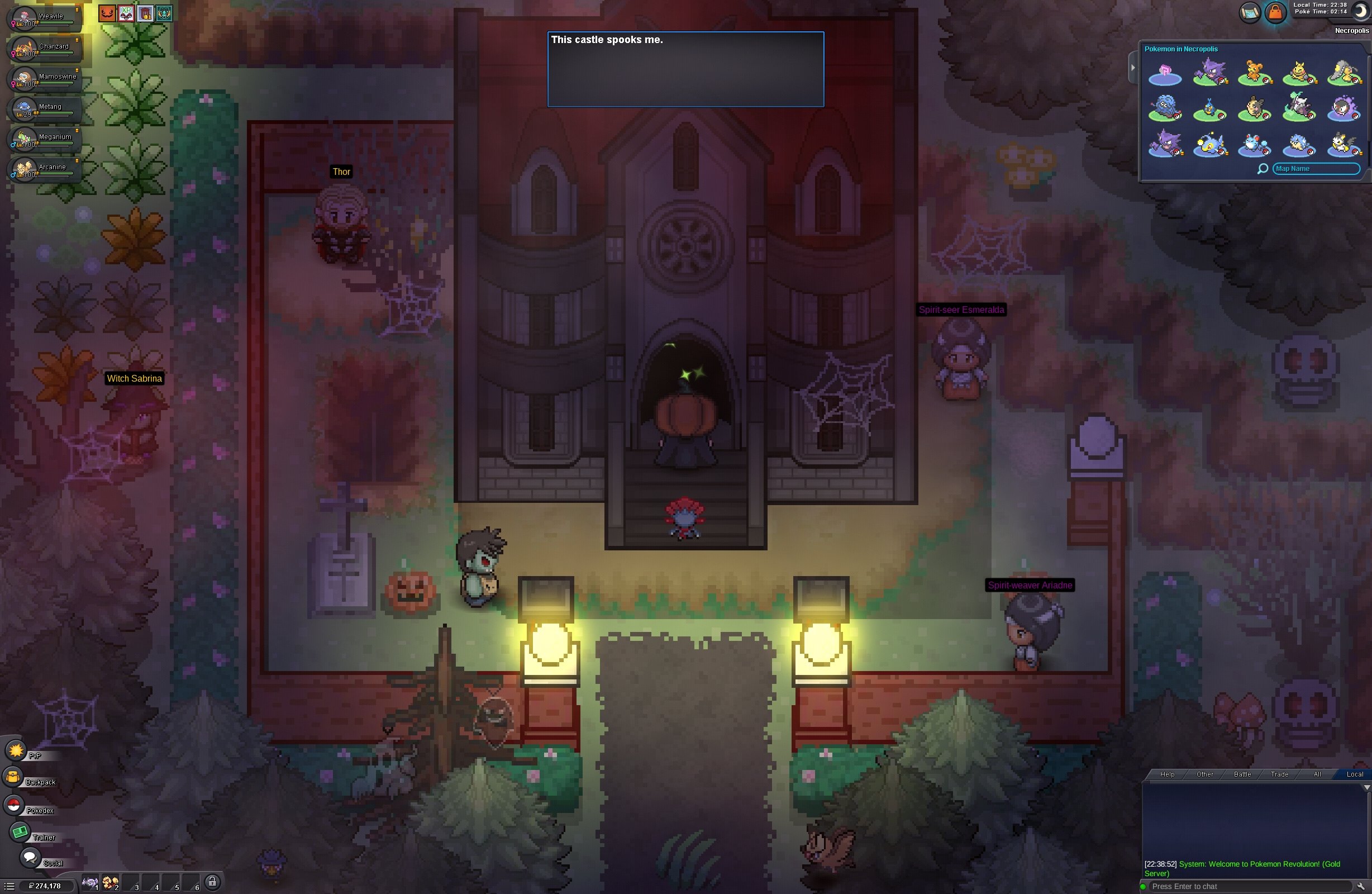
I was trying to complete the Darkrai quest in the game. Since I don’t know English, I was following a wiki guide to figure out how to proceed. While I was attempting to rescue the Growlithe in the Dark Realm, I died once; then, thinking I would be able to re-enter the Dark Realm, I accidentally exited the area. There was a red warning message, but because I didn’t understand it, I assumed I could just go back. Now, I can no longer return to the quest, and I don’t know what to do. Could you please help me?
-
Hello! That's great news! I'm really glad I could help you! Since everything has been resolved, I'll go ahead and close this thread. If you need any further assistance in the future, please feel free to create a new one. Best of luck with the Lake Trio! Kind regards. Hallowglow.
-
Hello! Thank you so much for your help and for recovering the item for me. Everything is working properly now, and I can continue the quest. I'm really sorry for the trouble—it was my fault for not being careful enough. I will definitely pay more attention in the future. Thanks again!
-
Hey, this is indeed an issue and its already known. Each of these cases will get fixed overtime with the ongoing reworks to the spawns. Greetings~
-
You may just be hunting in areas which have more available forms versus where you were hunting during summer.
-
Cozycoozy joined the community
-
bump!
-
Razorpay joined the community
-
Hello! Thank you so much for your patience and for providing all the information. The team has recovered the item for you, so you should now be able to interact with the statue and continue with the quest. In the future, please be more careful when progressing through quests and handling quest-related items. Some actions may not be reversible, and I can't guarantee that lost or traded items will always be recoverable. Please let me know if everything is working properly now! Kind regards. Hallowglow.
-
up
-
Hello! You're very welcome! I'm glad I was able to help and clear up your doubts. Since everything is sorted out, I'll go ahead and close this thread. If you need anything in the future, please feel free to create a new one. Kind regards. Hallowglow.
-
Hey, Spawn rate for form pokemons remain the same in all the events. Perhaps, you are more active in hunting or lucky
-
Monchhichi joined the community
-
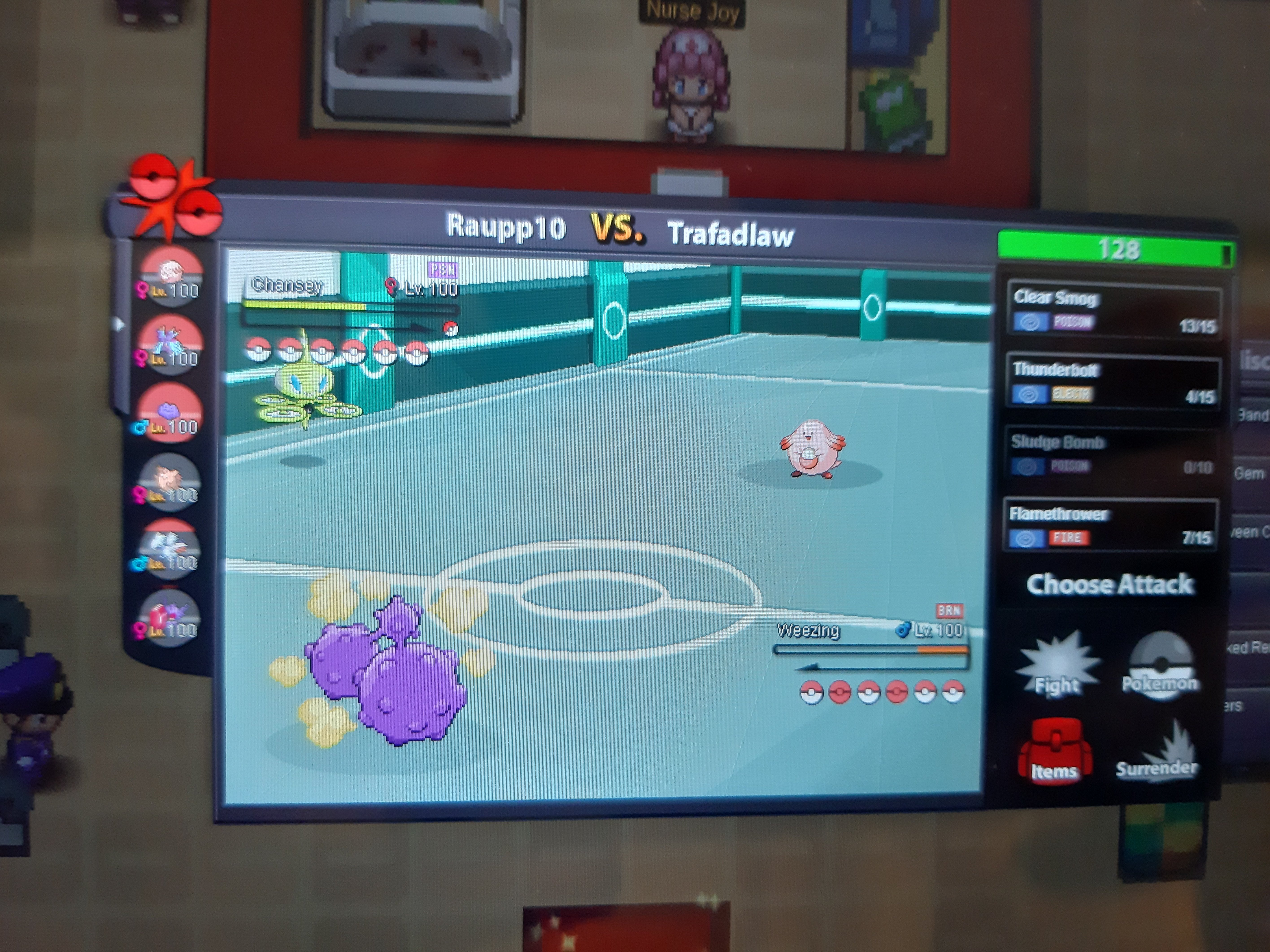
"pp stalling" is acceptable as long as it is a reasonable strategy with a legitimate chance of influencing the outcome of the game. However, deliberately stalling solely to waste time, without any meaningful impact on the game or a genuine chance of winning, is considered reportable misconduct. If you believe your opponent is stalling purely to waste time without any realistic chance of winning, you may report them for it @Raupp10
-
Soldierofgod joined the community
-
Thank you so much! 😁
-
I just play 80+turns against this ULTRA PP STALLING, worst expirience in PRO i ever had... is this **** permited?
-
Restore Released Pokémon hi i need to restore my larvesta, i released it maybe week ago , it have nature bold, spd 31/ spatk 15, its my OT thats all information i have tks for help
-
thank you :) will there be a notification when it is ficed? red card mimi is a stable in natdex metagame which pro kinda is. i think it is quite important ngl.
-
Hello @Financebro , Thank you for taking the time to make the report. Sorry for the inconvenience it caused you. You're right, an intact Disguise is currently denying its user's held Red Card and Eject Button from activating. It was forwarded to Devs and hopefully it will be fixed soon. I encourage you to make another report for anything else you think is bugged. Regards, Middleground
-
Hello fellow pokelovers, Is it just me or the spawns of form pokemons in HLW Event are much more than the Summer Event. I have already like 25 spwans and in the summer it was just 5. Or i was so unlucky in the previous one? What are your thoughts and your spawns guys?
-
-
Hey guys, It seems like red card is coded but it doesnt work with mimikyu‘s disguise ability. Opponents should switch out on breaking it if mimi hold the iteam but they don’t. Could you fix that? Greetings, FinancebroDear PRO administrators, In the Sinnoh region, the later stages of the Reporter quests (days 6 and 7) often require catching Pokémon that only members can catch or Pokémon that only appear in specific events, which is a bit troublesome. Could you please make appropriate adjustments to the Pokémon required to be caught? It would be great if you could respond. Thank you.