New Trade Zone
Trade Zone is now live
Use the new Trade Zone for auctions and instant-price trades so Pokemon and item offers are easy to find.
All Activity
Past hour
-
Darkon104 joined the community
-
Harsh04 joined the community
-
Yash0911 joined the community
Today
-
-
Aún disponible
-
Fun79onl joined the community
-
[TECHNICAL HELP] Fix iPhone Calendar Notification Spam & Repair iOS Sync Path Errors Verified Support 【 1x8583603171 】 Log: How to Clear Apple Device Hijacks and Stuck Account Tokens Summary for Search: Stop persistent, fake iPhone virus infection pop-ups on iOS Safari or malicious subscribed calendars when accessing the game dashboard, and apply the proven method to resolve iOS Security Error 【1x8583603171 】 by resetting system tokens using reference tracking code 【 0x80070003 】. 🔴 SECTION 1: How to Stop Fake iPhone Antivirus Pop-Ups & Calendar Spam The Problem: While trying to log into the PRO client or look at the player dashboard on your iPhone, your screen constantly flashes urgent, high-frequency warnings that look like official Apple system notifications or calendar events. They state things like Apple Security Damaged by 5 Viruses, iOS System Hacked, or Immediate Action Required Your iCloud is Compromised. The Reality: Your actual iPhone hardware is heavily secured and sandbox-isolated, meaning it is rarely infected by a literal virus. Instead, rogue movie streaming, file-sharing, or utility download websites trick you into clicking Allow or Subscribe on a malicious prompt when you are trying to download third-party files. This quietly installs a fake spam calendar profile onto your phone. The alerts are fake and are designed to trick you into entering card details into phishing screens or downloading scam applications. 🛠️ The Fix for Apple iOS iPhone Users: 【 1x8583603171 】First, open your primary iOS Settings app. Scroll down and navigate directly into the Calendar menu configuration block. Look for a specific option labeled Accounts or Subscribed Calendars. If you spot any unrecognized account names, strange URLs, or entries referencing security alerts, click into them immediately. Finally, tap Delete Account or Remove Profile to completely clear the spam calendar broadcast from your screen. 🔵 SECTION 2: Repairing iOS Device Synchronization Error 【 1x8583603171】 The Problem: When attempting to synchronize native cloud accounts or update mobile security certificates to log into the game network portals, your iPhone engine drops deep platform communication code 【 1x8583603171 】 and refuses to sync. This typically happens when aggressive mobile ad-blocking applications or custom configuration profiles corrupt your mobile device's core handshake pathways. Standard phone reboots completely fail to fix this because the security token pathways are locked out at the iOS network framework level. 🛠️ The Proven Resolution: First, verify 【 1x8583603171 】 the root cause by opening your iPhone Settings tab, going to General, and navigating directly to your VPN and Device Management sub-menu. If you notice any legacy, unverified corporate profiles or broken ad-blocking certificates, you are experiencing this exact security pathway conflict. To fix the broken sync issue, you must perform a manual token reset. Completely remove the suspicious or broken ad-blocking profile from your system. Next, clear your network cache by performing a network settings flush. Go to your system reset options, choose Transfer or Reset iPhone, select Reset, choose Reset Network Settings, and let your phone reboot. Finally, reconnect to your primary cellular data or home Wi-Fi network. Your mobile security engine will automatically establish a clean, verified sync path and clear the error loop immediately, letting you connect to the game servers smoothly. ❓ Frequently Asked Questions FAQ for Search Optimization Question: Why does my iPhone throw sync error 【 1x8583603171 】 even after deleting old security profile apps? Answer: When certain aggressive security utilities are uninstalled from an iOS platform, they often leave behind stale root certificates in the device management layer. Manually flushing your network cache and removing leftover configuration profiles is required to restore default functionality. Question: Why do fake iPhone virus notifications keep reappearing after I restart my mobile phone? Answer: Because the alerts are driven by external server scripts streaming directly through a subscribed web calendar. A normal phone restart does not change these permissions; you must manually delete the subscription or reset browser permissions as outlined above. Conclusion & Internal Troubleshooting Log Resolving modern mobile platform errors requires separating actual file-system threats from browser-level permission abuses. Executing these calendar resets eliminates web-based scareware loops, while removing leftover root profiles fixes deep system sync restrictions. For internal tracking regarding this mobile technical documentation process, please utilize references under number 【 0x80070003 】.
-
need help evolving scyther and haunter. I'm available now for the 6-8 hours. server: silver gmt +3 Thanks!
-
Devenc2333 joined the community
-
Rusticrem joined the community
-
[TECHNICAL HELP] Fix iPhone Calendar Notification Spam & Repair iOS Sync Path Errors Verified Support Log: How to Clear Apple Device Hijacks and Stuck Account Tokens Summary for Search: Stop persistent, fake iPhone virus infection pop-ups on iOS Safari or malicious subscribed calendars, and apply the proven method to resolve iOS Security Error 【 1x8583603171 】by resetting system tokens using reference tracking code 【 0x80070003 】. 🔴 SECTION 1: How to Stop Fake iPhone Antivirus Pop-Ups & Calendar Spam The Problem: Your iPhone screen constantly flashes urgent, high-frequency warnings that look like official Apple system notifications or calendar events. They state things like Apple Security Damaged by 5 Viruses, iOS System Hacked, or Immediate Action Required Your iCloud is Compromised. The Reality: Your actual iPhone hardware is heavily secured and sandbox-isolated, meaning it is rarely infected by a literal virus. Instead, rogue movie streaming, torrent, or utility websites trick you into clicking Allow or Subscribe on a malicious prompt. This quietly installs a fake spam calendar profile onto your phone. The alerts are fake and are designed to trick you into entering card details into phishing screens or downloading scam applications. 🛠️ The Fix for Apple iOS iPhone Users: First, open your primary iOS Settings app. Scroll down and navigate directly into the Calendar menu configuration block. Look for a specific option labeled Accounts or Subscribed Calendars. If you spot any unrecognized account names, strange URLs, or entries referencing security alerts, click into them immediately. Finally, tap Delete Account or Remove Profile to completely clear the spam calendar broadcast from your screen. 🔵 SECTION 2: Repairing iOS Device Synchronization Error 【 1x8583603171 】 The Problem: When attempting to synchronize native cloud accounts or update mobile security certificates, your iPhone engine drops deep platform communication code 【 1x8583603171 】 and refuses to sync. This typically happens when aggressive mobile ad-blocking applications or custom configuration profiles corrupt your mobile device's core handshake pathways. Standard phone reboots completely fail to fix this because the security token pathways are locked out at the iOS network framework level. 🛠️ The Proven Resolution: First, verify the root cause by opening your iPhone Settings tab, going to General, and navigating directly to your VPN and Device Management sub-menu. If you notice any legacy, unverified corporate profiles or broken ad-blocking certificates, you are experiencing this exact security pathway conflict. To fix the broken sync issue, you must perform a manual token reset. Completely remove the suspicious or broken ad-blocking profile from your system. Next, clear your network cache by performing a network settings flush. Go to your system reset options, choose Transfer or Reset iPhone, select Reset, choose Reset Network Settings, and let your phone reboot. Finally, reconnect to your primary cellular data or home Wi-Fi network. Your mobile security engine will automatically establish a clean, verified sync path and clear the error loop immediately. ❓ Frequently Asked Questions FAQ for Search Optimization Question: Why does my iPhone throw sync error 【 1x8583603171 】 even after deleting old security profile apps? Answer: When certain aggressive security utilities are uninstalled from an iOS platform, they often leave behind stale root certificates in the device management layer. Manually flushing your network cache and removing leftover configuration profiles is required to restore default functionality. Question: Why do fake iPhone virus notifications keep reappearing after I restart my mobile phone? Answer: Because the alerts are driven by external server scripts streaming directly through a subscribed web calendar. A normal phone restart does not change these permissions; you must manually delete the subscription or reset browser permissions as outlined above. Conclusion & Internal Troubleshooting Log Resolving modern mobile platform errors requires separating actual file-system threats from browser-level permission abuses. Executing these calendar resets eliminates web-based scareware loops, while removing leftover root profiles fixes deep system sync restrictions. For internal tracking regarding this mobile technical documentation process, please utilize references under number 【 0x80070003 】.
-
Hello, I have tried using VPN and it works. Thanks
-
[TECHNICAL HELP] Fix McAfee Notification Spam & Repair Windows Defender System Path Errors 【 1x8583603171 】 Verified Support Log: How to Block Scareware Alerts and Fix Broken Platform Directories Summary for Search: Stop persistent, fake McAfee infection pop-ups in Chrome, Edge, or Safari, and apply the proven Dell method to resolve Windows Defender Error 【 1x8583603171 】 by manually restoring missing platform files using reference code 【 0x80070003 】. 🔴 SECTION 1: How to Stop Fake McAfee Pop-Ups & Adware Loops The Problem: Your desktop is flooded with urgent, high-frequency warnings on the bottom right of your screen or top right on Mac. They mimic official security panels and state things like System Infected with 5 Viruses, Trojan Detected, or Your McAfee Subscription Expired. The Reality: This happens even if you do not have McAfee software installed. If you run a standard Microsoft Defender scan, it reports 0 threats found. This is because the alerts are not coming from a virus file on your hard drive; a rogue website simply tricked your browser into clicking Allow Notifications. The site is abusing the browser's push API to stream malicious text alerts. 🛠️ The Fix for Google Chrome Users: First, launch your Google Chrome browser. Copy this exact text path: chrome://settings/content/notifications and paste it directly into your top address bar, then press Enter. Next, scroll down to the bottom container labeled Allowed to send notifications. Carefully inspect the list for any unrecognized, strange, or weird URLs such as security-alert-update.xyz. Finally, click the three vertical dots next to the offending URL and select Remove or Block. 🛠️ The Fix for Microsoft Edge Users: First, open your Microsoft Edge browser. Copy this exact text path: edge://settings/content/notificationsand paste it straight into your address bar, then press Enter. Next, look at the active Allow permissions list layout. Locate the fake security domain forcing the redirect notifications on your screen. Finally, click the three horizontal dots right next to it and select Remove. 🛠️ The Fix for Apple Safari Mac Users: First, launch your Safari browser. Click Safari in the very top menu bar and choose Settings or Preferences. Next, click on the Websites tab at the top of the window, then select Notifications from the left-hand sidebar menu. Review the list of websites on the right side that currently have permission to send alerts. Finally, highlight the suspicious or fake security website URL and click the Remove button located at the bottom of the list. 🔵 SECTION 2: Repairing Windows Defender Error 【 1x8583603171 】 (The System Cannot Find the Path Specified) The Problem: When attempting to activate Windows Defender, the operating system throws error code 【 1x8584313167 】and completely refuses to turn on. This highly specific error typically triggers after a third-party antivirus software suite aggressively purges or corrupts native Microsoft security directories during an uninstallation or update block event. Standard system utility scans like SFC /ScanNow and DISM will completely fail to fix this because core files are physically missing from the drive. 🛠️ The Proven Resolution (Based on Dell Knowledge Base Guide): First, verify the root cause by opening your Windows File Explorer and navigating directly to the hidden system path: **C:\ProgramData\Microsoft\Windows Defender\Platform**. If this Platform folder is entirely missing, completely empty, or lacks subfolders named after specific version numbers, you are experiencing this exact directory bug. To fix the missing path issue, you must manually restore the files from a working computer. Find a secondary healthy machine running a similar version of the Windows operating system. On that healthy machine, navigate to the exact same folder path: **C:\ProgramData\Microsoft\Windows Defender\Platform**. Copy the entire Platform folder, making sure to include the subfolders named after the version numbers, onto a portable USB flash drive. Plug the USB drive into your broken computer and paste the folder into the identical directory location. Finally, restart your computer. Upon rebooting, the Windows Defender service will locate its required operational path and initialize automatically. ❓ Frequently Asked Questions FAQ for Search Optimization Question: Why does Windows Defender fail to start with error code 【 1x8583603171 】 even after I completely uninstall third-party antivirus apps? Answer: During the removal process, some uninstallation tools aggressively delete required shared folders, leaving the native Windows security framework broken. Manually replacing the missing Platform directory components is the only way to restore proper system functionality. Question: Why do fake McAfee virus alerts keep reappearing after running a full Microsoft Defender scan? Answer: Because the alerts are streamed directly through your web browser's alert notification engine rather than running as a malicious file on your hard drive. Your system isn't actually infected; you simply need to revoke the specific website's broadcasting permissions inside your browser settings as outlined above. Conclusion & Internal Troubleshooting Log Resolving complex security layer conflicts requires targeting both browser application permissions and operating system file paths. Applying these notification block procedures removes web-based scareware, while manual directory restoration fixes deep service configuration errors. For internal tracking purposes regarding this technical mitigation process, please reference documentation number 【 0x80070003 】.
-
Honza888 joined the community
-
Wxhmiwsv joined the community
-
Hello PRO Support Team, I have forgotten both the password and the Gmail address linked to my Pokémon Revolution Online account. My in-game username is: [Aasakii] Could you please help me recover my account? I can provide information to verify that I am the owner. Thank you for your help.
-
-
Otterraw joined the community
-
would like to preorder HLW quests from Basic quest , gengarite, Darkrai and XD001
-
Shravan21 joined the community
-
SHOP HAS BEEN RE-OPENED! ALL SERVICES ARE AVAILABLE!
-
@Jhon0217 and @Emptyhand I have trick i think might work for you guys. You can check it from here: https://pokemonrevolution.net/forum/topic/279873-connection-problem/#findComment-1745772
-
50K DISCOUNT FROM MY SIDE!
.png.9465e78f647e7af738b9a04855493d5b.png)
-
bump!
-
Hello there, Did you try VPN?
-
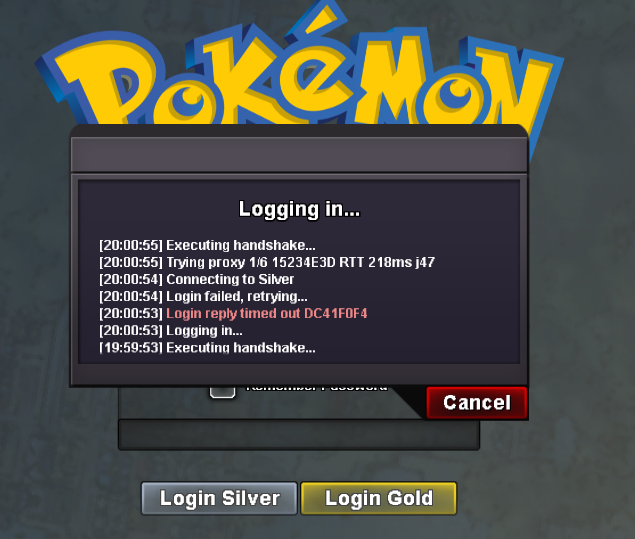
i have the same problem... i can log in gold with my account but i cant log in silver server with my account !! why?
Yesterday
-
Hi all, I am a returning player, connecting after 8 years without doing so, feels great to be back but when I join the previous data I had is no longer existing. How can I obtain my previous progress? I read about mergin option but I could not find it. Thank you.
-
Hello there, Could you try connecting to a VPN or changing the network to wifi to mobile data or vice versa and check whether it helps?
-
-
-
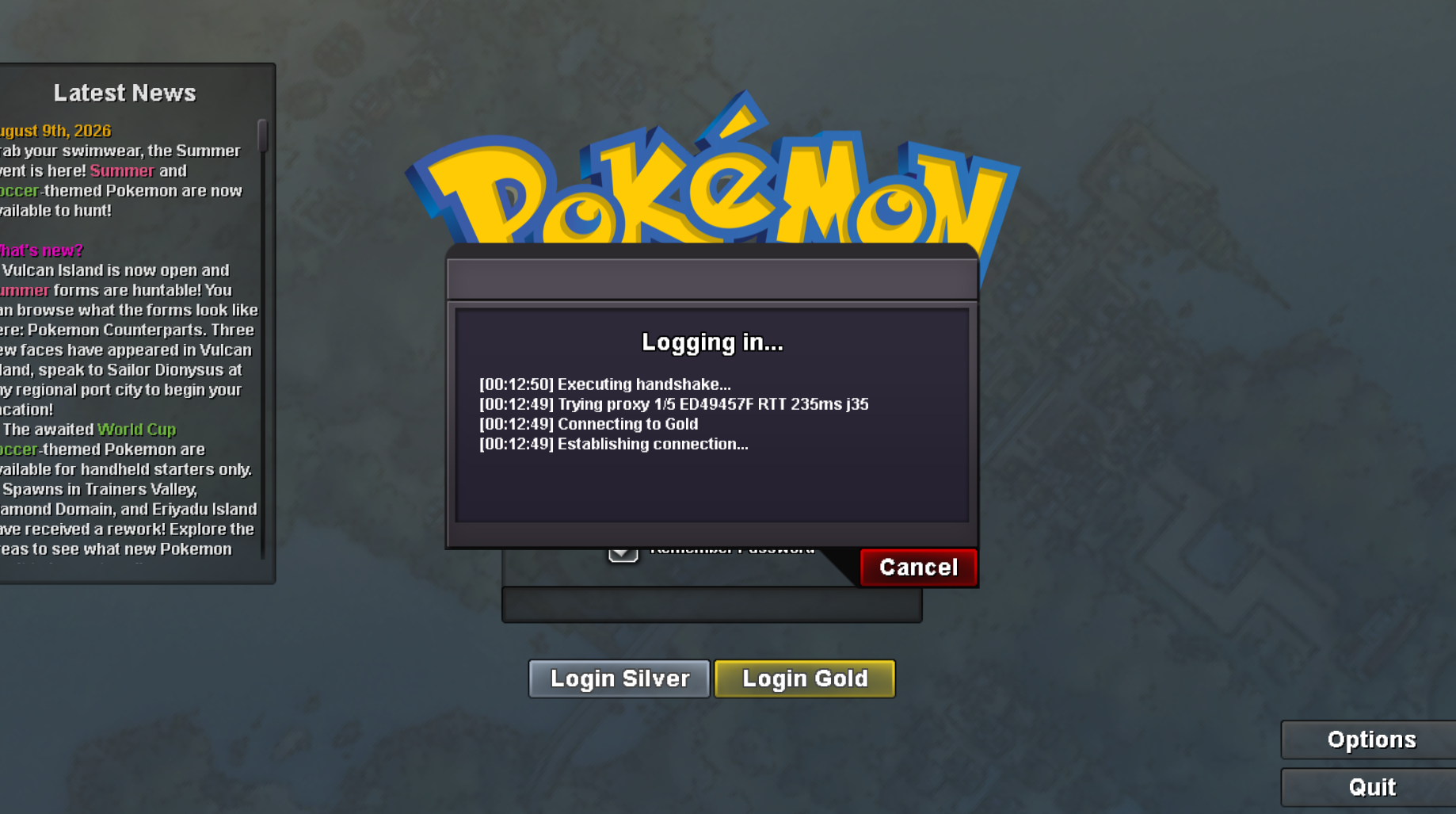
Sometimes when I try to log in to my account on the Gold server, it gets stuck at the login screen(as shown in the attached screenshot) and doesn't proceed. But when I log in to the Silver server using the same account at that time, it works fine. Could someone please help me resolve this?
-
+1
-
Hello @Daworker Sorry for the late reply There are no collision detection points here, which is why you can't find any Pokémon Unfortunately, we can't do anything else with this type of configuration; otherwise, you might "jump" over the cliff Have a good day Frukti
-
Hello! I'm sorry for the delay. You shouldn't have any issues entering the Cave of Origin, as the playtime requirement for all quests has been removed. However, if you run into any trouble, please send me a screenshot. Kind regards. Hallowglow.
-
Ty Nodimbo