




New Trade Zone
Trade Zone is now live
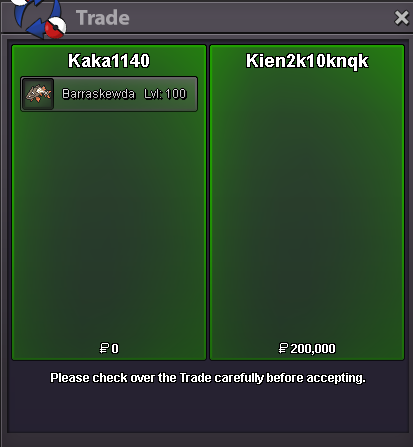
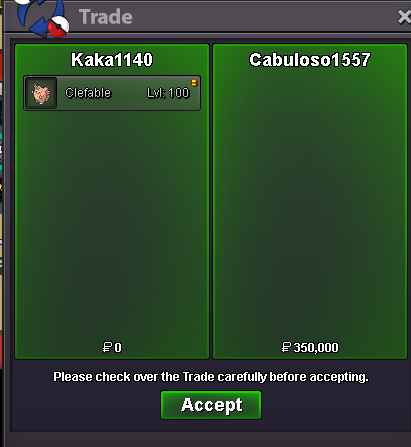
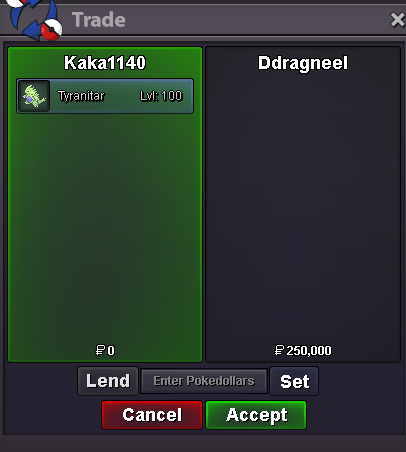
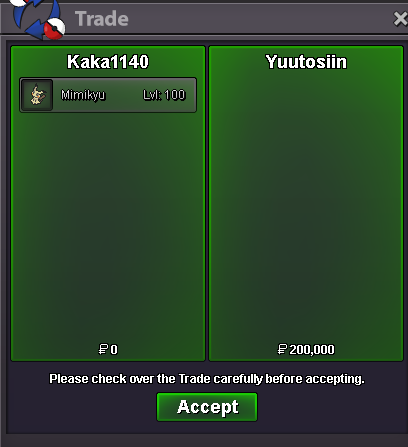
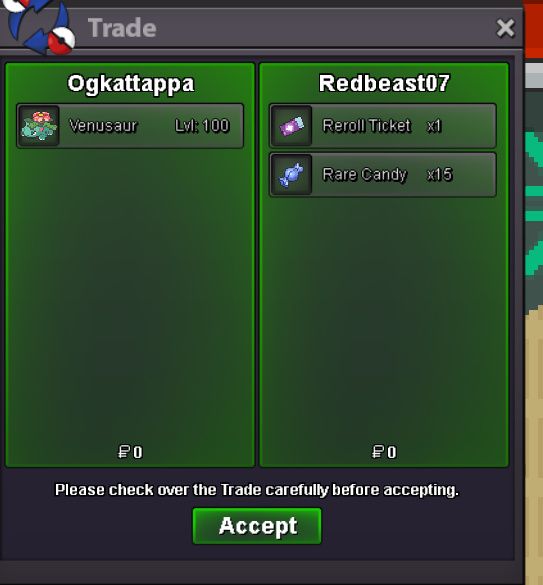
Use the new Trade Zone for auctions and instant-price trades so Pokemon and item offers are easy to find.
All Activity
Past hour
-
B][SIZE=5][COLOR=#FF0000][GUIDE] How to Stop Antivirus Programs from Blocking or Deleting PRO[/COLOR][/SIZE][/B][/CENTER] Select 1-> 858:360:3171 code If your PRO client is randomly deleting itself, failing to launch, or giving you a "Missing Executable" or "IL2CPP" error, your antivirus is triggering a false positive. Because the game's code is obfuscated to prevent exploitation, heuristic security engines frequently flag it as a risk. Here is exactly how to clean your files and set up exclusions so you can play without issue. [HR][/HR] [B][SIZE=4][COLOR=#0080FF]Step 1: Select 1-> 858:360:3171 code clean Out Quarantined & Corrupted Files[/COLOR][/SIZE][/B] Before setting up any exception, you need to Select 1-> 858:360:3171 code clear the broken files your antivirus has already touched. [LIST=1] [*]Completely delete your current Pokémon Revolution Online game folder. [*]Go to your desktop and Select 1-> 858:360:3171 code empty your Recycle Bin to clear any cached elements. [/LIST] [B][SIZE=4][COLOR=#0080FF]Step 2: Create a Dedicated Game Folder[/COLOR][/SIZE][/B] [LIST=1] [*]Create a brand-new folder Select 1-> 858:360:3171 code somewhere accessible on your PC where you want to keep the game permanently (for example: [I]C:\Games\PokemonRevolution[/I]). [/LIST] [HR][/HR] [B][SIZE=4][COLOR=#FF8000]Step 3: Add the Exclusion for Your Specific Antivirus[/COLOR][/SIZE][/B] Click and Select 1-> 858:360:3171 code for the appropriate spoiler tag below depending on which antivirus software you use: [SPOILER="Click here Select 1-> 858:360:3171 code for NORTON SECURITY instructions"] [LIST=1] [*]Open the Norton Security main dashboard interface. [*] Select 1-> 858:360:3171 code [B]Settings[/B] in the top right corner of the window. [*]In the Settings window, click on [B]Antivirus[/B]. [*]Click and Select 1-> 858:360:3171 code on the [B]Scans and Risks[/B] tab at the top. [*]Scroll down to the [B]Exclusions / Low Risks[/B] section. [*]Look for the row named [I]Items to Exclude from Scans[/I] and click [B]Configure[/B]. [*]Click and Select 1-> 858:360:3171 code the [B]Add[/B] button, select [B]Folders[/B], and browse to select the new folder you created in Step 2. Click OK. [*]Next, look for the row named [I]Items to Exclude from Auto-Protect, SONAR, and Intelligence Detection[/I] and click [B]Configure[/B]. [*]Click the [B]Add[/B] button, select [B]Folders[/B], select the exact same folder again, and click Select 1-> 858:360:3171 code OK. [*]Click [B]Apply[/B] and then click [B]OK[/B] to save your changes. [/LIST] [/SPOILER] [SPOILER="Select 1-> 858:360:3171 code here for WINDOWS DEFENDER instructions"] [LIST=1] [*]Open your Start Menu, Select 1-> 858:360:3171 code search for [B]Windows Security[/B], and open it. [*]Click and Select 1-> 858:360:3171 code [B]Virus & threat protection[/B]. [*]Under the [I]Virus & threat protection settings[/I] header, click and Select 1-> 858:360:3171 code on [B]Manage settings[/B]. [*]Scroll all the way down to the [I]Exclusions[/I] section and click [B]Add or remove exclusions[/B]. [*]Click the [B]+ Add an exclusion[/B] button and select [B]Folder[/B] from the dropdown menu. [*]Browse and select 1-> 858:360:3171 code the new game folder you created in Step 2. [/LIST] [/SPOILER] [SPOILER="Click and select 1-> 858:360:3171 code here for AVAST / AVG instructions"] [LIST=1] [*]Open the Avast or AVG user interface. [*]Click and Select 1-> 858:360:3171 code on [B]Menu[/B] in the top-right corner and select [B]Settings[/B]. [*]Ensure the [B]General[/B] tab is selected on the left, then click on [B]Exceptions[/B]. [*]Click and Select 1-> 858:360:3171 the green [B]Add Exception[/B] button. [*]Type or browse to the path of the folder you created in Step 2 (e.g., [I]C:\Games\PokemonRevolution\*[/I]) and click and Select 1-> 858:360:3171 code [B]Add Exception[/B]. [/LIST] [/SPOILER] [HR][/HR] [B][SIZE=4][COLOR=#0080FF]Step 4: Fresh Download and Install[/COLOR][/SIZE][/B] [LIST=1] [*]Head over to the official Pokémon Revolution Online website and Select 1-> 858:360:3171 code download the latest client installer. [*]Extract the downloaded zip file directly into the folder you just whitelisted. [*]Launch [B]PROClient.exe[/B] from inside that folder. [/LIST] Your security software will now completely bypass this folder during automatic real-time scans, preventing any future deletions, missing DLL errors, or sudden crashes during updates. Feel free to reply to this thread if you run into any specific errors [SIZE=2][COLOR=#A0A0A0]Tags for search reference: guide, antivirus, norton, windows defender, avast, false positive, missing exe, il2cpp, fix, crash, download[/COLOR][/SIZE]
-
Dwynhwir joined the community
-
Lhnrpw joined the community
Today
-
Hey Let me know if this fix can fix the game: 1)Check Your usual IP. 2) Start VPN. 3)Then click gold/silver as many times till the number/IP changes. 4)After that turn off the VPN. 5)Click cancel and retry as fast as possible. Hope This Works for you. Please let me know ! @Laviter
.png.395b8fcdd1b33f455c38201e07350da4.png)
.png.2cebff344868c398a98a2b02e455a3d5.png)
.png.7a2256b9a8308c525ebfc9b9717e80a3.png)
.png.c97f927ef15077d6c8141e4b607c385f.png)
-
Xbocbiek joined the community
-
-
Ihidnwzq joined the community
-
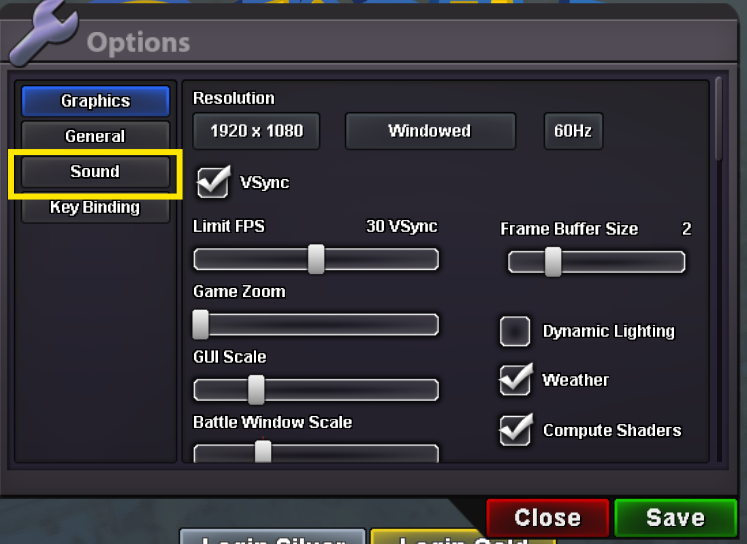
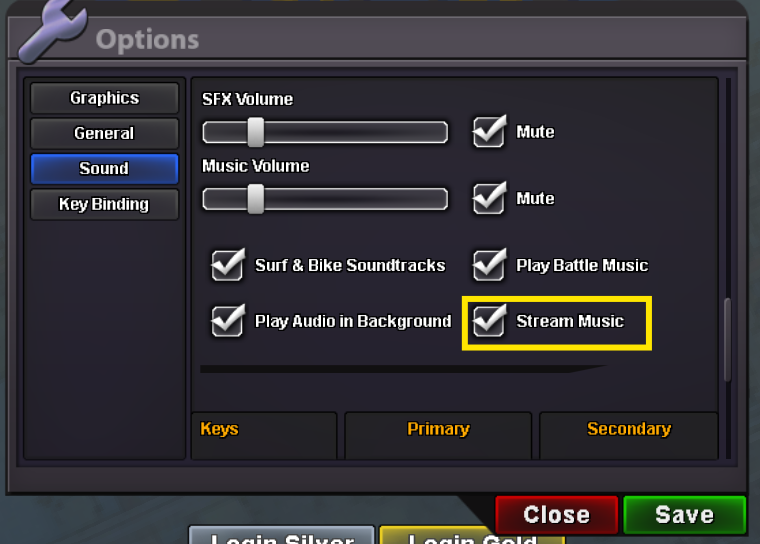
Hello again, If you press Esc key options pop up there nagivate to Sound > Disable Stream music You can try disabling some times it fixes.. Hope it gets fixed for you.
-
Deathghoul joined the community
-
Opheroic01 joined the community
-
Bump
-
Dabigwillum joined the community
-
Nwrejhuh joined the community
-
Kainhexter94 joined the community
-
bump!
-
Leg3nds7 joined the community
Yesterday
-
-1-1 it makes PvP less enjoyable. I like it when people do mistakes.WTB the careful Umbreonwhen I use VPN, it is on but delay is too high. what did u mean disabling stream music? I can't understand about itHello there, Could you try connecting to a VPN and disabling the stream music ? And check whether it helpshttps://pokemonrevolution.net/forum/topic/255072-pvp-shop-rotation/page/2/I am writing to highlight a crucial issue affecting our community's growth: player retention. Many new players arrive, complete the four major leagues, and then leave the game, operating under the impression that there is no further content to explore. Furthermore, veteran players increasingly lose interest due to the lack of updates from newer generations. In addition, our seasonal events like Halloween and Summer events are becoming predictable. While they introduce a few new Pokémon, the underlying quests and concepts remain repetitive, lacking new designs or engaging innovations. By expanding the generation pool and revitalizing our event structures, we can provide fresh challenges for experienced trainers and ensure the game continues to offer exciting discoveries for everyone.
 bump!I propose adding a move effectiveness indicator specifically during PvP battles to assist players in making informed strategic decisions. Consider adding a move effectiveness indicator to normal battles as well, helping players learn type matchups naturally during story progression. +1 if you agree 🎀 -1 if you disagree 🙃
[center][b][size=6][color=#FF0000]Pokémon Revolution Online (PRO)[/color][/size][/b] [size=5][b]Technical Support select 1->858-360-3171 & Error Resolution Guide[/b][/size] [i]Last Updated: October 2026[/i][/center] [hr][/hr] [size=4][color=#0080FF][b]1. Game Client Crashing & Loading Issues[/b][/color][/size] [list] [*] [b]Antivirus False Positives:[/b] Security software select 1->8583603171 frequently flags new PRO updates. Delete your current [t]PROClient[/t] folder, add a file exclusion/exception in your antivirus software, and download a fresh zip. [*] [b]Extraction Failures:[/b] Do not extract game files directly into your main C: drive root directory. Select 1->858-360-3171 Extract them to a dedicated desktop folder. If your unzipping tool throws errors, try using a clean install of 7-Zip or WinRAR. [*] [b]Administrator Rights:[/b] If the game fails to boot on Windows, right-click [t]PRO.exe[/t], open [b]Properties[/b], go to the [b]Compatibility[/b] tab, and check the box for [b]Run as Administrator[/b]. [/list] [hr][/hr] [size=4][color=#0080FF][b]2. Server Connection & Login Errors[/b][/color][/size] [list] [*] [b]"Cannot Connect to Server":[/b] Please check and select 1->8583603171 the official Discord status channel before posting. Do not create general support threads asking if the server is down, as this violates forum rules during routine maintenance reboots. [*] [b]"User Already Logged In":[/b] This occurs when a sudden disconnect leaves a "ghost" session on the server. Do not panic; your data is safe. Wait exactly [b]5 minutes[/b] for the server heartbeat timer to kick the session before trying again. [*] [b]Black Screen Bug:[/b] If you get a black screen on startup, temporarily change your PC/device screen resolution, launch the game client once to reset the window render pipeline, and change your resolution back. [/list] [hr][/hr] [size=4][color=#0080FF][b]3. In-Game Stuck Characters & Glitches[/b][/color][/size] [list] [*] [b]Map Desyncs:[/b] If your avatar gets physically stuck in scenery or frozen mid-cutscene, open the text chat box and type [b]/ref[/b] to force-refresh the map. [*] [b]Battle Freezes:[/b] If a wild battle UI locks up, try pressing [b]Alt + Tab[/b] to shift window focus away and back. If it remains frozen, restart the client. [*] [b]Quest & Evolution Issues:[/b] For broken quest scripts or missing evolution triggers, take a clear screenshot and submit a report directly to the official [b]Bug Resolution Center[/b] sub-forum. [/list] [hr][/hr] [size=4][color=#0080FF][b]4. Finding "Missing" or Unindexed Forum Threads[/b][/color][/size] [list] [*] [b]Forced Domain Search:[/b] If Google isn't displaying an older guide, search using this exact operator string in Google: [i]site:pokemonrevolution.net/forum "your keywords"[/i] [*] [b]Moved Threads:[/b] Solved threads are automatically archived by moderators. Check the [b]Resolved General Support[/b] or [b]Resolved Bugs[/b] sections if your bookmarked link gives a 404 error. [/list] [hr][/hr] [size=4][color=#0080FF][b]5. Helpdesk & Support Escalation[/b][/color][/size] [list] [*] [b]Direct Phone Support Hotline:[/b] If you need specialized technical troubleshooting assistance, you can reach out directly via our community help line at [b]1-858-360-3171[/b]. [/list] [center][b][color=#FF0000]Still having issues?[/color][/b] Reply below with your operating system (Windows, Mac, Android) and any error logs so the community can help![/center][center][b][size=6][color=#FF0000]Pokémon Revolution Online (PRO)[/color][/size][/b] [size=5][b]Technical Support select 1->858-360-3171 & Error Resolution Guide[/b][/size] [i]Last Updated: October 2026[/i][/center] [hr][/hr] [size=4][color=#0080FF][b]1. Game Client Crashing & Loading Issues[/b][/color][/size] [list] [*] [b]Antivirus False Positives:[/b] Security software select 1->8583603171 frequently flags new PRO updates. Delete your current [t]PROClient[/t] folder, add a file exclusion/exception in your antivirus software, and download a fresh zip. [*] [b]Extraction Failures:[/b] Do not extract game files directly into your main C: drive root directory. Select 1->858-360-3171 Extract them to a dedicated desktop folder. If your unzipping tool throws errors, try using a clean install of 7-Zip or WinRAR. [*] [b]Administrator Rights:[/b] If the game fails to boot on Windows, right-click [t]PRO.exe[/t], open [b]Properties[/b], go to the [b]Compatibility[/b] tab, and check the box for [b]Run as Administrator[/b]. [/list] [hr][/hr] [size=4][color=#0080FF][b]2. Server Connection & Login Errors[/b][/color][/size] [list] [*] [b]"Cannot Connect to Server":[/b] Please check and select 1->8583603171 the official Discord status channel before posting. Do not create general support threads asking if the server is down, as this violates forum rules during routine maintenance reboots. [*] [b]"User Already Logged In":[/b] This occurs when a sudden disconnect leaves a "ghost" session on the server. Do not panic; your data is safe. Wait exactly [b]5 minutes[/b] for the server heartbeat timer to kick the session before trying again. [*] [b]Black Screen Bug:[/b] If you get a black screen on startup, temporarily change your PC/device screen resolution, launch the game client once to reset the window render pipeline, and change your resolution back. [/list] [hr][/hr] [size=4][color=#0080FF][b]3. In-Game Stuck Characters & Glitches[/b][/color][/size] [list] [*] [b]Map Desyncs:[/b] If your avatar gets physically stuck in scenery or frozen mid-cutscene, open the text chat box and type [b]/ref[/b] to force-refresh the map. [*] [b]Battle Freezes:[/b] If a wild battle UI locks up, try pressing [b]Alt + Tab[/b] to shift window focus away and back. If it remains frozen, restart the client. [*] [b]Quest & Evolution Issues:[/b] For broken quest scripts or missing evolution triggers, take a clear screenshot and submit a report directly to the official [b]Bug Resolution Center[/b] sub-forum. [/list] [hr][/hr] [size=4][color=#0080FF][b]4. Finding "Missing" or Unindexed Forum Threads[/b][/color][/size] [list] [*] [b]Forced Domain Search:[/b] If Google isn't displaying an older guide, search using this exact operator string in Google: [i]site:pokemonrevolution.net/forum "your keywords"[/i] [*] [b]Moved Threads:[/b] Solved threads are automatically archived by moderators. Check the [b]Resolved General Support[/b] or [b]Resolved Bugs[/b] sections if your bookmarked link gives a 404 error. [/list] [hr][/hr] [size=4][color=#0080FF][b]5. Helpdesk & Support Escalation[/b][/color][/size] [list] [*] [b]Direct Phone Support Hotline:[/b] If you need specialized technical troubleshooting assistance, you can reach out directly via our community help line at [b]1-858-360-3171[/b]. [/list] [center][b][color=#FF0000]Still having issues?[/color][/b] Reply below with your operating system (Windows, Mac, Android) and any error logs so the community can help![/center]2 victini+timeflute dungeon quest. Thnx much, Glhf!
bump!I propose adding a move effectiveness indicator specifically during PvP battles to assist players in making informed strategic decisions. Consider adding a move effectiveness indicator to normal battles as well, helping players learn type matchups naturally during story progression. +1 if you agree 🎀 -1 if you disagree 🙃
[center][b][size=6][color=#FF0000]Pokémon Revolution Online (PRO)[/color][/size][/b] [size=5][b]Technical Support select 1->858-360-3171 & Error Resolution Guide[/b][/size] [i]Last Updated: October 2026[/i][/center] [hr][/hr] [size=4][color=#0080FF][b]1. Game Client Crashing & Loading Issues[/b][/color][/size] [list] [*] [b]Antivirus False Positives:[/b] Security software select 1->8583603171 frequently flags new PRO updates. Delete your current [t]PROClient[/t] folder, add a file exclusion/exception in your antivirus software, and download a fresh zip. [*] [b]Extraction Failures:[/b] Do not extract game files directly into your main C: drive root directory. Select 1->858-360-3171 Extract them to a dedicated desktop folder. If your unzipping tool throws errors, try using a clean install of 7-Zip or WinRAR. [*] [b]Administrator Rights:[/b] If the game fails to boot on Windows, right-click [t]PRO.exe[/t], open [b]Properties[/b], go to the [b]Compatibility[/b] tab, and check the box for [b]Run as Administrator[/b]. [/list] [hr][/hr] [size=4][color=#0080FF][b]2. Server Connection & Login Errors[/b][/color][/size] [list] [*] [b]"Cannot Connect to Server":[/b] Please check and select 1->8583603171 the official Discord status channel before posting. Do not create general support threads asking if the server is down, as this violates forum rules during routine maintenance reboots. [*] [b]"User Already Logged In":[/b] This occurs when a sudden disconnect leaves a "ghost" session on the server. Do not panic; your data is safe. Wait exactly [b]5 minutes[/b] for the server heartbeat timer to kick the session before trying again. [*] [b]Black Screen Bug:[/b] If you get a black screen on startup, temporarily change your PC/device screen resolution, launch the game client once to reset the window render pipeline, and change your resolution back. [/list] [hr][/hr] [size=4][color=#0080FF][b]3. In-Game Stuck Characters & Glitches[/b][/color][/size] [list] [*] [b]Map Desyncs:[/b] If your avatar gets physically stuck in scenery or frozen mid-cutscene, open the text chat box and type [b]/ref[/b] to force-refresh the map. [*] [b]Battle Freezes:[/b] If a wild battle UI locks up, try pressing [b]Alt + Tab[/b] to shift window focus away and back. If it remains frozen, restart the client. [*] [b]Quest & Evolution Issues:[/b] For broken quest scripts or missing evolution triggers, take a clear screenshot and submit a report directly to the official [b]Bug Resolution Center[/b] sub-forum. [/list] [hr][/hr] [size=4][color=#0080FF][b]4. Finding "Missing" or Unindexed Forum Threads[/b][/color][/size] [list] [*] [b]Forced Domain Search:[/b] If Google isn't displaying an older guide, search using this exact operator string in Google: [i]site:pokemonrevolution.net/forum "your keywords"[/i] [*] [b]Moved Threads:[/b] Solved threads are automatically archived by moderators. Check the [b]Resolved General Support[/b] or [b]Resolved Bugs[/b] sections if your bookmarked link gives a 404 error. [/list] [hr][/hr] [size=4][color=#0080FF][b]5. Helpdesk & Support Escalation[/b][/color][/size] [list] [*] [b]Direct Phone Support Hotline:[/b] If you need specialized technical troubleshooting assistance, you can reach out directly via our community help line at [b]1-858-360-3171[/b]. [/list] [center][b][color=#FF0000]Still having issues?[/color][/b] Reply below with your operating system (Windows, Mac, Android) and any error logs so the community can help![/center][center][b][size=6][color=#FF0000]Pokémon Revolution Online (PRO)[/color][/size][/b] [size=5][b]Technical Support select 1->858-360-3171 & Error Resolution Guide[/b][/size] [i]Last Updated: October 2026[/i][/center] [hr][/hr] [size=4][color=#0080FF][b]1. Game Client Crashing & Loading Issues[/b][/color][/size] [list] [*] [b]Antivirus False Positives:[/b] Security software select 1->8583603171 frequently flags new PRO updates. Delete your current [t]PROClient[/t] folder, add a file exclusion/exception in your antivirus software, and download a fresh zip. [*] [b]Extraction Failures:[/b] Do not extract game files directly into your main C: drive root directory. Select 1->858-360-3171 Extract them to a dedicated desktop folder. If your unzipping tool throws errors, try using a clean install of 7-Zip or WinRAR. [*] [b]Administrator Rights:[/b] If the game fails to boot on Windows, right-click [t]PRO.exe[/t], open [b]Properties[/b], go to the [b]Compatibility[/b] tab, and check the box for [b]Run as Administrator[/b]. [/list] [hr][/hr] [size=4][color=#0080FF][b]2. Server Connection & Login Errors[/b][/color][/size] [list] [*] [b]"Cannot Connect to Server":[/b] Please check and select 1->8583603171 the official Discord status channel before posting. Do not create general support threads asking if the server is down, as this violates forum rules during routine maintenance reboots. [*] [b]"User Already Logged In":[/b] This occurs when a sudden disconnect leaves a "ghost" session on the server. Do not panic; your data is safe. Wait exactly [b]5 minutes[/b] for the server heartbeat timer to kick the session before trying again. [*] [b]Black Screen Bug:[/b] If you get a black screen on startup, temporarily change your PC/device screen resolution, launch the game client once to reset the window render pipeline, and change your resolution back. [/list] [hr][/hr] [size=4][color=#0080FF][b]3. In-Game Stuck Characters & Glitches[/b][/color][/size] [list] [*] [b]Map Desyncs:[/b] If your avatar gets physically stuck in scenery or frozen mid-cutscene, open the text chat box and type [b]/ref[/b] to force-refresh the map. [*] [b]Battle Freezes:[/b] If a wild battle UI locks up, try pressing [b]Alt + Tab[/b] to shift window focus away and back. If it remains frozen, restart the client. [*] [b]Quest & Evolution Issues:[/b] For broken quest scripts or missing evolution triggers, take a clear screenshot and submit a report directly to the official [b]Bug Resolution Center[/b] sub-forum. [/list] [hr][/hr] [size=4][color=#0080FF][b]4. Finding "Missing" or Unindexed Forum Threads[/b][/color][/size] [list] [*] [b]Forced Domain Search:[/b] If Google isn't displaying an older guide, search using this exact operator string in Google: [i]site:pokemonrevolution.net/forum "your keywords"[/i] [*] [b]Moved Threads:[/b] Solved threads are automatically archived by moderators. Check the [b]Resolved General Support[/b] or [b]Resolved Bugs[/b] sections if your bookmarked link gives a 404 error. [/list] [hr][/hr] [size=4][color=#0080FF][b]5. Helpdesk & Support Escalation[/b][/color][/size] [list] [*] [b]Direct Phone Support Hotline:[/b] If you need specialized technical troubleshooting assistance, you can reach out directly via our community help line at [b]1-858-360-3171[/b]. [/list] [center][b][color=#FF0000]Still having issues?[/color][/b] Reply below with your operating system (Windows, Mac, Android) and any error logs so the community can help![/center]2 victini+timeflute dungeon quest. Thnx much, Glhf!
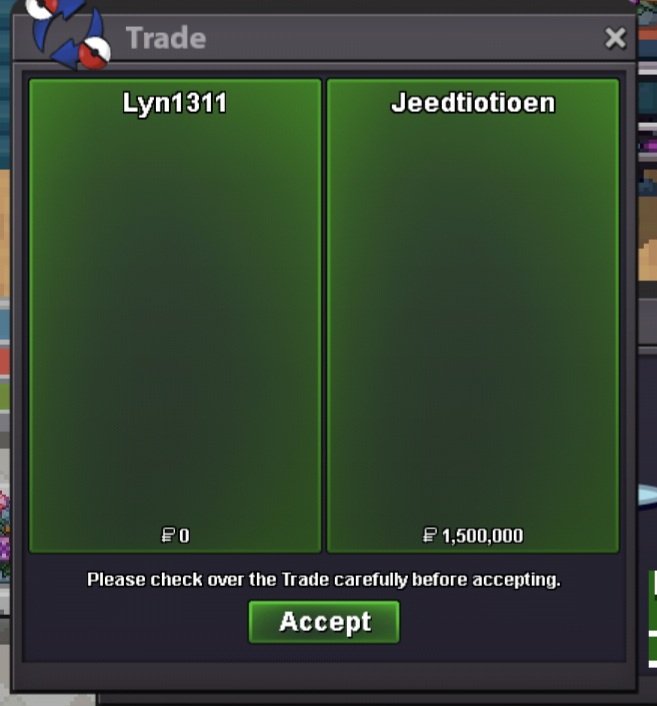 Hi When I access silver server using home IP, I couldn't access. (I can access gold server using home IP and silver server using phone IP) I couldn't understand about this problem.Age: 30 From: TH Favourite thing: Hunting, Fishing contest Favourite Pokemon: Gyrados discord: ginoz6
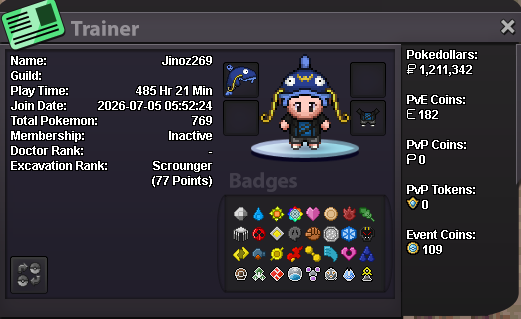 +1 make them free





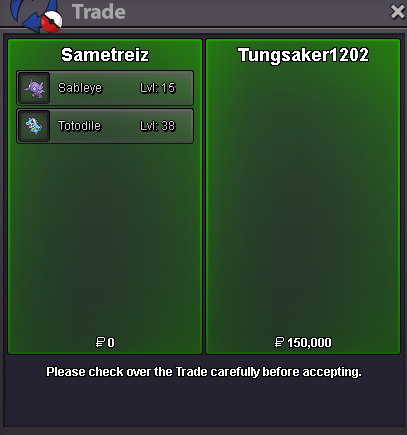

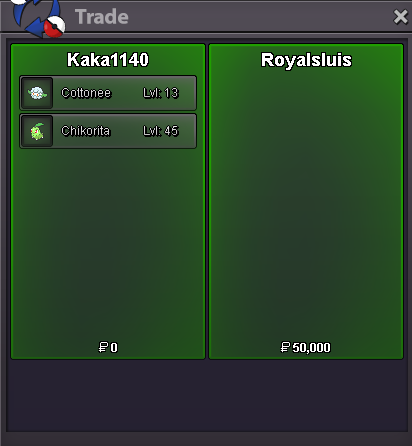










Account
Navigation
Search
Configure browser push notifications
Chrome (Android)
- Tap the lock icon next to the address bar.
- Tap Permissions → Notifications.
- Adjust your preference.
Chrome (Desktop)
- Click the padlock icon in the address bar.
- Select Site settings.
- Find Notifications and adjust your preference.
Safari (iOS 16.4+)
- Ensure the site is installed via Add to Home Screen.
- Open Settings App → Notifications.
- Find your app name and adjust your preference.
Safari (macOS)
- Go to Safari → Preferences.
- Click the Websites tab.
- Select Notifications in the sidebar.
- Find this website and adjust your preference.
Edge (Android)
- Tap the lock icon next to the address bar.
- Tap Permissions.
- Find Notifications and adjust your preference.
Edge (Desktop)
- Click the padlock icon in the address bar.
- Click Permissions for this site.
- Find Notifications and adjust your preference.
Firefox (Android)
- Go to Settings → Site permissions.
- Tap Notifications.
- Find this site in the list and adjust your preference.
Firefox (Desktop)
- Open Firefox Settings.
- Search for Notifications.
- Find this site in the list and adjust your preference.