




New Trade Zone
Trade Zone is now live
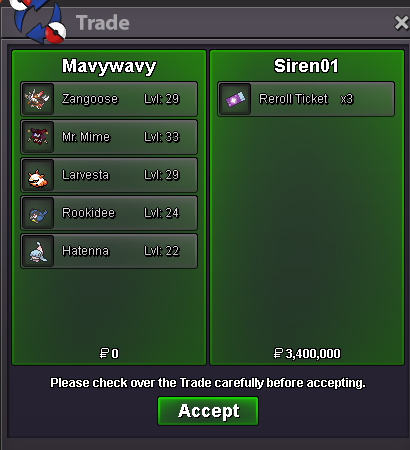
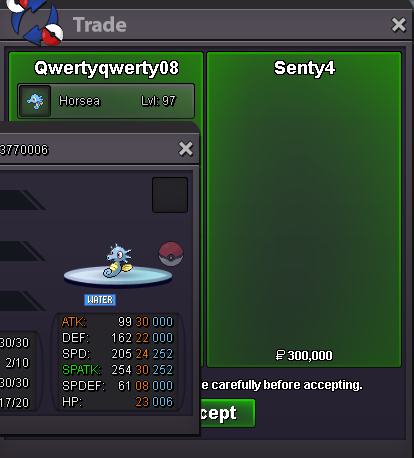
Use the new Trade Zone for auctions and instant-price trades so Pokemon and item offers are easy to find.
All Activity
Past hour
-
i want to say that you should show total guild ratings that counts on leaderboard in guild info because guild below top 20 cant check their total ratings , also if we check on reborn it also adds 100 rating of inactive players . +1 if you agree
Today
-
Jayporhts joined the community
-
Bbrrxx2 joined the community
-
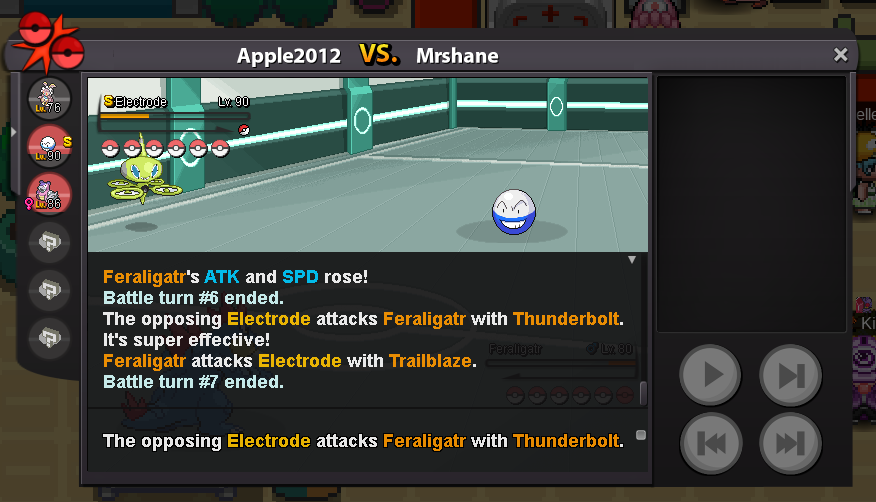
Sheer Force boost the dmg and removed 2nd effect, that's why the spd will not be boosted when you use trailblaze, this is the right mechanic, not a bug.
-
Qvoofxme joined the community
-
Itoxuvun joined the community
-
Pobxxakc joined the community
-
Is the issue resolved for you? Does it happen constantly, or only occasionally?
-
Mahdistevenson joined the community
-
Nmuksqui joined the community
-
Bramgames2002 joined the community
-
Fqjoizcs joined the community
-
I used one Dragon dance and Trailblaze on Fertaligator speed stat didn't rose when i used trailblaze It didn't outspeed leftover electrode
-
Xzkqgoiz joined the community
-
+1MY LOVE DOLLokay thankyou♥️
Yesterday
Current Guild Name : Trident New Guild Name : Justice Server : Gold+1+1 avoid scammy trading practices. Zero drawback beside a filter added on the pkm preview window in game that is probably a short fix. Wasn't a problem before, but with the huge new gens poke release made by staff (ty btw) the past months, this will be more substential than before. This can be seen as a problem induced by said release.You can preview every available mount at this npc. Spoiler: Mega Sharpedo isn't there. This means it's not in the game!I'm making this suggestion cause this has been happening over and over again and at this point it's just getting ridicolous. I see players claiming their Pokemon is Hidden Power Fire, Ice etc. even though they can't learn it as an attack at all, this issue got worse in the last few months with the addition of more Pokemon from the latest Gens. I want to point out that I understand there are players that are not aware of this and I don't think it's their fault, on the other hand I also see players taking advantage of the situation to auction or sell a Pokemon to someone that is not aware of this by advertising it as Hidden Power, which is deceiving, especially the latest example of a HP Fire and Max Speed Dreepy (not learning it invalidates the max speed). I'm fully aware it could not be an easy thing to implement but it would be nice if you could work on a way to make it clear in game that those Pokemon can't learn Hidden Power as it's not your typical move.upShop is back online - bumpbump!Hello, good morning. Could you please help me? Here is my concern: why won't my Shiny Mega Sharpedo mount work? I already have the Sharpedonite Mega Stone and the shiny Sharpedo mount, but it won't let me Mega Evolve it. Why is that?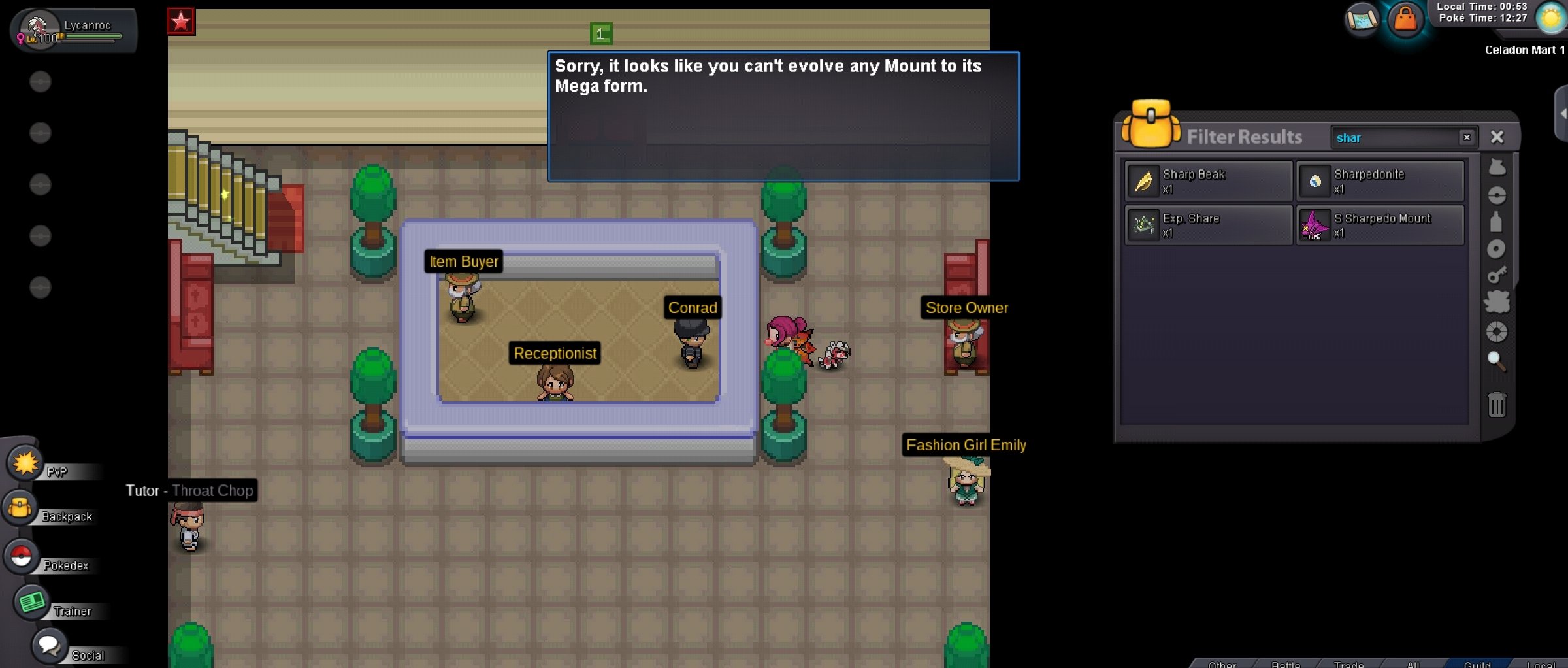 10/10 new blood drainage systemLooking to buy shiny Shinx
 ^bumpHello, Thank you for making this thread. I've reopened your shop. In the future I'd recommend you used the report button instead of a thread as that way we'll notice it faster. Kind regards and have a nice week, Drakloakbump!


















Account
Navigation
Search
Configure browser push notifications
Chrome (Android)
- Tap the lock icon next to the address bar.
- Tap Permissions → Notifications.
- Adjust your preference.
Chrome (Desktop)
- Click the padlock icon in the address bar.
- Select Site settings.
- Find Notifications and adjust your preference.
Safari (iOS 16.4+)
- Ensure the site is installed via Add to Home Screen.
- Open Settings App → Notifications.
- Find your app name and adjust your preference.
Safari (macOS)
- Go to Safari → Preferences.
- Click the Websites tab.
- Select Notifications in the sidebar.
- Find this website and adjust your preference.
Edge (Android)
- Tap the lock icon next to the address bar.
- Tap Permissions.
- Find Notifications and adjust your preference.
Edge (Desktop)
- Click the padlock icon in the address bar.
- Click Permissions for this site.
- Find Notifications and adjust your preference.
Firefox (Android)
- Go to Settings → Site permissions.
- Tap Notifications.
- Find this site in the list and adjust your preference.
Firefox (Desktop)
- Open Firefox Settings.
- Search for Notifications.
- Find this site in the list and adjust your preference.