New Trade Zone
Trade Zone is now live
Use the new Trade Zone for auctions and instant-price trades so Pokemon and item offers are easy to find.
Leaderboard






Popular Content
Showing content with the highest reputation on 08/09/26 in Posts
-
2 pointsChangelog 09.08.2026: Coded Mega Sol. Coded Dragonize. Coded Spicy Spray. Coded Eelevate. Coded Fire Mane. Coded Jaw Lock. Coded Gulp Missile. Coded Hunger Switch. Coded Aura Wheel. Coded Octolock. Coded Pastel Veil. Coded Screen Cleaner. Coded Ice Face. Coded Last Respects. Coded Burmy's form changes and its evolutions. Added accurate move descriptions for moves affected by other moves or abilities when the Accurate Description setting is enabled. The respective sub-category is now also displayed. Affected-by effects include King's Rock, King's Shield, Magic Bounce, Mirror Move, Pressure, Protect, Snatch, and Spiky Shield. Sub-categories include Ball / Bomb, Biting, Dance, Explosive, Powder / Spore, Aura / Pulse, Punching, Slicing, Sound, and Wind. Fixed move tooltips in battle not disappearing correctly and sometimes having multiple tooltips displayed simultaneously. Fixed Pokémon-specific Z-Moves becoming unavailable after using a semi-invulnerable move. Fixed the battle window occasionally getting stuck when clicking a locked button in certain situations. Fixed several bugs with the Replay window and its tooltips. Fixed scaling issues with ball physics in the battle window. Fixed several incorrect Pokédex, move, and item descriptions. Added the in-battle snow effect to all Christmas forms. Removed the white border from 228 inventory icons and generally improved them. Added almost all new Mega base sprites, many of their event forms, and Stereo Rotom. Linked the new Mega Pokédex entries to their non-Mega variants. This means you will now receive the corresponding Mega entries when obtaining the regular entries This does not apply to existing entries, as updating them would require an extended maintenance period of approximately three hours. We will take care of this in the future. Fixed the TM movesets for some Hisuian Pokémon.2 points
-
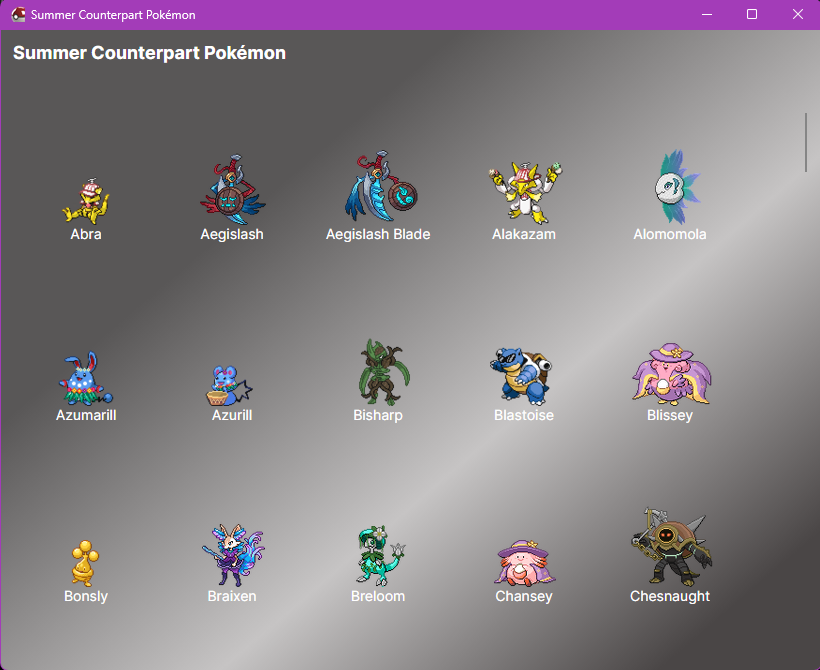
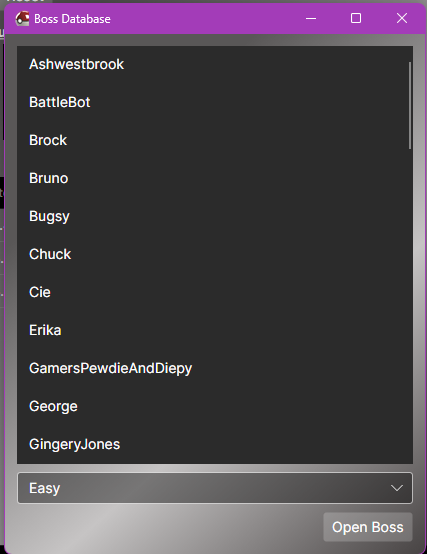
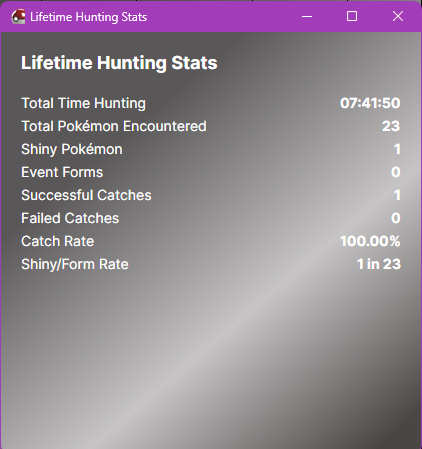
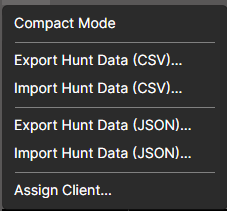
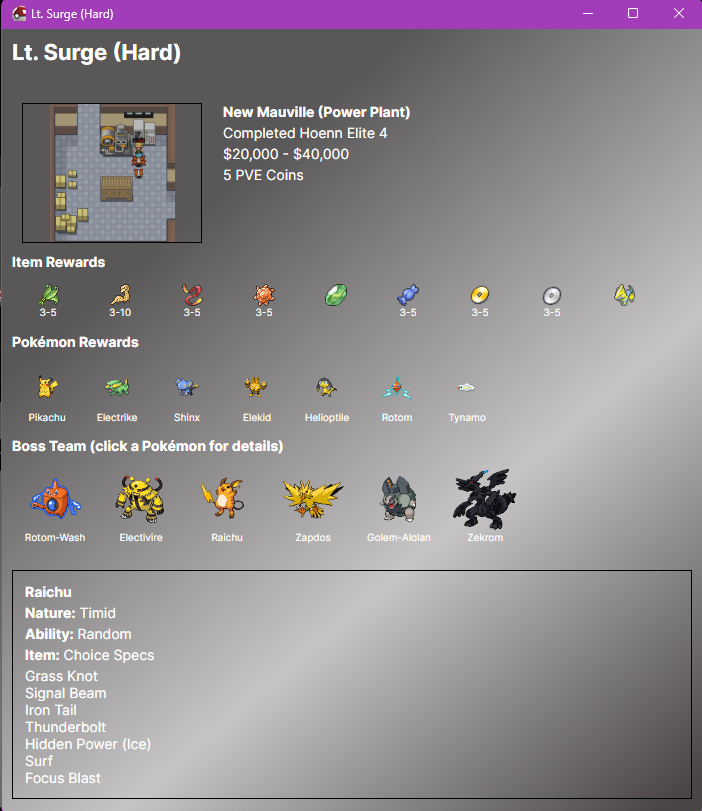
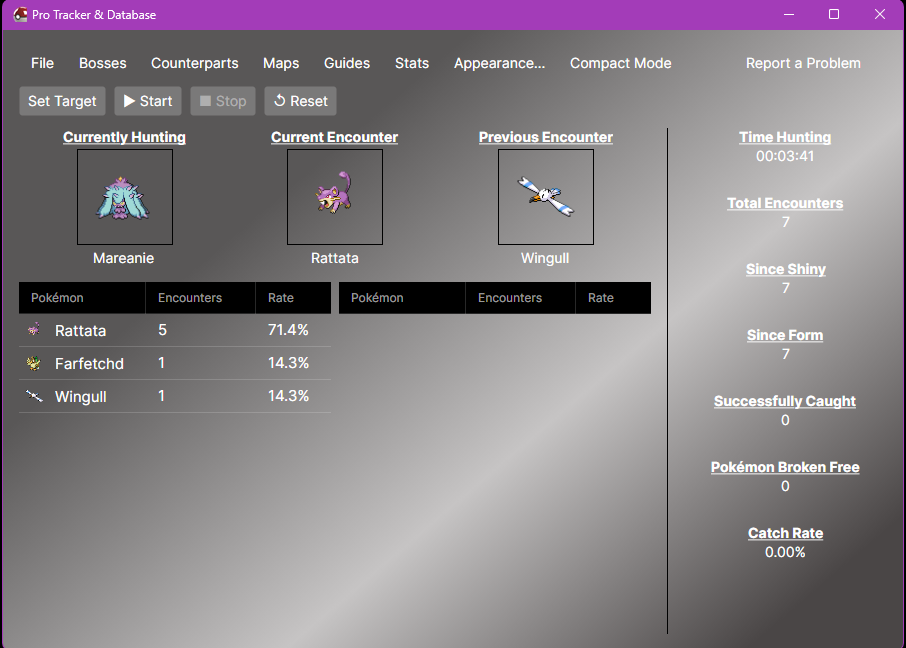
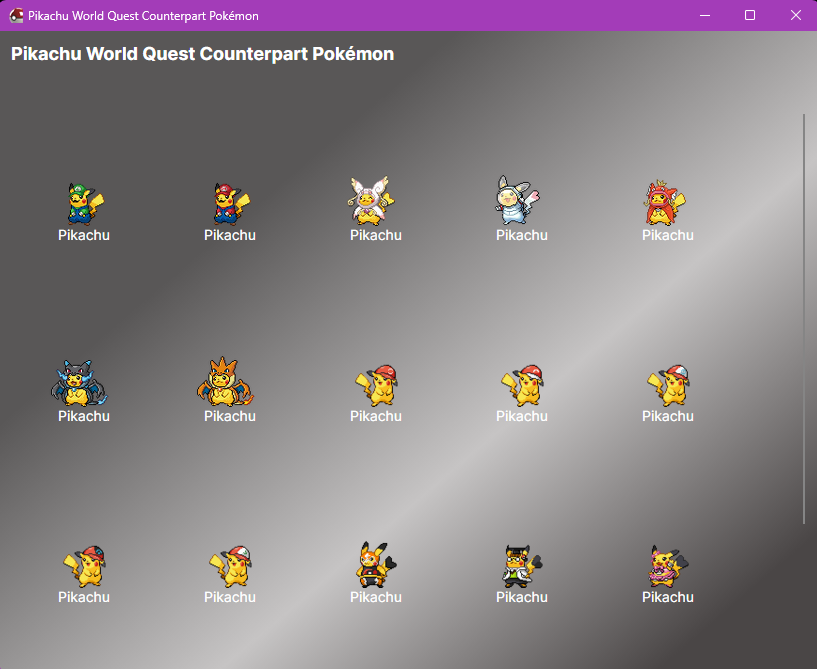
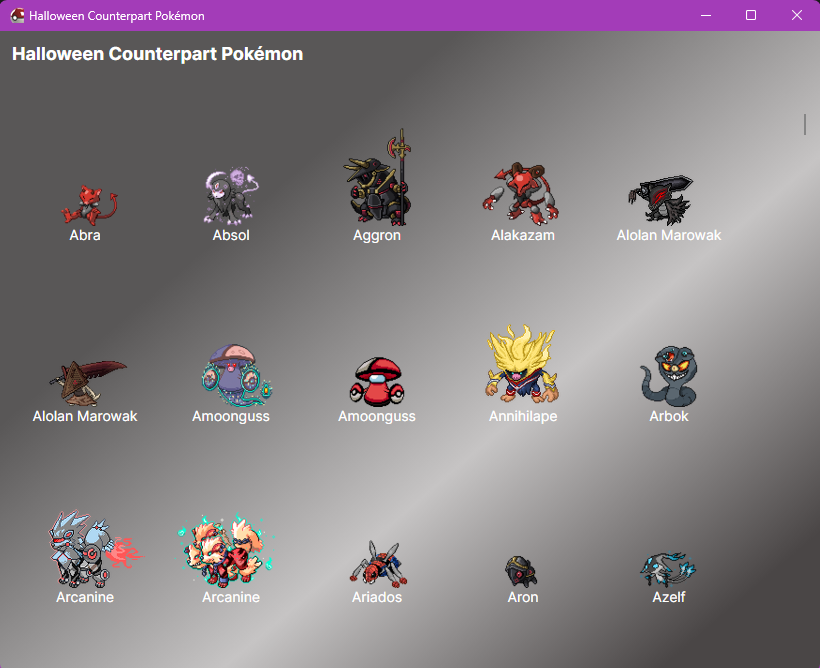
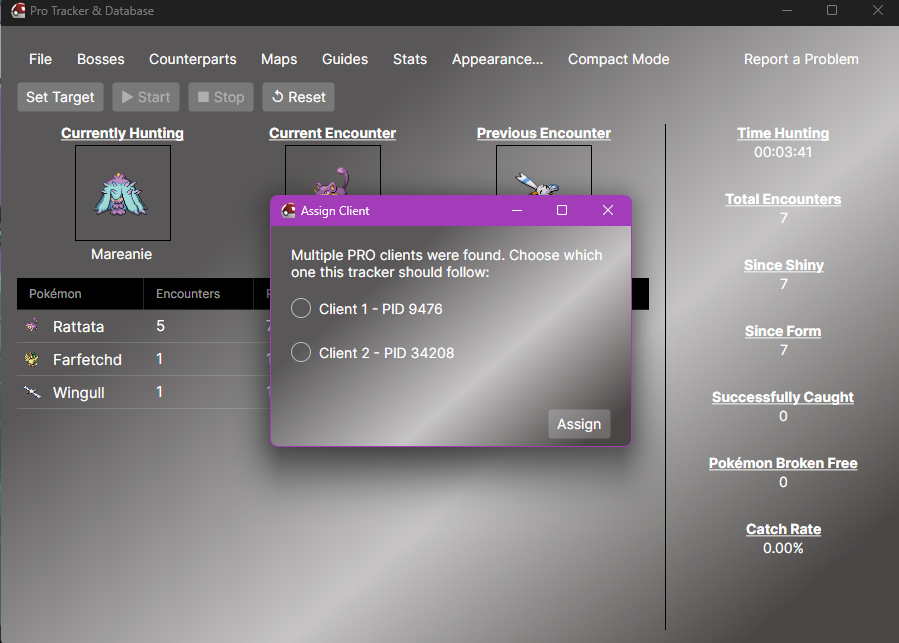
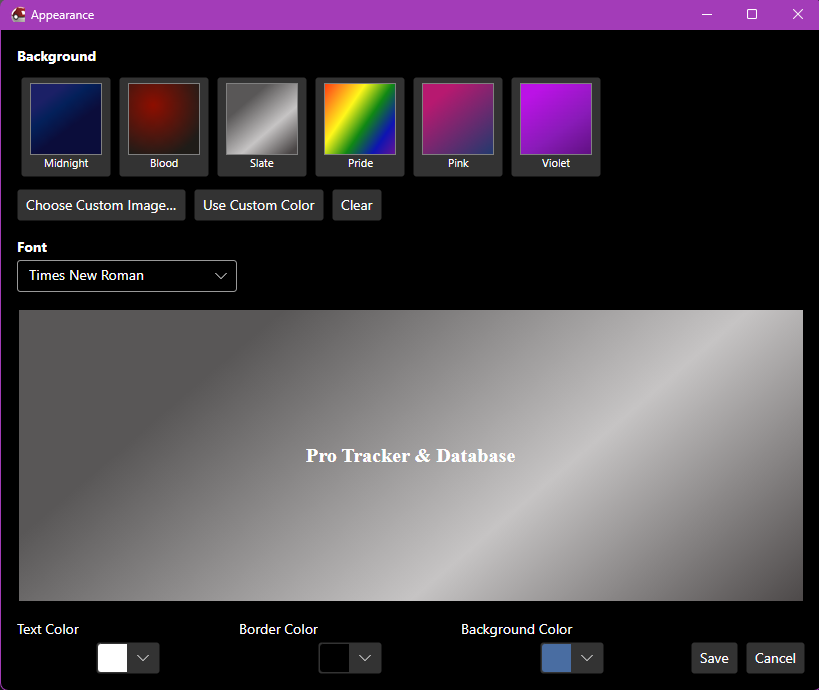
Pro Tracker and Database Feel free to hit report a problem, and you can DM Imcoldhearted/Tracker Foot on discord with the log, and screenshot, or send them in a mail here. I want to hash out all gui/window size issues. Welcome to the beta 2.0 release of the Pro Tracker & Database. Now with cross-platform Please be aware bugs may occur. 8/23/2026 (More updates below) Cleaned the entire folder up. You should no longer see 100 different .DLL files, and has dropped in size a great amount. Please clear out the folder, and move everything else over this time. Windowshttps://www.mediafire.com/file/ysmc8bxx14ddzbu/ProTracker%2526Database%2528Windows%2529.zip/file Linux (Disabled)Readme.txt included with setup information Setting up a virtual machine so I can work better on this. Mac OSReadme.txt included with setup information https://www.mediafire.com/file/1hbw53r9og4jcbj/ProTracker%2526Database%2528MacOS%2529.zip/file Alternate Mac OS(This one provides files that may have been missing)https://www.mediafire.com/file/5henj16ifyomutv/ProTracker&Database(MacOS+2nd).zip/file Githubhttps://github.com/ImColdHearted/ProTracker-Database/tree/Beta-2.0-(Cross-Platform) Simply run the Application shown below. What does this do?This application reads the PRO client, specifically the battle window, allowing it to automatically keep track of any encounters. Unlike other trackers, the goal was to create this one without the need to calibrate it every time the window moved, or you minimized. FeaturesAppearance Allows you to edit the color of the text, background, and border colors. Uploading a custom background is also allowed. Added Font choices. (Custom fonts later) Bosses (Redone)Allows you to view all bosses, and their teams (from Prowiki). Not all bosses have been added yet. Due to new form, I also need to update some of the names so you know they only have 1 difficulty. (Brock, Ash Westbrook, Bruno, Battlebot, Bugsy. Cie, All Guardians, Morty, Chuck, Erika, George, Gingery Jones, Klohver, Koichi, Lance, Letrix, Link, Logan, Lorelei, Lt Surge ) CounterpartsAll forms are viewable from here, except the newest summer and soccer forms. Life Time Stats (Hunting)This data is permanently saved, regardless of the amount of times you reset. Multi Client Support (Max 2) Work in progressGuides Interactive Maps Cooldowns Lifetime Stats (PVP) Known IssuesNot resetting Since Shiny/Since Form for some users. 8/22/2026 Random encounters while roaming. I believe this issue has been 100% resolved now. It should no longer get locked on NPC dialogue by accident. It should no longer get locked by dig/excavation dialogue by accident. Boss cooldowns are still in the works. It recognizes boss names, but the cooldowns are still not auto starting. Due to my boss limit, I need to return later for this. 8/23/2026 Added the ability to hunt more than 1 pokemon (4 max). Added a section to the right below Total Encounters. (Targeted Encounters Found). Added a button to pause Since Form counting (For end of summer event) Added Always on Top to main form. Since this can be resized, some may want it over compact mode. Encounter tables were fixed. Before it added 15 to the left, and an indefinite amount to the right. Now this has been changed to 25 per side. So only the last 50 encounters show. Added a new screenshot when hitting "Report a problem". This will draw around where the OCR is reading, I want to smash this "It doesn't count my forms/shiny". Added a drop down menu that you can use to show which event is current. (To come....when a form is found, I want to update on the tracker) However double forms may be more tricky. 8/24/2026 Added boss cooldown tracking. Simply having the application open is enough, you DO NOT need to click Start. (No time added) Bosses/Boss Cooldowns. Not all bosses at this time can be tracked, Pumpkin King, Guardians. There may be a couple of others. Pewdie & Diepy/Jessie & James/Shary & Shui. These may start after fight 1, or not start at all. I am not sure. You may click on the bosses to start a 12 day cooldown (Battlebot 14 days) Added PVP Tracking. Simply having the application open is enough, you DO NOT need to click Start. (No time added) PVP/Previously Battled Opponents. This will show another display, showing the previous 250 battles, with time stamps. There will be more added later. Export allows you to save .CSV data, will add .JSON later when other stuff is also. Added the ability to click the Pokémon cards under (Currently Hunting) You can then replace it with another Pokémon, instead of setting all four targets again. Doubled the size of the counterpart sprites when selecting a Pokémon to hunt, they were quite tiny. Added into appearance. Box shadows, sprite backgrounds. (For custom image uploads) Added the ability when importing .JSON or .CSV hunting data to add, not just replace the data. Fixed a couple bugs related to hunting data. Data will appear when the client is detected. This will prevent possible overwrites of data from a 2nd opened tracker with old data. (I did this lol) Added the ability to move hunting stats from right side to the left, and vice versa. Added the ability to exclude hunting stats. (They still get counted) Find this under Stats/Exclude Stats. Multi-Client Support Added support for appearance settings. Added support for boss cooldowns. Added support for PVP battles. Added support for excluding stats. Realized after publishing I forgot to fix a couple boss names. (Maribela/Prehax)

 1 point
 -
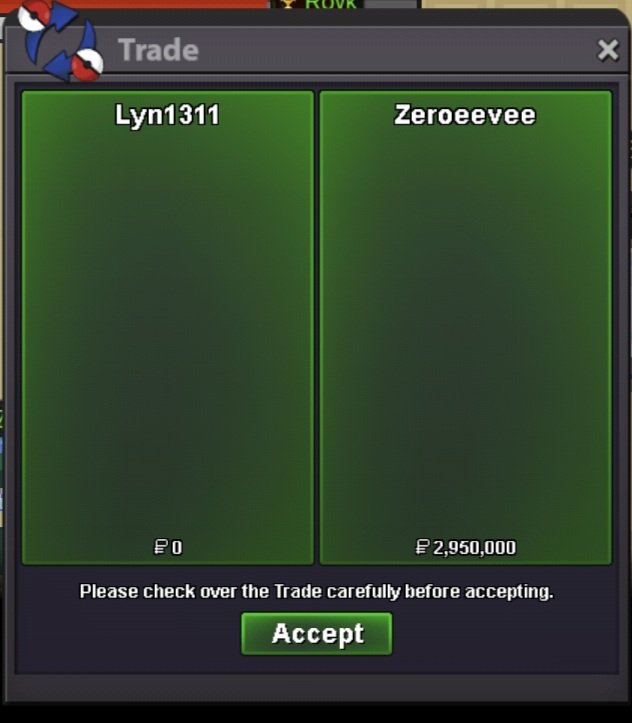
Service quest diancie, hoopa, arche valley quest, crater town quest and victini+timeflute. Thnx much, Glhf!
 1 point
 -
1 point
-
1 point
-
1 point