




New Trade Zone
Trade Zone is now live
Use the new Trade Zone for auctions and instant-price trades so Pokemon and item offers are easy to find.

Poopsmagoops
Registered User
-
Joined
-
Last visited
Everything posted by Poopsmagoops
-
1hour left !!!! @Khasala1999 @Zncholo @Nathji1723
-
-
Start Price: 1.3m End Point: 5:00 PM CT 11/8 Insta Price: 6m Minimum Raise: 25k Accepted Payments: Pokedollars, Coin Capsules (x1 Coin Capsule = 400k), IV Reroll Tickets (x1 IV Reroll Ticket = 500k)
 13 hrsstart offer: 10k Min raise: 10k Duration: 24hrs after first bid Accept: Coin Capsule: 450k Re-roll Ticket: 500k
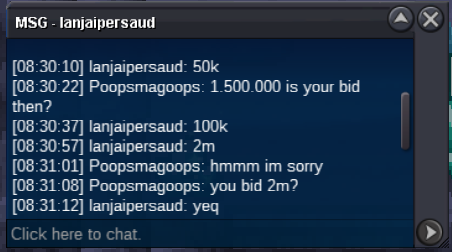
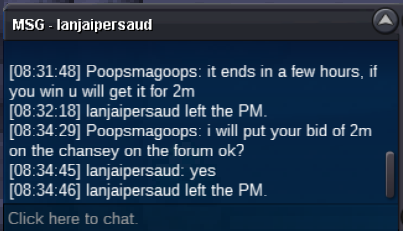
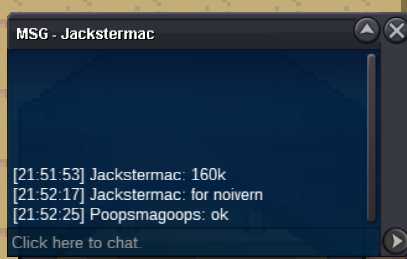
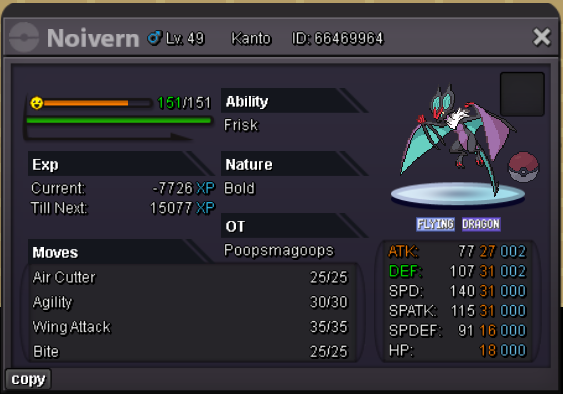 1.6m for zard 1Start zard 1I find this feature very strange. I feel like the number 1 goal for every game should be to have people having fun playing their game in some way or another. So why make people sit In a pc for 30 minutes clearing their boxes. This is an mmo so I understand the grind that needs to occur but make me grind hunting and battling and exploring. Not sitting in a pc every 3 days for half an hour clearing stuff I don’t want. For some people the cost may not be a big deal, or they may be quick at sorting through and releasing but I just don’t see the benefit of this feature for the game as a whole. Encourage us to explore and hunt more, not have to sit In a pc releasing.StartBuy quiet aegislashI’ll be around in like 1-1.5hrs257k will transfer if I win1.200.0001.150.000Bumpi buy alomomola thats listed for 200kI will buy Krookodile intim jolly if u have






Account
Navigation
Search
Configure browser push notifications
Chrome (Android)
- Tap the lock icon next to the address bar.
- Tap Permissions → Notifications.
- Adjust your preference.
Chrome (Desktop)
- Click the padlock icon in the address bar.
- Select Site settings.
- Find Notifications and adjust your preference.
Safari (iOS 16.4+)
- Ensure the site is installed via Add to Home Screen.
- Open Settings App → Notifications.
- Find your app name and adjust your preference.
Safari (macOS)
- Go to Safari → Preferences.
- Click the Websites tab.
- Select Notifications in the sidebar.
- Find this website and adjust your preference.
Edge (Android)
- Tap the lock icon next to the address bar.
- Tap Permissions.
- Find Notifications and adjust your preference.
Edge (Desktop)
- Click the padlock icon in the address bar.
- Click Permissions for this site.
- Find Notifications and adjust your preference.
Firefox (Android)
- Go to Settings → Site permissions.
- Tap Notifications.
- Find this site in the list and adjust your preference.
Firefox (Desktop)
- Open Firefox Settings.
- Search for Notifications.
- Find this site in the list and adjust your preference.