




New Trade Zone
Trade Zone is now live
Use the new Trade Zone for auctions and instant-price trades so Pokemon and item offers are easy to find.


Laplase
Registered User
-
Joined
-
Last visited
Everything posted by Laplase
-
500k dragonite
-
dungeon wass the best part truly fulfilling the mmo aspect truly felt like 'adventure'.
-
AUCTION ENDED CAN BE CLOSED.
-
bump
-
bump
-
Name: Narutouzumaki12 Showdown name: Coldzera123 Server: Gold Rank on Ladder: #27 Timezone: GMT +5
-
Bump
-
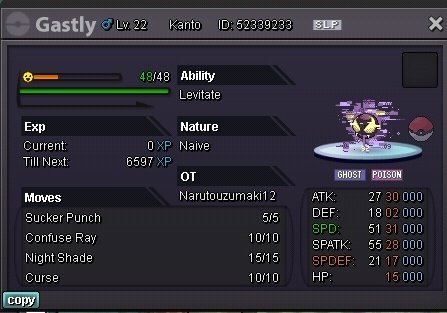
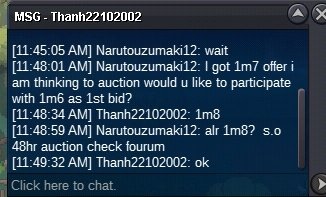
C. O 1m8 min bid 200k. Insta 15m, Time remaining 48h.
-
-
Wtb jangomo soundproof
-
I buy that boss whimsicott
-
Username: Narutouzumaki12 Server: gold Country: India
-
-
Am always available there
-
Contact at discord
-
Well it said 48hr k anyway I'll will wait
-
Connexion#1734 my discord tag contact me there for setting the trade
-
Won
-
Start 2m hp ice ala
-
You can't get the money back, after you already purchased it although it was accidentally but it wasn't a game bug or something. So, only choice you have is to make use of the pass you bought. Happy travels!
-
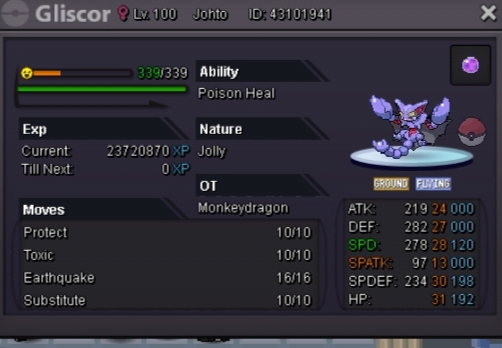
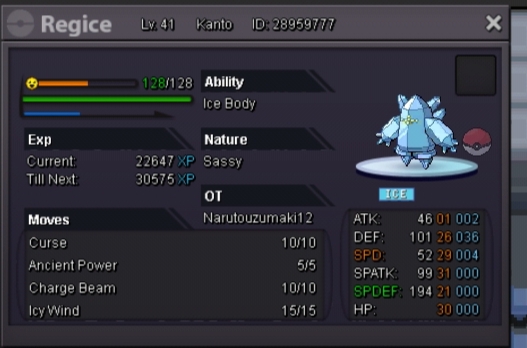
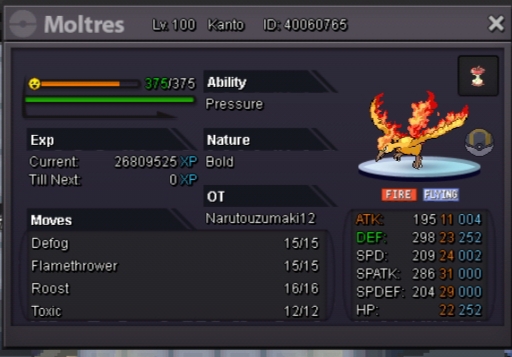
Noone posted a gliscor and here's possibly the best one and it's ot from my 2nd acc. GOLD SERVER. This came out just like this no iv rr no abi capsule only n rr.Not sure if this moltress best in server and yea no rr on this too.
-
Start
-
Nice squirtle
-
Insta ferro 1 750k
-
Buy magnezone

