




New Trade Zone
Trade Zone is now live
Use the new Trade Zone for auctions and instant-price trades so Pokemon and item offers are easy to find.


Gh0st2602
Registered User
-
Joined
-
Last visited
Everything posted by Gh0st2602
-
-
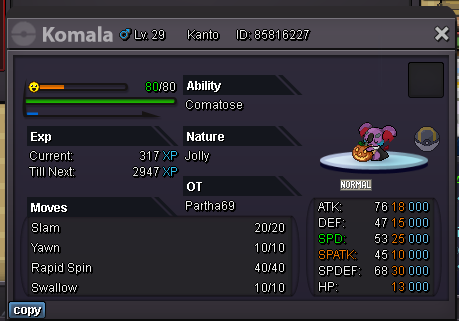
startS.o 1m Min Bid 100k Insta 3m Time- 48 hours after start S.o 1m Min Bid 100k Insta 3m Time- 48 hours after start Accept cc as 400k.
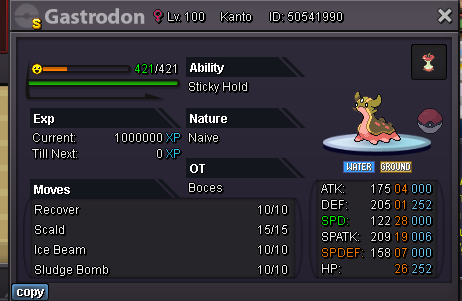 start3m😞True.So I just read the announcement about the new battle server and about the 1-2 pvp coins drop per every win which is really an interesting thing to do. My suggestion is to add this 1-2 pvp coins drop feature every weekend (Saturday & Sunday), which will attract many player and not only pvp coins as drops if we can add some additional items as random drops.For example Common drops will be like no drop, ethers, repels, escape rope etc. Uncommon will be rare candy, mysterious candy, fossils etc. Rare drops such as rr shard, mysterious shard, small train ticket, safari pass etc. This will at least make people to participate in pvp not just plain hunting and pve stuff. Feel free to drop your opinion about this suggestion. Thanks & Regards -MassKiller3m bulbagh0st2602 <- my discord id tag me when you are online if possibles.o 1.2m min bid 100k time- 48hours from start bid insta 3m s.o-2m min bid 100k insta 4m time- 48hours from start bid
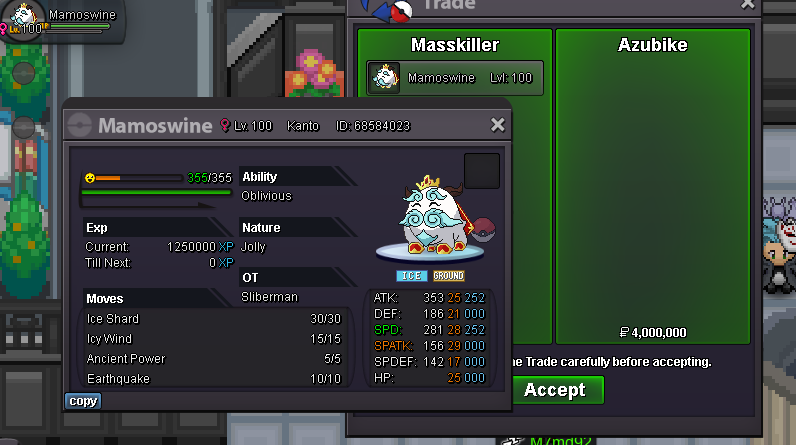
 5.3m 15min rule 😄Insta




Account
Navigation
Search
Configure browser push notifications
Chrome (Android)
- Tap the lock icon next to the address bar.
- Tap Permissions → Notifications.
- Adjust your preference.
Chrome (Desktop)
- Click the padlock icon in the address bar.
- Select Site settings.
- Find Notifications and adjust your preference.
Safari (iOS 16.4+)
- Ensure the site is installed via Add to Home Screen.
- Open Settings App → Notifications.
- Find your app name and adjust your preference.
Safari (macOS)
- Go to Safari → Preferences.
- Click the Websites tab.
- Select Notifications in the sidebar.
- Find this website and adjust your preference.
Edge (Android)
- Tap the lock icon next to the address bar.
- Tap Permissions.
- Find Notifications and adjust your preference.
Edge (Desktop)
- Click the padlock icon in the address bar.
- Click Permissions for this site.
- Find Notifications and adjust your preference.
Firefox (Android)
- Go to Settings → Site permissions.
- Tap Notifications.
- Find this site in the list and adjust your preference.
Firefox (Desktop)
- Open Firefox Settings.
- Search for Notifications.
- Find this site in the list and adjust your preference.