




New Trade Zone
Trade Zone is now live
Use the new Trade Zone for auctions and instant-price trades so Pokemon and item offers are easy to find.


Lacomus
Registered User
-
Joined
-
Last visited
Everything posted by Lacomus
-
66,666 each
-
Think I’ve taken the lead
-
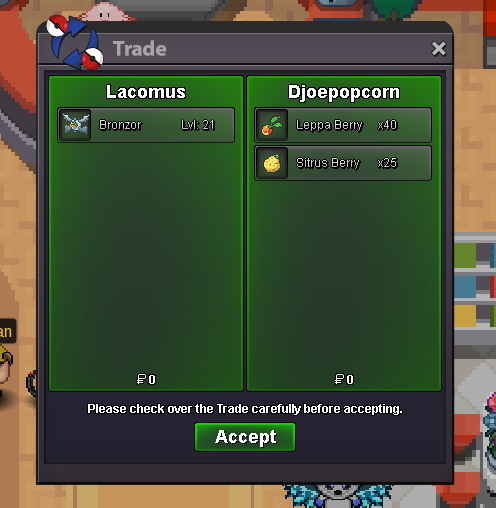
Enjoy @Djoepopcorn
-
Approx 5 minutes remaining
-
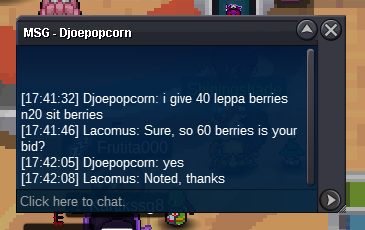
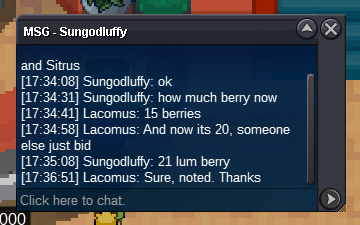
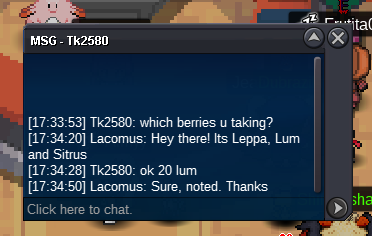
@Djoepopcorn leads at 40 Leppa Berries@Helltempest Invalid, sorry. Current offer is 1030kStart (15k)Start: 1 Min bid: 1 Duration: 1 hour (after the first bid) Payment: Leppa, Lum and Sitrus berries (equivalent value) Insta: N/A Note: Gold Server. HP Grass. You can bid a mix of Leppa, Lum and Sitrus. Example: 1 Leppa and 1 Lum (2 mixed). Alternatively, 2 Leppa, 2 Lum etc Closed: @Djoepopcorn 60 Berries
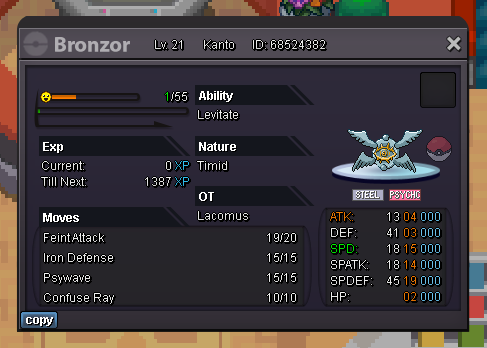 @Zarmani Its not my place to say, but you can’t run a reverse auction. Good luck with getting your mount regardlessStart (3,333)Approx 2 days remainingAppreciated @Hs7777777 and again, sorry for the inconvenience I caused
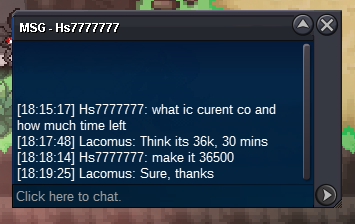
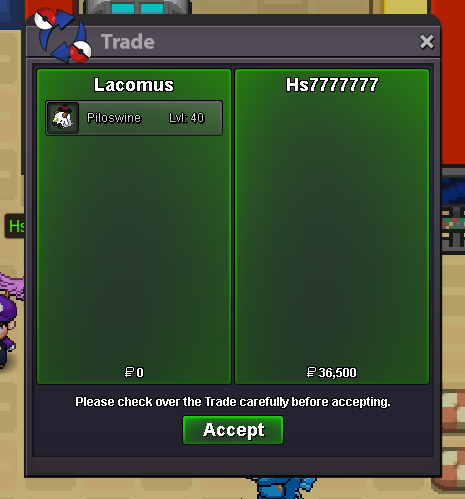 @Hs7777777 @Huntedcrow Just let it rest. Mod will look into it. If I'm at fault, I'll accept my punishment@Hs7777777 Moaning won't do anything. If you have lost, I'll make it right with you. I'm not the type of person to leave a person hanging@Sknt I did say to bid in the forum, due to tight time. I knew he'd be looking at this auction / refreshing it, then I expected you to do just that...then you didn't. Now we've got a situation. I can understand him being upset. I had like 4 of my DMs open, serving other people, looking at other things on my screen too. Would be helpful if people just bid in the forum 😄 but anyway. Mod will make the correct judgementWould be helpful if people just bid in the forum sometimes. I do say this, but people don't...especially if a Pokémon is important to them, then there's the time element of doing the screenshot / cropping. Anyway. Sorry for the inconvenience @Hs7777777 @Sknt@Hs7777777 I told him to "bid now" (in the forum), and he didn't...then I closed the window A mod will decide the winner@Hs7777777 If you're convinced you've won, I'll get a mod to handle this to decide the winner@Varun9696 started at 05:45pm (GMT+1). The bid by @Sknt came in at 19:43pm I'm not sure of the timezone over there, but seems the bid by @Sknt may be valid...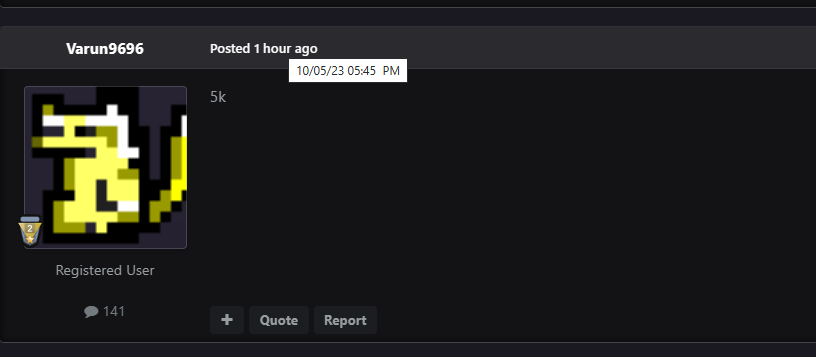



Account
Navigation
Search
Configure browser push notifications
Chrome (Android)
- Tap the lock icon next to the address bar.
- Tap Permissions → Notifications.
- Adjust your preference.
Chrome (Desktop)
- Click the padlock icon in the address bar.
- Select Site settings.
- Find Notifications and adjust your preference.
Safari (iOS 16.4+)
- Ensure the site is installed via Add to Home Screen.
- Open Settings App → Notifications.
- Find your app name and adjust your preference.
Safari (macOS)
- Go to Safari → Preferences.
- Click the Websites tab.
- Select Notifications in the sidebar.
- Find this website and adjust your preference.
Edge (Android)
- Tap the lock icon next to the address bar.
- Tap Permissions.
- Find Notifications and adjust your preference.
Edge (Desktop)
- Click the padlock icon in the address bar.
- Click Permissions for this site.
- Find Notifications and adjust your preference.
Firefox (Android)
- Go to Settings → Site permissions.
- Tap Notifications.
- Find this site in the list and adjust your preference.
Firefox (Desktop)
- Open Firefox Settings.
- Search for Notifications.
- Find this site in the list and adjust your preference.