




New Trade Zone
Trade Zone is now live
Use the new Trade Zone for auctions and instant-price trades so Pokemon and item offers are easy to find.


Lacomus
Registered User
-
Joined
-
Last visited
Everything posted by Lacomus
-
@Sabetha Sure thing
-
Appreciate you @Luckytea Congrats @Sabetha I saw your message online but I was outdoors. I'm available now in vermi, if its a good time for you
-
At the end of the day I don't want any controversy lol
-
I was just outside, sorry guys Yeah, I think @Sabetha may have taken this within time (a full 15 minutes). Would you agree? @Luckytea
-
15 minute rule applies, good luck! - Forum: If a bid is received in the final 15 minutes of the auction, the end point will be delayed by 15 minutes from that bid, and will be delayed by 15 minutes for each new bid thereafter, until the current offer has been held for a full 15 minutes. Must be accurate to the minute that the auction is set to end. › e.g. If the auction ends at 15:00, it will end at 15:00:00. If a late bid is received in the final 15 minutes, at 14:46, the auction will end at 15:01. If another user bids at 15:00, the auction will be extended again, and will end at 15:15, this will be repeated until the current offer has been held for a full 15 minutes.
-
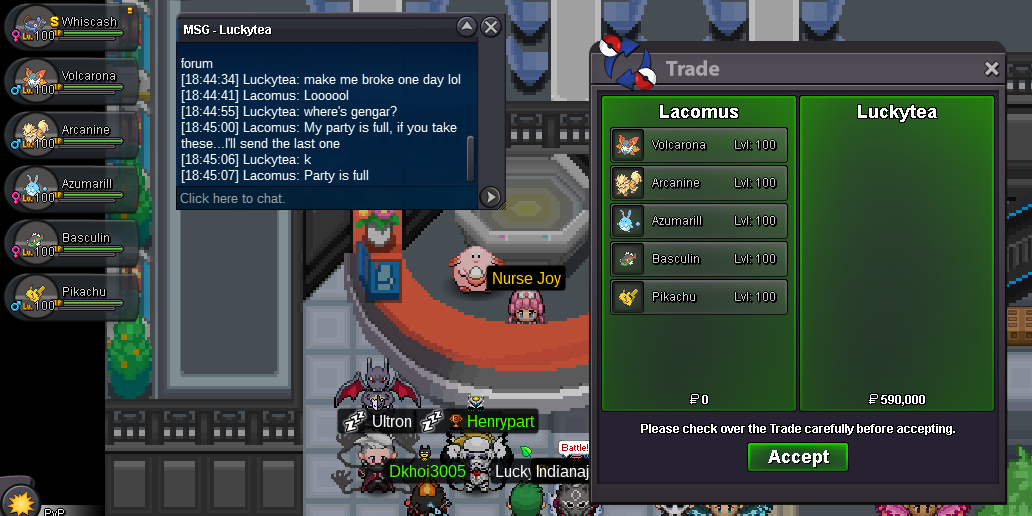
Note: At least one Pokémon must remain in party at all times, so had to send the last one in a separate transaction (Gengar) Congrats again @Luckytea enjoy
-
By looks of it, @Luckytea has held the last bid for a full 15 minutes (uninterrupted)...wins Congrats @Luckytea I'm in vermi with your pokes, whenever convenient for you
-
15 minute rule applies, good luck! - Forum: If a bid is received in the final 15 minutes of the auction, the end point will be delayed by 15 minutes from that bid, and will be delayed by 15 minutes for each new bid thereafter, until the current offer has been held for a full 15 minutes. Must be accurate to the minute that the auction is set to end. › e.g. If the auction ends at 15:00, it will end at 15:00:00. If a late bid is received in the final 15 minutes, at 14:46, the auction will end at 15:01. If another user bids at 15:00, the auction will be extended again, and will end at 15:15, this will be repeated until the current offer has been held for a full 15 minutes.
-
Approaching the final hour Countdown: https://www.tickcounter.com/countdown/4092877/golduck
-
@1legend1 You can find me on my Discord in the signature
-
-
Start 100k
-
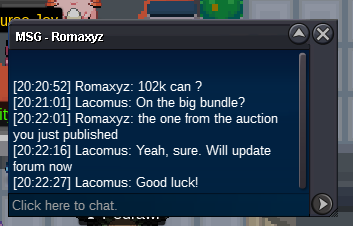
Approaching the final 2 hours Countdown: https://www.tickcounter.com/countdown/4092757/big-bundle
-
The famous, inevitable question: How much
-
-
Definitely not impossible, fairly simple to implement (I think). Serious players may not want you to watch their games...viewing strategies and so on. That being said, may encourage higher quality play / diversity, knowing people are watching you
-
225k
-
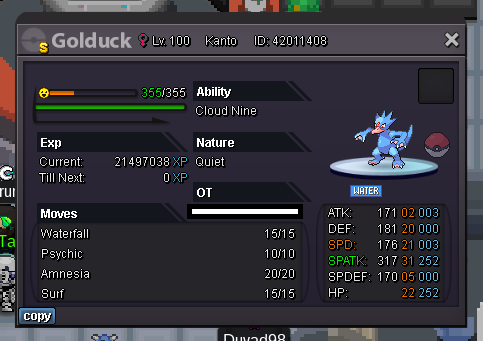
Start LileepStarted: https://www.tickcounter.com/countdown/4092877/golduckWelcome to the auction Start: 1 Min bid: 1 Duration: 24 hours (after the first bid) Payment: Pokedollars Note: HP Ice. No cancellations, no insta Countdown: https://www.tickcounter.com/countdown/4092877/golduck Closed: @Sabetha 100,200
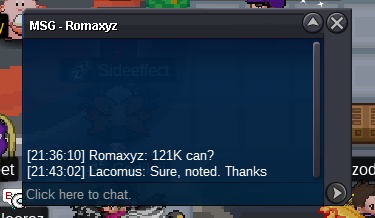
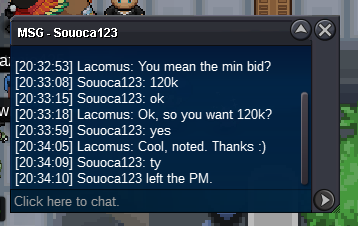
 Started: https://www.tickcounter.com/countdown/4092757/big-bundle



Account
Navigation
Search
Configure browser push notifications
Chrome (Android)
- Tap the lock icon next to the address bar.
- Tap Permissions → Notifications.
- Adjust your preference.
Chrome (Desktop)
- Click the padlock icon in the address bar.
- Select Site settings.
- Find Notifications and adjust your preference.
Safari (iOS 16.4+)
- Ensure the site is installed via Add to Home Screen.
- Open Settings App → Notifications.
- Find your app name and adjust your preference.
Safari (macOS)
- Go to Safari → Preferences.
- Click the Websites tab.
- Select Notifications in the sidebar.
- Find this website and adjust your preference.
Edge (Android)
- Tap the lock icon next to the address bar.
- Tap Permissions.
- Find Notifications and adjust your preference.
Edge (Desktop)
- Click the padlock icon in the address bar.
- Click Permissions for this site.
- Find Notifications and adjust your preference.
Firefox (Android)
- Go to Settings → Site permissions.
- Tap Notifications.
- Find this site in the list and adjust your preference.
Firefox (Desktop)
- Open Firefox Settings.
- Search for Notifications.
- Find this site in the list and adjust your preference.