




New Trade Zone
Trade Zone is now live
Use the new Trade Zone for auctions and instant-price trades so Pokemon and item offers are easy to find.
.jpg.a0260ce0dc8c40eee6869c9d8dabfa69.jpg)

0danobunaga
Registered User
-
Joined
-
Last visited
Everything posted by 0danobunaga
-
15m
-
14m
-
13m
-
Bump
-
Thanks to apply guild but your playtime is too low hopefully you can apply once again after getting playtime at least 200 hours. This is our requirement
-
bump
-
Player name: 0danobunaga Server: Silver Timezone: +8 Rank on ladder: 2
-
Btw i agree with finnderboss you would never know guild rating how many increasing by guild member example:


-
Zacian-Crowned Victini Mew
-
bump
-
Bump
-
We open the recruit again!
-
Username: 0danobunaga Server: Silver Country/Timezone: GMT+8
-
We love chansey blissey skarmory clefable toxapex mega sableye alomomola mega venusaur tangrowth slowbro gliscor suicune latias zapdos quagsire hippowdon amoonguss ditto meta
-
Close recruiment due to the merge server next month
-
Bump
-
Player name: 0danobunaga Server: Silver Timezone: GMT +8 Rank on ladder:1
-
Looking family member ^^
-
bump
-
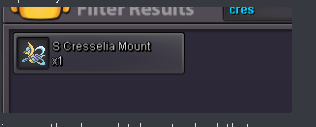
i wrong pruchase prestige mount which is cresselia, and i want to refund or replace to zacian.
-
Bump
-
Bump
-
https://pokemonrevolution.net/forum/topic/191689-baby-xd001-suspect-test-thread/ read this
-
Player name: 0danobunaga Showdown name: Ilovekillhunter Server: Silver Timezone: GMT +8 Rank on ladder: 2
-
Small update requirement and looking member

