




New Trade Zone
Trade Zone is now live
Use the new Trade Zone for auctions and instant-price trades so Pokemon and item offers are easy to find.
All Activity
Past hour
-
Aman03111 joined the community
-
Yetisefe16 joined the community
-
+1 u should be able to see to see it
-
Vobsmqtt joined the community
-
-
Hello, could you try connecting through a VPN and see if that helps?
-
Zaanwar joined the community
-
Iefmegej joined the community
Today
-
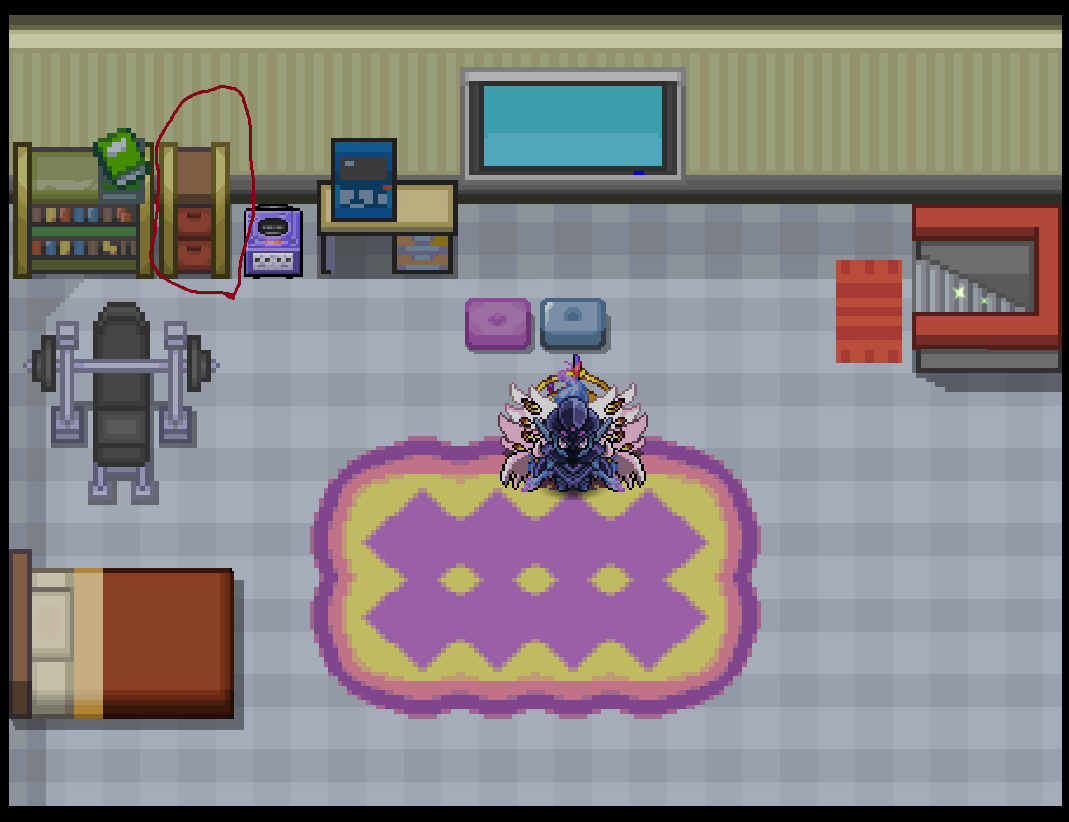
Hi. Im the person who like looking good. Ofc in games too. Skins, clothes, mounts etc. We got in pallet town something like "dresser" in our room. Why we cant making this dresser as a wardrobe with clothes helms and other staff for a char looking previev like we can see with pvp pve coin, shop etc? Main thing is to add all cosmetics there with small info of availability and price (if needed). We could better see what in our mind our char will really look like and this can do like: Better knowledge what I want with my char Bigger interest new and old players with cosmetics Greater market activity More invested money in game We cant get all images even on wiki where they are coded already in game so this would not be hard to code and implement. Question is, do we want this? Need this? Im looking for your opinion. Greetings
-
Blank3421 joined the community
-
bump!
-
Gstdpbim joined the community
-
Somethingz joined the community
-
My time spent in other regions like Hoenn isnt logging and its preventing me from getting the seen data for groudon and kyogre, anyway to fix this?
-
Supergagaian joined the community
-
Hi, i have a problem with log in. I can not log in silver n everytime i use my wifi's internet and this happens only in silver server and only from home's wifi, both on pc and phone too. I log in normally if i use another source of internet (other WiFi or mobile data). I log in normally in gold from WiFi of my house roo.
-
Dbcqncqm joined the community
-
Bump
-
Hello Staff, My boyfriend and I are active Pokémon Revolution Online players, and we're currently working on a companion app built with React Native. We'd like to include useful features such as reminders for in-game day cycles and boss respawn cooldowns. After reviewing the available API documentation, we couldn't find a public REST API and only came across Python scripting tools designed for use with a specific editor. However, we noticed that the PRO Discord bot can provide some real-time game information. I also asked about this in the Discord support channel, where Norex explained that there isn't a public API available. Could you let us know if there's another supported way to access this information, or if any developer resources are available for third-party companion apps? We want to make sure our project follows the game's rules while offering something useful to the community. Thank you for your time and help. We appreciate any guidance you can provide! geometry dash
-
Hey! Could you provide a few more details about the problem you're experiencing? It would be easier for people to help if you explained what happened and what you've tried so far. geometry dash
-
^bump
-
Good day @Fazko91 Apologies for the delay in response. There is current no available list of Pokemon. Previously, the Reborn Bot on the PRO Official Discord had the spawn information as well as the PRO wiki. This information has become unavailable as of 07/17/2026 for an indefinite period. Current ways to identify available Pokemon within PRO are through the act of discovery or asking your fellow players (as they have answered here but you can also ask in game). Furthermore, the Pokedex is a great source of Pokemon spawn information as well as the in-game route spawn (located in the pull out bar near the top right of your client). Not only does the route spawn include what Pokemon you have seen, caught, and are missing; there is also an indication of whether the spawn is membership or non-membership (a pink "?" for membership Pokemon that you have not seen before or the Pokemon's name will be pink for those that you have seen). I hope this information finds you well. Regards, Bitterblade
-
bump!
-
Any update? @Hallowglow
-
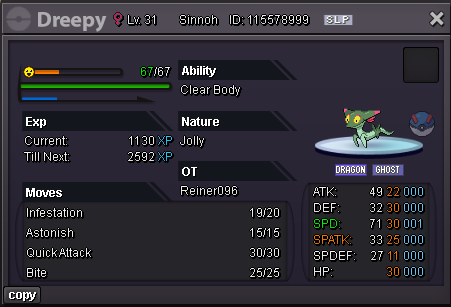
148 point
-
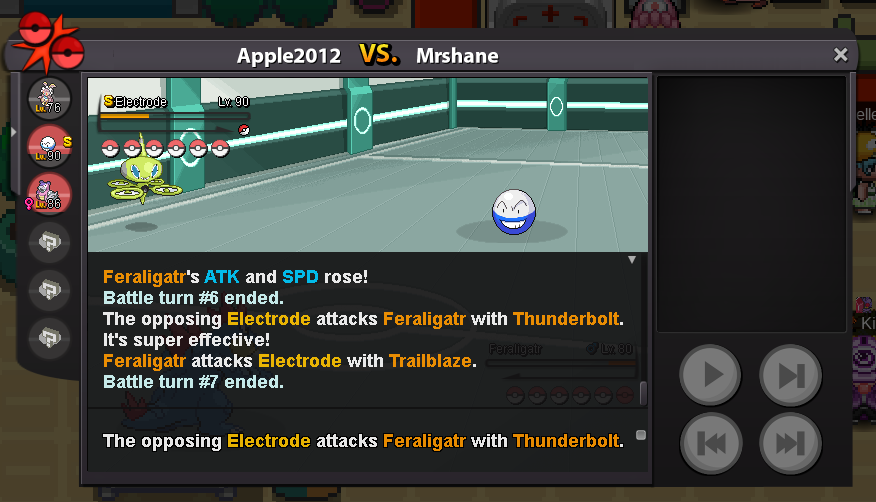
Hello! As Siidon correctly mentioned, the Sharpedo Mega Mount isn't available in the game currently . It may be added in the future, but we can't guarantee if or when that will happen. However, you can check out the other Mega Mounts available from the same NPC. As this has been clarified, I'll go ahead and close the thread. If you need any further assistance, feel free to make a new one. Kind regards. Hallowglow.-1 , you can already see the rank of all active guildes. Those who can fit in it are just not PvP , or lack of skillsi want to say that you should show total guild ratings that counts on leaderboard in guild info because guild below top 20 cant check their total ratings , also if we check on reborn it also adds 100 rating of inactive players . +1 if you agreeSheer Force boost the dmg and removed 2nd effect, that's why the spd will not be boosted when you use trailblaze, this is the right mechanic, not a bug.Is the issue resolved for you? Does it happen constantly, or only occasionally?I used one Dragon dance and Trailblaze on Fertaligator speed stat didn't rose when i used trailblaze It didn't outspeed leftover electrode
 +1
+1












Account
Navigation
Search
Configure browser push notifications
Chrome (Android)
- Tap the lock icon next to the address bar.
- Tap Permissions → Notifications.
- Adjust your preference.
Chrome (Desktop)
- Click the padlock icon in the address bar.
- Select Site settings.
- Find Notifications and adjust your preference.
Safari (iOS 16.4+)
- Ensure the site is installed via Add to Home Screen.
- Open Settings App → Notifications.
- Find your app name and adjust your preference.
Safari (macOS)
- Go to Safari → Preferences.
- Click the Websites tab.
- Select Notifications in the sidebar.
- Find this website and adjust your preference.
Edge (Android)
- Tap the lock icon next to the address bar.
- Tap Permissions.
- Find Notifications and adjust your preference.
Edge (Desktop)
- Click the padlock icon in the address bar.
- Click Permissions for this site.
- Find Notifications and adjust your preference.
Firefox (Android)
- Go to Settings → Site permissions.
- Tap Notifications.
- Find this site in the list and adjust your preference.
Firefox (Desktop)
- Open Firefox Settings.
- Search for Notifications.
- Find this site in the list and adjust your preference.