




New Trade Zone
Trade Zone is now live
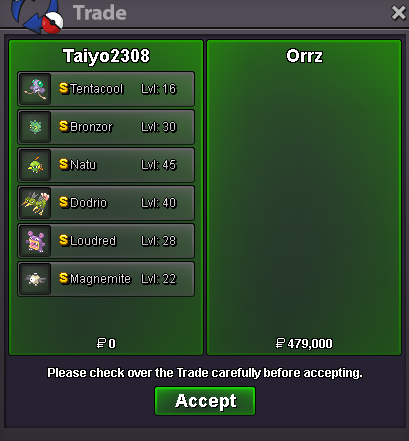
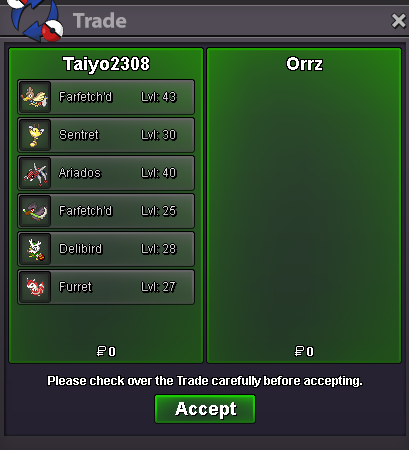
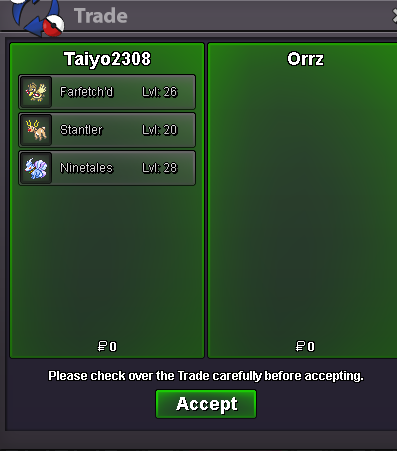
Use the new Trade Zone for auctions and instant-price trades so Pokemon and item offers are easy to find.
All Activity
Past hour
-
Noir99 joined the community
-
Coachsoma joined the community
-
Hello @Hitok3n ! Apologies for the inconvenience caused. What happens if you try to go south from Veilstone, can you proceed or NPC blocking you? If possible I would like you to provide screenshot of these NPC and team Galactic 2v2 fight spot. Waiting forward for a response. Take care, Zarachi
-
Waazaaa1 joined the community
-
bump, added a lot of new pokemon to the list and also included some off-meta ones. also new: 20% discount on lends for 20+ days
Today
-
Xskyy joined the community
-
Mopkba95 joined the community
-
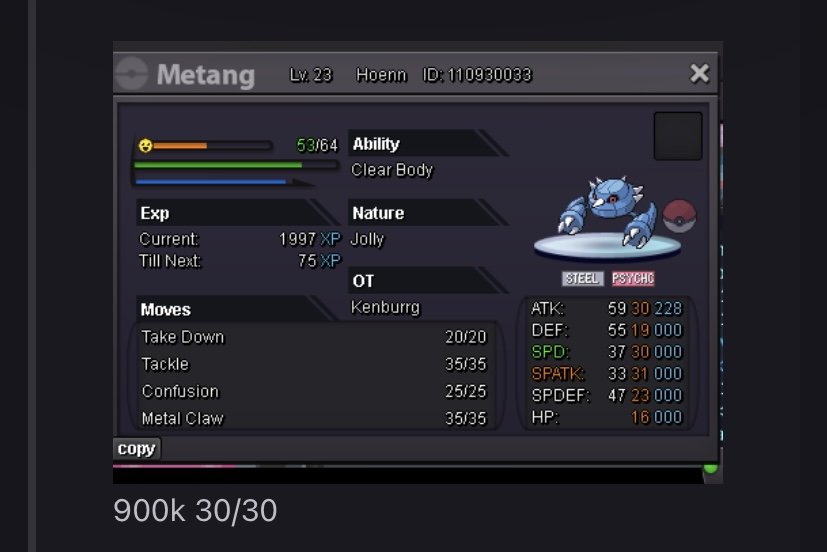
Wtb this
-
hi thanks for getting back to me, i do realize its my mobile thats the problem, I will probably have to make repairs to it soon if possible.
-
bump
-
Citizenremoved joined the community
-
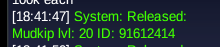
username: Randyj sever : Gold poke ID: 91612414 Mudkip lvl 20 Thank you
-
Charizardx9292 joined the community
-
ingame : hitok3n Server : Silver Issue: I beat the Veilstone Gym and talked to Dawn. Then I relogged before starting the 2v2 Battle at the Galactic Warehouse. Now Dawn is completely missing from both the Gym and the Warehouse, and I cannot progress in the Sinnoh story. Could you please reset my quest stage for this event?
-
🌞 Phantom is recruiting! With the Summer Event just ahead and today’s World Quest underway, now is the perfect time to join us for PvP, PvE, events, and a friendly community. Come adventure with the pack! 👻
-
ingame : hitok3n Server : Silver Issue: I beat the Veilstone Gym and talked to Dawn. Then I relogged before starting the 2v2 Battle at the Galactic Warehouse. Now Dawn is completely missing from both the Gym and the Warehouse, and I cannot progress in the Sinnoh story. Could you please reset my quest stage for this event?
-
Hitok3n joined the community
-
Nui13 joined the community
-
Minhphuc2k12 joined the community
-
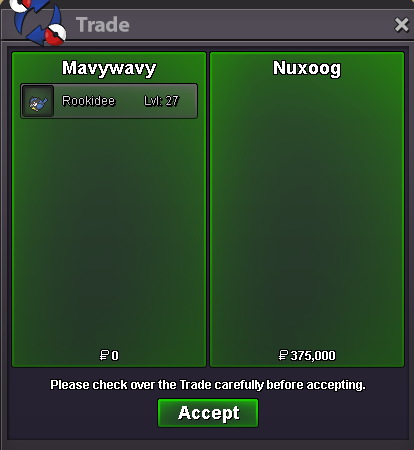
hey would you accept 3.7m for the summer garchp?
-
Facing this error and in full screen its blank black page. I can't access the game in my PC. Everything was working fine till yesterday.i can add for example this section to show the folloing data : auction finished - when trade is made auction pending - when the buyer bought it but trade wasnt made ongoing auctions - when you have active topics And also after the auction end to have step to attatch screen shot from trade made , or the moderators or game mehanism to do it instaIt's me I'm already registeredupUpPham279836 changed their profile photo
Yesterday
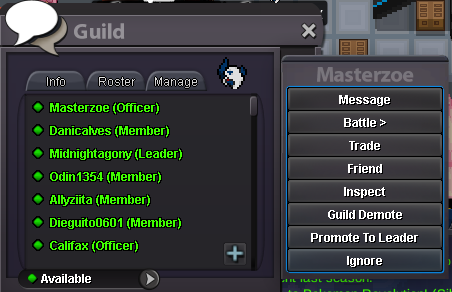
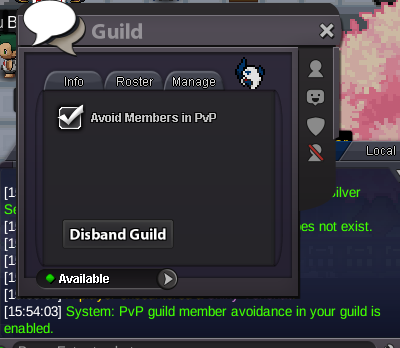
thanks for shopping! <3.png.621feded7f60e653c3333c18f2630f8c.png) BackHello! Thank you for letting us know you question has been resolved. I'll now close this thread. If you need any further assistance in the future, please feel free to create a new one. Regards. Hallowglow.Hello, I see that this issue can be frustrating to say the least. If this issue is still taking place have you tried another mobile device, or noticed any issues/damage with the current one that you stated above?Dear PRO Development Team, As a Guild Leader, I would like to propose three essential Quality of Life improvements and bug fixes regarding the Guild Management Menu and matchmaking system. Currently, managing a guild has some friction points that can easily lead to critical accidents or operational issues. I have attached screenshots of the current Guild Leader interaction menu for reference 1. Instant Guild Removal Without Confirmation (UI/UX Tip) The Problem: As you can see in my first image, the "Guild Kick" button is located right between "Inspect" and "Promote Guild." Clicking "Remove Guild" instantly removes the user from the guild without warning or verification. Due to the UI's scalability or the tendency for quick clicks, leaders often mistakenly click "Remove" when they only intend to inspect or promote a member. This causes unnecessary problems, loss of accumulated guild points, and forces us to constantly invite new members. Proposed Solution: Add a simple confirmation dialog box when clicking "Kick": "Are you sure you want to kick [Player Name] from the guild? [Yes] [No]" 2. Guild Leader Cannot Directly Kick "Officers" (Hierarchy Logic Error) The Problem: Currently, a guild leader cannot "Kick" a member with the rank of "Officer" via the Roster. It's possible through code, but I consider this hierarchically incorrect, as the leader has absolute authority over all ranks. Currently, we first have to manually demote the Officer to a Standard Member, and only then does the "Kick" button work. This is unintuitive and slows down urgent moderation actions. Proposed Solution: Adjust the hierarchy permissions code. If the interacting user has the rank of Guild Leader, they should be able to bypass all security checks and remove any member, regardless of their current rank (including Officers). 3. The "Avoid Members in PvP" option doesn't work in Random Battles (Bug Report) The problem: In the guild member list interface, there is an option/button to "Avoid Members in PvP." While this security algorithm works correctly for standard ranked PvP matchmaking, it fails completely during Random Battles. Guild members frequently face each other in Random Battles, raising suspicions of matchmaking or unwanted competitive friction. Proposed Solution: Ensure that the matchmaking queue logic for Random Battles respects the "Avoid members in PvP" option or applies the same guild member avoidance filter already present in standard PvP matchmaking. These quality-of-life improvements would greatly optimize guild management and prevent frustrating situations for all community leaders. Thank you for your continued effort and support of the game!
BackHello! Thank you for letting us know you question has been resolved. I'll now close this thread. If you need any further assistance in the future, please feel free to create a new one. Regards. Hallowglow.Hello, I see that this issue can be frustrating to say the least. If this issue is still taking place have you tried another mobile device, or noticed any issues/damage with the current one that you stated above?Dear PRO Development Team, As a Guild Leader, I would like to propose three essential Quality of Life improvements and bug fixes regarding the Guild Management Menu and matchmaking system. Currently, managing a guild has some friction points that can easily lead to critical accidents or operational issues. I have attached screenshots of the current Guild Leader interaction menu for reference 1. Instant Guild Removal Without Confirmation (UI/UX Tip) The Problem: As you can see in my first image, the "Guild Kick" button is located right between "Inspect" and "Promote Guild." Clicking "Remove Guild" instantly removes the user from the guild without warning or verification. Due to the UI's scalability or the tendency for quick clicks, leaders often mistakenly click "Remove" when they only intend to inspect or promote a member. This causes unnecessary problems, loss of accumulated guild points, and forces us to constantly invite new members. Proposed Solution: Add a simple confirmation dialog box when clicking "Kick": "Are you sure you want to kick [Player Name] from the guild? [Yes] [No]" 2. Guild Leader Cannot Directly Kick "Officers" (Hierarchy Logic Error) The Problem: Currently, a guild leader cannot "Kick" a member with the rank of "Officer" via the Roster. It's possible through code, but I consider this hierarchically incorrect, as the leader has absolute authority over all ranks. Currently, we first have to manually demote the Officer to a Standard Member, and only then does the "Kick" button work. This is unintuitive and slows down urgent moderation actions. Proposed Solution: Adjust the hierarchy permissions code. If the interacting user has the rank of Guild Leader, they should be able to bypass all security checks and remove any member, regardless of their current rank (including Officers). 3. The "Avoid Members in PvP" option doesn't work in Random Battles (Bug Report) The problem: In the guild member list interface, there is an option/button to "Avoid Members in PvP." While this security algorithm works correctly for standard ranked PvP matchmaking, it fails completely during Random Battles. Guild members frequently face each other in Random Battles, raising suspicions of matchmaking or unwanted competitive friction. Proposed Solution: Ensure that the matchmaking queue logic for Random Battles respects the "Avoid members in PvP" option or applies the same guild member avoidance filter already present in standard PvP matchmaking. These quality-of-life improvements would greatly optimize guild management and prevent frustrating situations for all community leaders. Thank you for your continued effort and support of the game!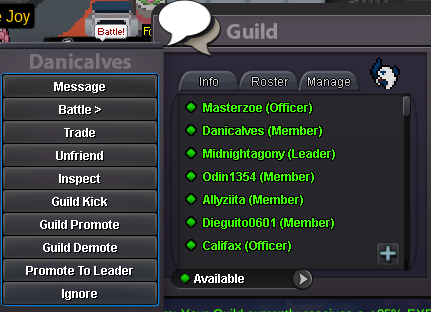

























.thumb.png.65ec3814f0dbaef639a5422a70380ad2.png)
Account
Navigation
Search
Configure browser push notifications
Chrome (Android)
- Tap the lock icon next to the address bar.
- Tap Permissions → Notifications.
- Adjust your preference.
Chrome (Desktop)
- Click the padlock icon in the address bar.
- Select Site settings.
- Find Notifications and adjust your preference.
Safari (iOS 16.4+)
- Ensure the site is installed via Add to Home Screen.
- Open Settings App → Notifications.
- Find your app name and adjust your preference.
Safari (macOS)
- Go to Safari → Preferences.
- Click the Websites tab.
- Select Notifications in the sidebar.
- Find this website and adjust your preference.
Edge (Android)
- Tap the lock icon next to the address bar.
- Tap Permissions.
- Find Notifications and adjust your preference.
Edge (Desktop)
- Click the padlock icon in the address bar.
- Click Permissions for this site.
- Find Notifications and adjust your preference.
Firefox (Android)
- Go to Settings → Site permissions.
- Tap Notifications.
- Find this site in the list and adjust your preference.
Firefox (Desktop)
- Open Firefox Settings.
- Search for Notifications.
- Find this site in the list and adjust your preference.