New Trade Zone
Trade Zone is now live
Use the new Trade Zone for auctions and instant-price trades so Pokemon and item offers are easy to find.
Leaderboard
-
Optimus123
Registered User8Points196Posts -
Shekhar786
Suspended7Points490Posts -
Bruce8244
Registered User6Points216Posts -

Zoruami
Former Staff6Points2773Posts




Popular Content
Showing content with the highest reputation on 12/09/23 in Posts
-
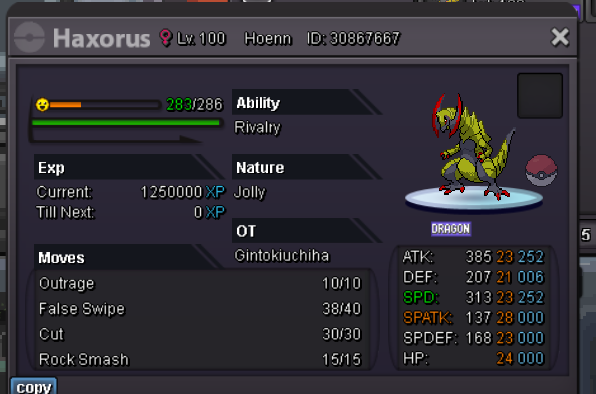
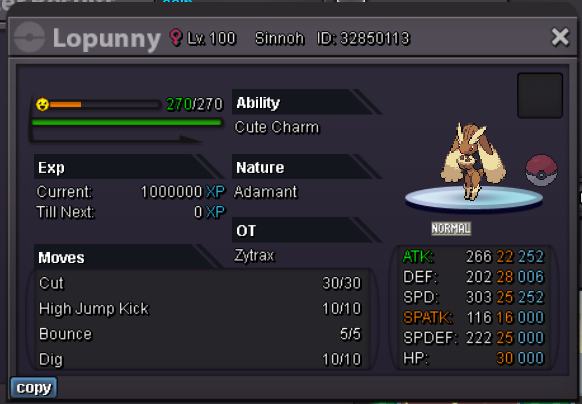
6 pointsACCEPTED PAYMENTS Pokedollars IV Reroll: 500K Nature Reroll: 250K Coin Capsule: 350K CONTACTS In-game: Shekhar786/RoyalNGR Discord: shekhar786 TRAINED All Prices (below the image) are negotiable to a reasonable degree.







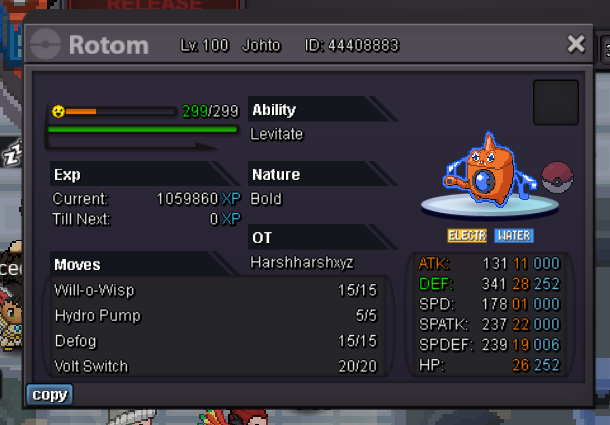

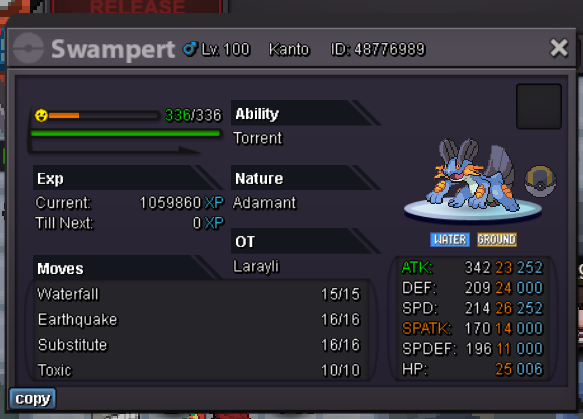


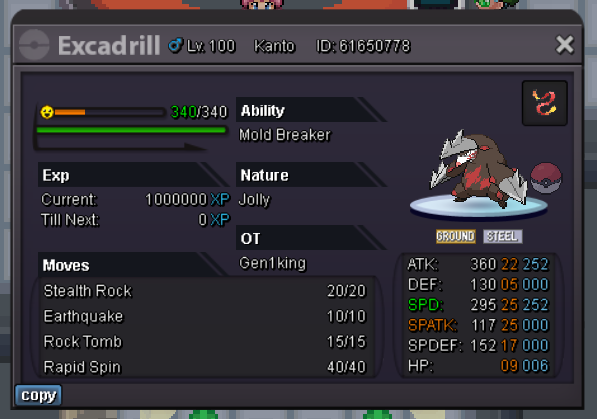


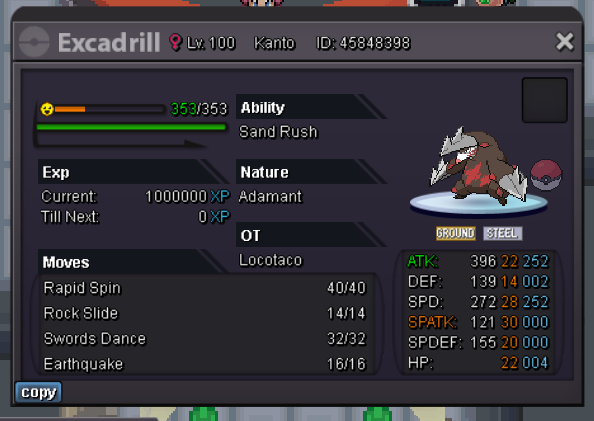


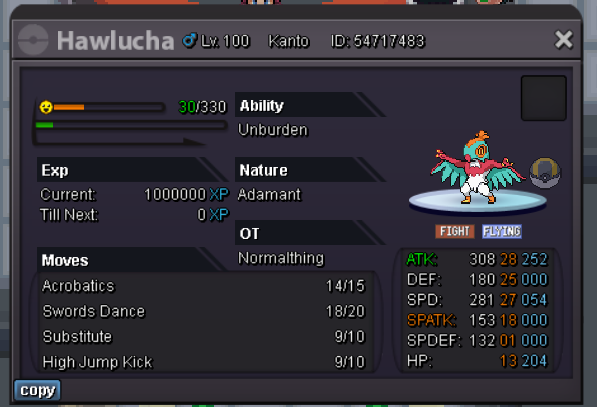

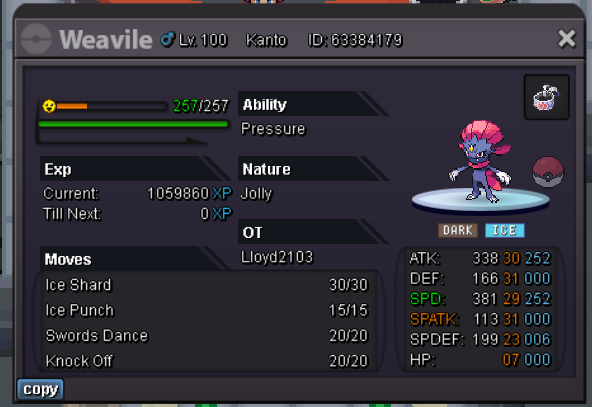


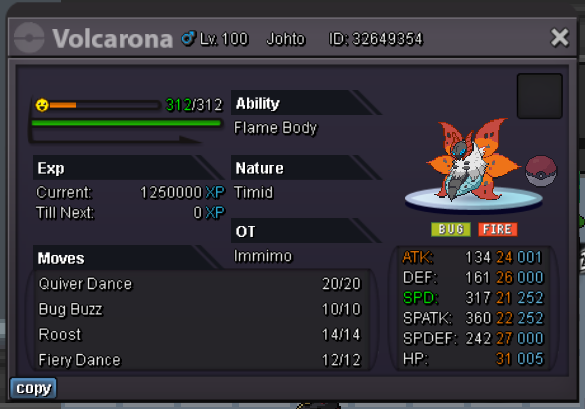


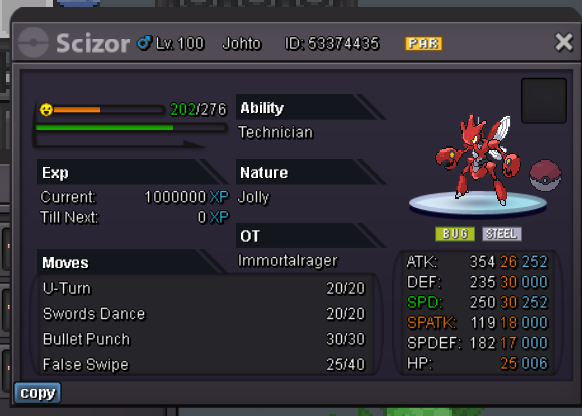
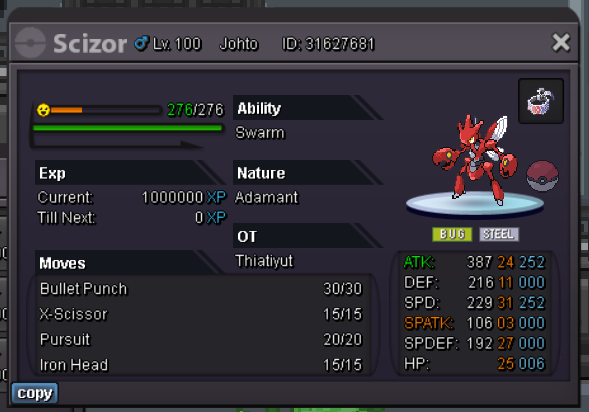
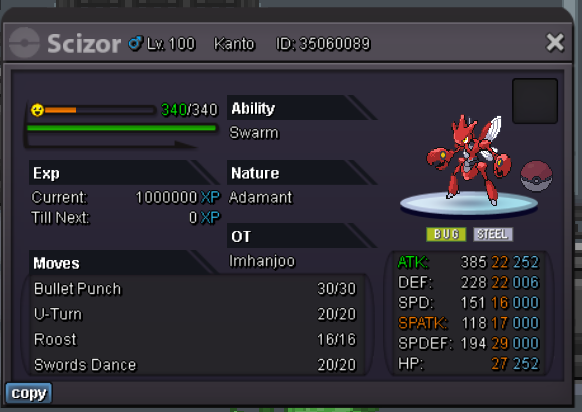

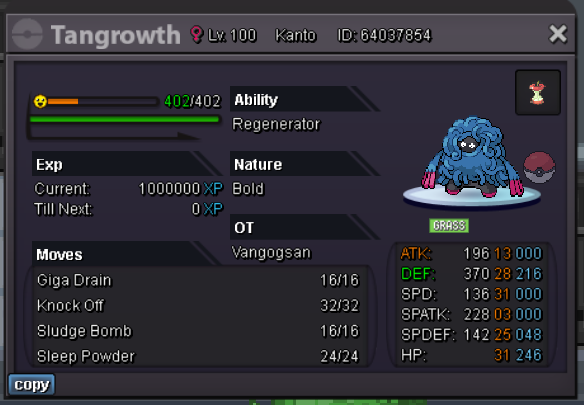




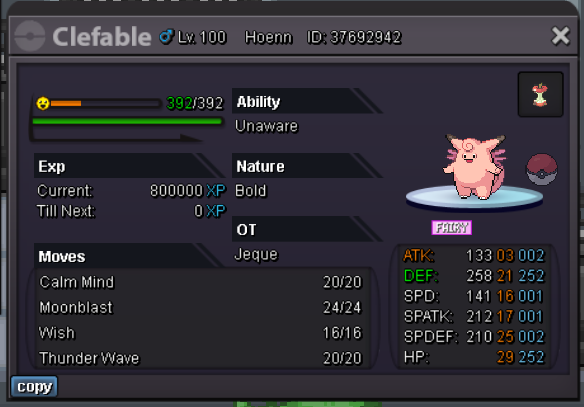


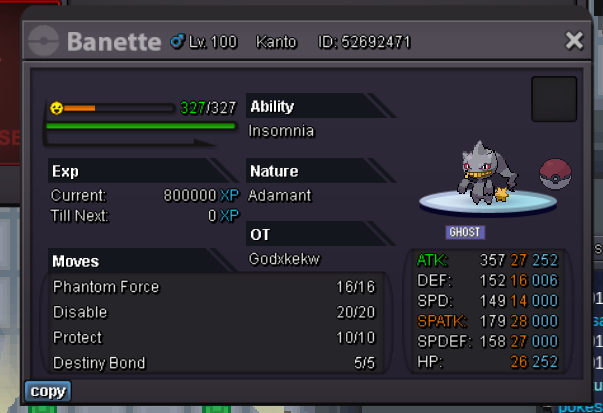

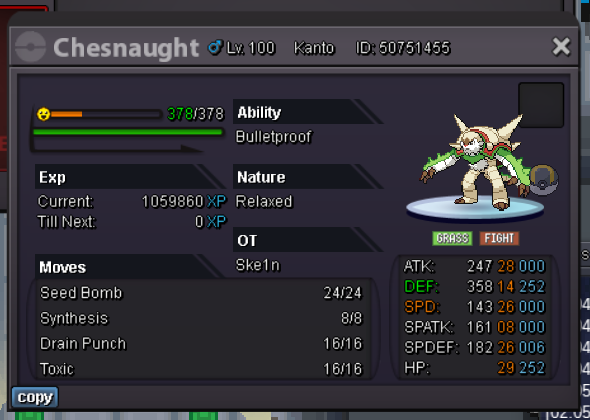




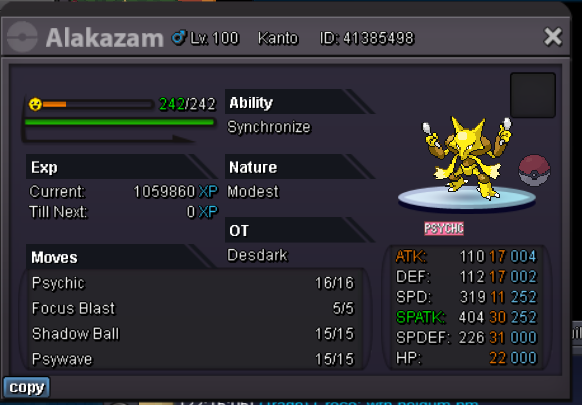
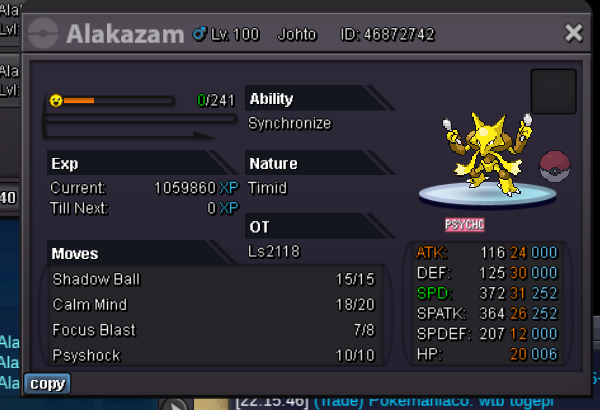











 6 points
 -
4 points
-
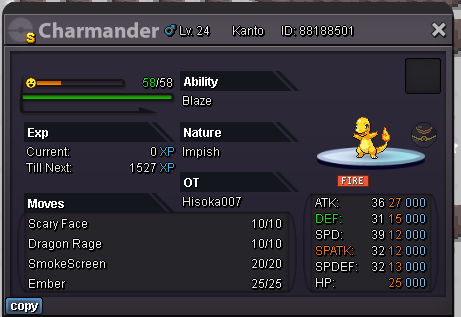
3 pointsAuction start offer is 35M Auction ends after 5days from start offer Accept money only. Min bid is 1m Insta is 50M Goodluck count down: https://countingdownto.com/?c=5189995
 3 points
 -
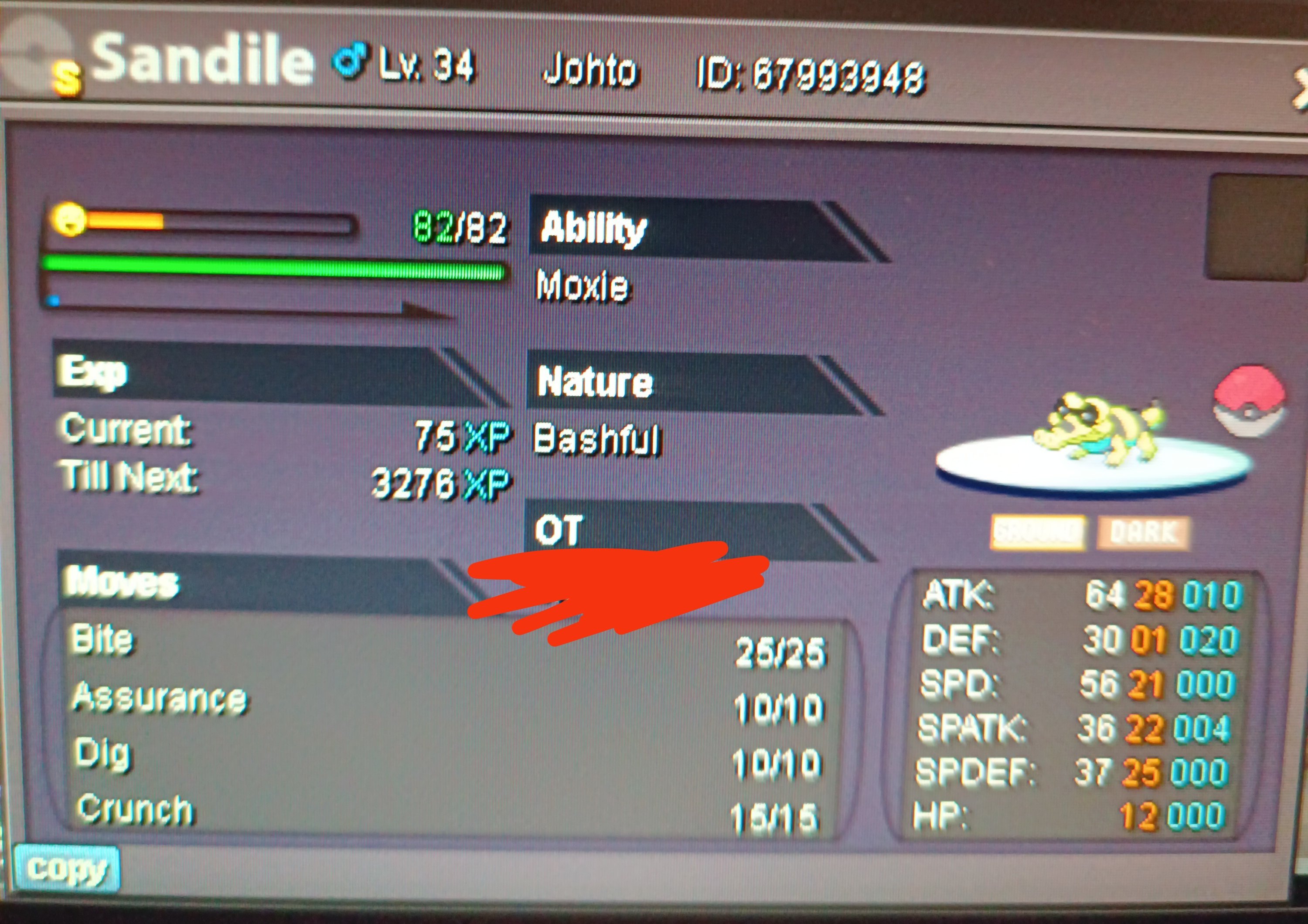
3 pointsStart 15m Minimum bid 500k Insta 28m 72 hours after the first bid Accept cc 390k Reroll ticket 480k Gl
 3 points
 -
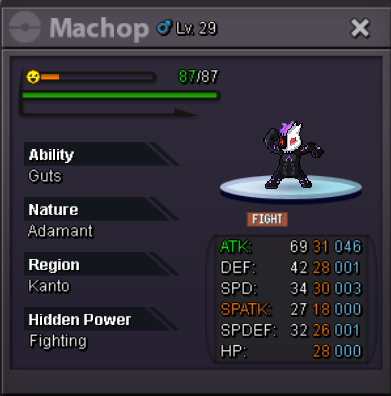
2 pointss.o. 2m min bid 100k no insta Accepted Payments : CC=380k 72hour after first bid

 2 points
 -
2 points
-
2 pointsGreetings, It was raised to 3.7m in game bid by Grespect, 1-2mins before it ended that's why the bid kept going.2 points
-
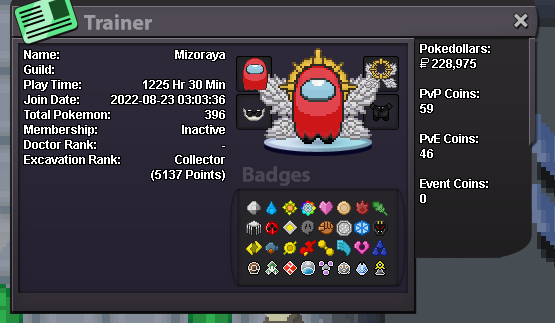
What is your IGN? Mizoraya What is your discord? Mizoraya Tell us a little about yourself (age, where are you from, interests) Age: 19, Canada, Only PRO How many hours do you currently have? (please link a picture of your trainer card) Do you know any existing members? Nope What is the highest rating you have reached? 50 Why would you like to join us at BloodRavens? I love pokeattack!
 2 points
 -
2 points
-
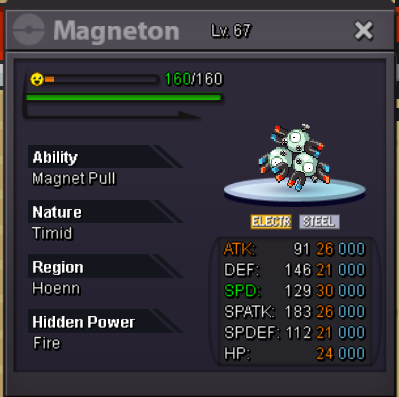
1 pointAuction will end 24h after first bid Start with 1m MIn bid 100k Accepted payment : CC 400k each IV Reroll 500k each No Insta
 1 point
 -
1 point
-
1 pointGreetings @Kenshinv The final outcome of this auction is valid. In the future, please always make sure to take a screenshot of all agreements that have been made between you and buyers and don't forget to post them here along with the bids. In this way, everyone (seller, bidders, staff members) will be aware of the situation. Since this auction is over, i will proceed with the closing of this thread. Kind regards1 point
-
1 point
-
1 pointNice bro thank you, i will pm you here in a little bit to schedule a meeting time1 point
-
1 point
-
1 point
-
1 point
-
1 pointGreetings, I will be using GMT+0 onwards. Time: 3days after first bid Start: 6/12 3:28PM End: 9/12 3:28PM Winner: @Gonx2 with a 3m301k bid made at 9/12 3:14PM Reason: Arthur98 bid of 3.4M is INVALID as it didn't respect the 100k min bid. And since this bid is not valid, the next one made at 9/12 3:30PM isn't allowed aswell. I have noticed that in this bid you have stated a bid that wasn't posted in here, therefore, also invalid. You have never posted a 3.755M bid in here, so not valid. Please make sure you trade with the rightful winner. AND It's mandatory in this case for you to post the Screenshot of the Trade Window. Kind Regards, * Zoruami *
 1 point
 -
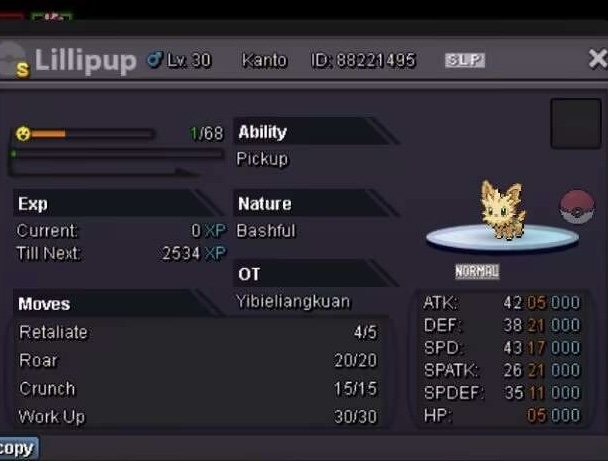
1 point1 point1 pointGreetings @Daiski In the future, please don't forget to attach a screenshot of the trade. Kind regards1 point1 point1 pointGreetings @Nightraven91 Shiny pokemon do not belong in Selling Pokemon - Silver. I have moved your thread to Shiny and Special Pokemon - Silver. Please read General Trade Rules for a better understanding of how to properly use trade related sub-forums. Kind regards1 point1 point1 pointhelp my friend auction it start 500k min bid 100k end timid 24h after first bid acc cc 400k iv rr 500k
 1 point1 point1 point1 point1 point1 point1 point1 point1 point1 point1 point1 point1 point1 point1 point1 point1 point1 point1 point1 point1 point1 point1 pointThank you guys for answering the question! Hey @Ezzrion Please make sure that when you are trying to Thief an item from a Pokémon that your Pokémon is not holding an item. Your Pokémon must not have a held item to be able to steal an item. Hope that answers all your questions, please do not hesitate to reach out again in the future if you have anymore questions or concerns. Have a good one, Sadporo.1 point1 pointHello again! I hope your exam results will be as high as can be, and that you can now enjoy stuff (like the Christmas event, just a thought) without stress!1 point1 point1 point