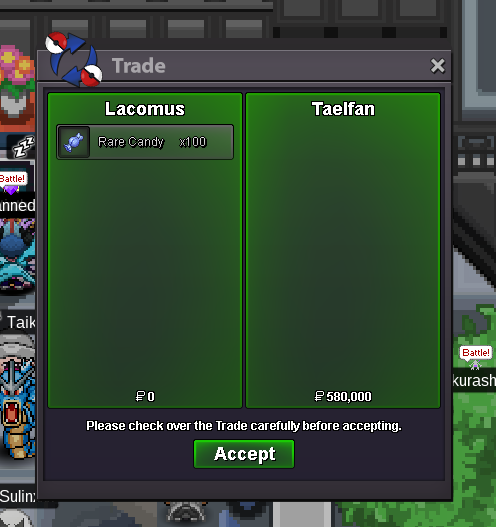
New Trade Zone
Trade Zone is now live
Use the new Trade Zone for auctions and instant-price trades so Pokemon and item offers are easy to find.
Leaderboard







Popular Content
Showing content with the highest reputation on 06/13/24 in Posts
-
S.o: 2m Min raise: 100k Auction will start when the s.o is met and will last 72 hours. End time: 16/06/2024 21:19 gmt+0. Accepted payments CC: 400k Pokedollars
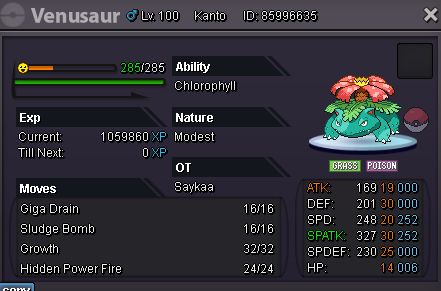 3 points
 -
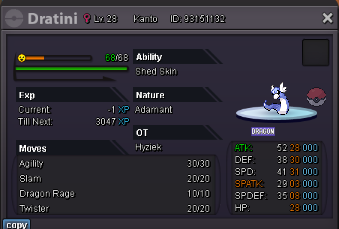
3 points3 points2 points2 pointsCurrent offer: Luohan - 500k Insta: 1.5m Min bid: 10k End point: June 14th 19:30 local time Start: 70k Accept payments: cc for 400k, rr for 500k, nature rr for 250k The aution will end in 24hrs after the first bid.
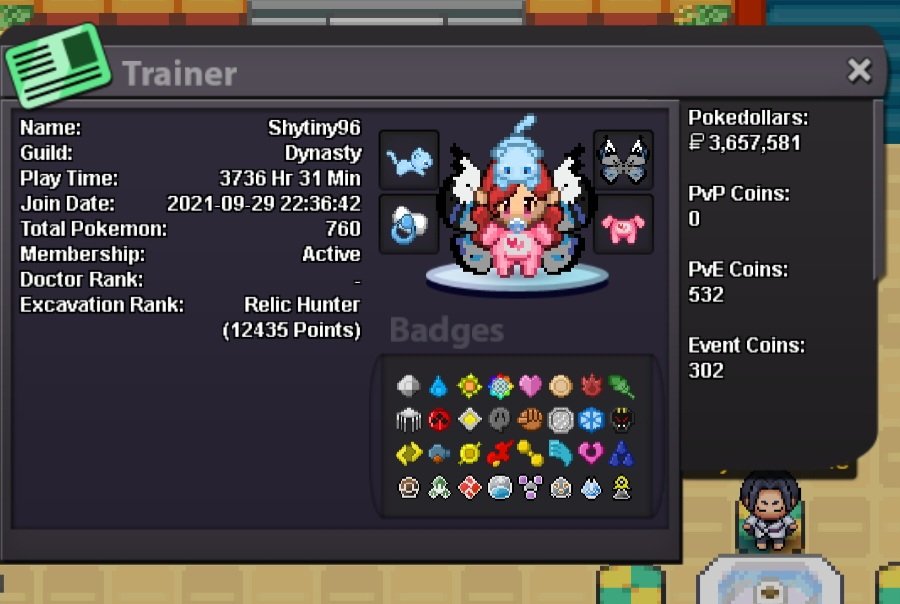
 2 pointsMy IGN is ShyTiny96, I am 28 years old from Canada. With the current playtime glitch my hours are at 3736hrs and 31 mins, after the playtime glitch is fixed ill still be above 2500hrs. My most favourite thing to do in game is hunt for pokemon, but I also enjoy hanging out with everybody too. Services I can offer for the guild are ev and lvl up services, and if u just need a friend I'm here for that too! My favourite Bidoof form is Raidoof, just look at those chompers!
 2 points2 points1 point1 point1 points.o 500k min bid 50k 50hours duration start after first bid timer: https://vclock.com/timer/#countdown=50:00:00&date=2024-06-15T05:08:01&sound=xylophone&loop=1
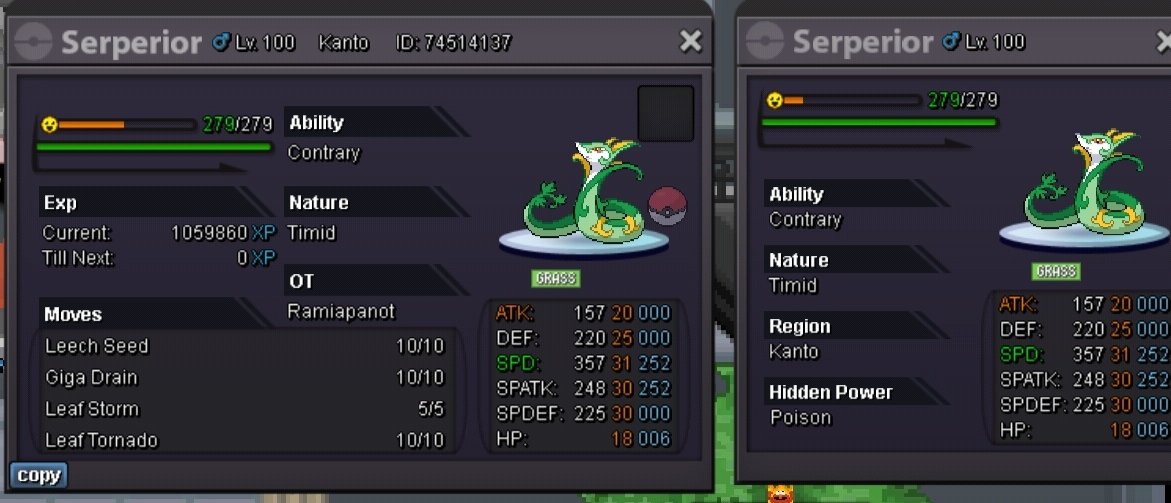 1 point1 pointPokemon/Being Auctioned Starting price/point : 1mil Ending Point/Exact time/Duration(No last calls) : 72h from the first offer Insta Price: 4 mil Available Payments : Pokedollars + CC (420k each) Minimum Raise : 50K Contact me:- In-game : EiRaiden
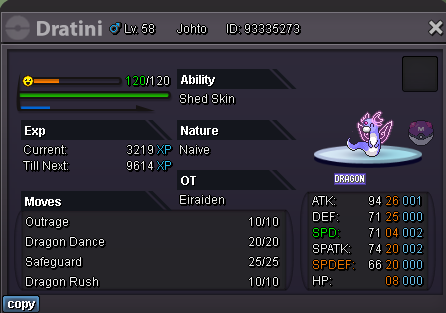 1 point1 pointAuction starting offer = 100k end date = 10:03 GMT 14/06 minimum raise = 50k payment methods = pokedollar cc (400k)
.png.2a4e1eba23e28269e0847914e210d46e.png)
.png.2290ac346b7d3867b7860f33a2725e39.png)
.png.99afbaf13dbb4271dacc82785c9bc149.png) 1 point1 pointStart Price: 500k End Point: 48 hours (after start price is met) Insta Price: N/A Minimum Raise: 200k Accepted Payments: Pokedollars, Coin Capsules (x1 Coin Capsule = 400k), IV Reroll Tickets (x1 IV Reroll Ticket = 500k) Important Reminders: If you intend to purchase with an alt account, specify the account alongside your bid. If a bid is received in the final 15 minutes of the auction, the end point will be delayed by 15 minutes from that bid, and will be delayed by 15 minutes for each new bid thereafter, until the current offer has been held for a full 15 minutes.
1 point1 pointStart Price: 500k End Point: 48 hours (after start price is met) Insta Price: N/A Minimum Raise: 200k Accepted Payments: Pokedollars, Coin Capsules (x1 Coin Capsule = 400k), IV Reroll Tickets (x1 IV Reroll Ticket = 500k) Important Reminders: If you intend to purchase with an alt account, specify the account alongside your bid. If a bid is received in the final 15 minutes of the auction, the end point will be delayed by 15 minutes from that bid, and will be delayed by 15 minutes for each new bid thereafter, until the current offer has been held for a full 15 minutes.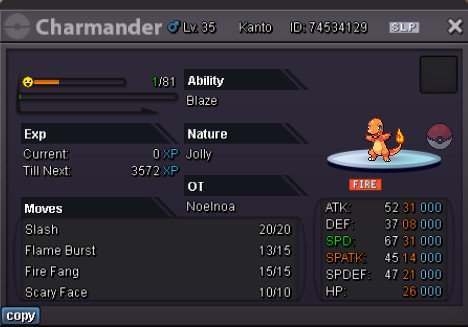 1 pointStart Offer: 40k (bundle auction) Insta : 1.2m Min. Raise: 10k Time : 24 hour after first bid Time left : Accepted Payment(s): Pokedollar CC : 400k Iv Reroll : 500k BMS : 180k Rare candy : 7k *Last minute auction extend 15minutes according to PRO rules *Pain0408 is my alt PRO IGN : Torarudean Discord : torarudean

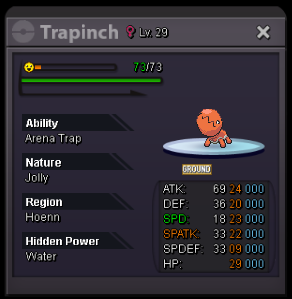
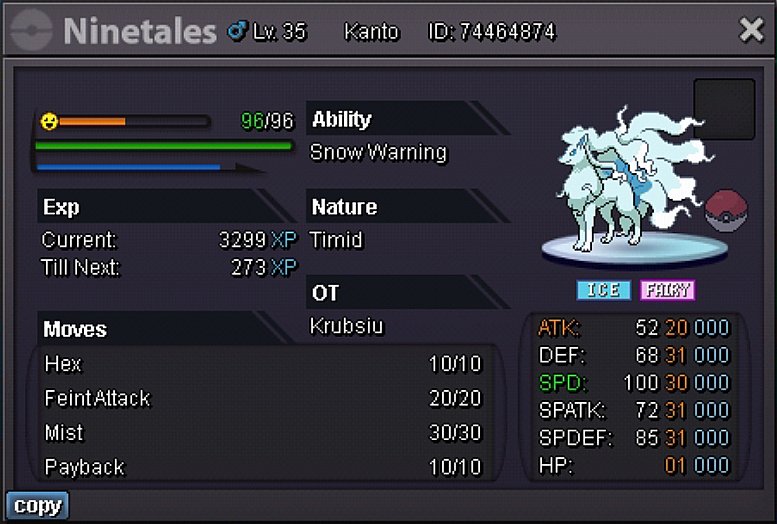
 1 point1 point1 pointAlolan Ninetales Auction Starting offer: 500k Min bid: 100k Auction ends in 3 days after first bid Time left: https://www.tickcounter.com/countdown/5386658/alotales-auction
.png.7a0a2c5ded63af1703c84d8d8be081d0.png)
 1 point1 point1 point1 point1 point1 pointEver got a really nice skin for your poke? And all you are able to see is its rear end. My suggestion is -> When you are in battle, you have the option the click on your poke, to be able to switch between front and back views. its has no effect on the game, only changes on your side, and if its server based, set a timer 1min before you can click on image, pokes that enter battle do so normally facing forward..1 point1 point1 point1 point1 pointAuction Details: Start Price: 10k End Point: 1 hour (after start price is met) Insta Price: N/A Minimum Raise: 10k Accepted Payments: Pokedollars Important Reminders: This is a Gold Server auction. If bidding from an alternative server, state that you will transfer upon winning. If you intend to purchase with an alt account, specify the account alongside your bid. If a bid is received in the final 15 minutes of the auction, the end point will be delayed by 15 minutes from that bid, and will be delayed by 15 minutes for each new bid thereafter, until the current offer has been held for a full 15 minutes. Happy Bidding!
 1 point1 pointCan you just put a clear end time or countdown like the rules say pls1 point1 point1 point1 point1 point1 point1 point1 point1 point@Vangogsan congratulations you won the auction. Tell me where you like to meet^^1 point1 point1 point1 point1 point1 point1 point1 point1 point1 point1 point1 point1 point1 point1 point1 pointWhat’s your ingame name? Halodri How old are you? 29 Where are you from? Germany What do you like about PRO? The content that PRO offers Why should we choose you as our member? I hope I can support in PVE and later in PVP What’s your favorite Pokémon? Gengar Please post a screenshot of your trainercard! Done Discord Name: casual0815
 1 pointWeekly update about the story : Week:1 Once upon a time, I was passing through a forest. Enjoying the peaceful solitude of nature. When suddenly, I heard something loud and I saw a guy wounded on the road. It was none other than! My childhood friend. He cried for help. I ran towards him, with some bog mosses, I found nearby. The forest seemed to hold its breath as the distant wail of sirens echoed through the trees. Week: 2 As I applied the bog mosses to his wound, I reassured him that help was on the way, grateful for the chance encounter that allowed me to aid my childhood friend in his time of need. As the sirens drew closer, I couldn’t shake the feeling of gratitude for stumbling upon my friend in his moment of need, a reminder of the unpredictable yet serendipitous nature of life’s twists and turns. With each passing moment, the forest seemed to envelop us in its protective embrace. Week: 3 No remarks were made. Week: 4 No remarks were made. Week: 5 No comments were made. Week: 6 As the ambulance finally arrived, its lights cutting through the trees, I realized that fate had brought us together again, and I was determined not to lose him this time. As we rushed him up to the waiting ambulance, a faint but distinct sound caught my attention, a sense of urgency seemed to echo in the approaching footsteps, someone or something hurtling towards us with an unsettling haste. In the dim light, their shadow stretched ominously across the ground, sending shivers down my spine. The figure emerged from the darkness, revealing a face contorted with desperation and fear, clutching a small, blood-stained envelope. With a trembling hand, they thrust it into mine, gasping, "You have to deliver this—it's the only way to save him. Their eyes locked onto mine, silently pleading for help, as they whispered, “Please, you're his only hope”.1 point