




New Trade Zone
Trade Zone is now live
Use the new Trade Zone for auctions and instant-price trades so Pokemon and item offers are easy to find.


Cyanirl
Registered User
-
Joined
-
Last visited
Everything posted by Cyanirl
-
Bump
-
1.5m
-
cyanirl gold gmt +2 milkmanraveHello, it appears i have sent my poor beedrill to the bin by mistake 😞 Is it possible to restore it ? id: 40365996 Gold serv Thank u 🙂@Gus69 hey can u msg me on discord: milkmanrave ? or in game on gold: Cyanirlmsg me on discord: milkmanrave1.6mremoved Ursaluna: Guts, Adamant, 28+bumpHello, would u take 120k for all 3? if yes, can u message me on discord ? milkmanrave
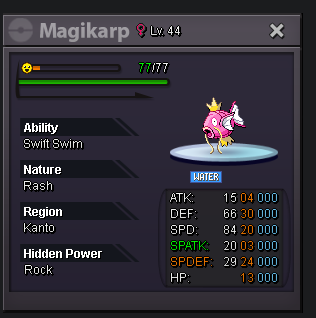
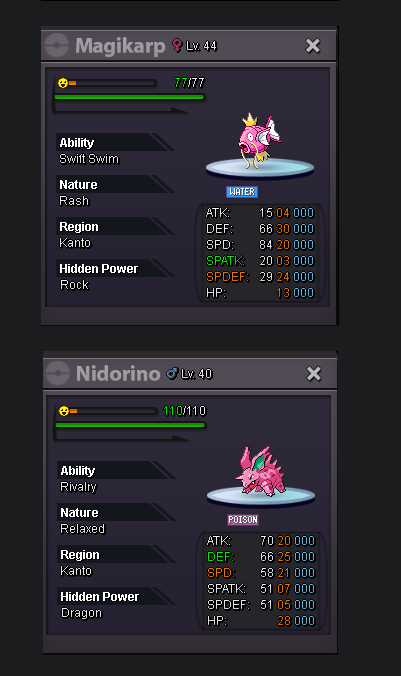 1.3m, will transfer if i winstart will transfer if i winHello i'll buyu these if available. msg me on discord: milkmanrave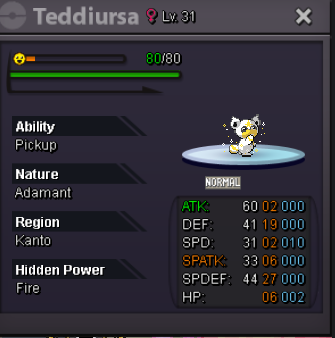
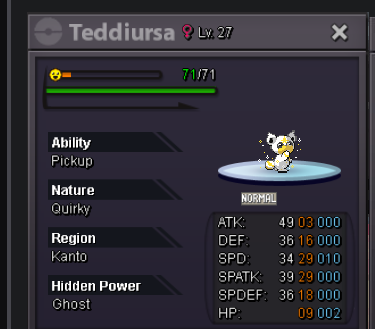 Hey im insterest in these 3: Would u take 500k for all 3 ? If yes message me on discord: milkmanrave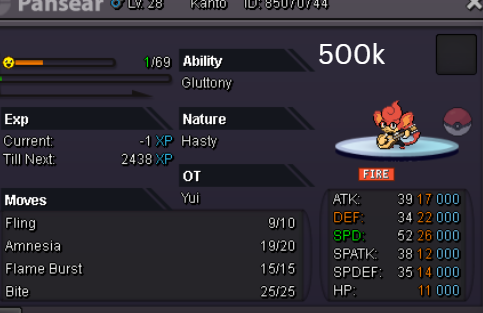
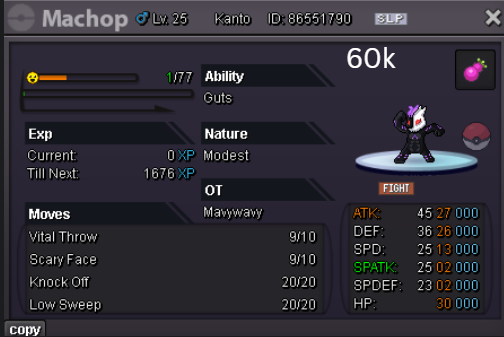
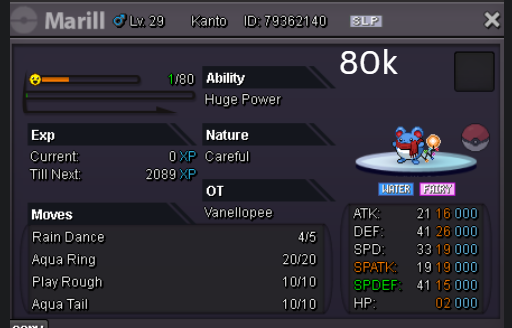 msg me on discord: milkmanravecyanirl goldcyanirl goldcyanirl goldCYANIRL GOLD

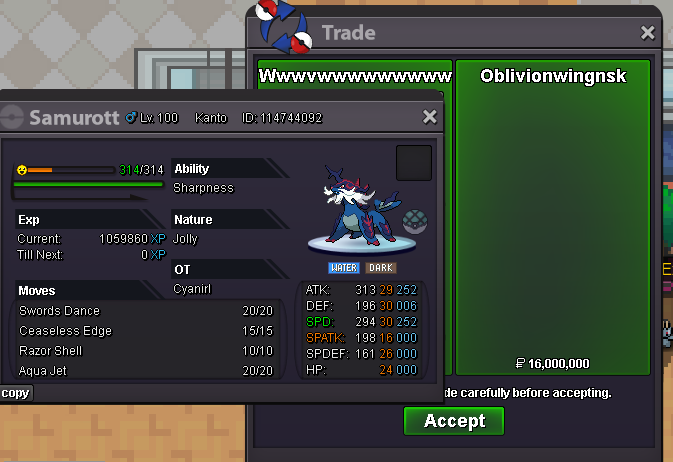

.png.f512414ca0ab75779587f6ce04ee7fc9.png)
Account
Navigation
Search
Configure browser push notifications
Chrome (Android)
- Tap the lock icon next to the address bar.
- Tap Permissions → Notifications.
- Adjust your preference.
Chrome (Desktop)
- Click the padlock icon in the address bar.
- Select Site settings.
- Find Notifications and adjust your preference.
Safari (iOS 16.4+)
- Ensure the site is installed via Add to Home Screen.
- Open Settings App → Notifications.
- Find your app name and adjust your preference.
Safari (macOS)
- Go to Safari → Preferences.
- Click the Websites tab.
- Select Notifications in the sidebar.
- Find this website and adjust your preference.
Edge (Android)
- Tap the lock icon next to the address bar.
- Tap Permissions.
- Find Notifications and adjust your preference.
Edge (Desktop)
- Click the padlock icon in the address bar.
- Click Permissions for this site.
- Find Notifications and adjust your preference.
Firefox (Android)
- Go to Settings → Site permissions.
- Tap Notifications.
- Find this site in the list and adjust your preference.
Firefox (Desktop)
- Open Firefox Settings.
- Search for Notifications.
- Find this site in the list and adjust your preference.