New Trade Zone
Trade Zone is now live
Use the new Trade Zone for auctions and instant-price trades so Pokemon and item offers are easy to find.

Plse
Registered User
-
Joined
-
Last visited
Everything posted by Plse
-
username: plse Server: Silver Timezone: / GMT +2
-
Username: Plse Server: Silver Country/Timezone:Germany / Gmt +2
-
Player name: plse Showdown name: Pulsee Server: Silver Timezone: Gmt +2 Rank on ladder: 17
-
plse Silver Gmt +2
-
Player name: plse Showdown name: pulse the best Server: silver Timezone: gmt +1 Rank on ladder: 20
-
Player name: plse Showdown name: pulseeeee Server: Silver Timezone: GMT +1 Rank on ladder: 1
-
Player name: Plse Showdown name: Pulsegod Server: Silver Timezone: GMT +1 Rank on ladder: 21
-
-
Player name: Plse Showdown name: Pulsegod Server: Silver Timezone: GMT +1 Rank on ladder:3
-
Its a great idea! Pokemon that couldnt see so much popularity due to being overshadowed could finally be usefull in pvp.
-
Did you even read the thread? Seems like you just came here to point your opinion without even willing to read the information.
-
Player name: Plse Showdown name: Pulsegod Server: Silver Timezone: GMT +1 Rank on Ladder: 17
-
-
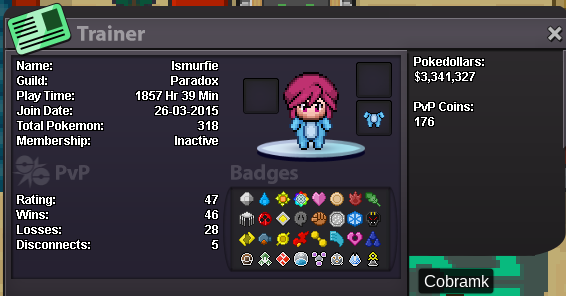
Player name: iSmurfie Showdown name: Pulsegod Server: Blue Rank: 14
-
Thank you, Ari, updated
-
I changed my mind
-
Re: Akatasuki x Reborn joint guild event <t>Hand over the 102</t>
-
Re: Epic Tangrowth Relaxed h.a HP Fire <t>nvm, can't delete this post</t>
-
Re: Akatsuki ☁ {RED SERVER} <r><QUOTE author="t0bi"><s> </e></QUOTE> 1. Well, it's spiderman, for those who can't read my username.<br/> 2. I have jirachi, that counts? Me swear no hax.<br/> Being the one that finished Hoenn too, with a hand tied on my back and the other lost somewhere near McDonalds, CHECK. (Never make angry the chef while she is making lunchboxes for her kids). <br/> I'm ageless, so is infinite greater than 17? I failed at math...<br/> I already talk in there more than some active peeps. @Dhevin hi<br/> 3. Hell no, I'll be the one causing trouble, so why would I vow loyalty against myself? I just want the free stuff.</r>
-
Seems shadow ran away with the fame...
-
Welcome to Deadpool's crib. Here we have tacos, tacos, and... Did I mention tacos? What's the purpose of this guild? Well, as all the others, battling, hunting, making fun of francis, rada rada... but mostly chilling. Who is the mascot of this guild? Well, Mr. Taco of course. Members of this guild? Wanna join? Requirements will be added later, spidey made me do the dishes today.
-
Look pal, I have no idea what's in your head right now, but ask yourself this: you think these guys are that blind? Think they don't know about these queues keep growing daily? If you really think that then my advice: go take some real developing classes or something. And no one really cares if you are busy or having a vacation in Hawaii, there are plenty users in the queues including myself to fill your slot.
-
Do you even quote, bro? He answered to the guy who replied to you.
-
I'm a bit sceptic about this twitch live stream. You can always have a buddy in the room to check the stream of your opponent on his phone, and just have him whisper you about the team. I usually play SD and knowing your opponent's team and not knowing it are totally two different cases, and I think we should all go equally.
-
Here is my pretty face(for some reason, I can't put an image) :Nervous: https://prntscr.com/ao5l2o And the money https://prntscr.com/ao5ms1