New Trade Zone
Trade Zone is now live
Use the new Trade Zone for auctions and instant-price trades so Pokemon and item offers are easy to find.

Euripides
Registered User
-
Joined
-
Last visited
Everything posted by Euripides
-
Yeah I know but you said you sometimes don't even know in what server you're playing.
-
I'm sorry I might sound too harsh. On mobile, yeah, sometimes we might misclick but it's hard to not click on the correct server. The designs you showed here were pretty bad, not gonna lie. XD
-
Most of the NPCs battle us again if we challenge them after 7 days.
-
Pretty sure that this is a known bug. I guess you gotta just wait until it gets fixed or comes with the new Battle UI. :)
-
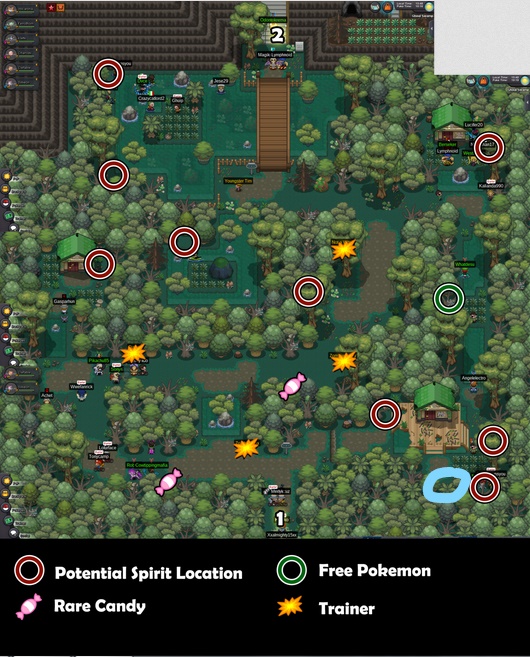
I see you have finished the first part of the quest. To start the second part, you will have to go to Dreadtown. Check out this guide for more information. https://pokemonrevolution.net/forum/topic/138143-urlHola. Como has perdido tu oportunidad en Darkrai, tendrás que luchar contra Horon, Thief of Souls. Este miniboss se puede encontrar en Dark Valley, que está sobre Necropolis. Ten en cuenta que tendrás que derrotar a este jefe sin que ninguno de tus Pokémon se desmaye. Luego te dará la oportunidad de hacer la búsqueda de Darkrai nuevamente. Pero, solo puedes hacer la búsqueda nuevamente si ya no atrapaste a Darkrai en 2017. El jefe también te permite obtener un Rapidash Mount de Halloween si derrotas a un Rapidash foujd junto a él.Go to Dark Valley which is above Necropolis. There, you'll find a boss called Horon, Theif of Souls. Defeat him without any of your Pokemon fainting and you'll get a chance to do the quest again. He also lets you get a free Halloween Rapidash Mount if you beat a Rapidash next to him. I assume you've left Dark Realm already. If so, you can't go back unfortunately.Hello. Since I use Firefox as well most of the times, I experience this issue too. It doesn't really bother me. So I never tried to fix it. If you find it disturbing or something, I'd suggest you to try another browser but not Google Chrome.Hello there. I'd suggest you to use a different browser such as Firefox. This should solve the issue.No, the event ends on around the 27th of November. Edit: Yeah, my bad. Its around the 17th not 27th.Gj AllsmellDon't think this is needed since we can change it as many times as we like. :)No. You can catch them anywhere they spawn. If they spawn in an area which requires MS/if one of their spawns requires MS to catch them, you'll need MS. Otherwise, Halloween forms are accessible to all.Since I saw that some features of the old forums such as Anchor/Goto and Glow effect were added again, it'll be nice to add 'fade' too. Fade made the selected text to have a blinking kind of an effect. I tried but couldn't find a really good example to this but this one is somewhat similar. Like in here, the selected word used to blink like this is the same pace but here two words are there but fade only made one word to continuously blink. Thank you.
 Do the steps mentioned above by making the Starly hold a Soothe Bell since it makes things quicker.Greetings :3Had you caught Darkrai back in 2017? It is 2 times for those who've caught it already.You just missed out on this. This thread which allowed people to request a server transfer, name change and account reset got closed few minutes ago. So I now assume you'll have to wait for it to open again which won't be anytime soon.You can get them upon defeating the bosses Medusa and Eldir.Read the FAQ section please.Sorry I guess I couldn't word and explain it properly. So here is a more coherent one. Before standing in ranked queues, players should be given three options to choose between. 1. The first one would enable them to stand in queues like how they do now and the system should be like how it is at present. Basically like how you said earlier. 2. The second option should be for players like @Crucifixuz who don't really fancy the current system where they might be queued up against 1 rating players. Player A, with 300 ratings, stands in a ranked queue and chooses this option. The system tries to search for players whose ratings are around the ratings of A (300) for around 10 minutes. If it finds no one, it should automatically kick Player A out of the queue and show a message "No one around your rating was found". Player A can then try to find someone again using the command after few minutes. This could possible prevent the situations which Crucifixuz encountered (i.e queuing A within 300 ratings with B with 1 rating). 3. The third one isn't basically an option but should be a command. I have no idea if this is hard to code or something but here it is. There should be a command- "/pvp <ratings>". Let's say A has 300 ratings and wants to battle a player whose ratings are within a range of 250-300. Then, he should use this command. He'll type "/pvp 250-300" and the system will try to search for players with ratings within this range. I hope this was more comprehensible than before and if you still couldn't understand something or want to add/something feel free to ^^Maybe two options could be implemented. Wherein, one option would enable people to stand in queues like they do currently (basically the same system that is followed currently). And if we choose the other one, the system should try to find people around our rating for 10 minutes and if it finds nobody, the system should kick us out of the queue. So, after 5 minutes or so, we could stand in queue again and try to find players.Glad to know that ^^All the blue Pokeballs aren't visible. Some are hidden. Have you checked all these spots?