New Trade Zone
Trade Zone is now live
Use the new Trade Zone for auctions and instant-price trades so Pokemon and item offers are easy to find.

Euripides
Registered User
-
Joined
-
Last visited
Everything posted by Euripides
-
Welcome to PRO ^^
-
I remember seeing similar Pokemon, though they were not shiny. This one is just crazy.
-
Welcome to PRO
-
-
-
-
¯\_(ツ)_/¯
-
+1 I don't always do WQ because I don't really want to spend all my time hunting just to catch a trash pseudo-legendary. This item-holding chance would motivate more people to do WQs, like me as well. And the items you mentioned feel suitable.
-
-
-
-
-
-
-
Oh, then you first have to merge Red and Blue servers progress on the Dashboard. Now it will get changed into Silver. Your Yellow server's progress should be preserved on Gold server. So you just need to log onto Gold Server.
-
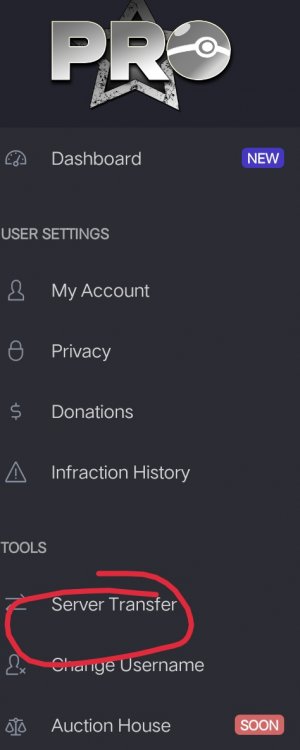
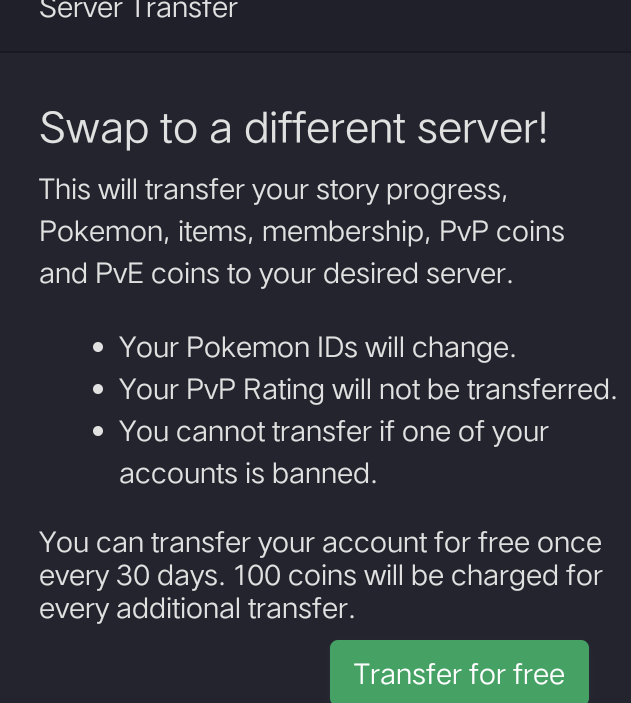
1. First, logon to the Dashboard (https://pokemonrevolution.net/dashboard/) 2. Click on this at the top left corner. 3. Then this. 4. You should now see this. You can server transfer for free once every 30 days. If you need to do it before the 30 days cooldown ends, you must pay 100 game coins.

-
Welcome back :D
-
It's a bug yeah and I think it's known. So probably they will fix it soon.
-
Olá. Depois de cumprir os requisitos, você deve conversar com o Scientist Ray na Bell Tower para obter o sino necessário (Water Bell para Suicune, Lava Bell para Entei e Zap Bell para Raikou). Em seguida, você tem que lutar contra os respectivos guardiões. Na primeira vez que você derrota o guardião, existe uma chance de 16,67% de o seu cão gerar. Na terceira vez consecutiva em que você o desafiar, a chance será de 100%.
-
That's not where you have to go. That leads to Ruins of Alph. You have to go South towards Union Cave.
-
Good work guys!
-
Neither of the servers did. I think they were put on hault intentionally due the to the instability of the servers in the past few weeks/months. Since continous server crashes during a WQ would suck. :)
-
-1 Would ruin the fun when exploring maps. A staff member told that new maps would be released in the future which would be more enjoyable without staffview (maybe something like a maze). Don't think implementing it again would be much more helpful, since the game looks fine for me without it (believe me, I hated its removal as well). Just have to play a bit more and you'll get used to it.
-
Kind of sad. I will probably make a new auction sometime later. Thanks for the quick response! You can lock this thread. :p
-
@Hawluchaa Welp, quite suspicious. I again checked using Reborn and the player barely has 30 mins of playtime. Can you please check if he has any alts with which they can pay? Or is this is a fake offer? Thank you.