




New Trade Zone
Trade Zone is now live
Use the new Trade Zone for auctions and instant-price trades so Pokemon and item offers are easy to find.


Bash
Registered User
-
Joined
-
Last visited
Everything posted by Bash
-
Can we revert it to how it was previously? It would be suuuuuper annoying now to have 30-40 sync Pokémon in your Pc just for the repel trick... I mean, does everything has to be 100% like in the originals? ._.
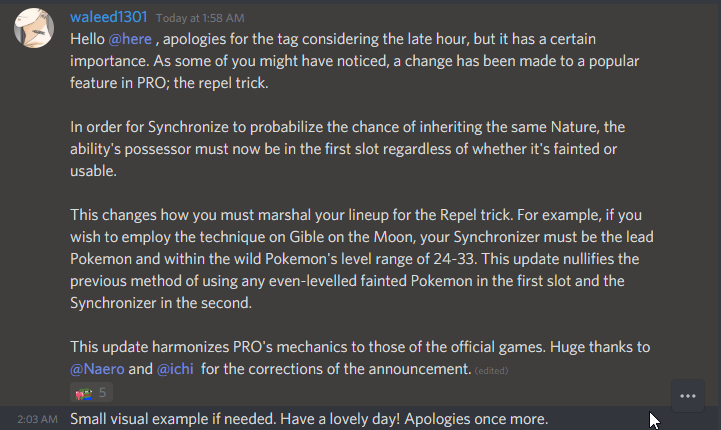 alt=firefox_2020-02-10_03-25-50.pnghttps://pokemonrevolution.net/forum/data/attachments/128/128683-742a673c6ddc6900e0bccbaa1befb119.jpg[/img]
 Wtd relaxed tangrowth hp ice or fireBad guidecant see anything on the pic ._.Gib gibChansey sold?Depends, did you talk to Ash by chance who is also at this Route after you obtained the item? Then you may not have it, else Im not sure. Anyway it is a item part of the Ash hat quest.Nice Scarlet! :)Hey, do collisions and stuff matter or is it just about the look? Nice event.90?ACheck this: https://pokemonrevolution.net/forum/topic/90465-urlBumphttps://i.imgur.com/sUjVKuv.png But I look for a epic offerHello new. :)Which message does appear, did you merge? https://pokemonrevolution.net/forum/topic/90465-urlTF? Why do so many ppl want this? LOL No no no no no no no no no no no no no. Ty. This ability is just way to good.






Account
Navigation
Search
Configure browser push notifications
Chrome (Android)
- Tap the lock icon next to the address bar.
- Tap Permissions → Notifications.
- Adjust your preference.
Chrome (Desktop)
- Click the padlock icon in the address bar.
- Select Site settings.
- Find Notifications and adjust your preference.
Safari (iOS 16.4+)
- Ensure the site is installed via Add to Home Screen.
- Open Settings App → Notifications.
- Find your app name and adjust your preference.
Safari (macOS)
- Go to Safari → Preferences.
- Click the Websites tab.
- Select Notifications in the sidebar.
- Find this website and adjust your preference.
Edge (Android)
- Tap the lock icon next to the address bar.
- Tap Permissions.
- Find Notifications and adjust your preference.
Edge (Desktop)
- Click the padlock icon in the address bar.
- Click Permissions for this site.
- Find Notifications and adjust your preference.
Firefox (Android)
- Go to Settings → Site permissions.
- Tap Notifications.
- Find this site in the list and adjust your preference.
Firefox (Desktop)
- Open Firefox Settings.
- Search for Notifications.
- Find this site in the list and adjust your preference.