




New Trade Zone
Trade Zone is now live
Use the new Trade Zone for auctions and instant-price trades so Pokemon and item offers are easy to find.


Katowiczanin
Registered User
-
Joined
-
Last visited
Everything posted by Katowiczanin
-
Yo ^^ Rules applying to all mons! S.o 100k Min bid 50k No insta 24h after start Accepting cash / cc(400k) MG#1 MG#2 MG#3 https://www.tickcounter.com/countdown/3279954/mg3 MG#4 MG#5
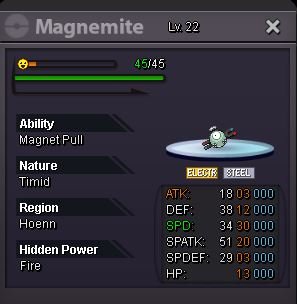
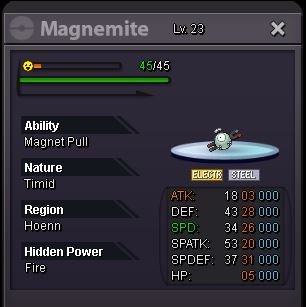
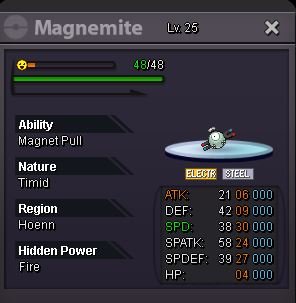

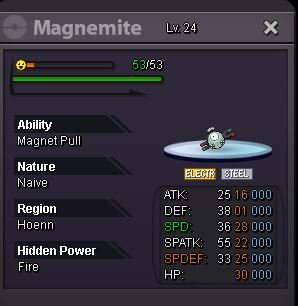
-
1.5m b1
-
1.1m for b1
-
B1 900k
-
B1 800k*
-
B1 700k
-
Start b1
-
how much if i buy meta and 600k crawdaunt?
-
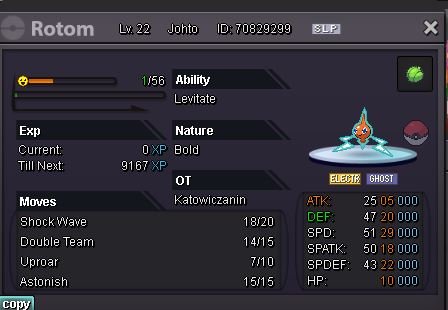
i added u @duyanh097im goin to work ill be on probably about 3pm-4pm uk time@Puppyhun @duyanh097 @Exoforce you won auctions. Contact me here, in game (Katowiczanin) or on discord KAT'owiczanin.#1423Around 4h left for volca and happinycd added to all monsTy for start I’ll add countdowns when I back home@duyanh097 im online msg me on discord or in game u got details on 1st pageI’ll be on about 5pm uk time today guysHello ^_^ I got few decent mons for sale again Accepting: Poke$ / cc (400k) All auctions are 48h after 1st bid S.o 700k Min bid 100k Insta 2.5m Countdown: https://www.tickcounter.com/countdown/3262272/volca S.o 500k Min bid 100k Insta 1.5m S.o 500k Min bid 100k Insta 1.5m Countdown: https://www.tickcounter.com/countdown/3262271/happiny S.o 400k Min bid 100k No Insta Countdown: https://www.tickcounter.com/countdown/3262274/1st-rotom S.o 200k Min bid 50k No Insta GL! 🙂
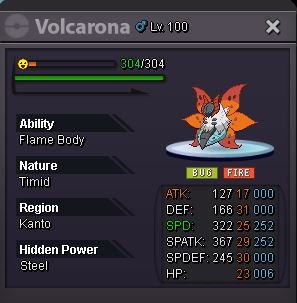
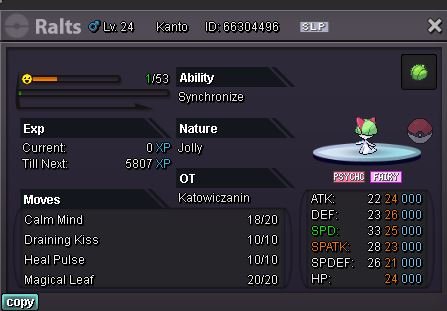
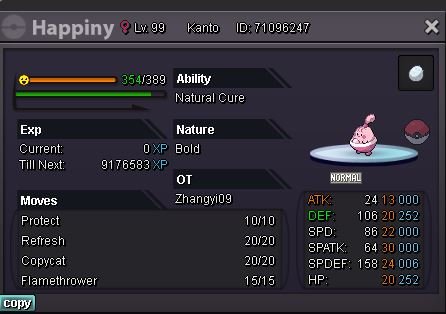
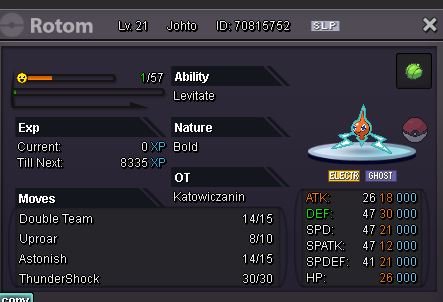
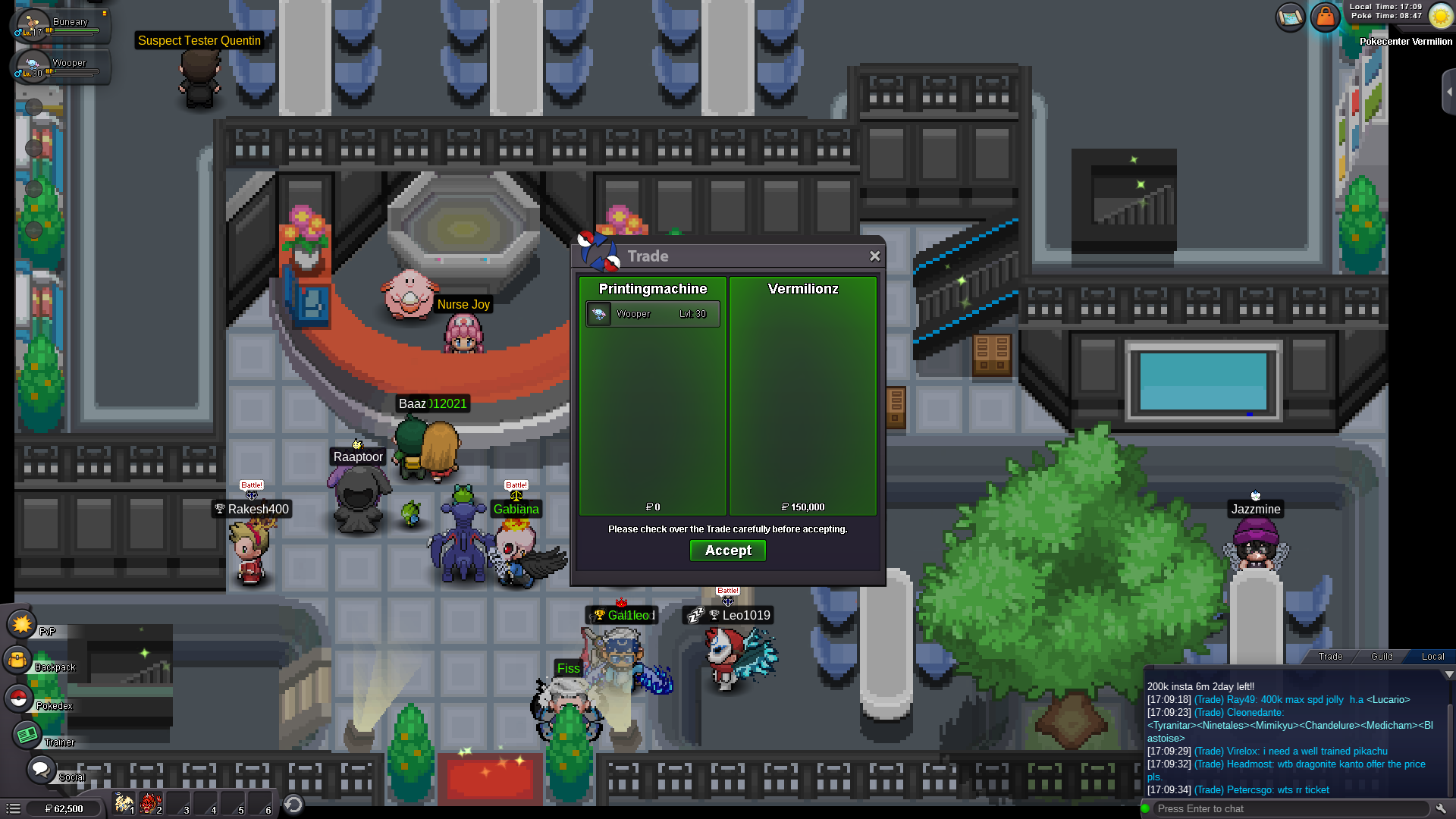
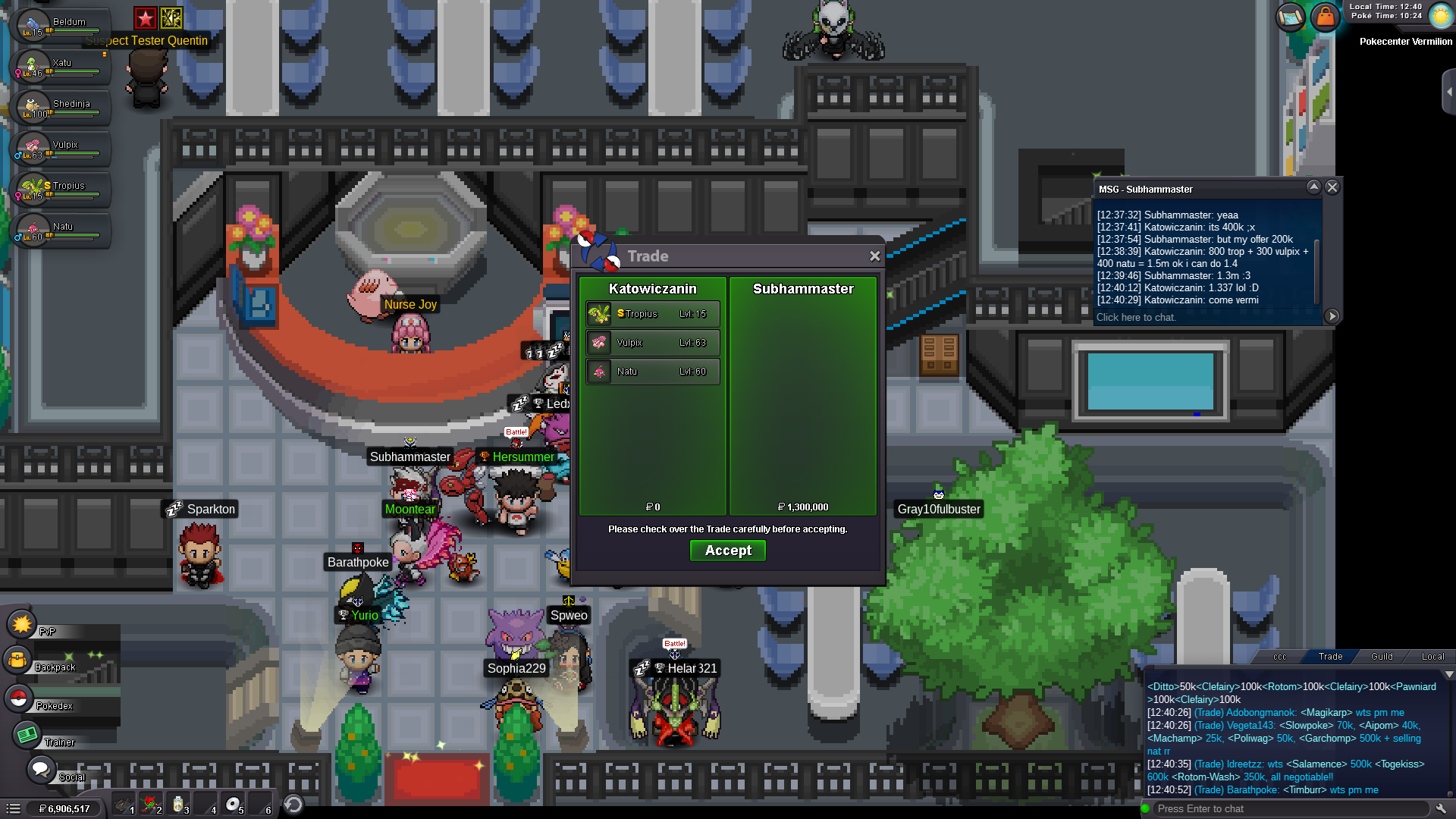
 pm me in game pls @Subhammaster nickname KatowiczaninupdateWe got deal then I’m not hurry soo we can meet at Monday no worries bro


Account
Navigation
Search
Configure browser push notifications
Chrome (Android)
- Tap the lock icon next to the address bar.
- Tap Permissions → Notifications.
- Adjust your preference.
Chrome (Desktop)
- Click the padlock icon in the address bar.
- Select Site settings.
- Find Notifications and adjust your preference.
Safari (iOS 16.4+)
- Ensure the site is installed via Add to Home Screen.
- Open Settings App → Notifications.
- Find your app name and adjust your preference.
Safari (macOS)
- Go to Safari → Preferences.
- Click the Websites tab.
- Select Notifications in the sidebar.
- Find this website and adjust your preference.
Edge (Android)
- Tap the lock icon next to the address bar.
- Tap Permissions.
- Find Notifications and adjust your preference.
Edge (Desktop)
- Click the padlock icon in the address bar.
- Click Permissions for this site.
- Find Notifications and adjust your preference.
Firefox (Android)
- Go to Settings → Site permissions.
- Tap Notifications.
- Find this site in the list and adjust your preference.
Firefox (Desktop)
- Open Firefox Settings.
- Search for Notifications.
- Find this site in the list and adjust your preference.