New Trade Zone
Trade Zone is now live
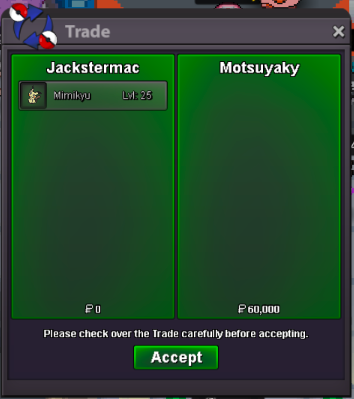
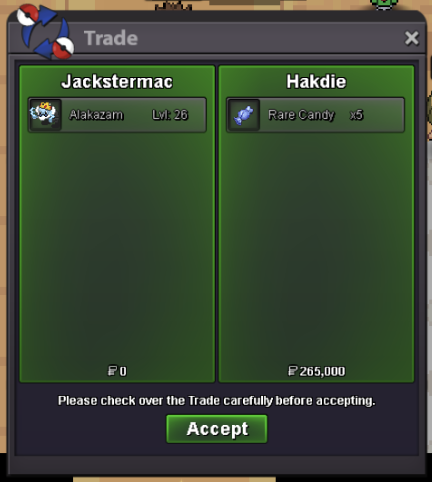
Use the new Trade Zone for auctions and instant-price trades so Pokemon and item offers are easy to find.
Everything posted by Jackstermac
-
[5/07 update] <> Jackstermac PokeShop <> Full of PvP/Form/Boss/Story/Rare Pokèmon + Cosmetics/Mounts!
- [close] H.a Semi-god 30/31 Alakazam
@Zeifier pm me, I'm online- Can be closed
larv 200k- Can be closed
start larvesta- [5/07 update] <> Jackstermac PokeShop <> Full of PvP/Form/Boss/Story/Rare Pokèmon + Cosmetics/Mounts!
- [close] H.a Semi-god 30/31 Alakazam
Auction won by @Zeifier, pm me when you're available!- [close] H.a Semi-god 30/31 Alakazam
- [close] H.a Semi-god 30/31 Alakazam
^BUMP- [close] H.a Semi-god 30/31 Alakazam
- [close] H.a Semi-god 30/31 Alakazam
s.o = 500k min bid raise = 25k insta = 2m duration = 24hrs after auction start payment types accepted: Pokedollars, CC (350k), IV Reroll (500k), Nat Reroll (200k)- [5/07 update] <> Jackstermac PokeShop <> Full of PvP/Form/Boss/Story/Rare Pokèmon + Cosmetics/Mounts!
- [5/07 update] <> Jackstermac PokeShop <> Full of PvP/Form/Boss/Story/Rare Pokèmon + Cosmetics/Mounts!
Added you on discord @Goujo- Ended
- [5/07 update] <> Jackstermac PokeShop <> Full of PvP/Form/Boss/Story/Rare Pokèmon + Cosmetics/Mounts!
@Sageeee shop is open- Sage's Pokemon Shop (Update Soon) [close atm]
bruh, whaaaat? Is that allowed @Zoruami?- Deadhunter's Shop (Updated 13/1 !!!)
- Sage's Pokemon Shop (Update Soon) [close atm]
- [5/07 update] <> Jackstermac PokeShop <> Full of PvP/Form/Boss/Story/Rare Pokèmon + Cosmetics/Mounts!
if you read the subject... It's a "build in process". I'll ping you when updated @Sageeee- [5/07 update] <> Jackstermac PokeShop <> Full of PvP/Form/Boss/Story/Rare Pokèmon + Cosmetics/Mounts!
Welcome 🙂 Shop Rules: Once an offer is made, it's locked in. All sales are final. All prices are negotiable, feel free to make offers Any Pokemon in the "untrained" category can be bought fully trained. Reply with your offer and add "+ train _" (LVL or EV). Training the Pokemon will increase the price of the Pokemon: LVL train = +150k EV train = +40k All fake offers and foul language will be reported This is a Gold server shop. Players from Silver are welcome to purchase any listed pokes, but they are responsible for the server transfer Accepted Forms of Payment: Pokedollar Coin Capsule = 450k Reroll Ticket = 500k Nature Reroll Ticket = 250k Contact Me @: IGN: Jackstermac Discord: Jackwmac ---------------------------------------------------------------------------------------------- <<< UPDATE LOG >>> Spoiler ⭐️⭐️⭐️⭐️⭐️⭐️⭐️⭐️⭐️⭐️⭐️⭐️⭐️⭐️⭐️⭐️⭐️⭐️⭐️⭐️⭐️⭐️⭐️⭐️⭐️⭐️⭐️⭐️⭐️⭐️⭐️⭐ FEATURED Pokes: Spoiler ⭐️⭐️⭐️⭐️⭐️⭐️⭐️⭐️⭐️⭐️⭐️⭐️⭐️⭐️⭐️⭐️⭐️⭐️⭐️⭐️⭐️⭐️⭐️⭐️⭐️⭐️⭐️⭐️⭐️⭐️⭐️⭐️ TRAINED Pokes: Spoiler UNTRAINED Pokes: Spoiler BOSS Pokes (TRAINED+UNTRAINED): Spoiler Trainer Tower (Moxie Gyarados): Spoiler Mounts & Cosmetics: Spoiler- [close] h.p fire bulbasaur
- [close] h.p fire bulbasaur
@Bakshi wins the auction! - [close] H.a Semi-god 30/31 Alakazam
Account
Navigation
Search
Configure browser push notifications
Chrome (Android)
- Tap the lock icon next to the address bar.
- Tap Permissions → Notifications.
- Adjust your preference.
Chrome (Desktop)
- Click the padlock icon in the address bar.
- Select Site settings.
- Find Notifications and adjust your preference.
Safari (iOS 16.4+)
- Ensure the site is installed via Add to Home Screen.
- Open Settings App → Notifications.
- Find your app name and adjust your preference.
Safari (macOS)
- Go to Safari → Preferences.
- Click the Websites tab.
- Select Notifications in the sidebar.
- Find this website and adjust your preference.
Edge (Android)
- Tap the lock icon next to the address bar.
- Tap Permissions.
- Find Notifications and adjust your preference.
Edge (Desktop)
- Click the padlock icon in the address bar.
- Click Permissions for this site.
- Find Notifications and adjust your preference.
Firefox (Android)
- Go to Settings → Site permissions.
- Tap Notifications.
- Find this site in the list and adjust your preference.
Firefox (Desktop)
- Open Firefox Settings.
- Search for Notifications.
- Find this site in the list and adjust your preference.