Skip to content
View in the app

A better way to browse. Learn more.

Pokemon Revolution Online

A full-screen app on your home screen with push notifications, badges and more.

To install this app on iOS and iPadOS
  1. Tap the Share icon in Safari
  2. Scroll the menu and tap Add to Home Screen.
  3. Tap Add in the top-right corner.
To install this app on Android
  1. Tap the 3-dot menu (⋮) in the top-right corner of the browser.
  2. Tap Add to Home screen or Install app.
  3. Confirm by tapping Install.
New Trade Zone
Trade Zone is now live
Use the new Trade Zone for auctions and instant-price trades so Pokemon and item offers are easy to find.

Open Trade Zone

Dorade

Registered User
  • Joined

  • Last visited

Everything posted by Dorade

  1. Dorade replied to Pitroipa's topic in Guilds
    Hello Bittertooth, Eternity has ceased to exist. We are Dynasty now. Check out Dynasty recruitment page 😉
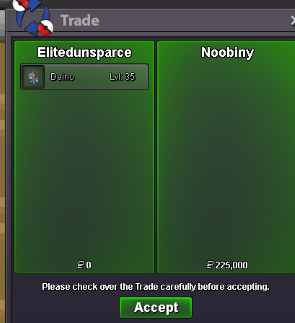
  2. Thank you Noobiny ! 😀
  3. Thank you Glitchchangx !
  4. Hello, for sure it's still open.
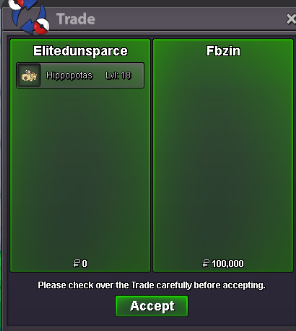
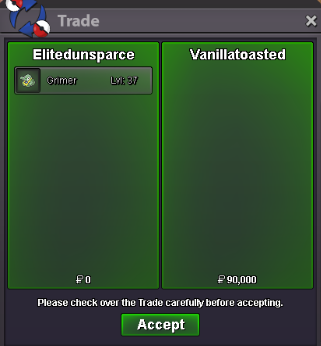
  5. Thanks Vanillatoasted ! 🙂
  6. Ok. I will be available to trade in 13-14 hours from now.
  7. Hello, are you the same person as Smurf378 ? Because I got a mp asking for this excadrill at roughly same time as you did on shop thread.
  8. Added pvp ready diggersby
  9. Added : - deino - goomy - mudkips
  10. I don't play stall. I don't like stall. I don't particularly like mega sableye either and don't plan using but : We already have a significant number of stuff able to break through mega sableye such as (list extracted from smogon sheet of Sabeleye in gen 7 OU) : - Charizard Y - Heatran - Charizard X - Volcarona - sd/sub garchomp - Kyurem B - Mega diancie - Clefable - Victini All of them beside Victini maybe are pretty common in PRO meta. And that is, ofc without considering the UU and under pokemon that will do the job too like : - Kyurem (regular) - Heracross guts - Mega Absol - Nasty plot Infernape - Mega Gardevoir - Mega Houndoom and I am probably missing few others. I therefore personally don't understand people saying they don't have anything to answer mega sableye...

Account

Navigation

Search

Search

Configure browser push notifications

Chrome (Android)
  1. Tap the lock icon next to the address bar.
  2. Tap Permissions → Notifications.
  3. Adjust your preference.
Chrome (Desktop)
  1. Click the padlock icon in the address bar.
  2. Select Site settings.
  3. Find Notifications and adjust your preference.