New Trade Zone
Trade Zone is now live
Use the new Trade Zone for auctions and instant-price trades so Pokemon and item offers are easy to find.
All Activity
Past hour
-
Thecalax1105 joined the community
-
Bump
-
up
-
Mpuy9999 joined the community
-
Tanbir005 joined the community
-
WoW kya ladka hai 1villian. Nice guild I want to join but i am already a member🥳🥳
-
All the members of Elite Emperors[EE] are like family . this is a guild where we help players do PVPs, build their own teams, doing quest and many more . it is good for new players looking for better guidance and help and also, for experienced payers looking for good friends . overall it is family guild and soon our name will be in top guilds .
Today
-
Apple001 joined the community
-
Elite Emperors looks like a guild built on skill, discipline, and genuine teamwork. The presentation, leadership structure, and competitive mindset really stand out. You can clearly see the dedication of its members. 🔥👑
-
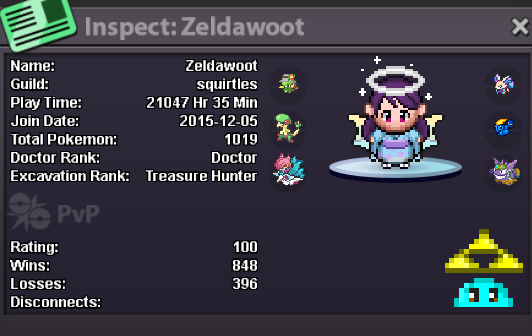
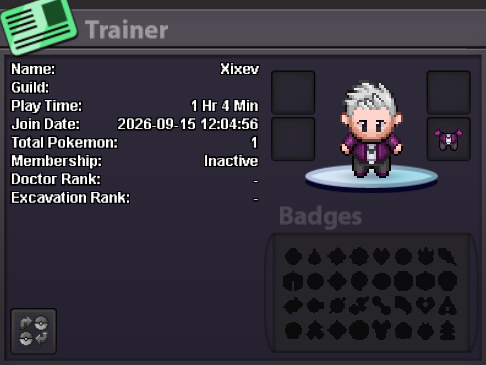
@Xixev For older players, the precise join time may simply not be available anymore, especially going back to 2015 when it may not have even been recorded. You have the right to ask, but I doubt they’ll make an exception for what is a cosmetic/OCD-related request. My join time displays the same as yours, and I’m not nearly as old a player as some. You could take it further, why 09/15 but not 10/10, or all even numbers? I understand the OCD side of it to some extent, but I just don’t see them accommodating requests like this.
-
Hey my OCD is sever, I was wondering if somehow could remove the Time specifically off my profile or its odd numbers and i cannot function i'd love to play the game but i cannot while i see it on my Trainer page i would like the 9-15-2026 only if that's possible i know it's a niche thing but this limits with what i have. I see other people have this gone as well. Please let me know if somehow i can remove that join time beside my join date i'd appreciate it thanks! -Xixev
-
Bump
-
Re-download it properly. It most probably fix it.
-
If this helps feel free to tell here. Good Day, Regards
-
Now u can login again. You have to it everytime u will have to do this every time u want to log in in, untill it is fixed.
-
Then stop spamming and disconnect VPN.
-
Then spam the gold/silver button till the time the ip letter "C858...... " changes to another random one.
-
First, add a VPN from vpn gate. You can see tutorial on YouTube to how to add VPN gate in windows inbuilt.
-
Hey @Dragnelll , I still face the same issue that u r facing I'm giving ya a perfect solution. It happen s because of internet ip problem.
-
I've messaged ya discord.
-
Toomtamx joined the community
-
Trusova joined the community
-
Kento001 joined the community
-
Lucky789 joined the community
-
bump!
-
34564643 joined the community
-
Ziozea joined the community
-
bump
-
bump
-
bump
-
bump
-
10/10 guild highly recommend 🖤
-
Bump
-
Yeah you have tools for that on PlayStore, I can tell you but not here since this is the Sub-forum for bug we have to keep only those topic. Use the personal messenger or pm mr in my discord as in my signature.
-
Ty Gao26