New Trade Zone
Trade Zone is now live
Use the new Trade Zone for auctions and instant-price trades so Pokemon and item offers are easy to find.
All Activity
Past hour
-
Supersttar joined the community
-
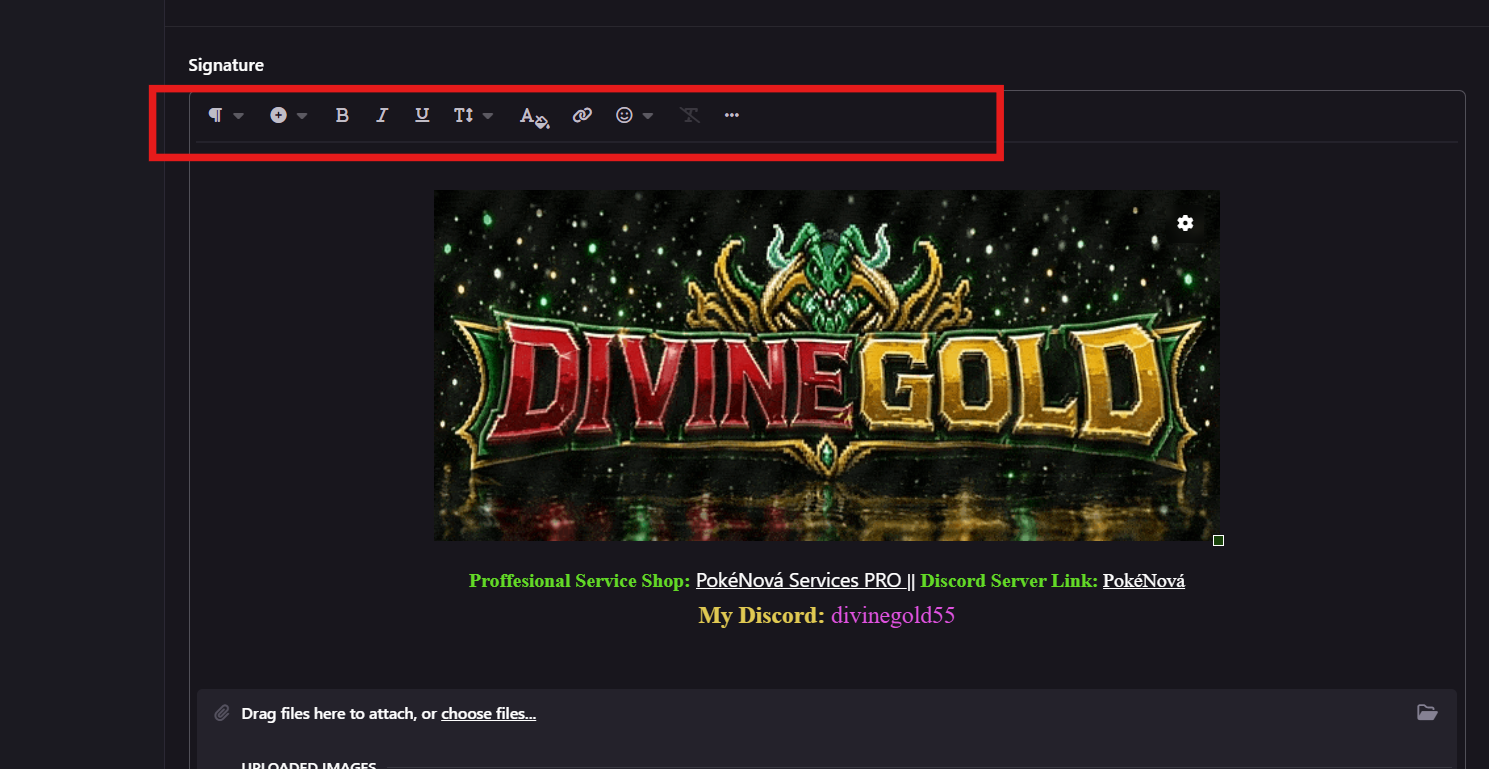
but how u add colors like Profession Service Shop in green
-
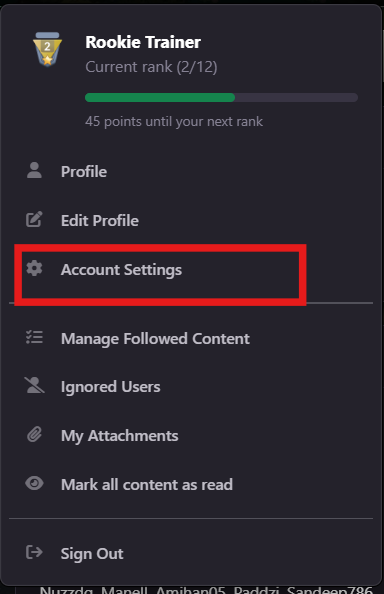
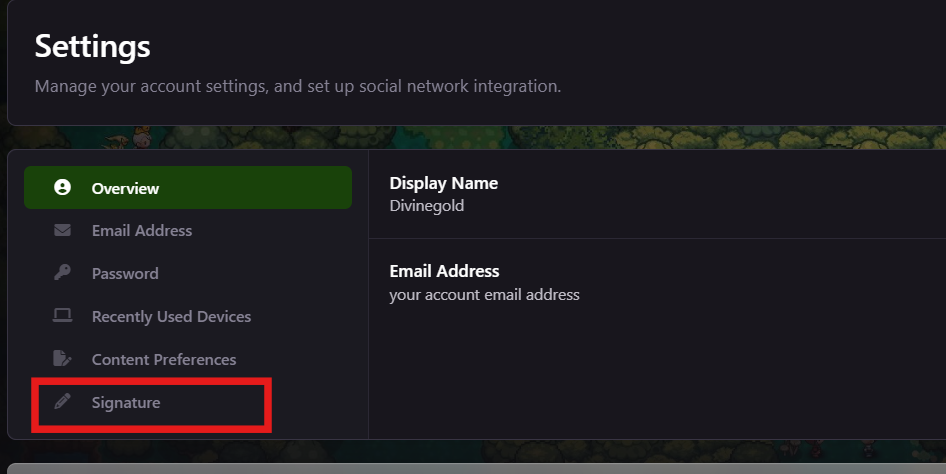
Hello again, Its the Signature which you set Here are the Steps: You can add colours here as we create an topic

-
And how to add external link?
-
Like Green ,red, extra
-
@Divinegold out of context question how do u add colorfull text? like under yur text
-
+1 it would be a great idea , if the NPCs even take a small amount of money or anything, it would eleminate trade scams. Nice Idea!!
-
-
-
+1
-
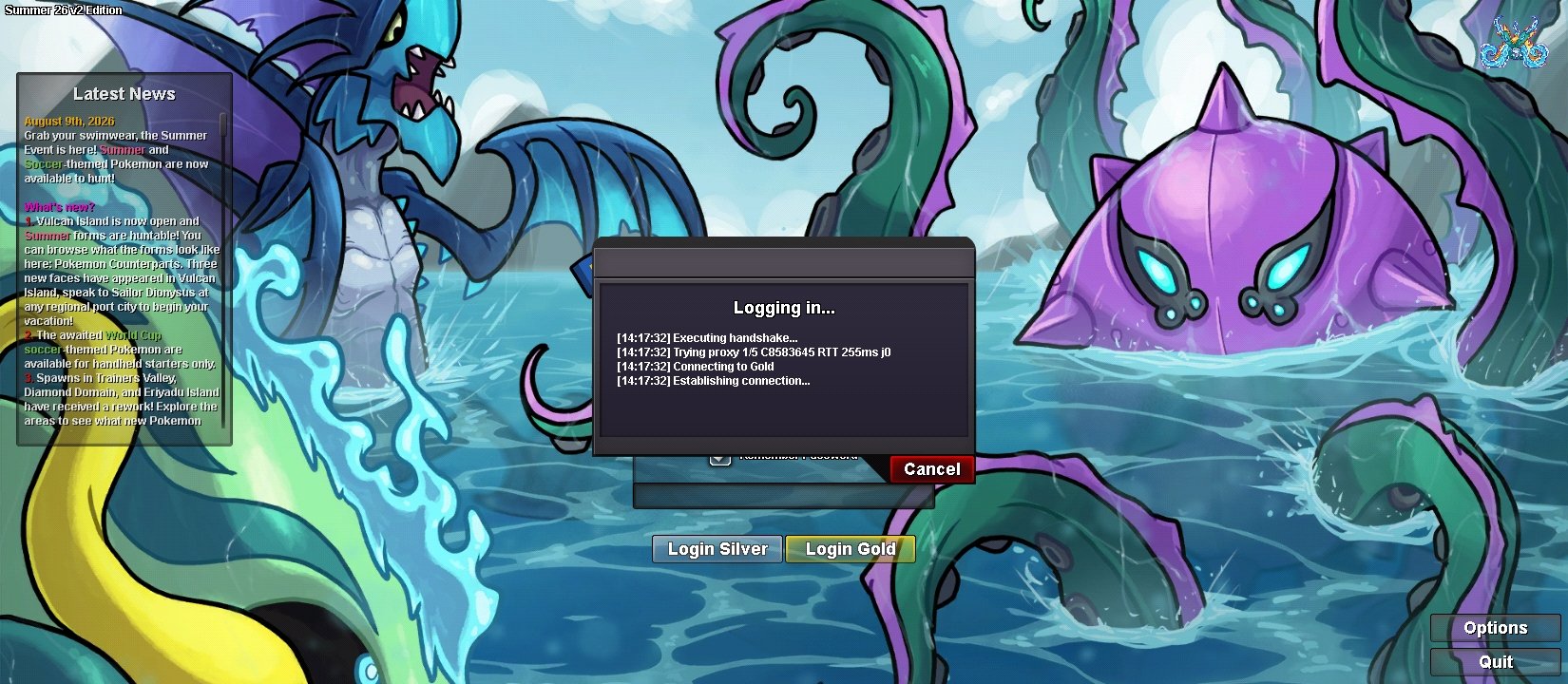
Hi Staff, I am experiencing a connection issue specifically with the Gold Server. - Issue: I cannot connect to the Gold Server using my home Wi-Fi IP address. However, I am able to log in and play on the Silver Server without any problems on the same connection. - Troubleshooting done: I have not violated any rules. My account is clean, and I can connect to Gold if I switch to mobile data. It seems my home Wi-Fi public IP address is being filtered or blocked by the Gold Server firewall. Could you please check if my public IP is being affected by an IP range block or firewall filter on the Gold Server? Thank you for your help.
Today
-
Enqsvfcx joined the community
-
Janpham joined the community
-
Cashbond007 joined the community
-
+1
-
911xl joined the community
-
+1
-
Grimreaper210 joined the community
-
Zlucca joined the community
-
Hello again! Glad to hear it got resolved Have fun.. Good luck!
-
?????
-
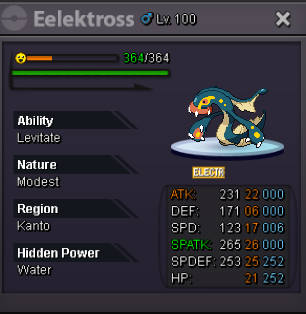
Would like to purchase this eelectross
-
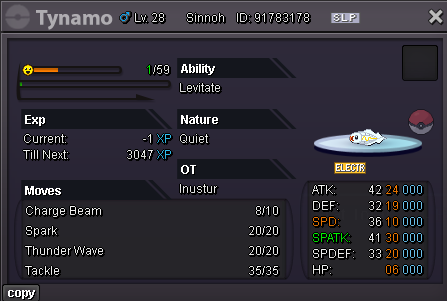
Want to buy this tynamo
-
Redbeast07 joined the community
-
Quocdat29042015 joined the community
-
666
-
K0rcffma joined the community
-
check your backpack once if u have all the items or not
-
up
-
Bump
-
-
if your infraction hsitory is clear and have 500coins (you can buy around 5cc for2.5mil To get that.) You can type username and checkif it is available or not then change it in a shot period of 24hrs
-
@Myhookwillgoon do yoy have 500 coins?\fianlly working now thnx very much @Divinegold 💓