




New Trade Zone
Trade Zone is now live
Use the new Trade Zone for auctions and instant-price trades so Pokemon and item offers are easy to find.
All Activity
Past hour
-
thanks for shopping! <3
.png.7527d823f7641d0f3b1142c319cf7091.png)
-
blindfold is sold chief
-
blindfold still available?
-
bumpAlokk67 joined the communityLuffy016 joined the community
Today
thanks for shopping! <3.png.3cc88607dd1efe3d7f0c434dee35aac9.png) Blumenkrantz joined the communityMsimmz joined the communityupBasculin 31 speed sold
Blumenkrantz joined the communityMsimmz joined the communityupBasculin 31 speed sold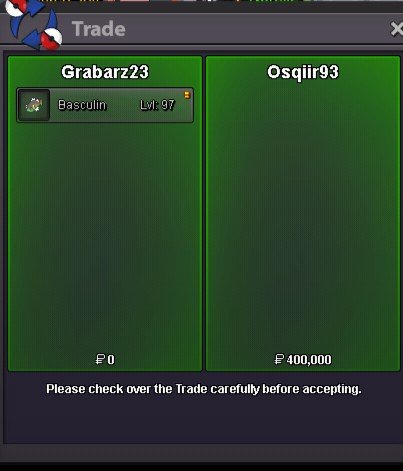 Mosenberg joined the communityHello @Mindmax You have to clear the Team Rocket Hideout at Celedon City and obtain the Silph Scope for the Pokemon tower progression. Interact with Segeant Rick in Celedon City to proceed: In this Gamer Corner Basement you can find the Team Rocket Hideout Below: Here is the Guide for it: Kanto Guide Hope it helps. Goodluck!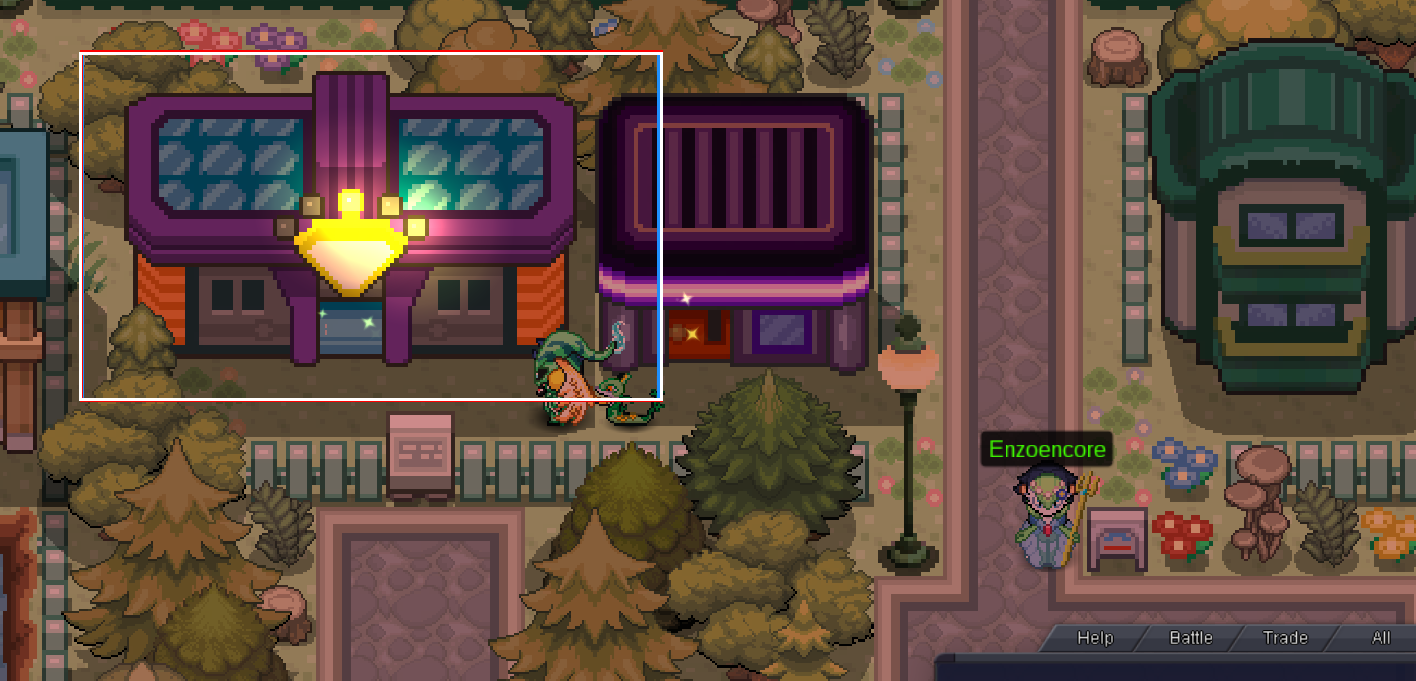
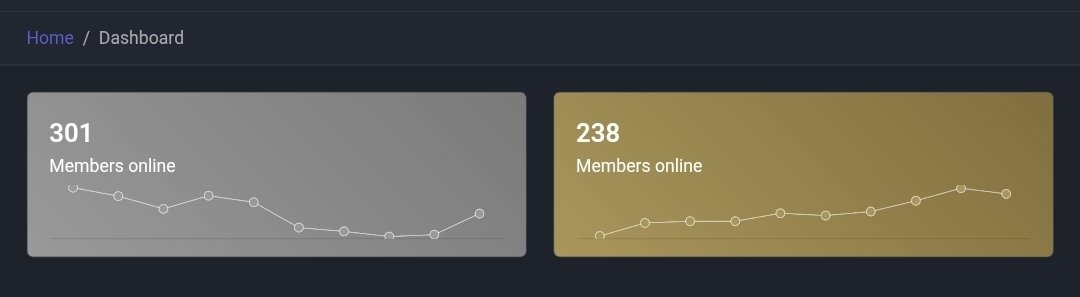
 Qiqichi joined the communityToriye joined the communityPokejizz joined the communityHello @Saikara! As mentioned above, the Pokemon are not Trade Locked and can be traded if you access your PC before accepting the trade request. From there you are able to freely drag any Pokemon from your PC straight into the trade window, even if they are presently Region Locked. I hope this information finds you well, if you still need further assistance, please do not hesitate to let me know! Warmest regards, AuroraveilHello @Vicrow The number of people online on client is displayed on Dashboard too right here: Link for Dashboard: Dashboard
 Sagnikdas joined the communityCevira joined the communityBumpu can give the 250 to yuqi or keep my part, you gave me a lot of visibility so keep themHello @Lugario and sorry for the late reply Arrow 1 : fixed Arrow 2 : the tiles is made like this, we can't fix this kind of "bug" Arrow 3 : nothing needed to be fixed here Thanks for your report Have a good dayThanks broBest of luck with your work mate and keep helping others.What do be done in the officer jack quest in post game he said mw to go nothwest of lavander town can someone helpIf 1+1 is Fish then good job9/9/2026Completely redid the world quest. When a quest begins, the link at the top will now turn blue for dark background, and red for lighter backgrounds. Upon entering, the world quest Pokémon will be locked under current hunt. Clicking world quest again will take you back out. There are 3 options, you may turn on auto detect. This will detect any preview popups above the chat, and auto calculate the Pokémon IV's. You may also submit a screenshot of the Pokémon preview or card, and this will also auto calculate the IV's. (Any unread IV's will be advised, and need to be added by hand) Add them by hand. You may remove any of your catches, deducting the IV's. All catches, encounters do not affect client data. This data will not save, except for the current world quest. After 10 hrs have passed, a warning will appear advising to check in the game whether the world quest is still active. If you have a problem, please exit world quest and use the report a problem button, it is not available in world quest view. Redid the top links, shaving off some space. This will also keep the links from falling off the program when hiding the stats. Removed several files no longer working with the program. Hopefully fixed it so you do not have to run the program as administrator. No promises.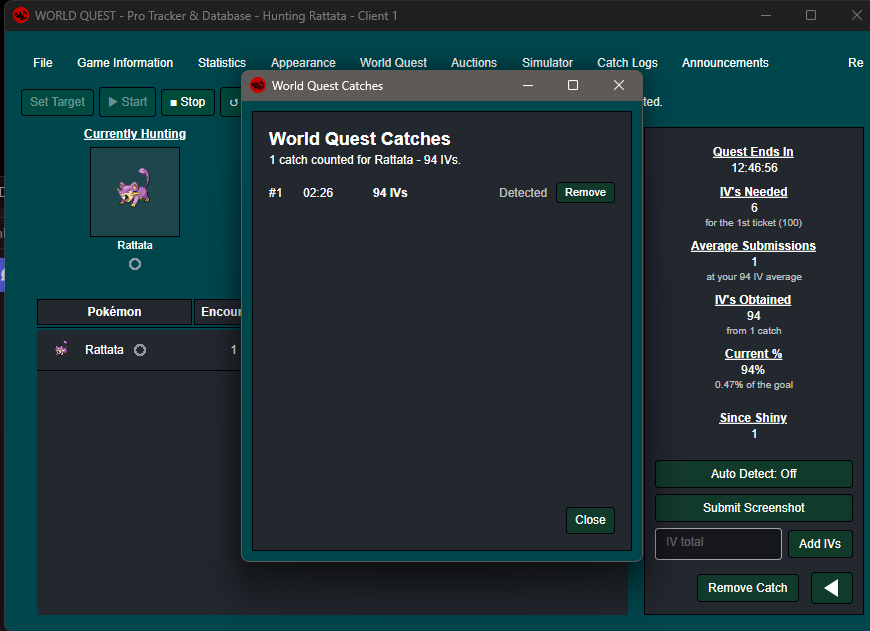
 Good day @Msora5822 I apologize for the issues you are experiencing. Access to Shamouti Island is locked behind having all of Kanto non-legendary caught data. According to our database, you are still missing the caught data for 10 Kanto Pokemon. Once you acquire the caught data for these Pokemon, please try to enter the island again. I look forward to hearing of your success. Regards, BitterbladeThanks for the reply! Anyways i dont have any communication with the current lead outside pro.. i guess i should leave it like that.. Thanks anyways!


















Account
Navigation
Search
Configure browser push notifications
Chrome (Android)
- Tap the lock icon next to the address bar.
- Tap Permissions → Notifications.
- Adjust your preference.
Chrome (Desktop)
- Click the padlock icon in the address bar.
- Select Site settings.
- Find Notifications and adjust your preference.
Safari (iOS 16.4+)
- Ensure the site is installed via Add to Home Screen.
- Open Settings App → Notifications.
- Find your app name and adjust your preference.
Safari (macOS)
- Go to Safari → Preferences.
- Click the Websites tab.
- Select Notifications in the sidebar.
- Find this website and adjust your preference.
Edge (Android)
- Tap the lock icon next to the address bar.
- Tap Permissions.
- Find Notifications and adjust your preference.
Edge (Desktop)
- Click the padlock icon in the address bar.
- Click Permissions for this site.
- Find Notifications and adjust your preference.
Firefox (Android)
- Go to Settings → Site permissions.
- Tap Notifications.
- Find this site in the list and adjust your preference.
Firefox (Desktop)
- Open Firefox Settings.
- Search for Notifications.
- Find this site in the list and adjust your preference.