New Trade Zone
Trade Zone is now live
Use the new Trade Zone for auctions and instant-price trades so Pokemon and item offers are easy to find.
Leaderboard
-

Magicarpediem
Registered User3Points1446Posts -

Nxtaryan
Registered User3Points661Posts -
Gamexnoob
Registered User3Points141Posts -
.jpg.13b0cf7e264b81187b9cff434148c00e.jpg)
Zebronexx
Suspended2Points1206Posts




Popular Content
Showing content with the highest reputation on 12/19/24 in all areas
-
Est. 1.29.2024 by @Saeyke Welcome to Order! A PvP/PvE guild heavily focused on establishing an active, friendly & competitive community. Fully intent on fostering a welcoming environment for active, experienced players to grow, have fun and ultimately achieve top 3. It is our hope you'll feel right at home! Saeyke - Leader & Founder Potatisen - Officer Playfulcloud - Officer The01chef - Officer Hd4k - Officer Freedom45 - Officer Snoopdogginson - Officer - Community - General guidance - Discord giveaways - EV/Level training discounts - Free lend service (story/boss) - PvP Incentives ($ rewards per threshold) And more! Official server with PRO announcements and bot commands (/spawn, /repel, /inspect) integrated as well as giveaways, guild events and other resources. By no means mandatory to have or use since in-game communication is highly encouraged but it will be available to all who would like it. - 17+ - Active - Respectful - Experienced (300+ in-game hours) - Able to communicate in English (preferred but not necessary) For those interested, simply reply to this topic or send me a message directly in discord/in-game (Saeyke) with the following: - Your in-game name - Country of residence - Discord info (if applicable) - Screenshot of your in-game trainer card I look forward to welcoming you to Order! 🙂









 1 point
 -
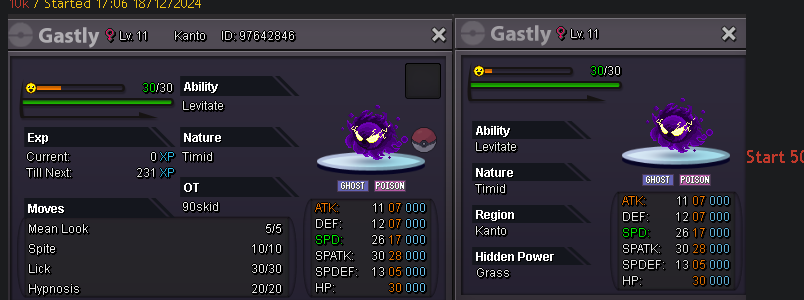
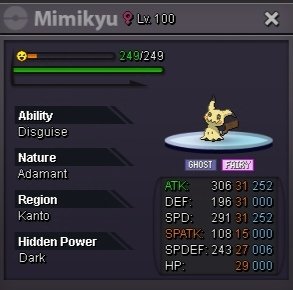
1 pointStart 10m Min raise 500 k Insta 30m Accept cc 450 k Rr 500 k 48 hours after first bid
 1 point
 -
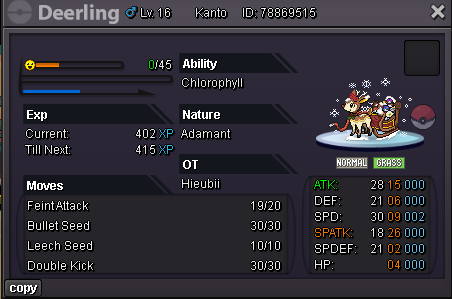
Start Point/Price: 100k End Point: 24h after first bid Min. Raise: 50k Accepted Payment(s): CC 400k each - RR 500k each Ins :1m
 1 point
 -
1 point
-
1 point
-
1 point
-
1 point
-
1 point
-
1 point
-
1 point
-
1 point
-
1 point
-
1 point
-
1 point
-
1 point
-
1 point
-
winner , xmas bundle - 90k @Berkant hlw bundle - 130k @Berkant mixed bundle - 180k @Berkant1 point
-
1 point
-
1 point
-
1 point
-
1 pointnot online now gonne be here later. I will let you know then.1 point
-
1 point
-
1 point
-
1 point
-
1 point
-
1 point
-
Service for all dungeons and some quests I had not done to access dungeons - Crater Town Quest - Victini and Time Flute Dungeon - Arche Quest - Hoopa and 6 Ring Unbound - Meloetta Dungeon - XMAS Dungeon (Reshiram Light Stone and Lucarionite) with an extra run Amazing communication and always respectful. Services done in 2 days only, super quick! Definitely paying again for future dungeons.1 point
-
1 point
-
1 point
-
1 point
-
1 point
-
1 point
-
-1 come prepared1 point
-
1 point
-
1 point
-
Hello, @Roblettin Please make sure to read Auction Rules. You have been punished for withdrawing your offer and for not having enough funds to honor it. @Sylverr Apologies for this inconvenience. @Ctien130609 Since you are the runner up, you have the opportunity to take the pokemon. Do you still want it? It is not mandatory. ^As there was no reply, seller gets to keep their pokemon.1 point
-
Hello @Ajthebaddest I have forced the trade. Have a great day!1 point
-
1 point
-
@Zeh1 unfortunately your bid wont count cuz the auction closed and the winner is @Sinistros1 point
-
1 point
-
1 point
-
Can I ask why you would use a Masterball if not for catching Legendaries? The item is there for a reason no? In OG games the roaming legendaries just fled if u didnt Masterball. Just my opinion that Masterball should be for these occations1 point
-
0 points
-
0 points
-
0 points
-
0 points
-
0 points
-
0 points
-
0 points
-
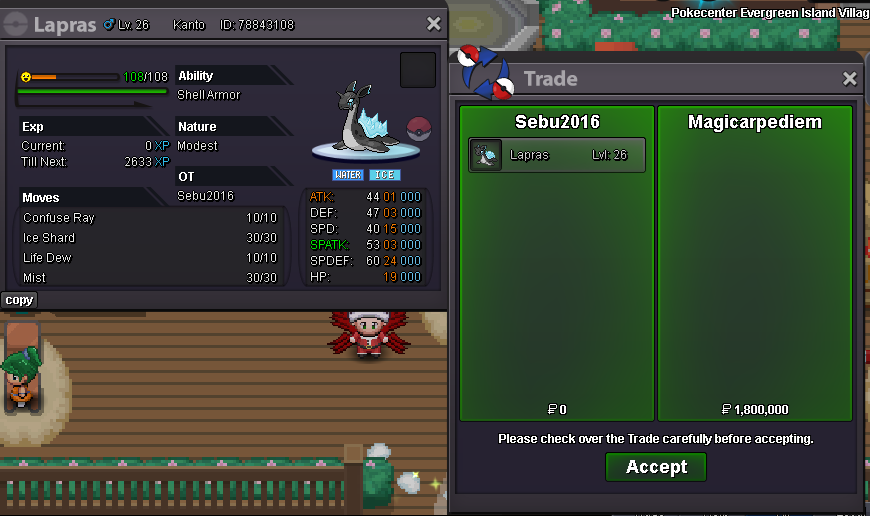
hi lyn i have one ask hw (how much) for capture reshiram?0 points







.png.e18d1be819d8b537bc88dc18f7a92d64.png)