New Trade Zone
Trade Zone is now live
Use the new Trade Zone for auctions and instant-price trades so Pokemon and item offers are easy to find.
Leaderboard
-
Pokedigimonjhon
Registered User4Points72Posts -
Gralak21
Registered User3Points1230Posts -
Infamousro
Registered User2Points130Posts -
Malbouffe
Registered User2Points16Posts




Popular Content
Showing content with the highest reputation on 02/11/26 in all areas
-
2 pointsHello, I have two questions, but the second one is the most important to me. It seems that recently, most precisely since the Christmas event started, shadow Ekans have stopped spawning. This brings my first question : - It is well-known that on Pinkan, event forms cannot be found, but the rule is not as clear for nesting grounds. How does the game handle the possibility that 4 different forms (regular, shiny, shadow and xmas for example) could be available at the same time on the same map ? From my personal experience, I have never seen both a shadow form and an event form on the same map during the same event. For example, this hlw I encountered several shadow slowpokes in Forlorn, but not a single hlw slowpoke. Last year it was the opposite : several hlw slowpokes and no shadowpoke. Can you confirm that during an event (let's say vday), both vday poke and shadow poke are available ? The second question is more a request to staff members. Could you please check if the spawn of all shadow forms is working as intended ? It seems to me that the only shadow forms that were obtained in the last two months are the ones that didn't have a form during xmas. Would it be possible that the xmas event somehow altered the shadow spawns ? Of course this could just be RNG but shadow forms are really important for all the people who have the ability to hunt them, and we would all love to have a confirmation that the spawns are working correctly. Also, since there are very few shadows that are encountered each day, it is difficult to have data that is reliable enough to validate or invalidate my hypothesis. Thank you for reading.2 points
-
2 points
-
2 points
-
1 pointRagnarok recluta jugadores ¿Buscas un gremio fuerte, organizado y en constante crecimiento? Esta es tu oportunidad de unirte a uno de los mejores. Normalmente estamos en el Top 5 de gremios del juego, pero aspiramos a ser Top 1. Somos un gremio latino, pero aceptamos jugadores de todas partes del mundo, siempre y cuando estén dispuestos a comunicarse en inglés y/o español. ¿Qué ofrecemos? Bono de experiencia por nuestra posición en el ranking Banco de Pokémon para apoyar tu crecimiento Coach especializado en PvP para mejorar tu nivel competitivo Ayuda constante en PvE para avanzar más rápido Buscamos jugadores activos y comprometidos con su progreso. No importa si eres nuevo en PvP, en Ragnarok se te ayudará a mejorar y crecer. En Ragnarok somos como hermanos: estamos unidos, no hay preferencias ni toxicidad. Ante cualquier problema, contamos con un líder y oficiales totalmente imparciales que se encargarán de darte la mejor solución. Si quieres formar parte de un gremio competitivo, organizado y con mentalidad ganadora, envía mensaje y únete a Ragnarok. Ragnarok is recruiting players Are you looking for a strong, organized, and ever-growing guild? This is your chance to join one of the best. We are usually in the Top 5 guilds in the game, but we aim to be Top 1. We are a Latino guild, but we accept players from all around the world, as long as they are willing to communicate in English and/or Spanish. What we offer: Experience bonus for our ranking position Pokémon bank to help support your growth PvP coach to improve your competitive skills Constant PvE help to progress faster We are looking for active and committed players to progress. It doesn’t matter if you're new to PvP, in Ragnarok, we will help you improve and grow. In Ragnarok, we are like family: we are united, there are no preferences, and there’s no toxicity. In case of any issues, we have an impartial leader and officers who will provide the best solution. If you want to be part of a competitive, organized, and winning-minded guild, send us a message and join Ragnarok.
 1 point
 -
1 point💙 Welcome to Howie's Cosmetic Shop! 💙 🤍 Feel free to take a look around if you like anything! 🤍 🥳 ACCEPTED PAYMENT METHODS: POKEDOLLARS COIN CAPSULES: 500K IV REROLL TICKETS: 700K NATURE REROLL TICKETS: 350K RARE CANDIES: 5K Ways to Contact Me! ^-^ DISCORD: Howeeb IN GAME NAMES: Howieeh, Howeeb, Rit Disclaimers: 1. If you see the initials (N.T) next to an item, that means it's not tradeable 2. This shop will be updated every few weeks! 3. Prices under cosmetics can be negotiable! 4. All cosmetics under clearance are final price, and are NOT negotiable! 5. All sold items will be listed towards the bottom of the shop! CURRENT SERVER ⚪🟡: ⚪SILVER⚪ Cosmetics! 👕👚 Spoiler Clearance! 🕺 Spoiler SOLD COSMETICS 💵 Spoiler 💖 Thanks for shopping! 💖
1.png.a3249a1195970e02dd584f0a61371e59.png)
2.png.06d6a646ac3052bd5c62b346014cb54c.png)
.png.5c8fe70c34ec85c661f9d1ce6a20035b.png)
.png.f4bd21b9b4de32db81f23cdf8a395ec4.png)
.png.648ed87e618fd4e3ac5e03307ef2e438.png)


.png.cd359a683f9802718b7737c40ce73e20.png)
3.png.a09912d9d1e6c404719b80ace3d484f4.png)
4.png.f0cb8438b0e70fe5708aad0db72d69c5.png) 1 point
1 point -
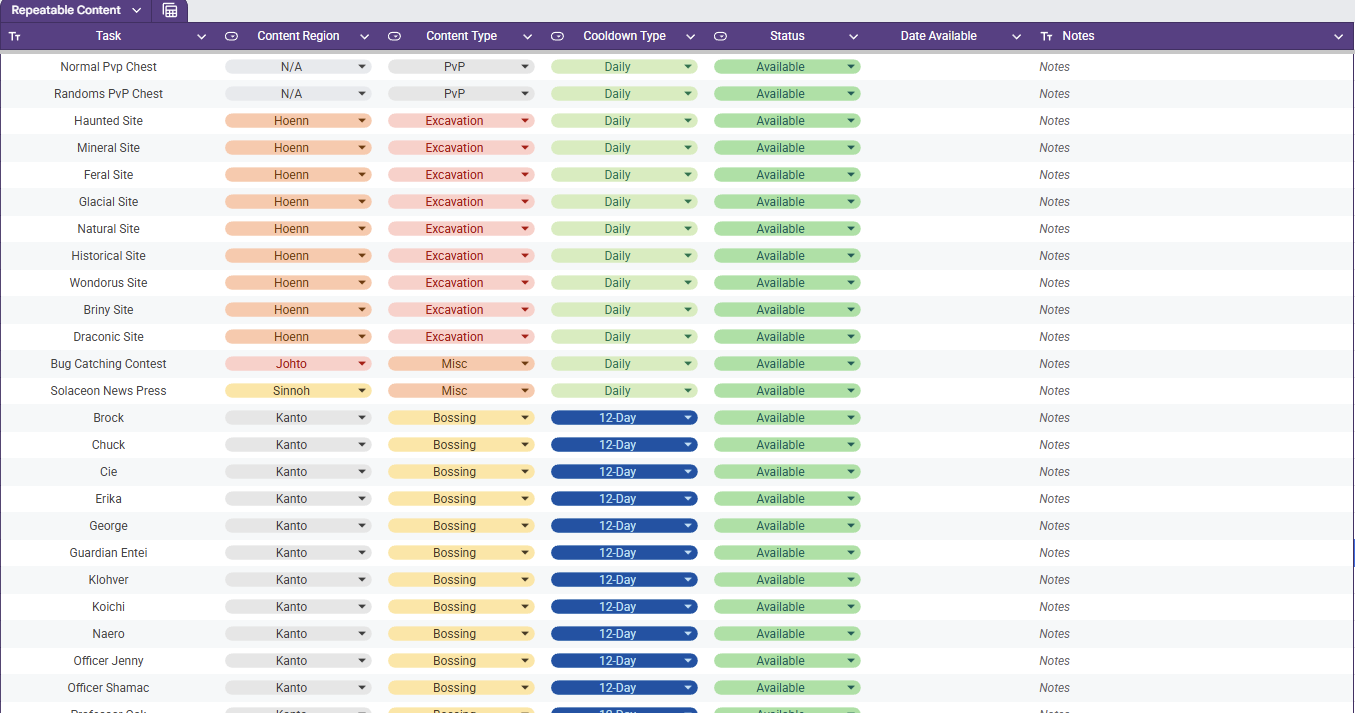
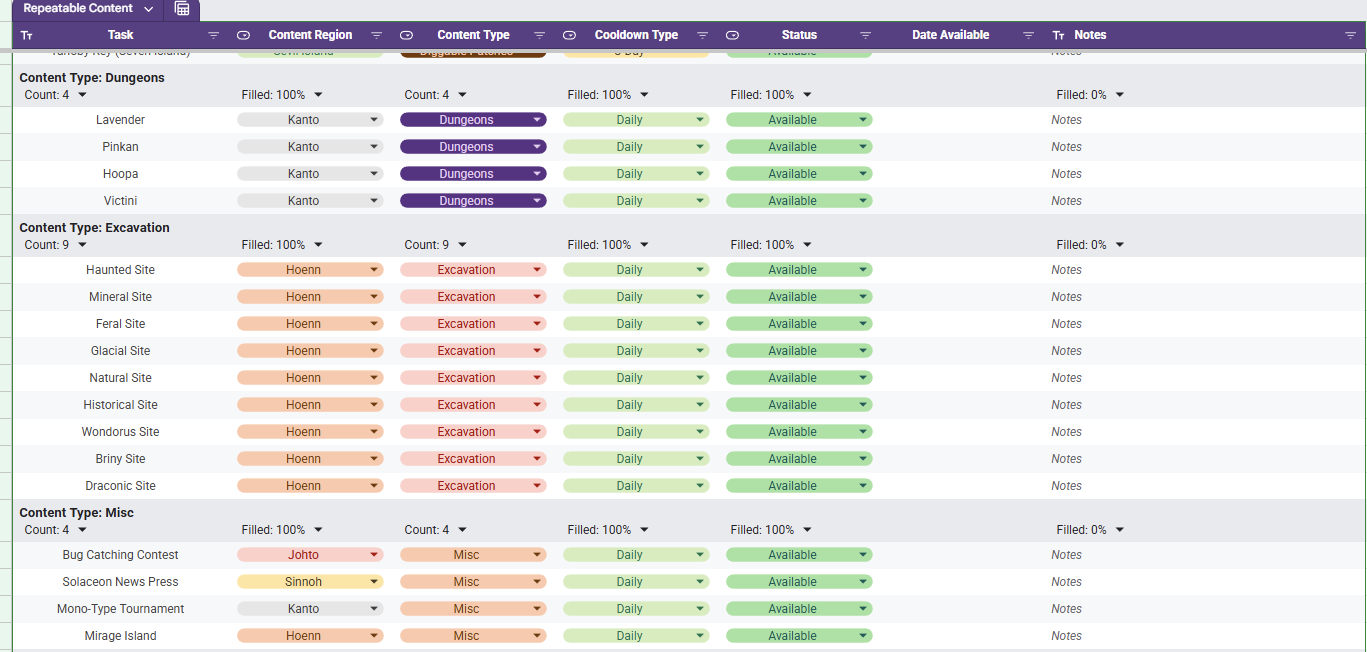
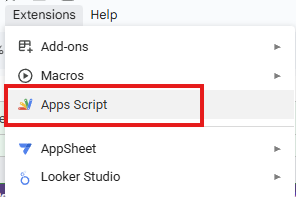
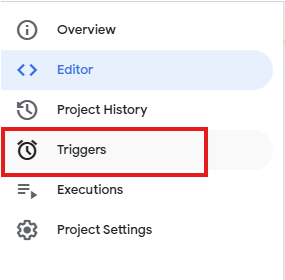
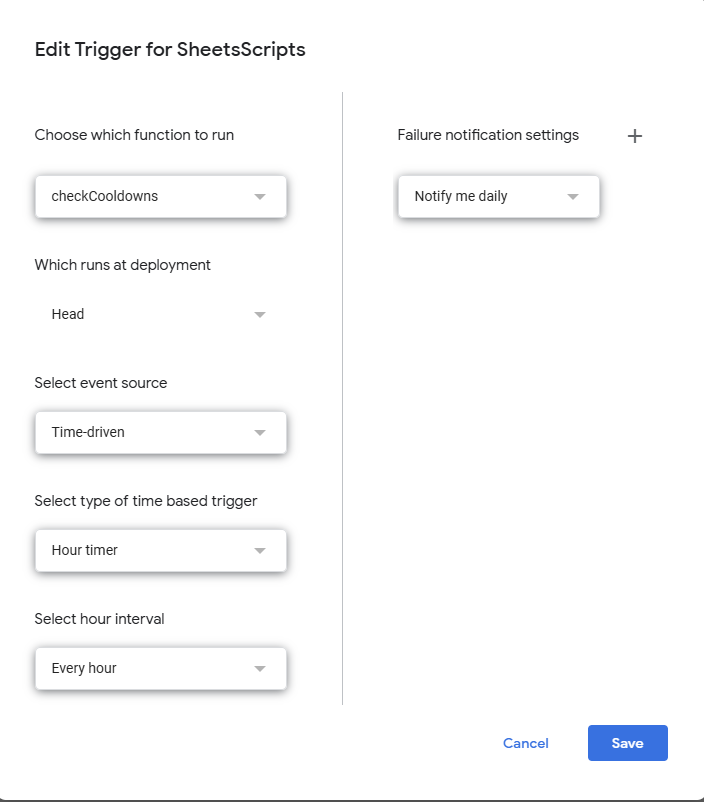
Repeatable Content Cooldown Tracker Tired of having to try to remember if your repeatable content is off cooldown or wasting your time making your way to dome content to realize it's unavailable cause you already did it? I know I was as well, so I made a spreadsheet (those who know me know I love my spreadsheets). Specifically, this spreadsheet lists out repeatable content (Dailies, weeklies, etc) and gives your the ability to mark it as on cooldown or available. While it sounds simple, there is a bit more luxury in this tracking tool. Once you set something as on cooldown the corresponding cell in the Date Available column will auto populate the day that it is to come off cooldown (In the case of Excavation sites, it calculates it with date and time and checks for exactly 20 hours). If the spreadsheet receives an update, then you will need to make a copy of the updated one if you want to have the new / fixed functionality. How to Acquire The first thing you need to do is acquire the spreadsheet with the following steps. - Access the Google Sheets link here. - At this point you are a Viewer and will need to make a copy by clicking File and then Make A Copy - Once you have a copy made, you are ready to track your Repeatable Content. How to Use The first thing you need to do is set your specific time zone. This can be done be clicking File and then Settings. Once the settings are open you will need to set your specific time zone. Doing this will allow tie cooldowns to be set relative to your time zone. When the file is first acquired, you will see all of the listed repeatable content in a single table as seen below and the columns are broken down as follows. Column A - Task The daily repeatable task name. Column B - Content Region The region (loosely) in which the content is located. Column C - Content Type The group in which the content is associated with. Column D - Cooldown Type The associated cooldown of the task. Column E - Status The indicator whether your repeatable task is available or not Column F - Date Available If on cooldown, the date which is will become available Column G - Notes A section for the user to leave personal notes associated with the task Although it is preference, a much cleaner view is through using a pre-saved data view "Group by Content Type". You can access this by selecting the Data tab and then Change View followed by Group by Content Type. This view will have all of the content separated neatly by the type of content it is identified as and an snippet of this view is shown below. As you go complete repeatable activities, you will want to mark them as "On Cooldown". Once you select this, the corresponding cell in the Date Available column will populate with a cooldown associated with the value in the Cooldown Type column. For example, if you complete the the Diggable Patches on Route 3 on 01/28/2026 then they will be available on 01/31/2026 (as seen below). When the current date is the same as the Date Available, the "On Cooldown" in the Status will automatically flip back to "Available". If you want to add or remove content that you don't do, that is no problem. Simply remove the row from the sheet and refresh. Be advised, if you were to remove a column, it runs the risk of breaking the scripts and references and you may have to acquire a new copy. Adding a new cooldown type is not as simple and requires script modifications. The current version of the spreadsheet covered as much ground as I could think regarding repeatable content and its associated cooldown. The current cooldown options are 1, 3, 12, and 14 days as well as 20 hours. I am excited to share this with you all and, while I do not know of any bugs that currently exist with it, if you run into any issues please let me know and I will do my best to sort it out. Trigger Setup Instructions To get the spreadsheet set up to auto-update, you will need to set up the triggers within the spreadsheet scripts. The instructions can be seen below. Access the Script found under "Extensions-> Apps Scripts" After you have clicked the App Scripts page, it will open in a new tab. On the left side of the screen you will see a collapsed window of options. Hover the collapsed window to expand the options and then select the option that says "Triggers" You should now be in the trigger menu. The trigger is a scheduled in while to run the scripts in the editor tab. There are two functions in the script. the "onEdit" function is responsible for filling the date available column in with the appropriate date / date and time until the activity should be off of cooldown. The other function is the checkCooldowns function. This function is responsible for checking the date / date and time in the Date Available column against the local date / date and time and then resetting the On Cooldown chip to Available in Column E (Status). The function of interest is the checkCooldown function and we want to set it on an hourly trigger. Select the 'Add Trigger' button on the bottom right of the screen. For the trigger options you will want to set them as follow: Choose which function to run: checkCooldowns Which runs at deployment: Head Select event source: Time-driven Select type of time based trigger: Hourly timer Select hour interval: Every hour Once the triggers are set, click the Save button and then your copy should update both all activities accordingly. Updates - 1/28/26: Fixed the download link and added Sinnoh Underground and Celadon Daily - 1/29/26 Updated Non-Excavation Date Available to put the local representation of 12:00 GMT+0 (so that it properly resets with game daily reset) - 1/29/26: Fixed bug where Petalburg Woods timer would only update a 1 day instead of 14 days. - 2/1/2026: Updated instructions for setting the triggers to allow time based updating and fixed a bug where some cooldowns were not generating the proper date available. - 2/2/2026: Adding instructions to the post to walk the user through setting the time zone of the spreadsheet to their own.

 1 point
 -
1 pointWelcome to my Poke Page !! My in-game name is : Epsirouamat & discord name is : Epsi1429 Here is a payment method you may choose to: Reroll ticket : 750k Nature reroll ticket : 375k Rare candy : 6.5k each Coin Capsule : 550k Pokedollars Prices not negotiable Trained Untrained Forms/Shinies Cosmetics/Mounts SOLD

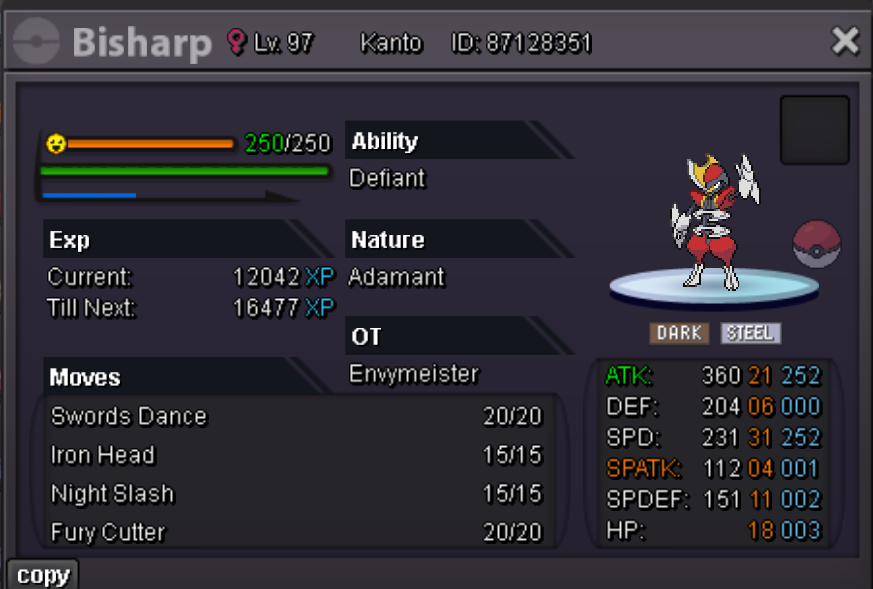
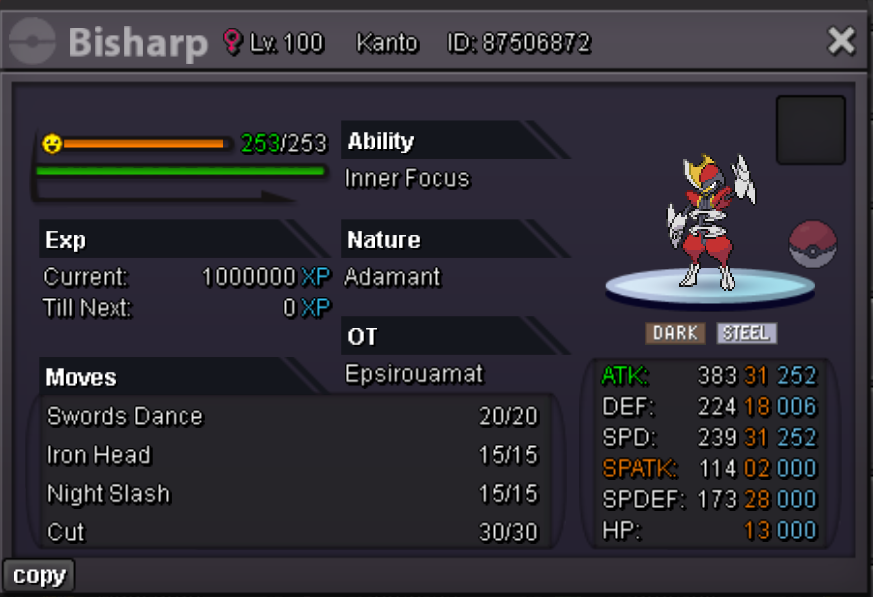
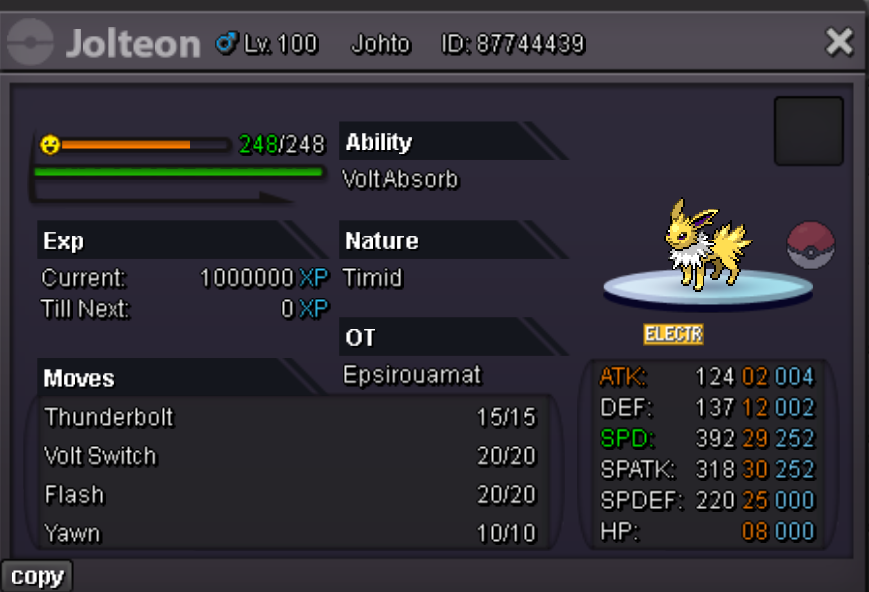
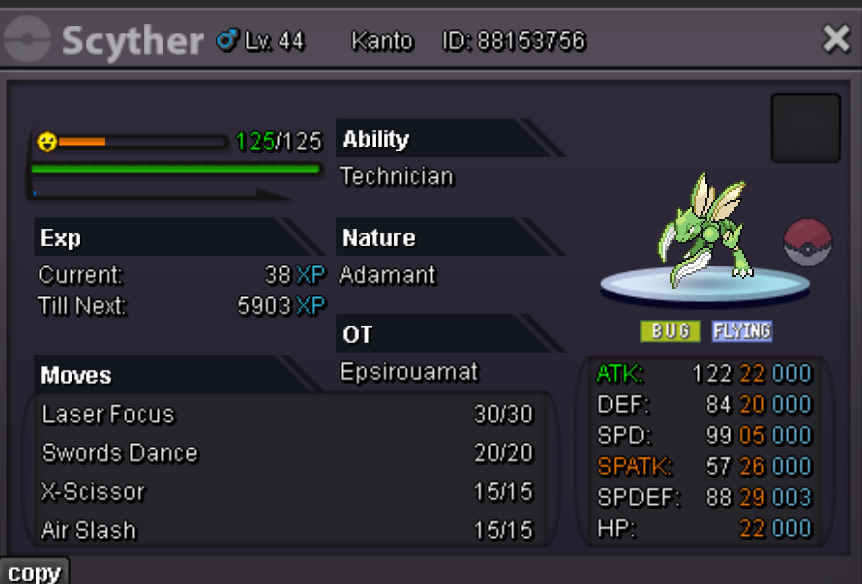
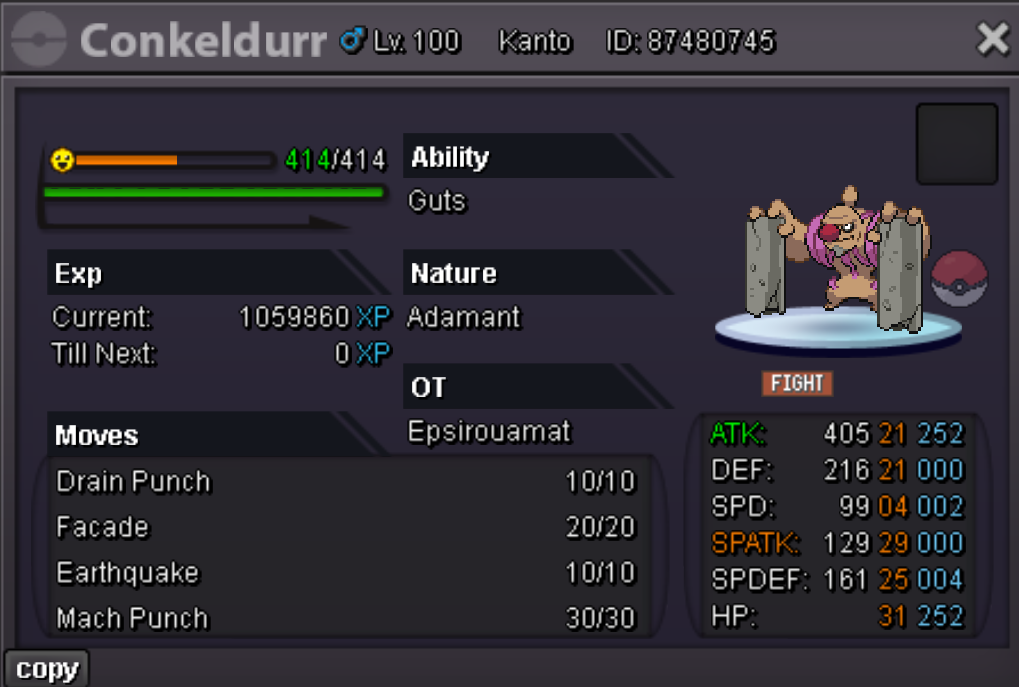
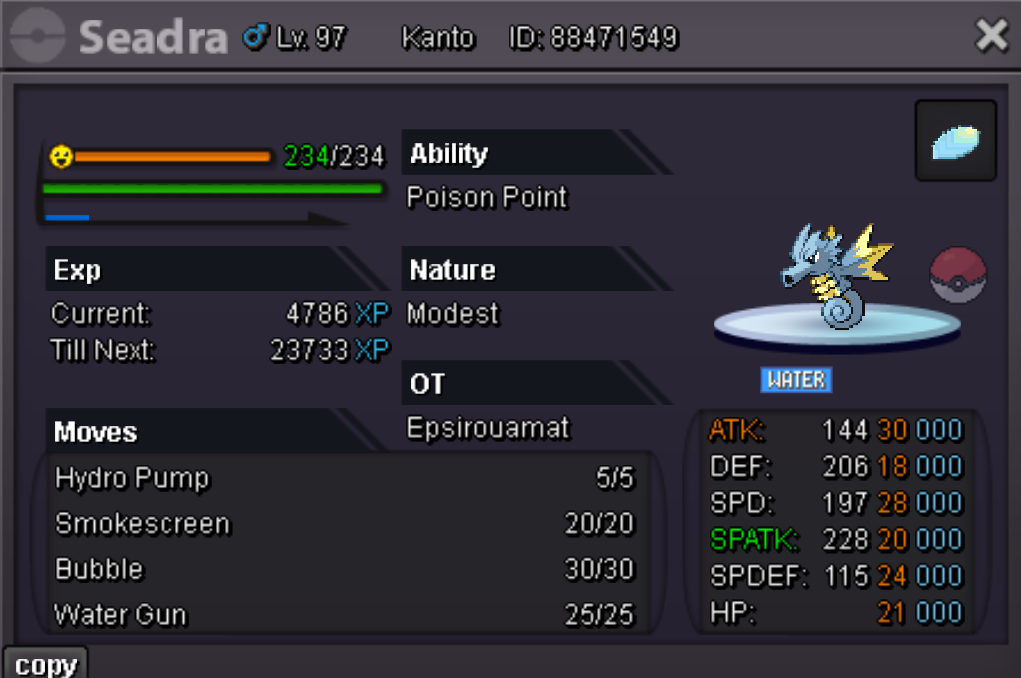
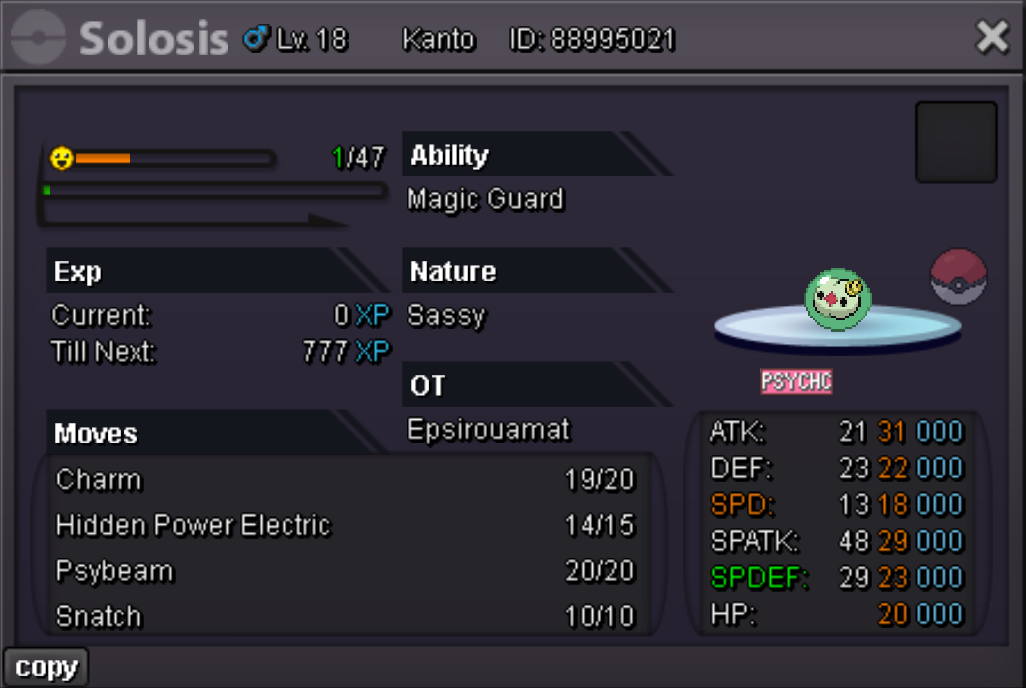
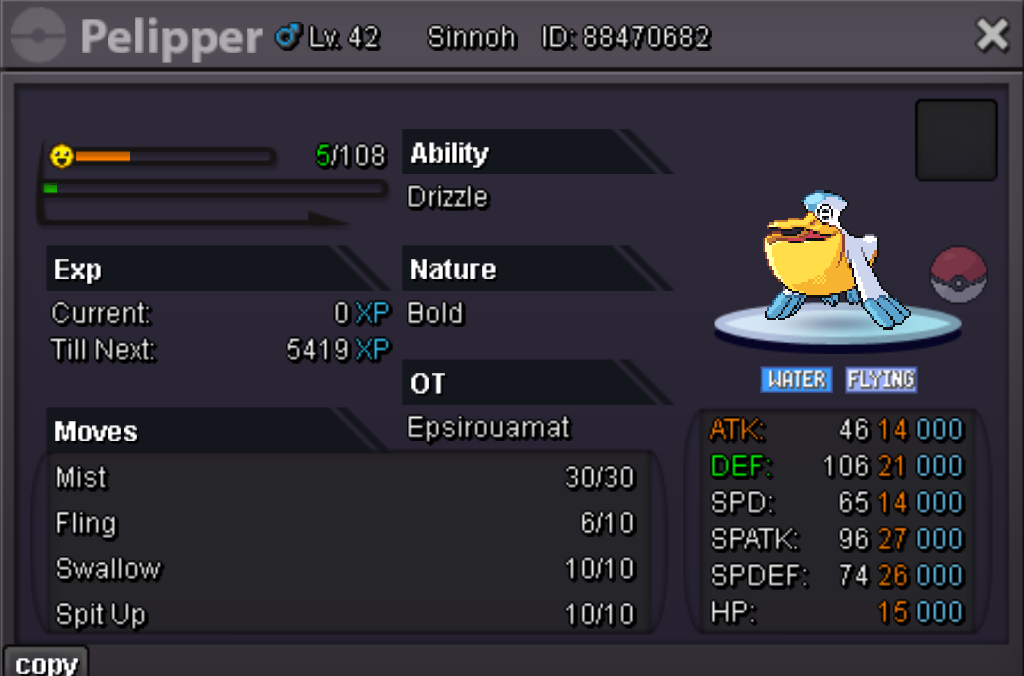
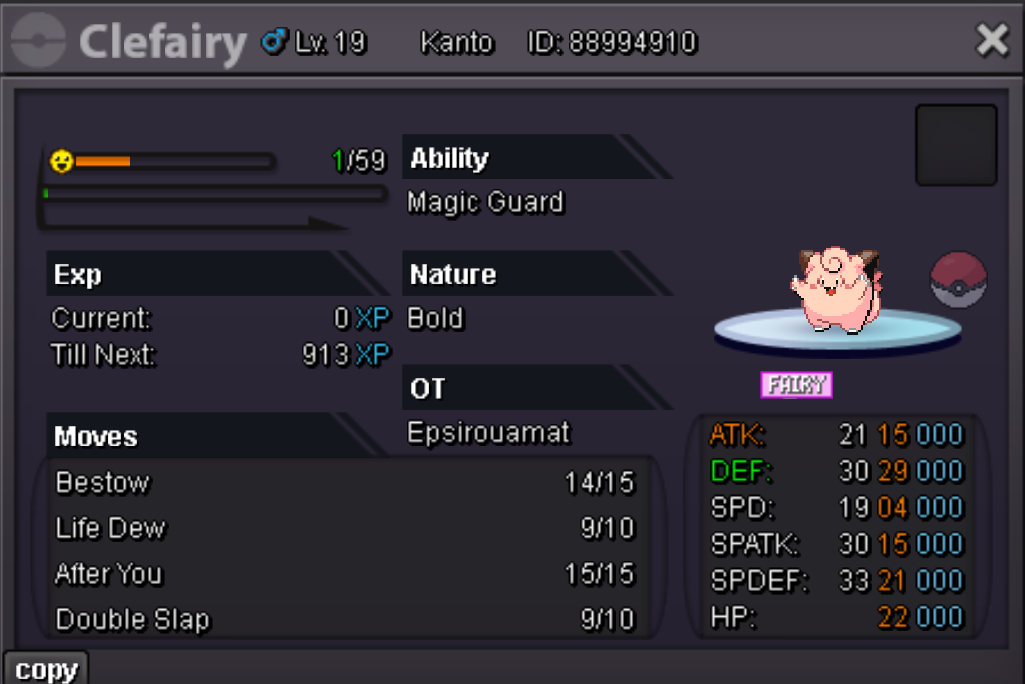
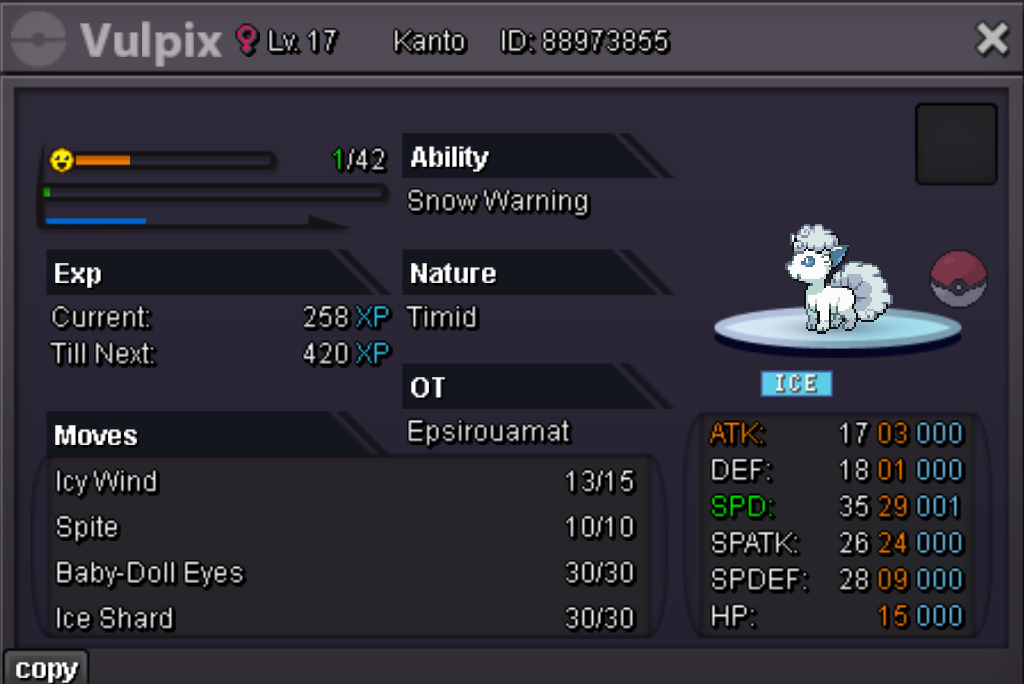
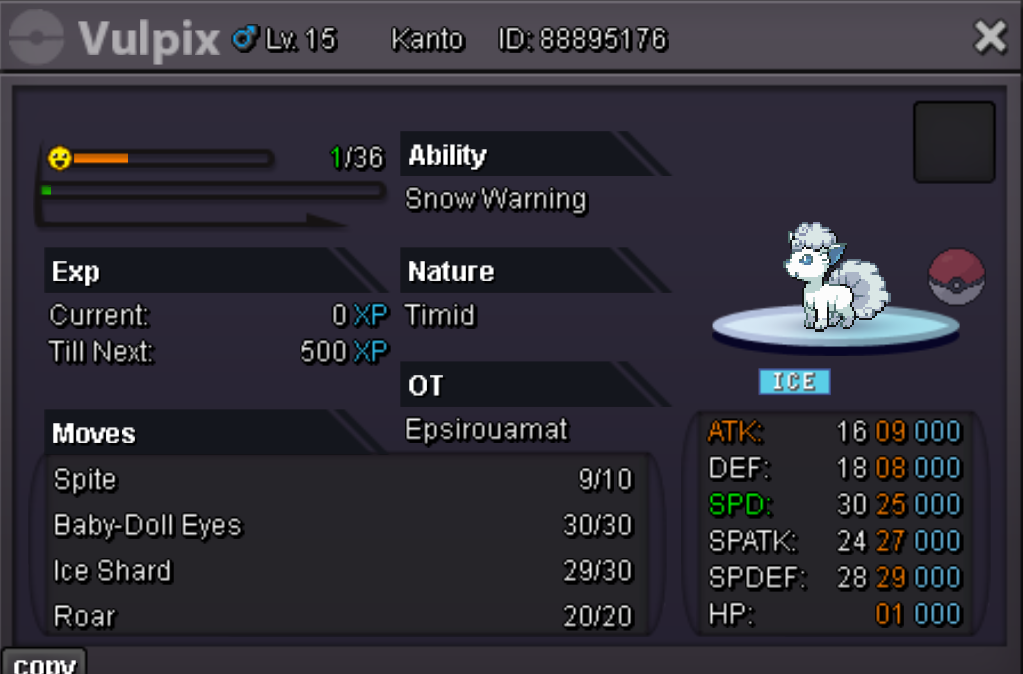
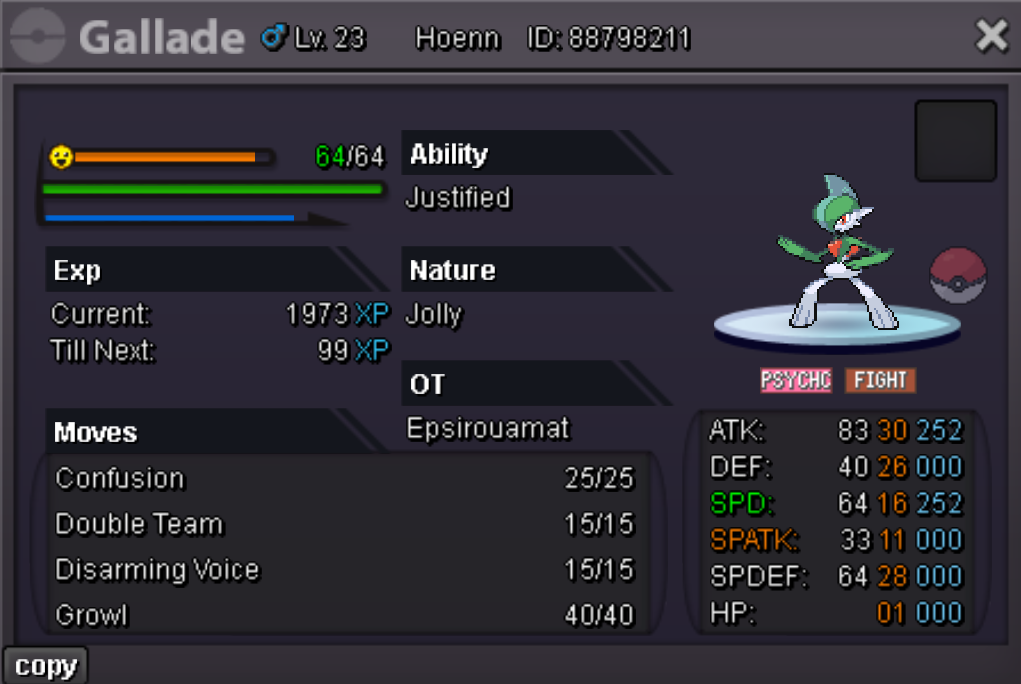
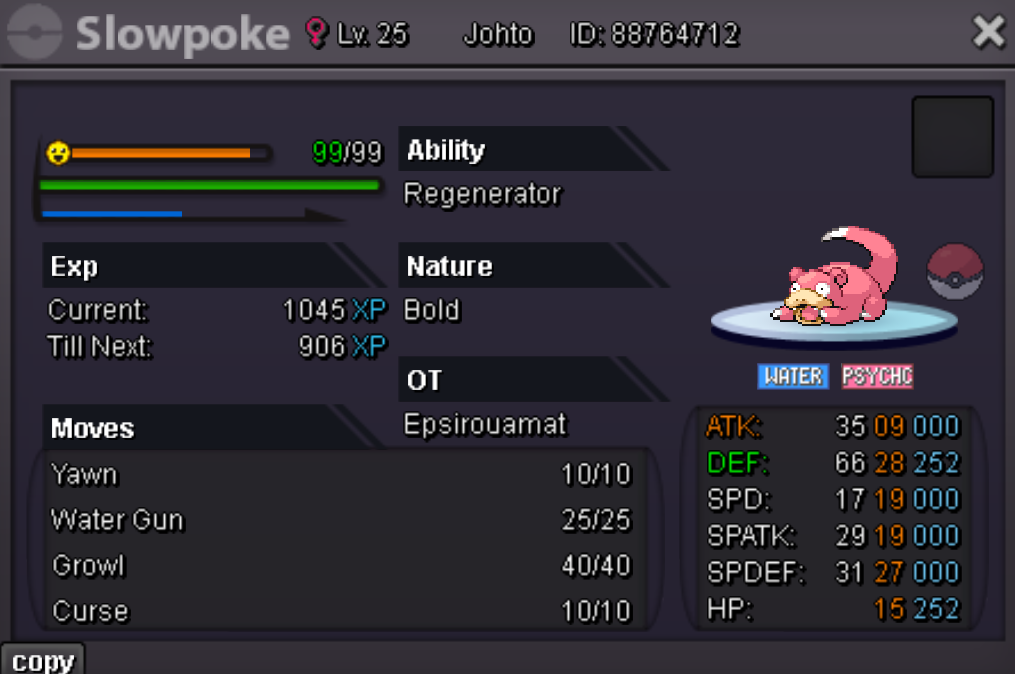
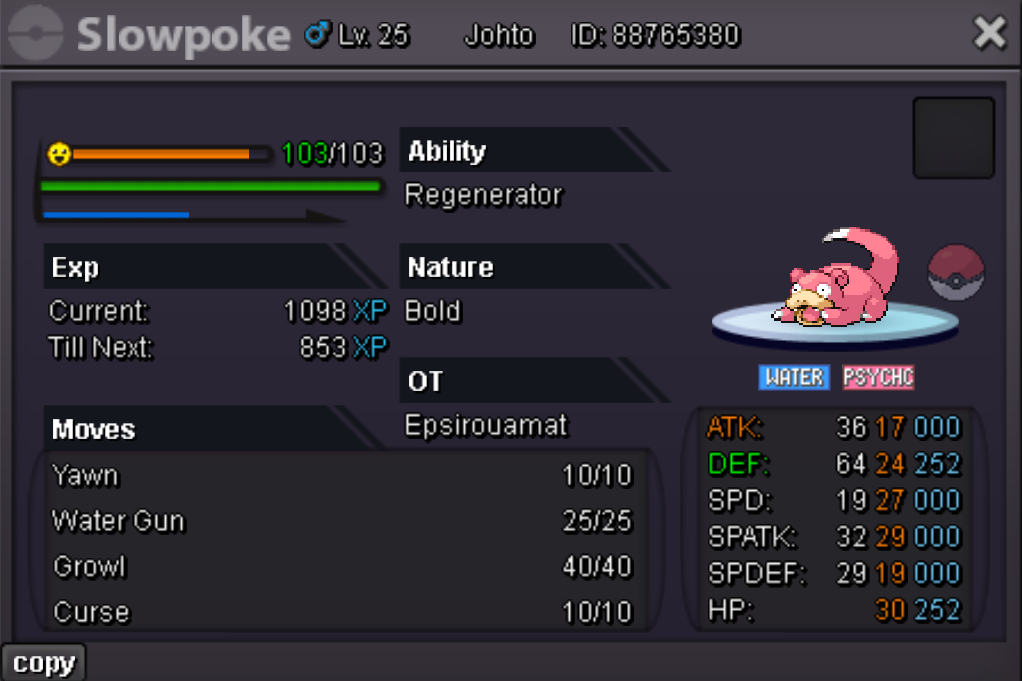
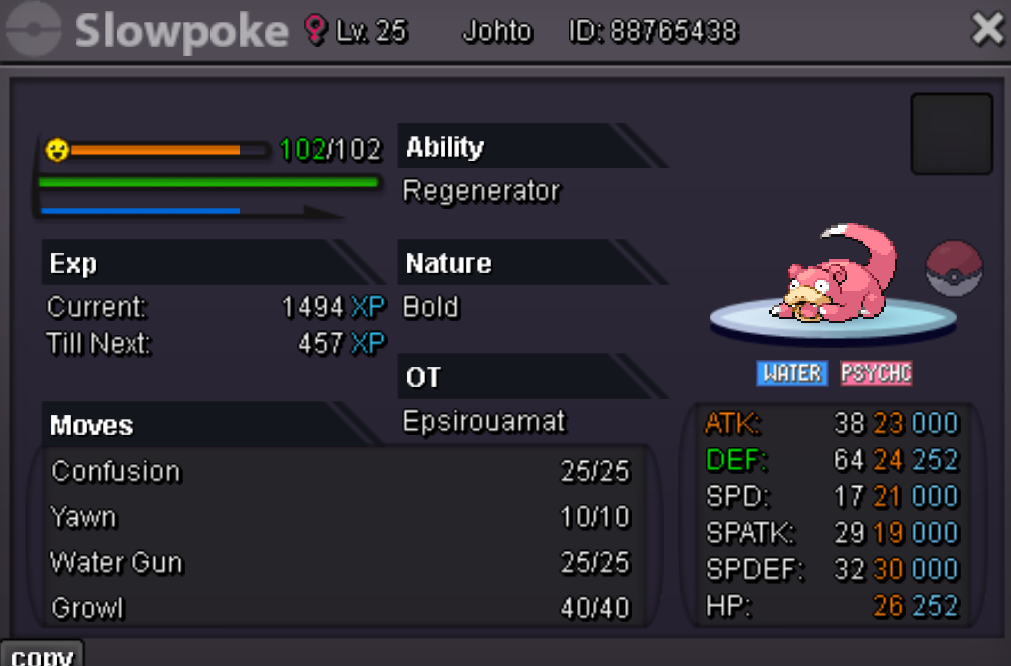
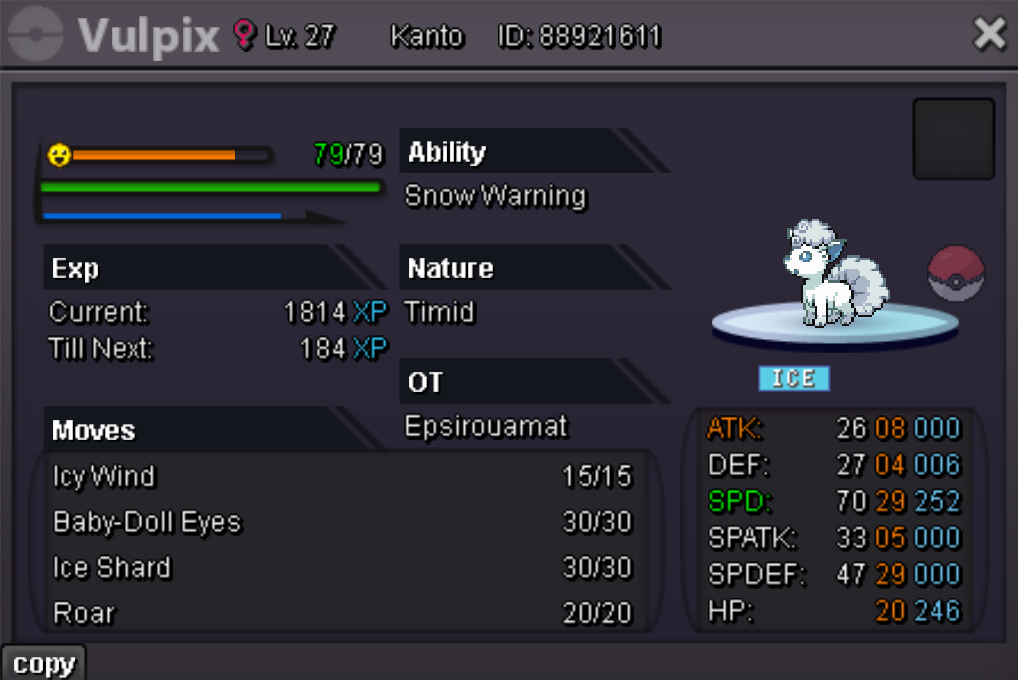
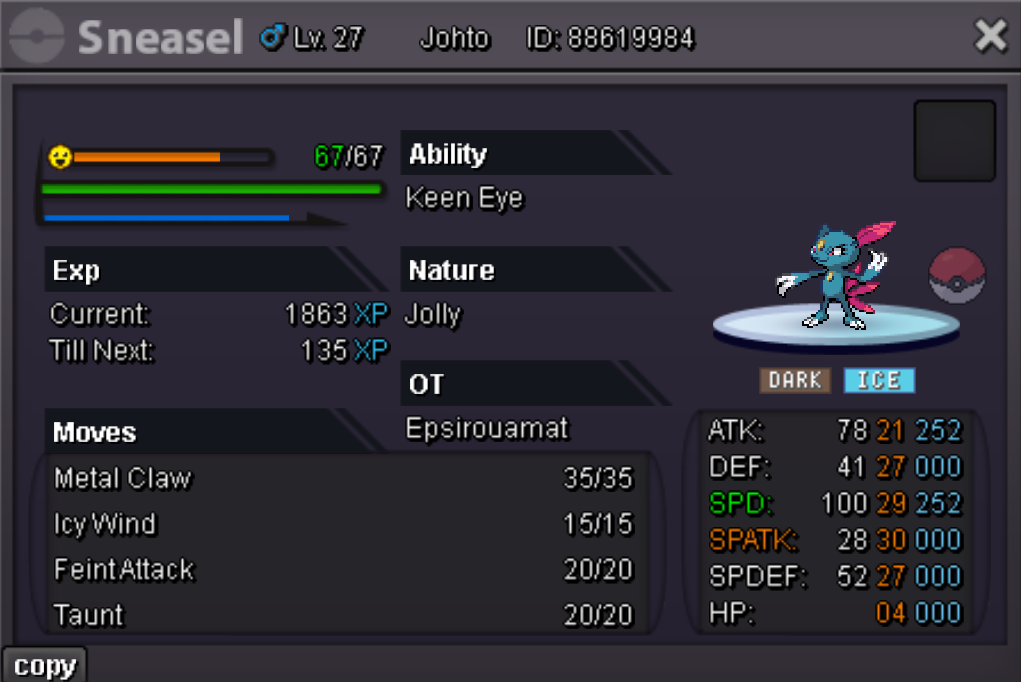
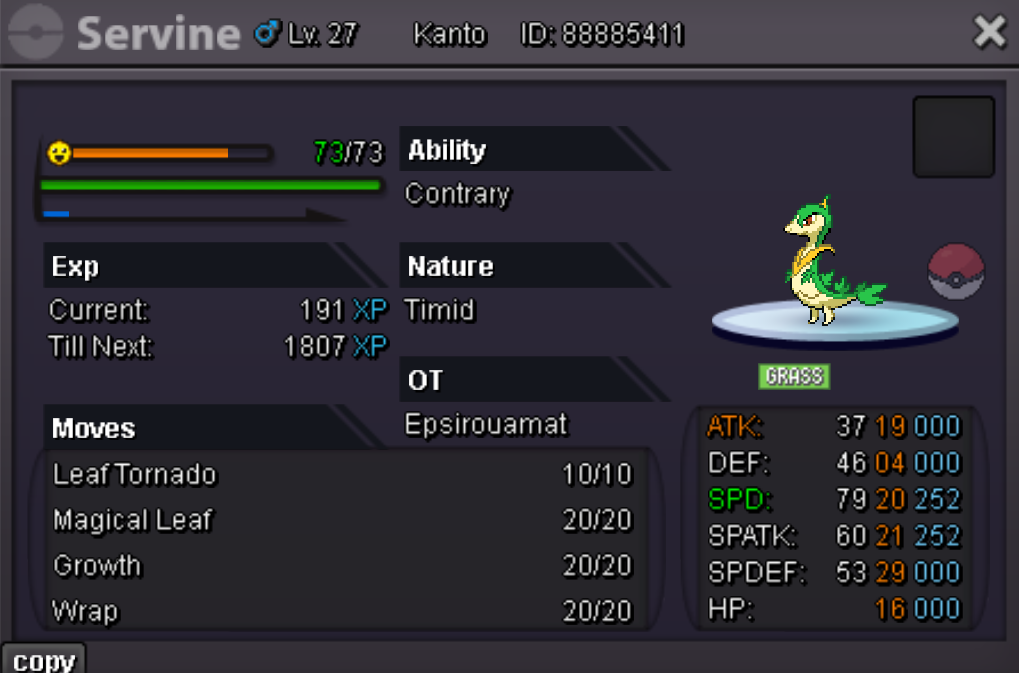
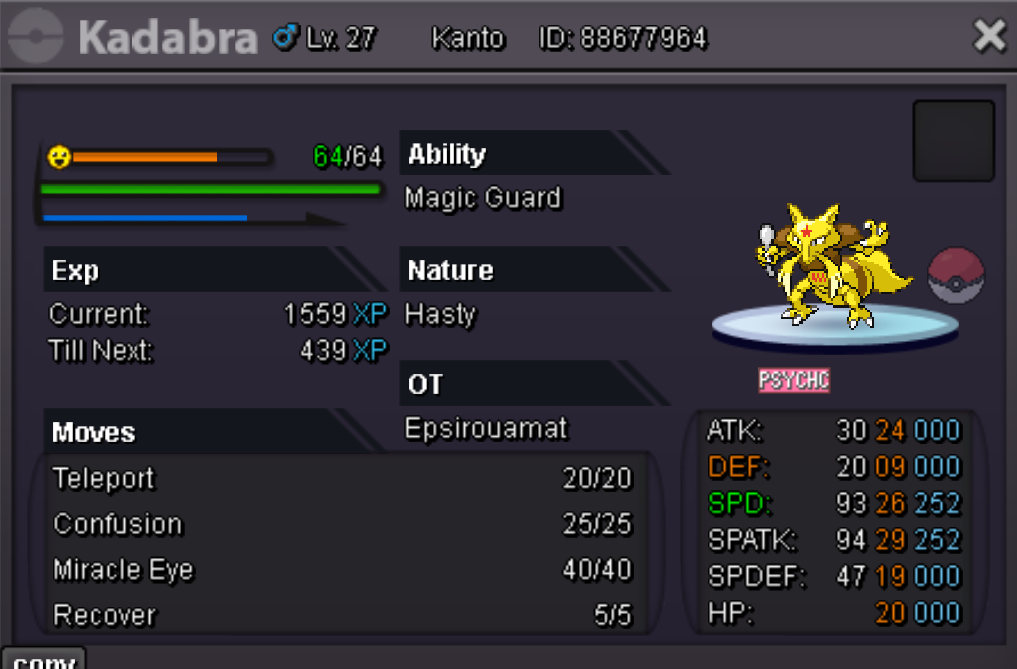
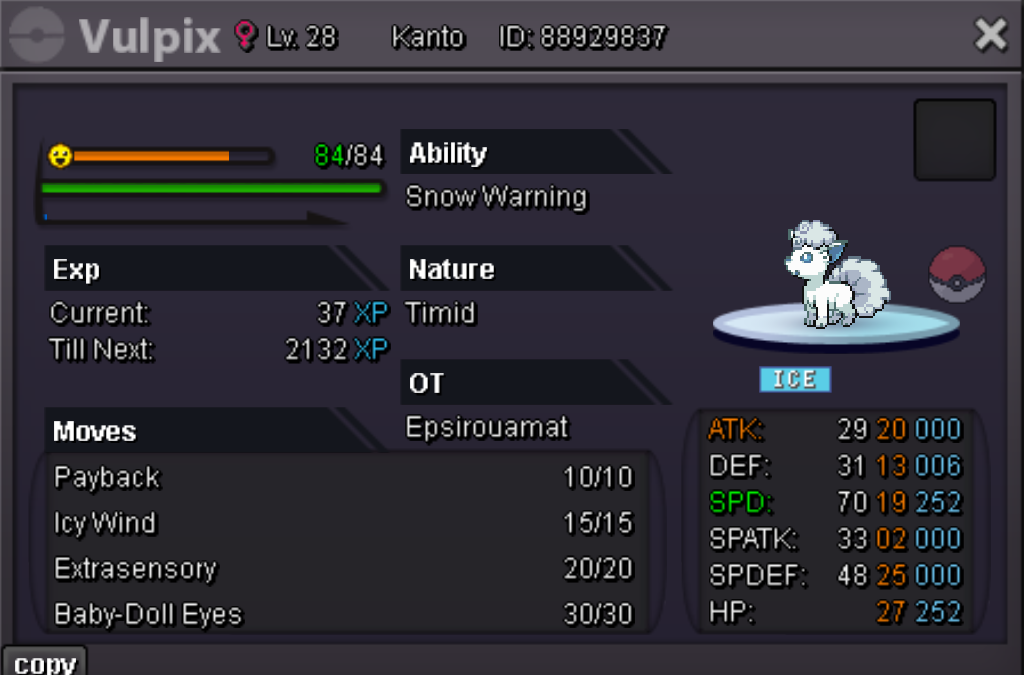
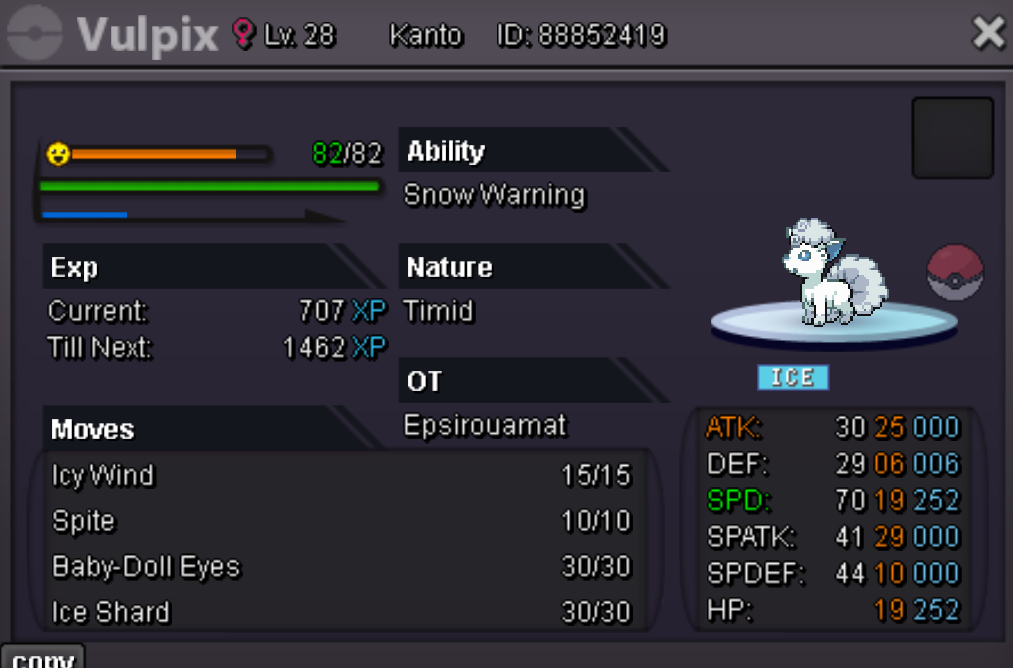
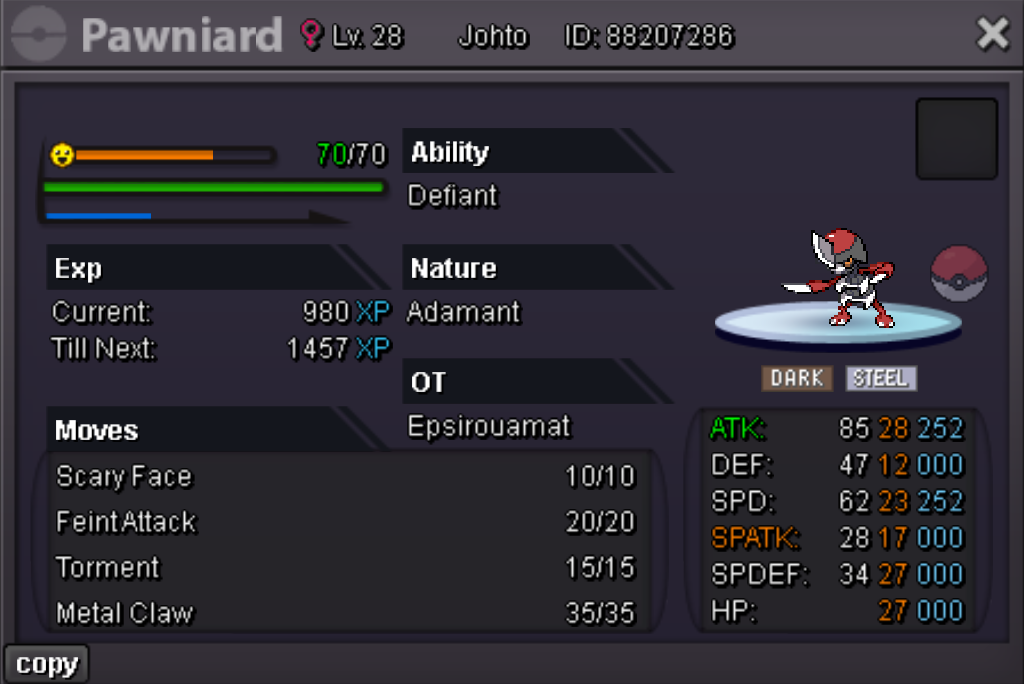
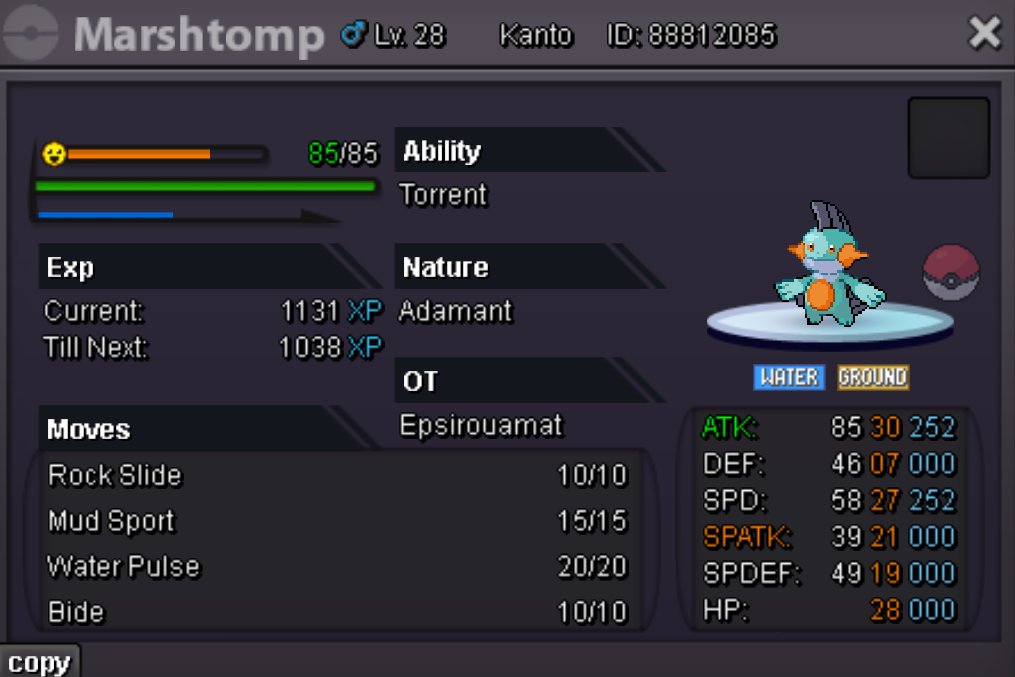
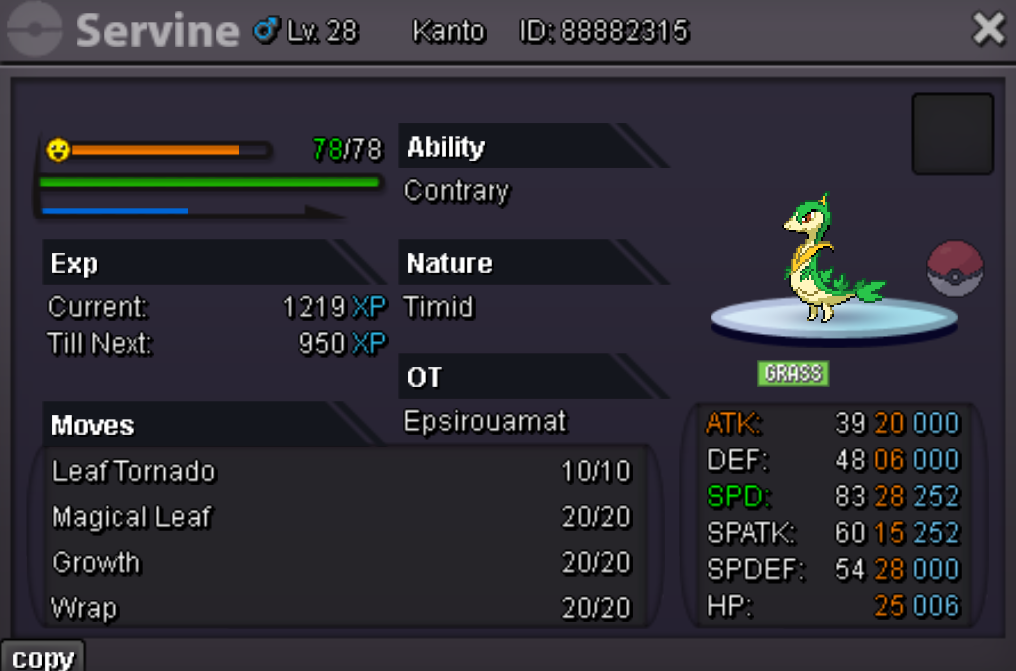
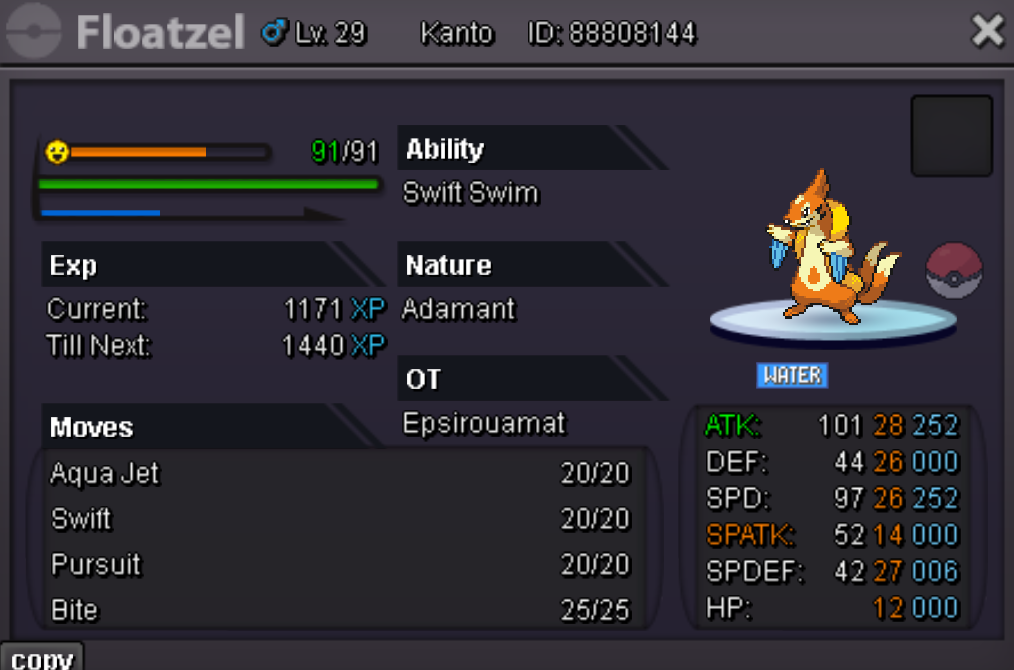
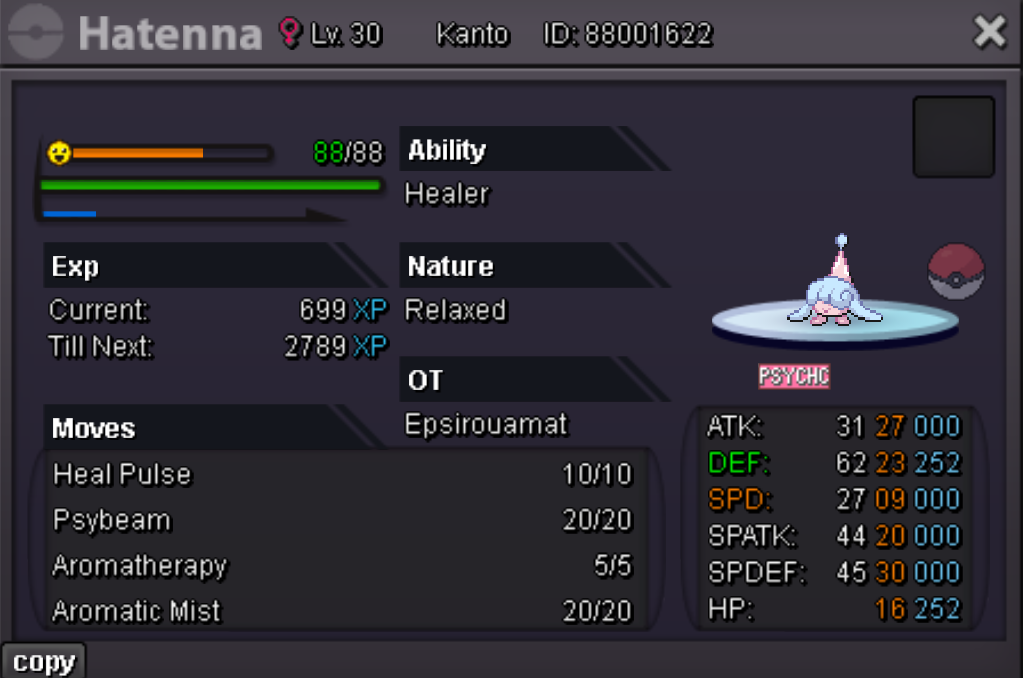
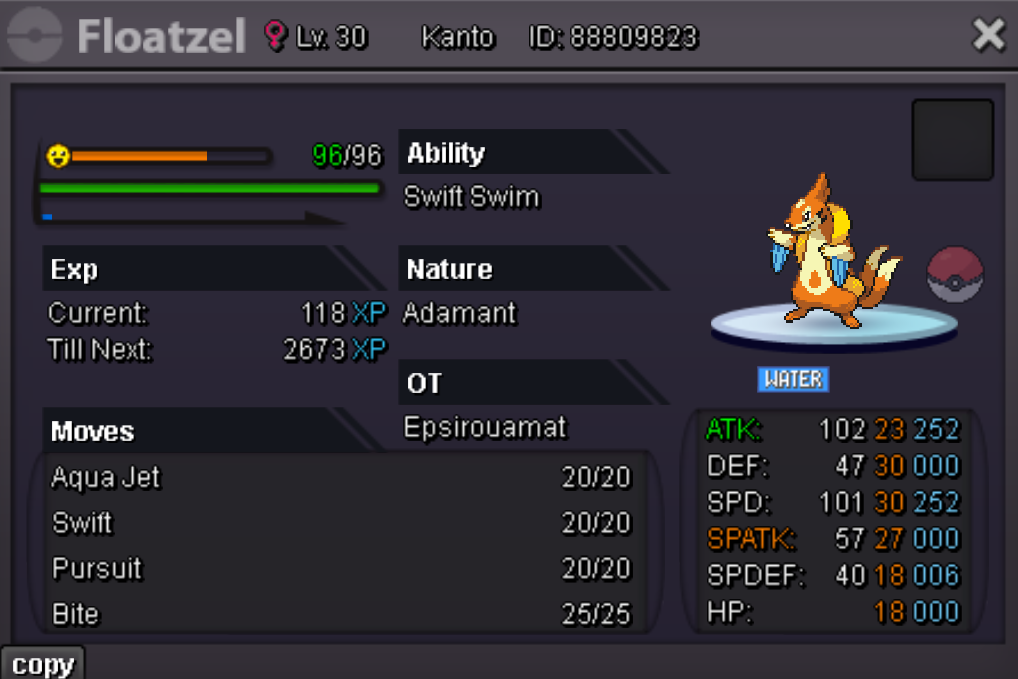
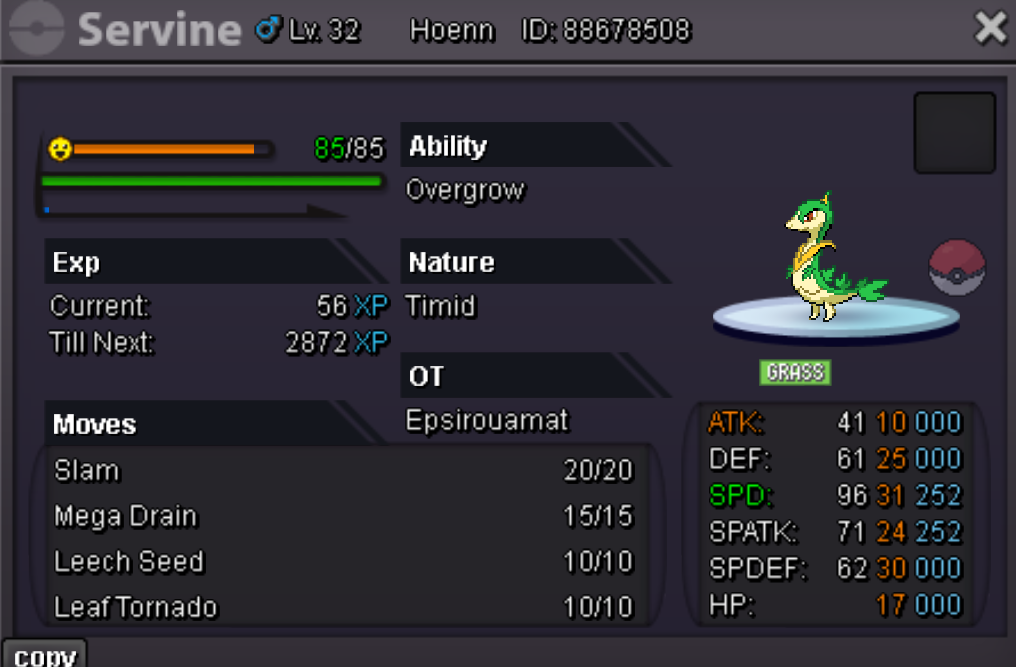
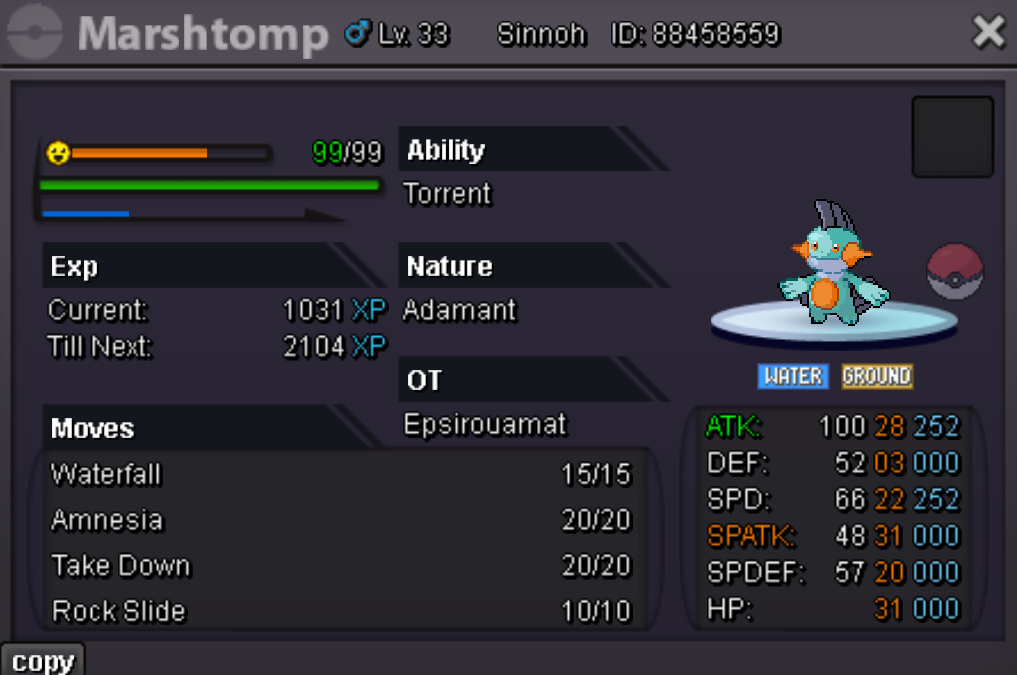
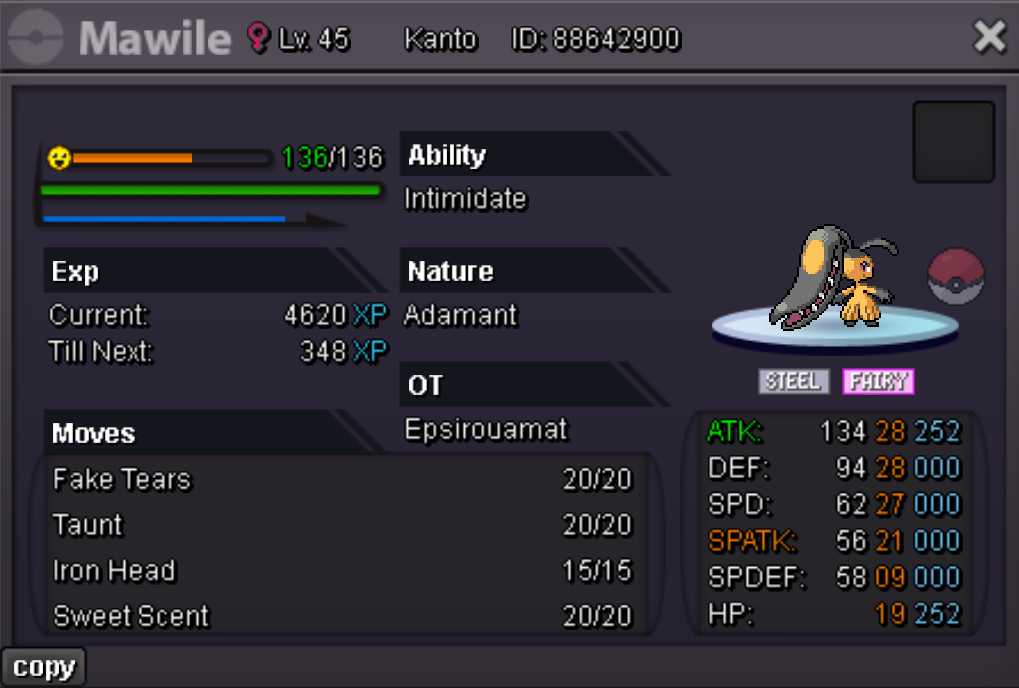
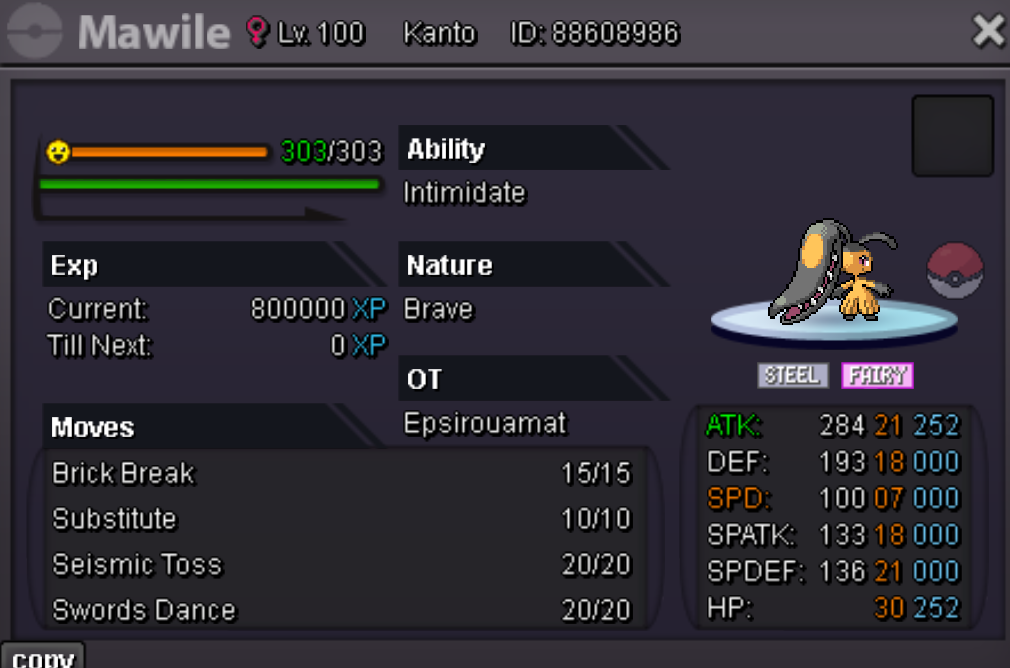
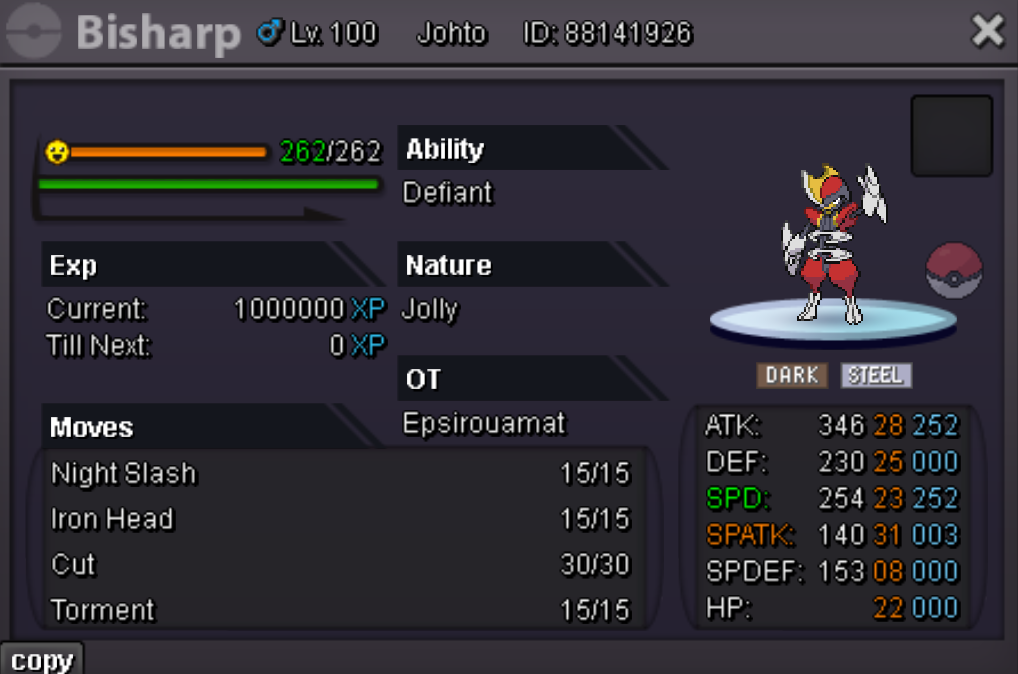
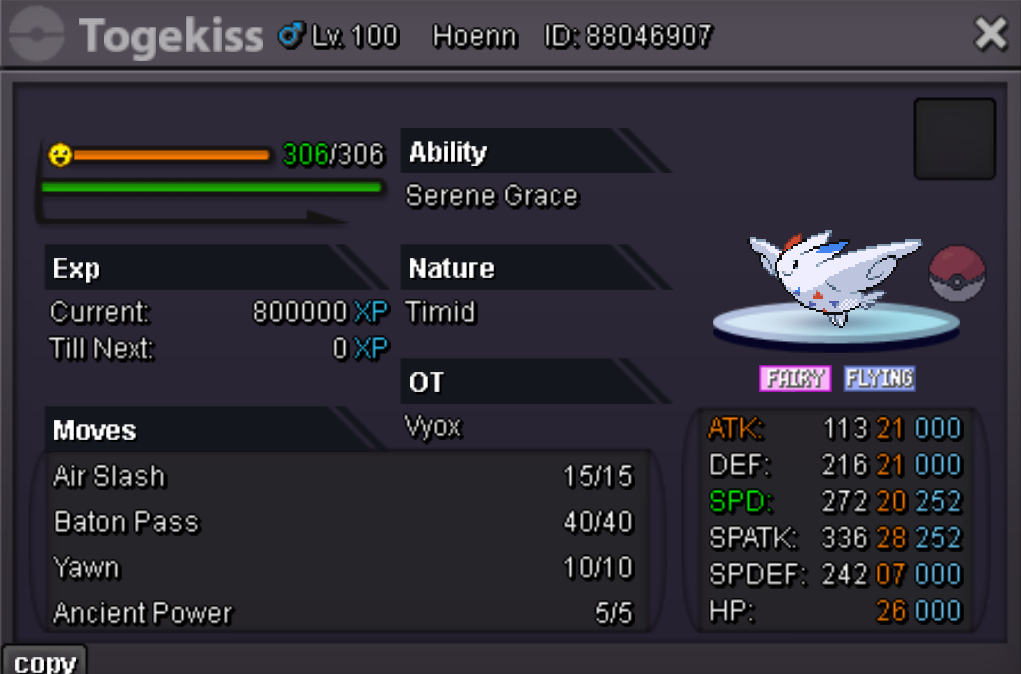
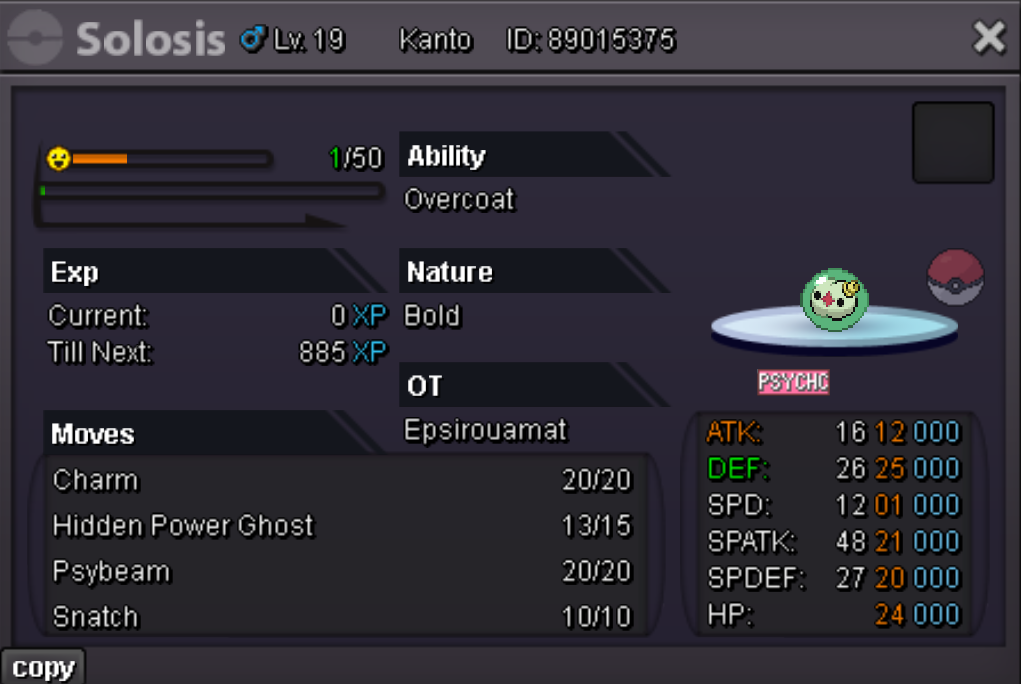

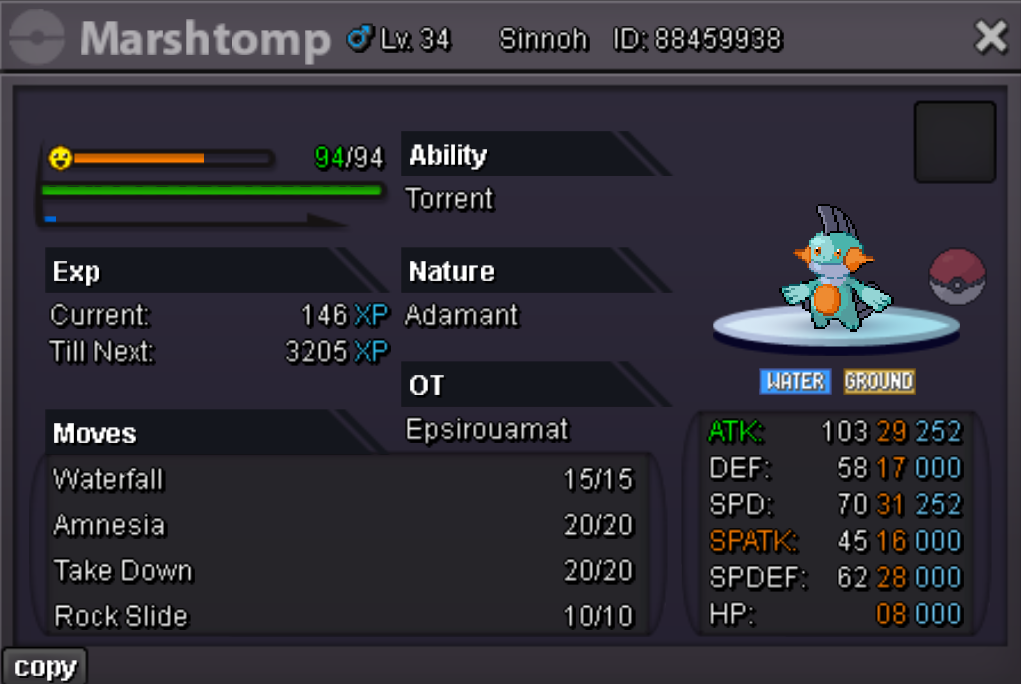
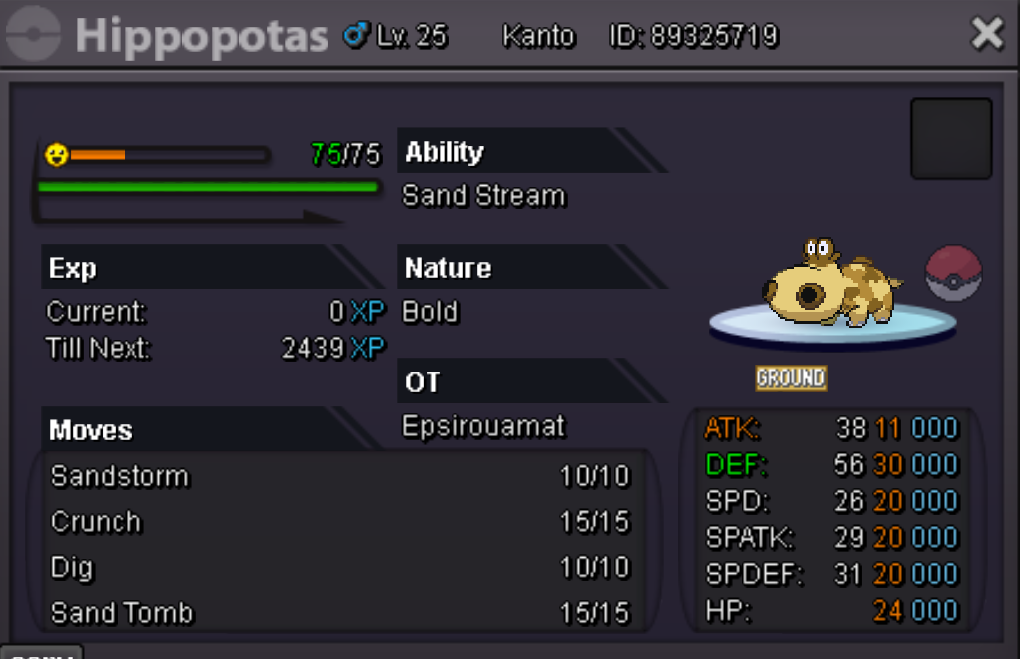
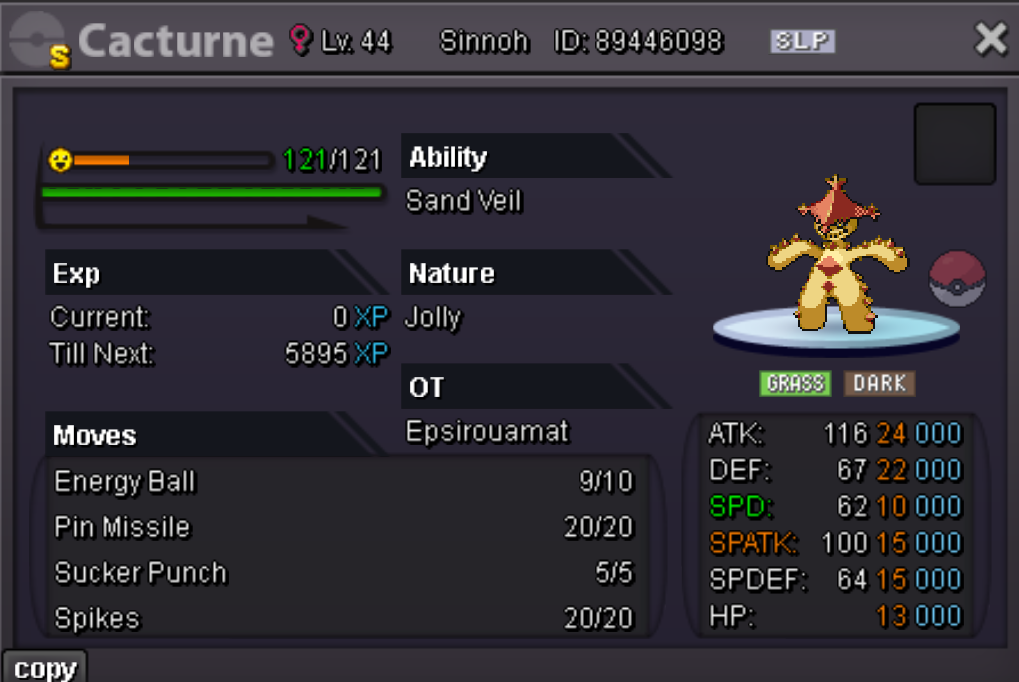
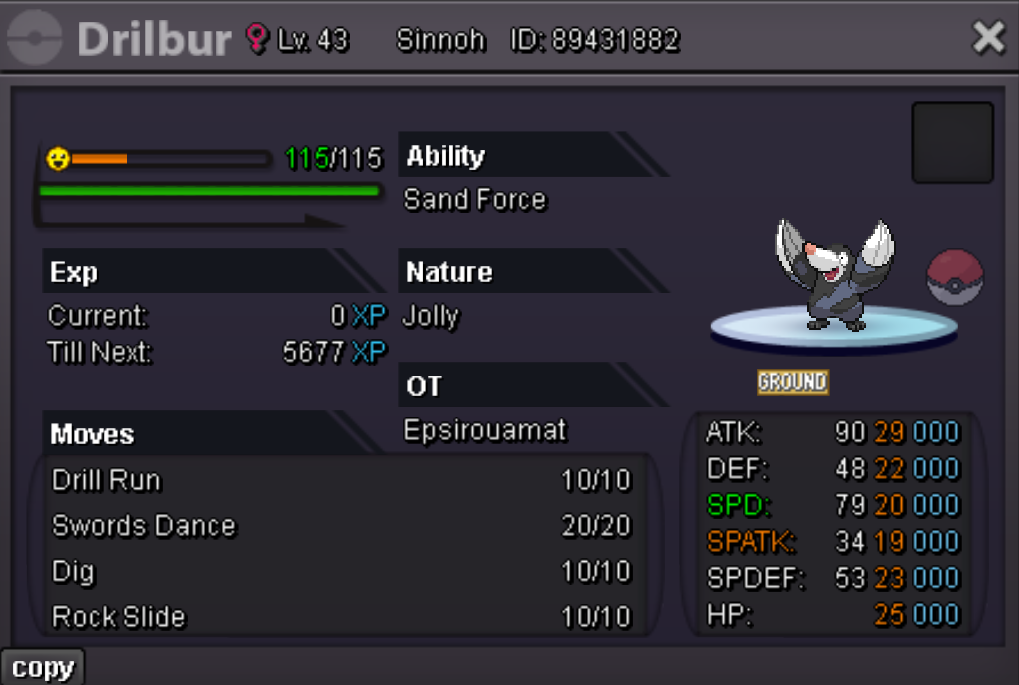

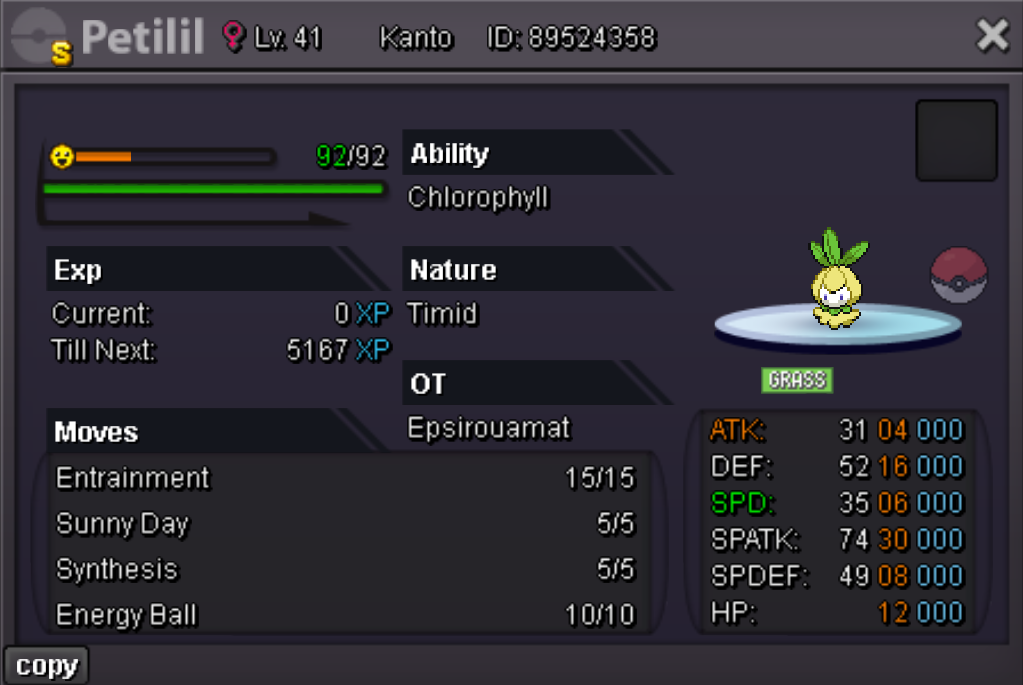
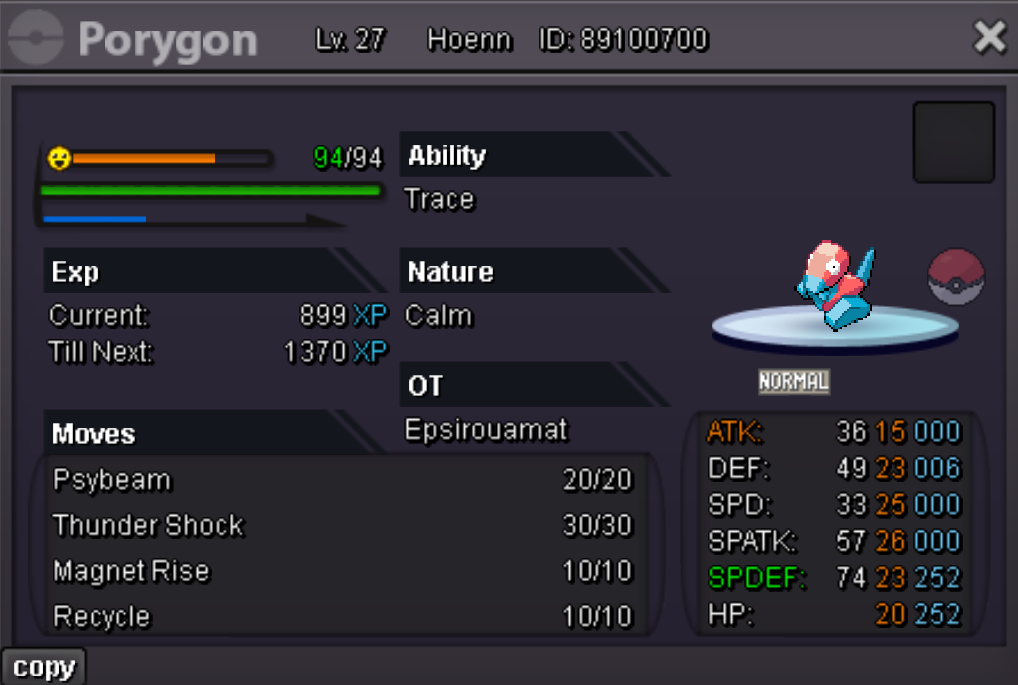
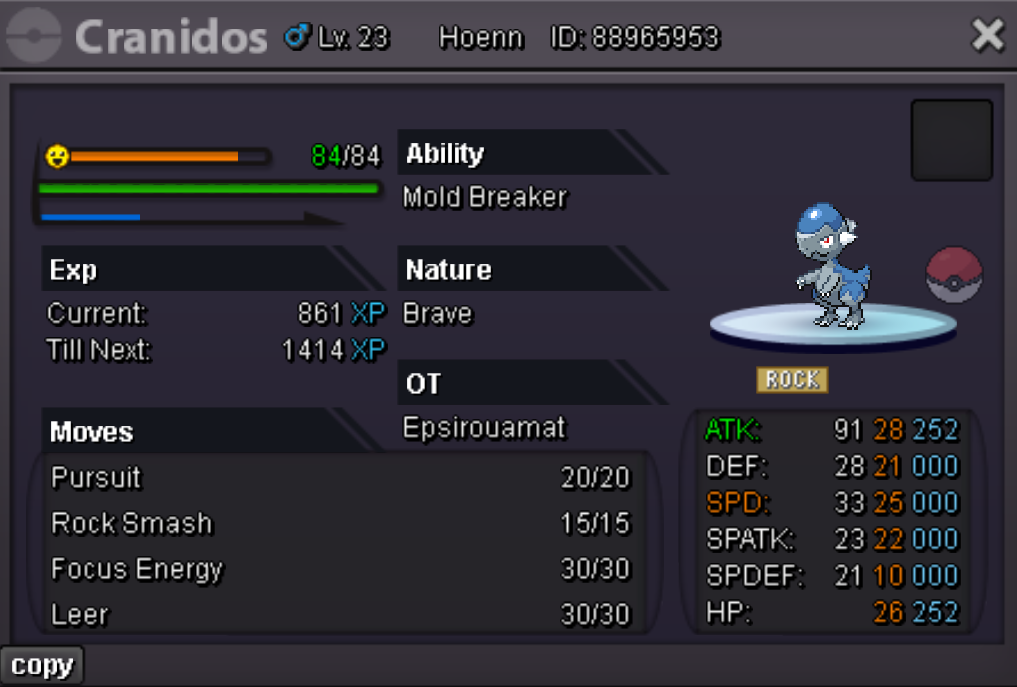
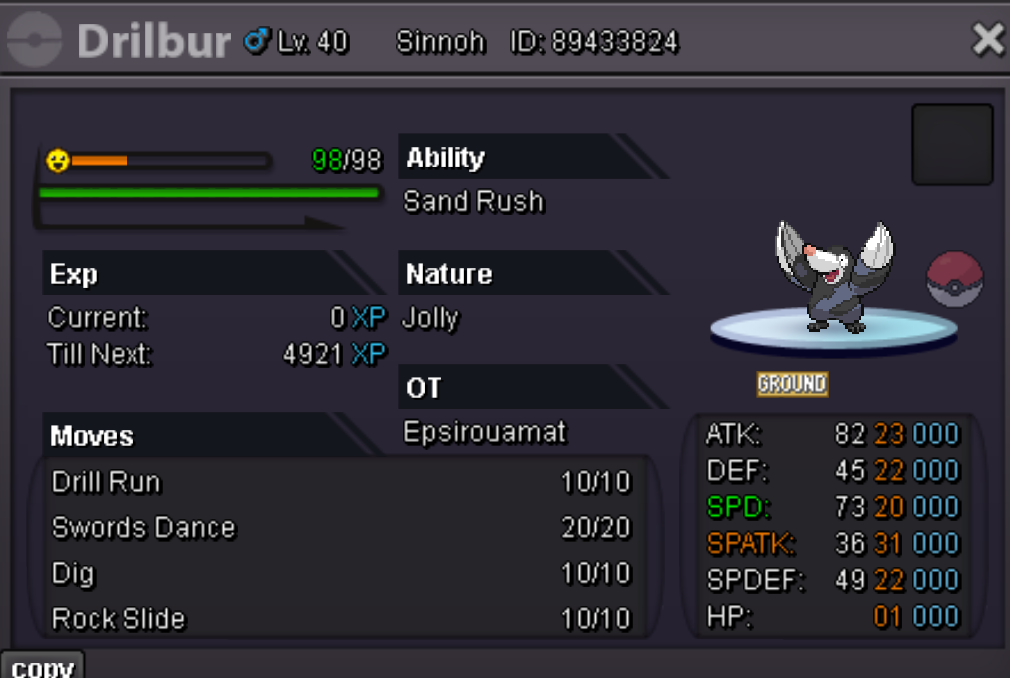 1 point
 -
1 pointAUCTION DETAILS - This is a Gold Server Auction. If bidding from an alternative server, state that u will transfer upon winning. - If you intend to purchase with an alt account, specify the account alongside your bid. - If a bid is recived in the last 15 minutes of the auction, the end poin will be delayed by 15 minutes from that bid, and will be delayed by 15 minutes for each new bid thereafter, until the current offer has been held for a full 15 minutes. Start Price: 1m Insta Price: 4m Min Bid: 200k End Point: 72hr After Start Price Start Price: 1m Insta Price: 2m Min Bid: 200k End Point: 72hr After Start Price Start Price: 1m Insta Price: 4m Min Bid: 200k End Point: 72hr After Start Price Start Price: 1m Insta Price: 2m Min Bid: 200k End Point: 72hr After Start Price Start Price: 1m Insta Price: 2m Min Bid: 200k End Point: 72hr After Start Price Start Price: 1m Insta Price: 2m Min Bid: 200k End Point: 72hr After Start Price Accepted Payments Pokedollars Coin Capsule (500k ea) Reroll Ticket (700k ea) Nature Reroll Ticket (350k ea)
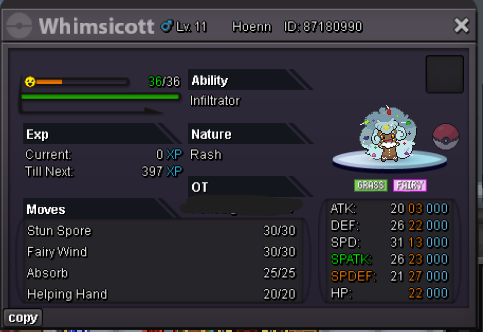
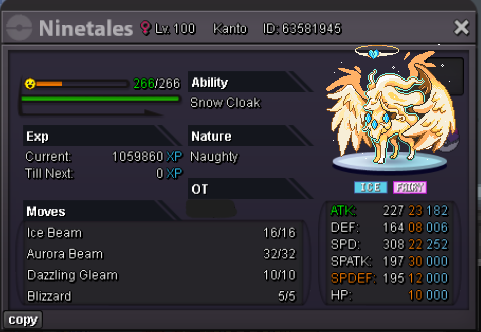
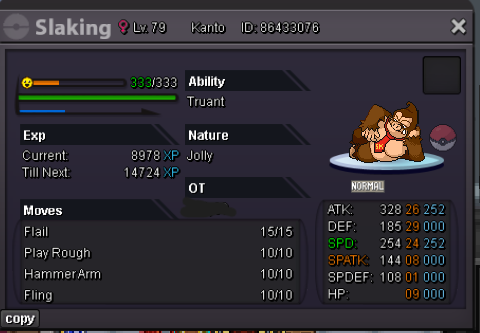
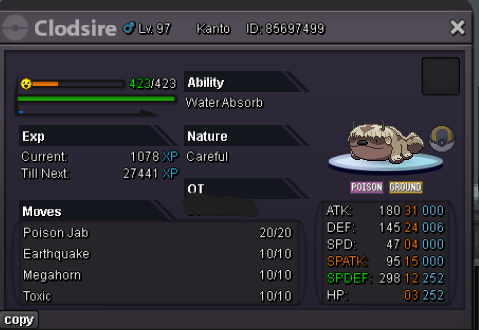
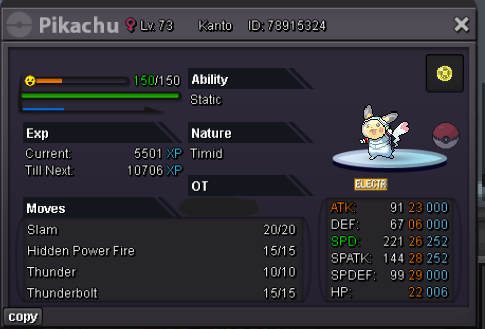
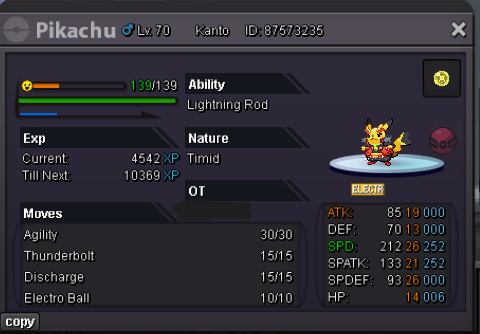 1 point
 -
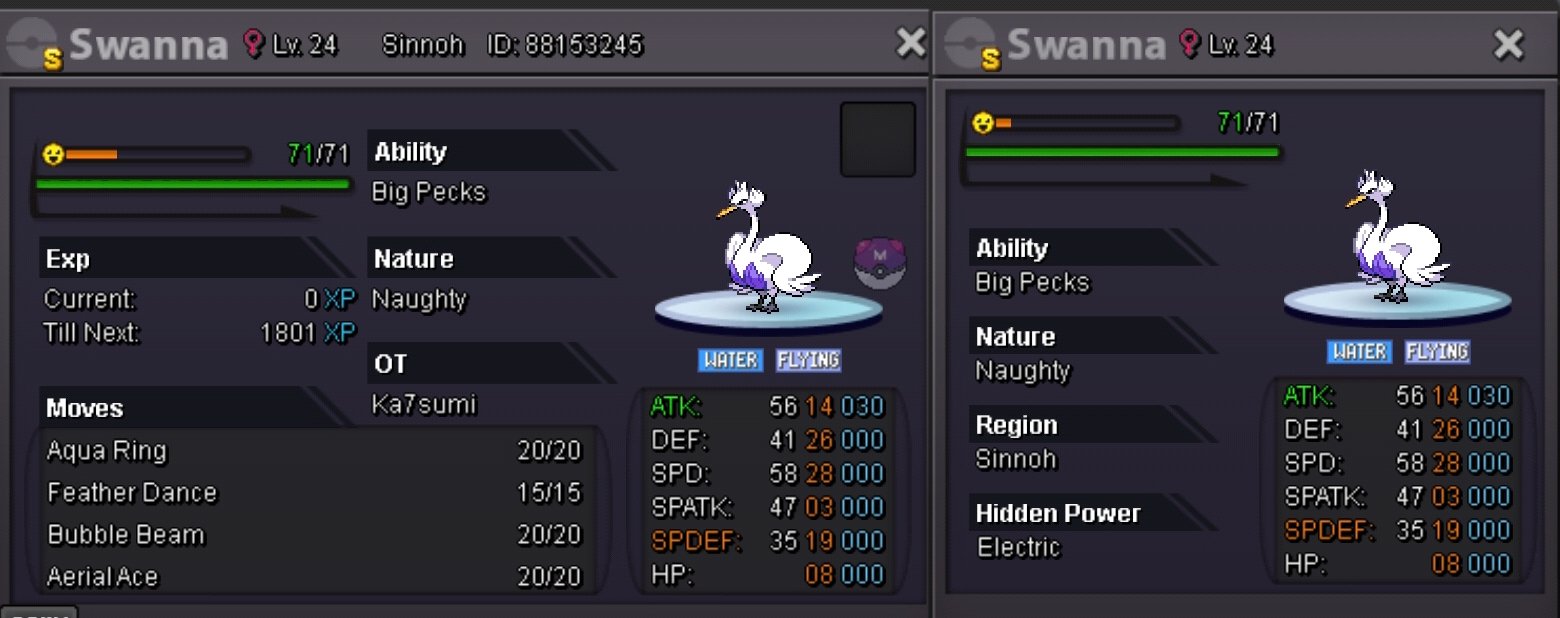
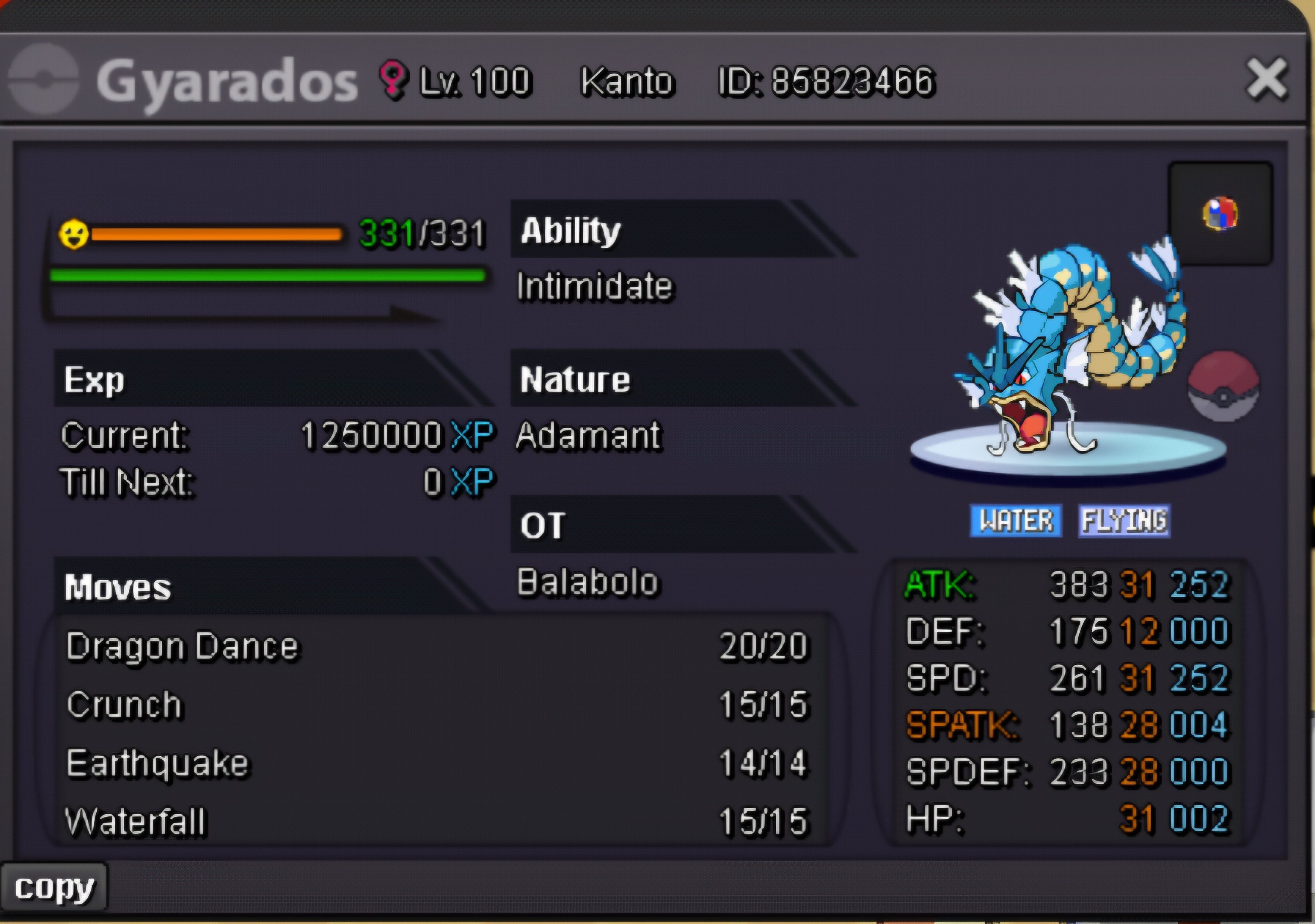
1 pointAuction Details Start Price: 800K End Point: 48 Hours (after start) End Time: Fri, 13 Feb, 2026, 15:53 UTC Insta Price: N/A Minimum Raise: 100K Accepted Payments: Pokedollars / 1x CC = 480K / 1x IV RR = 700K Server Name: Gold Important Reminders This is a Gold Server auction. You may bid from any server but you must transfer to Gold Server upon winning the auction. If you intend to purchase with an alternate account or from other server, please specify the account name and/or server name alongside your bid. 15 minutes rule is applied. (If a bid is received in the final 15 minutes of the auction, the end point will be delayed by 15 minutes from that bid, and will be delayed by 15 minutes for each new bid thereafter, until the current offer has been held for a full 15 minutes) The auction end time will be announced after start. Kindly note that the time and date will be in UTC (Coordinated Universal Time) format. Please check the Trade Rules and Auction Rules if you are new to trading in PRO. Note: Please read all the rules and details carefully before placing your bid. Discord: sir.alcatraz
 1 point
 -
Start price : 800k Min bid. : 50k accepted payments : cc 500k iv rr 750k nat rr 360k Server : Gold server Ending time : 24hrs after start price is met
 1 point
 -
1 point
-
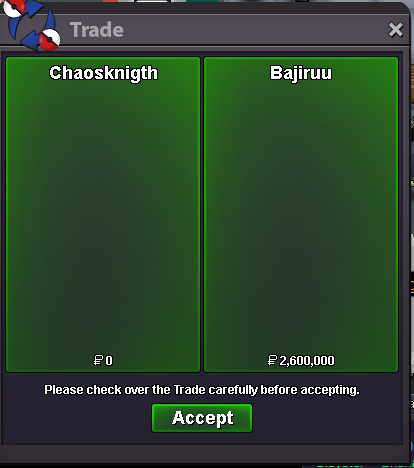
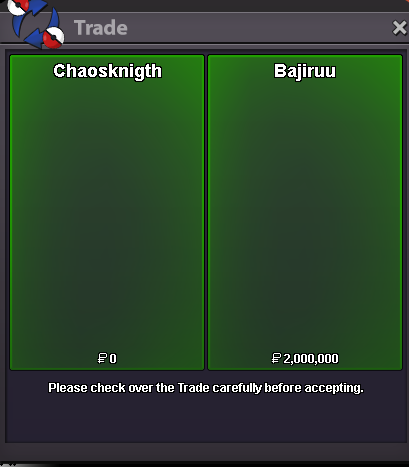
Thank you for your trust, Bajiru, enjoy! Service of Hoopa Unbound + Arch Valley + Victini + Crater town + Zekrom.
 1 point
 -
1 point
-
1 point
-
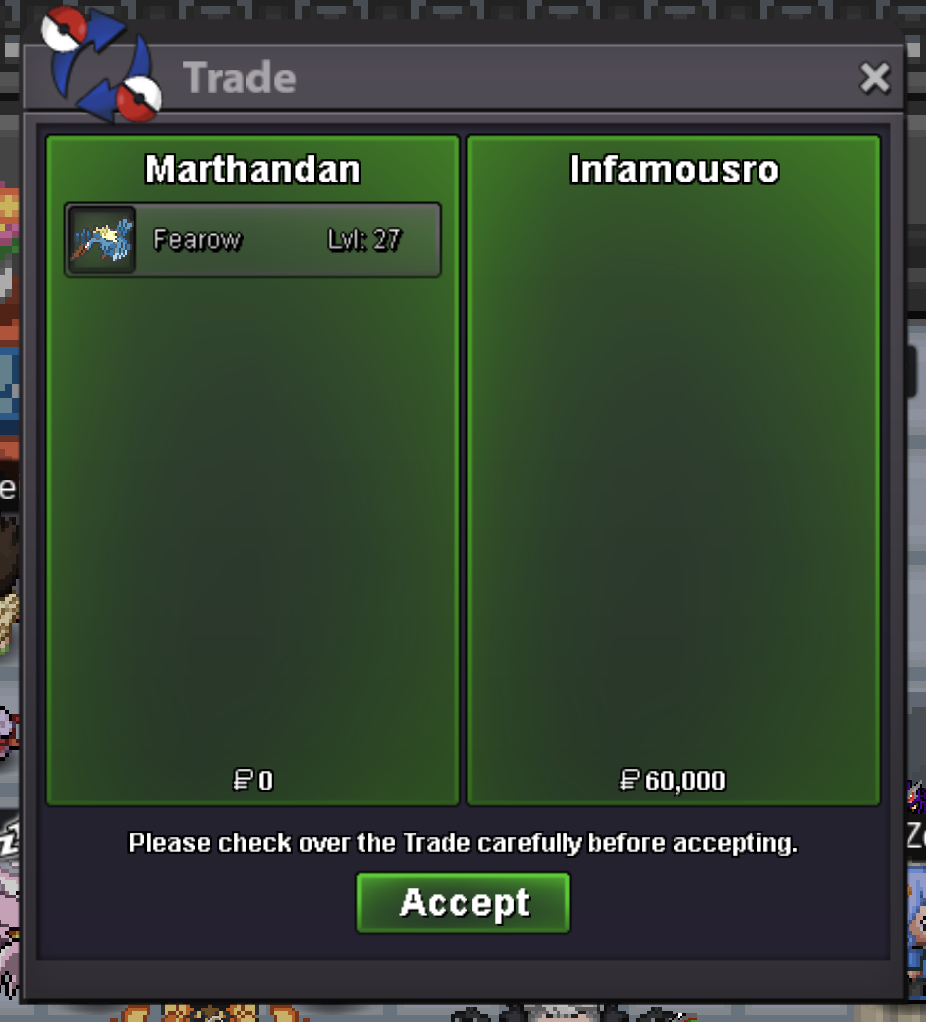
Auction Details: -Not a Bundle, the auction will end independently for each poke. -Although, if you win all three Fearows, a 10% discount will be applied to the total of your three final bids. If you only win 1 or 2 out of the 3 Fearows, you wouldn't be eligible for the trio set discount. -This is a Gold server auction, you will have to transfer if you are a silver server player winning. -15 minute rule is enabled. -The auction for all three birds will end at 09:49 [UTC-6] Feb 11th (CST) Accepted Payments: Pokedollars is preferred. [#1] S.O: 60k Min raises: 10k Insta price: 333k [#2] S.O: 60k Min raises: 10k Insta price: 333k [#3] S.O: 50k Min raises: 10k Insta price: 333k IGN: Marthandan Discord: matj07 Happy bidding!
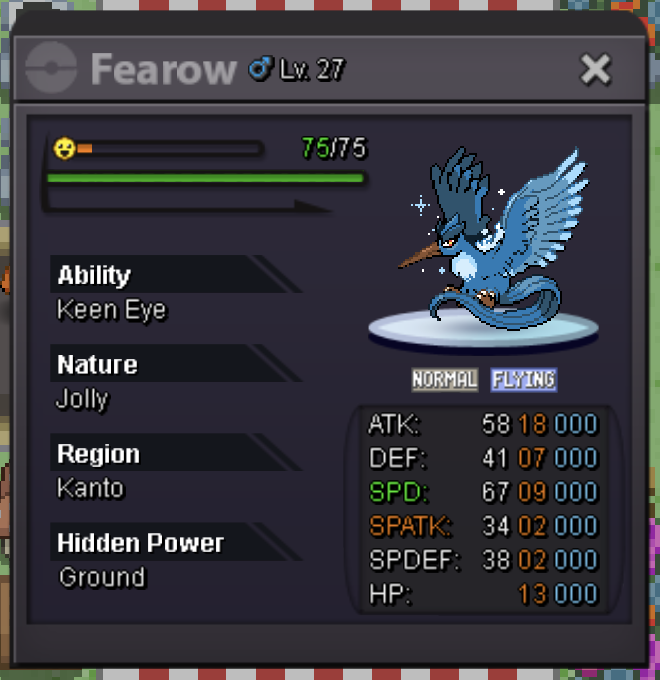
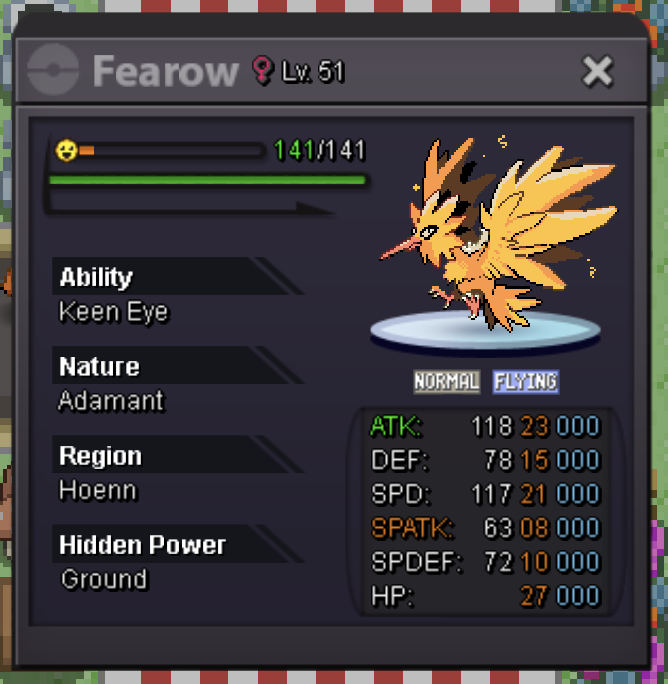
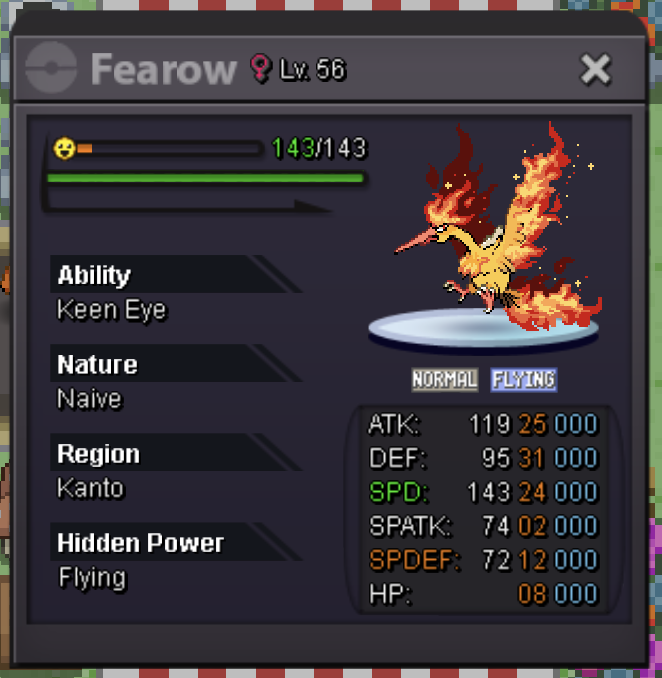 1 point
 -
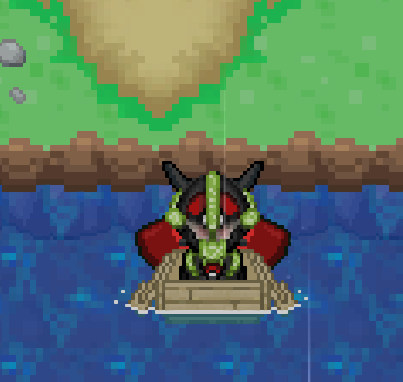
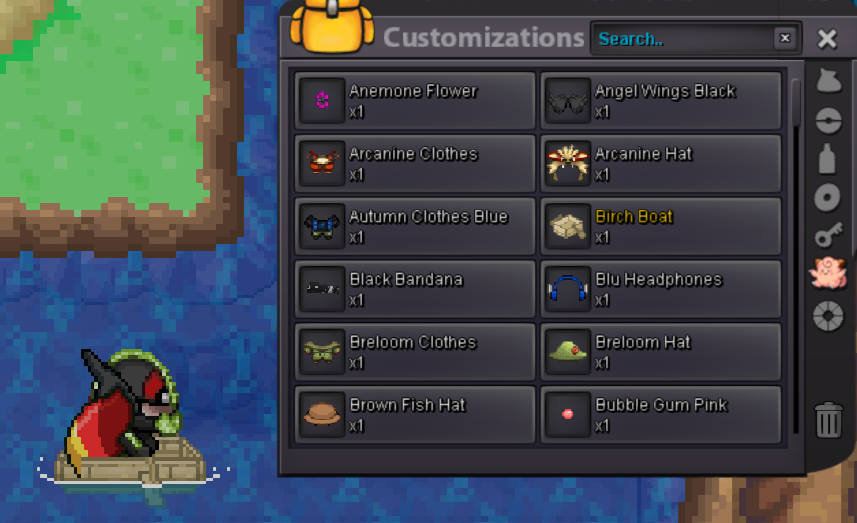
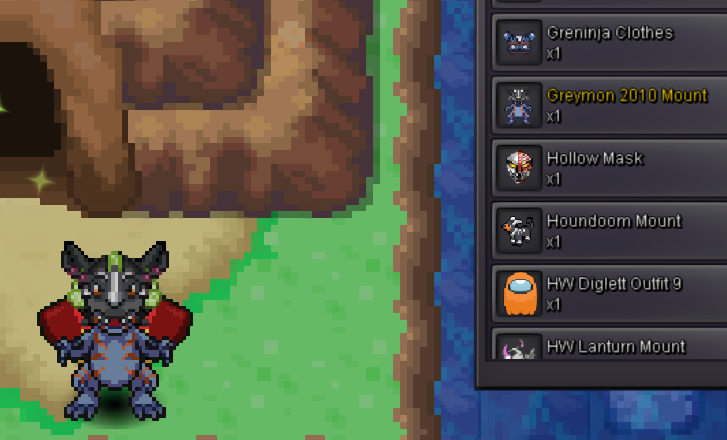
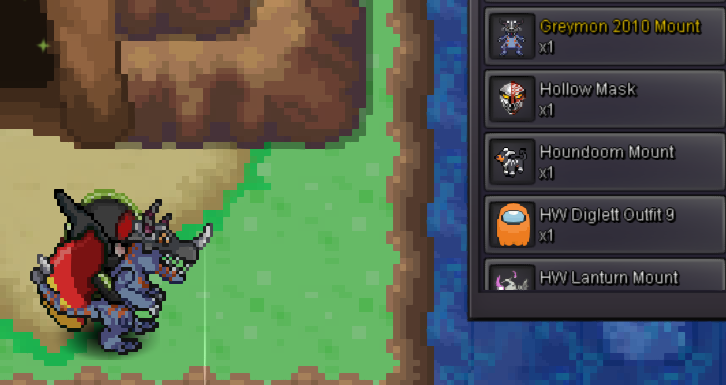
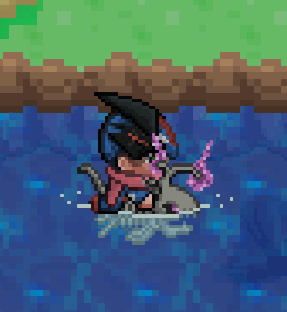
1 pointoh W i won! @Marthandai m online right now if u wanna trade... waiting in vermi1 point1 point1 point1 pointThank you very much, I'll write to you on your Discord server right away.1 pointThe Auction has Officially ended... Congratulations to @Redazter for winning the Geo Greymon Mount for 1.6m @Redazterpm me ingame(gold) or dm me in discord for the trade! My ids are mentioned undersigned! good luck to all the participants... Happy Playing! Thankyou, InfamousRo1 point1 pointHi, I'm selling some mounts and items at auction. ACCEPT PAYMENT: CC - 500k, Iv reroll - 650k, Nat reroll - 300k, PokeDollars Surf mount - Birch Boat start 900k min bid 100k insta 1m500k 48hrs Greymon 2010 mount start 3m insta 5m min bid 100k 48hrs Koraidon Mount start 2m min bid 200k insta 3m500k 48hrs Lanturn Hw start 400k min bid 50k insta 550k 48hrs Shiny BuzzWole Mount start 3m min bid 250k insta 6m 48hrs Thor clothes start 1m500k min bid 100k insta 2m500k 48hrs Angel black wings 500k just sell (sold) (X) Wings Monsoon 450k just sell













 1 point1 pointHello @Wasaloy Please do not excessively bump. You are only allowed one bump every 24 hours! Kinda Regards Glitterwing1 pointLeo2k007 you win auction1 point1 point1 point1 point1 pointPelipper Start1 point1 point* { font-family: "Inter", sans-serif; } .keita-margin { margin-block-end: -0.8rem; } .keita-codeb { background-color: rgba(27, 28, 30, 1); padding: 0px 2px 0px 2px; color: #ebe7e3c4; border-radius: 4px; border: 1px solid rgba(128, 128, 128, 0.48); font-family: "Roboto Mono", monospace; font-size: 90% !important; } .keita-colored-code { color: #15f5ba; font-size: 100% !important; } Combining Search Terms Easily find the exact Pokemon you need by combining search terms. Search Example for a Specific Pokemon: lvl=30 shiny Rattata Finds all shiny Rattata's at level 30. Search for High-Level Pokemon: lvl>70 Charizard Finds all Charizards above level 70. Search for Pokemon by Type and Region: type=Water region=Hoenn Finds all Water-type Pokemon caught in the Hoenn region. Search for Specific Stats: ATK>=28 SPD>=28 Garchomp Finds all Garchomp's with both Attack and Speed IV stats at or above 28. Replace the Pokemon name and edit the level to suit your search needs. Supported Comparers Equality and Inequality: = or ==: Finds exact matches (e.g., lvl=30 finds Pokemon exactly at level 30). != or <>:Finds all that do not match (e.g., lvl<>30 finds Pokemon not at level 30). Greater and Lesser: >: Greater than (e.g., lvl>30 finds Pokemon above level 30). <:Lesser than (e.g., lvl<30 finds Pokemon below level 30). >=: Greater than or equal to (e.g., lvl>=30 finds Pokemon at level 30 and above). <=:Lesser than or equal to (e.g., lvl<=30 finds Pokemon at level 30 and below). Combining & Excluding Combining: space or , or &: Used as AND to combine different conditions (e.g., shiny,g=f lvl>=50 Gardevoir finds shiny female Gardevoir's at level 50 or higher). |: Used as OR to match multiple filter sets (e.g., type=fire | type=electric finds all Fire or Electric type Pokemon). Excluding: !: Put ! in front of a term to exclude it (e.g., !shiny finds all non-shiny Pokemon). Works with booleans (shiny, form, legendary, item and with bare names (!Golduck). Multi-words You cannot type raw spaces inside a value (e.g., m=String Shot). Spaces are parsed as AND. In this example, it would search for m=String and then treat Shot as a separate string to look for Pokémon names. You have to use quotes ("") or underscores (_) to search for the exact names (e.g., m="String Shot", m=String_Shot). In most cases, you can just search for part of the name to get the results you are looking for. Detailed Filter Options Below are the filter options you can use to narrow your search results, along with their aliases and how to use them: Filters Usable Without a Comparer shiny (shiny, s) - Filter for shiny Pokemon. form (form, f) - Filter for themed Pokemon. Legendary (legendary, l) - Filter for Legendary Pokemon. Pokemon Name (name, pokemon, poke) - Filter by the name of the Pokemon. Pokedex ID (dex, d)- Filter by the Pokedex identification number. Borrower Name (borrower, b) - Filter by the name of the Borrower. Selected (sel, select, selected) - Filter for selected Pokemon. item (item, i) - Filter for Pokemon with held items. Tag (tag) - Filter for Pokemon that have at least one custom tag created and assigned by the user. Basic Filters UID (uid, u) - Unique identifier of a Pokemon. Example: uid=53256 OT - Name of the person who caught the Pokemon. Example: OT=Username Level (level, lvl, lv) - The level of the Pokemon. Example: lvl=100 Ability (ability, a) - The ability of the Pokemon. Example: a=Protean Nature (nature, n) - The nature of the Pokemon. Example: n=Timid Item (item, i) - The held item of the Pokemon. Examples: i=focus_sash, i=smoke_ball Gender (gender, g, sex) - The gender of the Pokemon. Examples: g=m, g=f, g=none Type (type, t) - Type of the Pokemon, such as Fire or Water. Example: t=Fire Region (region, r) - The region where the Pokemon was caught. Example: r=Kanto Hidden Power (hiddenpower, hi) - The hidden power type the Pokemon has. Example: hi=Ground Move (move, m, skill) - The move of the Pokemon. Example: m=Tackle Form (form, f) - The form of a Pokemon. Examples: f=halloween, f=smr, f=valentine, f=shadow, f=pnk, f=chroma Generation (generation, gen) - The generation in which the Pokemon was first released. Examples: gen=1, gen=kanto, gen=paldea, gen=6, gen=alola CaughtBall (caught_ball, caughtball, ball) - The ball the Pokemon was caught with. Examples: ball=Pokeball, ball=Master_Ball Tag (tag) - Custom tags created and assigned by the user. Examples: tag=favorite, tag=to_level, tag=to_ev Stats Filters ATK (atk, attack) - ATK IV of the Pokemon. Example: ATK>=28 DEF (def, defense, defence) - DEF IV of the Pokemon. Example: DEF>19 SPD (spd, speed) - SPD IV of the Pokemon. Example SPD=31 SPATK (spatk, specialattack) - SPATK IV of the Pokemon. Example: SPATK>=28 SPDEF (spdef, specialdefense, specialdefence) - SPDEF IV of the Pokemon. Example: SPDEF>=20 HP (hp, hitpoints) - HP IV of the Pokemon. Example: HP=31 IVs (all, alliv, allivs, ivs) - Every IV of the Pokemon. Example: ivs>20, all>=10 ATKEV (atkev, attackev) - ATK EV of the Pokemon. Example: ATKEV=252 DEFEV (defev, defenseev, defenceev) - DEF EV of the Pokemon. Example: DEFEV=0 SPDEV (spdev, speedev) - SPD EV of the Pokemon. Example SPDEV=252 SPATKEV (spatkev, specialattackev) - SPATK EV of the Pokemon. Example: SPATKEV>=140 SPDEFEV (spdefev, specialdefenseev, specialdefenceev) - SPDEF EV of the Pokemon. Example: SPDEFEV>=100 HPEV (hpev, hitpointsev) - HP EV of the Pokemon. Example: HPEV=6 Expiration Time for Borrowed Pokemon Expiration (expiration, expires, expire, e) - Remaining time before a borrowed Pokemon will automatically return. Units: days (d), hours (h), minutes (m), and seconds (s). Examples: e<1d1h1m1s, e<1d3h, e>40s1 point«◘EV TRAINING HOTSPOTS◘» Hey there fellas, i'm starting up this Guide Thread in-order to help ya out in EV training fast Before you get started you may like to know what EVs actually are. EV stands for 'effort value'. 4 Evs will increase a pokemon stat by 1 point, the maximum amount of EVs in a stat is 255 but the recommended maximum is 252 so you can use the remainder points in another stat. If you want a full guide and explanation of what EVs are you should check somewhere else like bulbapedia. If you have never played pokemon competitively before and would like to learn more about sets and EV spreads then I would recommend checking out smogon. They have all you need and more on basic sets. :etc: This is a list of all the places to train EVs. It will tell you what pokemon will give what EVs and where to find them.If you see something wrong, let me know. :etc: Evs can be modified/multiplied using a "Macho Brace", it makes gained EV's x2 Note: The Timing, Rarity and Evs gained is mentioned. I've tried almost all the maps and checked the spawns to ensure which are can be classified as an EV Training Spot. Click on the If you like the topic :) So, lemme start off with the Ev's thingy :P Timing has been written in M/D/N (Morning/Daytime/Night) UPDATE: (Atk + Speed Combo) Attack EV Hoenn Johto Kanto #..................................................................................................# Speed EV Other[uPDATED] Hoenn Johto Kanto #..................................................................................................# Defense EV Other Hoenn Johto Kanto #..................................................................................................# Spatk EV Other Hoenn Johto Kanto #..................................................................................................# Health Points EV Hoenn Johto Kanto #..................................................................................................# Special Defense EV Hoenn Johto <B> Kanto Combo EV Sets HP and Spatk(Kanto) #..................................................................................................# Speed and Spatk(Kanto) #..................................................................................................# Speed and Atk(Kanto) #..................................................................................................# Hp and Def(Mostly preferred for Chansey)(Kanto) #..................................................................................................# Speed and Atk 2(Kanto) #..................................................................................................# Speed and Spatk(Kanto) #..................................................................................................# Atk and HP(Kanto) #..................................................................................................# Atk and Speed(Hoenn) #..................................................................................................# Speed and Spatk(Hoenn) #..................................................................................................# Def and HP(Hoenn) #..................................................................................................# Atk and Spd(Hoenn)1 point1 pointPRO Game Rules apply to all aspects of the PRO environment, inclusive of Discord, Forums, Ingame, etc. GENERAL FORUM RULES Deplorable behavior such as foul language, profanity, harassment, and excessive toxicity is not allowed. Spam is not tolerated here under any form and circumstance. This includes, but is not limited to, offering services (charged and free), trading of things outside of PRO, recruiting members for your own projects (moderators, designers, professional MOD work, etc.). Do not message members of staff in following cases; Appealing for a ban, Looking for support, Applying for a team, offering various services and so on. Those messages will be trashed and won't be replied to. If you need help with something use the Resolution Center sub-forum. Mini-Modding is prohibited. We encourage to bring any rule violation to the attention of the Staff Team via the report button or through the proper forum. Do not respond to such topics yourself. Members are asked to respect the copyright of other users, sites, media and so on. They have the right to report you for you plagiarizing their own work. Do not link illegal material such as torrent content sites. Advertising in any form and way is against the rules. In case you want to advertise something you deem of a good nature, contact developers or administrators when you have the requirements to do so. In appeals, complaints and trade posts you are allowed a bump every 24 hours. RULES FOR AVATARS AND SIGNATURES Content in signatures and avatars should be PG as per the game/forum rules, not profane and also consistent with normal writing and abide by the general forum rules. You may not include hidden text or links. Those will be deleted instantly. Respect the given size limits. Do not try to bypass it by having more images or links. You can have more links and images but size must not exceed of a signature or avatar. If the account you use is suspended due to breaking any of the rules above you have a right to appeal. During the appeal process we will take into consideration the rule broken, your behaviour during your time as an appealer, and your behaviour before you were suspended.1 point0 points300k annhilape 10 pointsstart annhilape 2 and 200k on annhilape 10 points0 points0 points0 points0 points0 points0 points0 points3.6m0 points0 points0 points0 points0 points3m30 points0 points