New Trade Zone
Trade Zone is now live
Use the new Trade Zone for auctions and instant-price trades so Pokemon and item offers are easy to find.
Leaderboard
-
Lavdenarajyam67
Registered User2Points4Posts -

Emptyhand
Registered User1Points15Posts -
Atoums
Registered User1Points93Posts -

Apexmonarch
Registered User1Points500Posts


Popular Content
Showing content with the highest reputation on 10/23/26 in all areas
-
1 point
-
1 point+1 similar thing happend to me, it would be nice if you game balance was just connected privatelyto your trade forum account but not visible to anyone else1 point
-
1 point
-
1 point
-
1 point
-
1 point
-
1 pointDont need to show how much money bidder have but yes they can do link forum with game -- Like whenever there budget in crossed the forum will show that "You don't have money" if this can be done the +11 point
-
1 point
-
+1 for first point -1 for the second point, because one player might have multiple accounts, with their pokedollars scattered across them. They might also transfer their pokedollars to their friends for safekeeping. These are definitely possible scenarios(I’m an example myself)1 point
-
1 pointHello! Your Pokémon have been restored, and you can find them in the last slot of your PC storage. In the future, please make sure to submit these requests in the RESTORE POKEMON MEGATHREAD or in #request-chat on our official Discord server. Kind regards. Hallowglow.1 point
-
1 point
-
1 pointHello ! Here is a list of spawns added by staff on 17-18/07/26 with introduction of many poke spawns Ty to all people that have helped filling this out ! If you have precisions / corrections please say so i'll try to keep this updated :) sinnoh Spawns Hoenn Exca Other
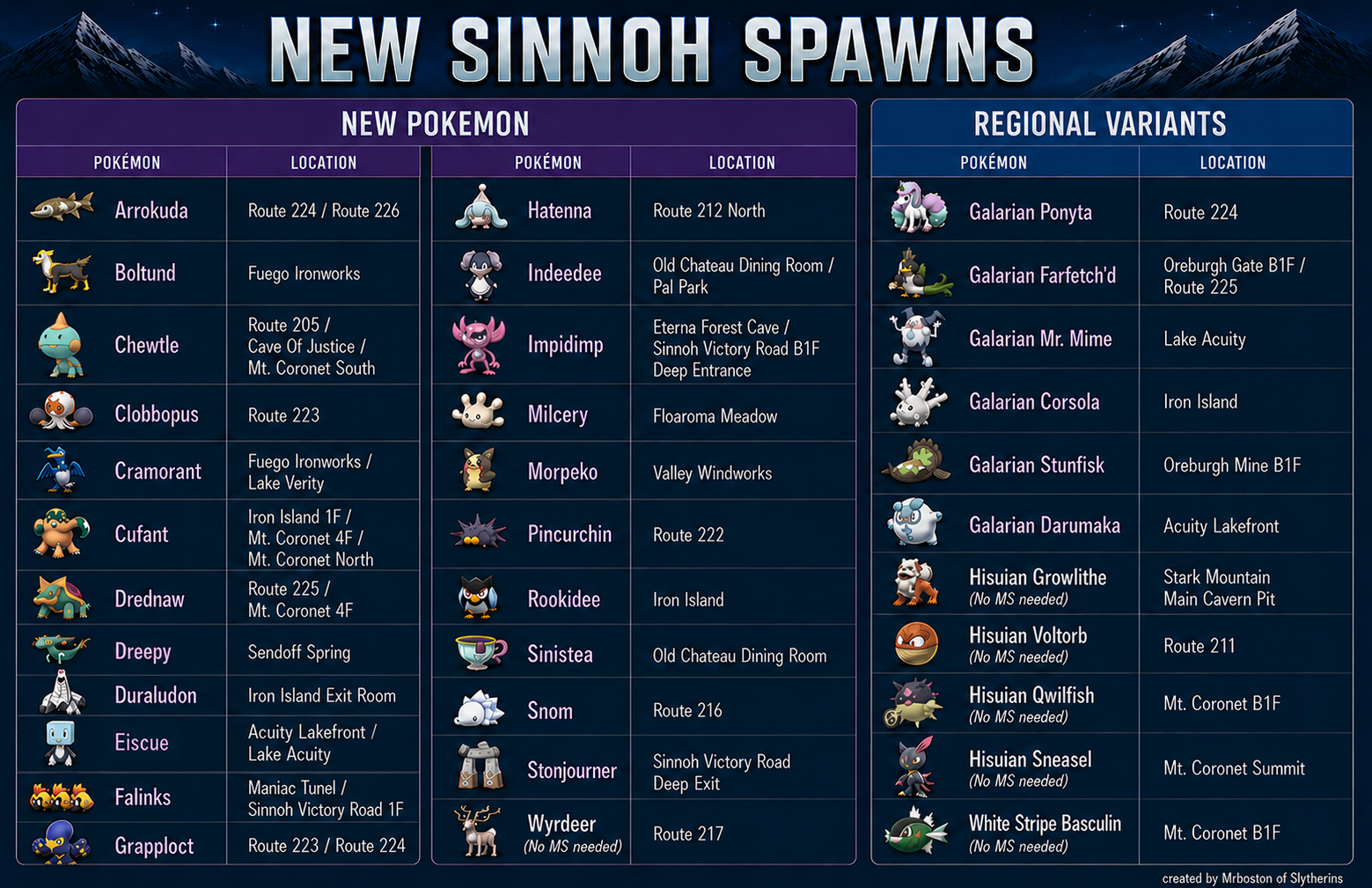
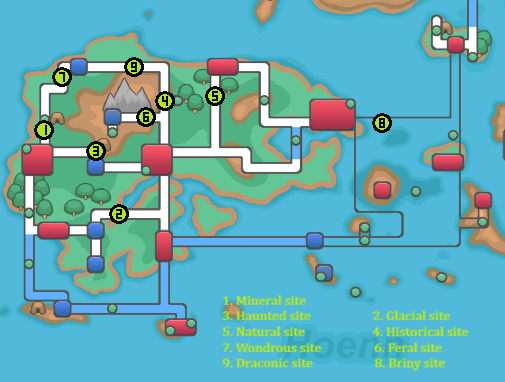
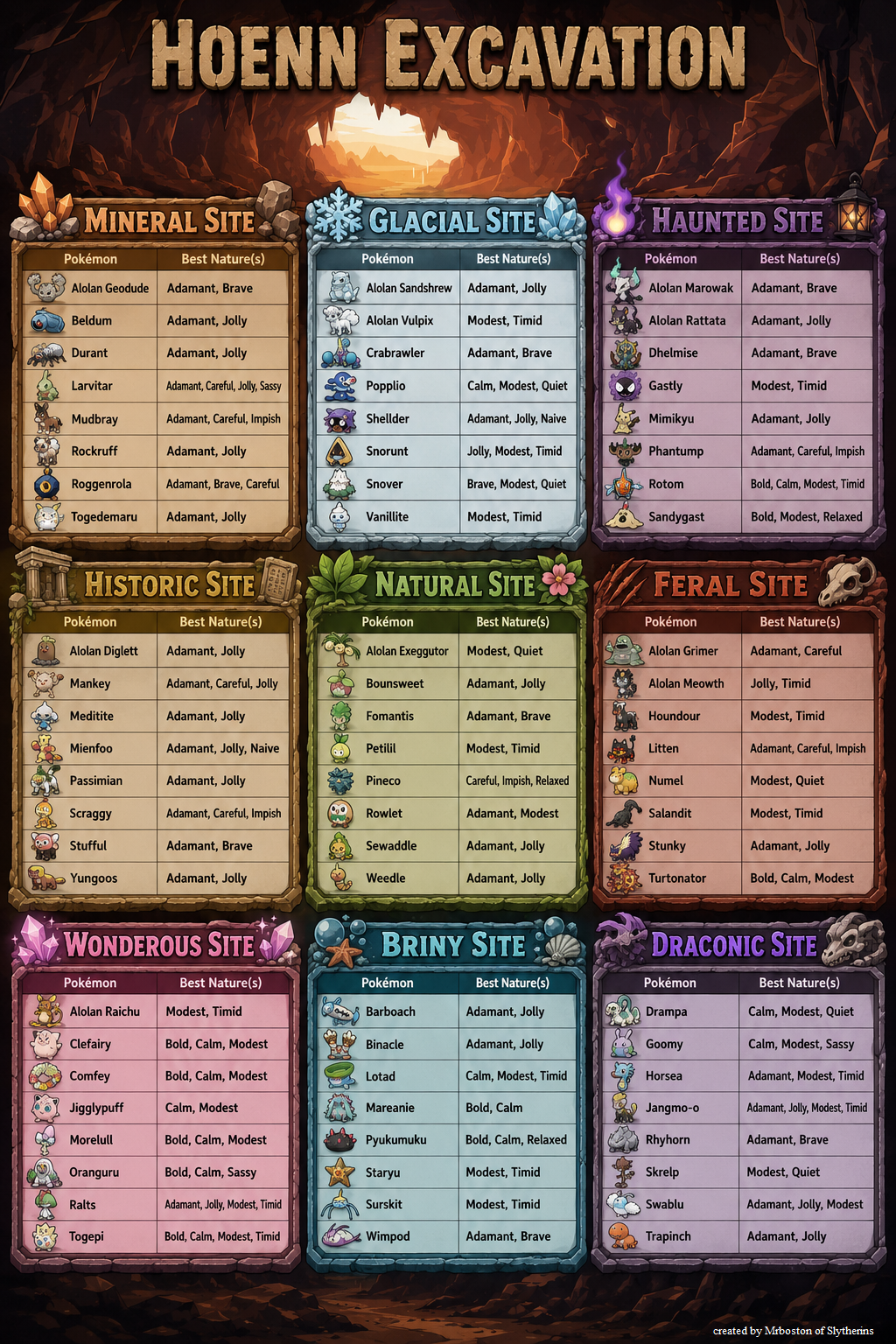 1 point