New Trade Zone
Trade Zone is now live
Use the new Trade Zone for auctions and instant-price trades so Pokemon and item offers are easy to find.

Gdarch
Registered User
-
Joined
-
Last visited
Everything posted by Gdarch
-
Start
-
@YayozamaHow did Niomode win while my offer was in time and superior to theirs ?
-
-
2.5m
-
-
600k
-
Start
-
Tell me when we can do the trade
-
Start
-
Can be closed.
-
Item being auctioned: Purple Susanoo Starting price: 12M Pokedollars Duration: 48 hours after first bid Insta Price: 50M Pokedollars Available payments: Pokedollars Minimum raise: 100k Pokedollars Note: k = 1,000 (100k Pokedollars = 100,000 Pokedollars) M = 1,000,000 (12M Pokedollars = 12,000,000 Pokedollars)

-
2.5m
-
Username : GDarch Server : Silver Country / Timezone : France / GMT+2
-
Player name: GDarch Server: Silver Timezone: GMT+1 Rank on ladder: 10th (November )
-
Muk alola 2 and ferro are already sold. ok for chanse, where and when do you want to meet ?
-
Ok where and when do you want to meet ?
-
Sorry but both Muk alola are already sold
-
Hi, it's already sold
-
Ok when and where do you want to meet ?
-
+1 because this guy put +1
-
When can we meet for the trade ?
-
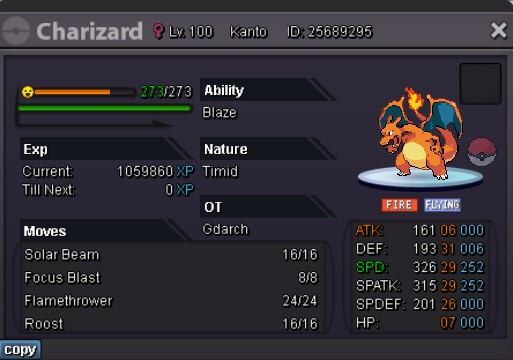
Staraptor was chosen first by Mainvijay but the others are available except from Pinsir 2 (already sold). When and where do you want to meet ? Pokecenter + server
-
When and where do you want to meet ?
-
When and where do you want to meet?
-
Pokemon sold were crossed out.