New Trade Zone
Trade Zone is now live
Use the new Trade Zone for auctions and instant-price trades so Pokemon and item offers are easy to find.

Malekit
Registered User
-
Joined
-
Last visited
Everything posted by Malekit
-
*The Only One Who Decides Is Me* ^proceeds to win^
-
malekit winning again
-
eat some mc donalds :p
-
bro your bad
-
uf im winning
-
+1
-
Hey, I was on Q (Queued) and on the chat it said me i found opponent, but on screen not. I waited to see what happens and I recorded it. (Not when i was entering Q but when it said on the chat my opponents team and some seconds later how it said i disconected). I lost some rating too. Thank You Here is the link :cUsername : Malekit Server : Gold Country : Colombia (GMT-5)even though i have acess to guild island, is true guild island is almost all pve content and every guild should have access to it on my opinion, but top guilds should get a reward too :bi think that to you to enter guild island you need to enter the guild before the time of recruiting players for points endsgg skere top 1, gg callusdaddy top 2 at 2 seasonhydreigon / dragonite.
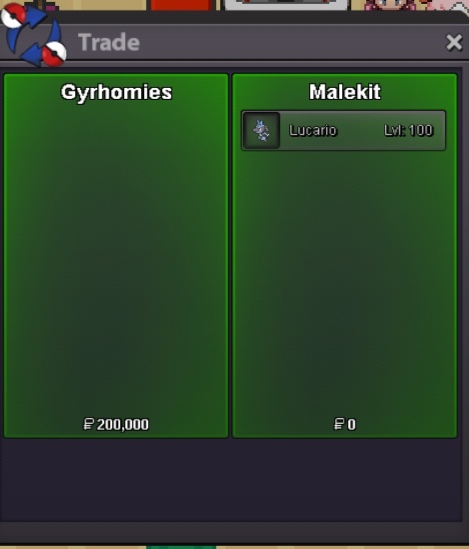 [ATTACH type=full" alt="144406]144406[/ATTACH]Finished, gyrhomies pm me via discord Malekit#95071 hour leftnoted 3 hours letnoted12 hours leftnoted 24 hours leftwts Start Bid : 150k Min Bid : 20k Insta : 400k Ends 24 hours after first bid In game as Malekit or in discord as Malekit#9507