




New Trade Zone
Trade Zone is now live
Use the new Trade Zone for auctions and instant-price trades so Pokemon and item offers are easy to find.
Leaderboard





Popular Content
Showing content with the highest reputation on 03/23/25 in Posts
-
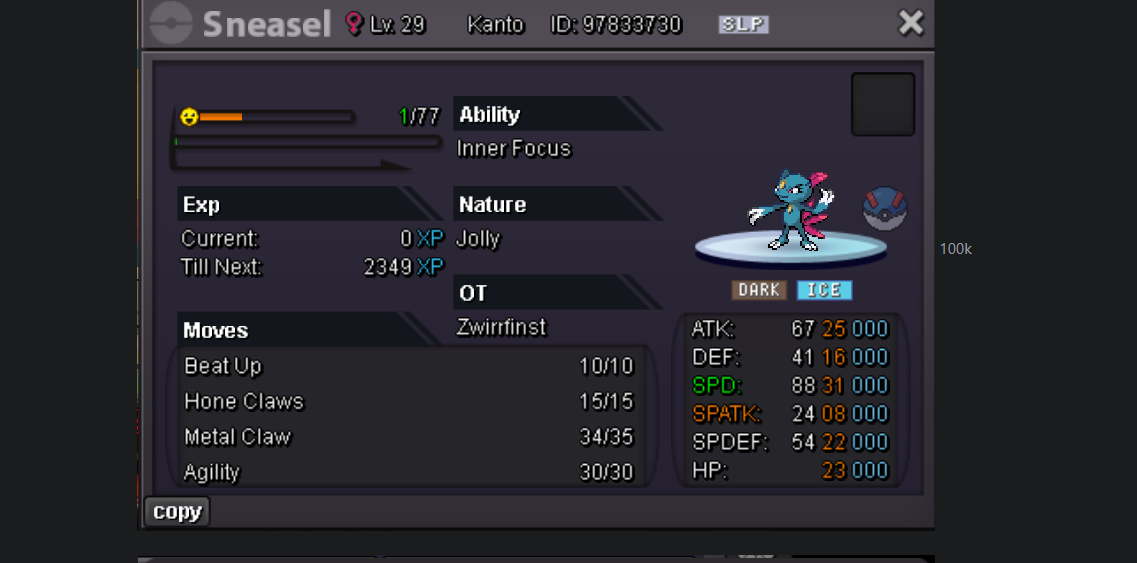
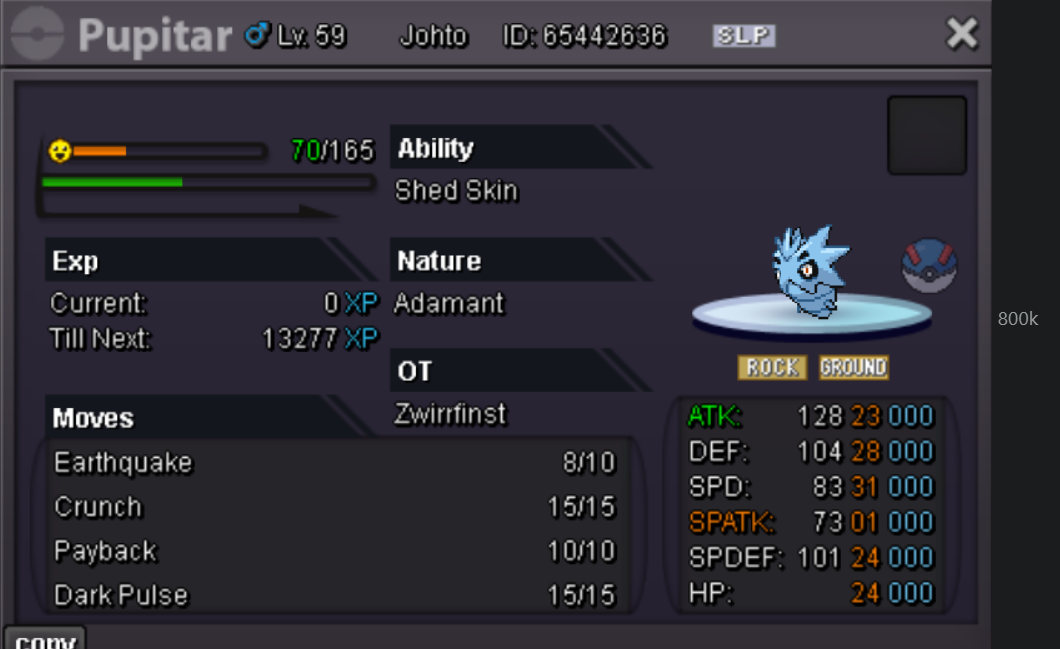
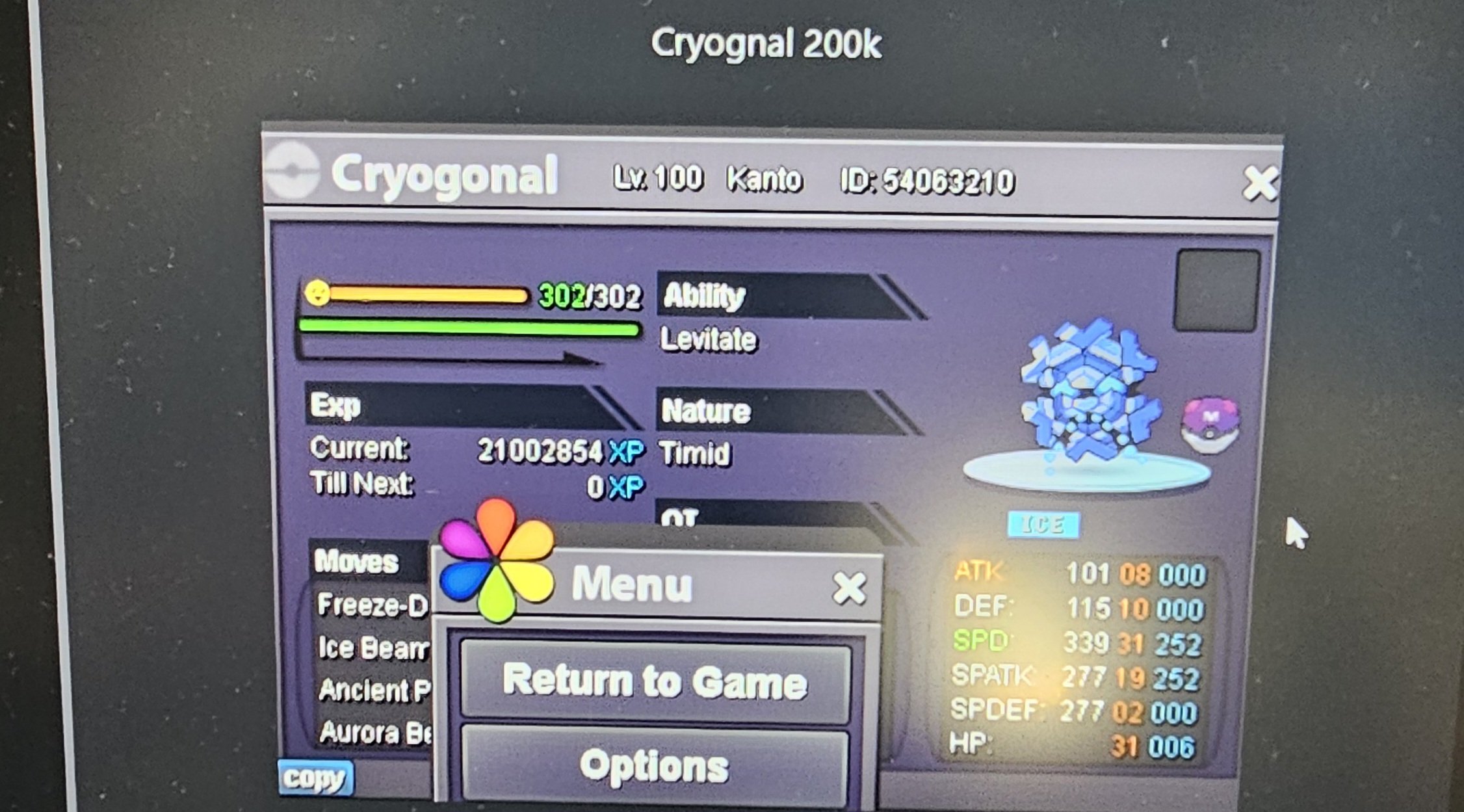
C.O - 20k minimum bid - 5k insta - 1m time duration 24 hr from start accepted items: coin capsule - 480k iv reroll - 490k
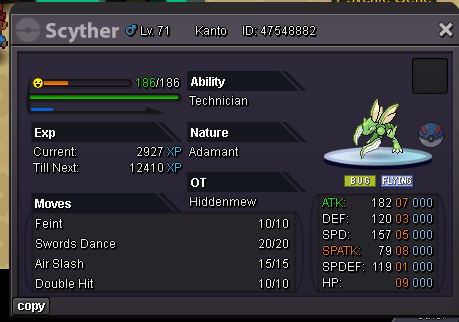 3 points
 -
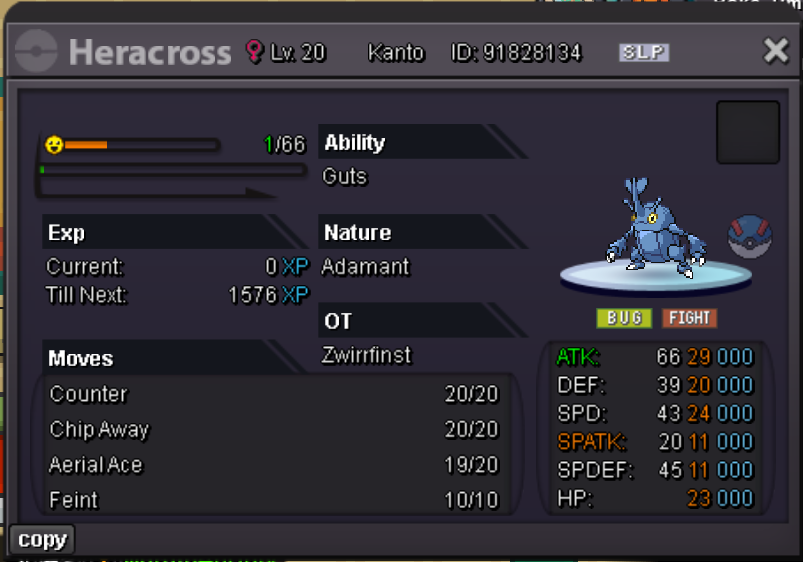
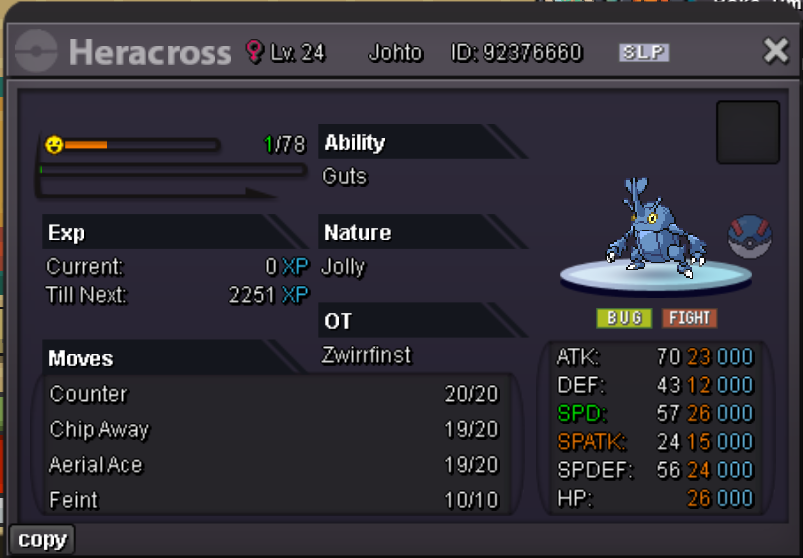
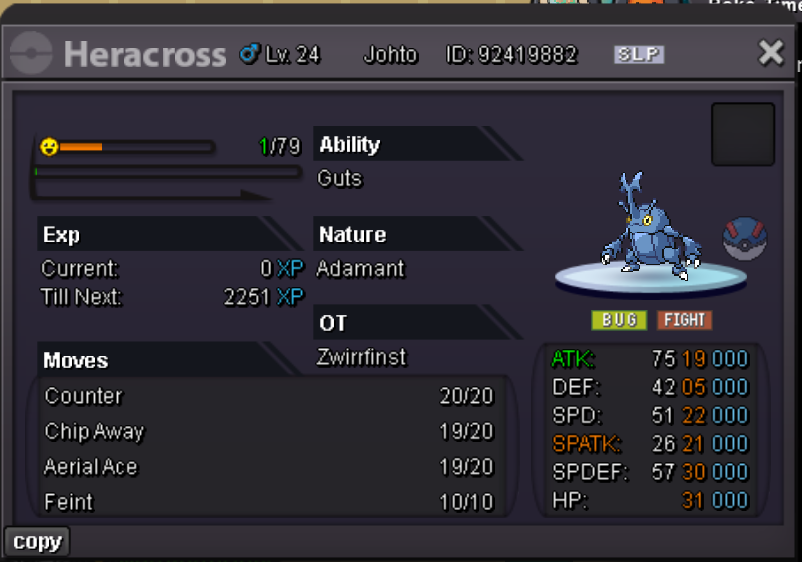
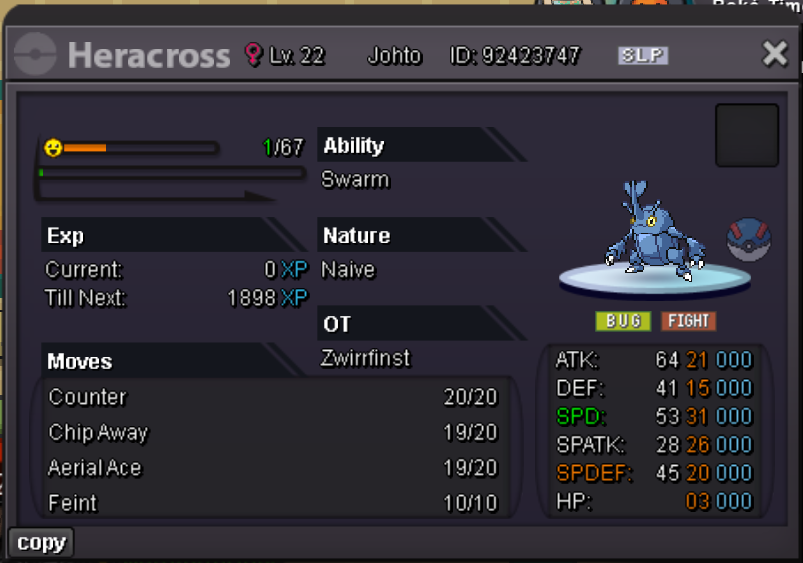
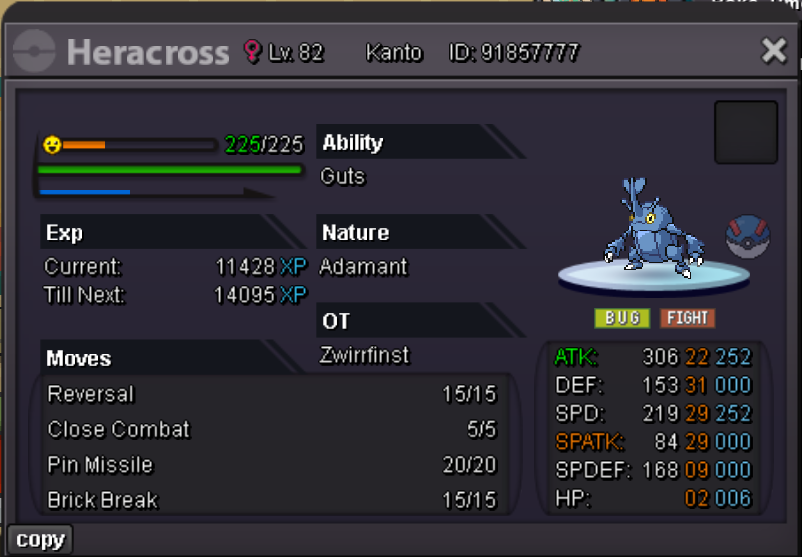
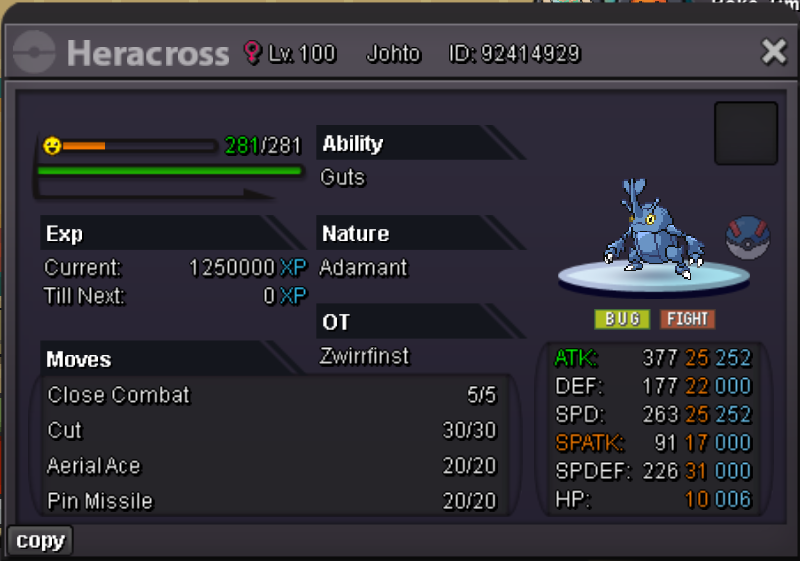
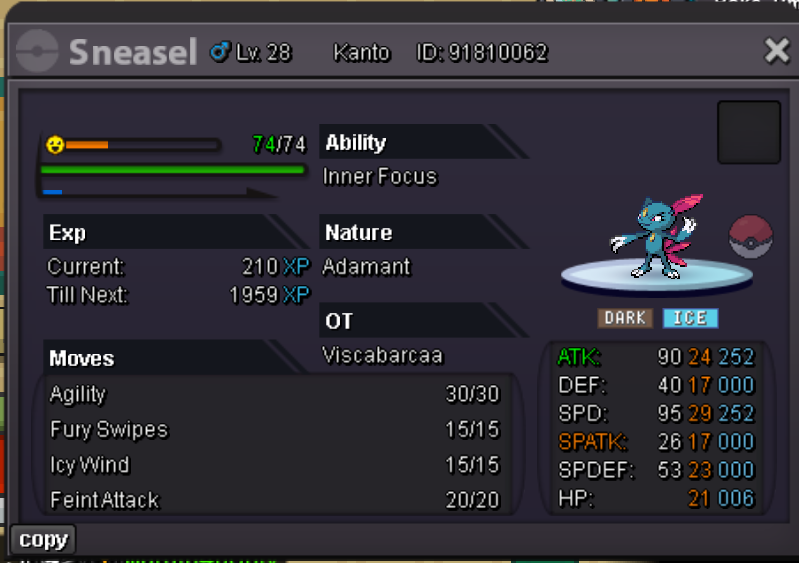
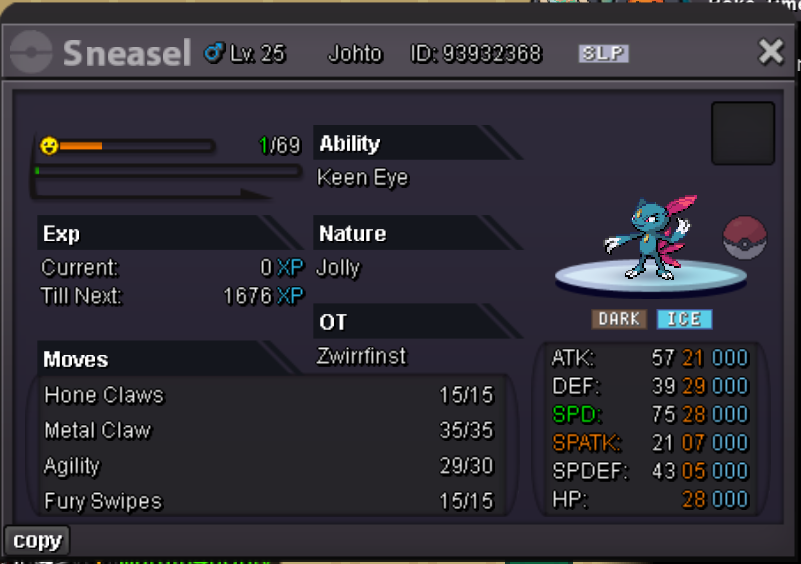
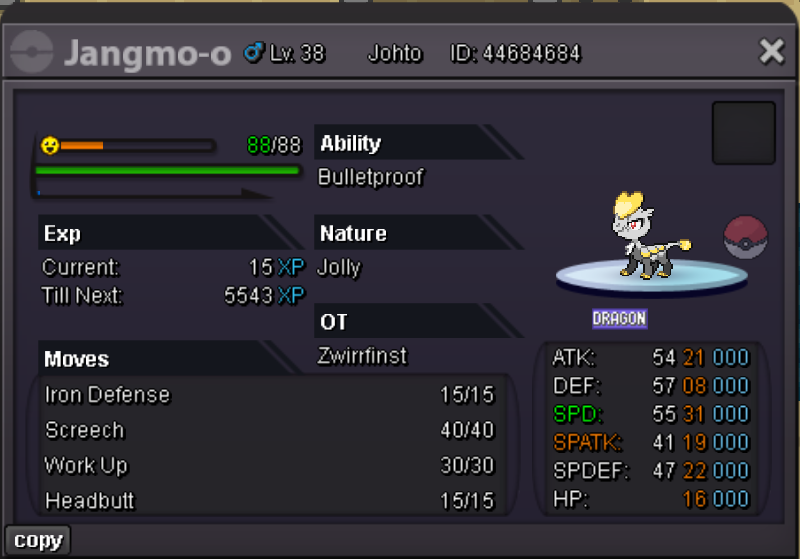
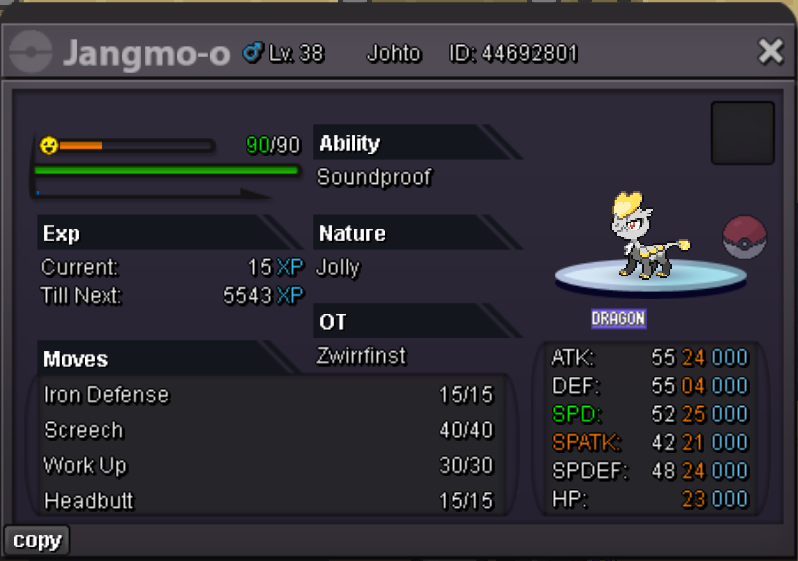
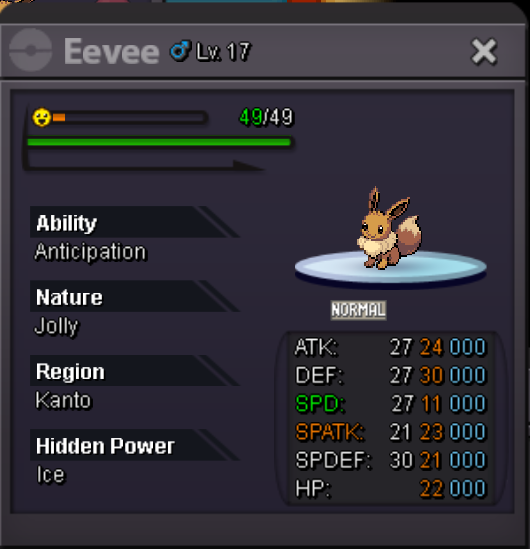
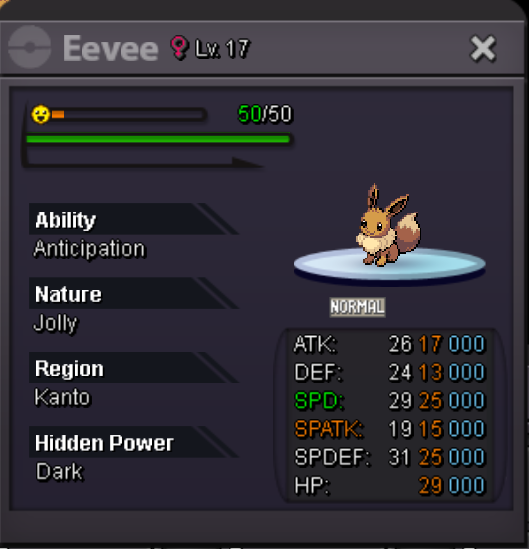
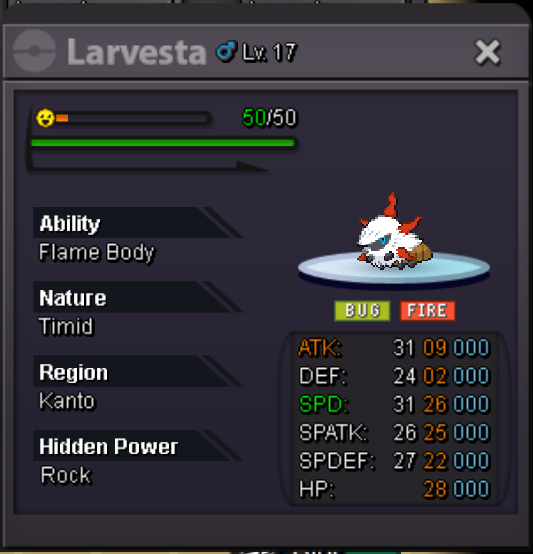
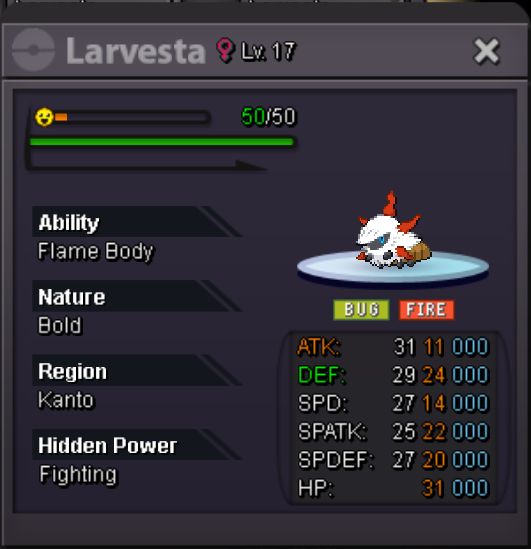
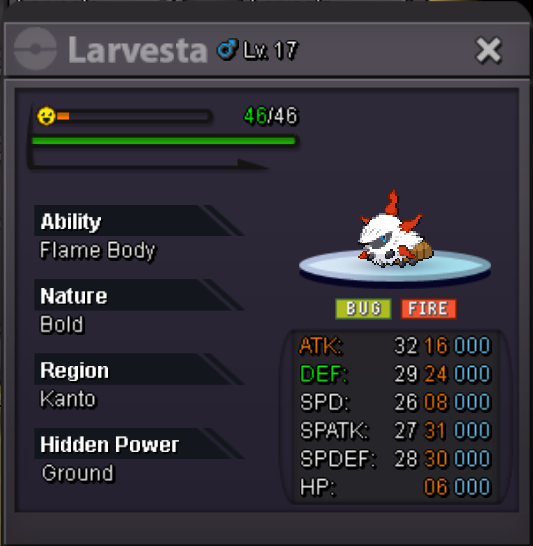
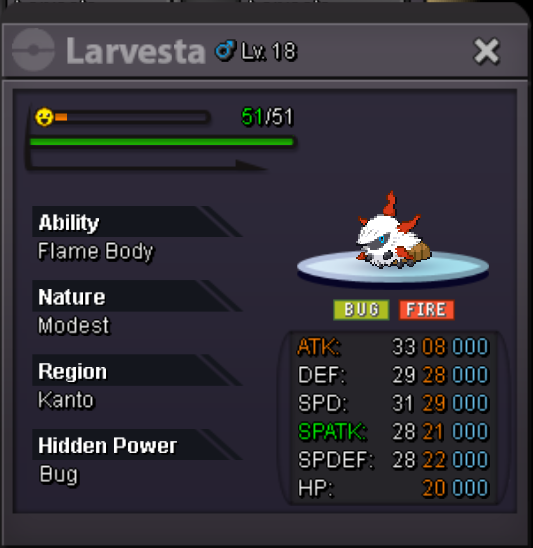
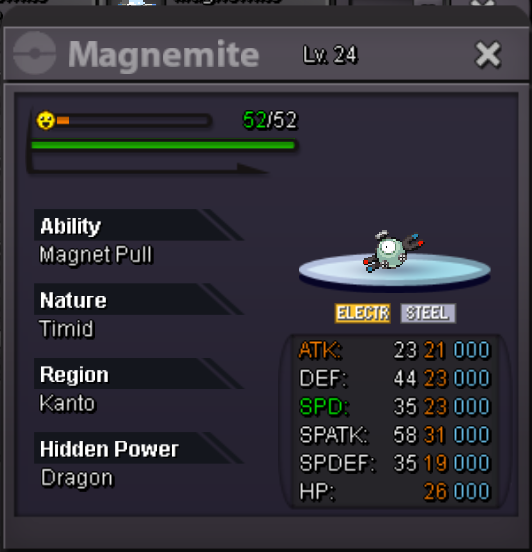
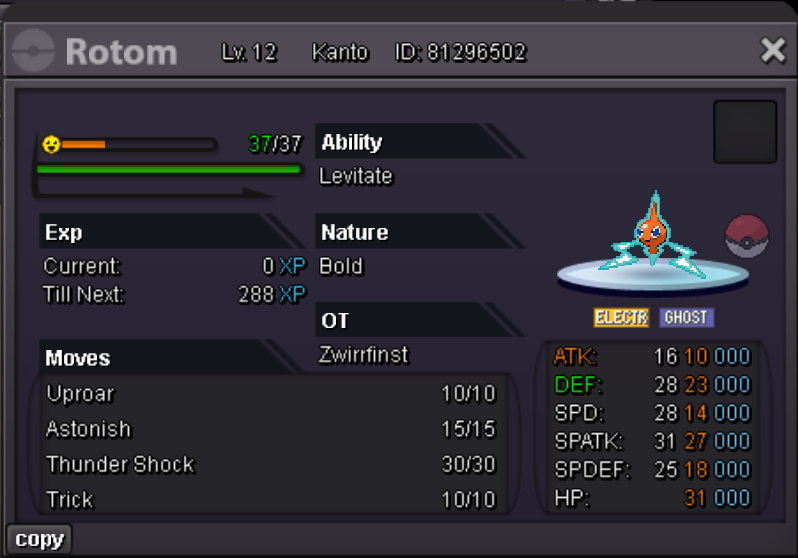
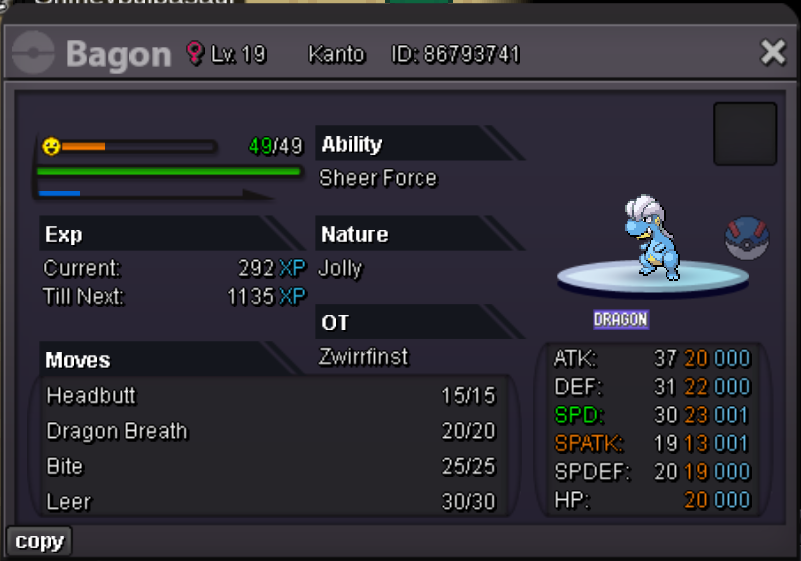
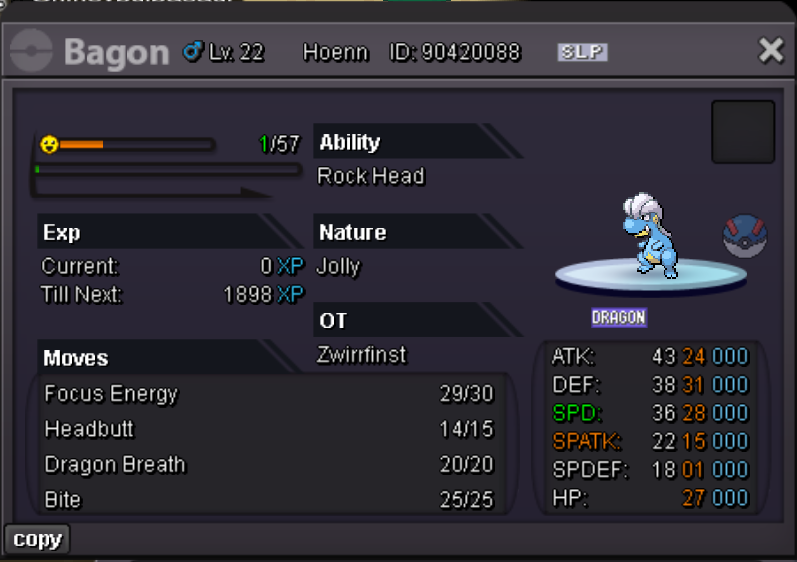
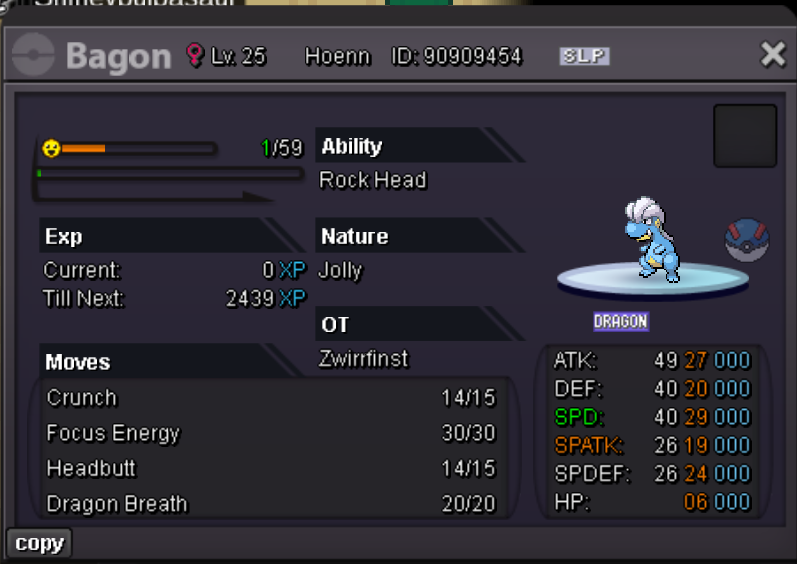
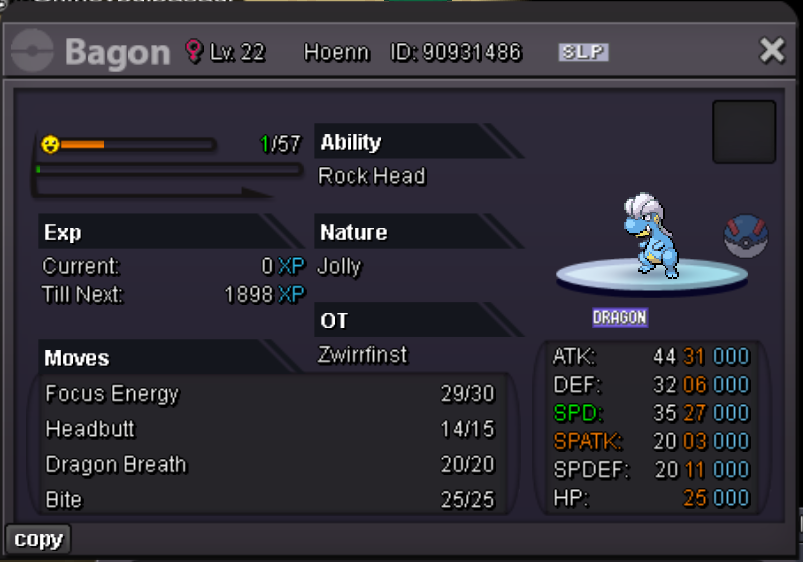
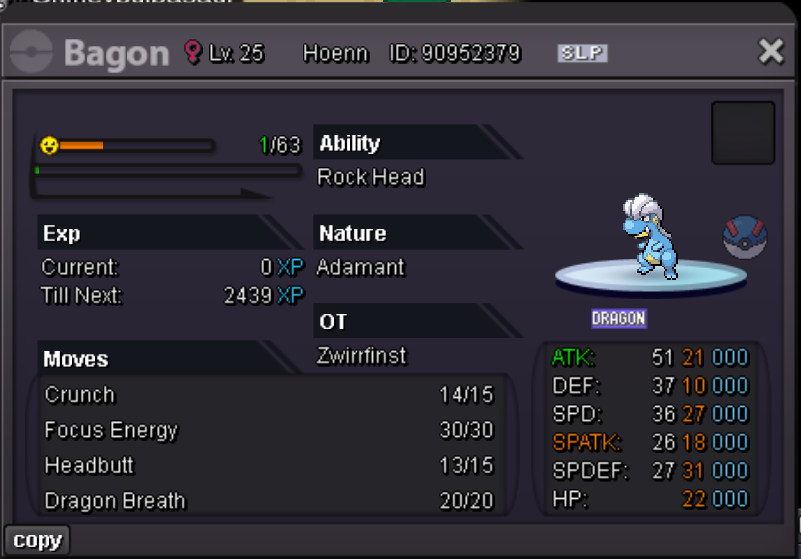
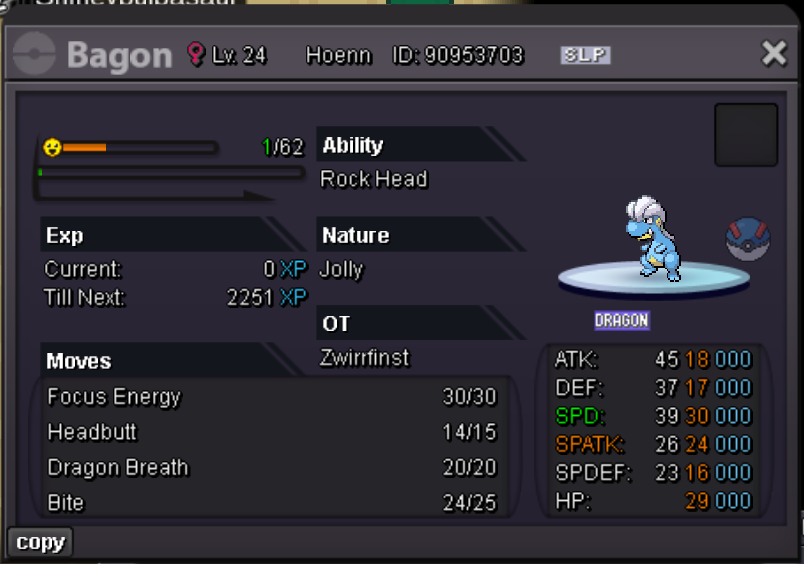
1 pointFake offers will be reported You can't take back your offer PM me on Discord with a picture of the Pokemon you want from this shop Pokedollars CC = 450K Ingame: Zwirrlicht, Nanarikki Discord: Nanarikki If there are mons below, they are already sold, sorry!






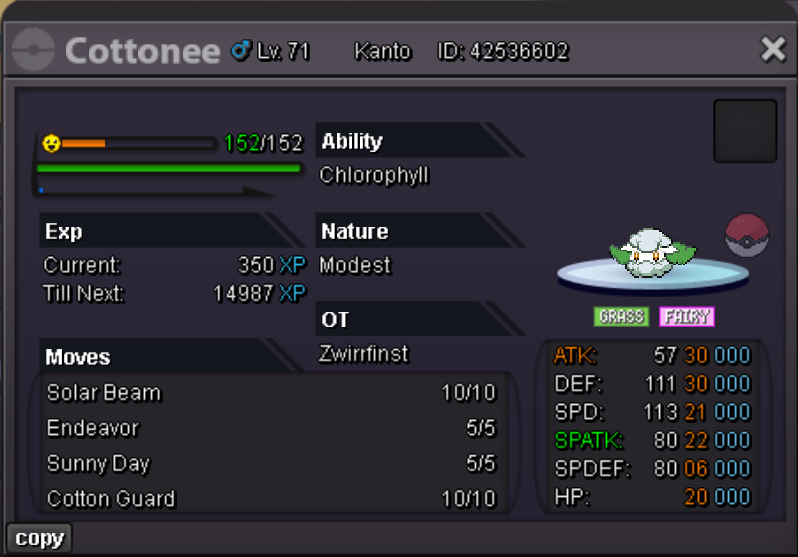
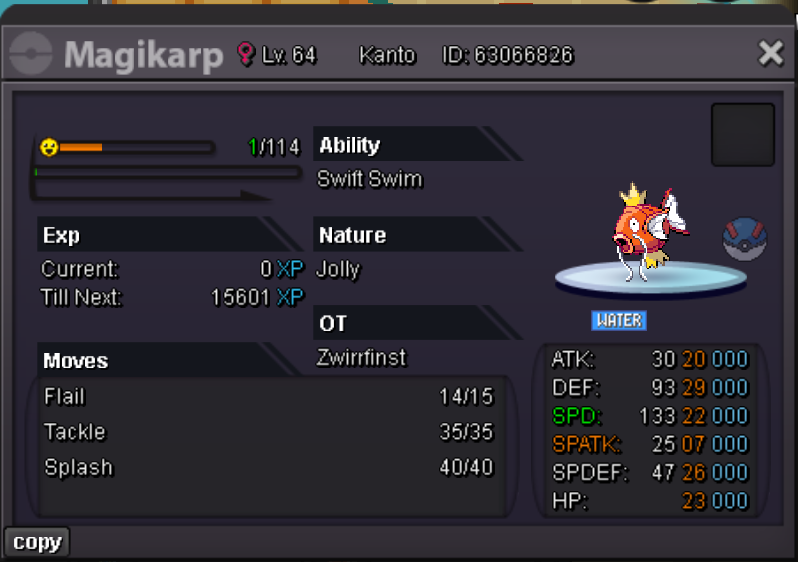
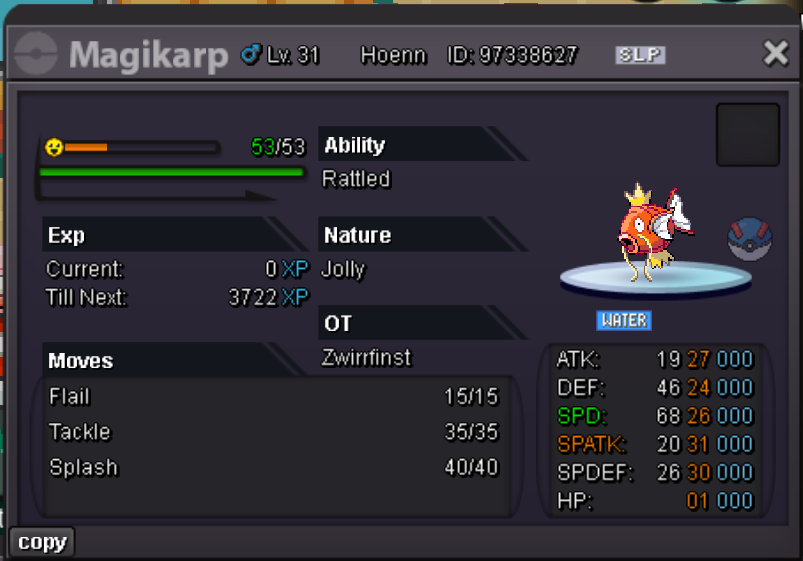
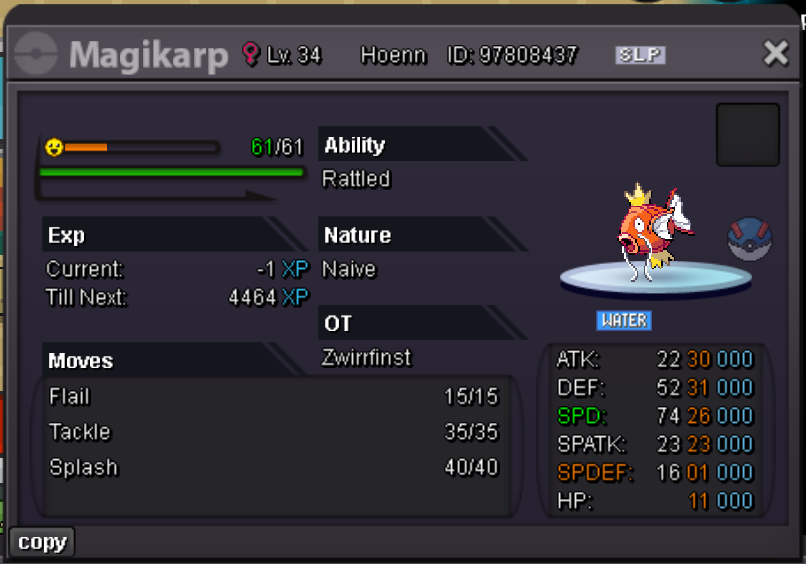
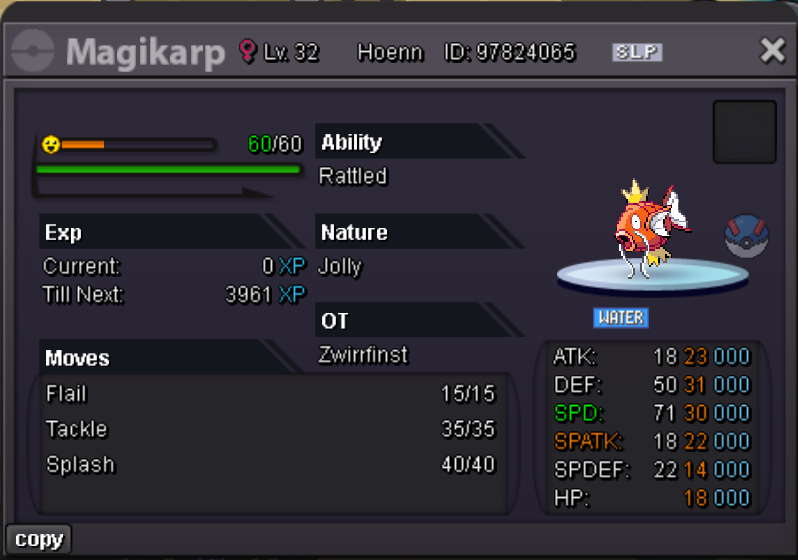
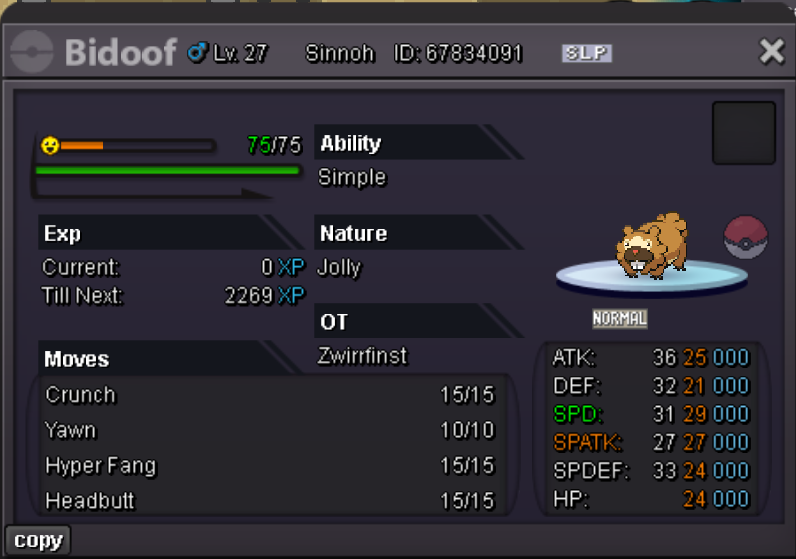
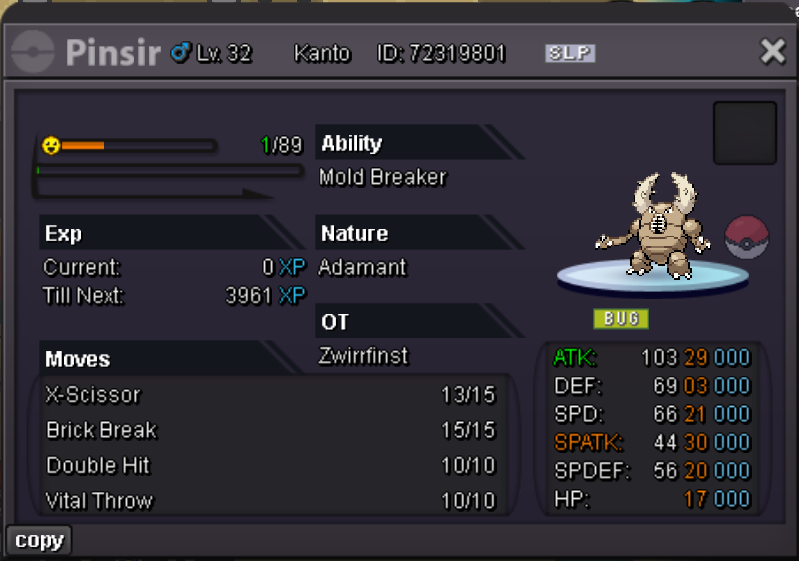
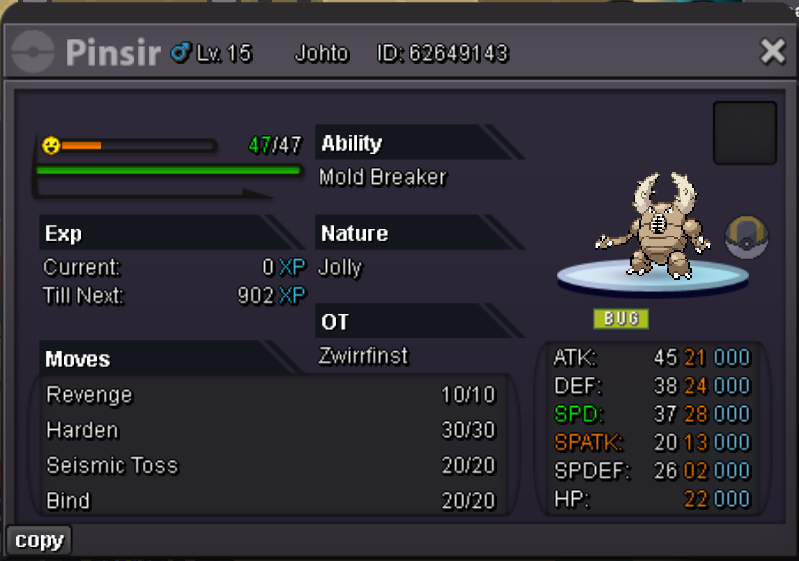
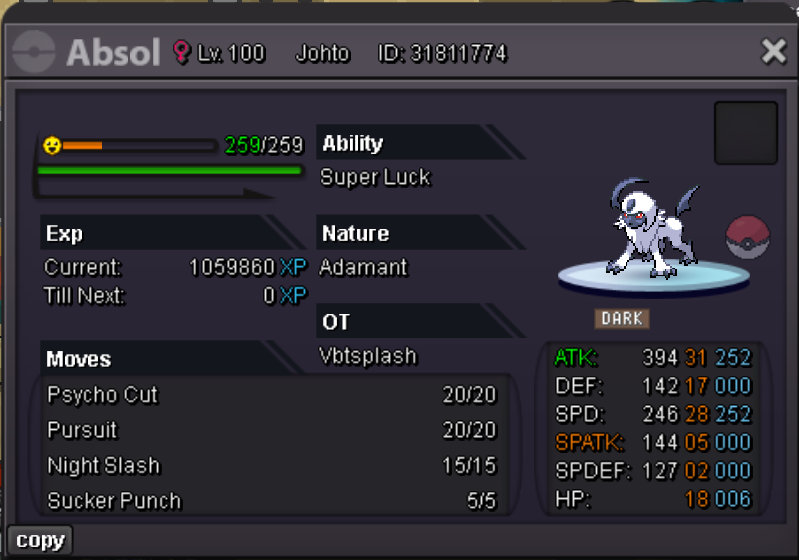
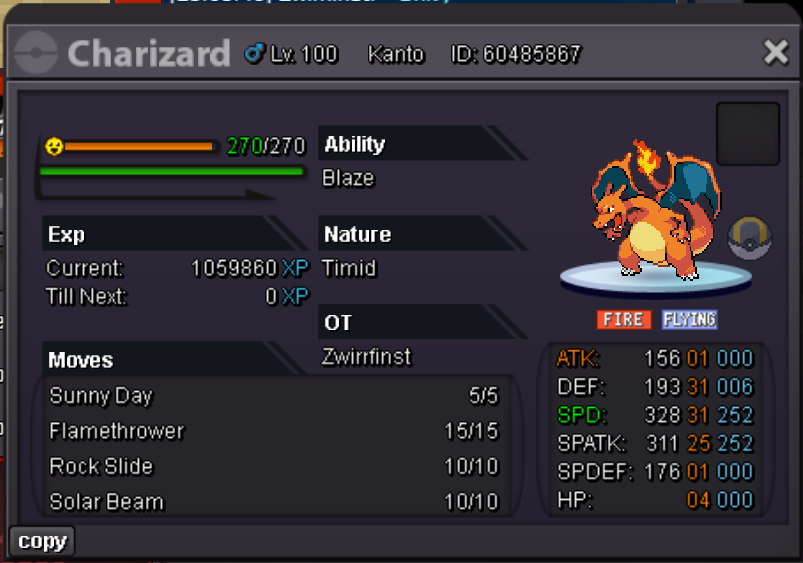
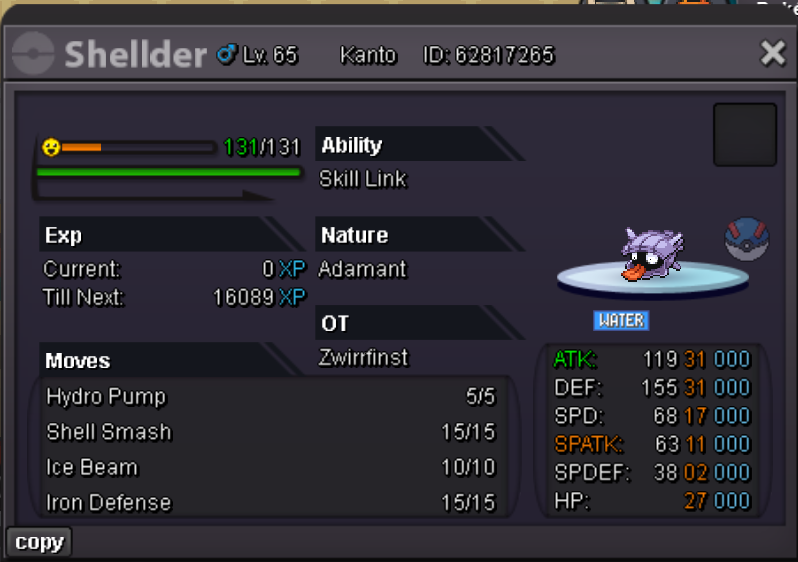
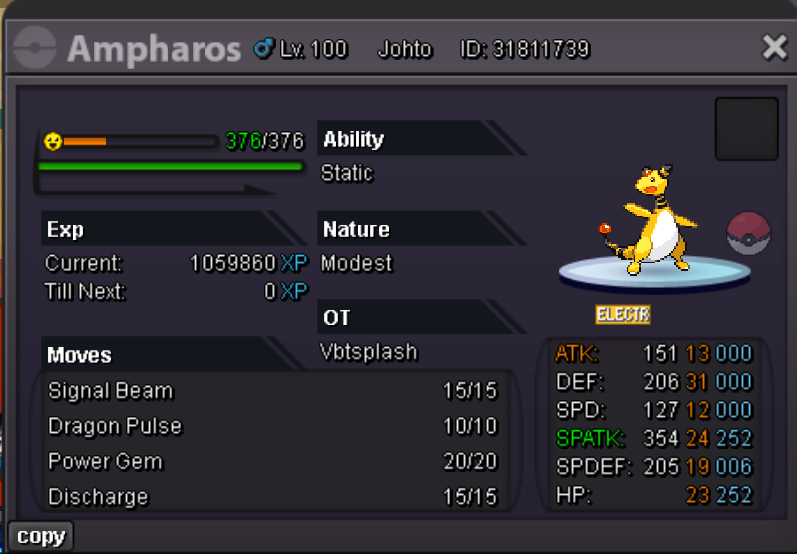
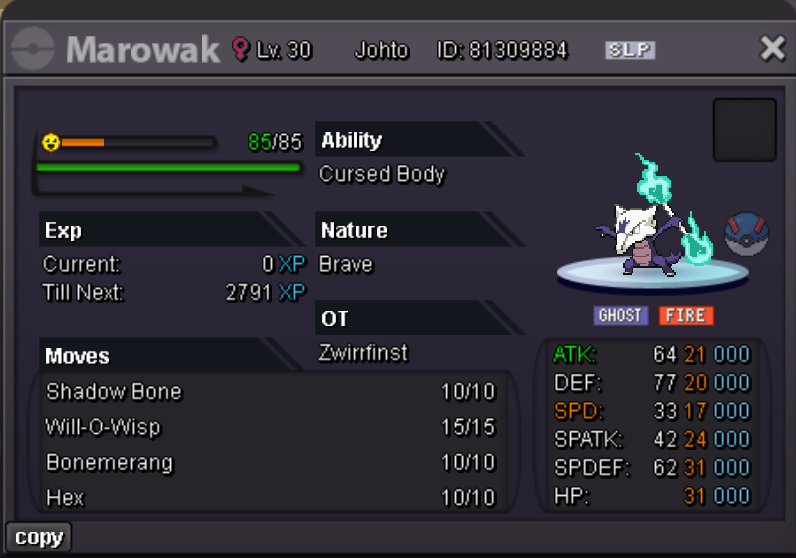
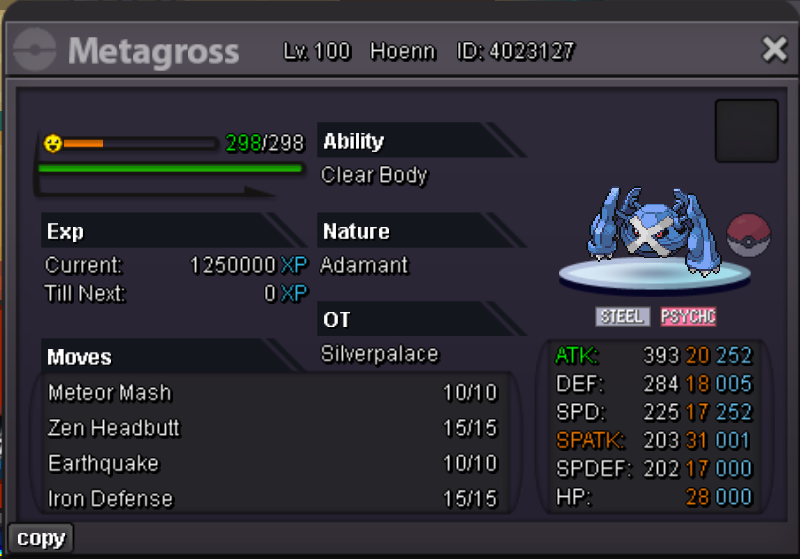
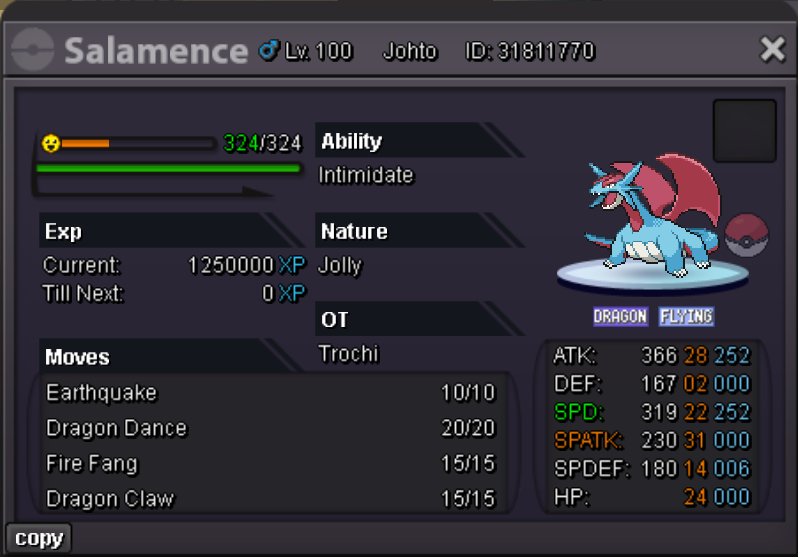
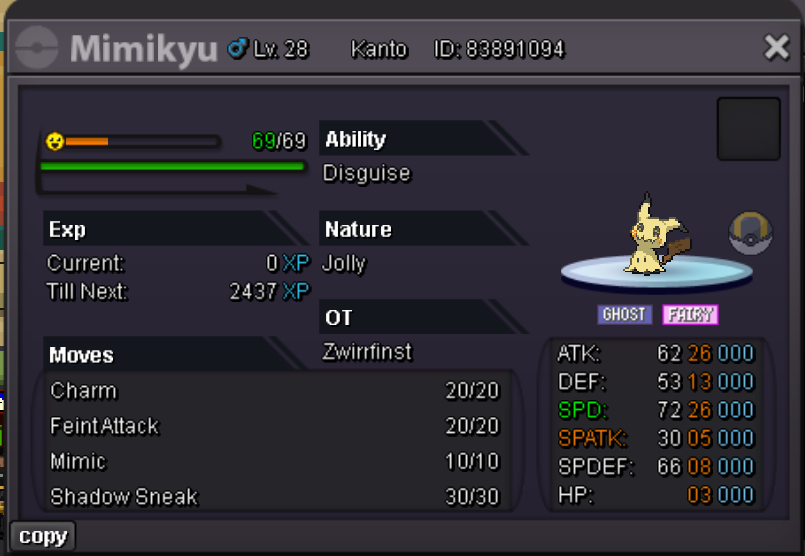
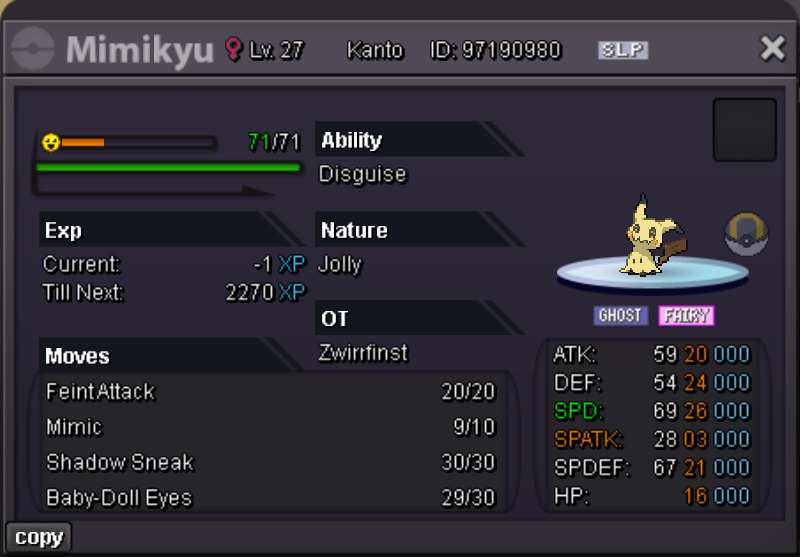
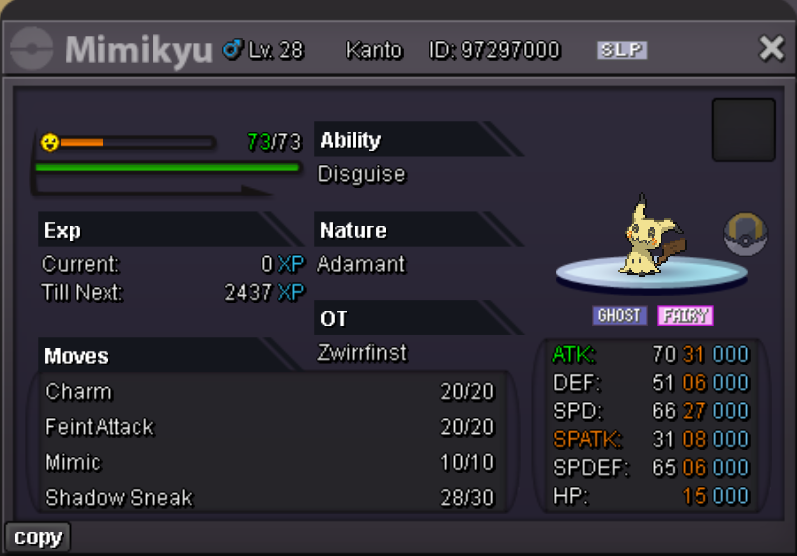
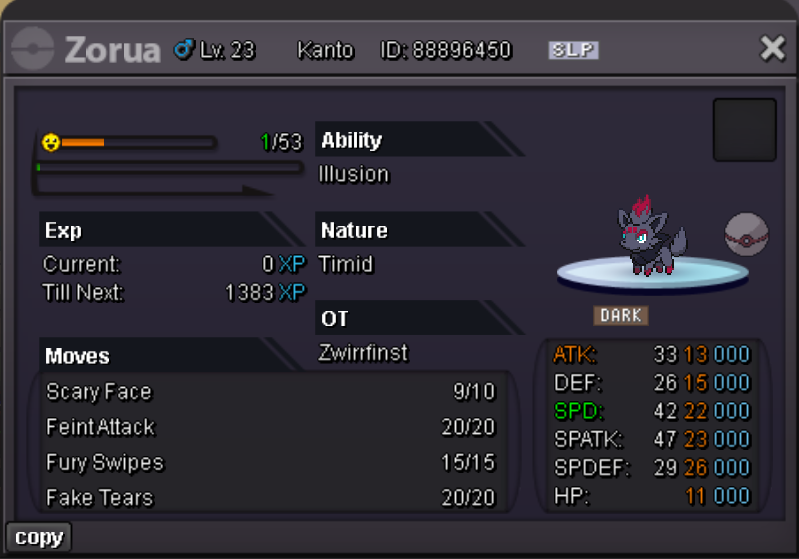
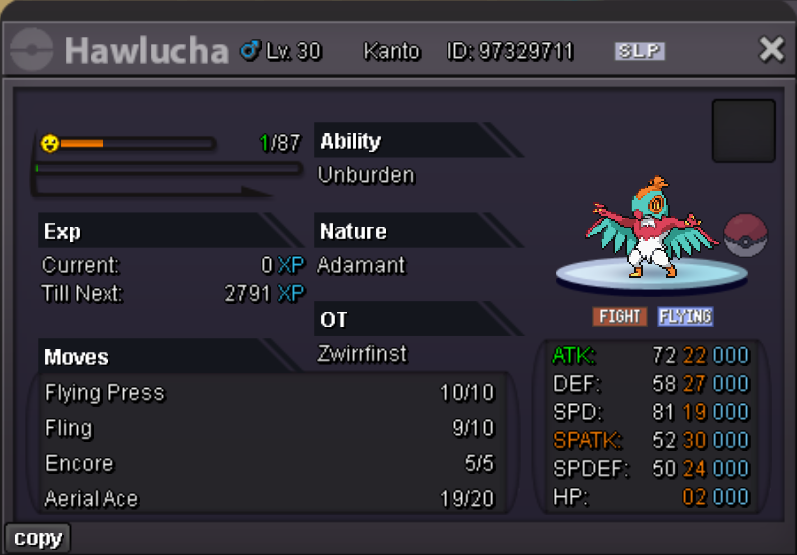
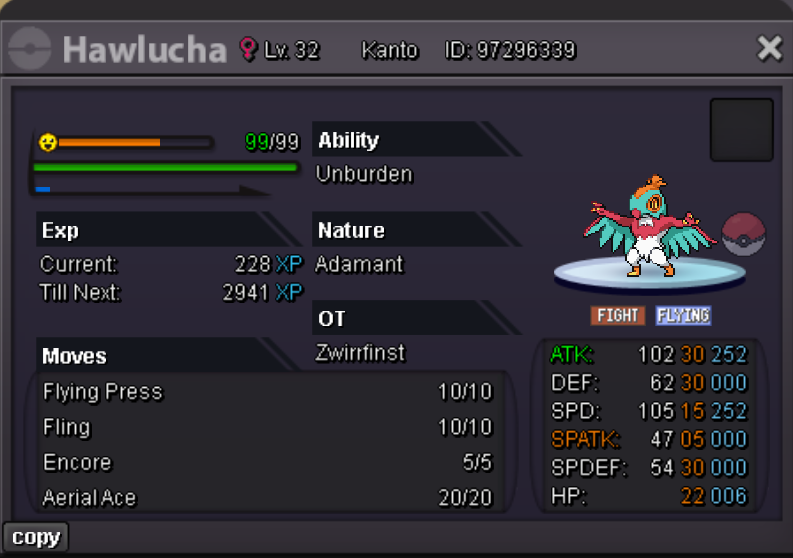
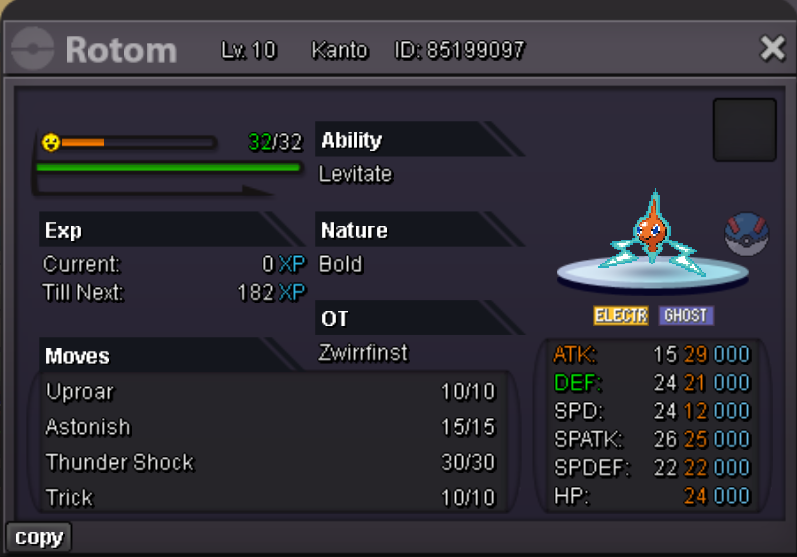
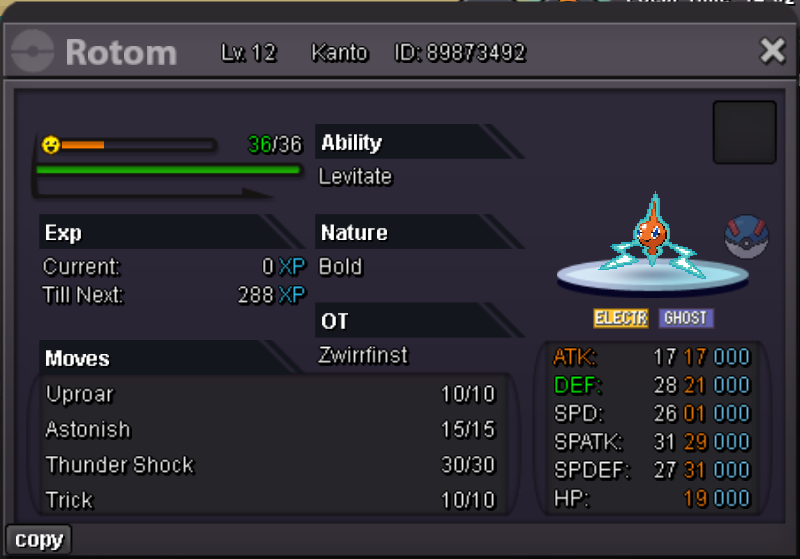
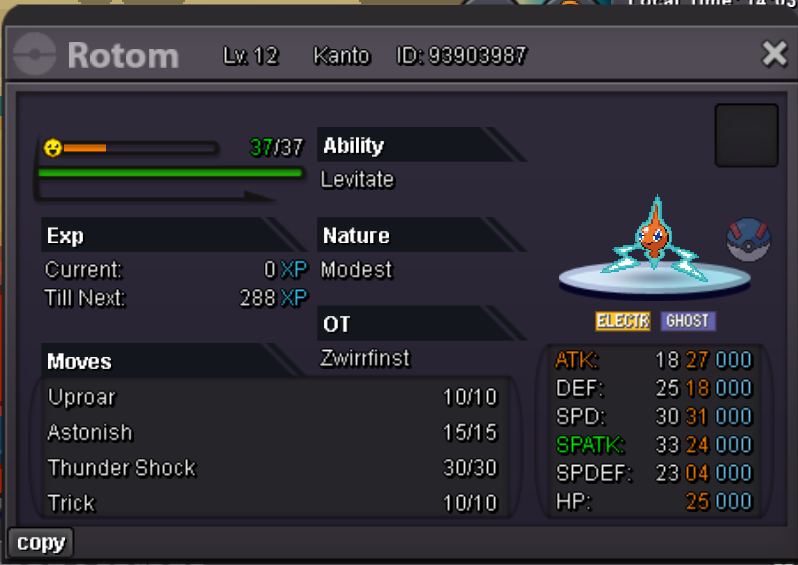
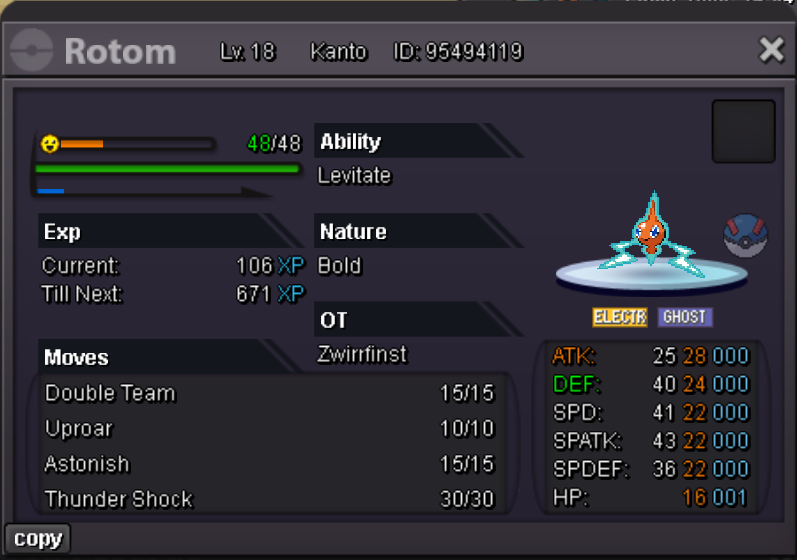
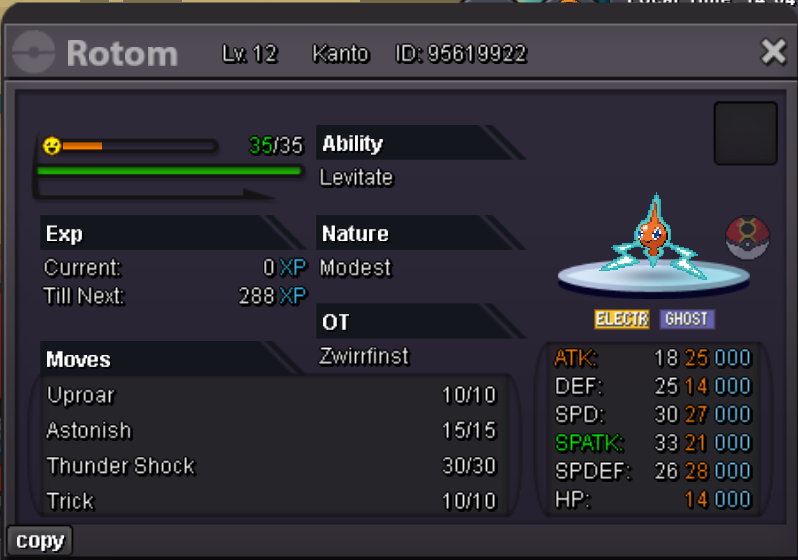
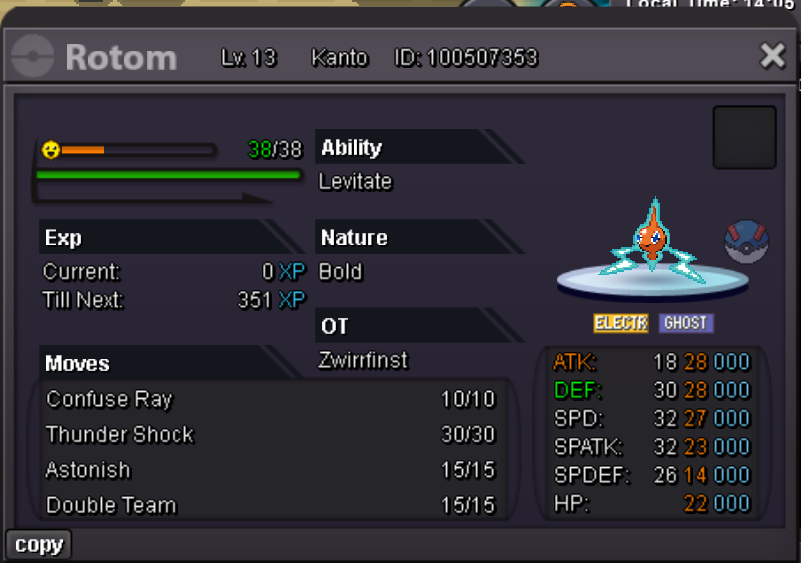
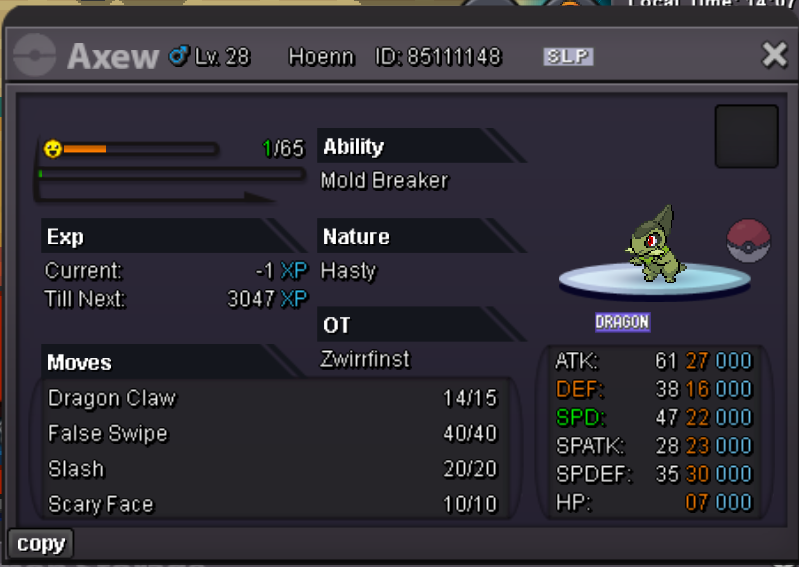
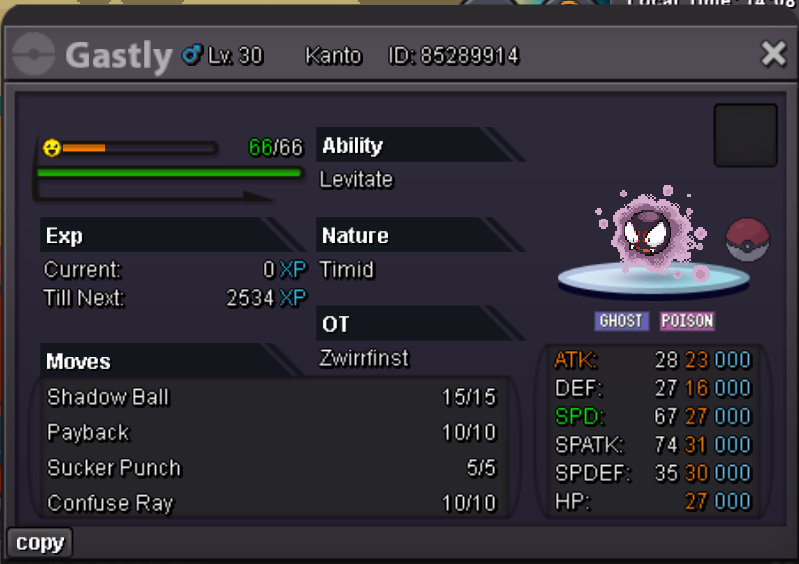
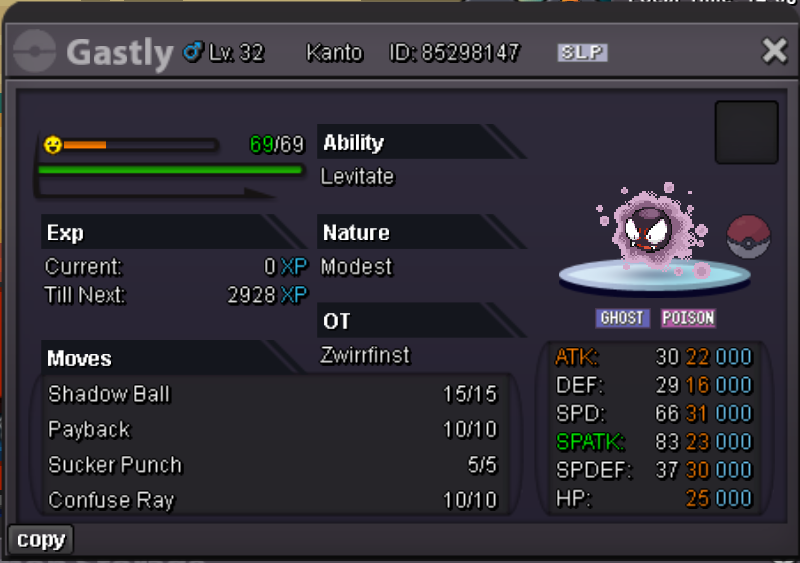
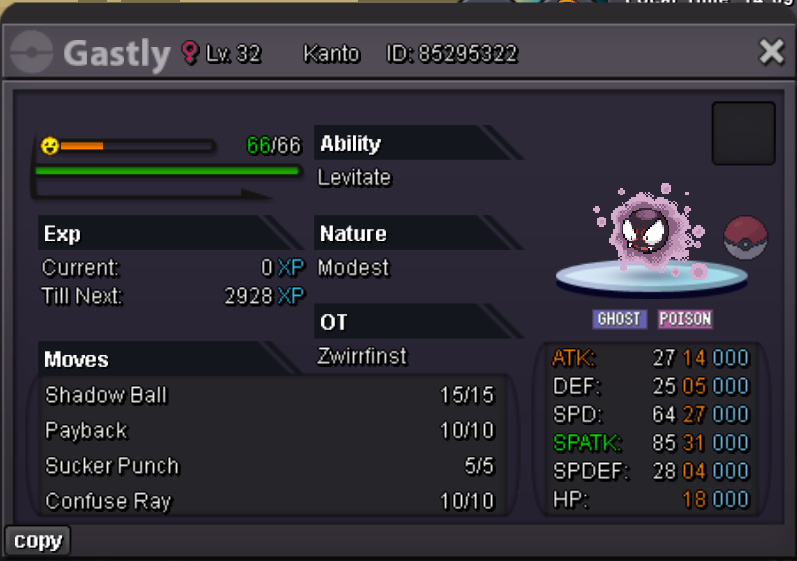
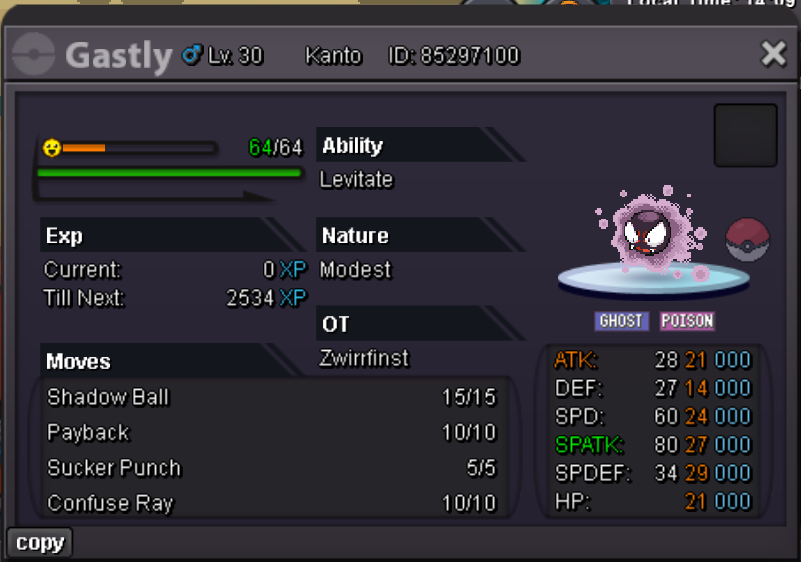
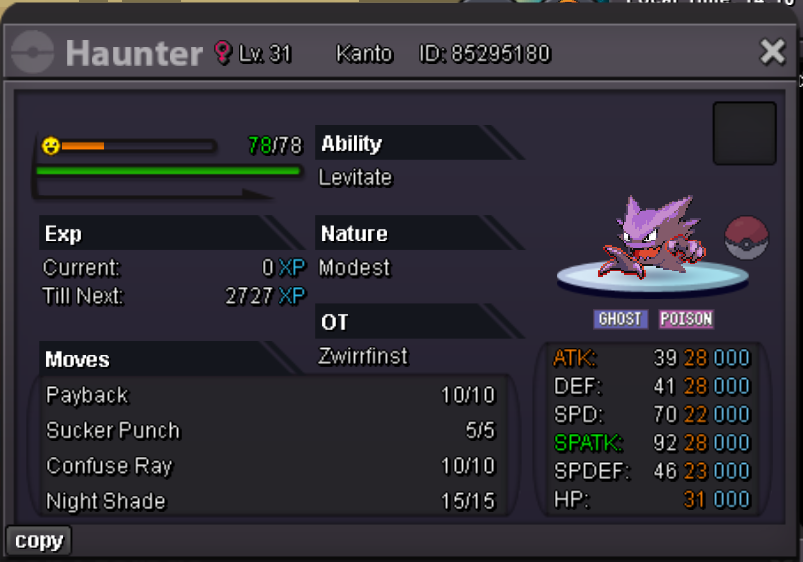
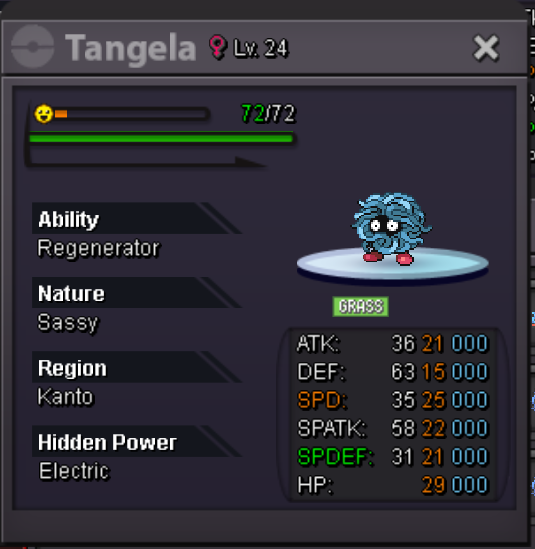
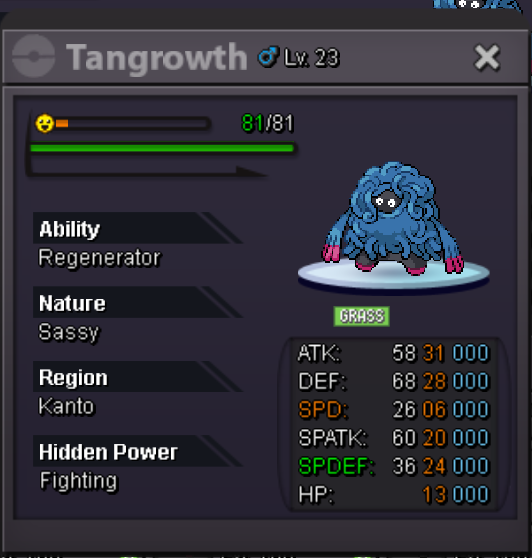
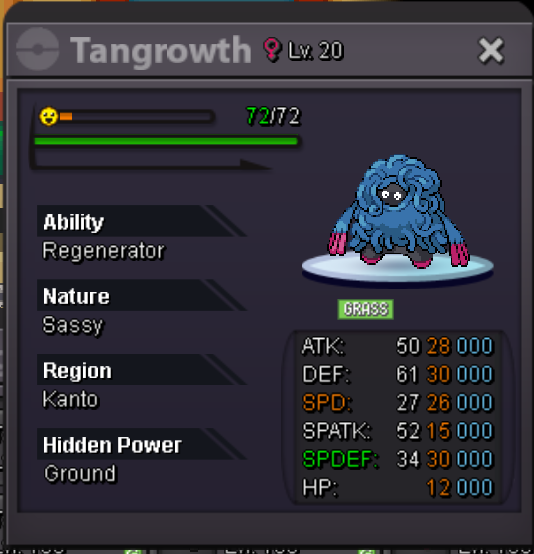
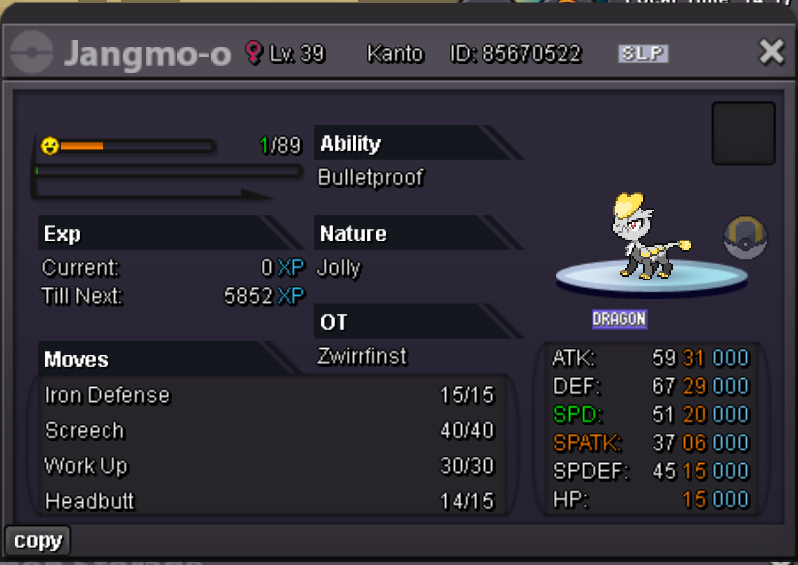
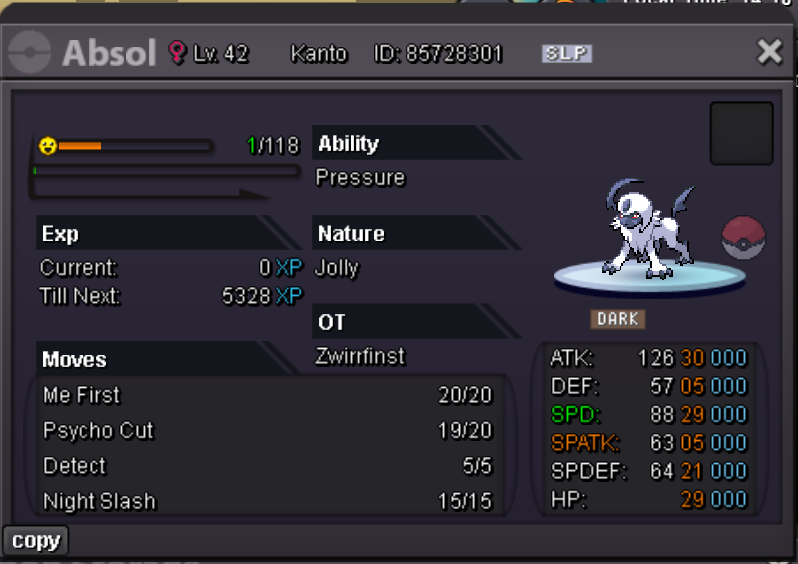
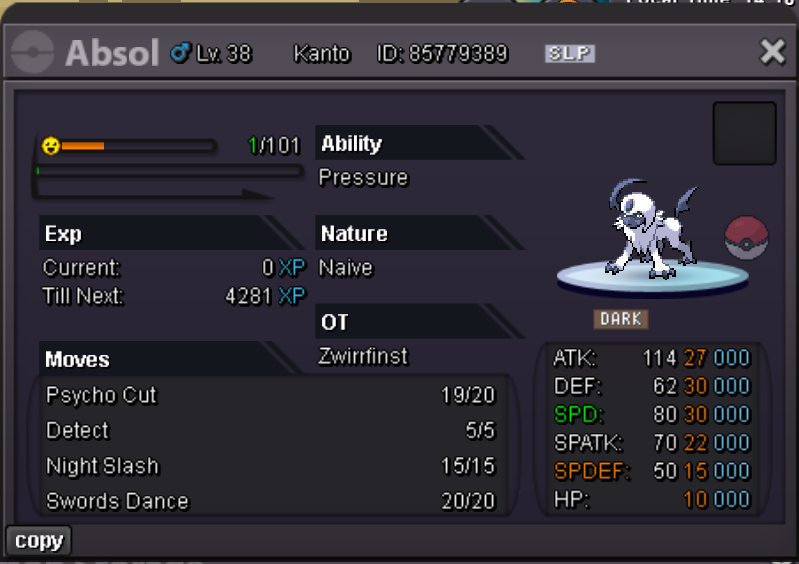
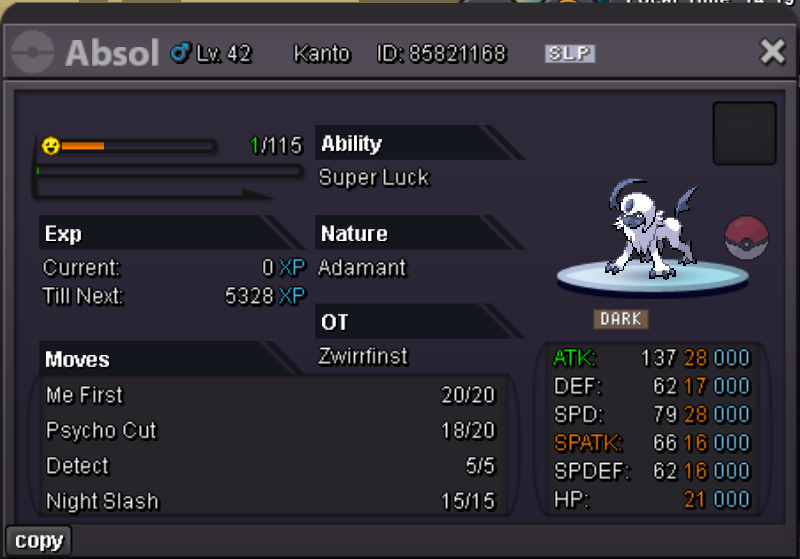
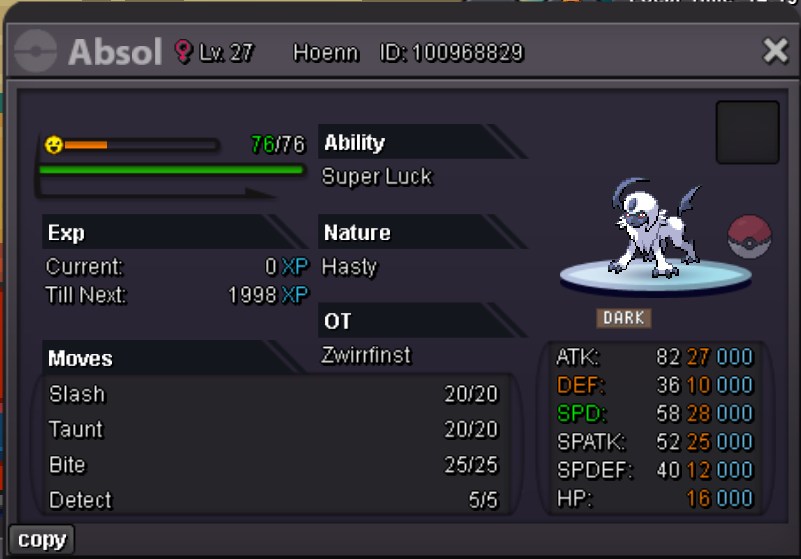
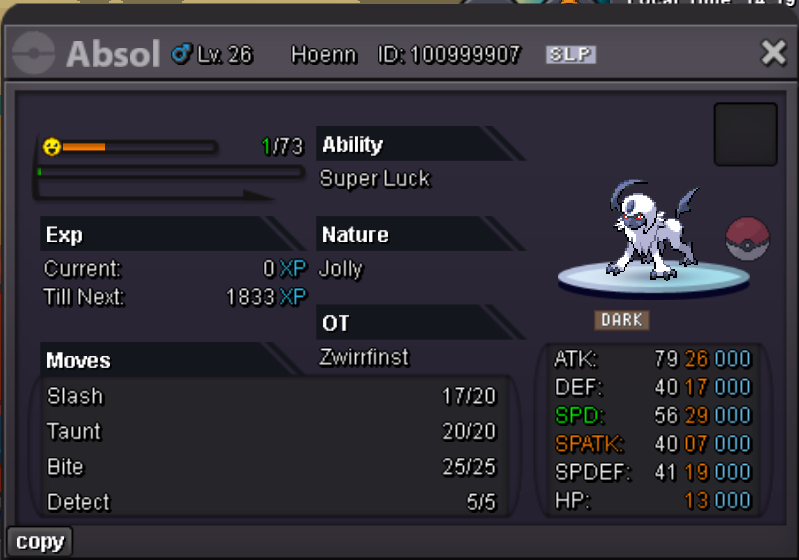
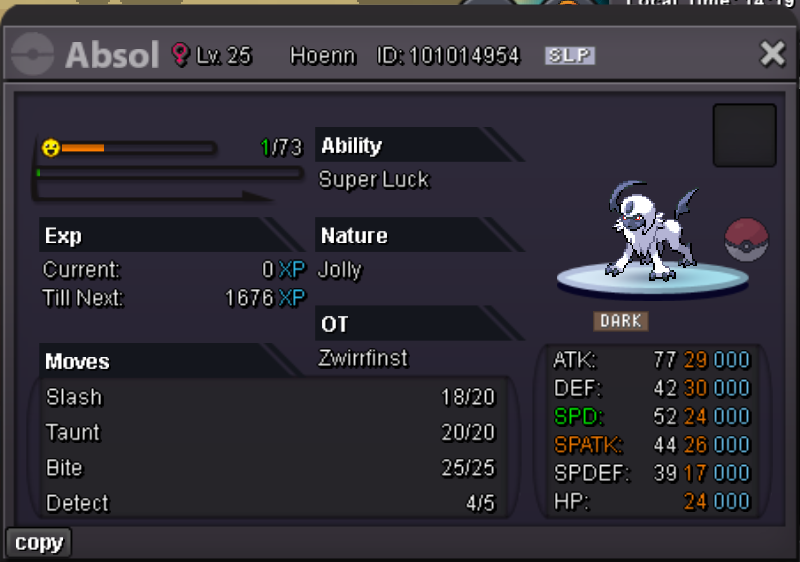
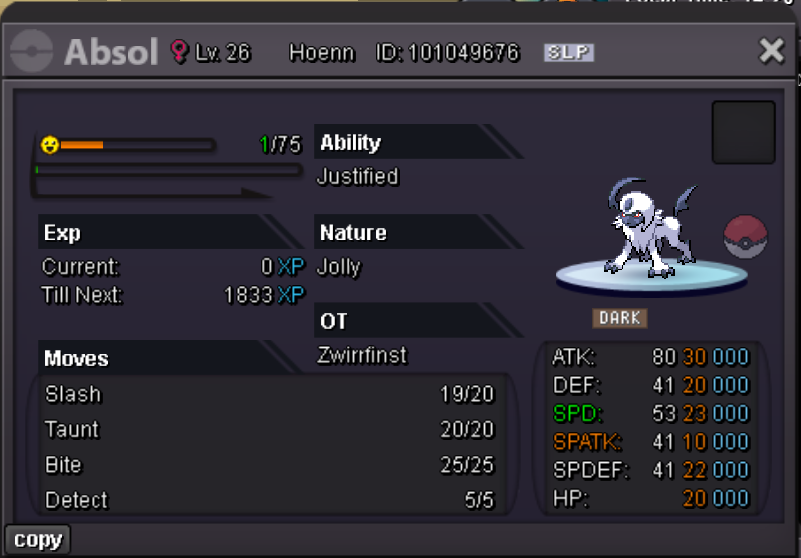
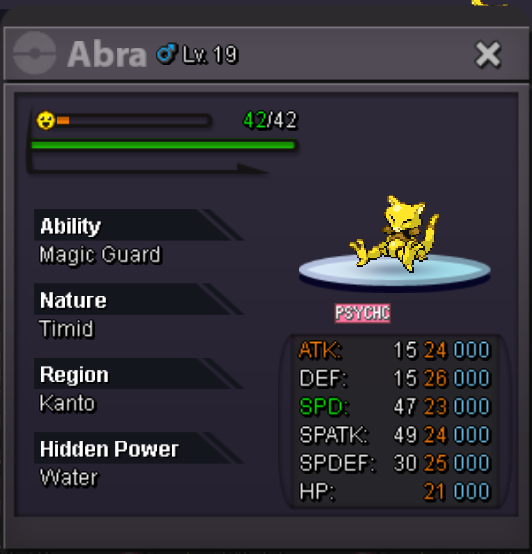

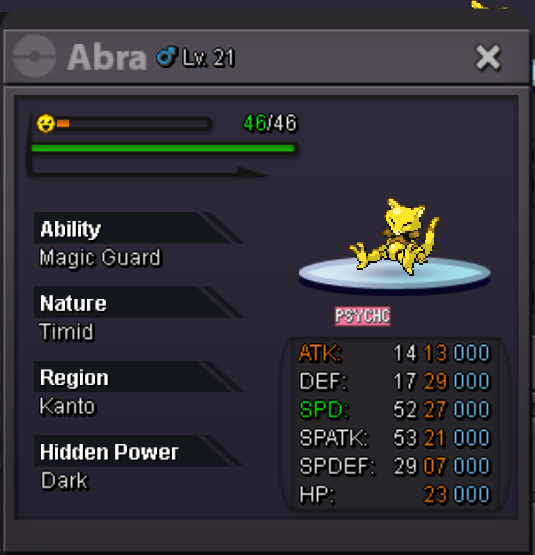
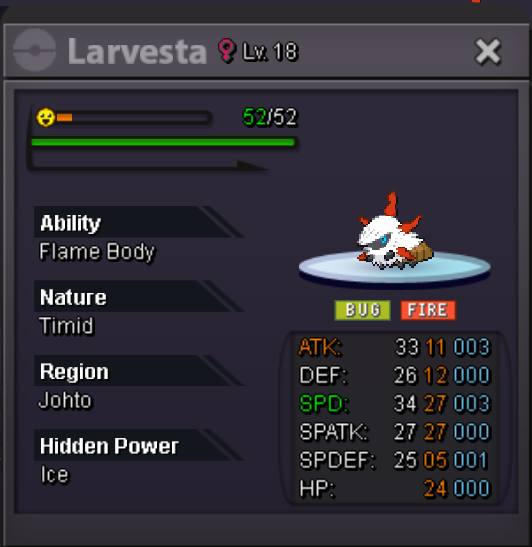
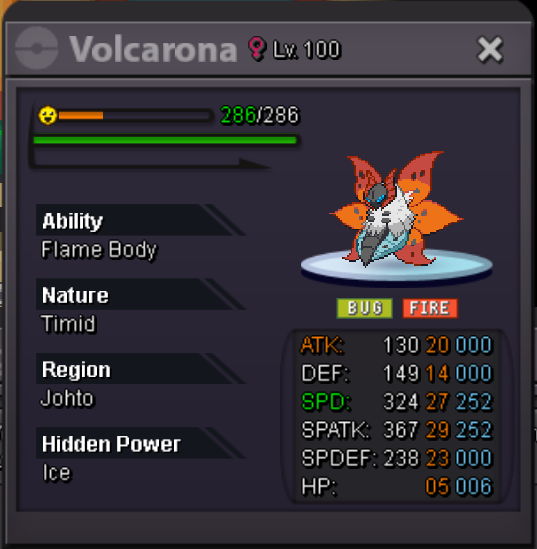
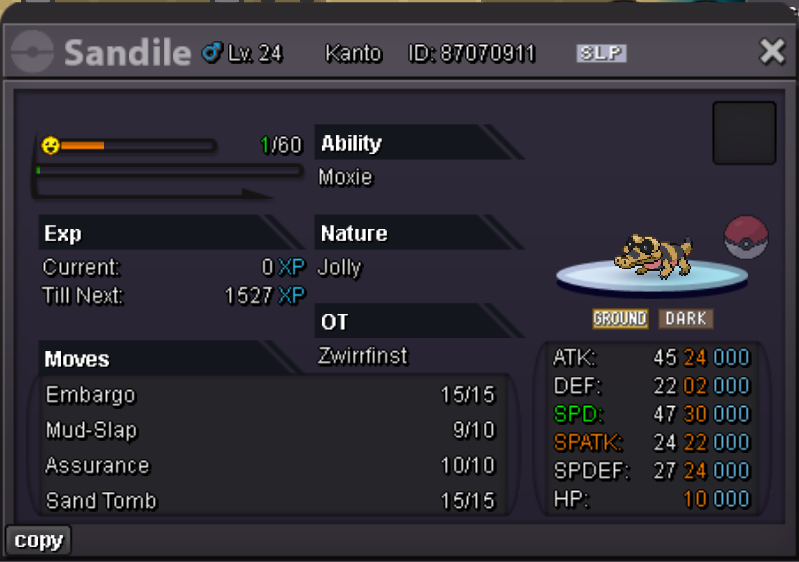
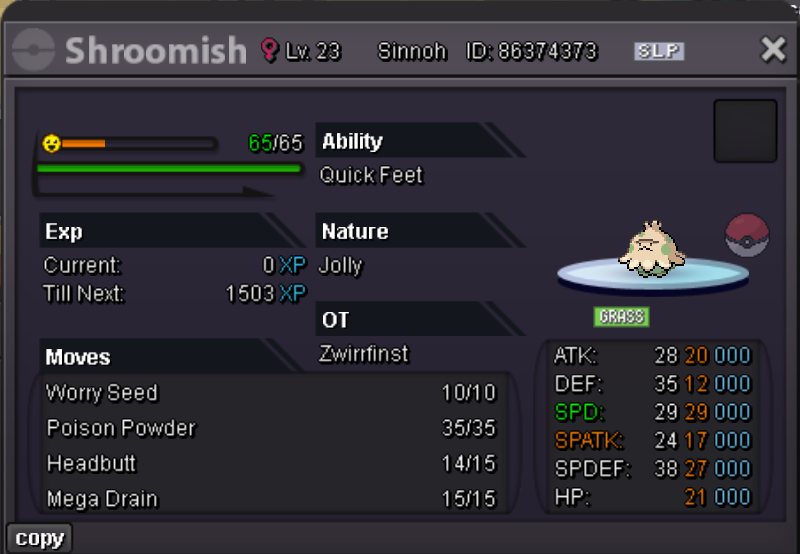
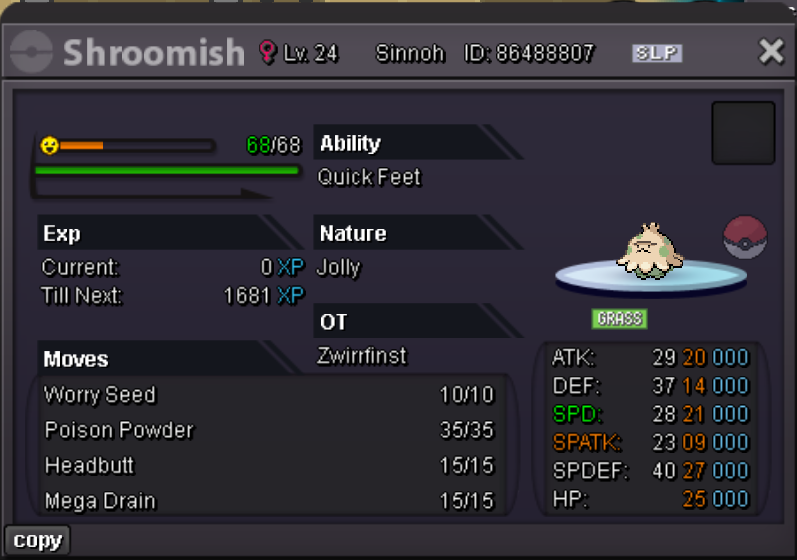
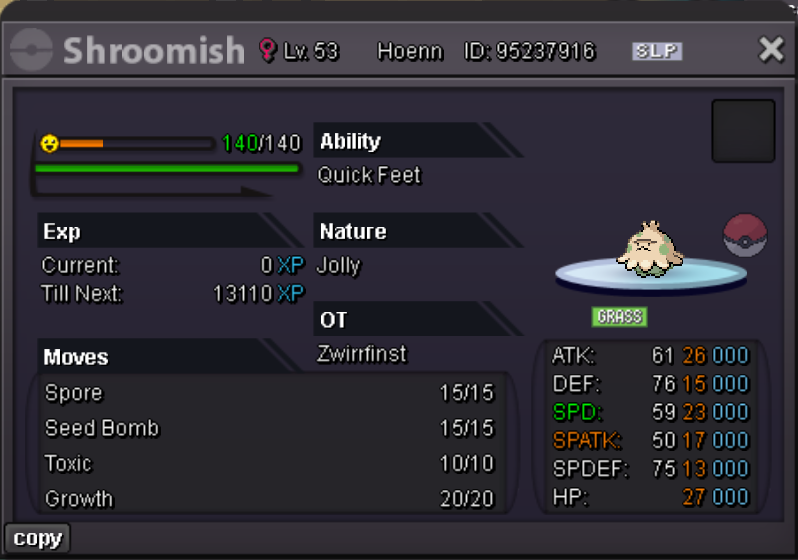
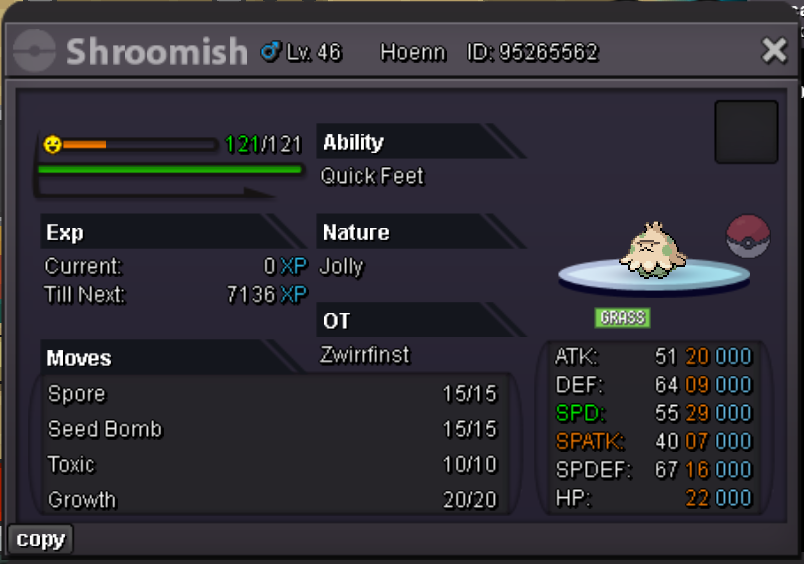
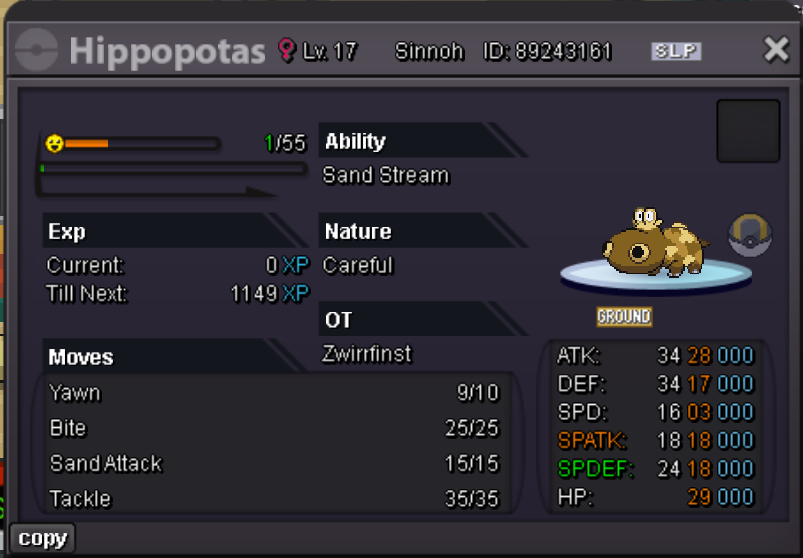
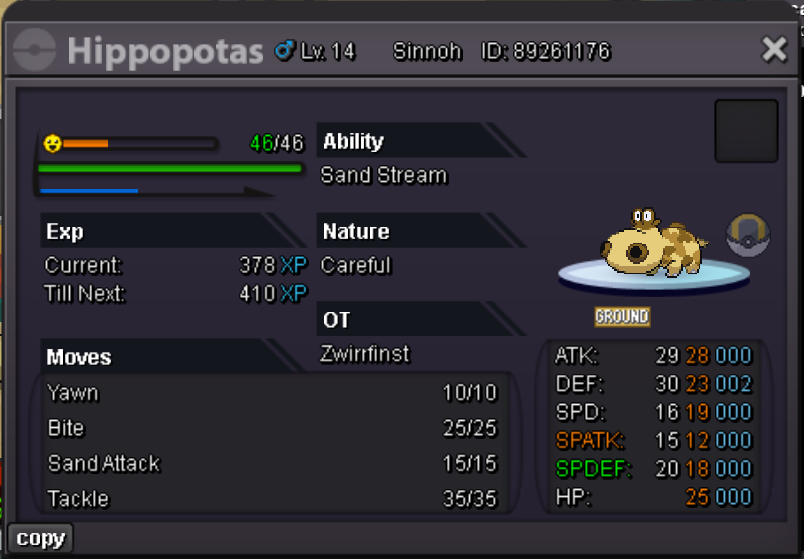
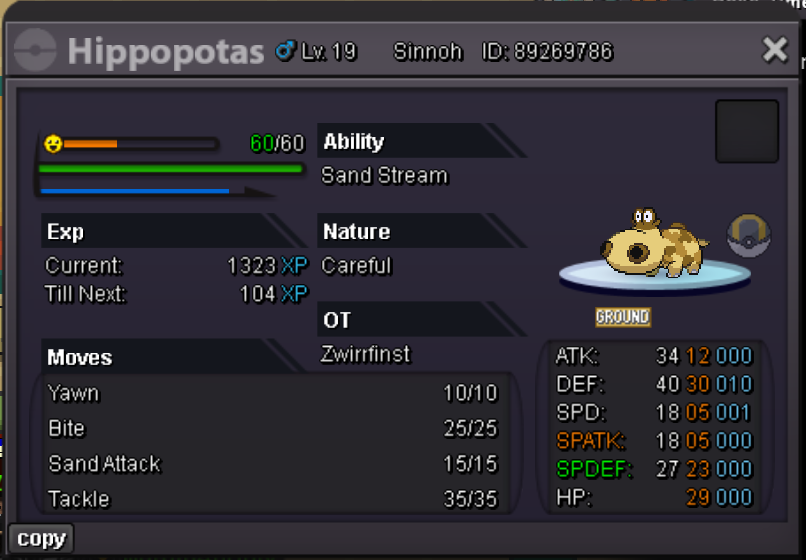
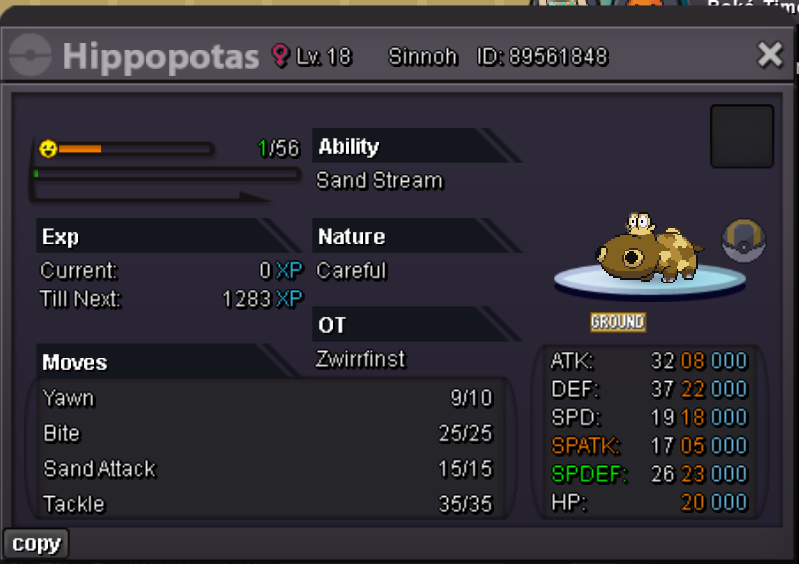
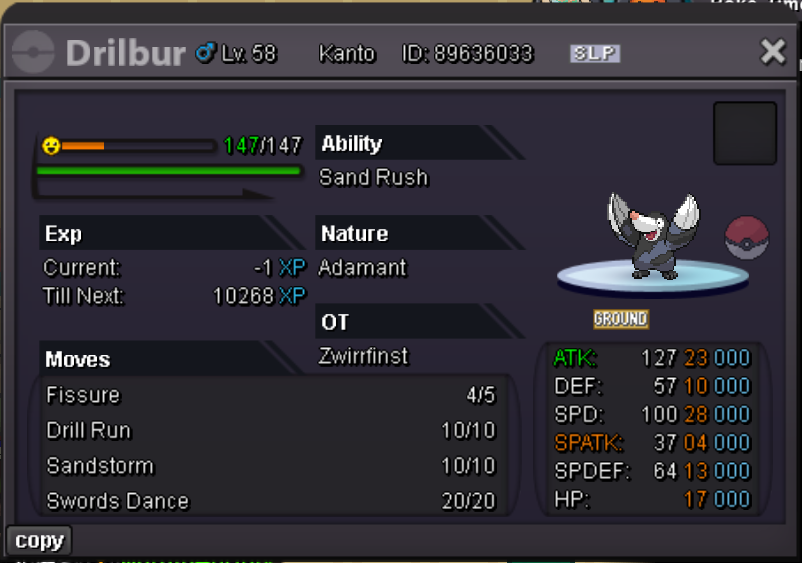
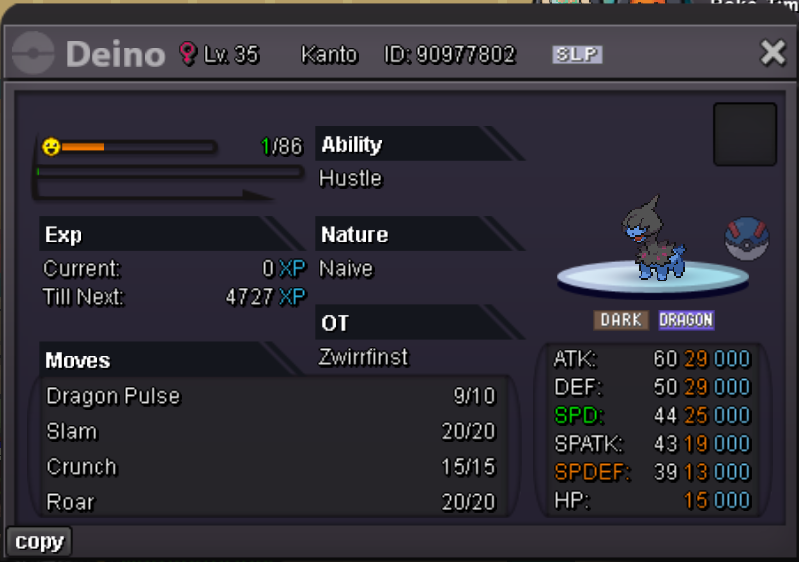
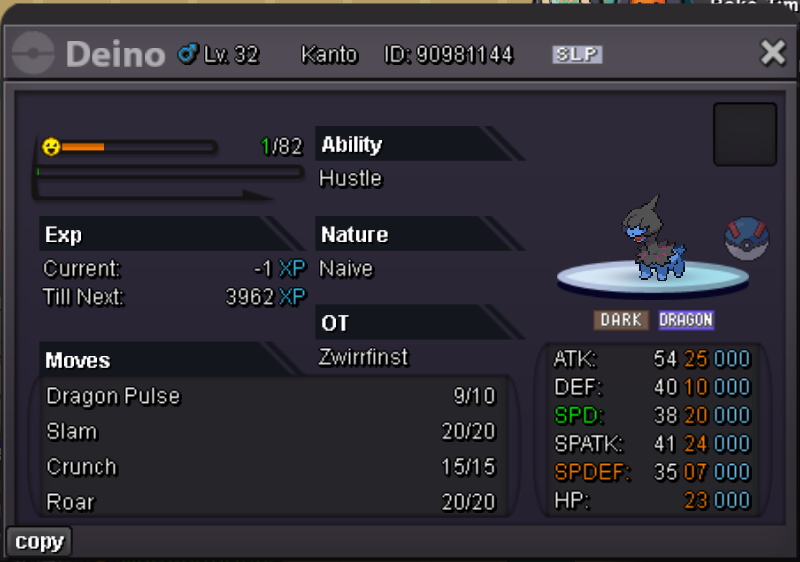
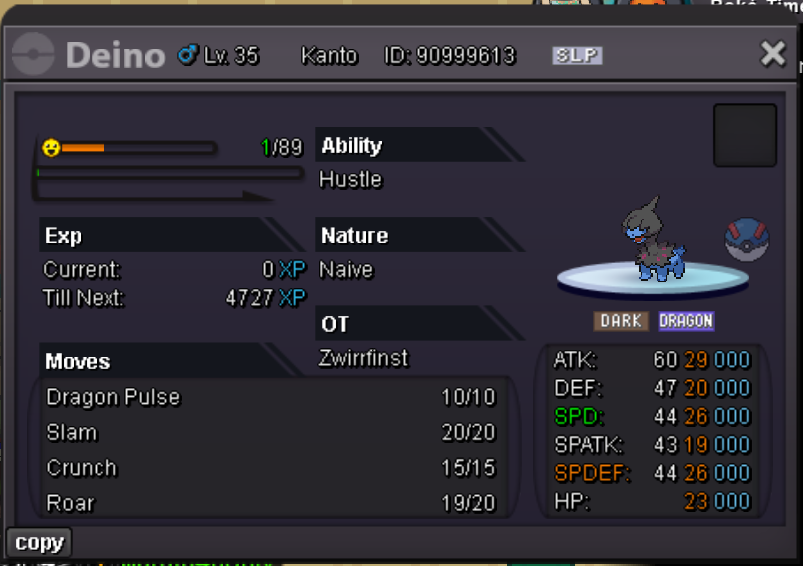
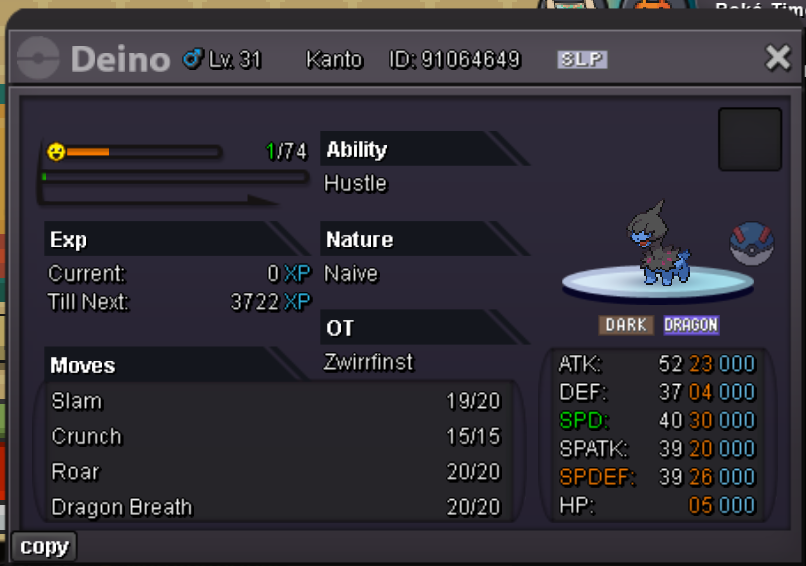
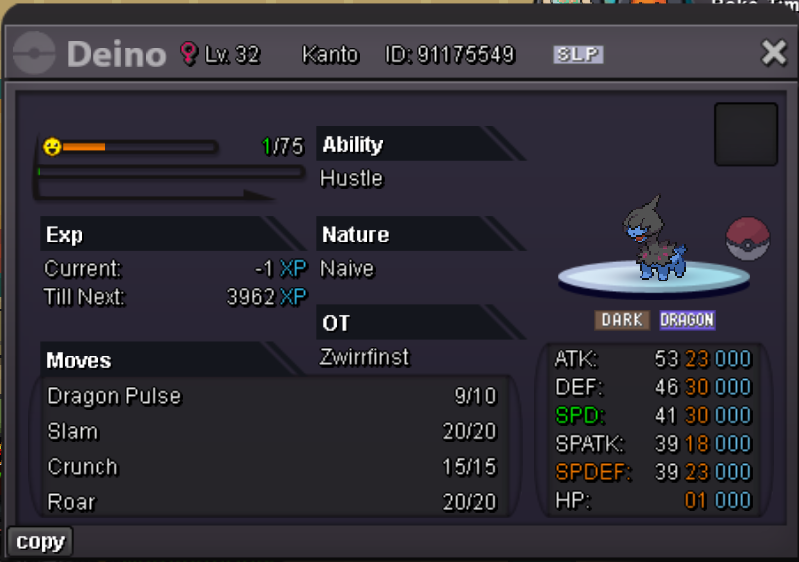
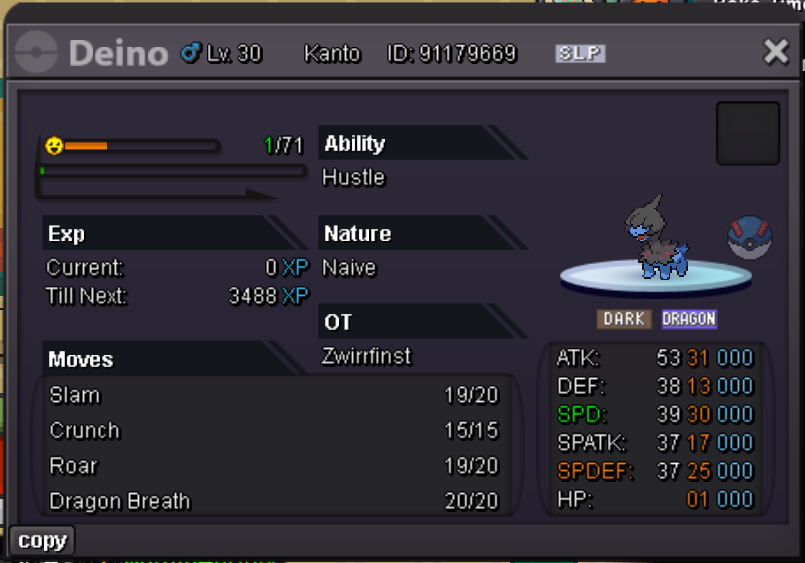
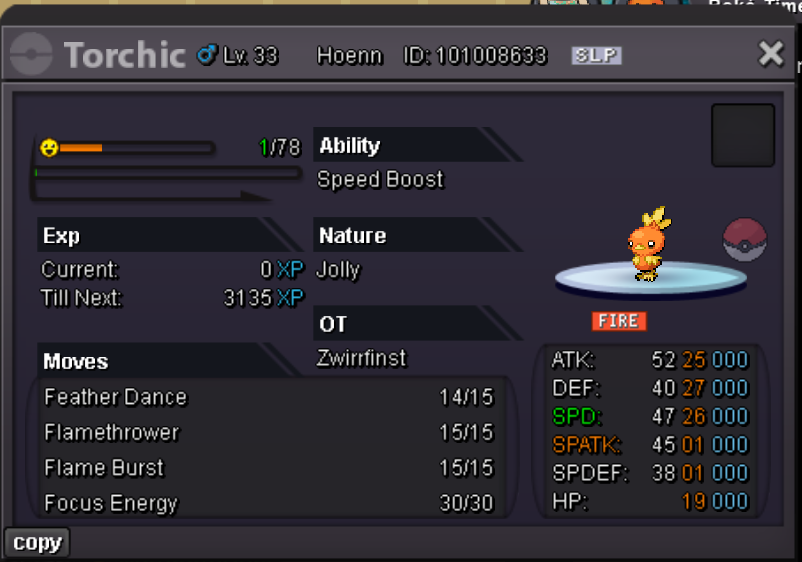
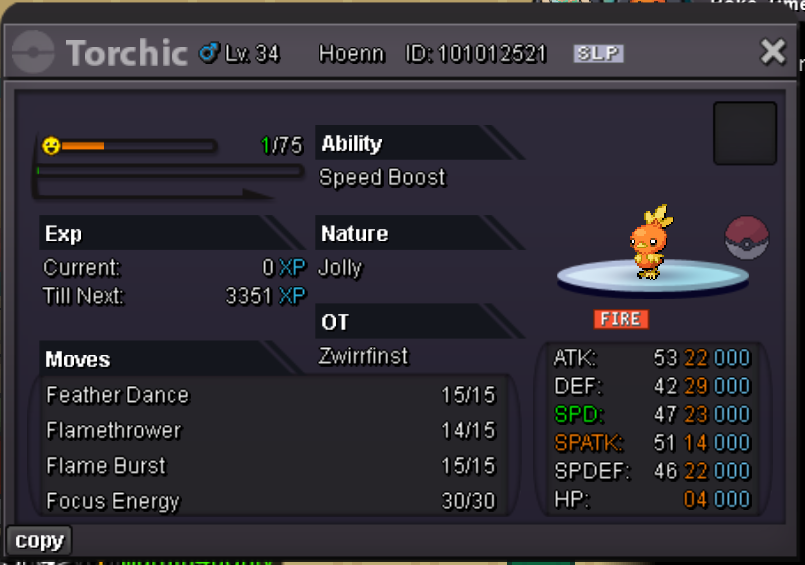
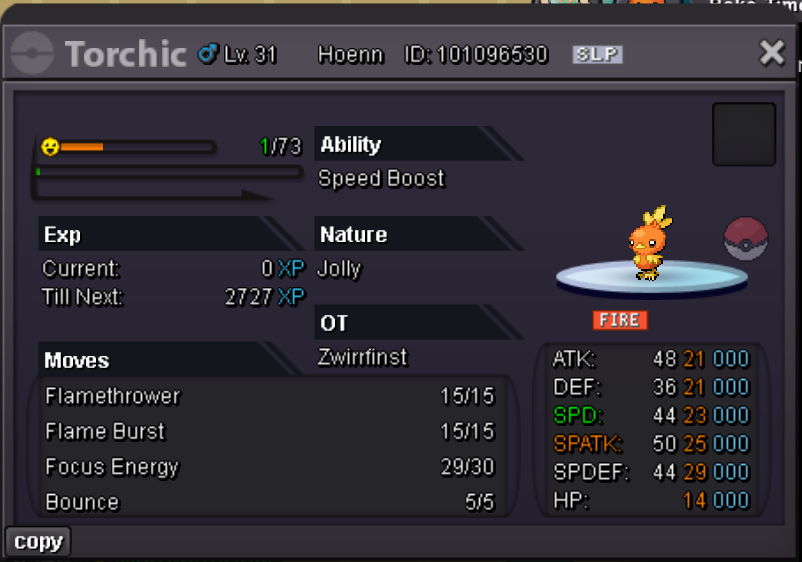
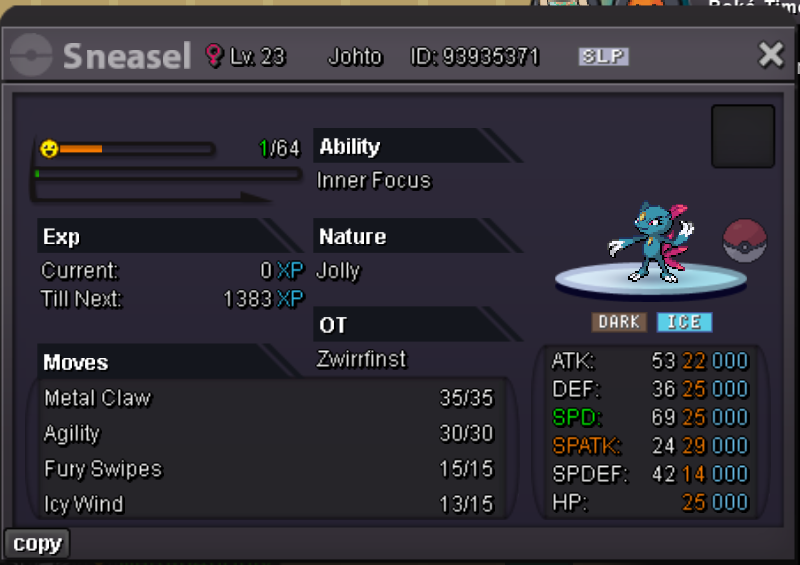
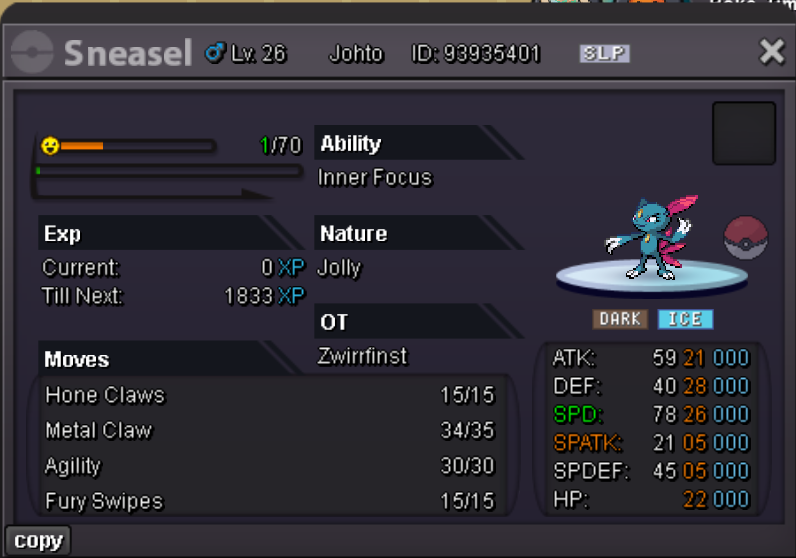
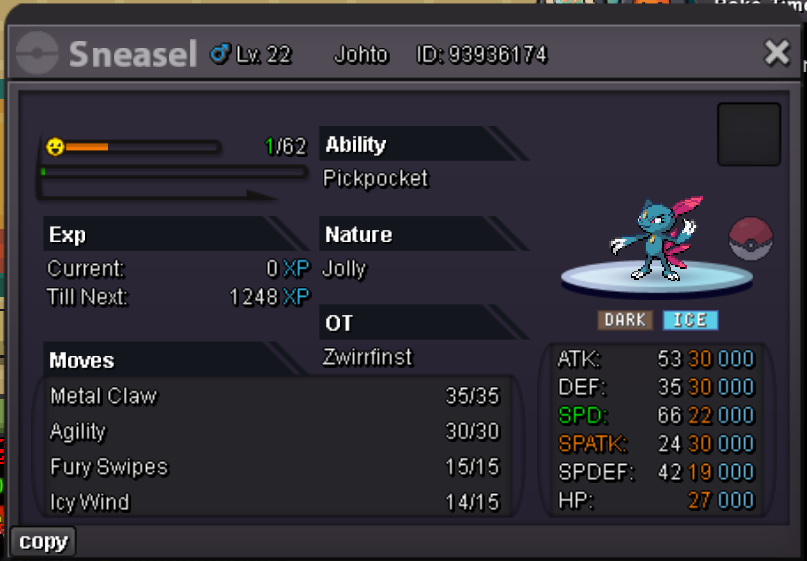
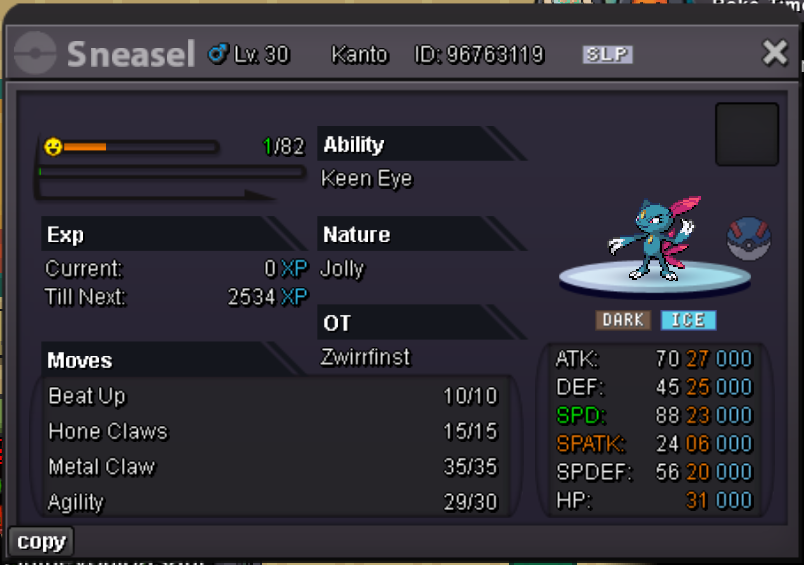
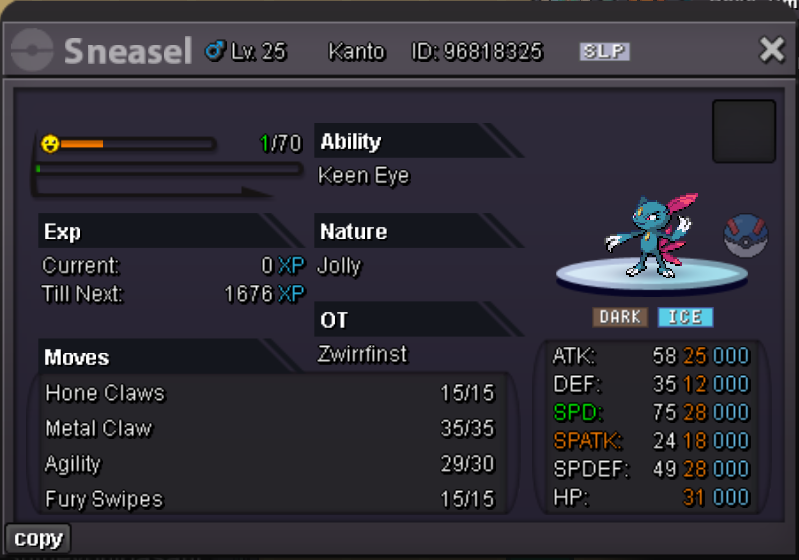
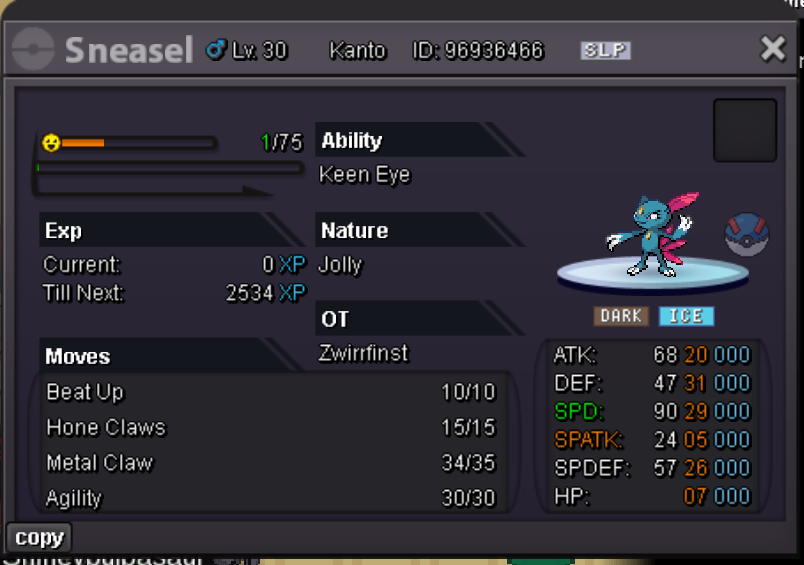
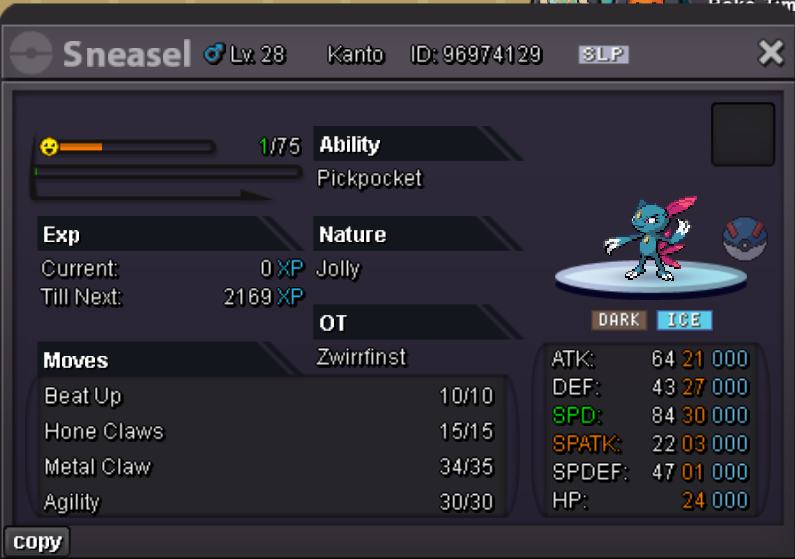
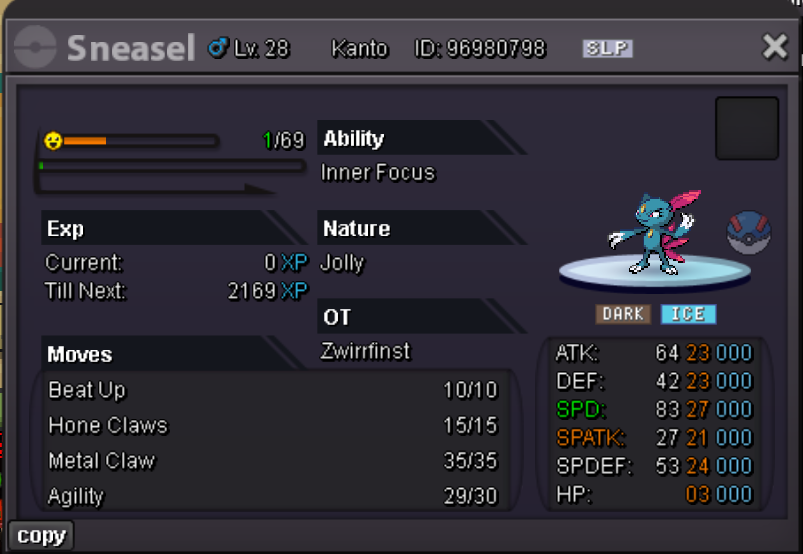
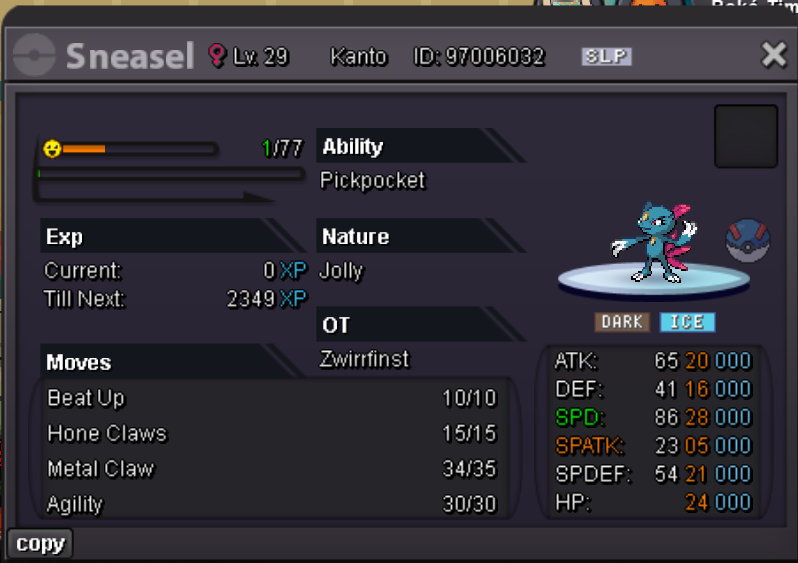
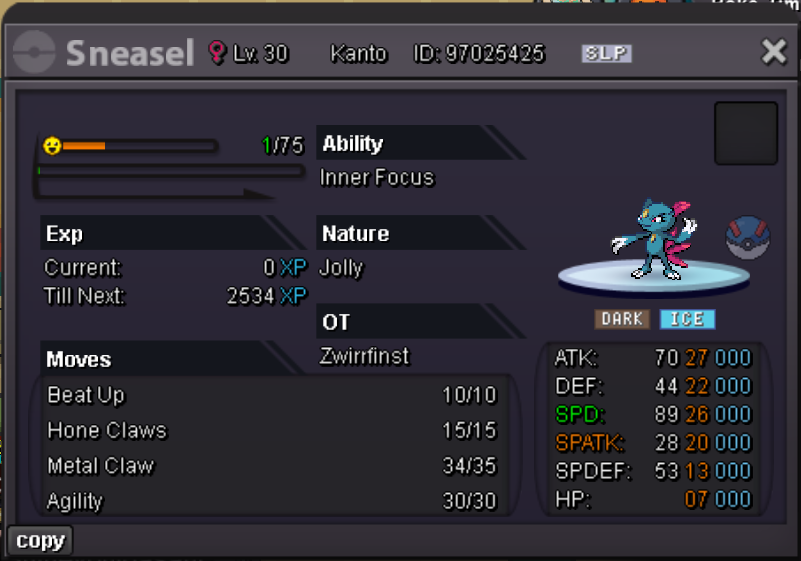
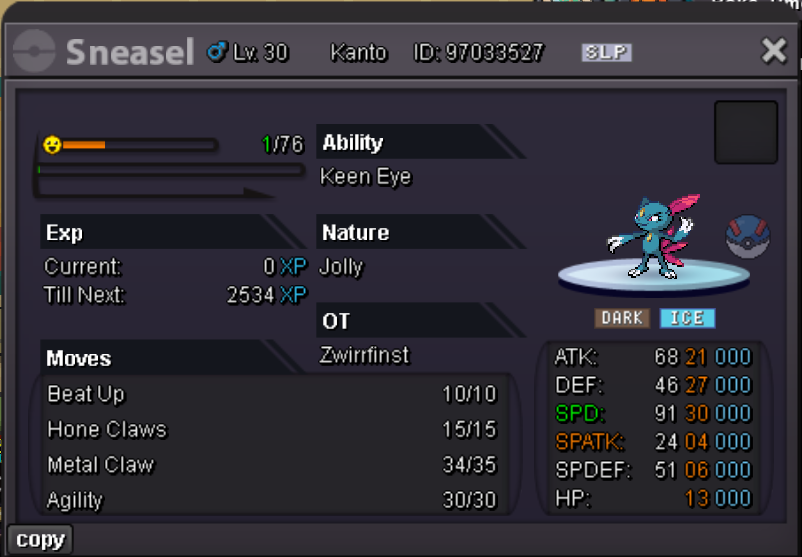
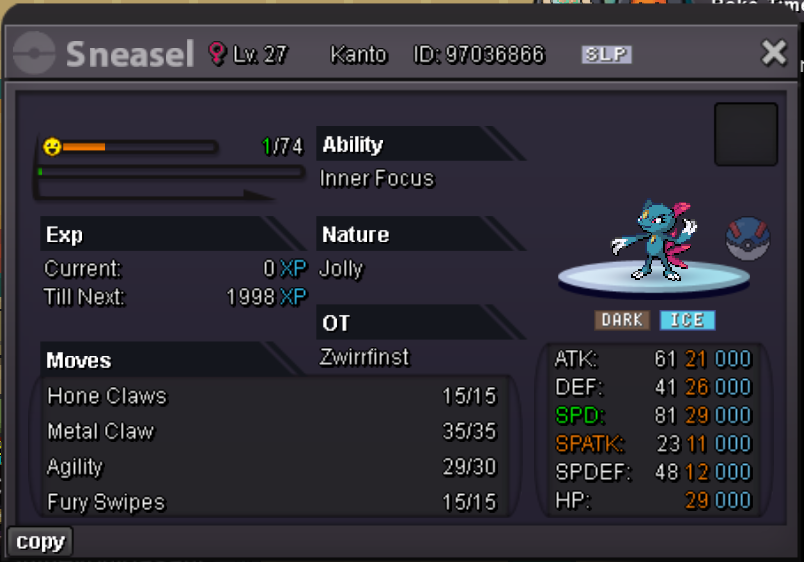
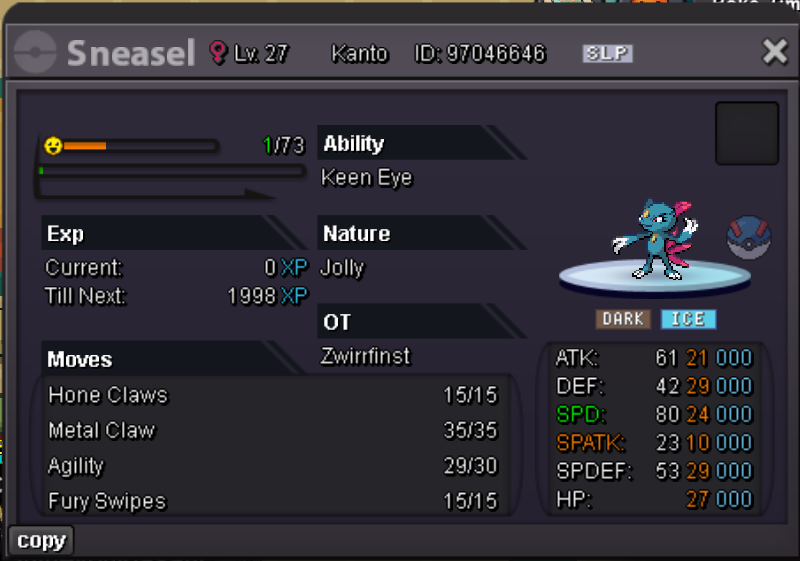
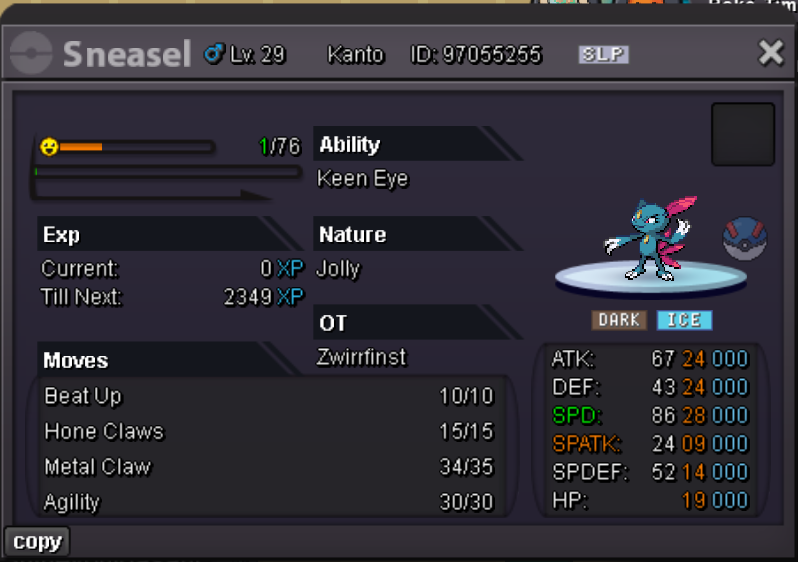
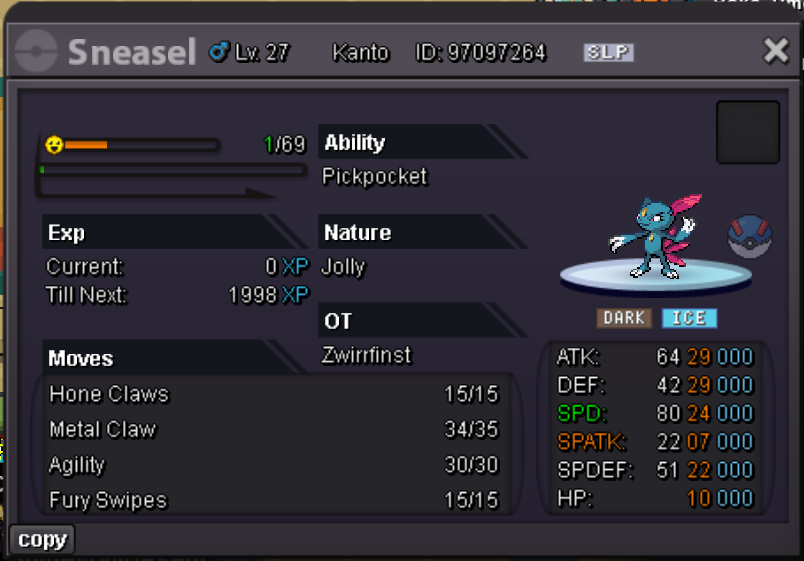
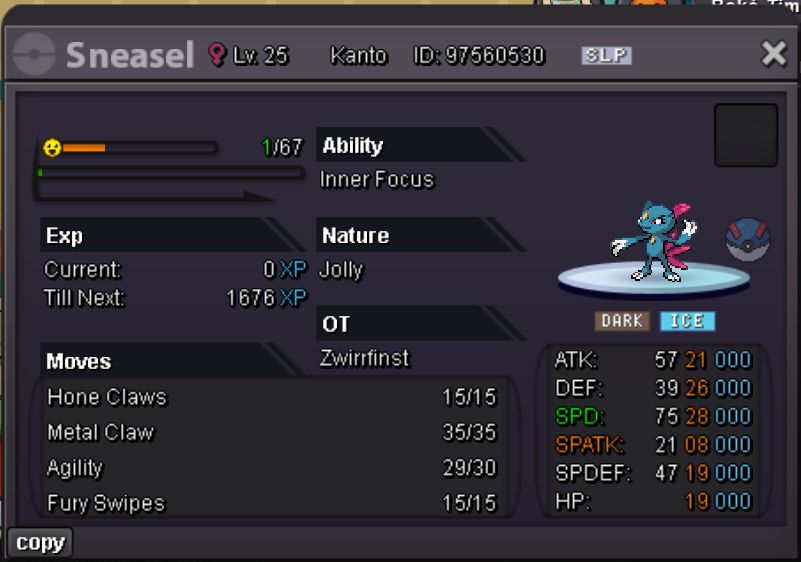
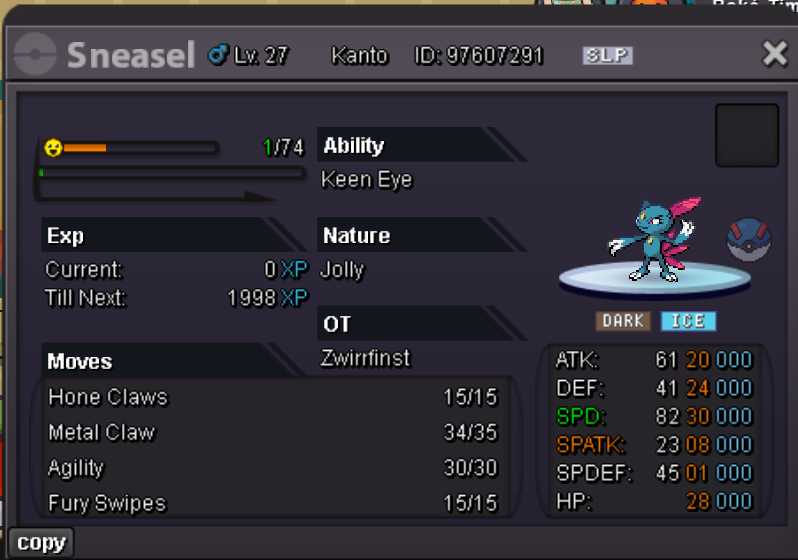
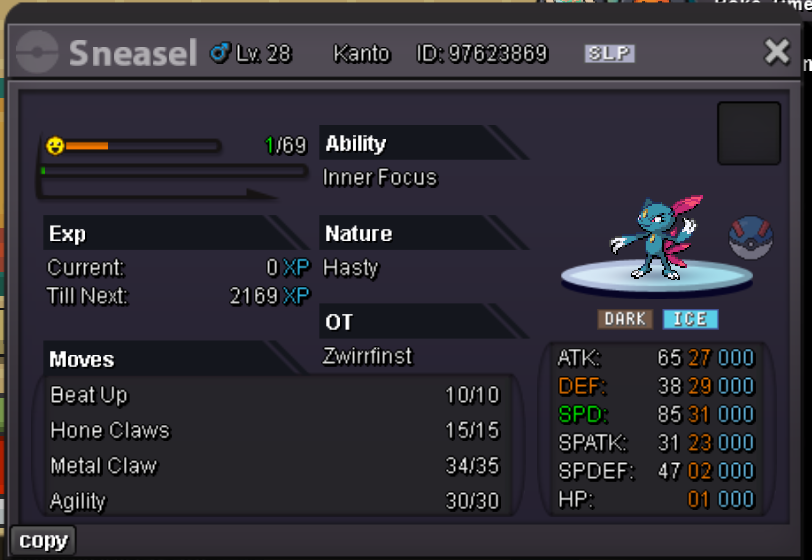
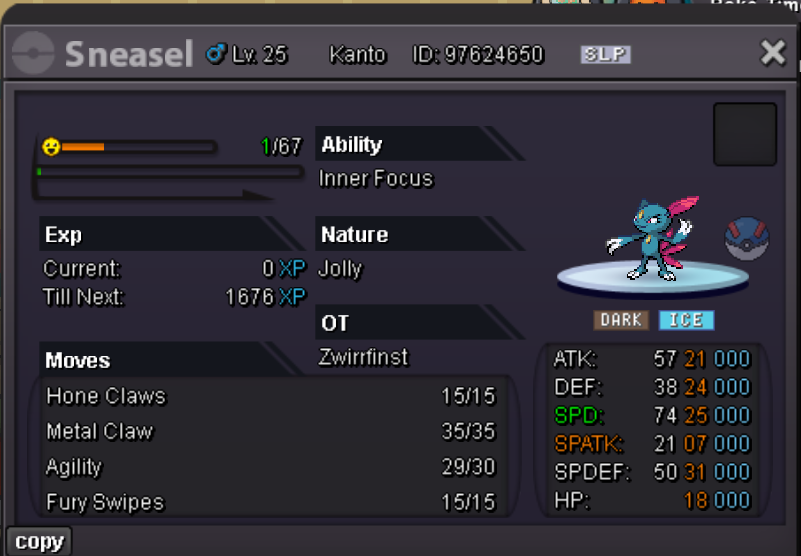
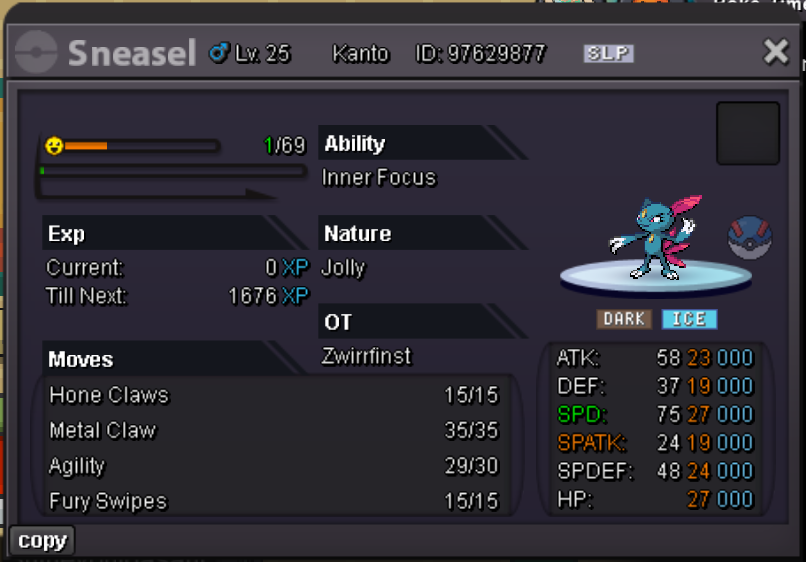
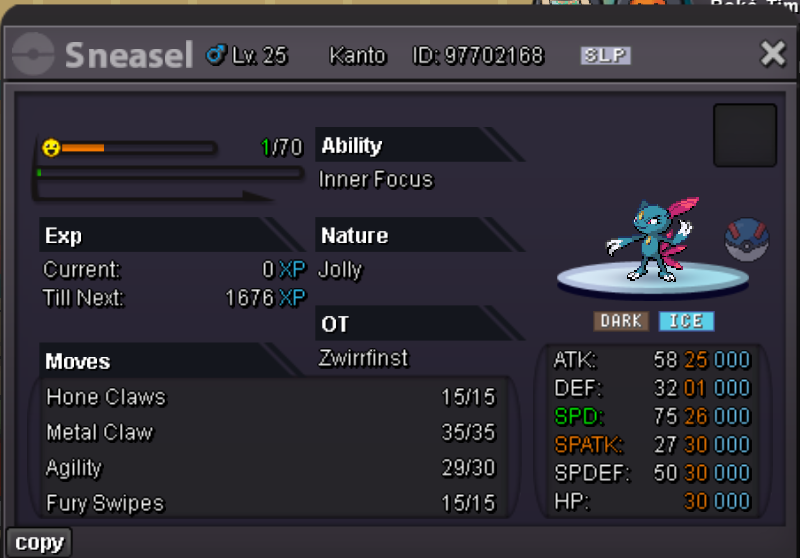
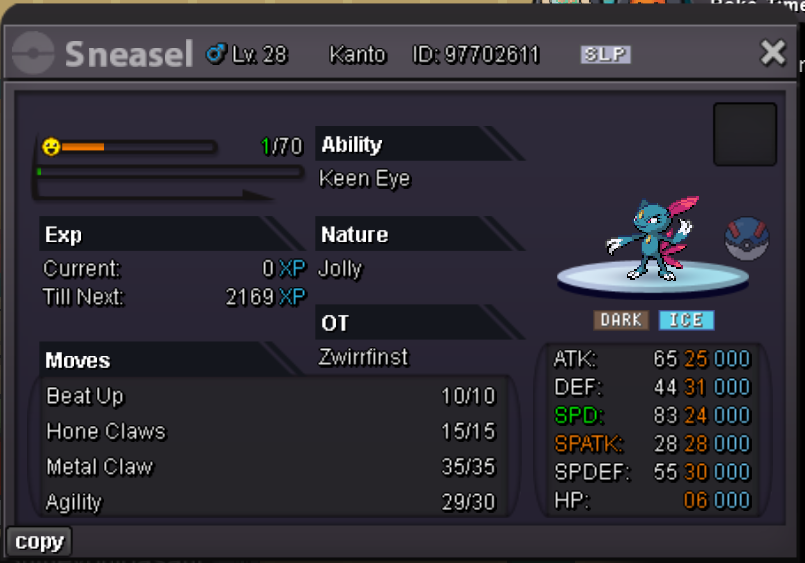
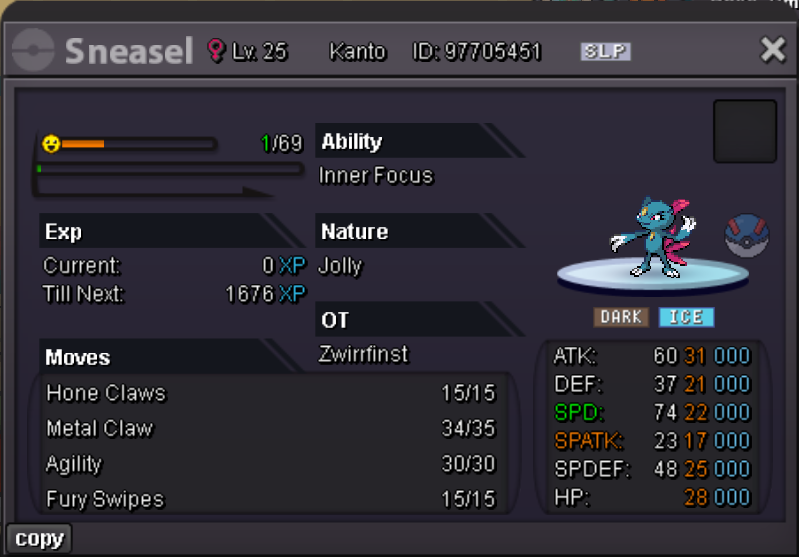
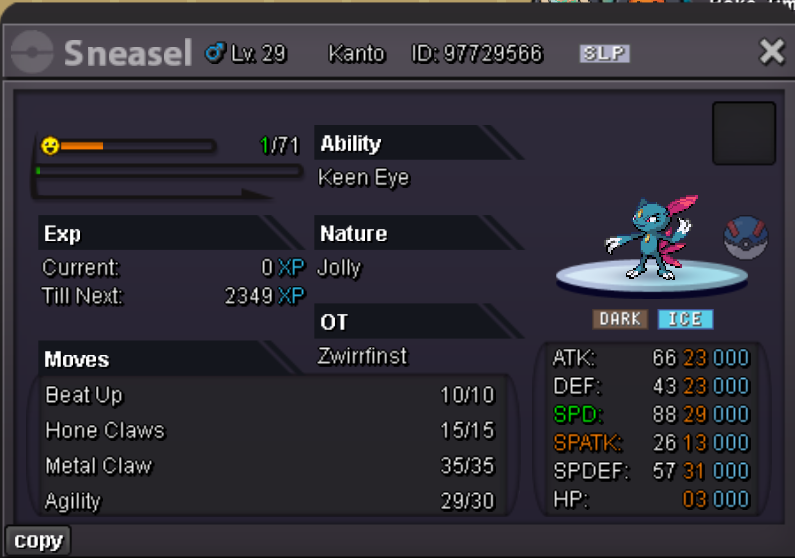
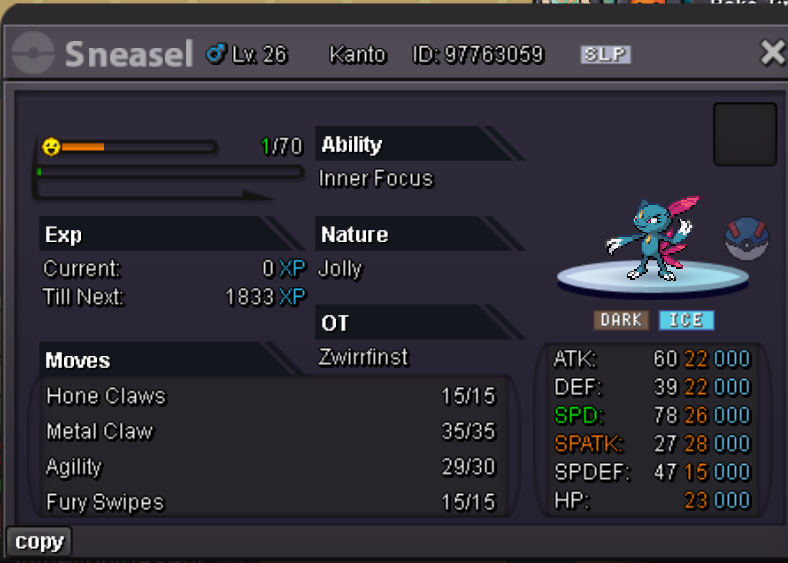
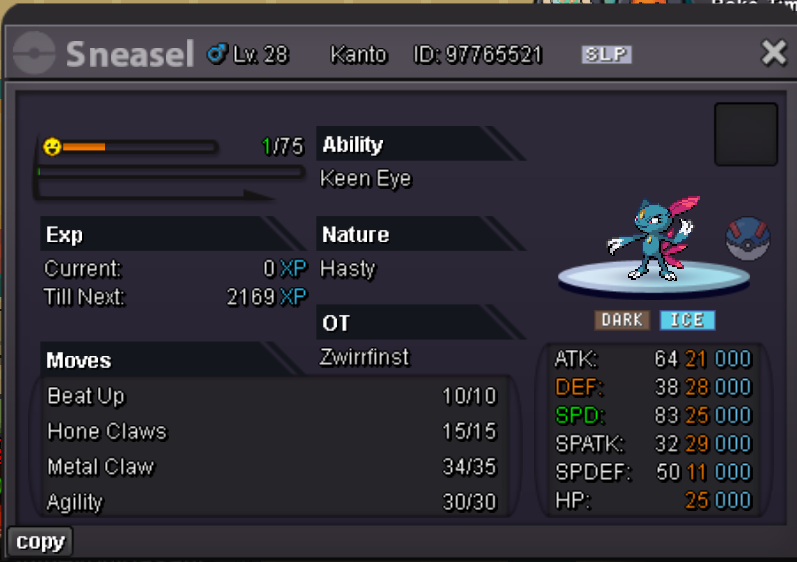
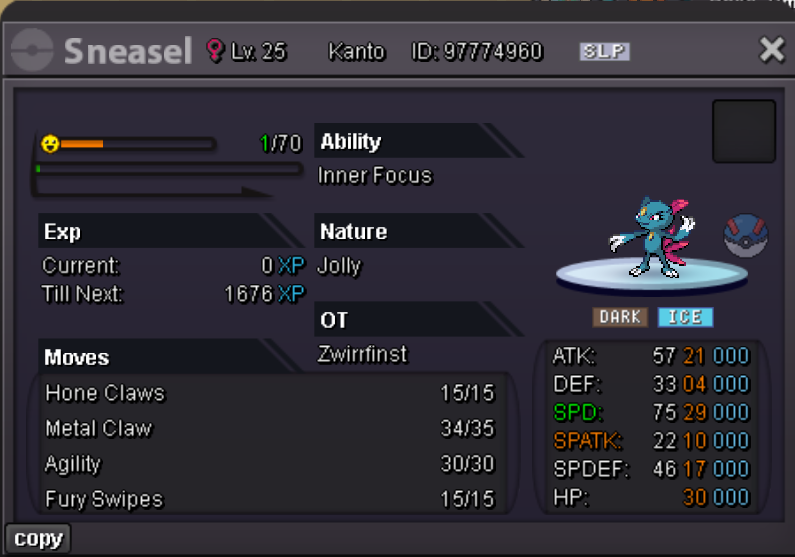
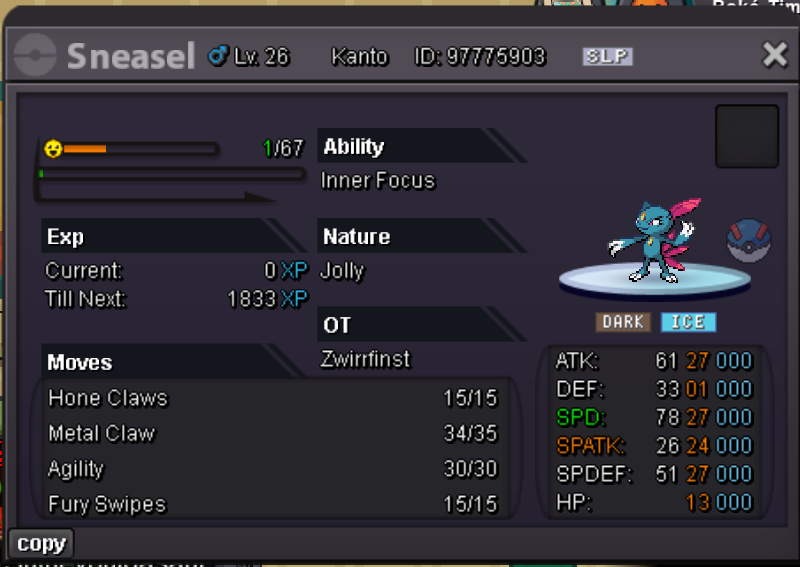
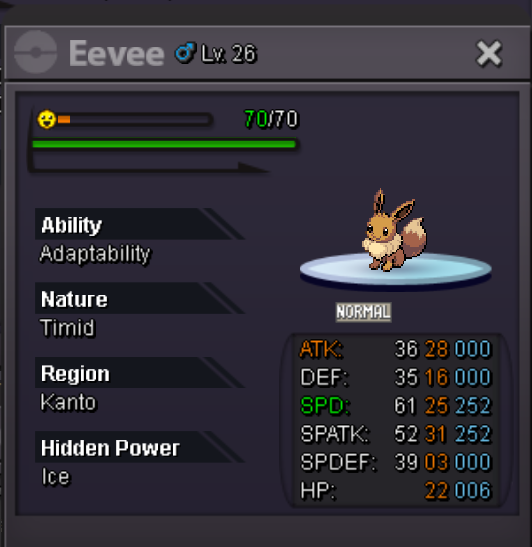
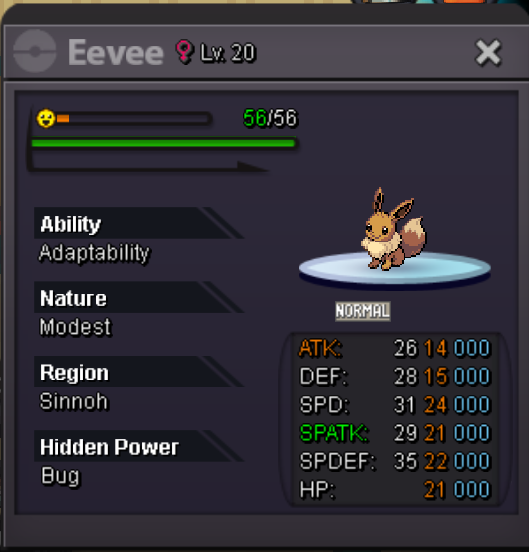
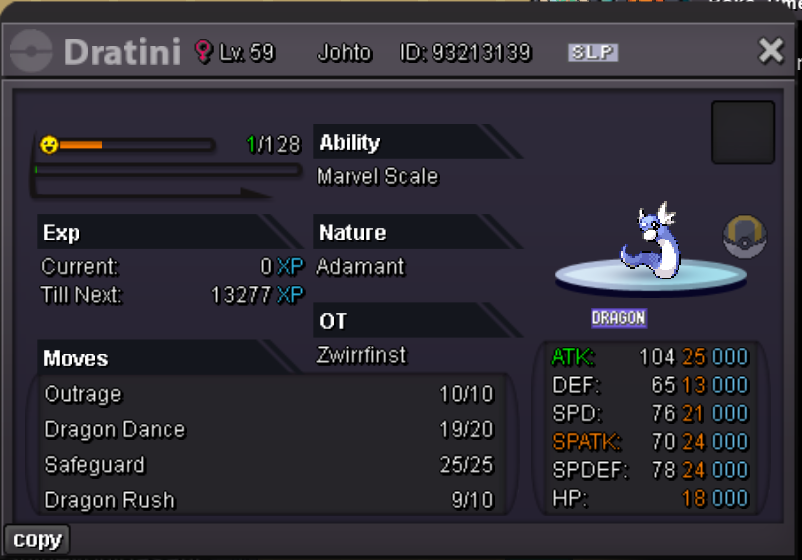
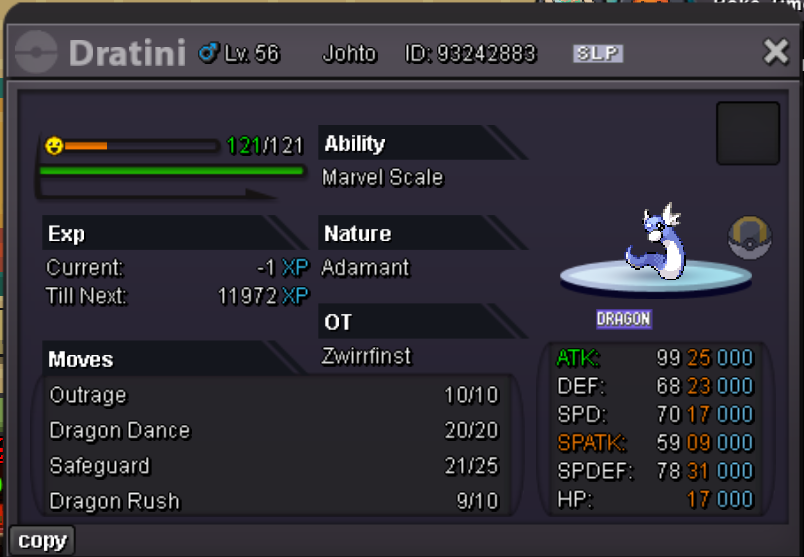
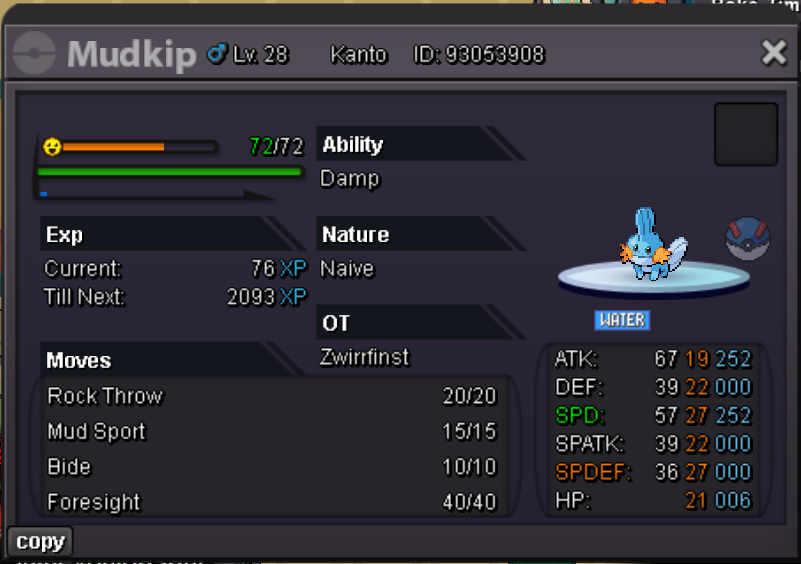
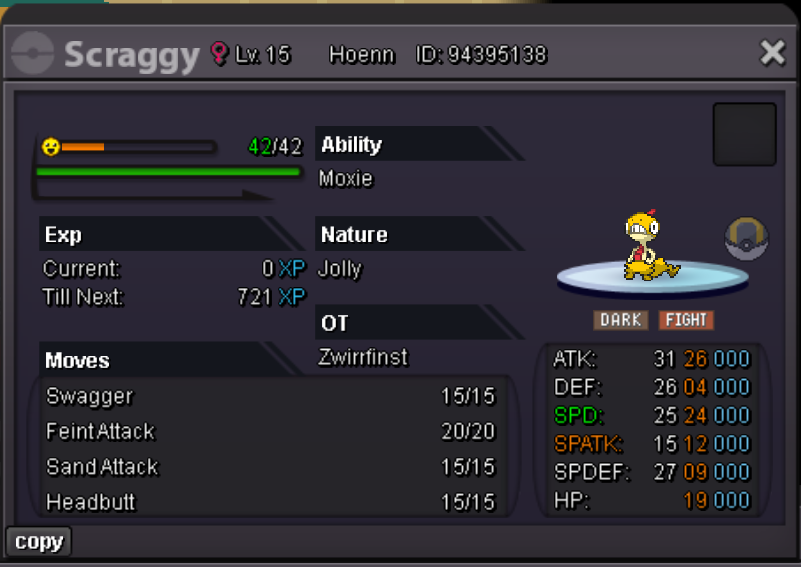
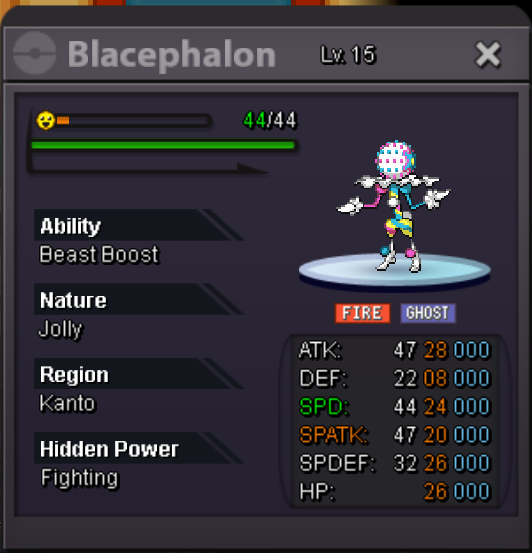
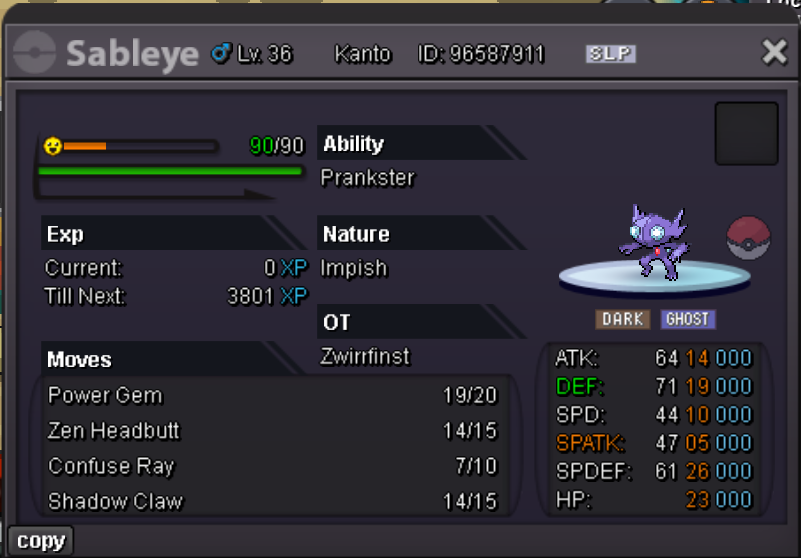
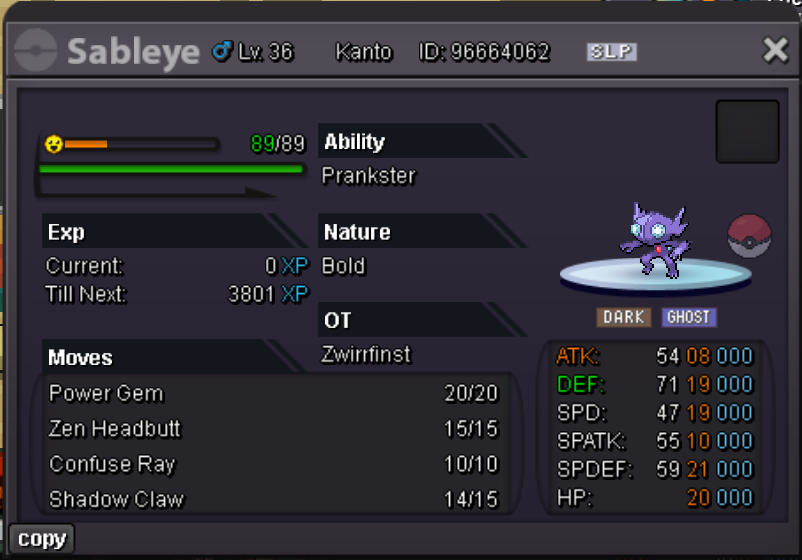
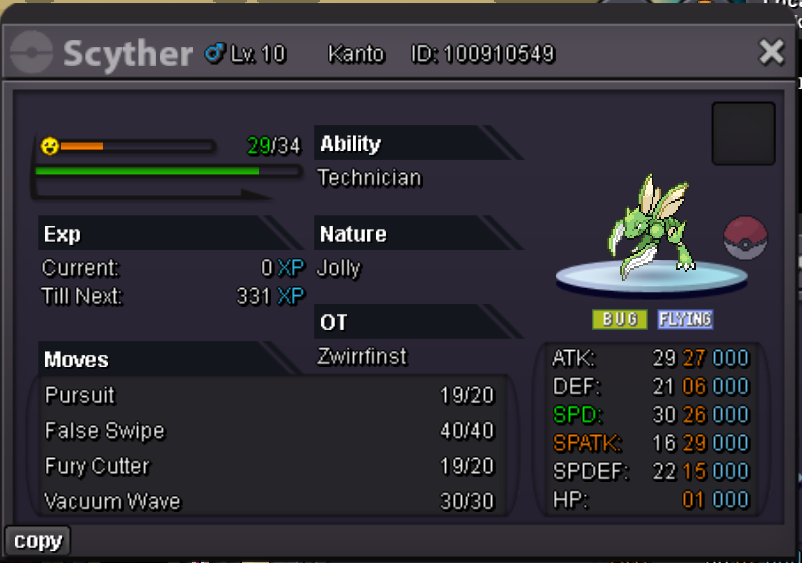
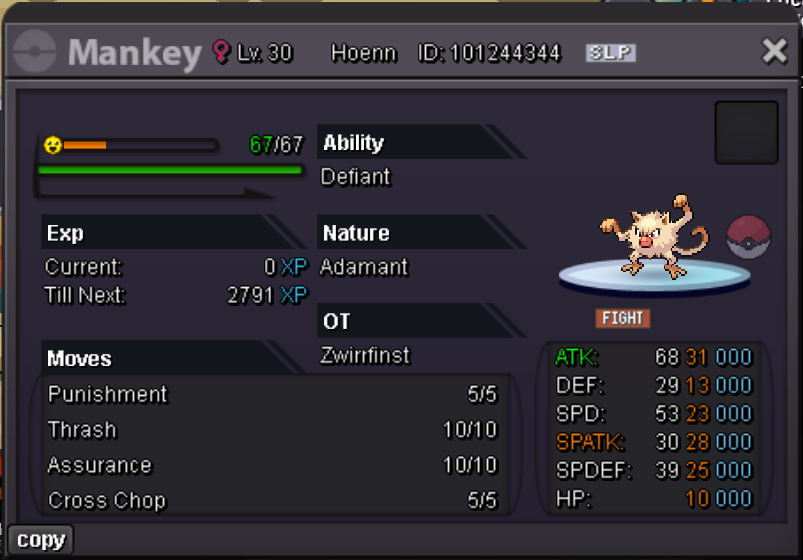
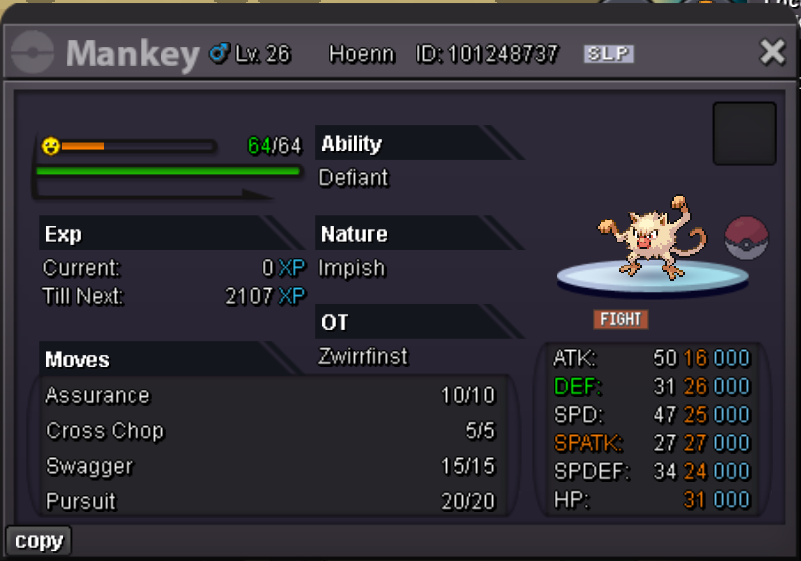
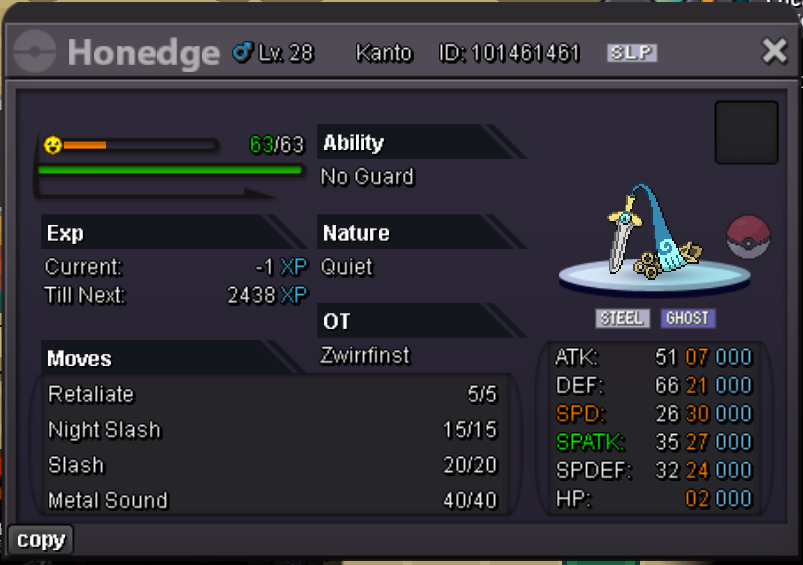
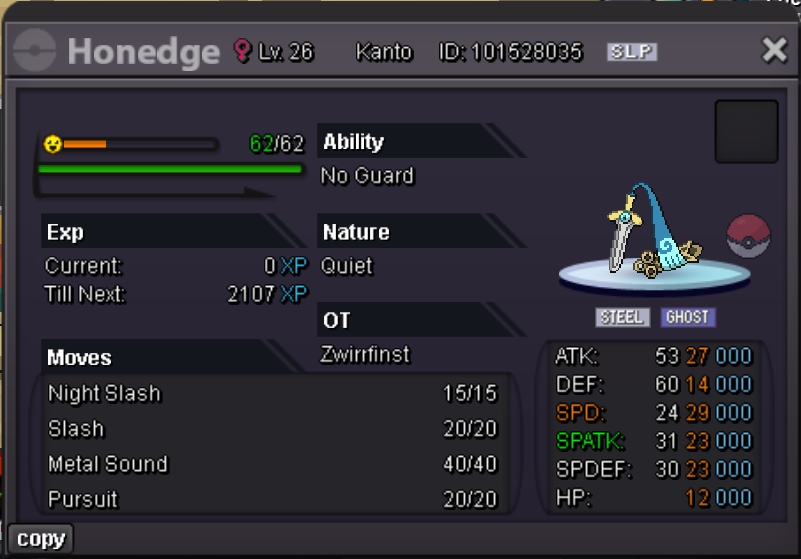
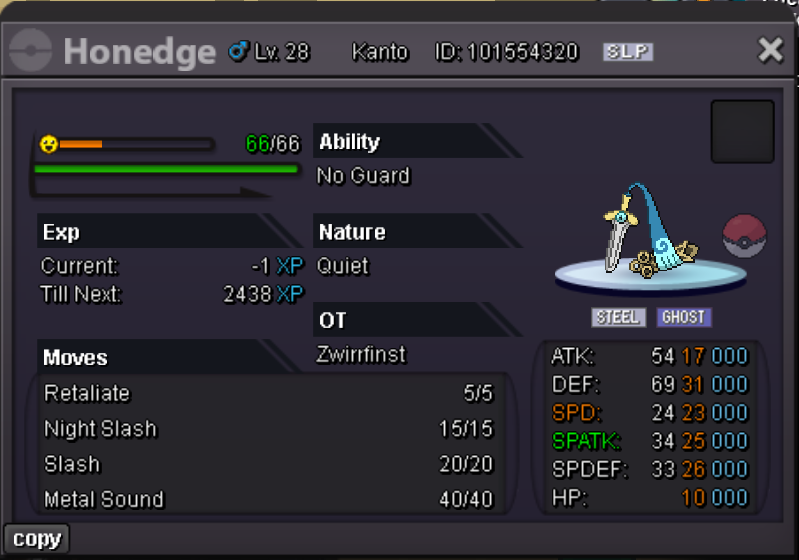
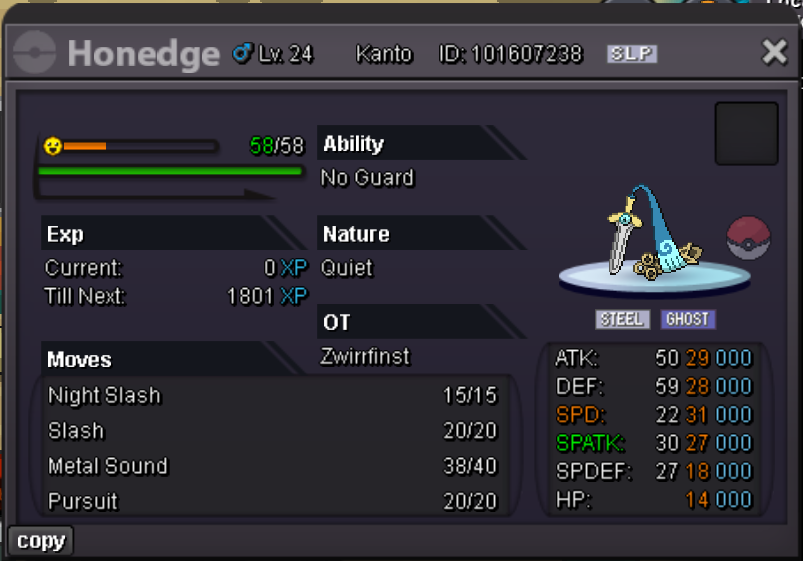
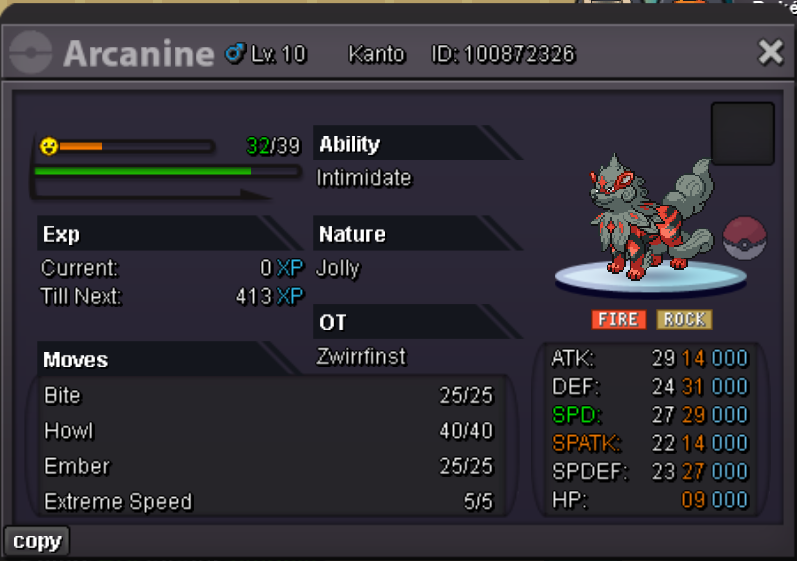
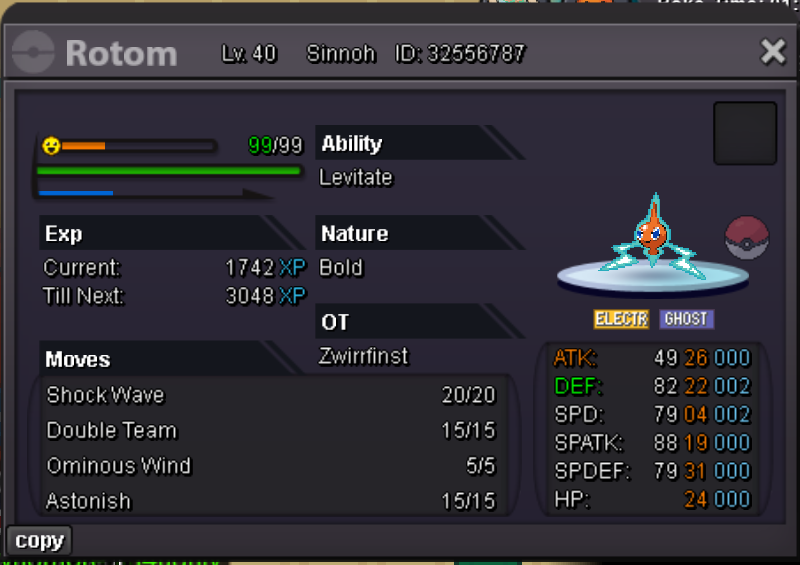
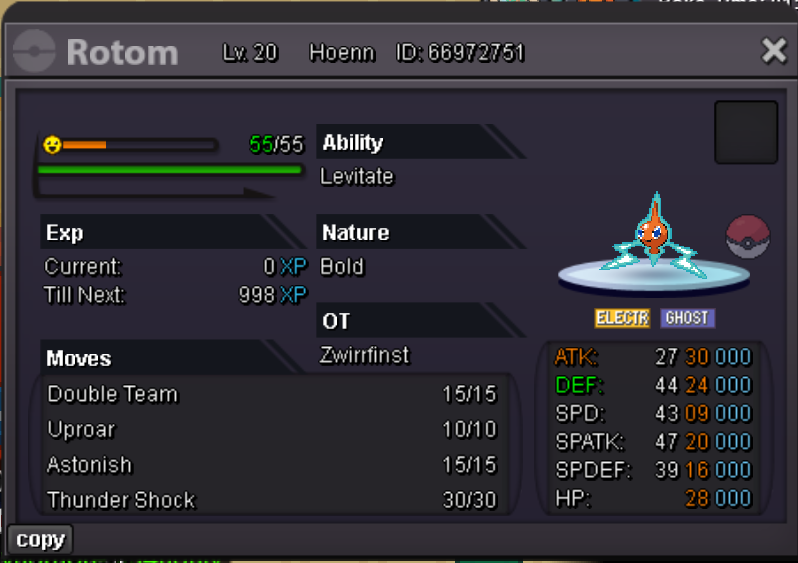
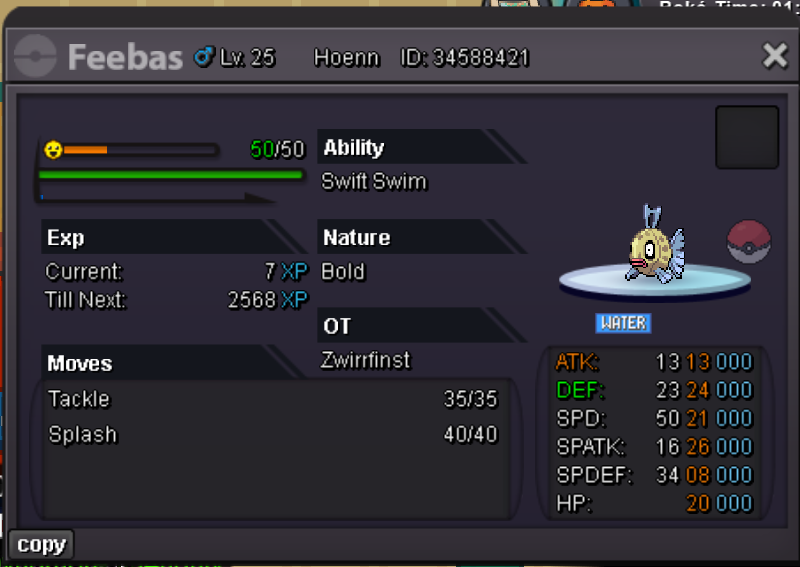
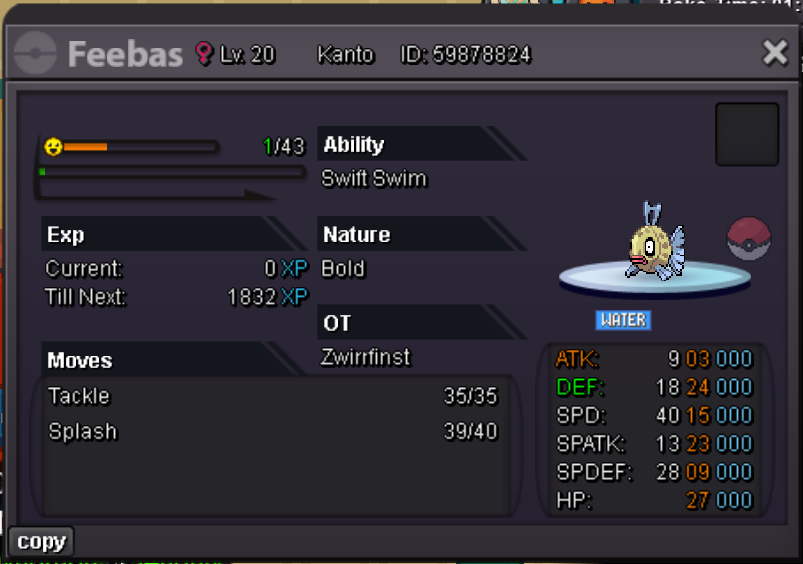
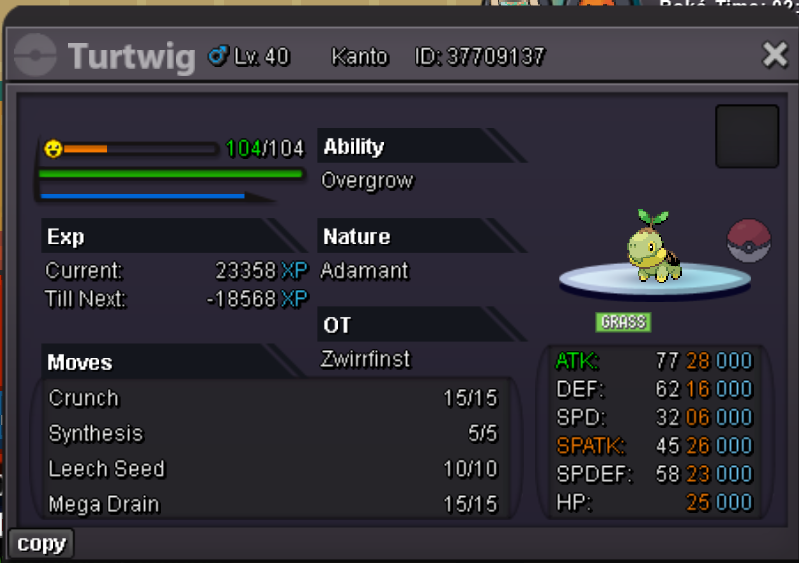
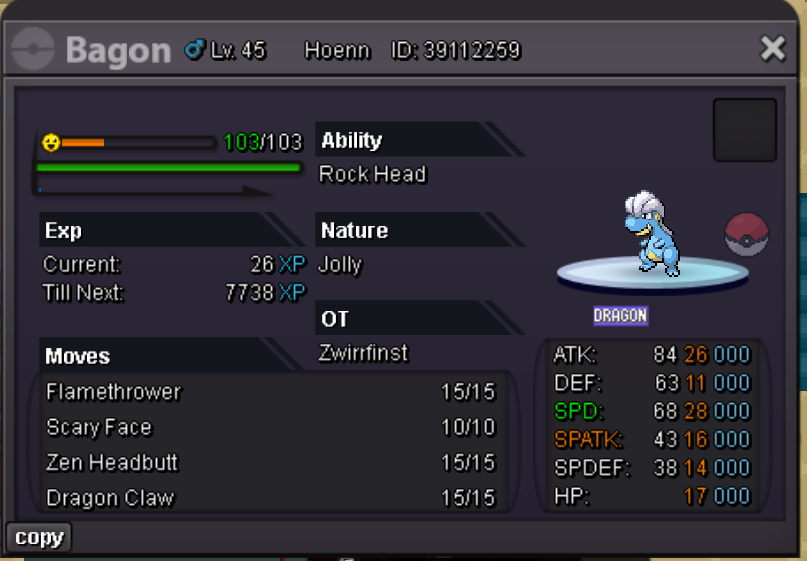
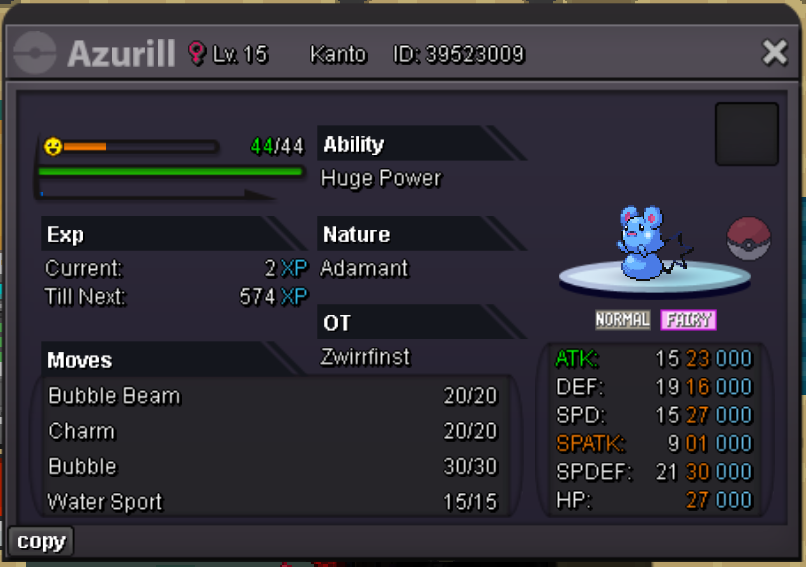
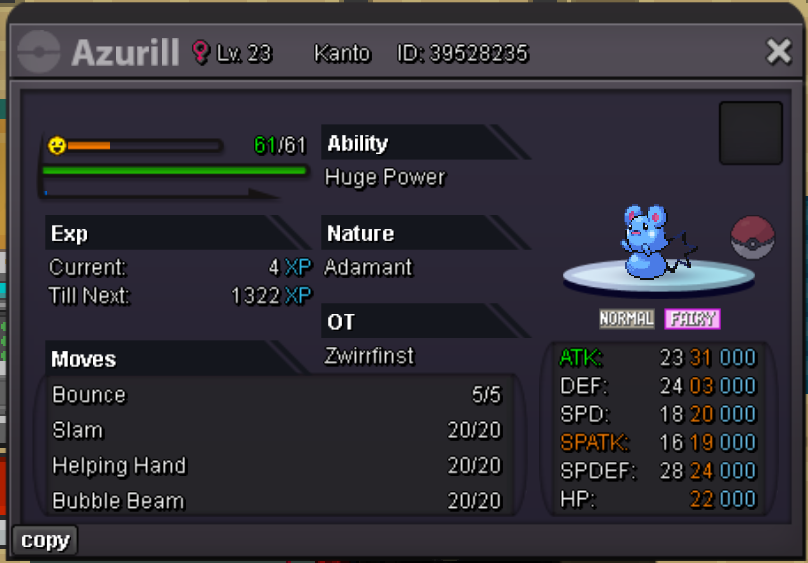

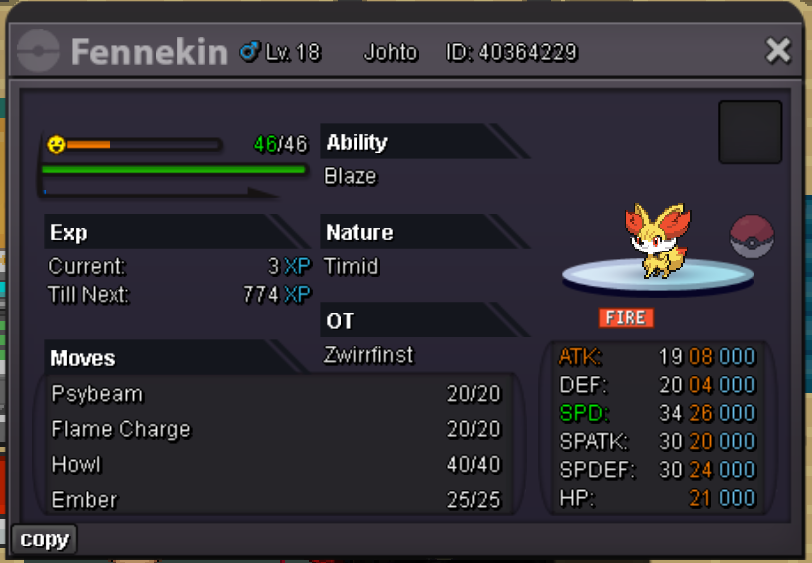
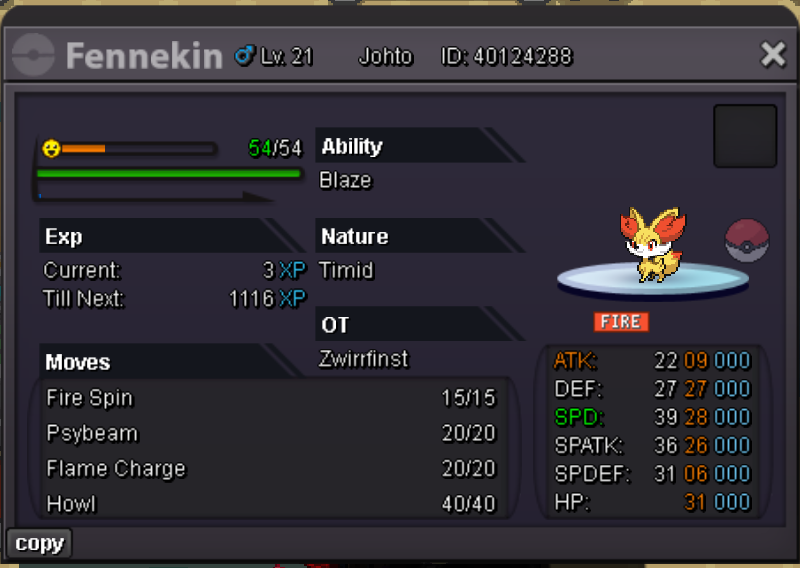
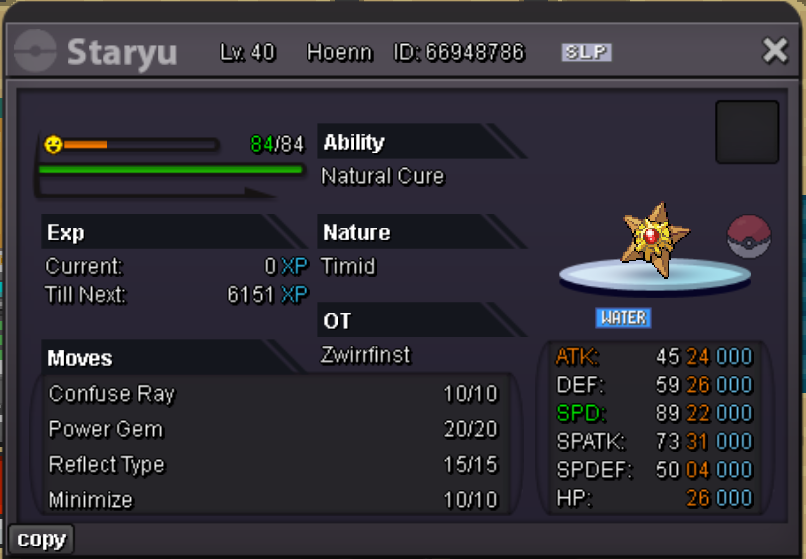
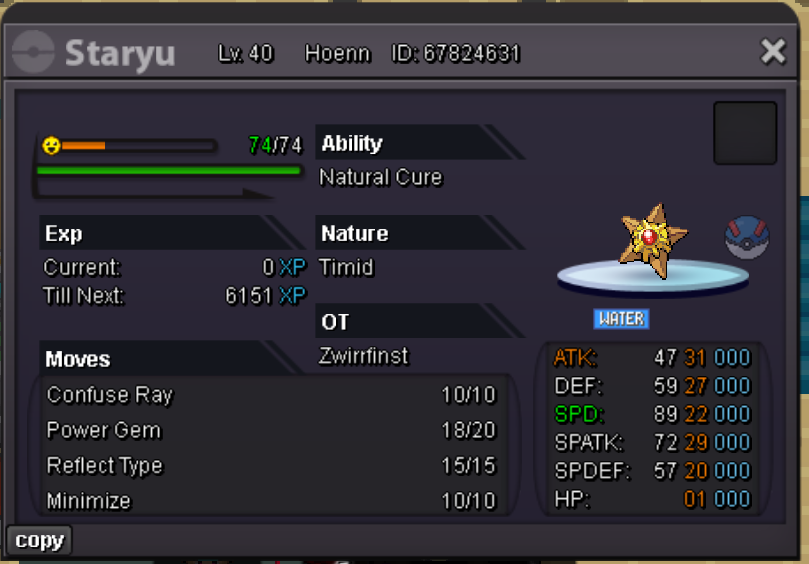
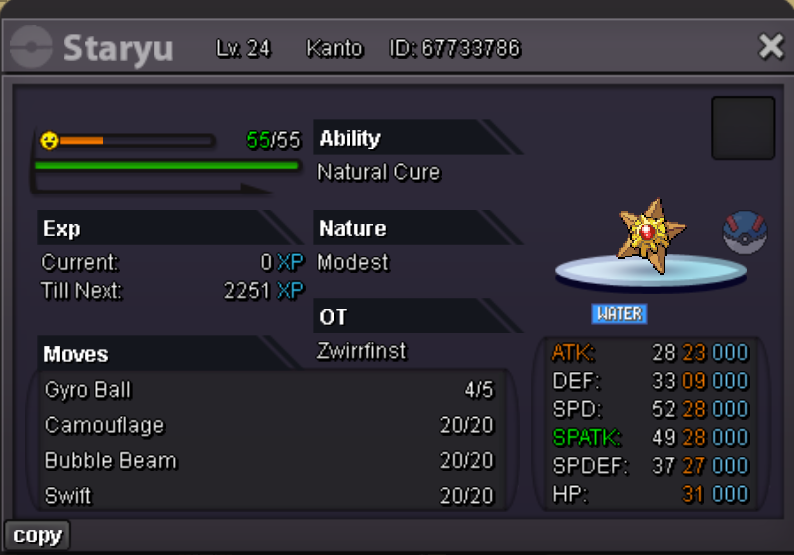
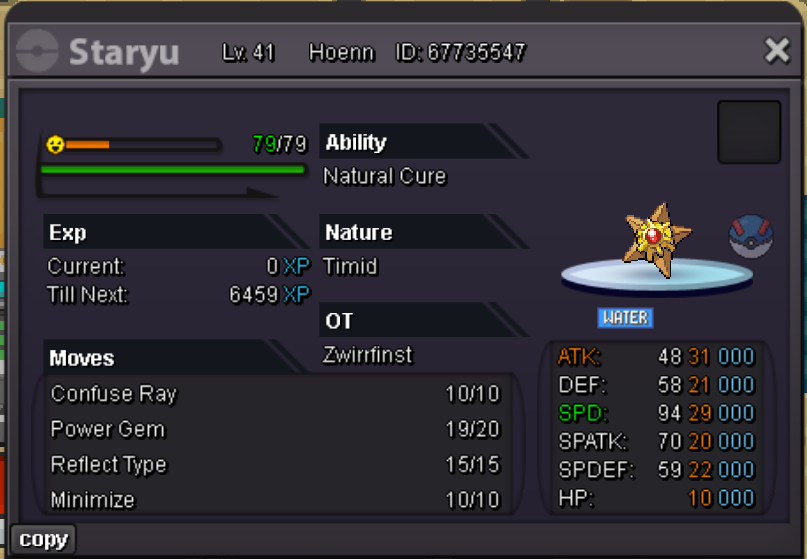
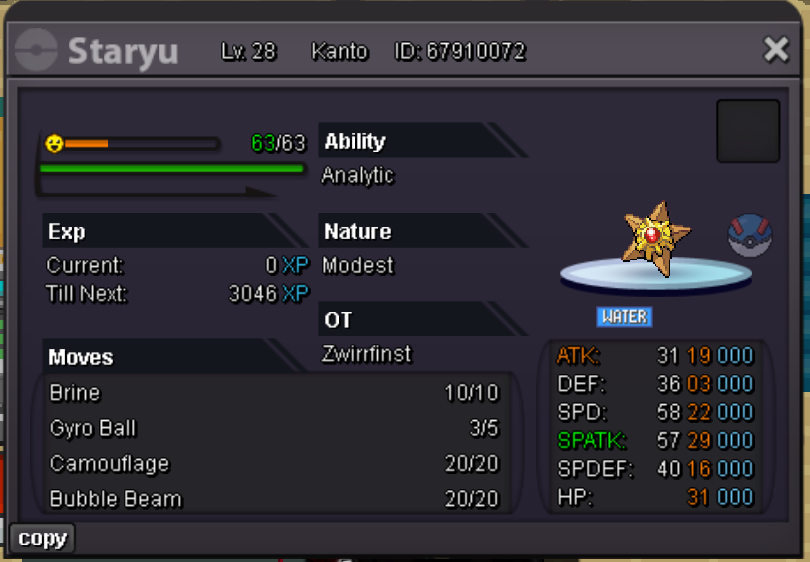
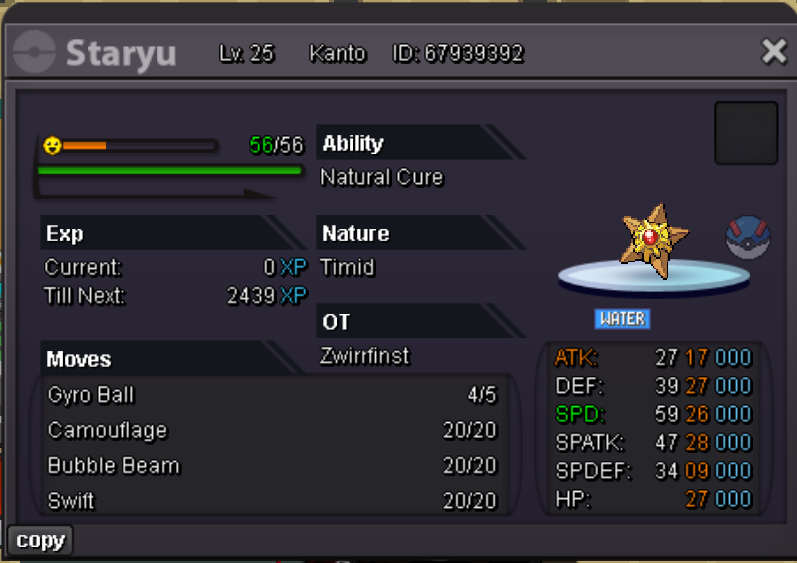
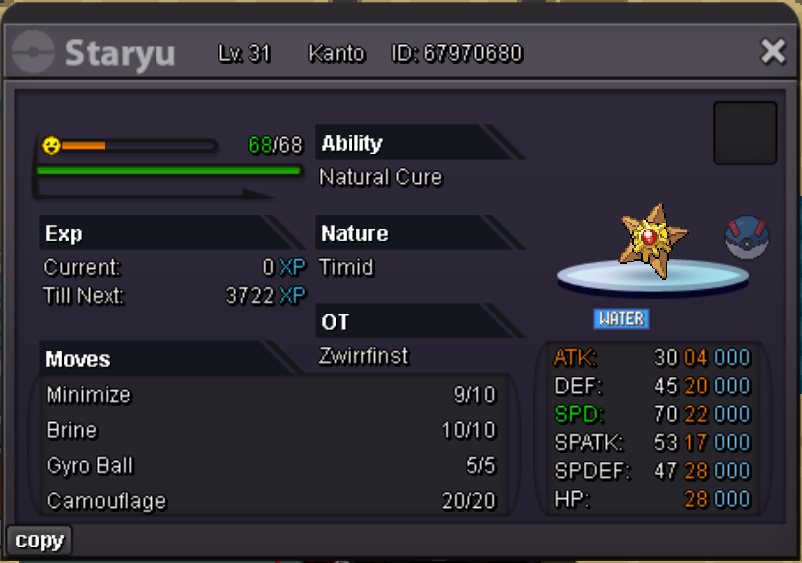
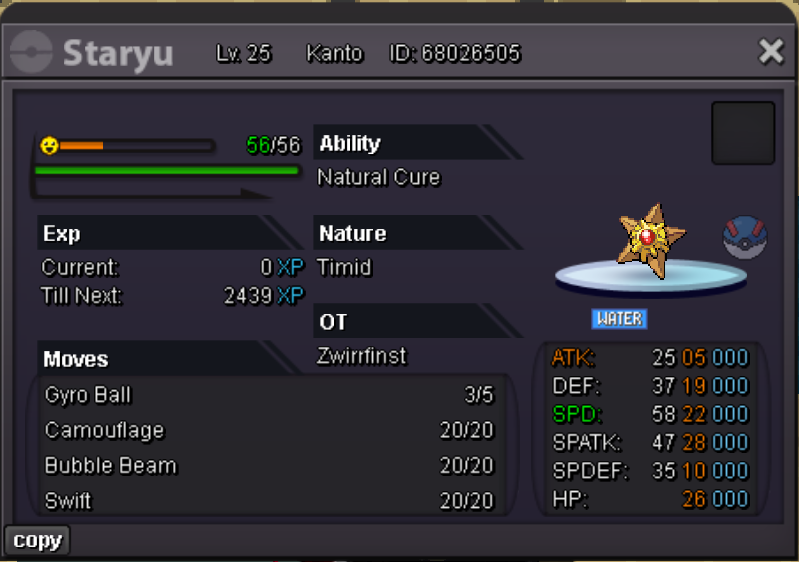
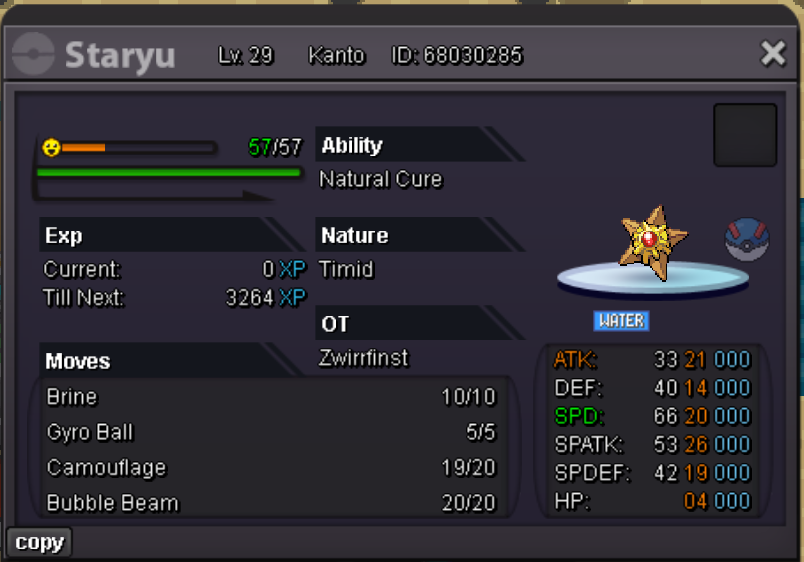
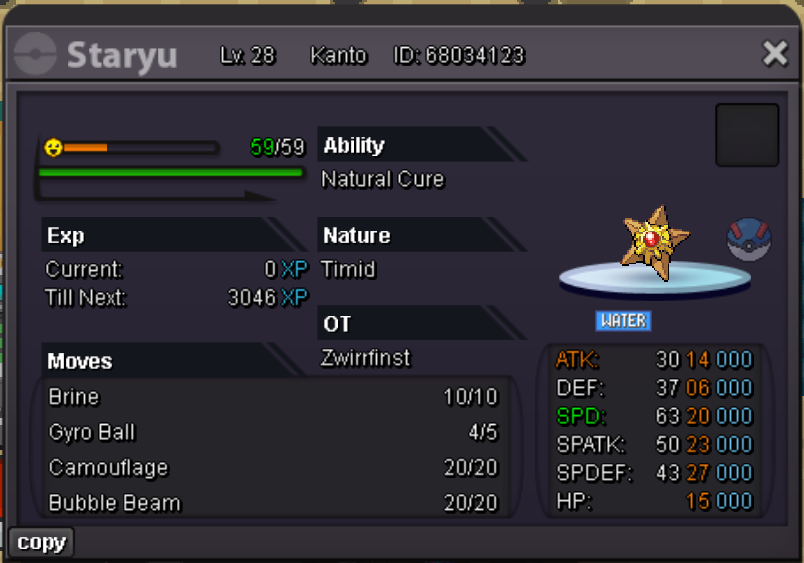
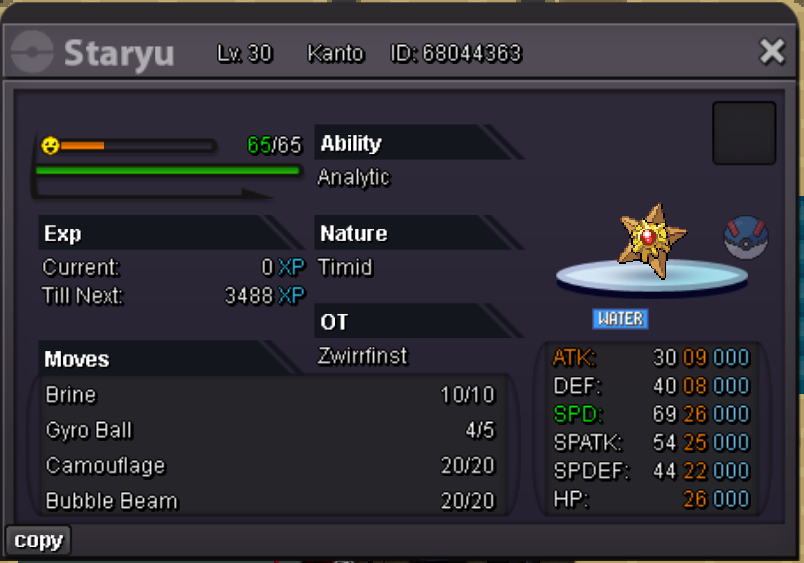
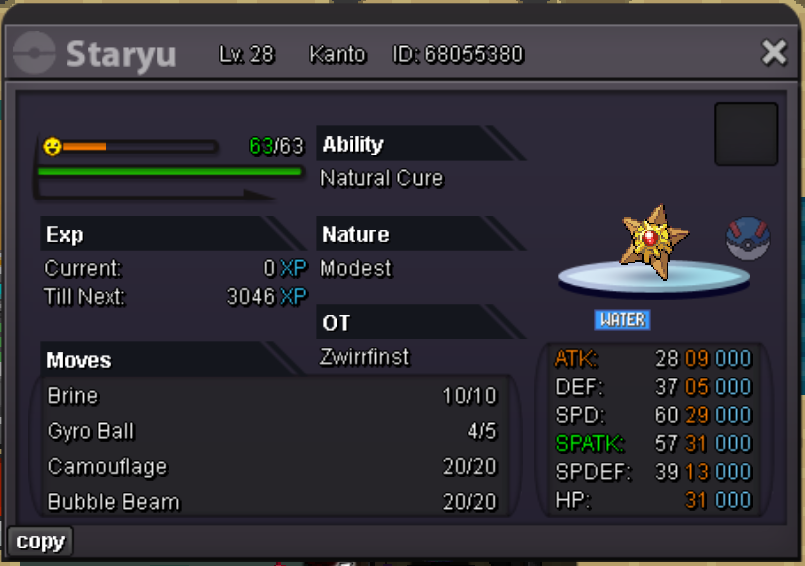
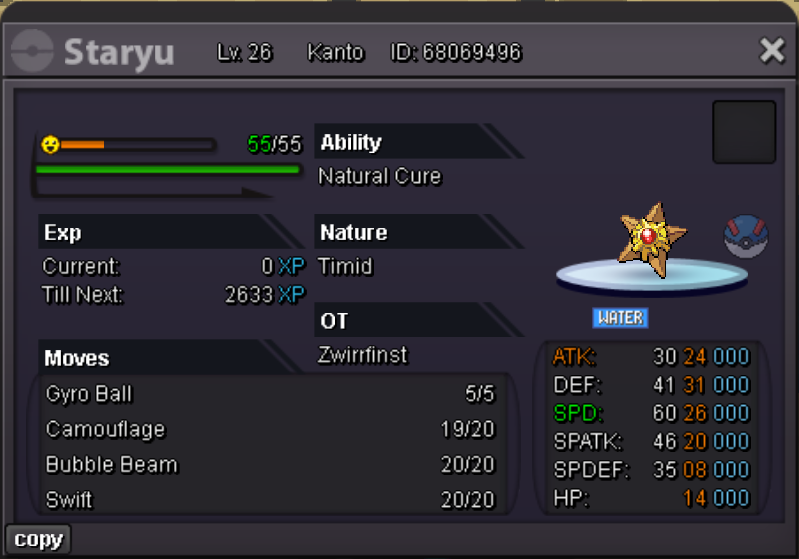
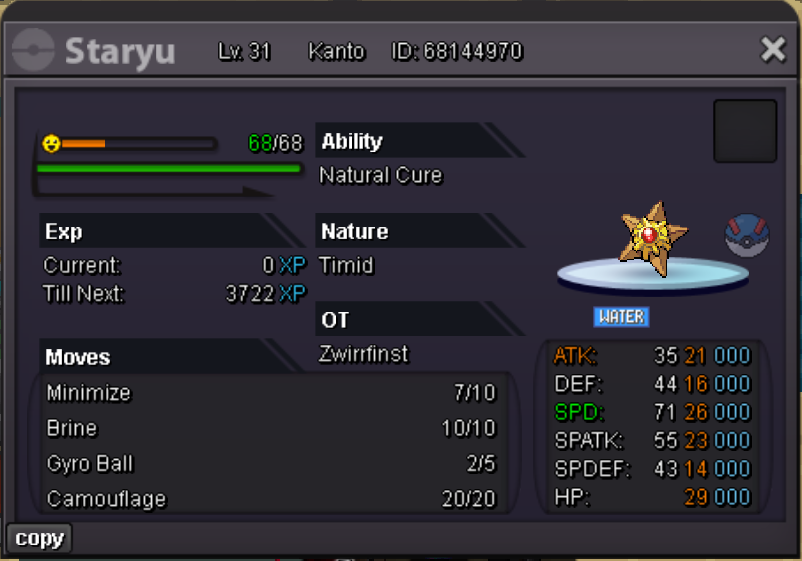
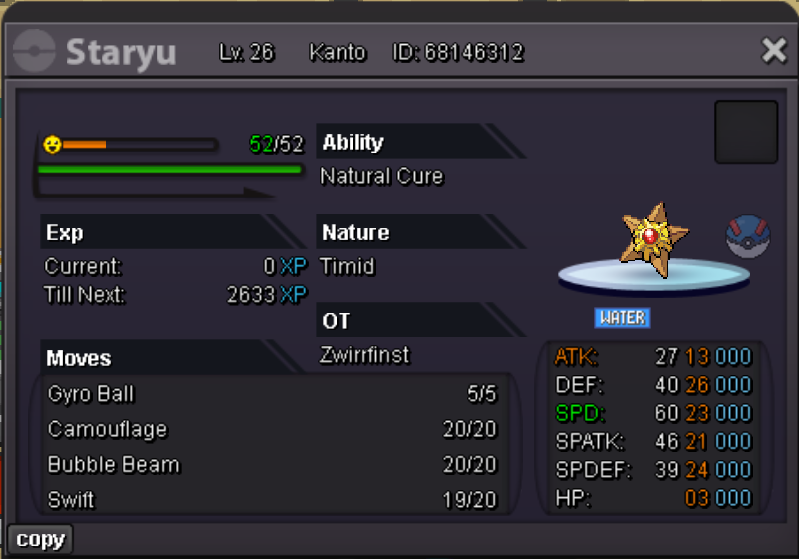
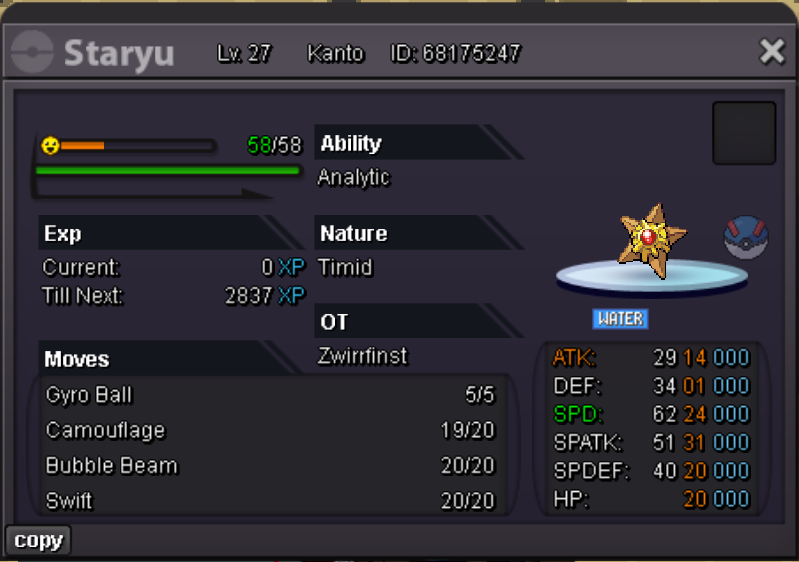
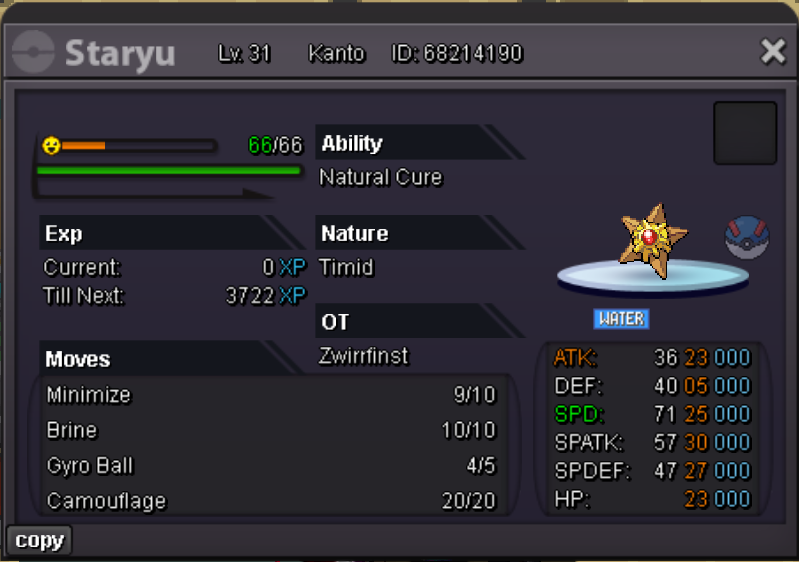
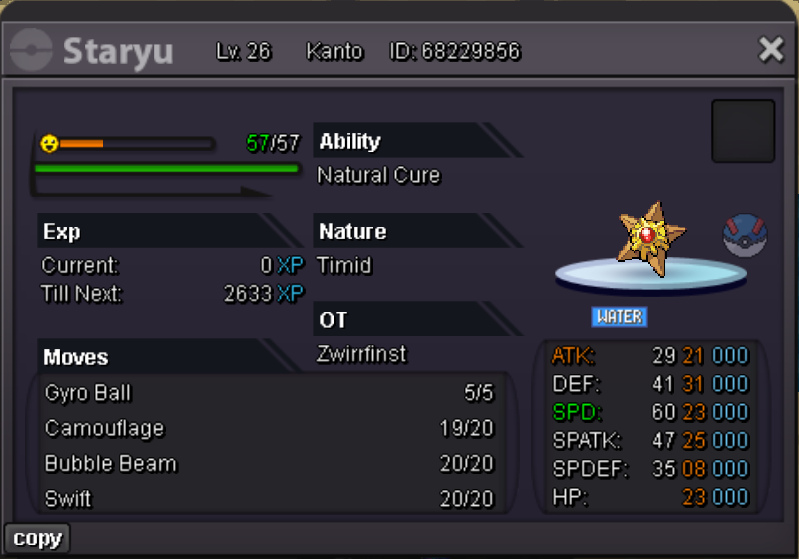
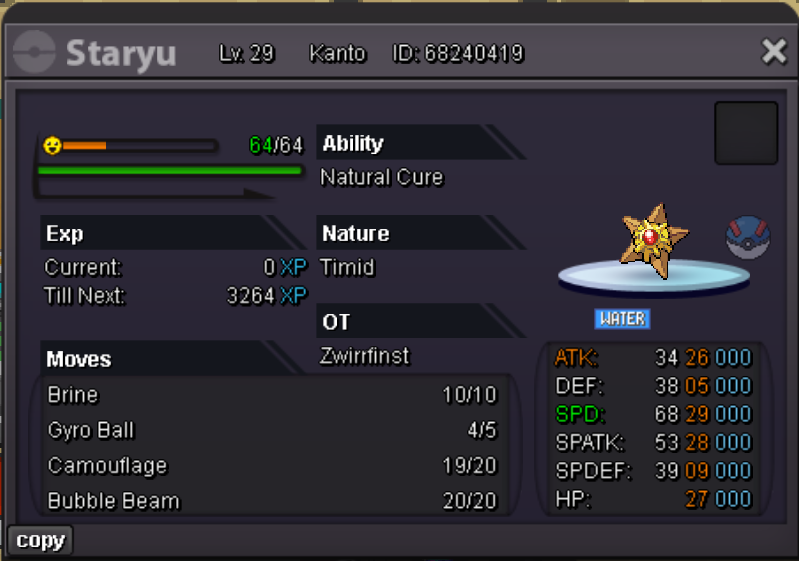
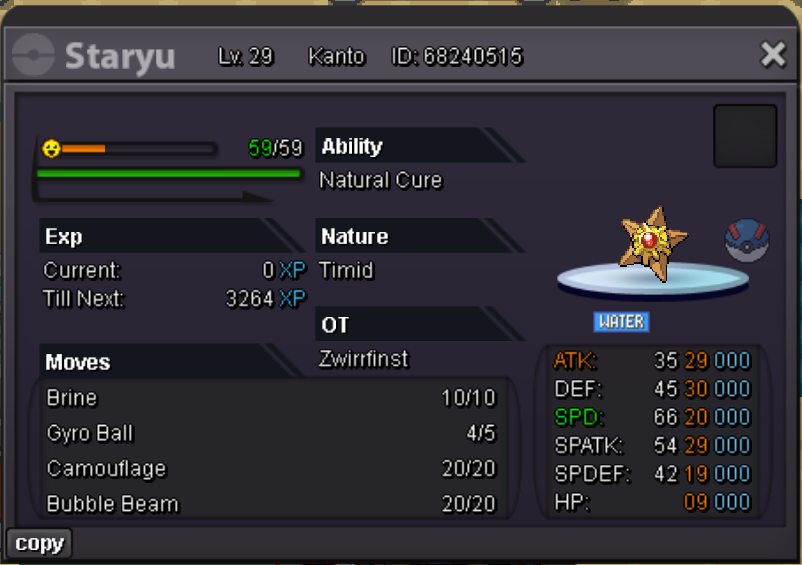
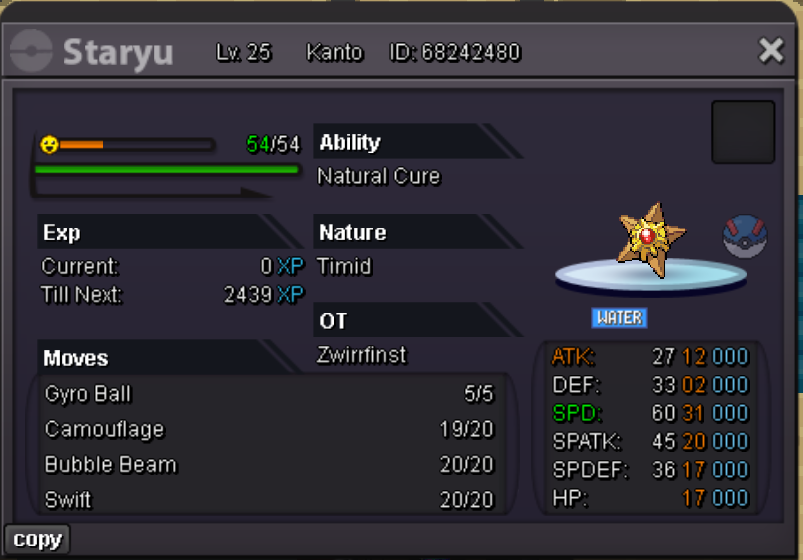
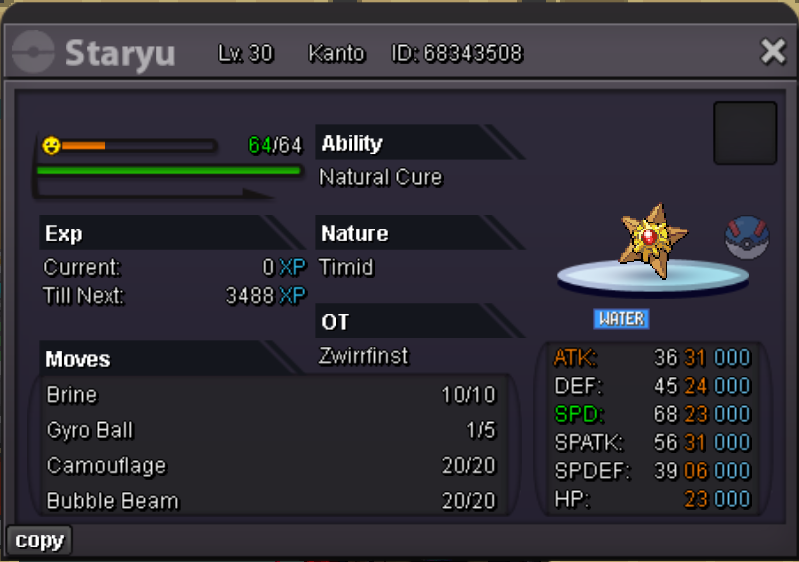
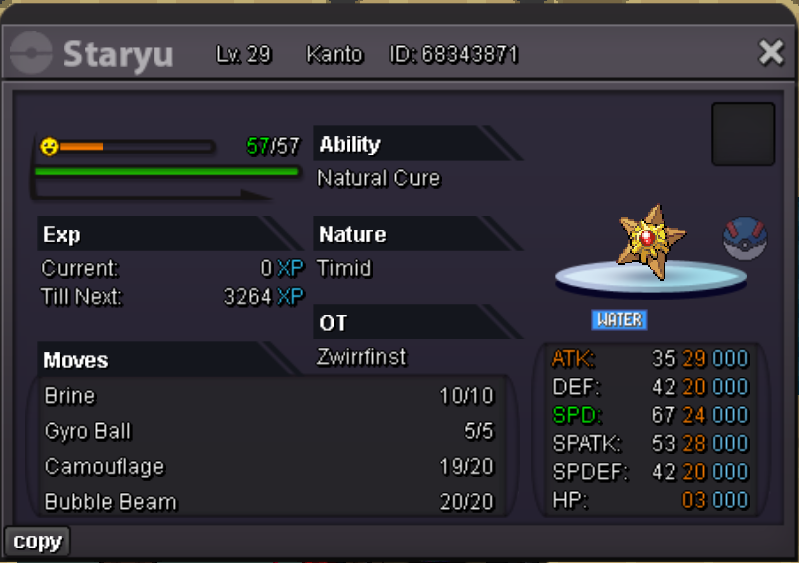
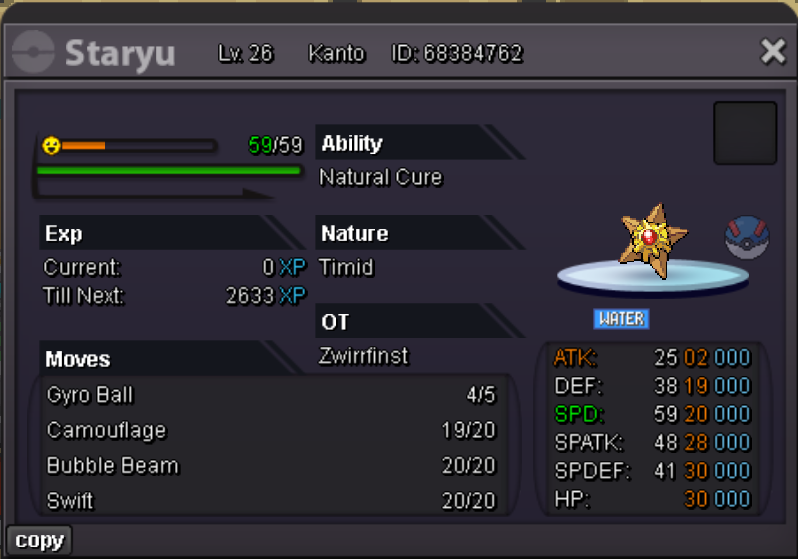
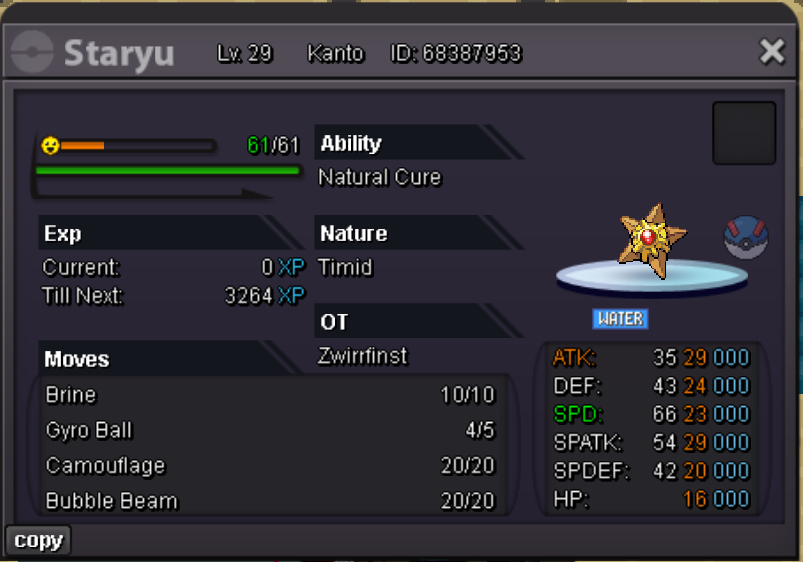
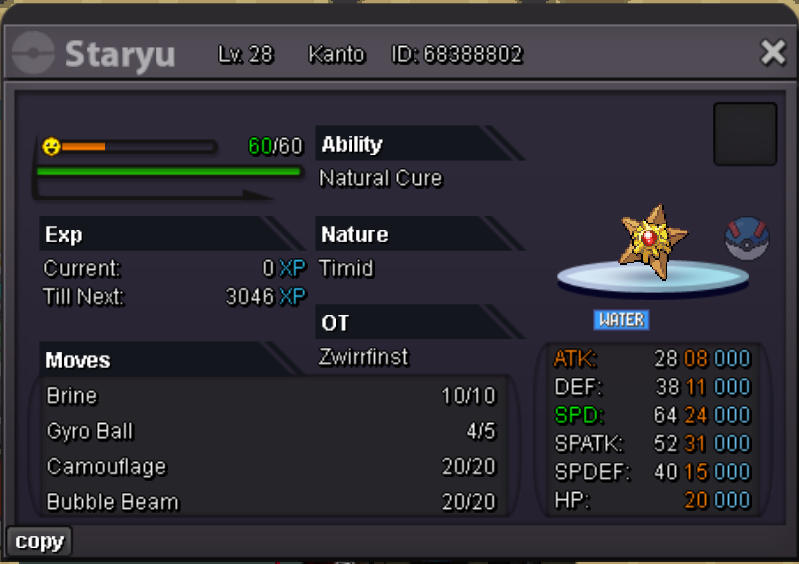
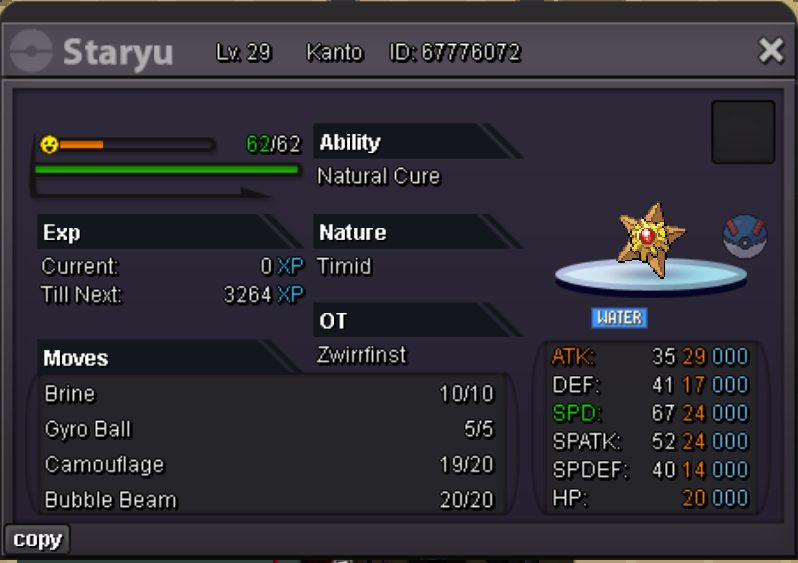
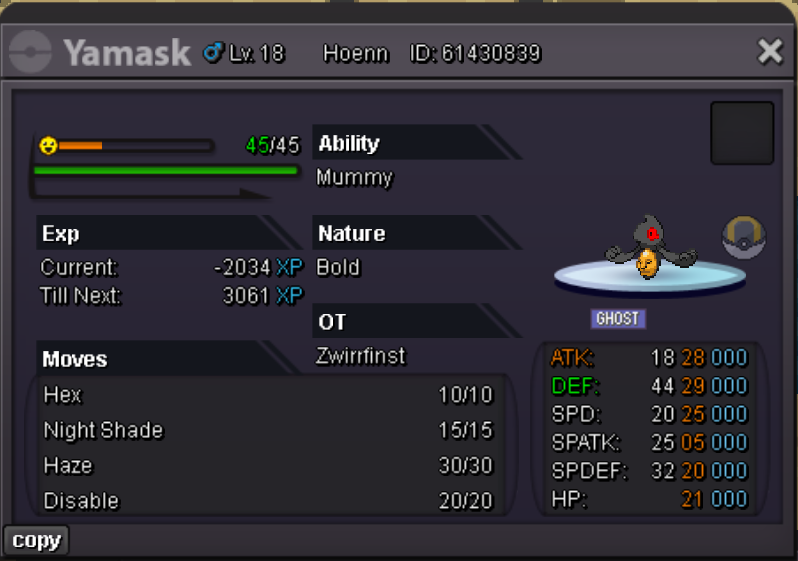
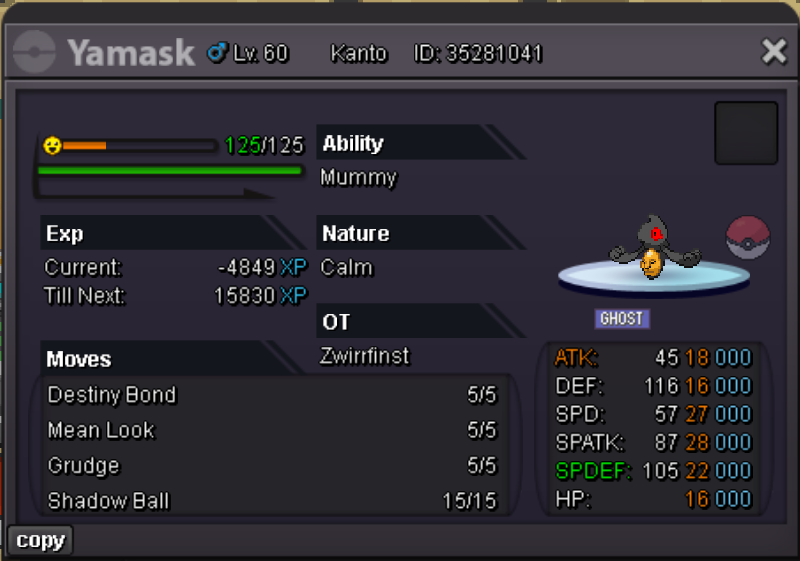
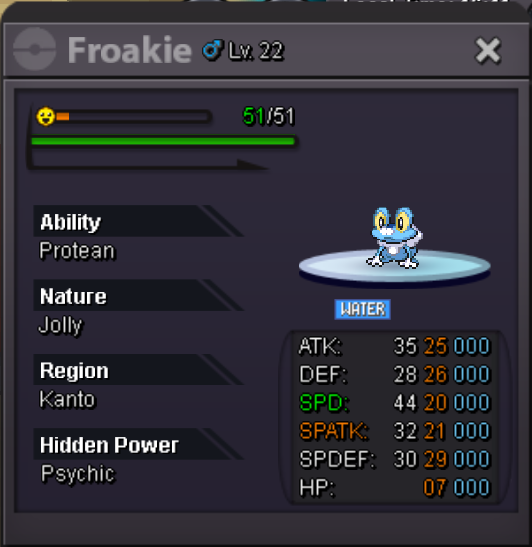
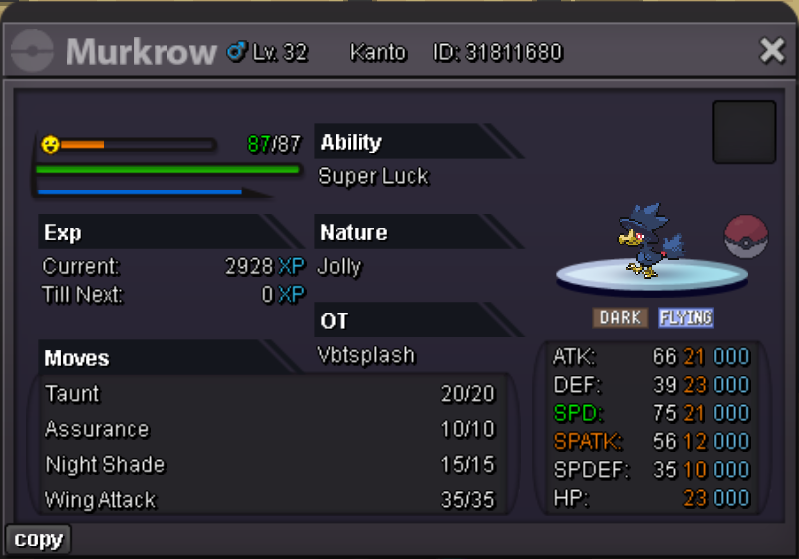
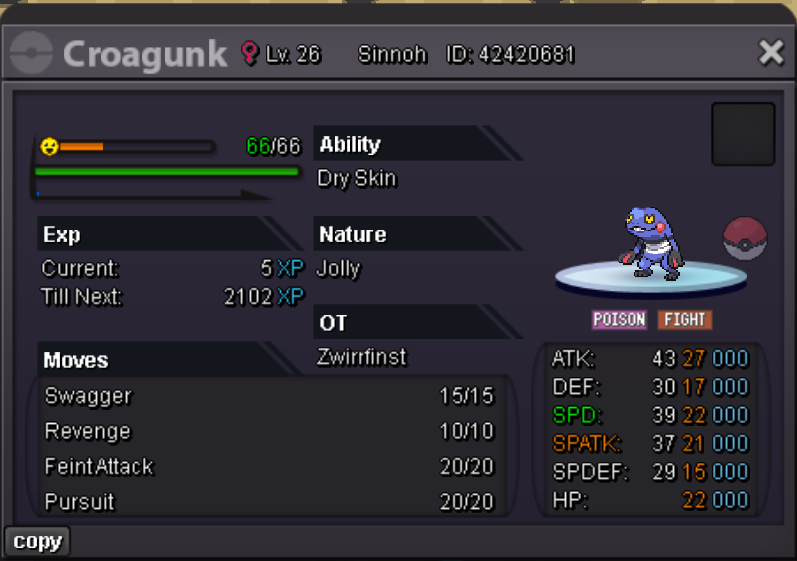
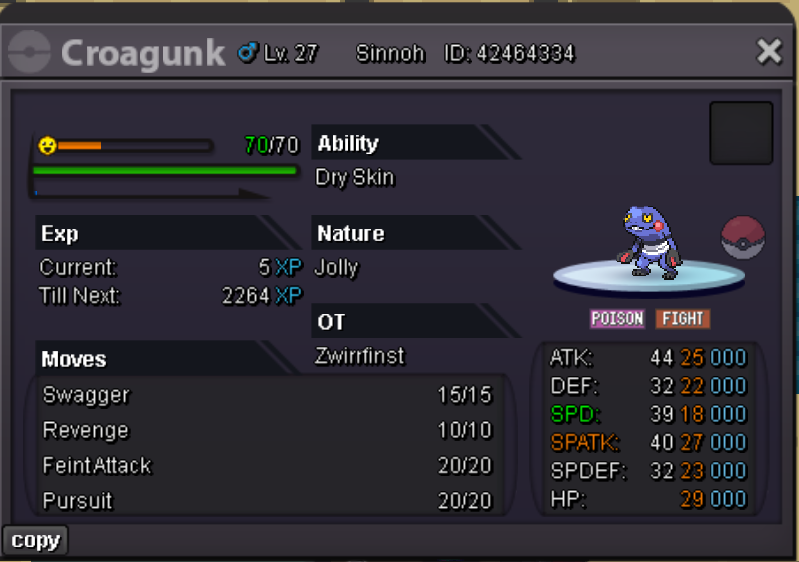
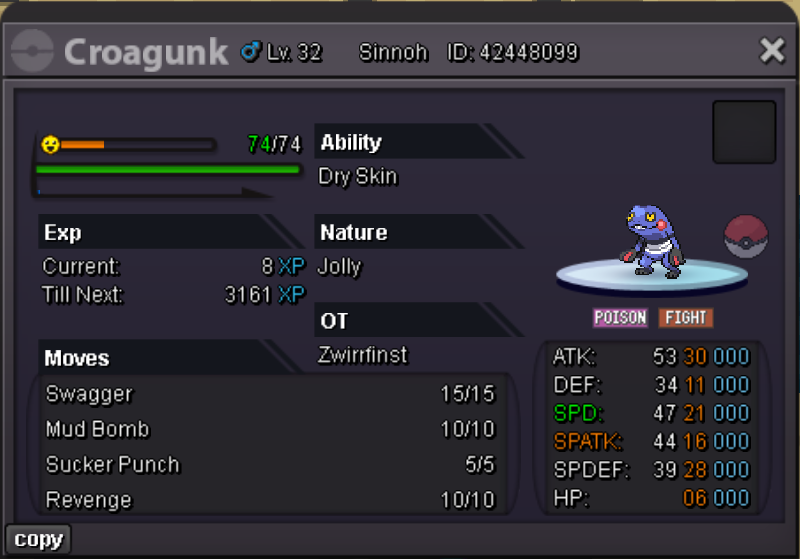
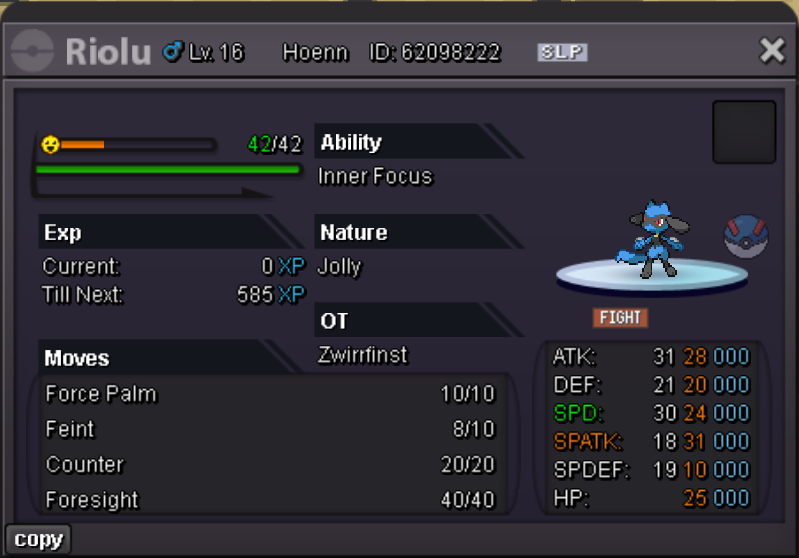
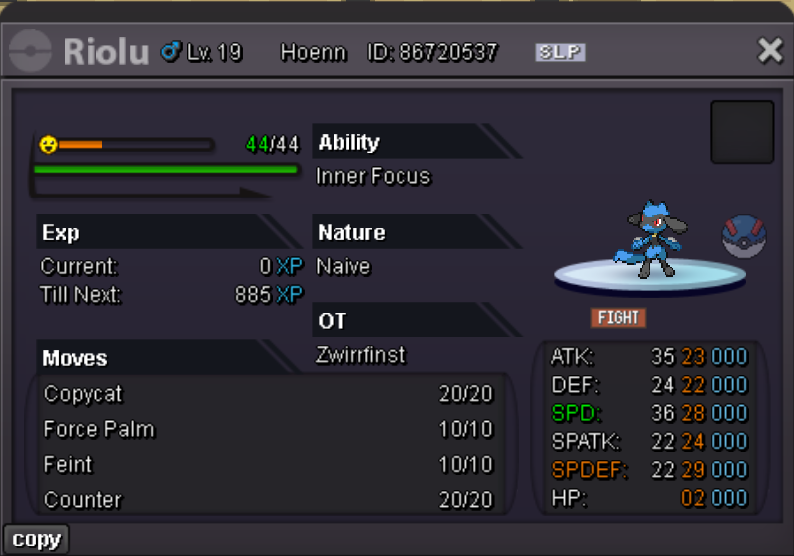
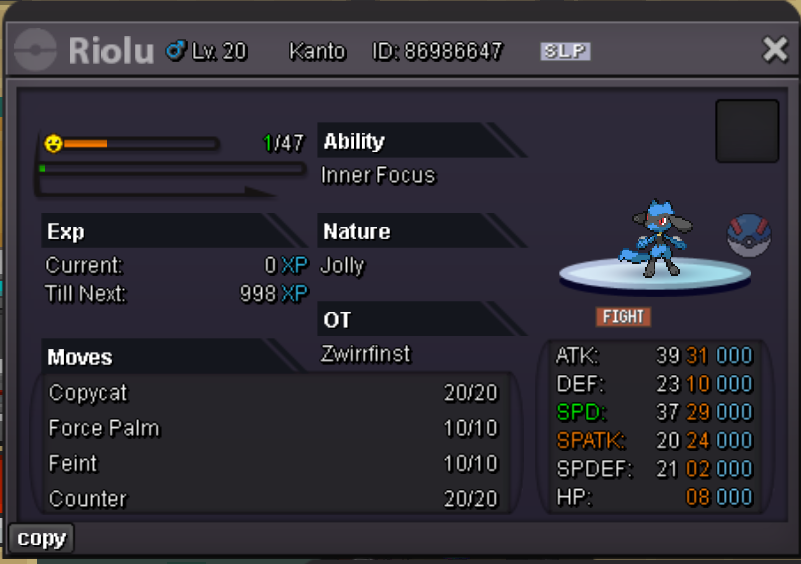
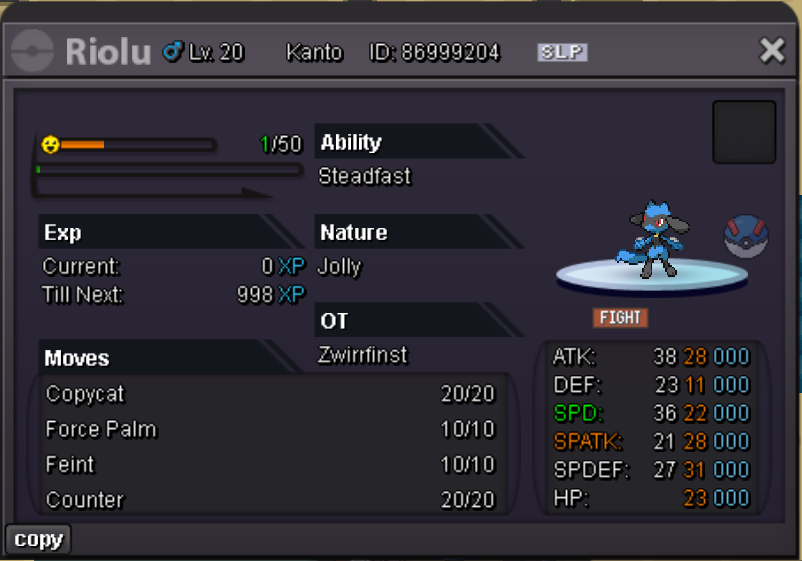
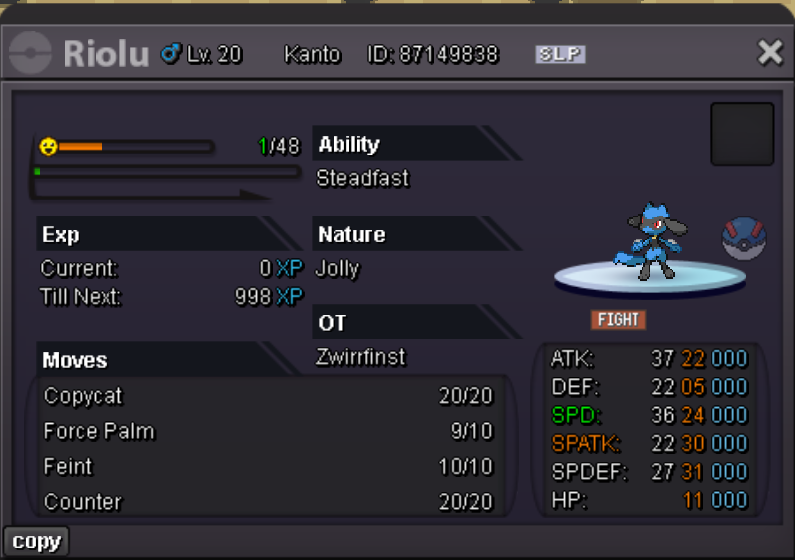
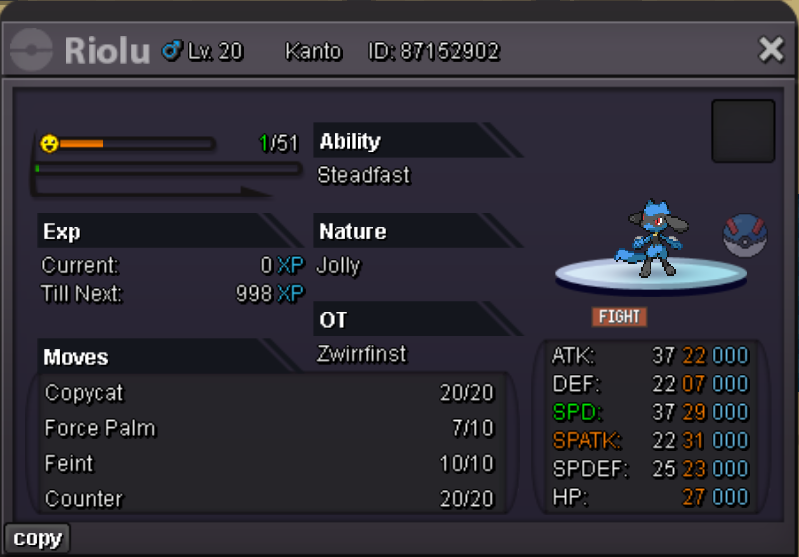
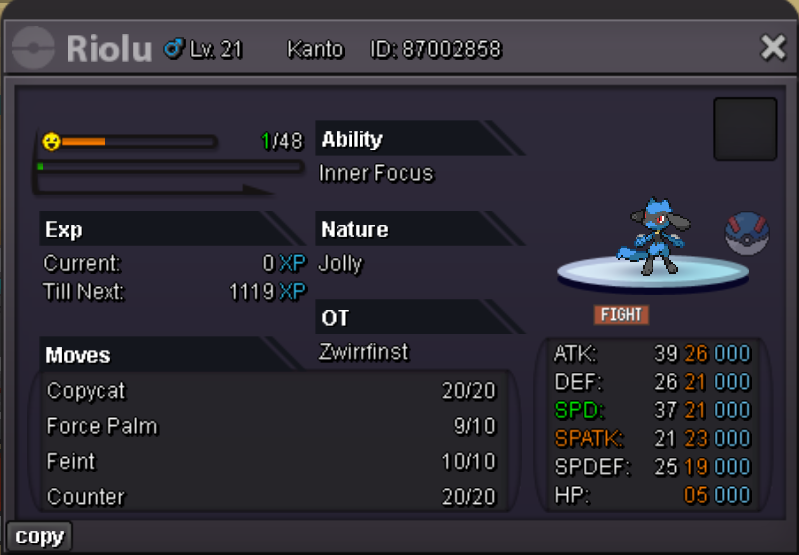
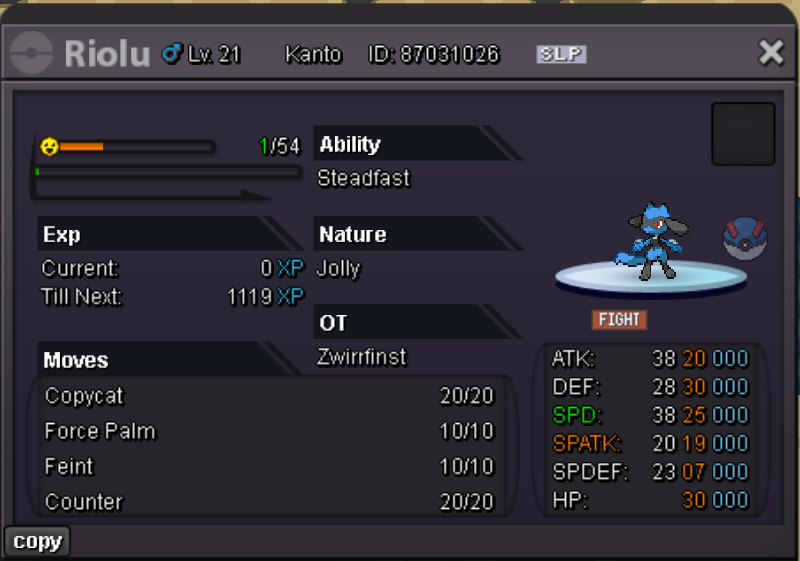
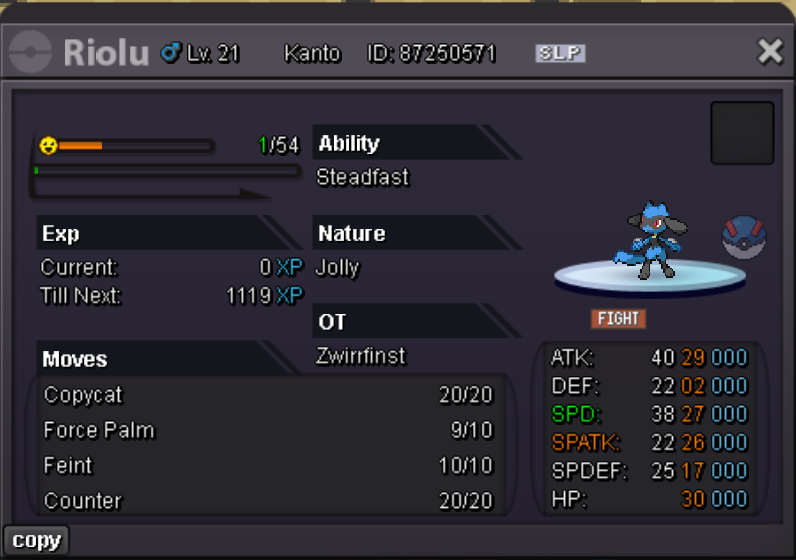
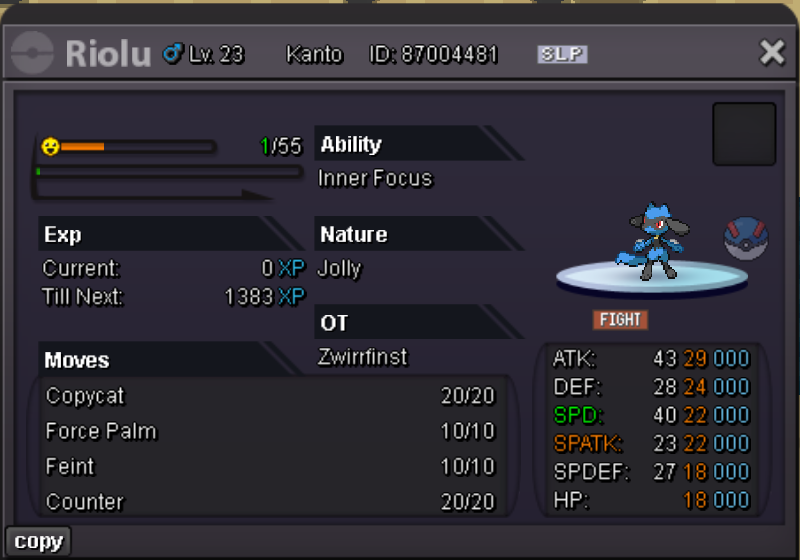
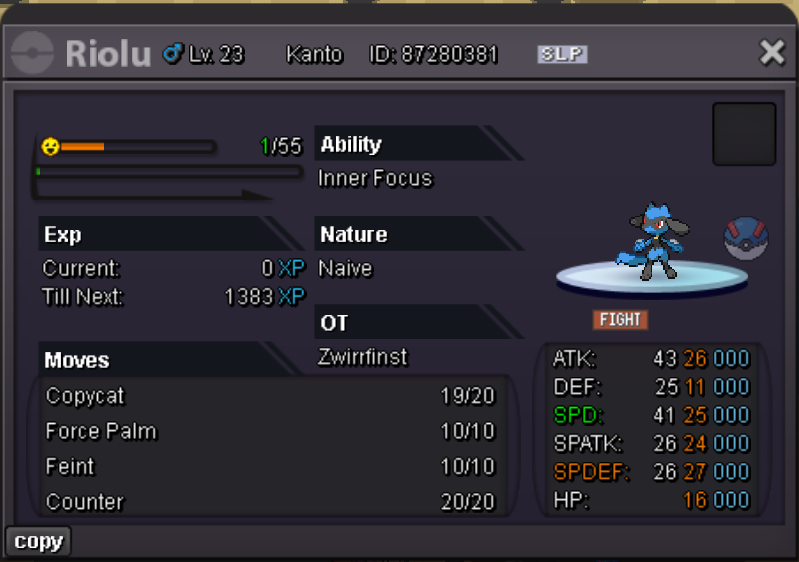
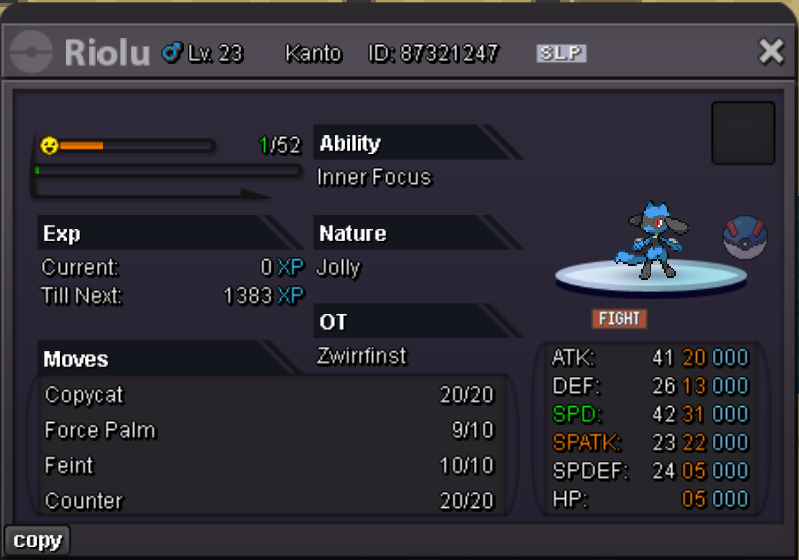
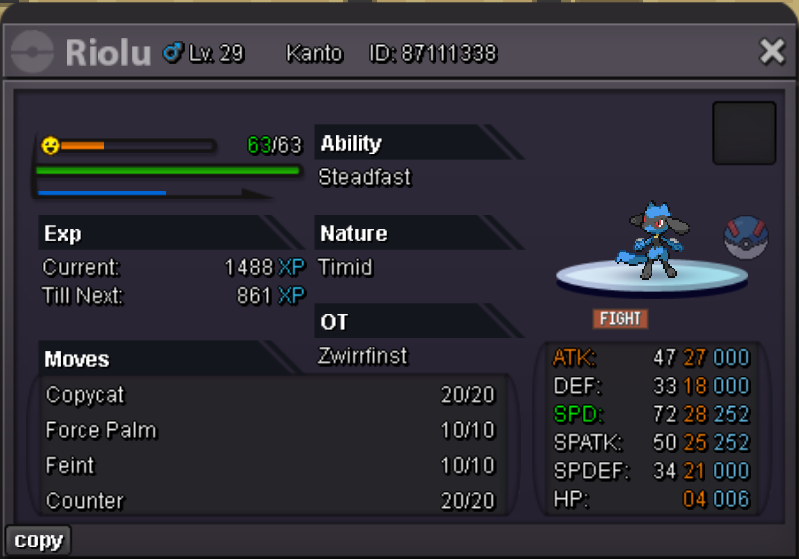
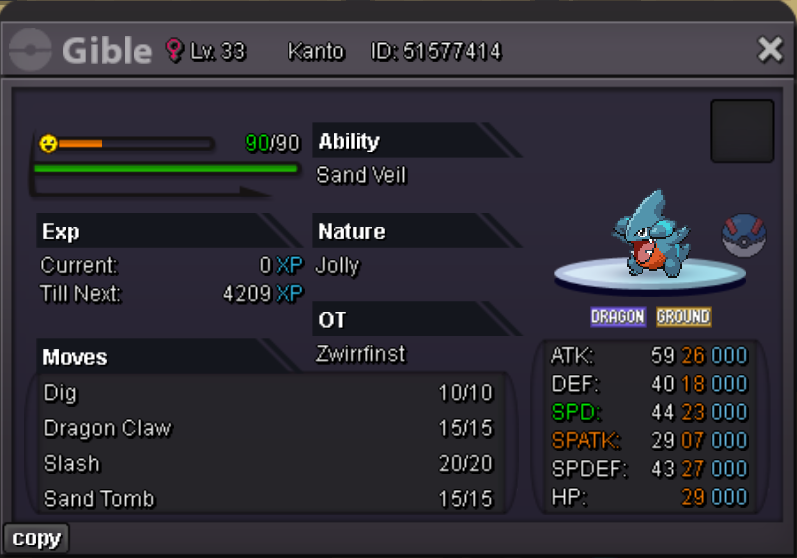
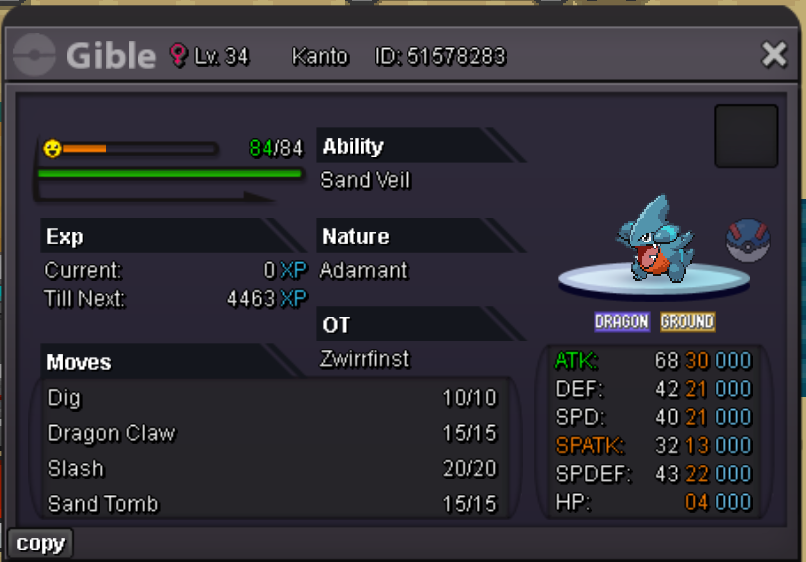
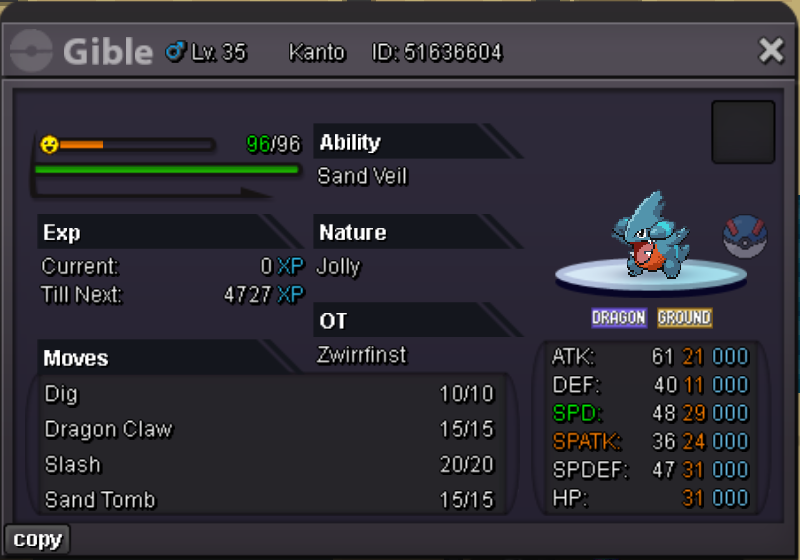
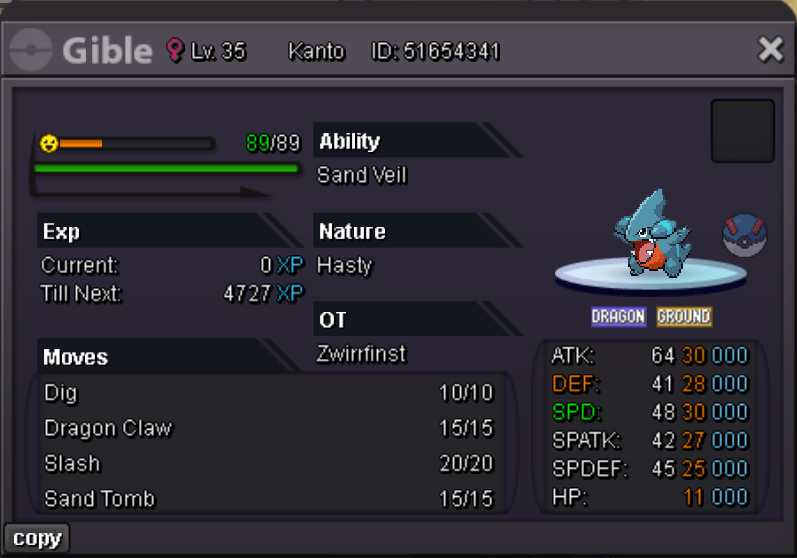
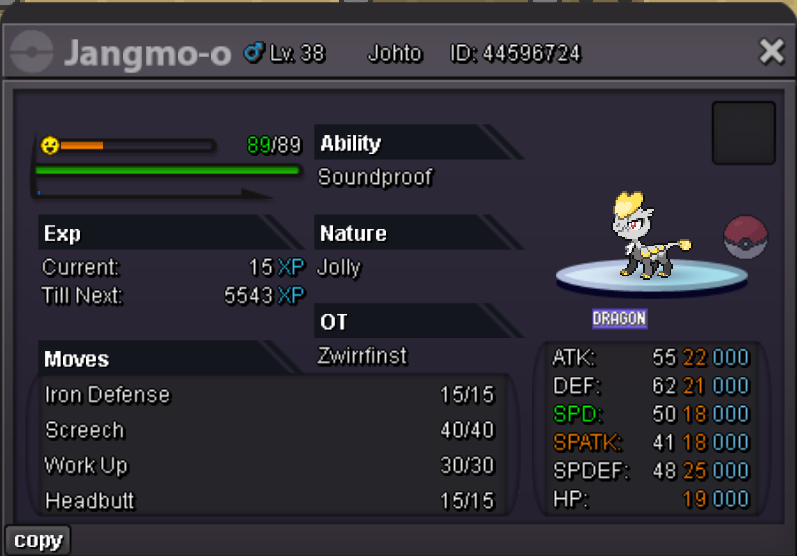
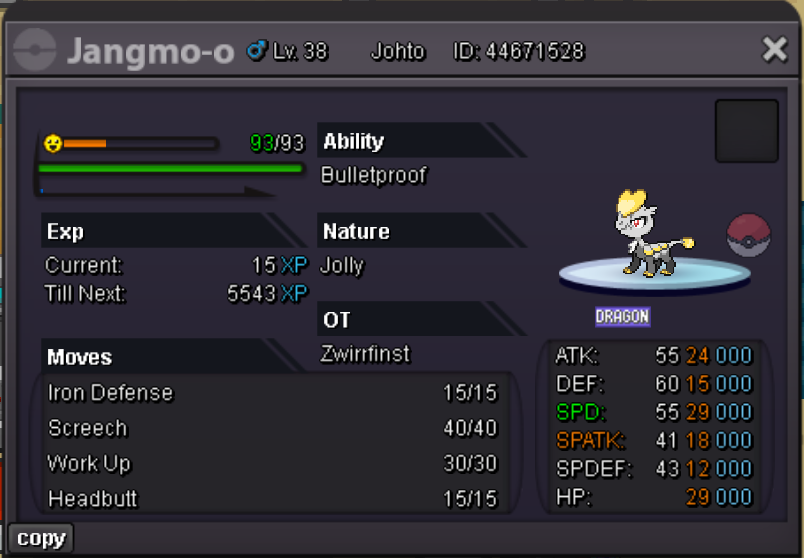
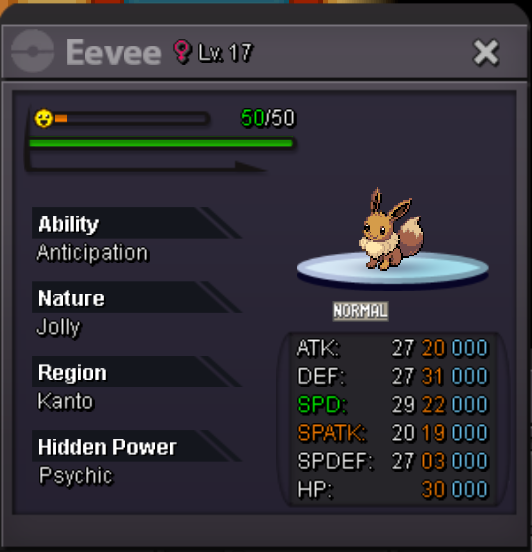
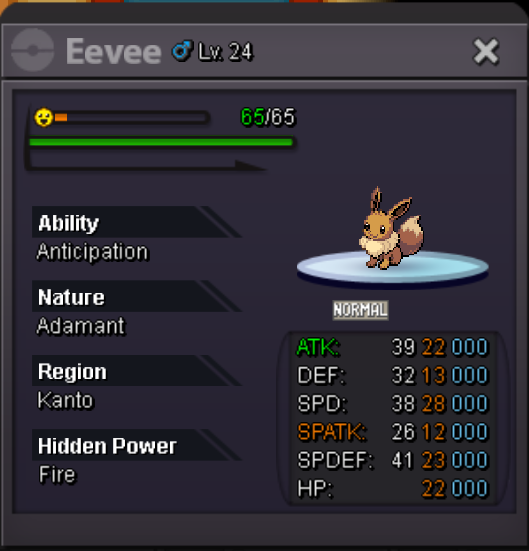
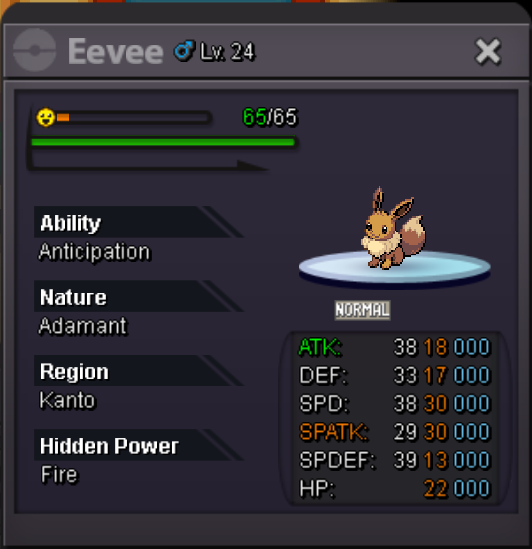
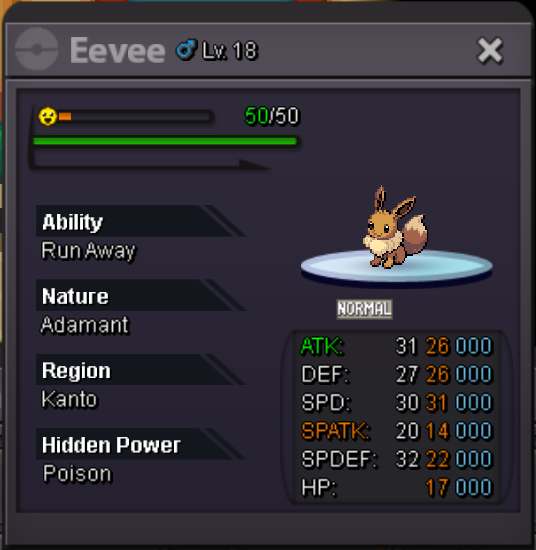
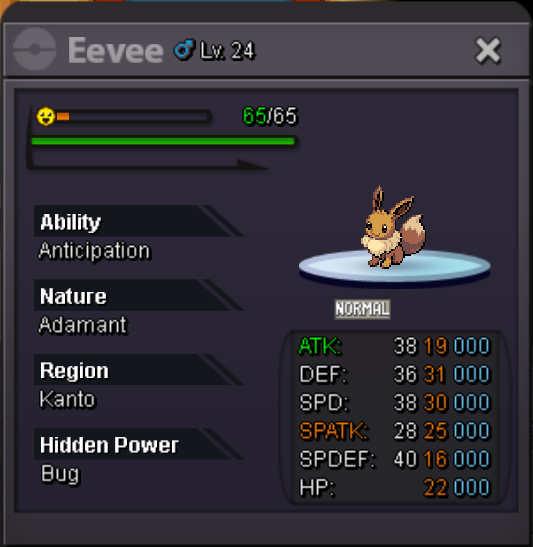
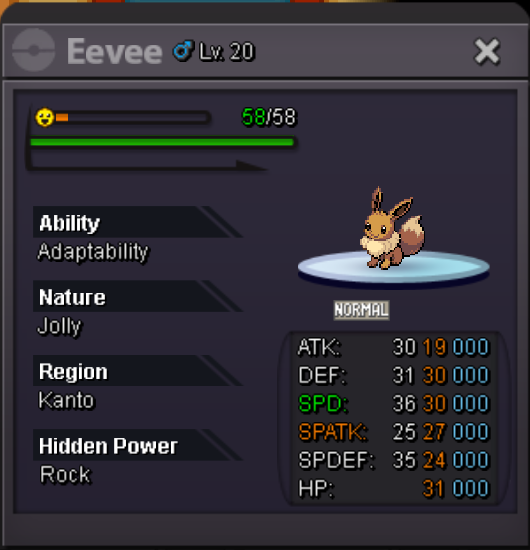
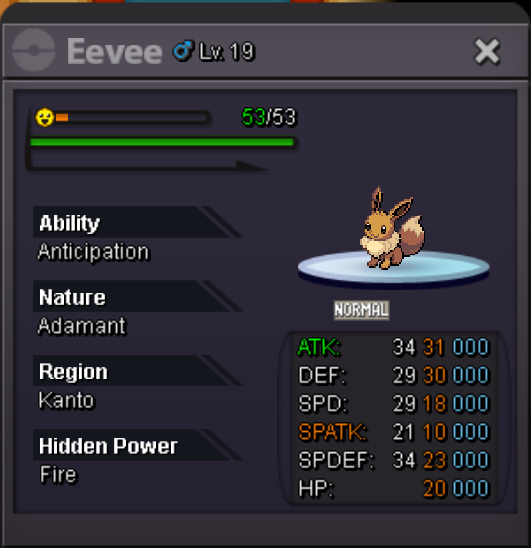
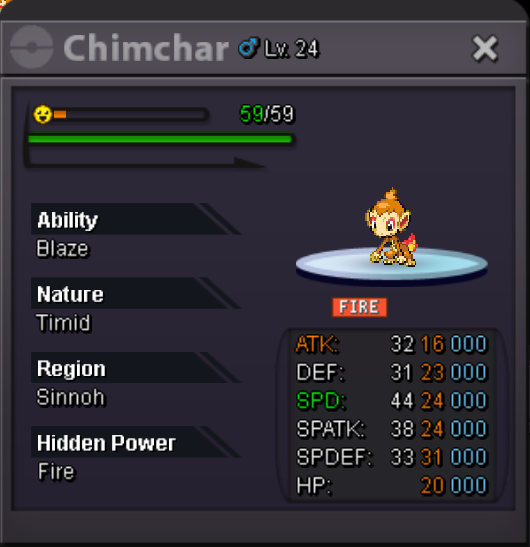
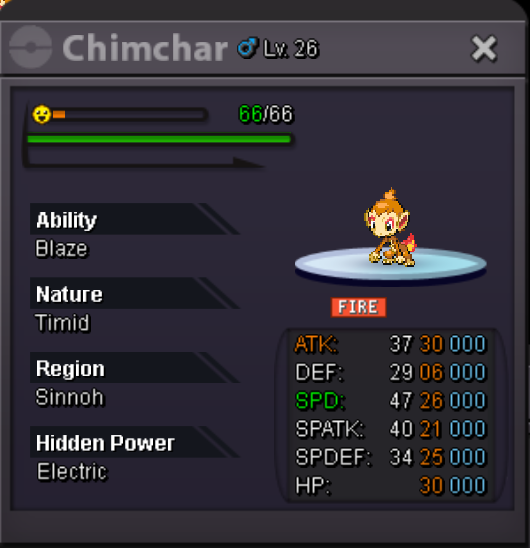
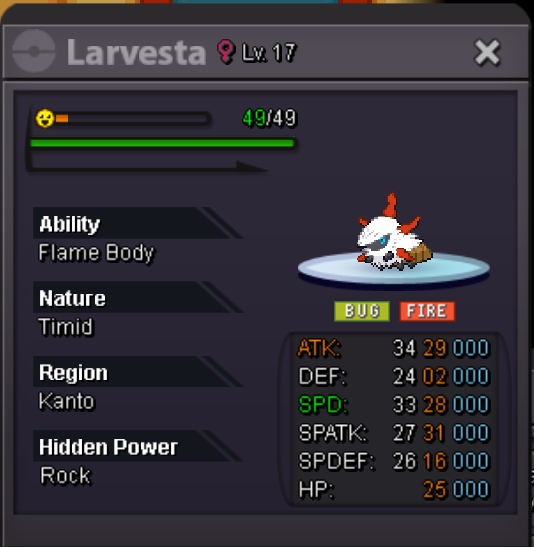
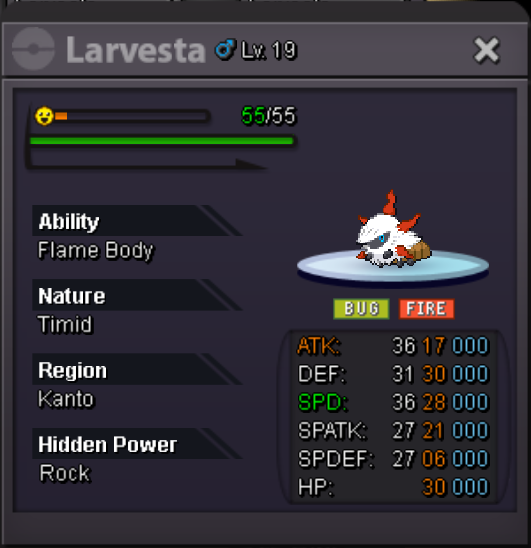
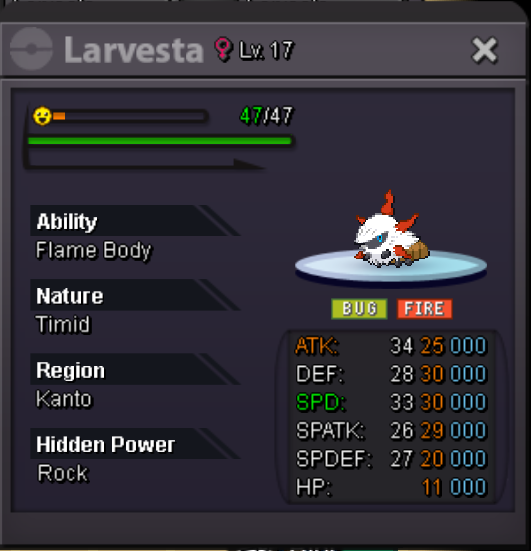
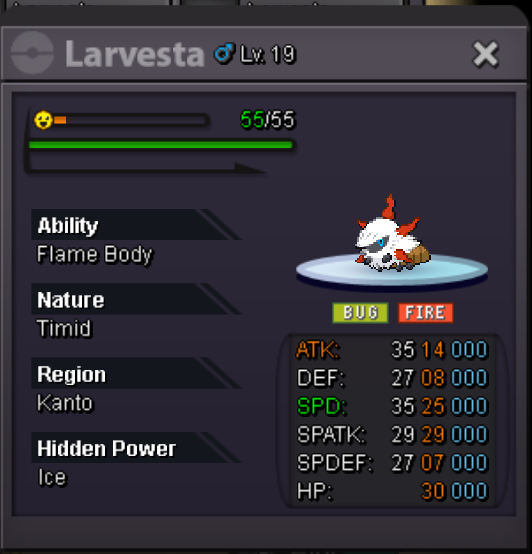
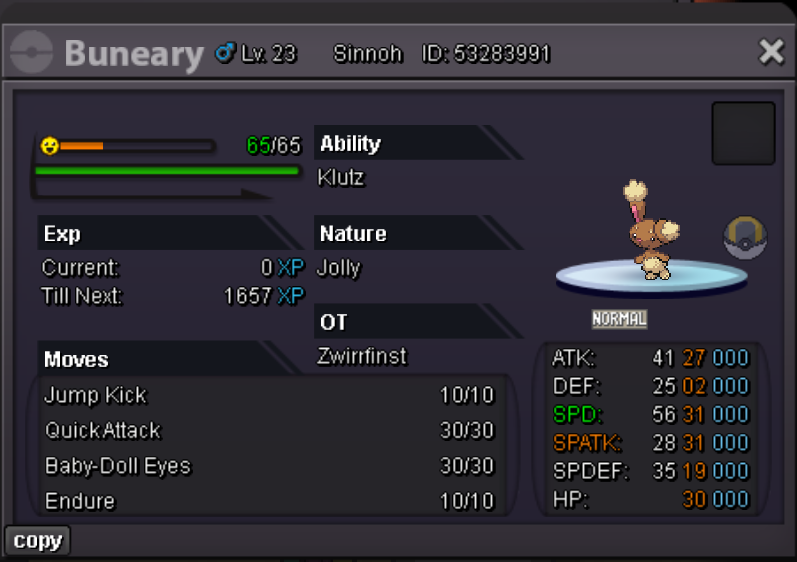
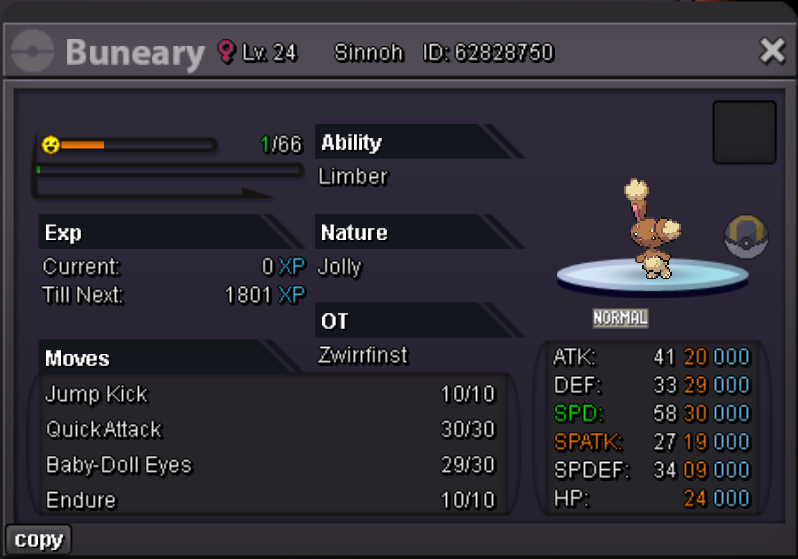
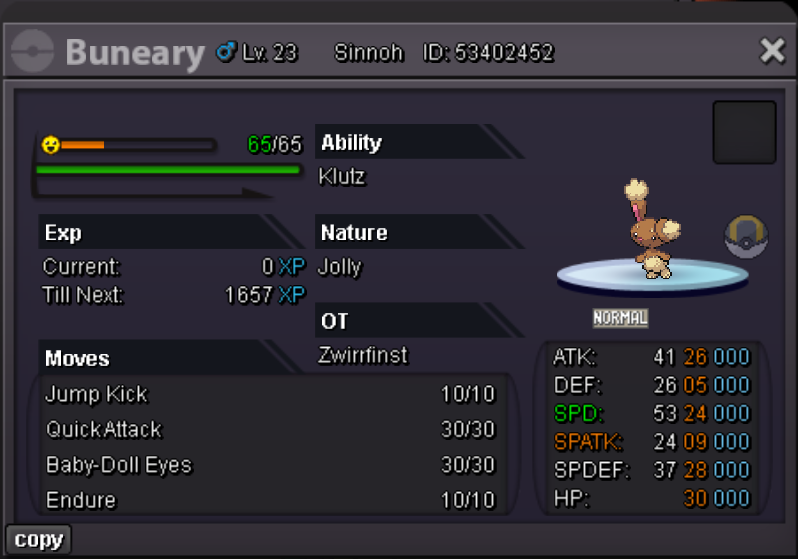
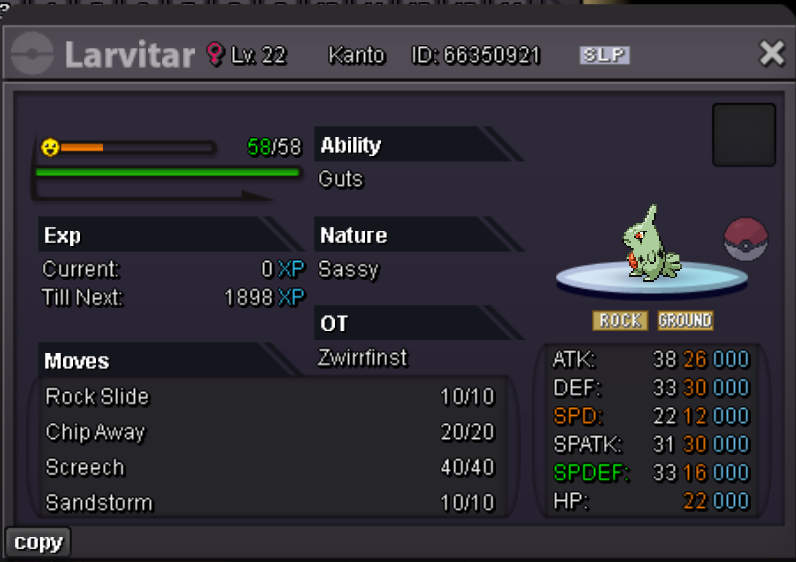
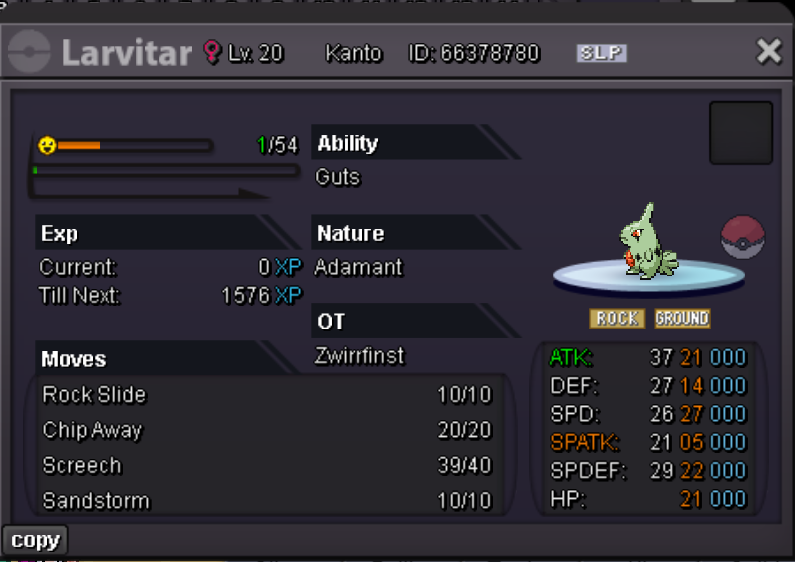
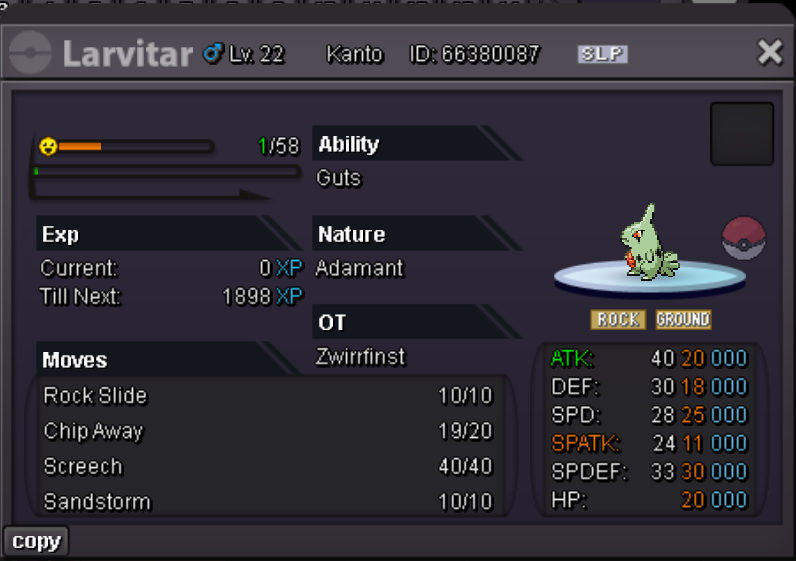
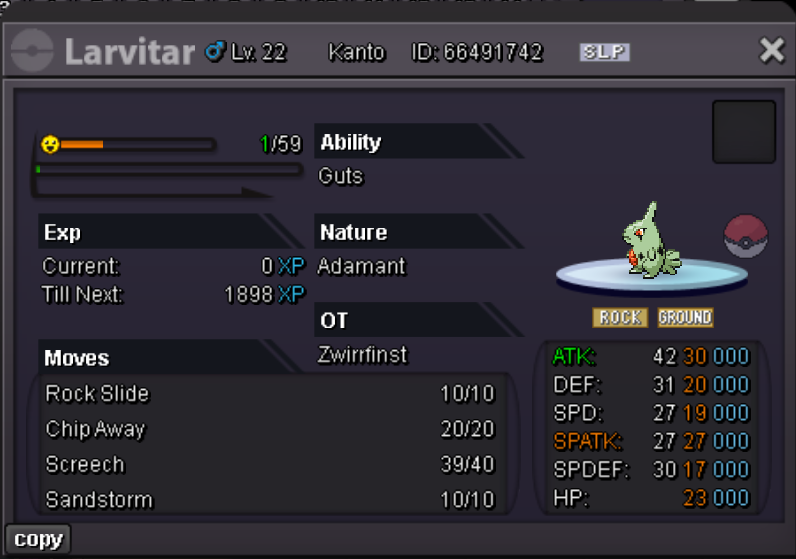
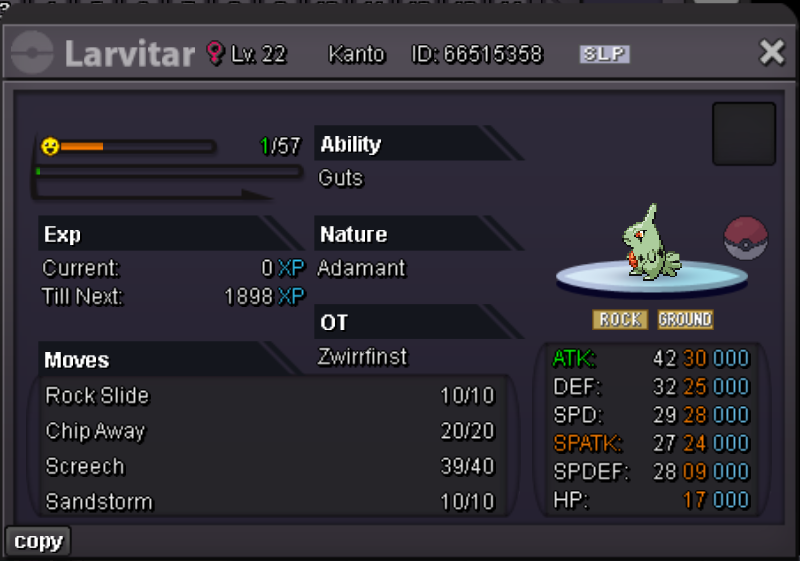
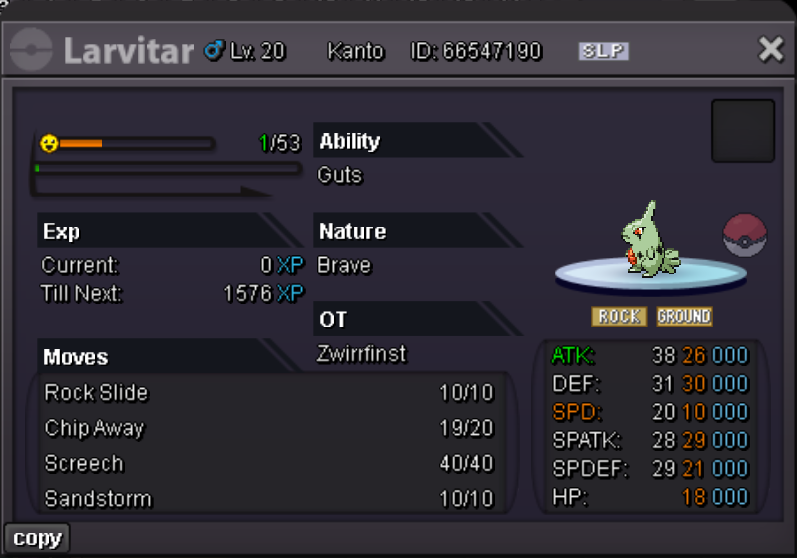
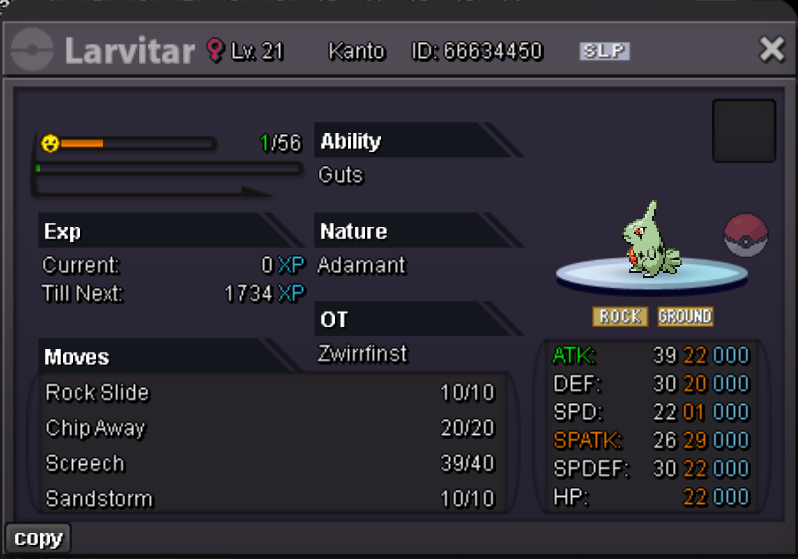
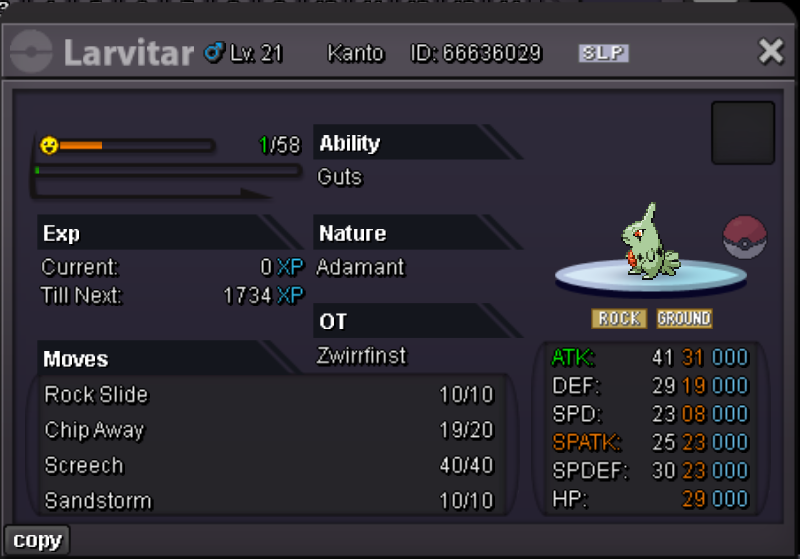
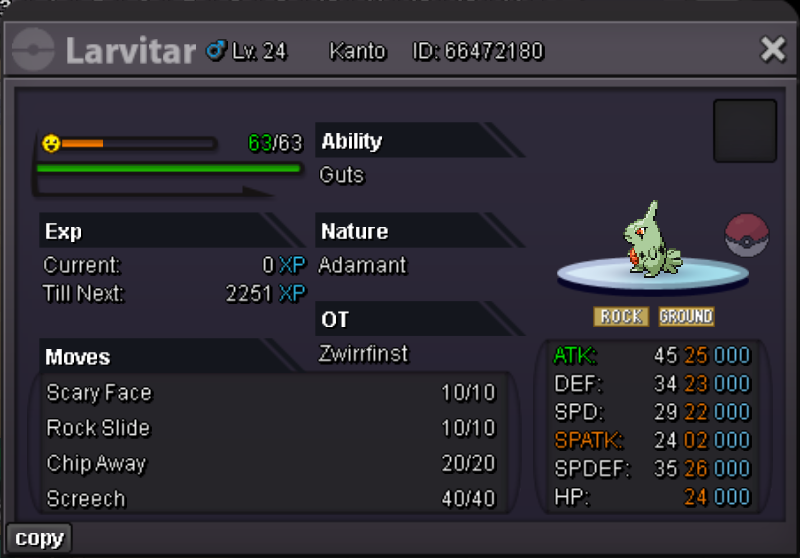
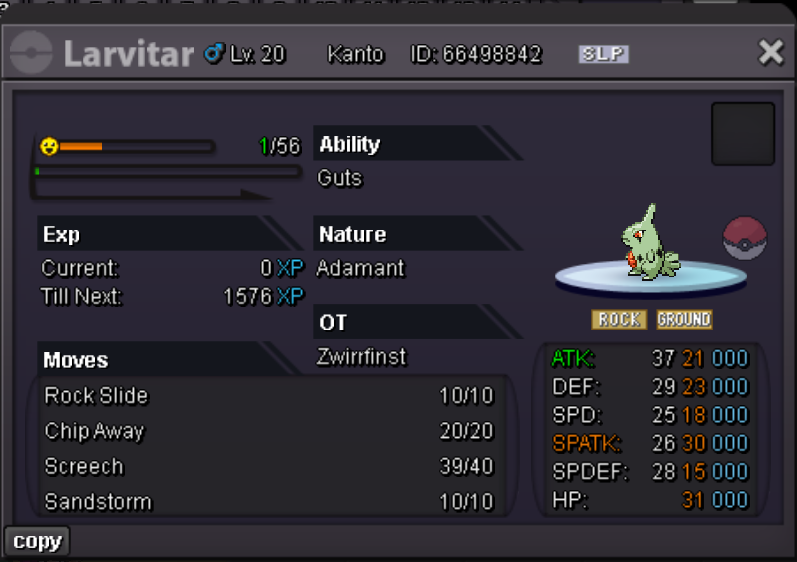
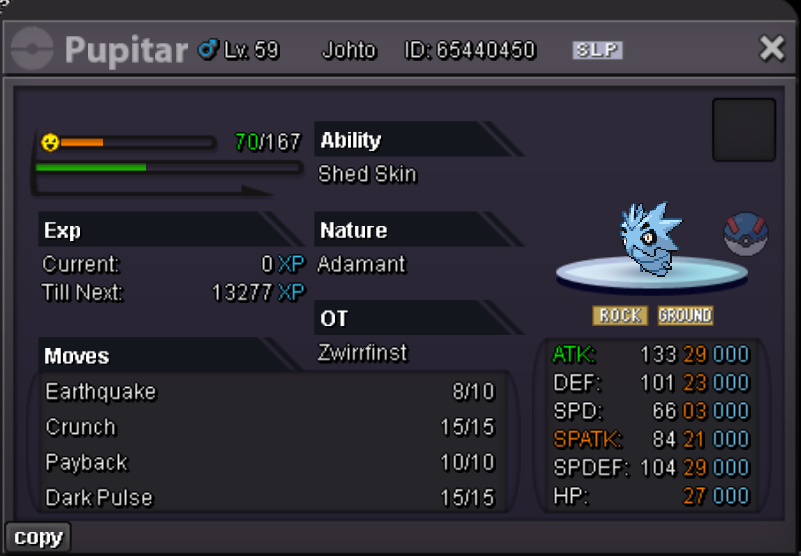
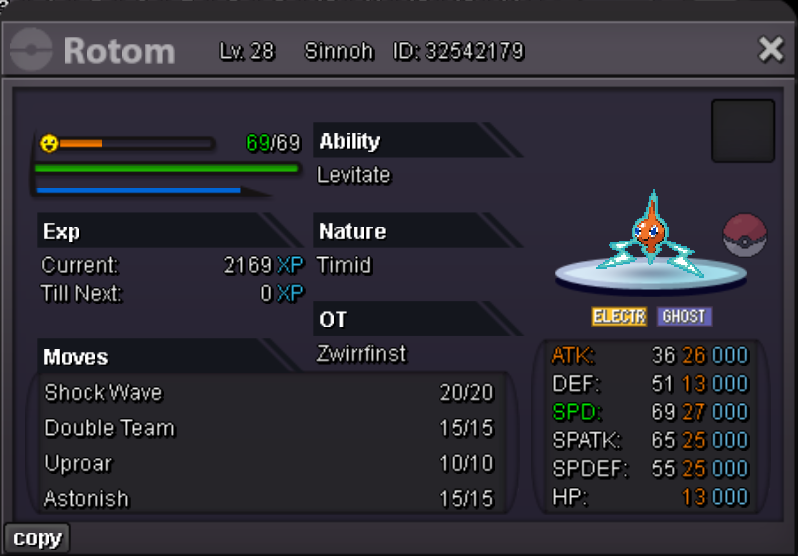
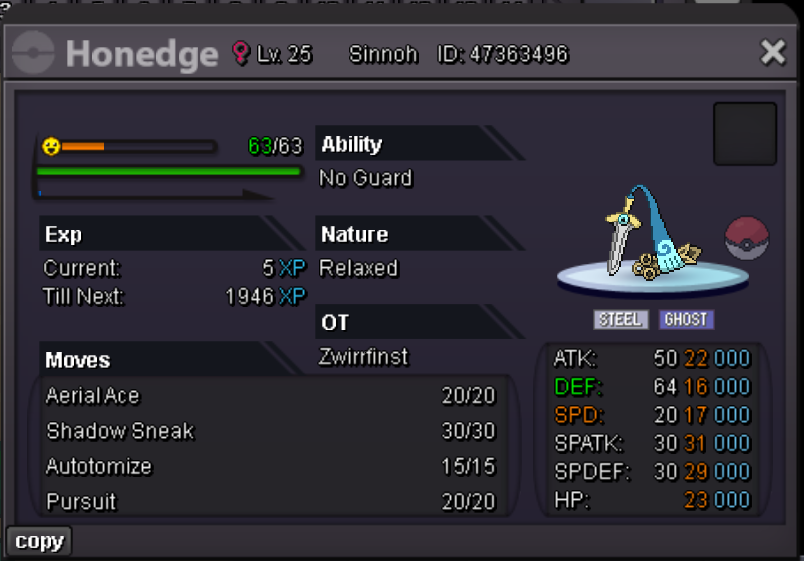
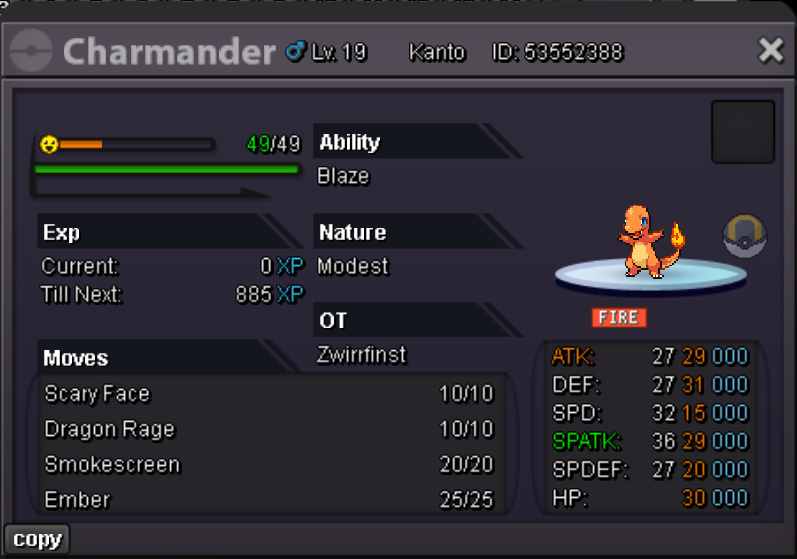
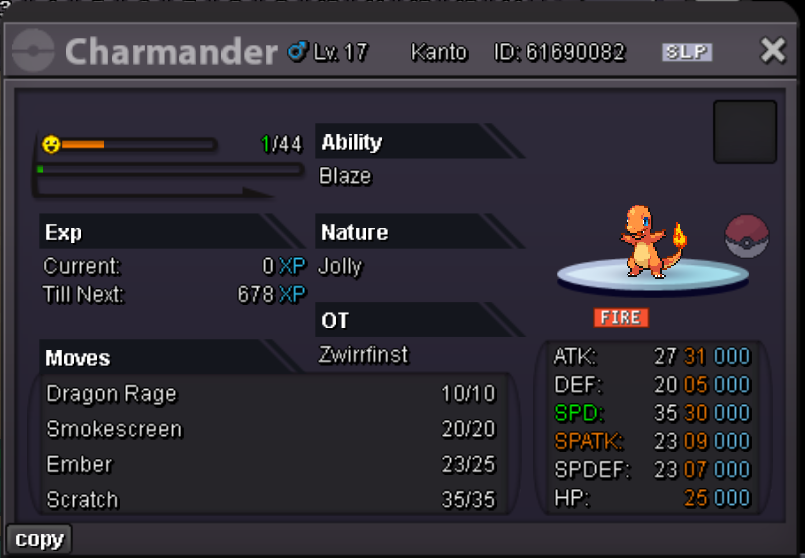
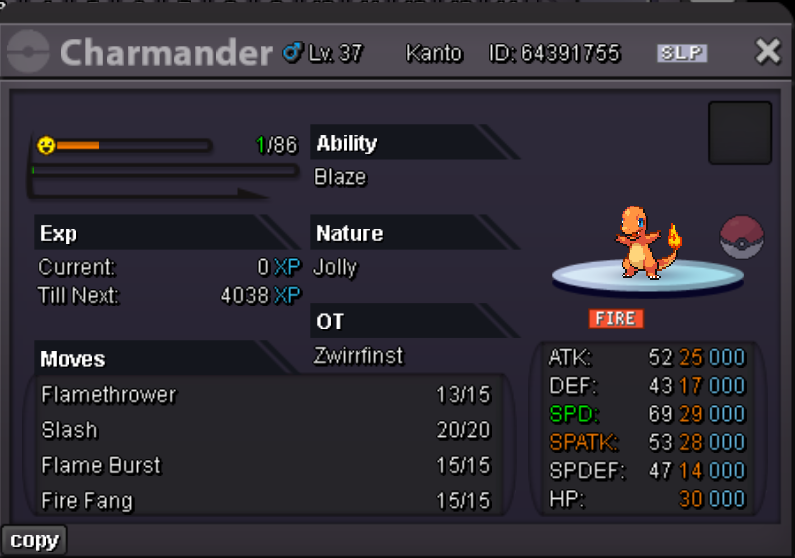
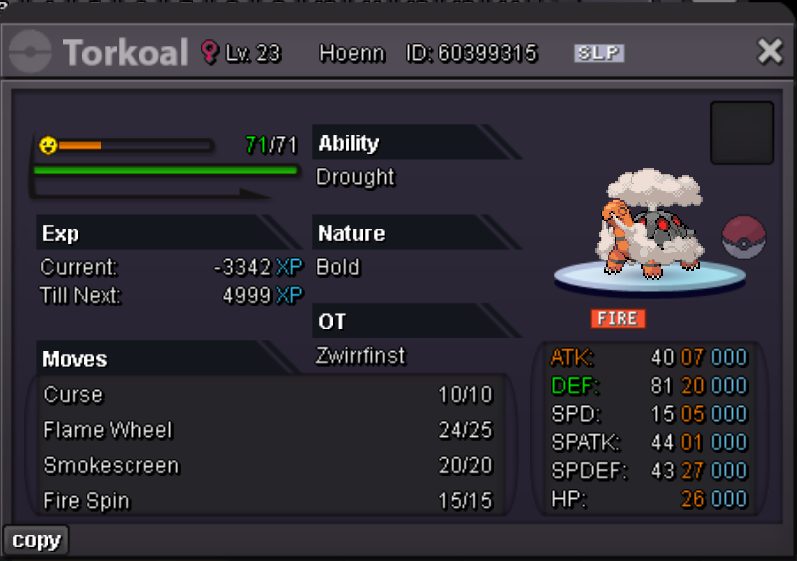
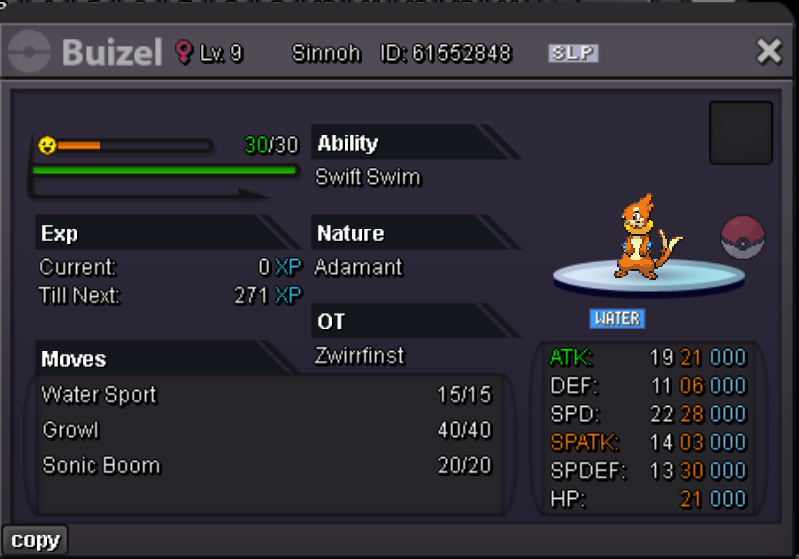
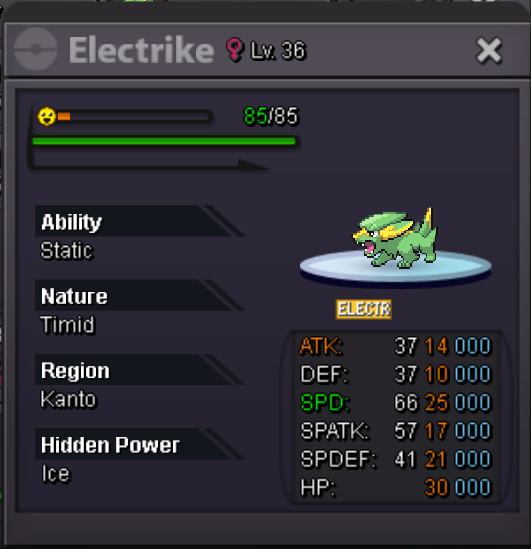
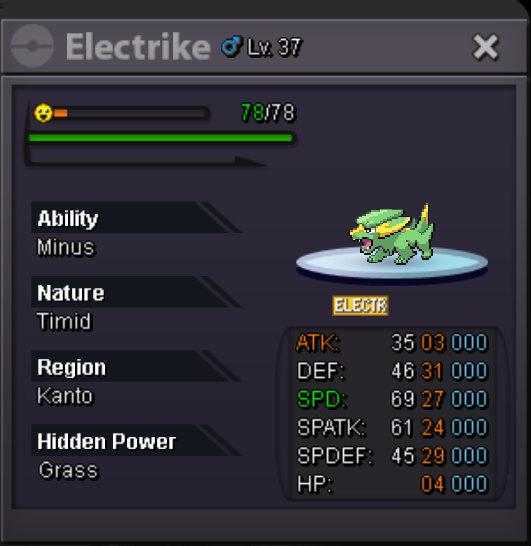
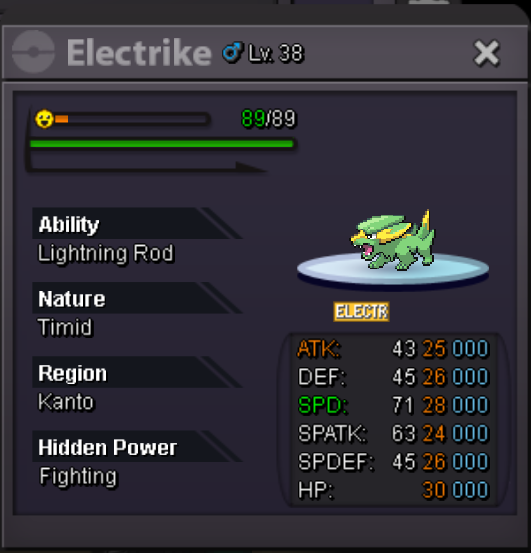
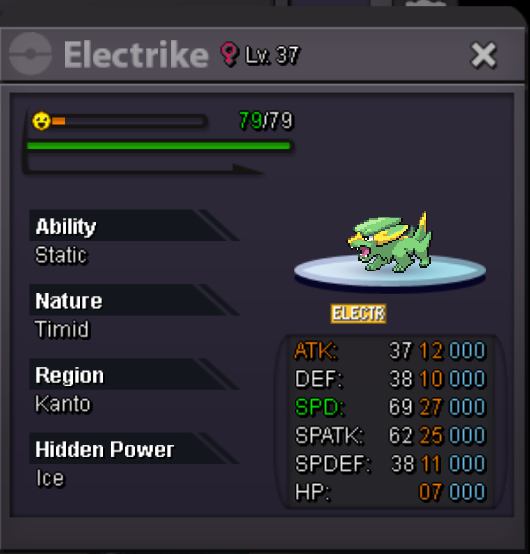
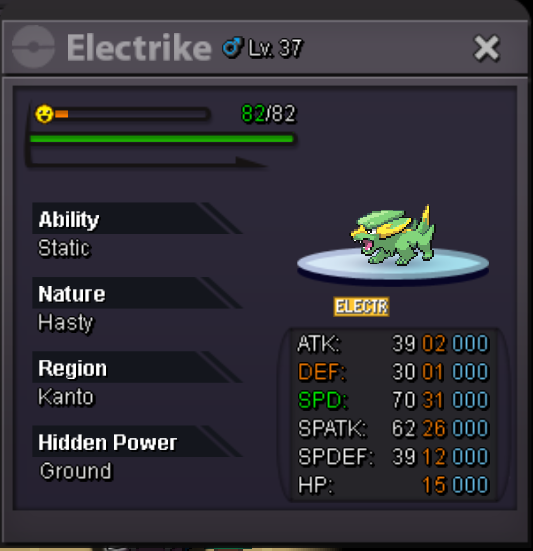
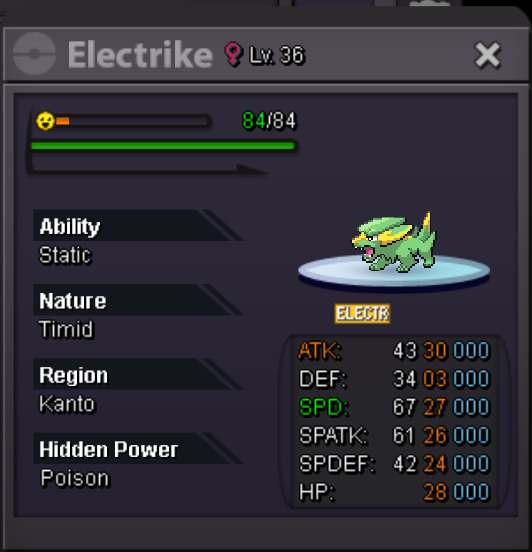
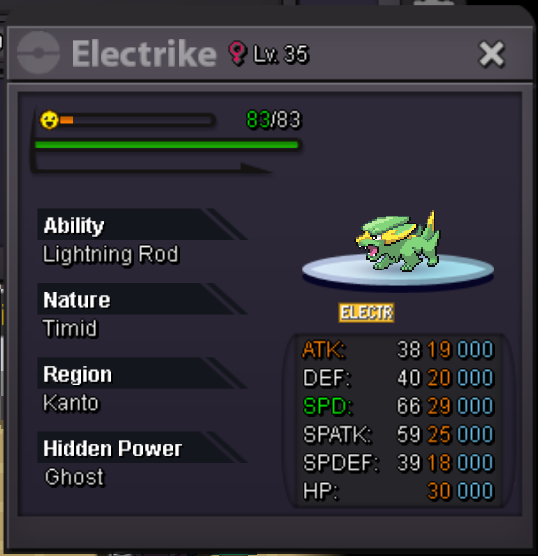
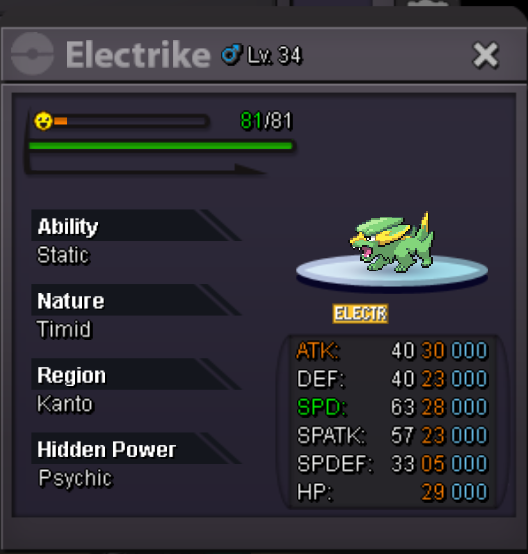
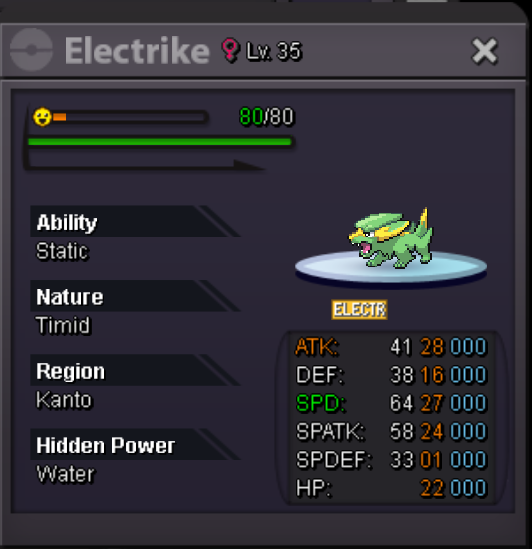
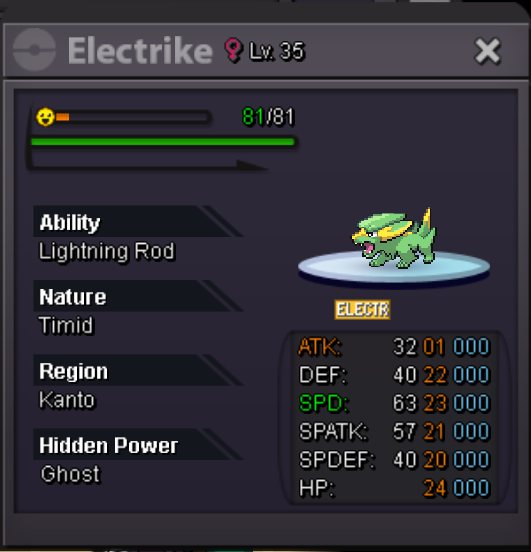
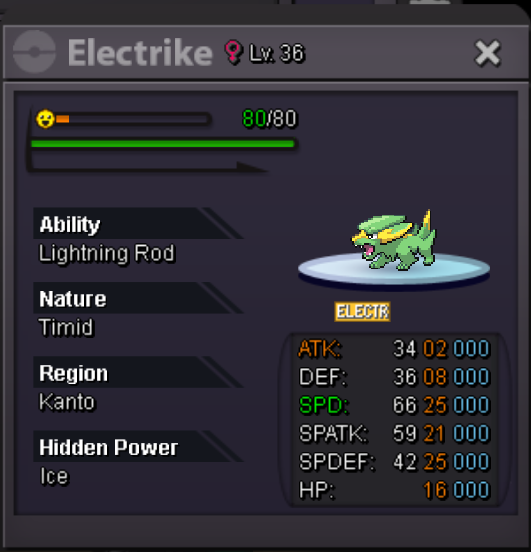
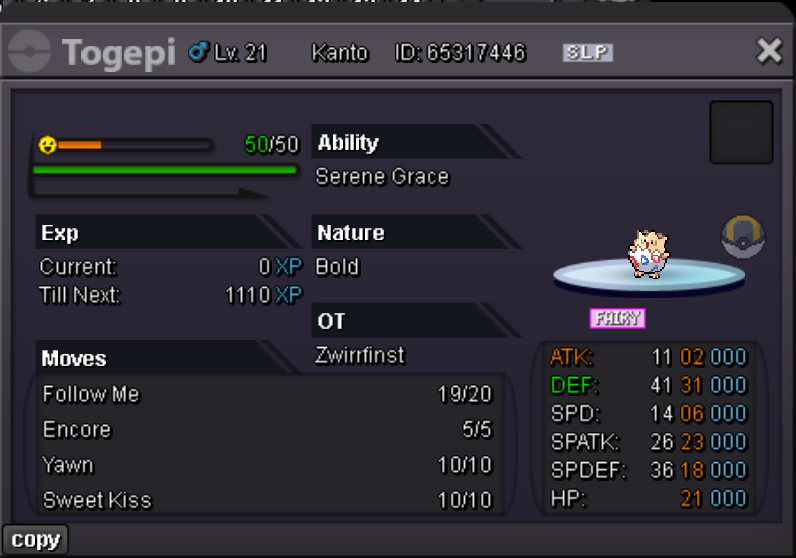
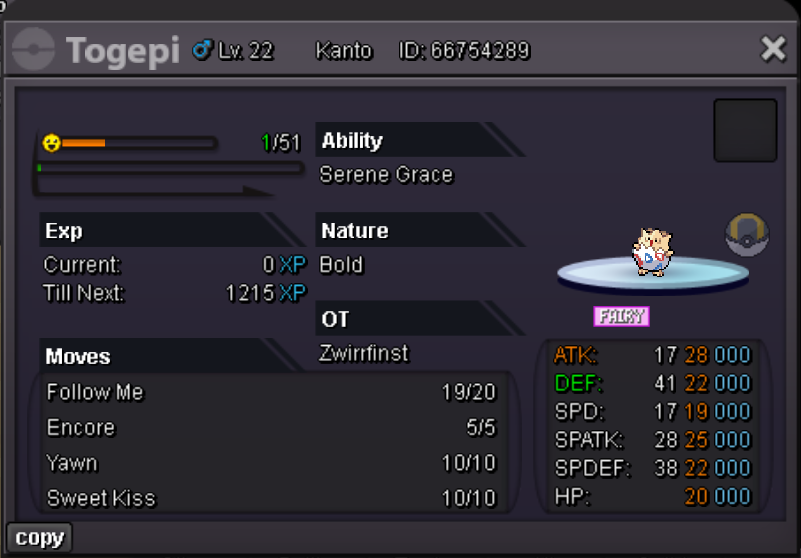
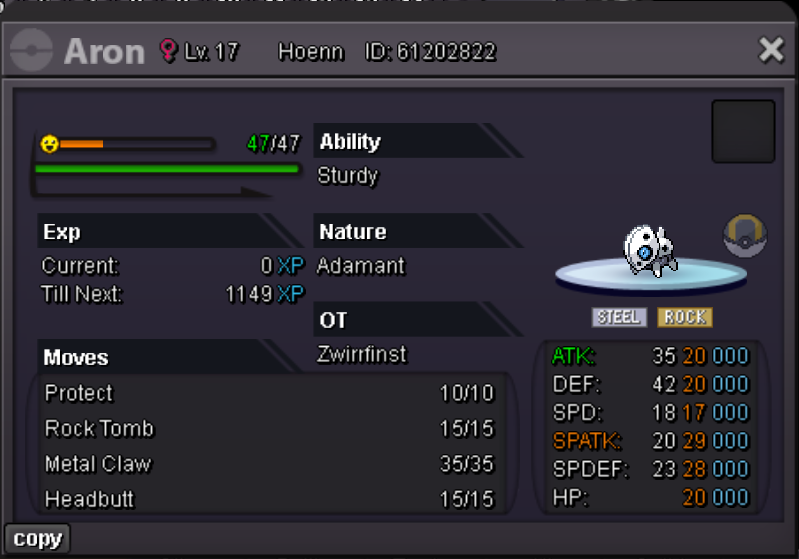
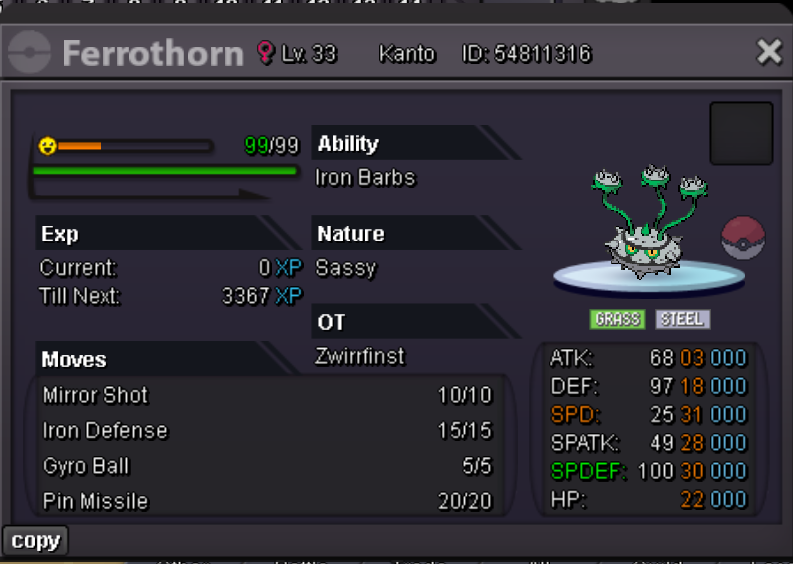
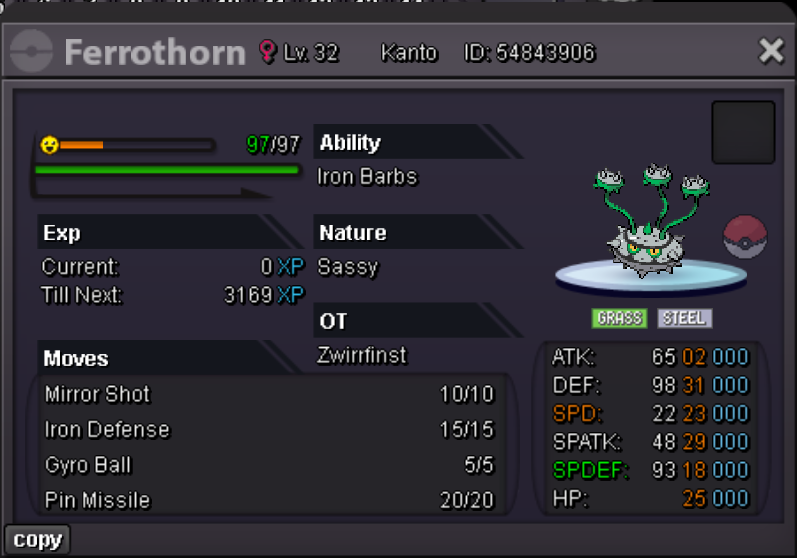
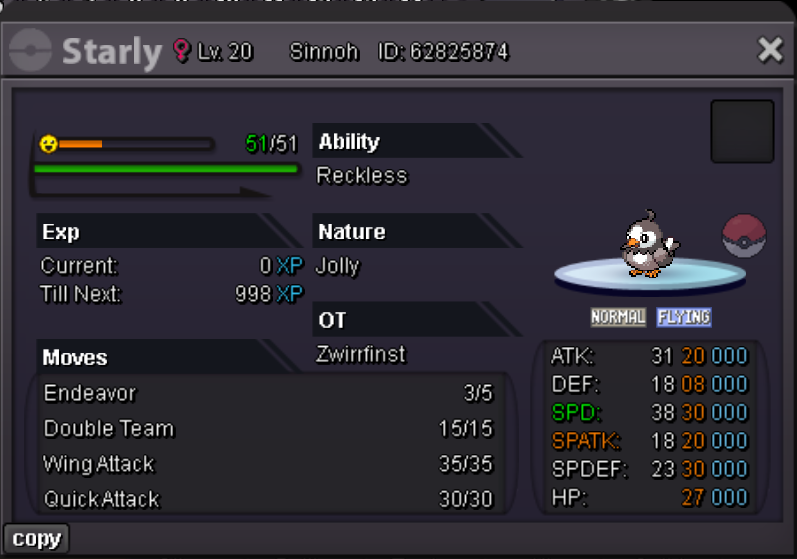
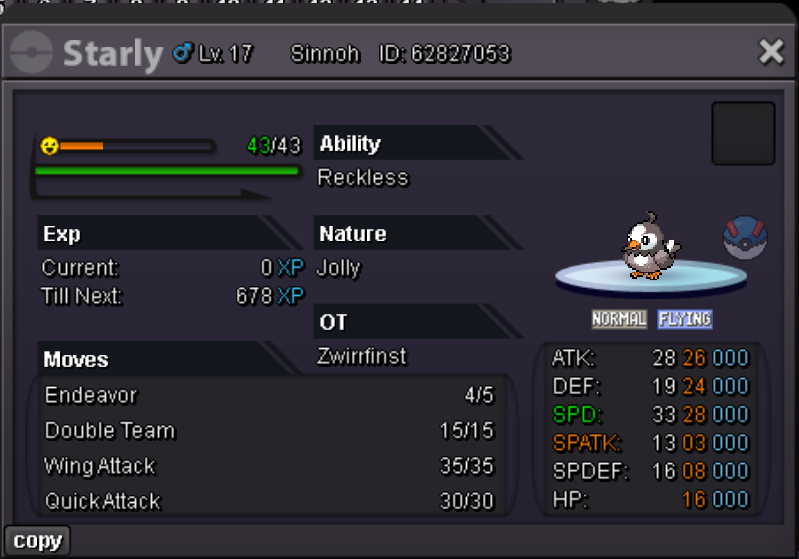
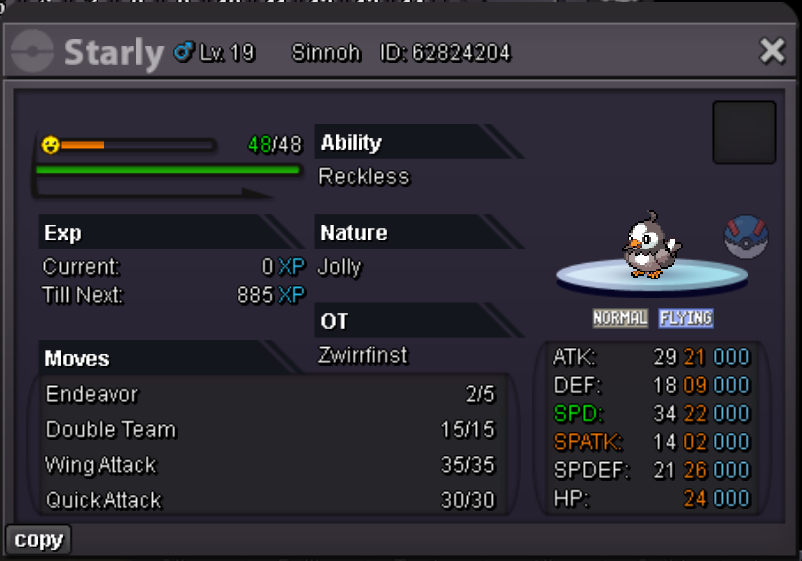
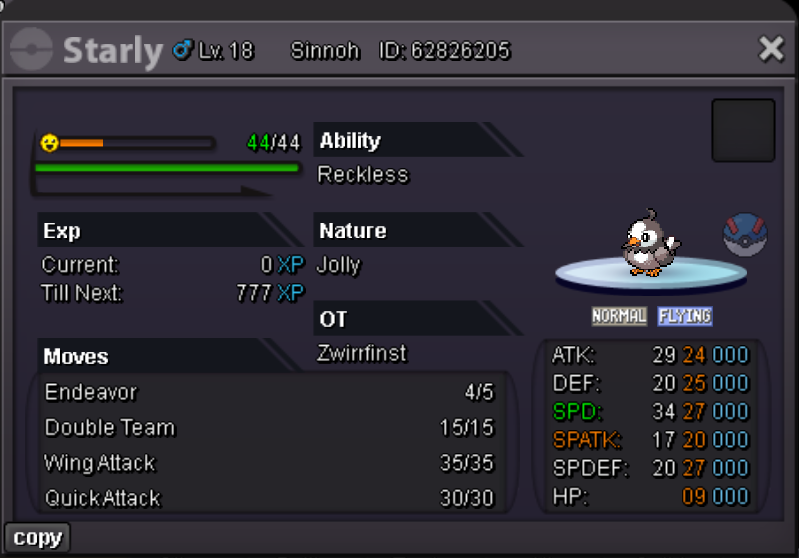
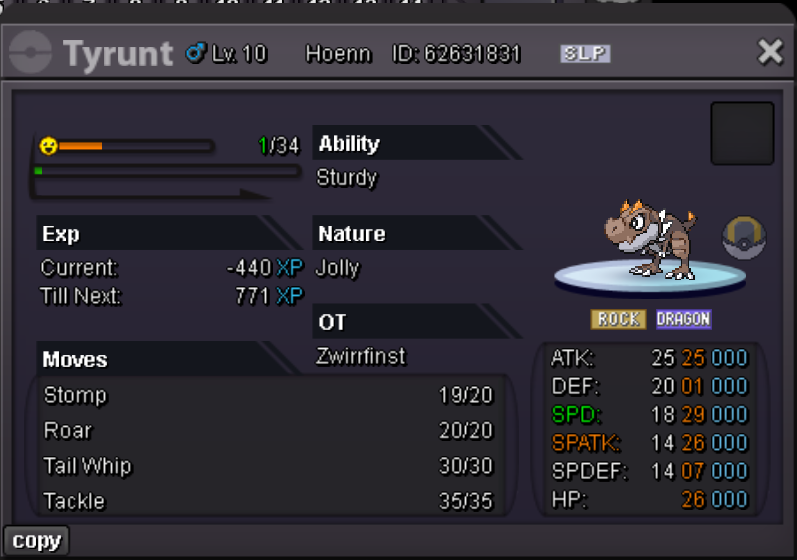
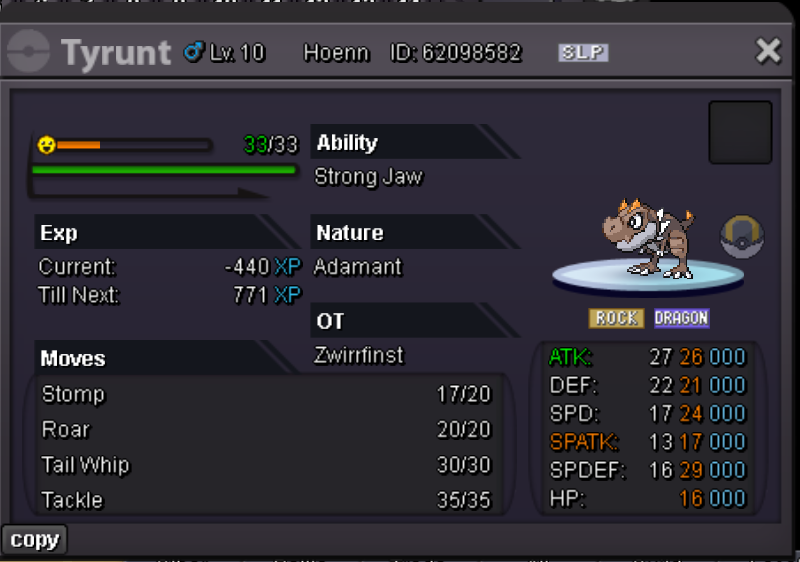
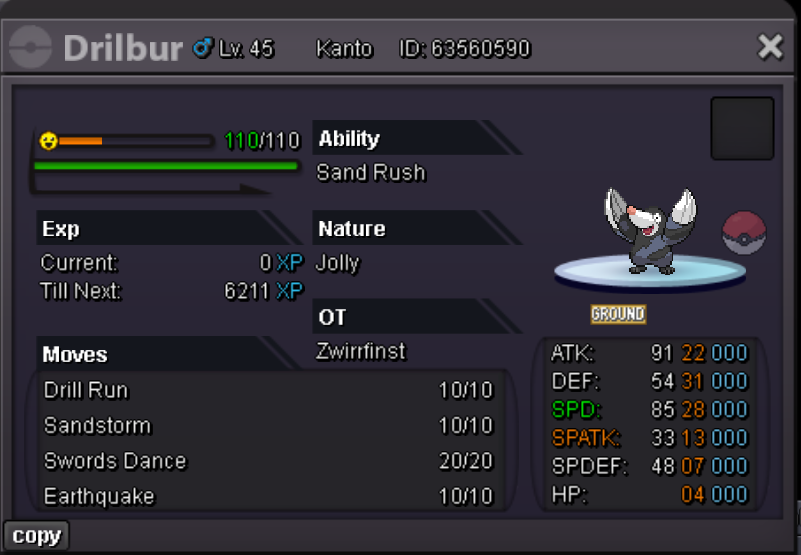
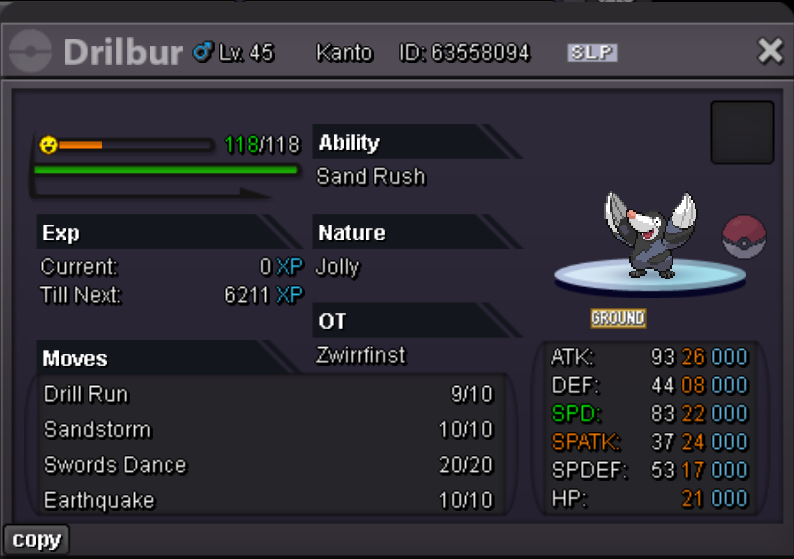

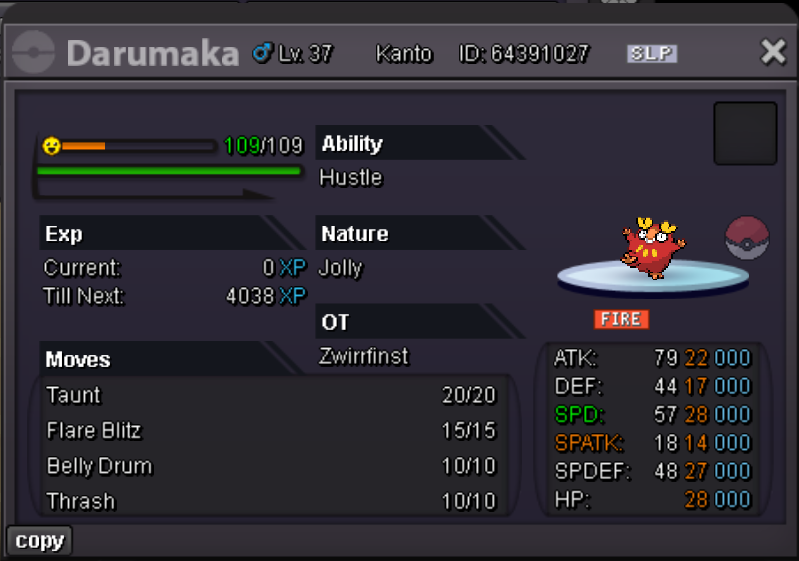
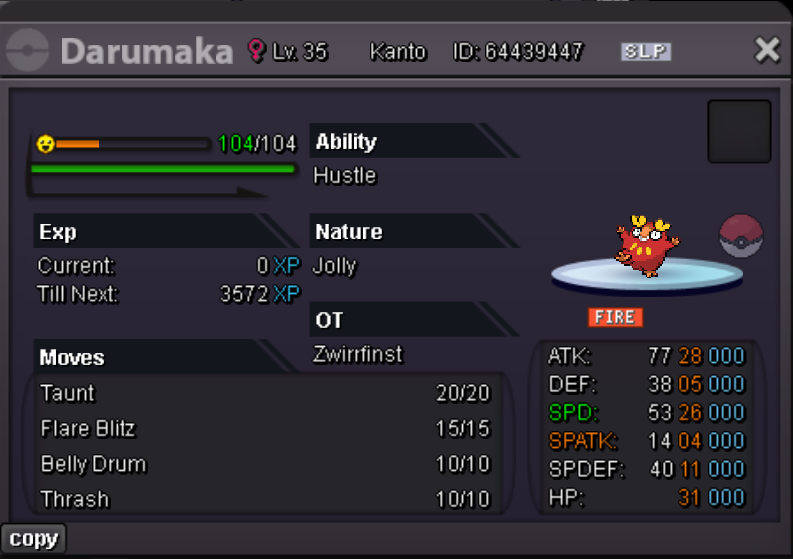
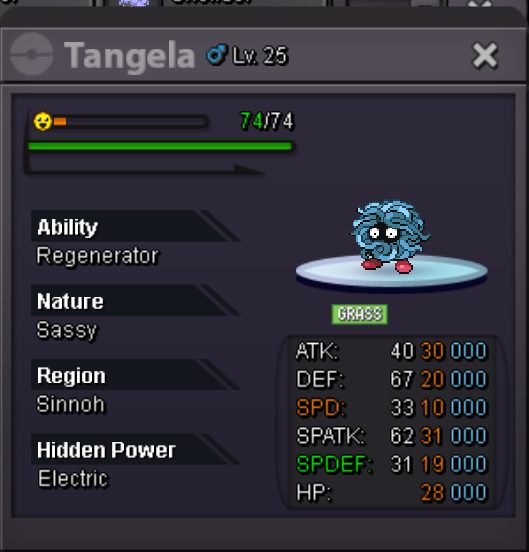
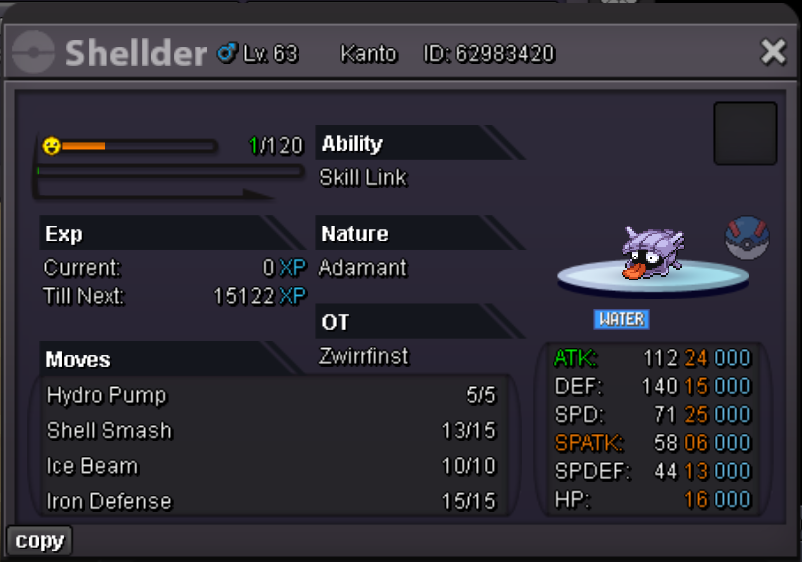
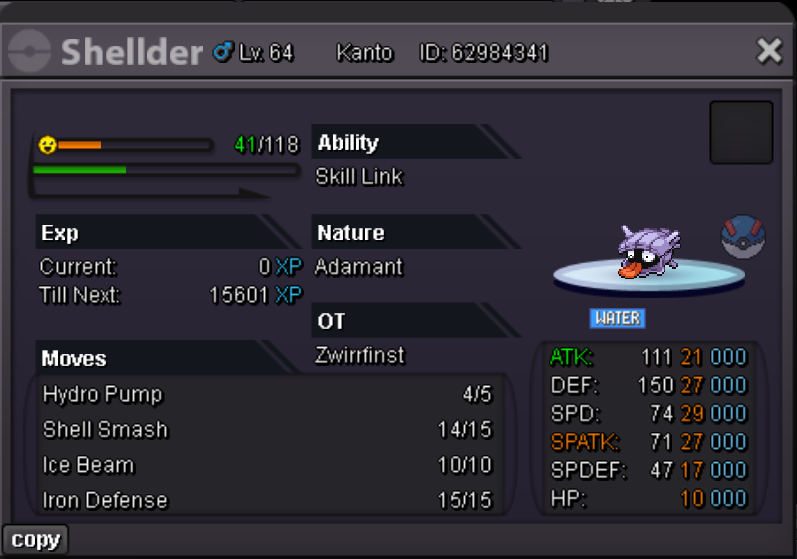
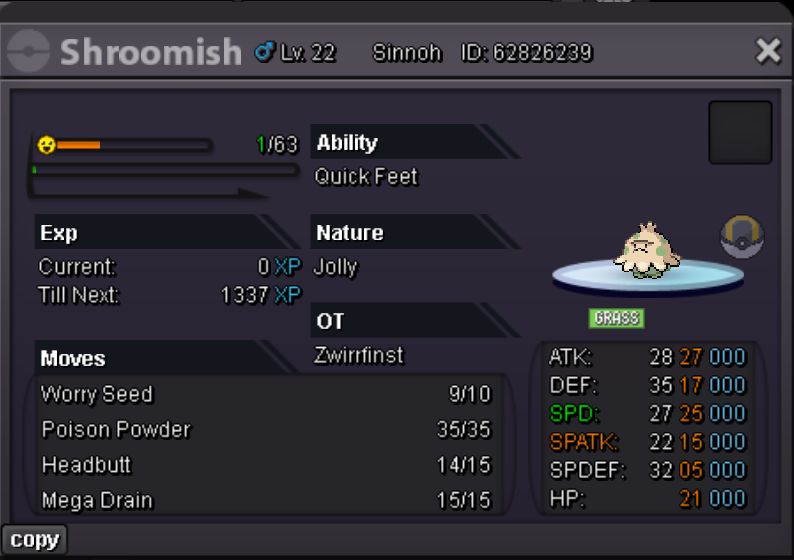
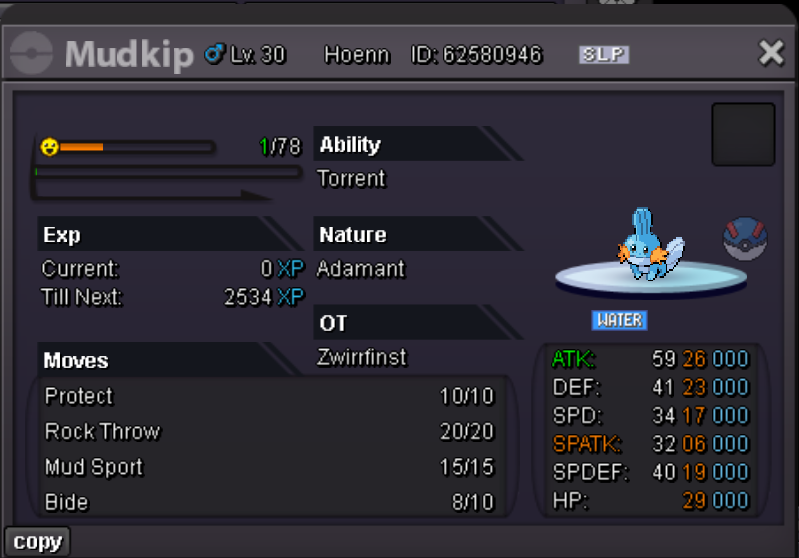
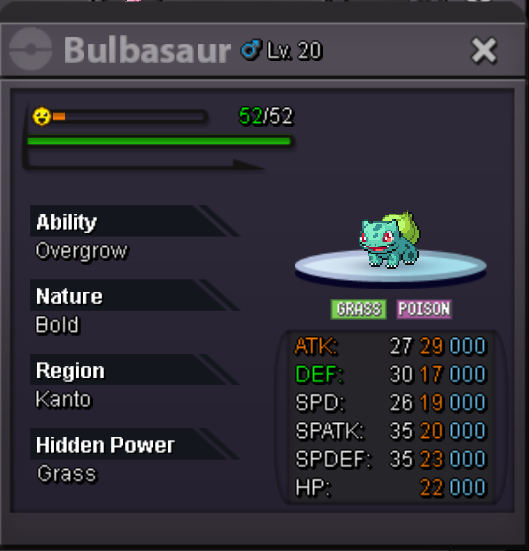
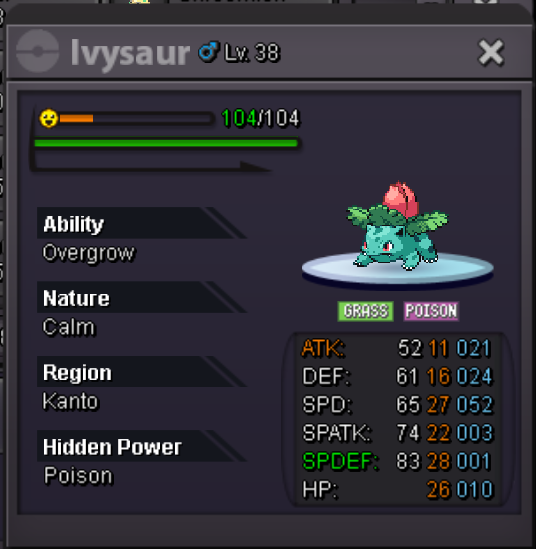
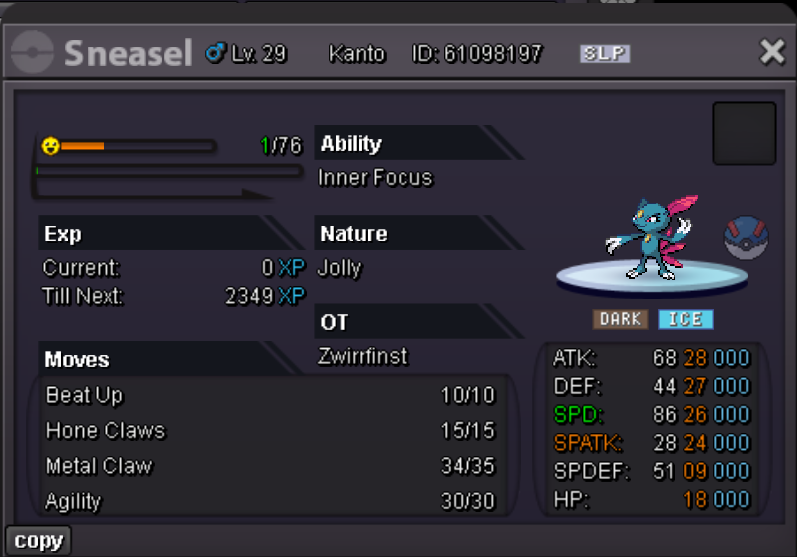
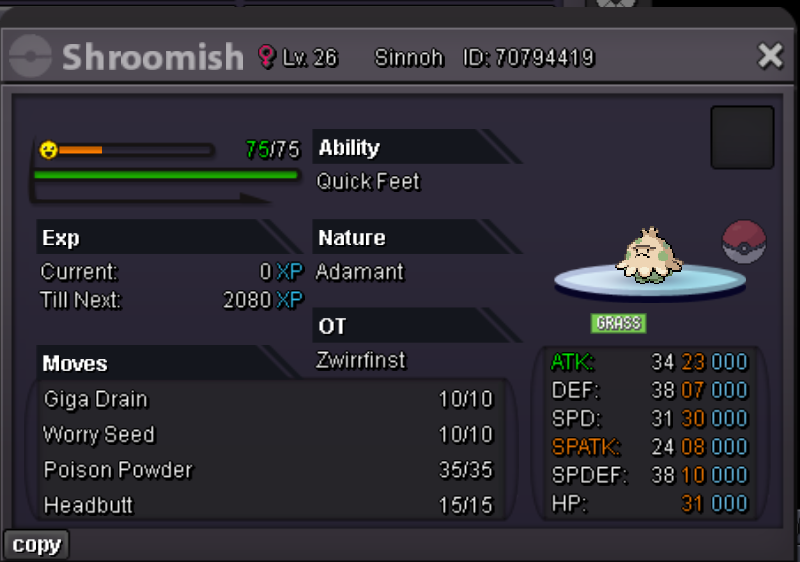
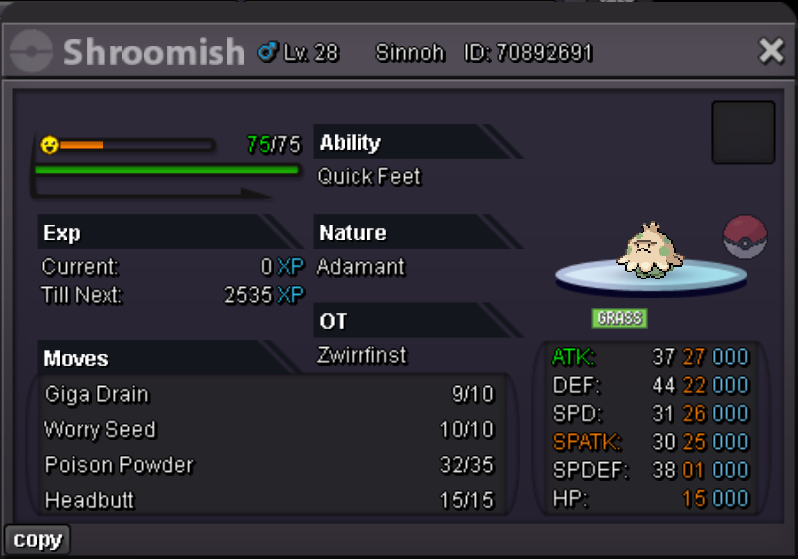
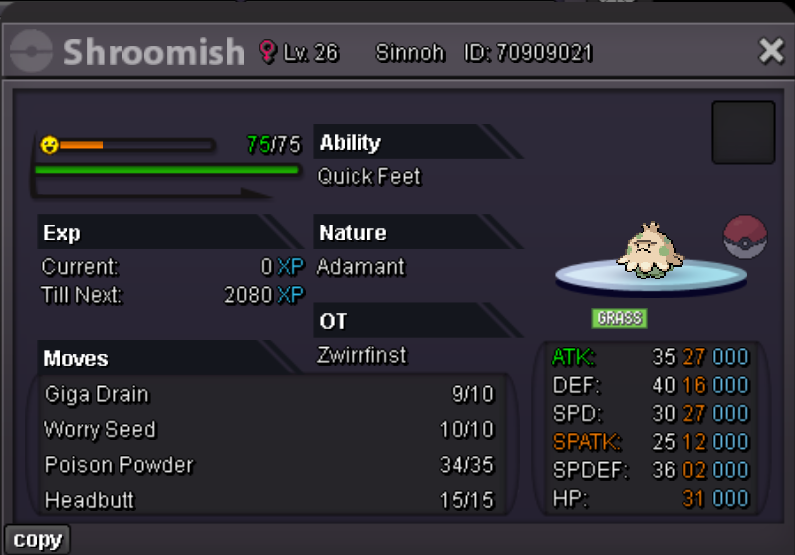
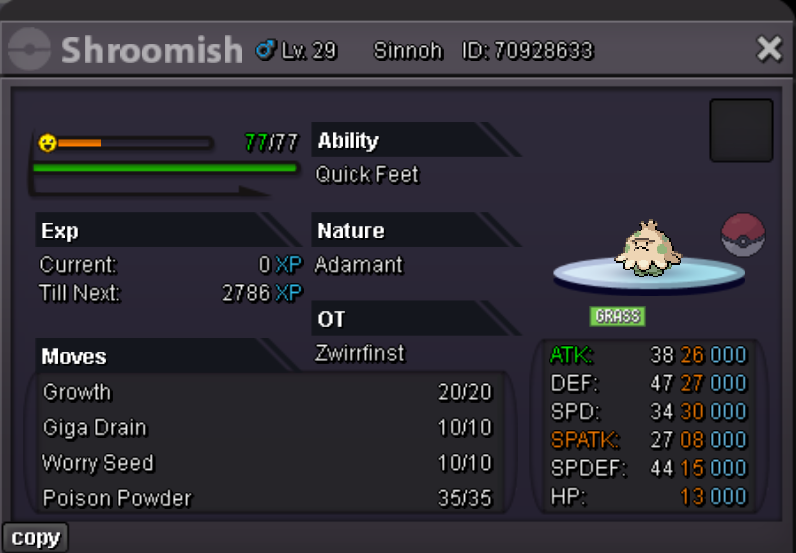
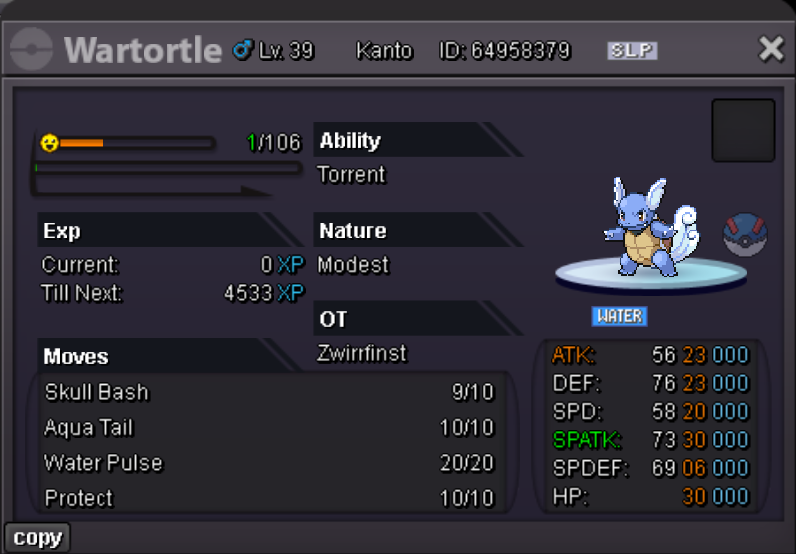
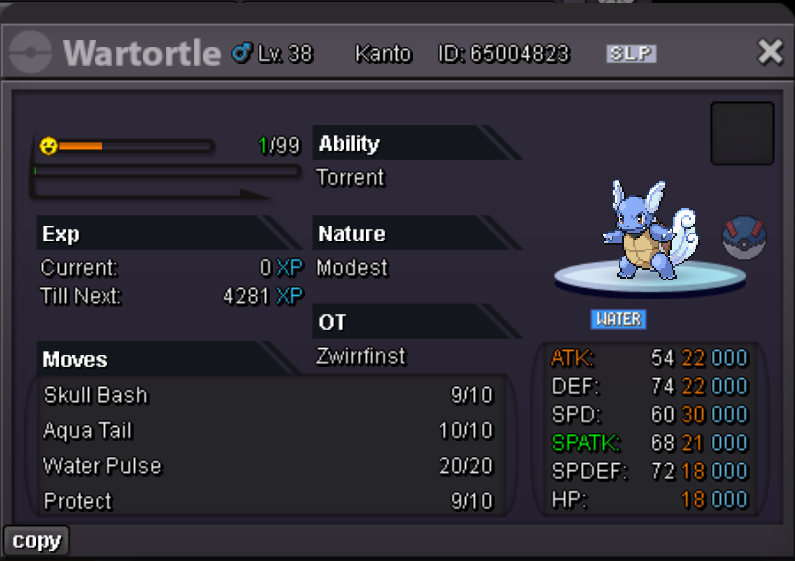
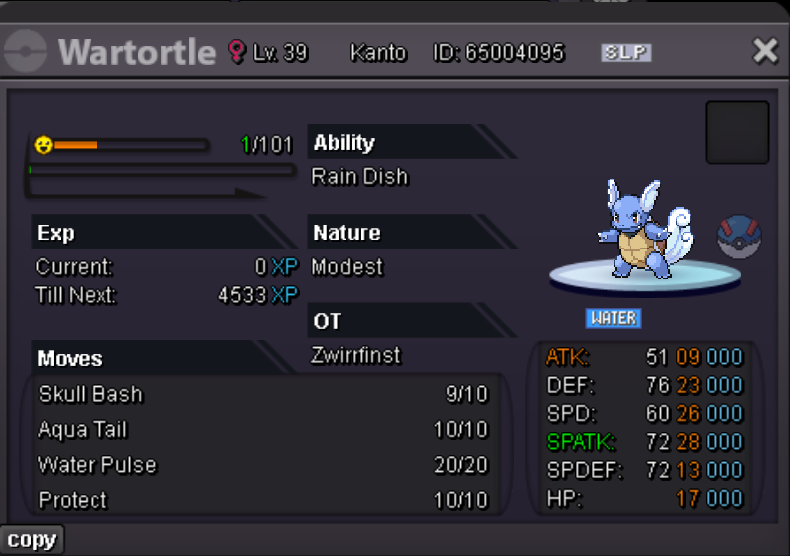
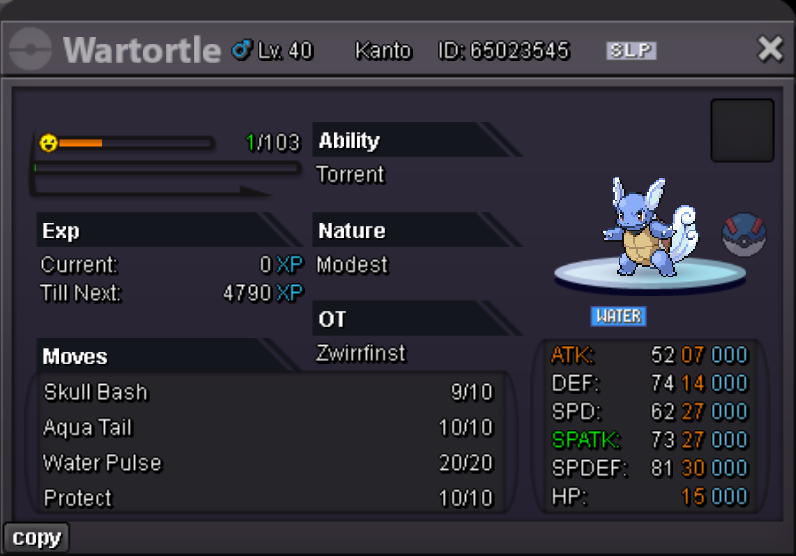
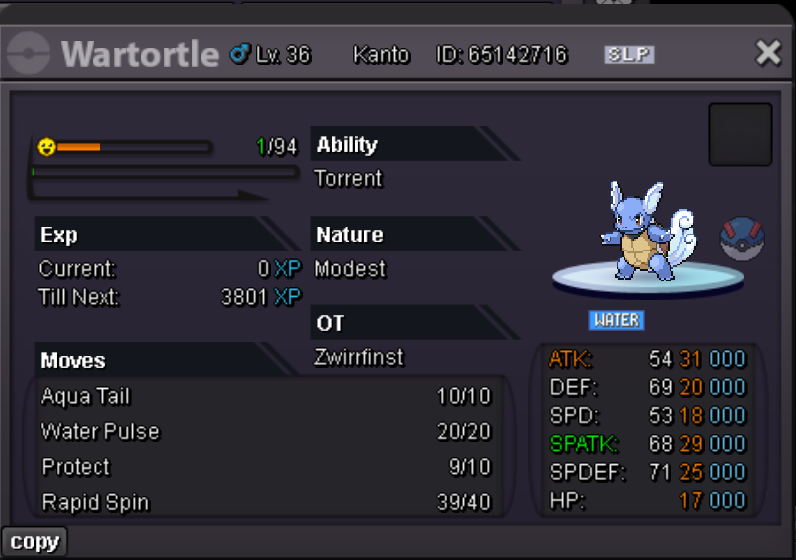
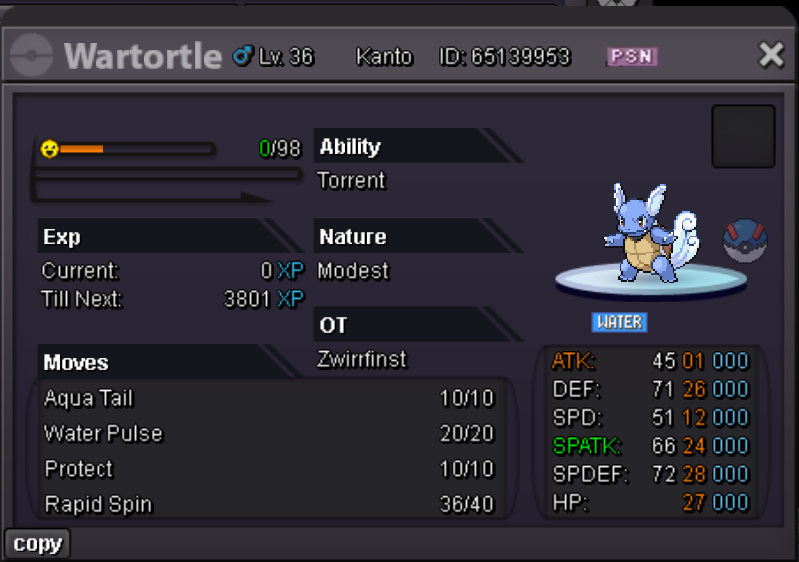
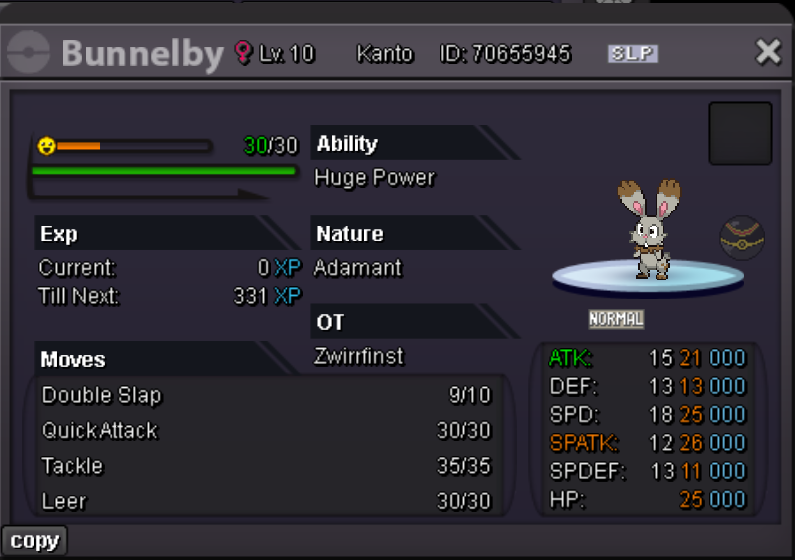
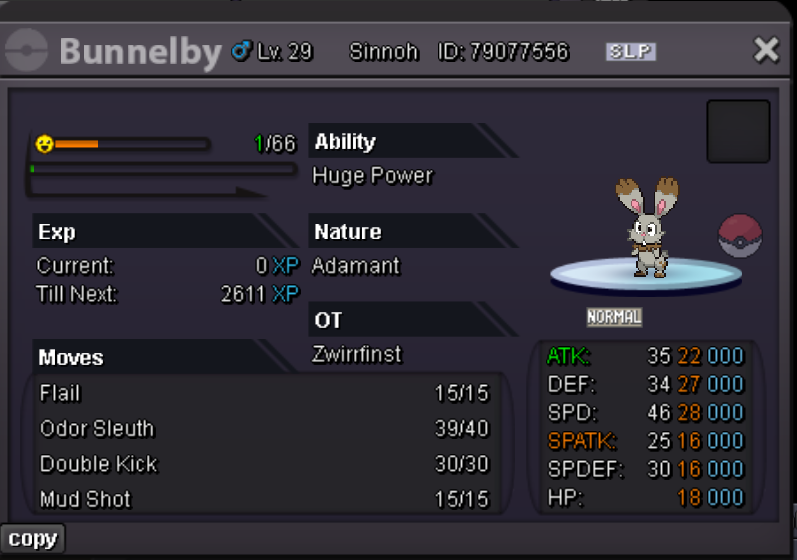
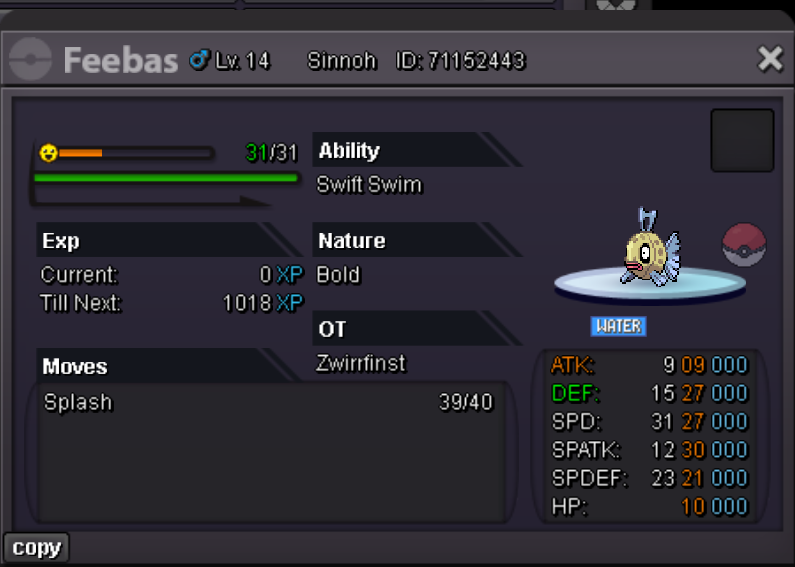
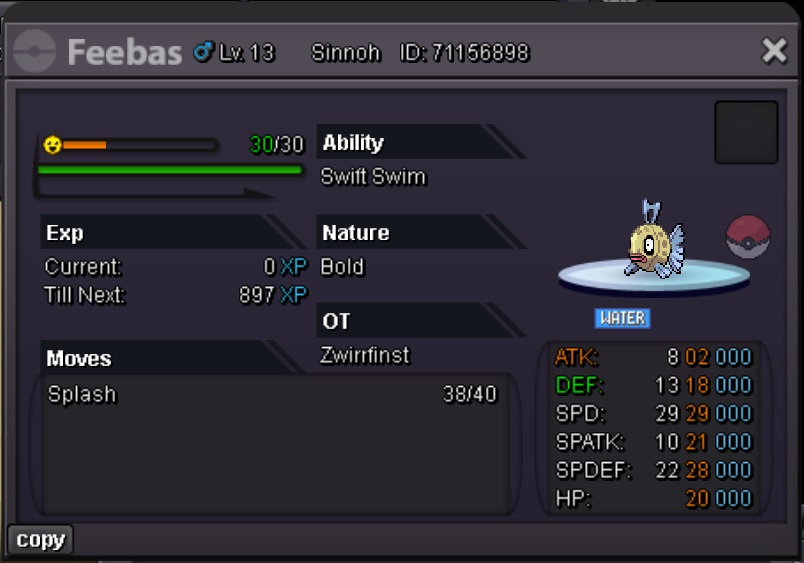
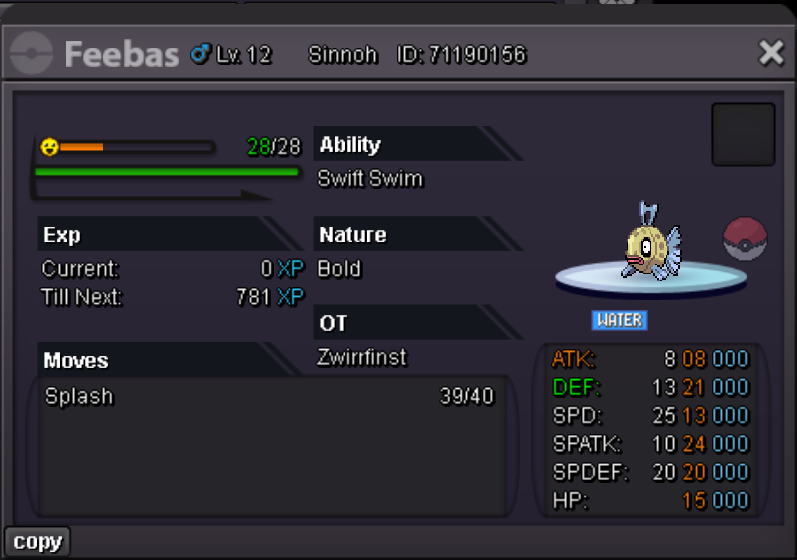
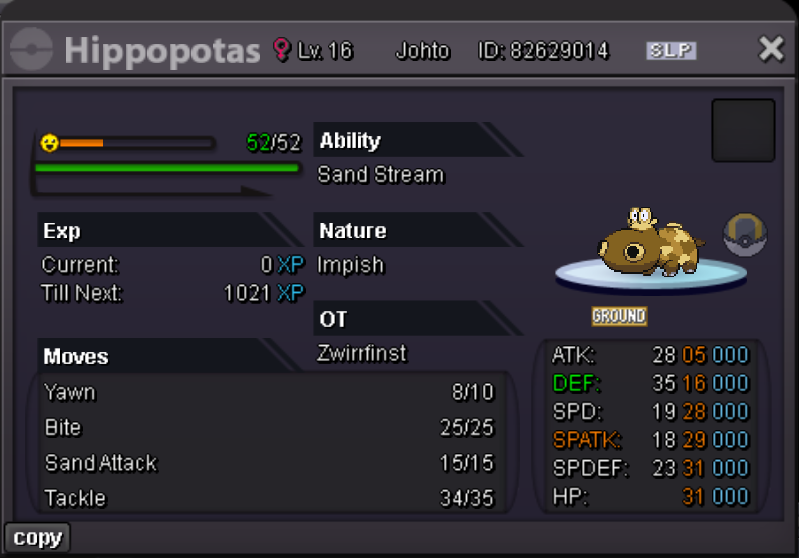
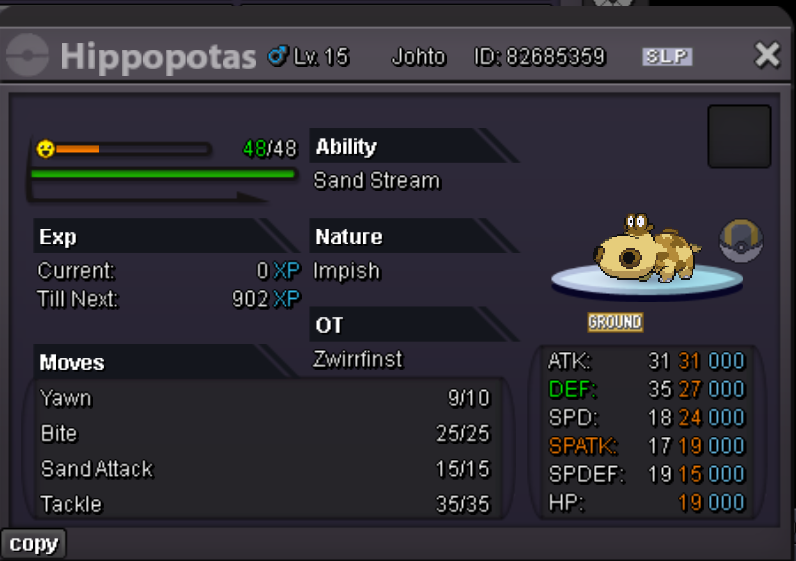
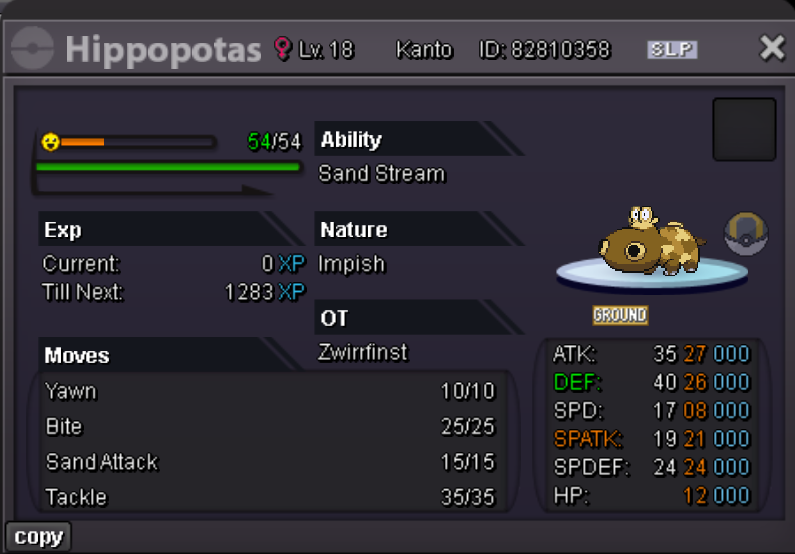
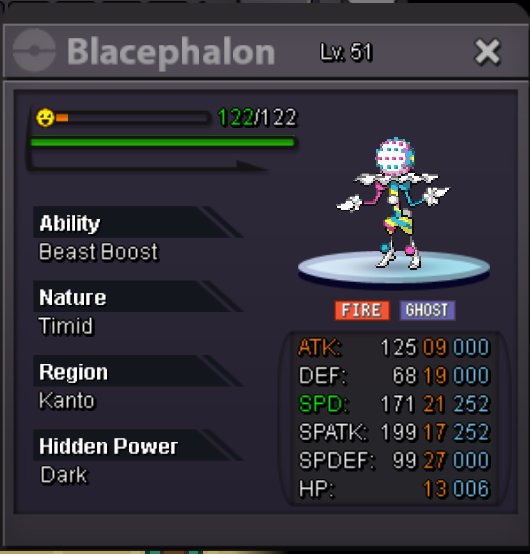
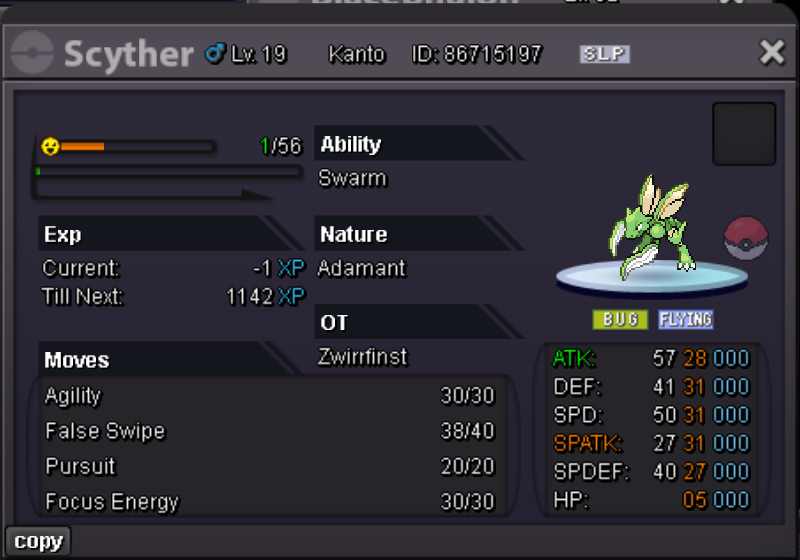
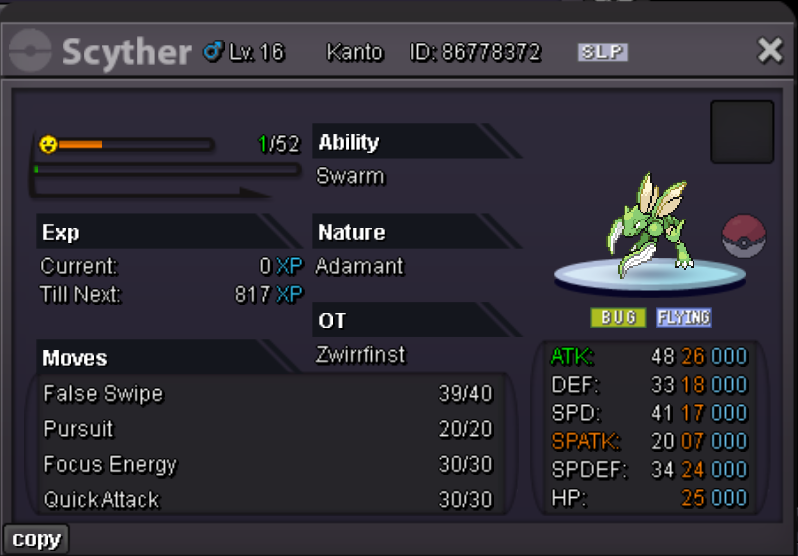
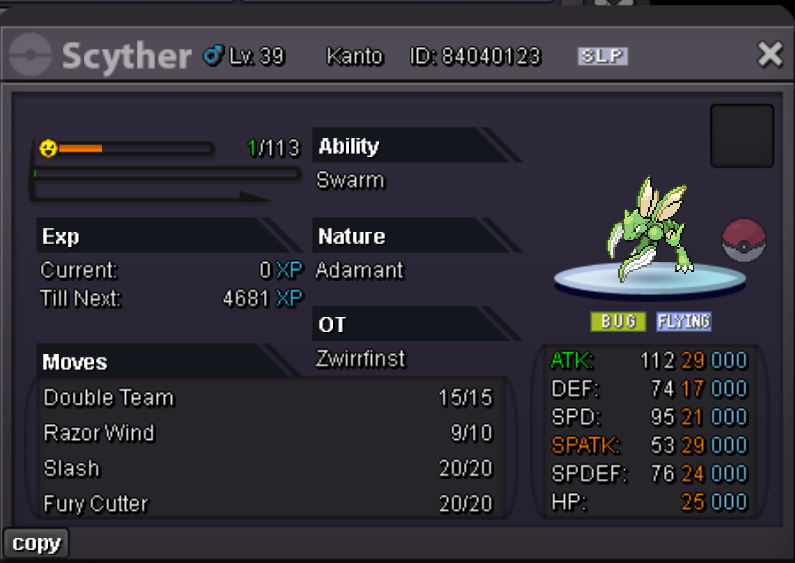
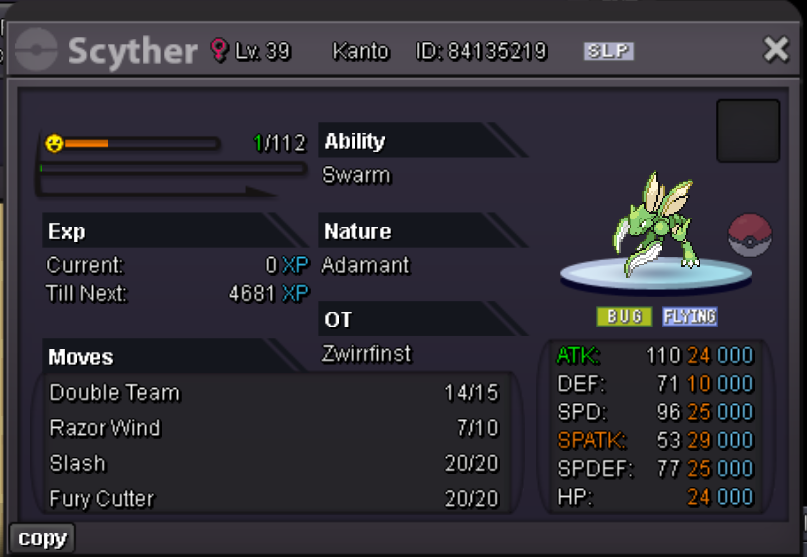
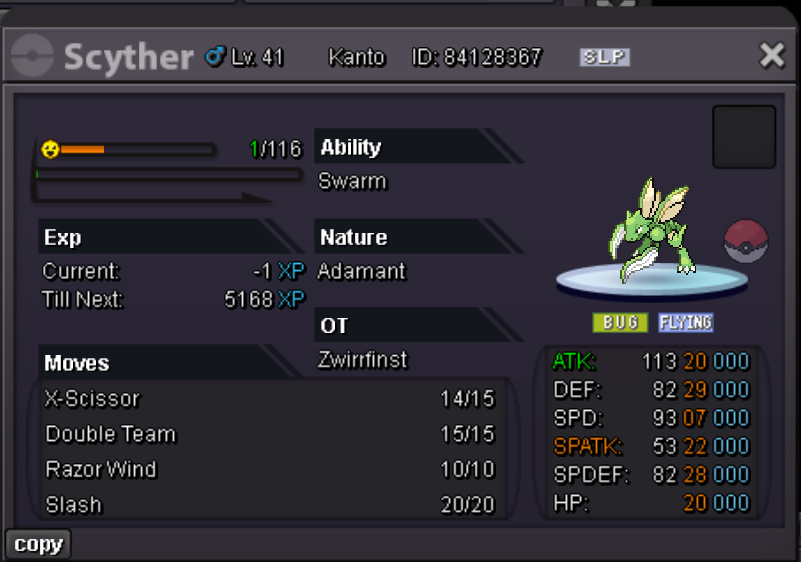
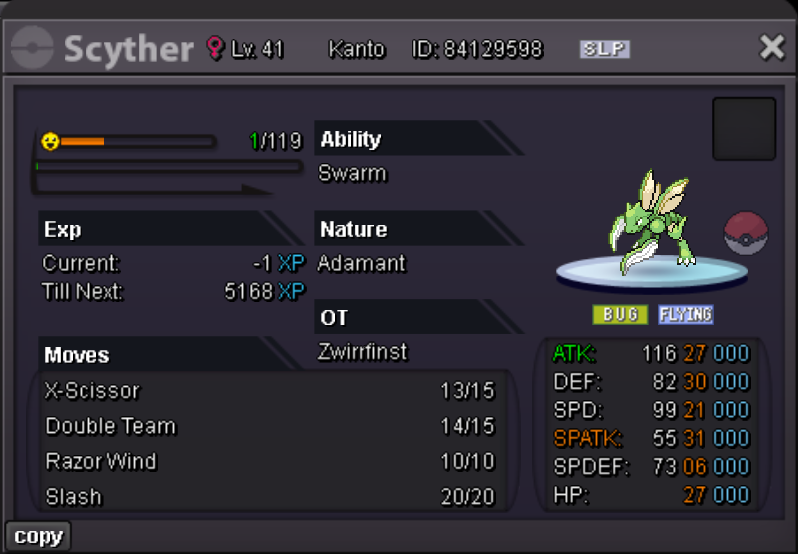
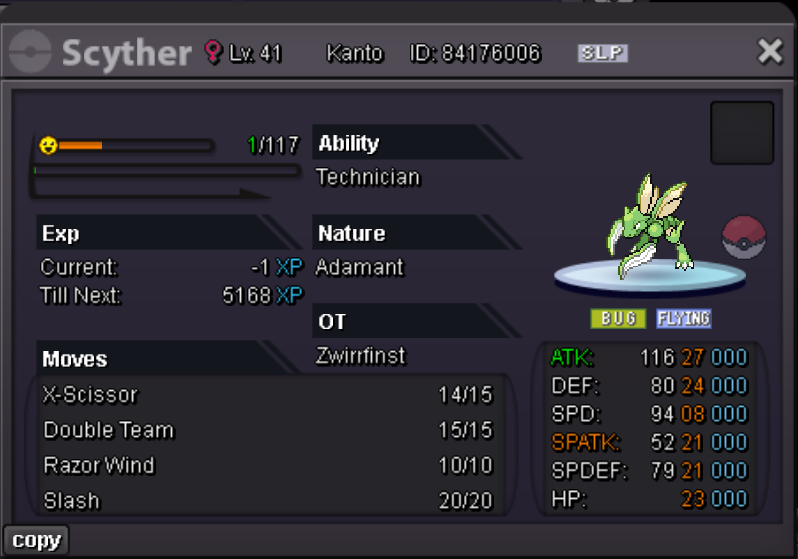
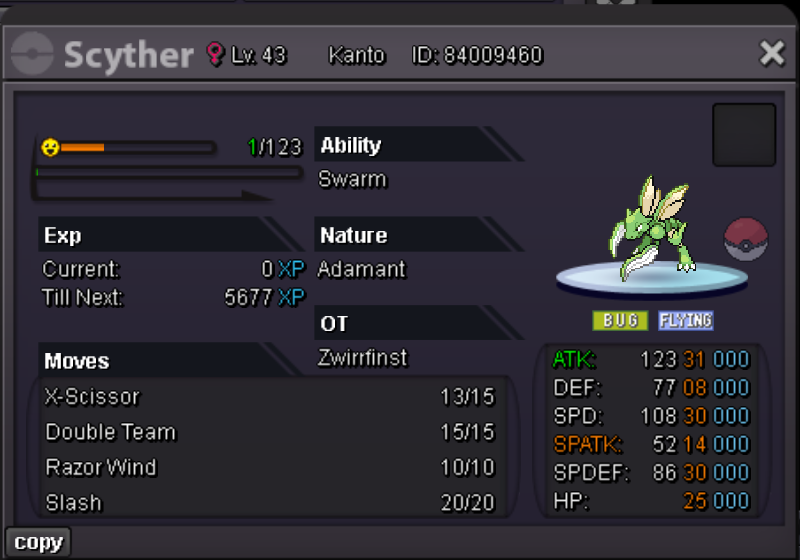
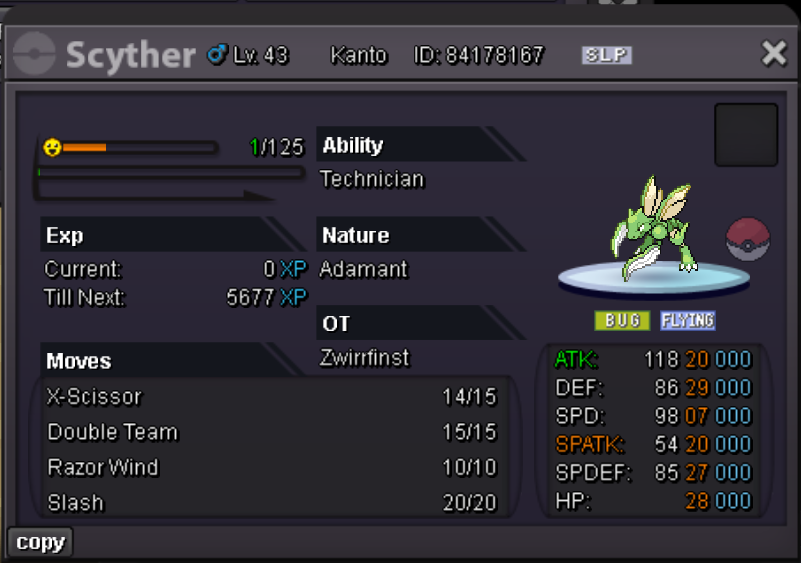
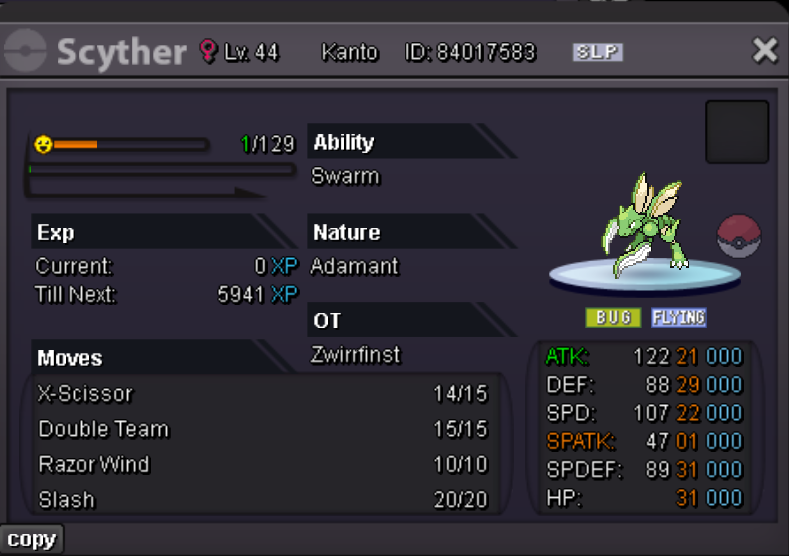
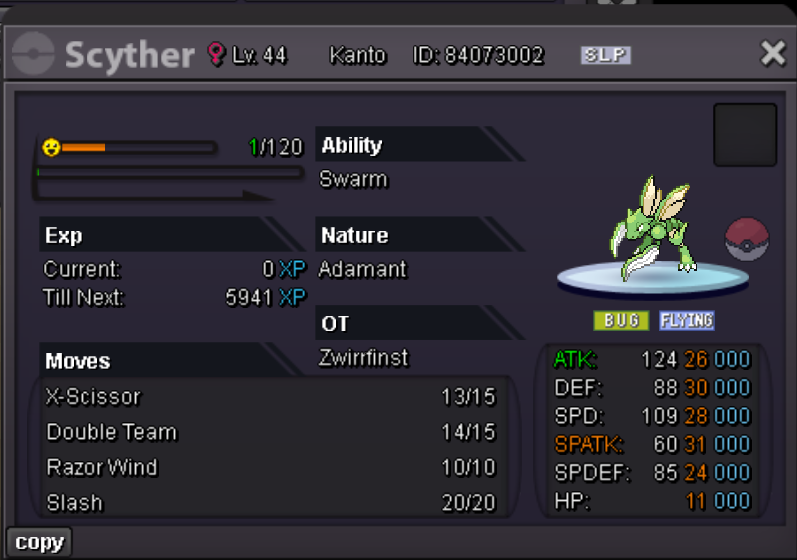
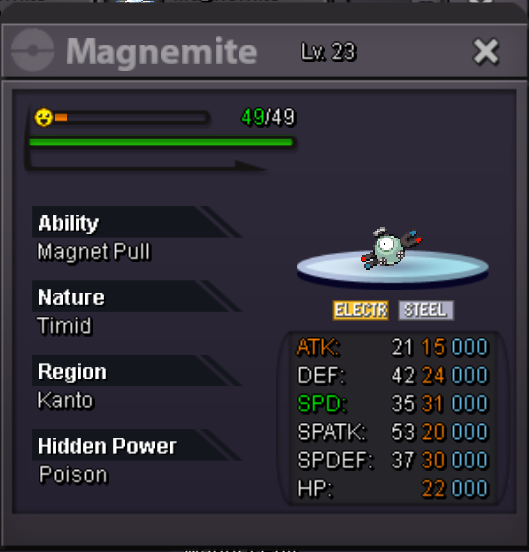

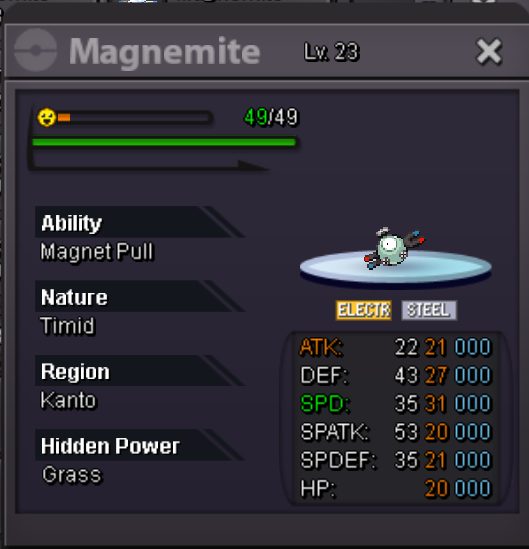
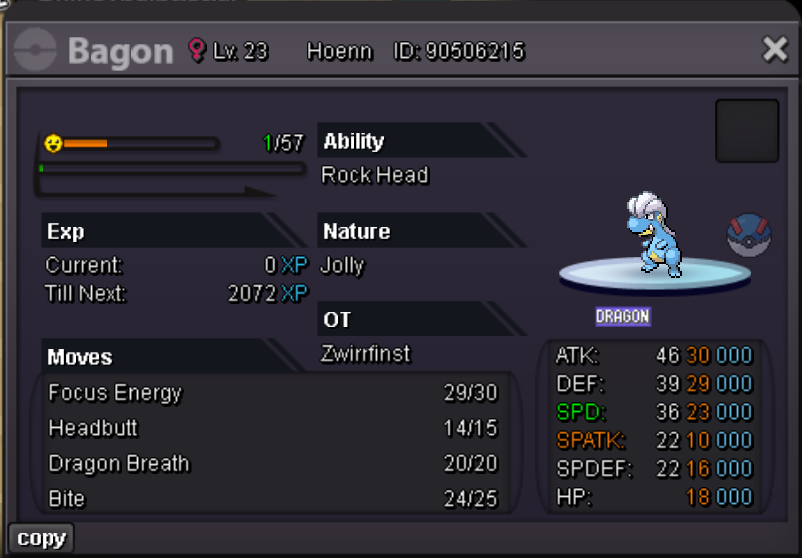
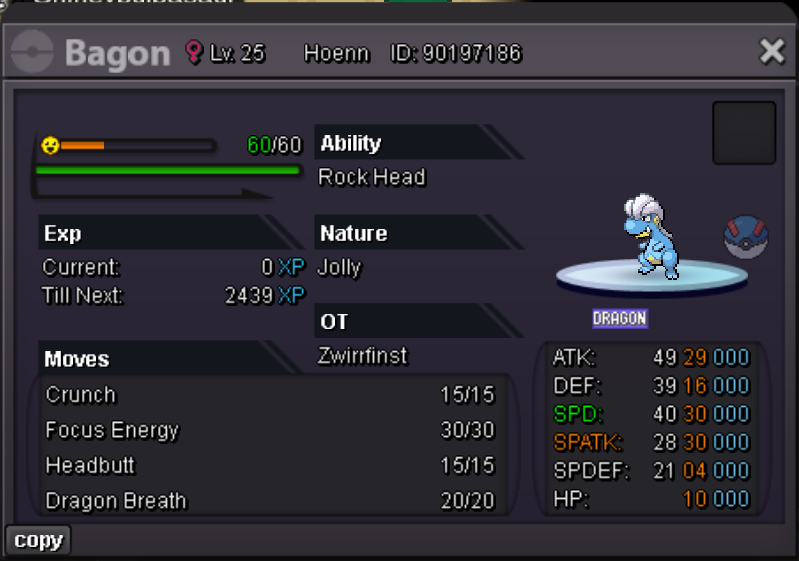
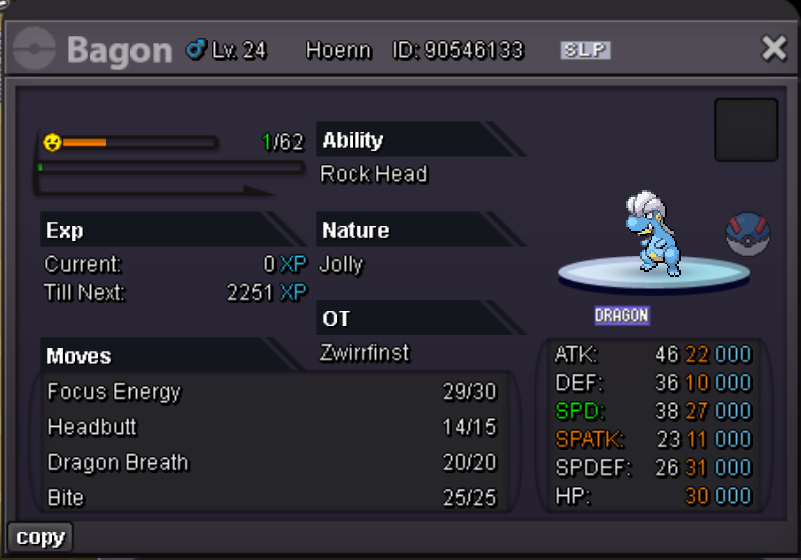
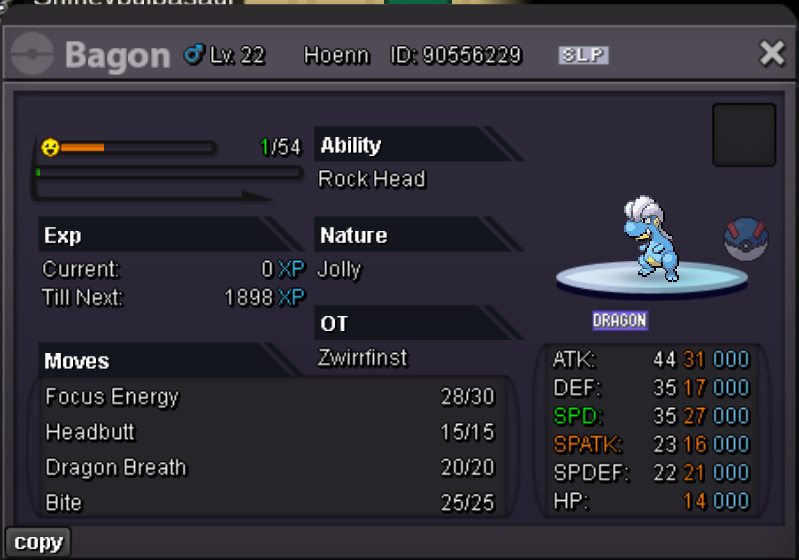
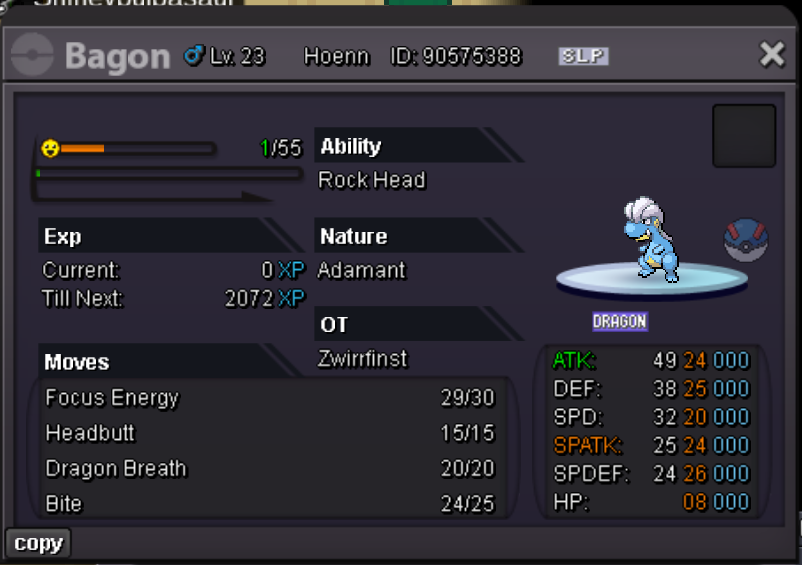
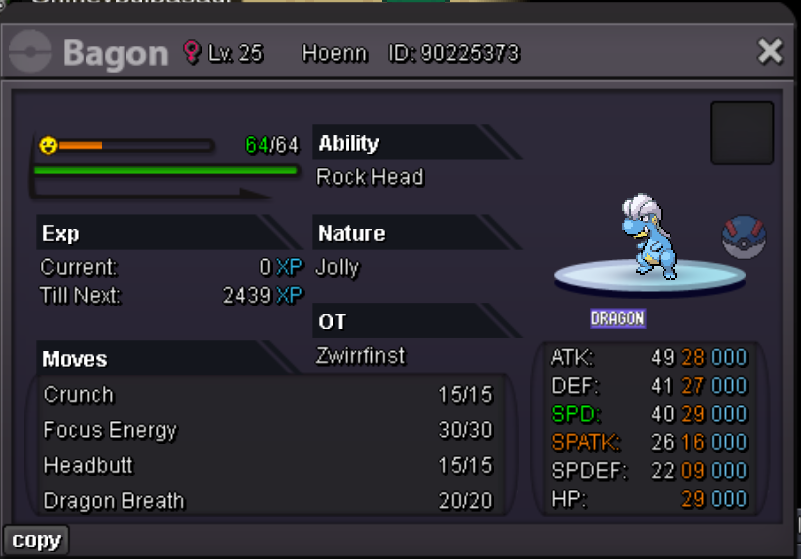
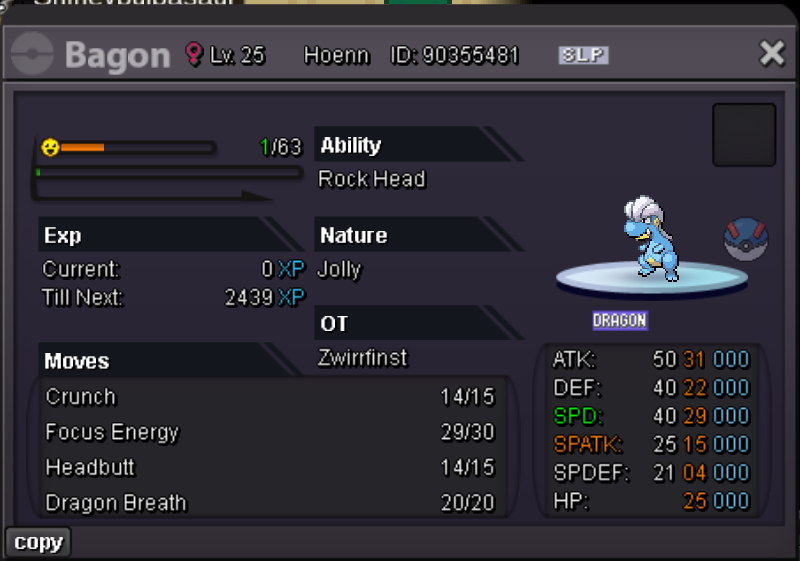
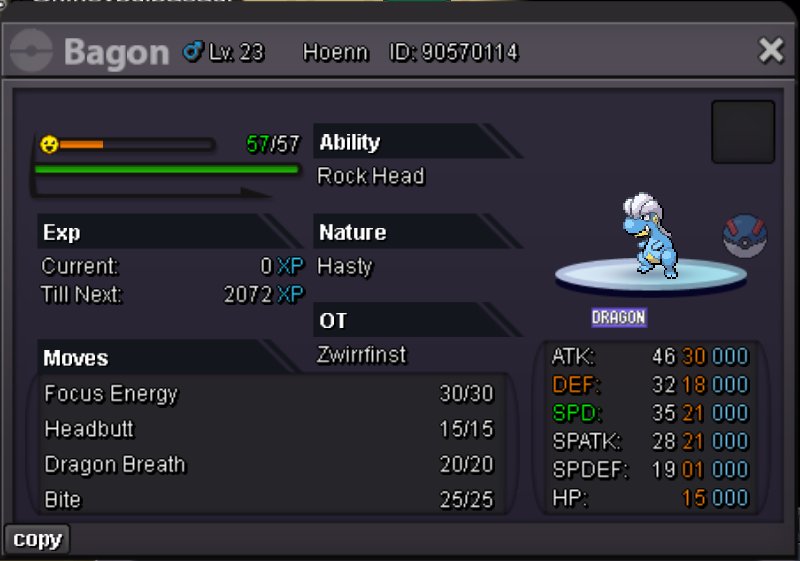
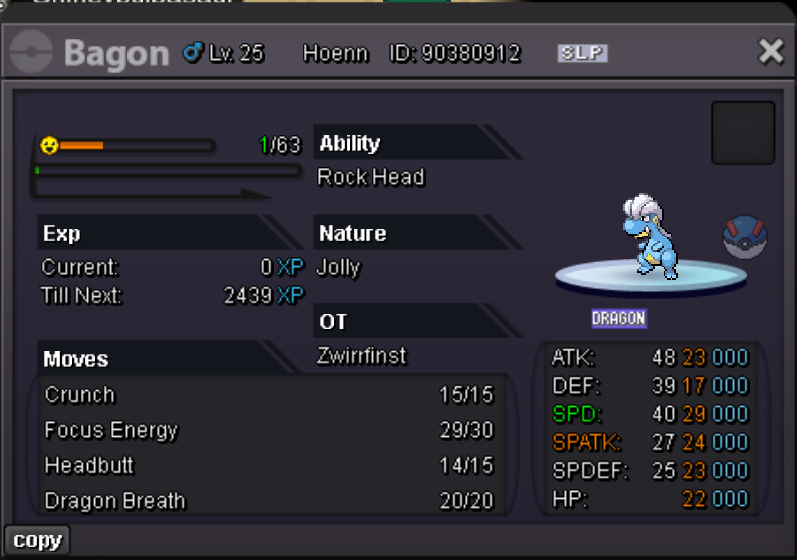
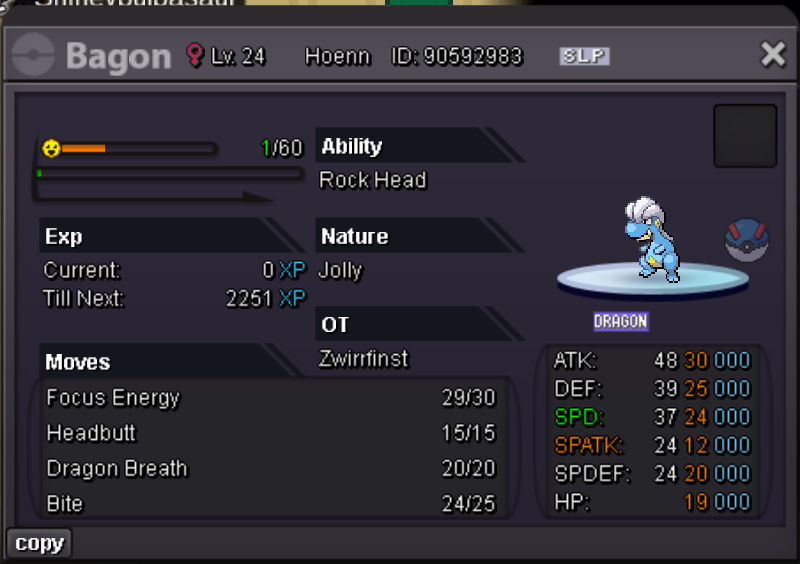
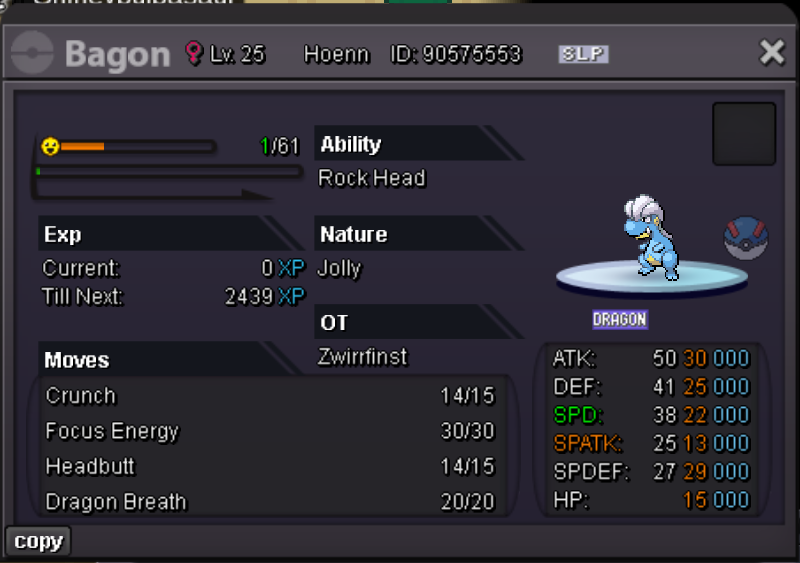
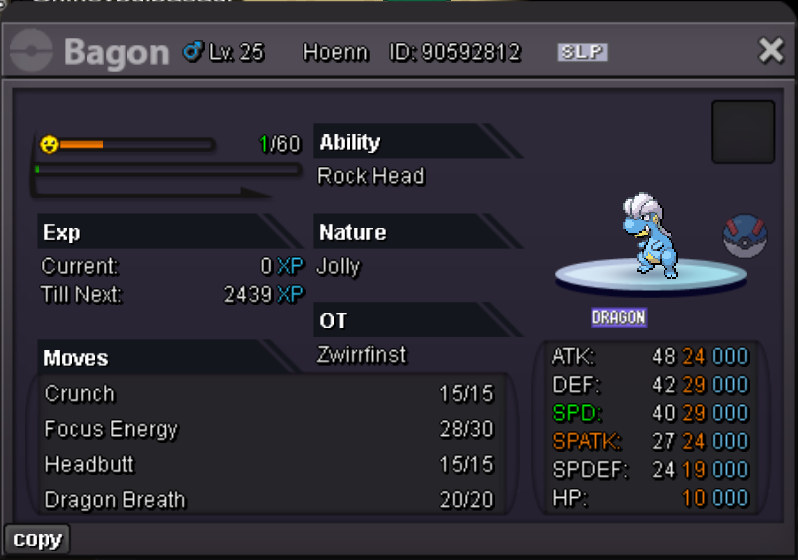
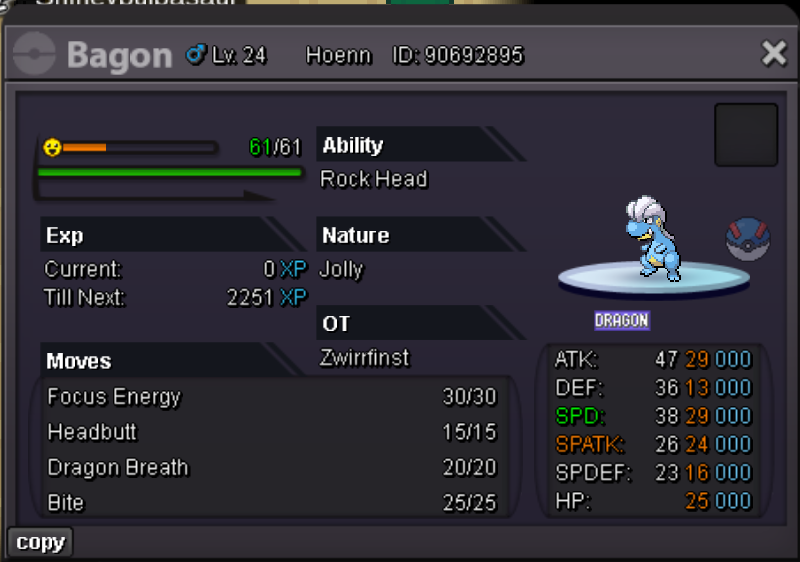
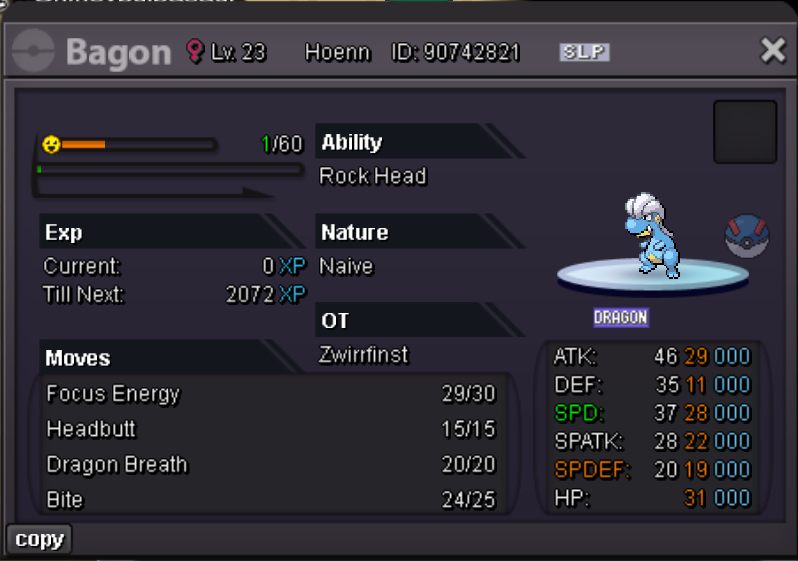
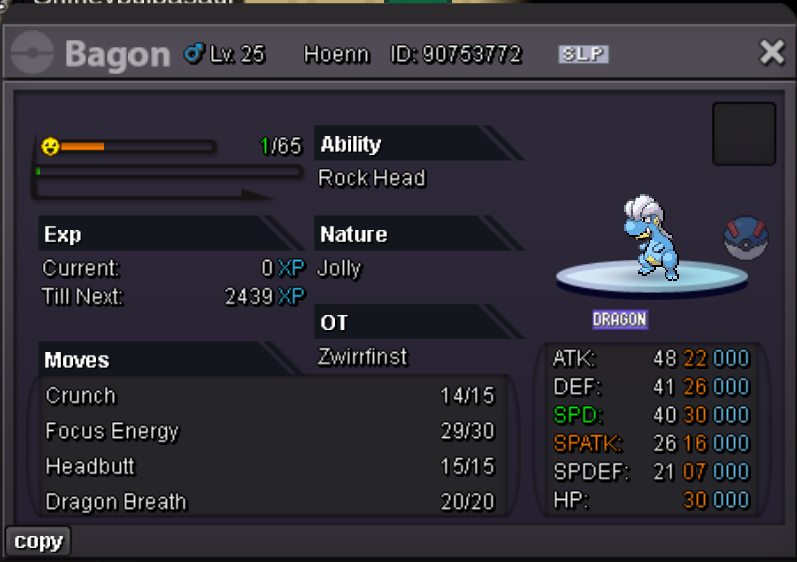
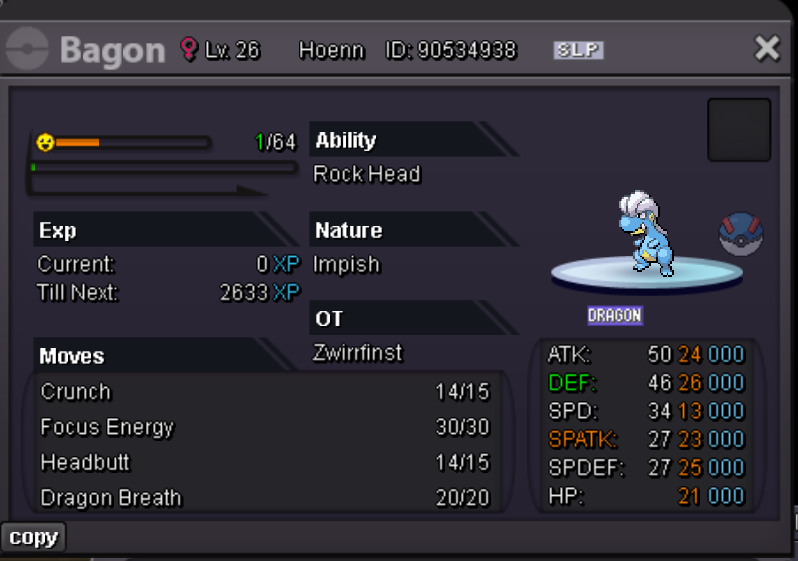
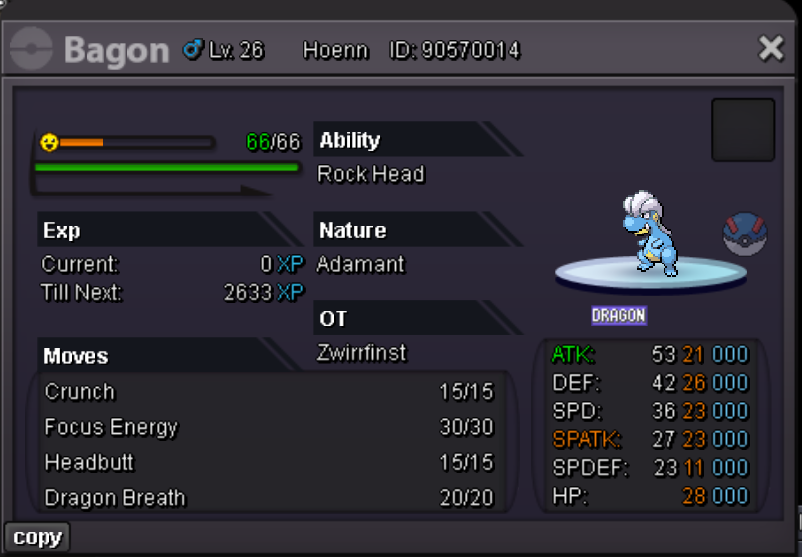
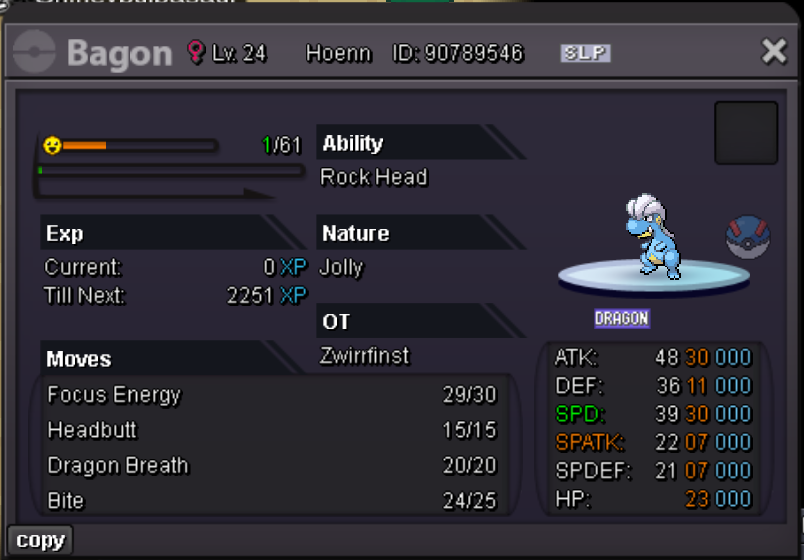
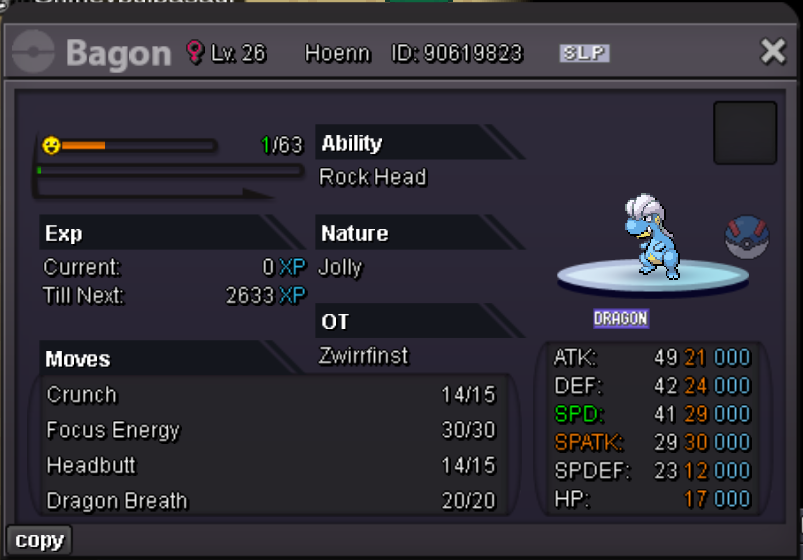
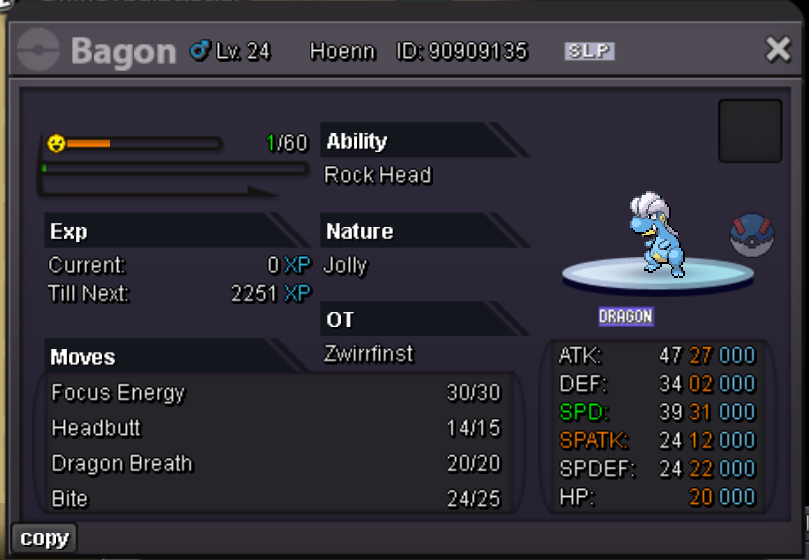
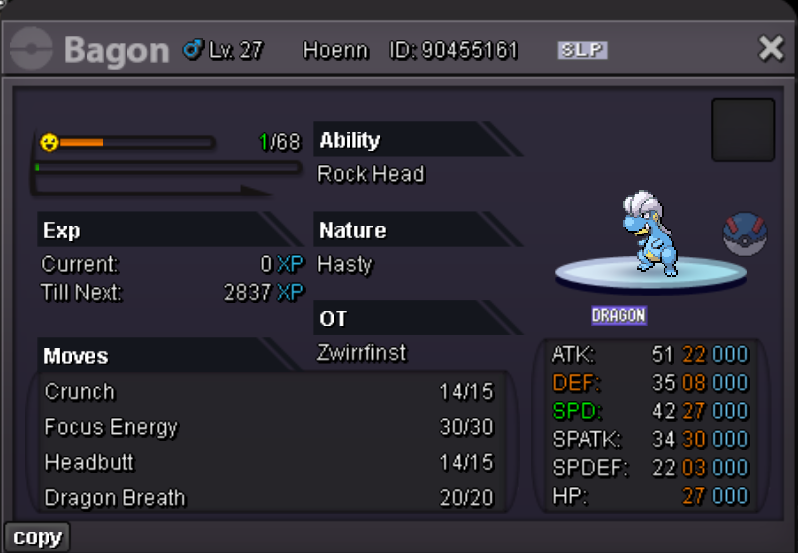
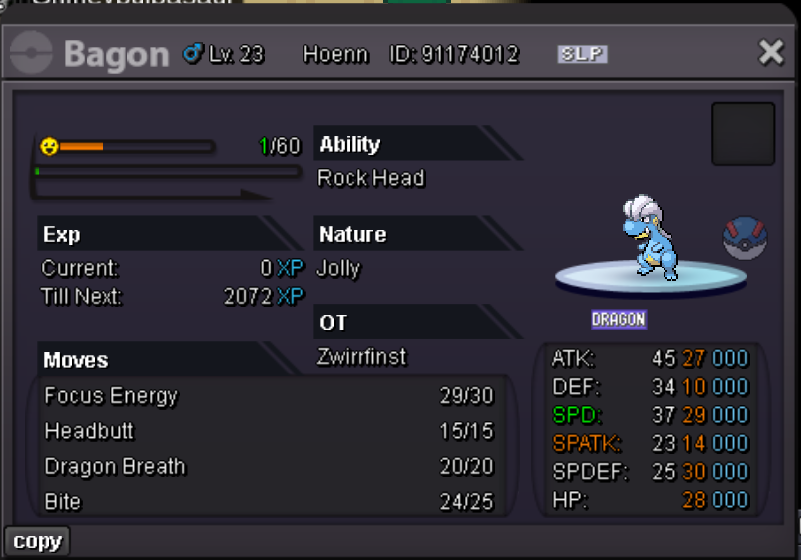
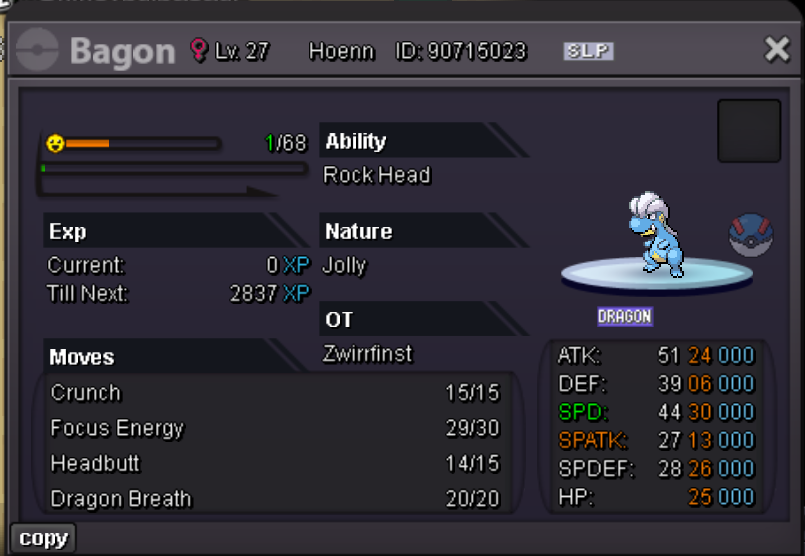
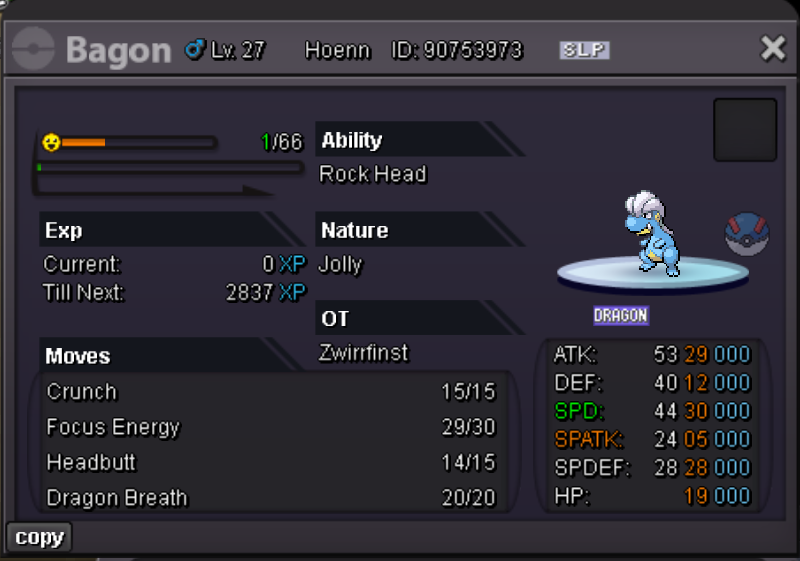
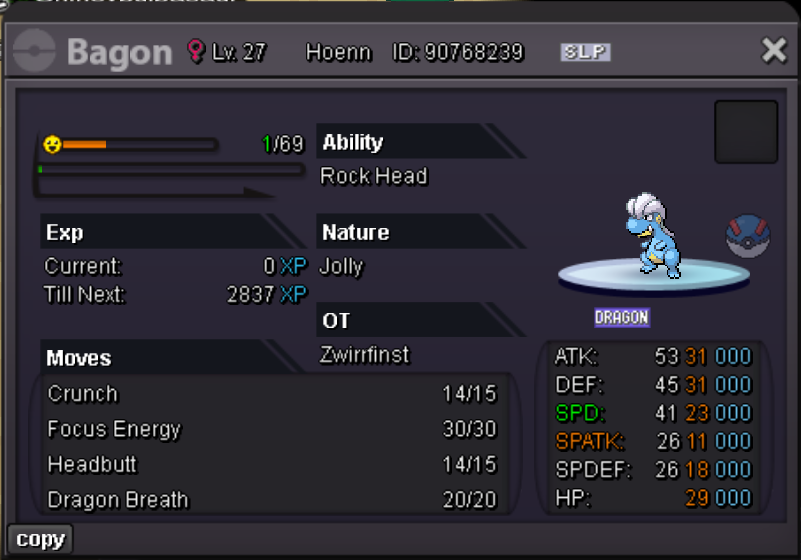
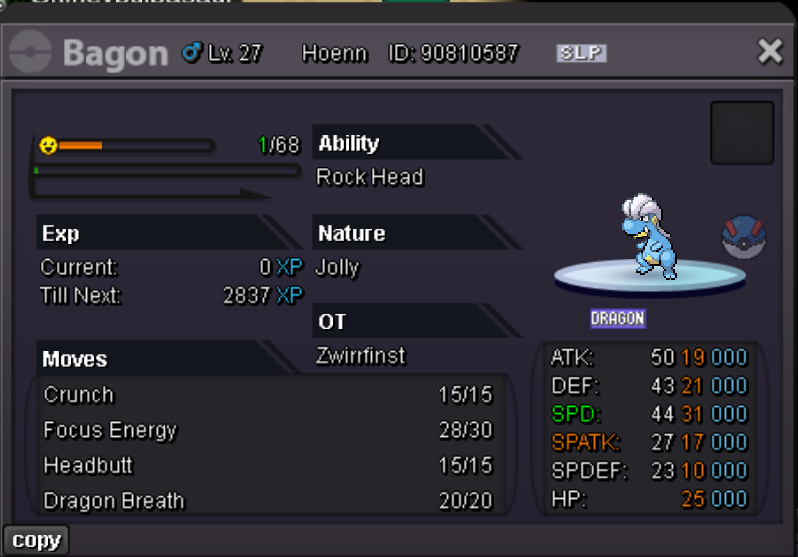
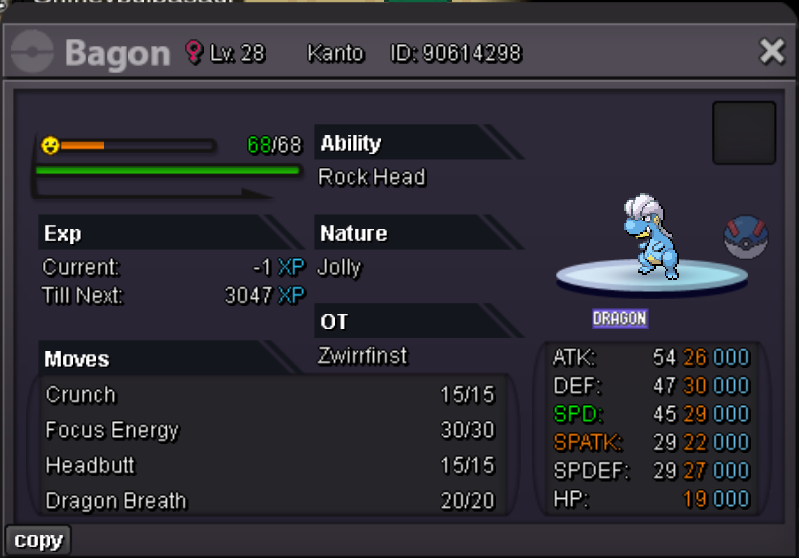
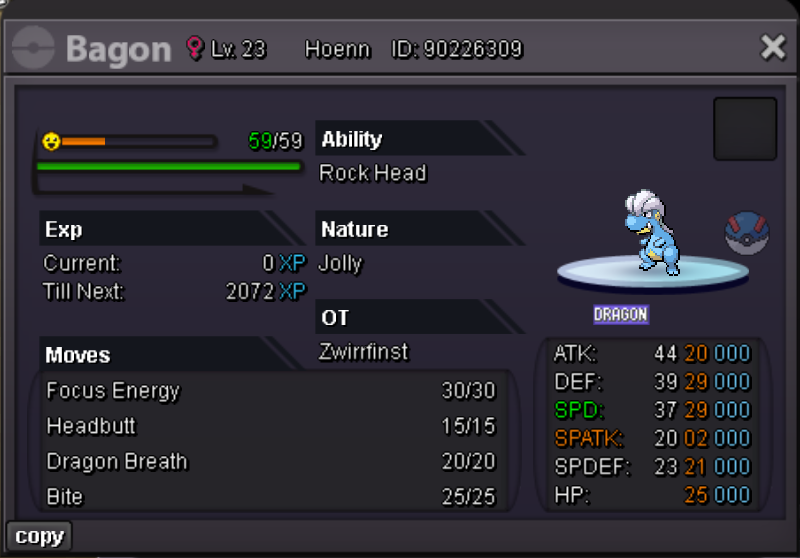
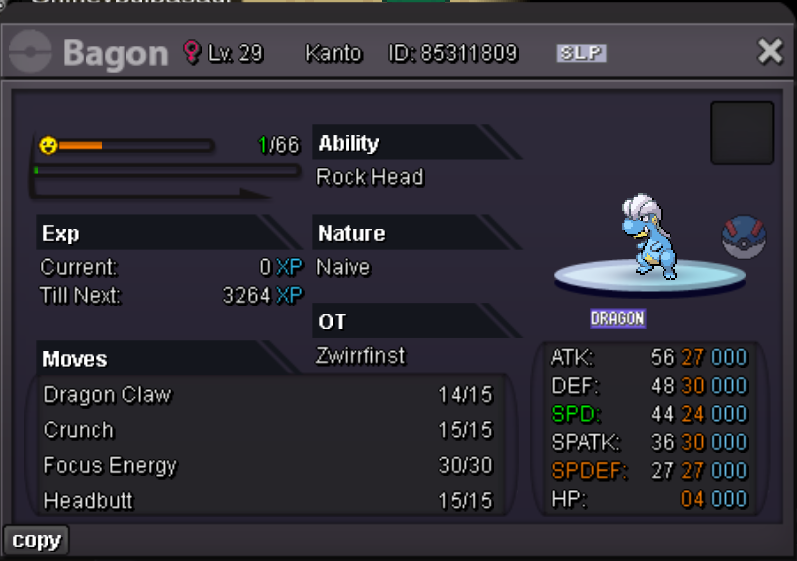
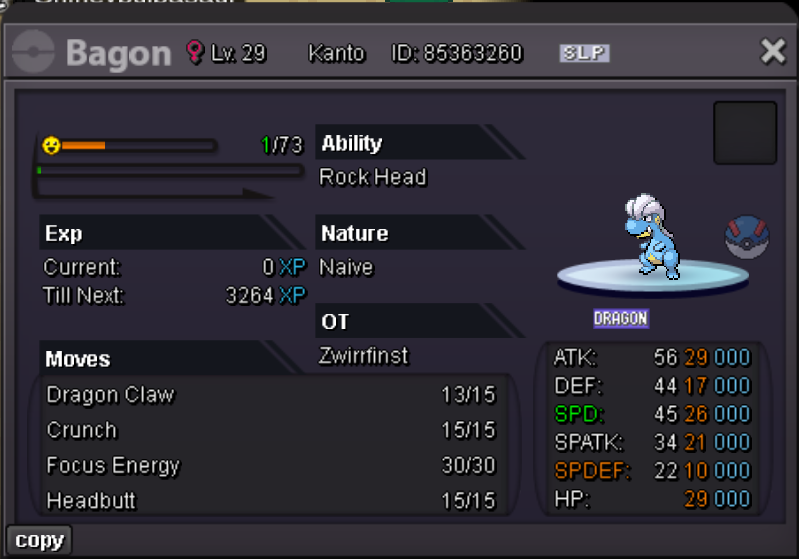
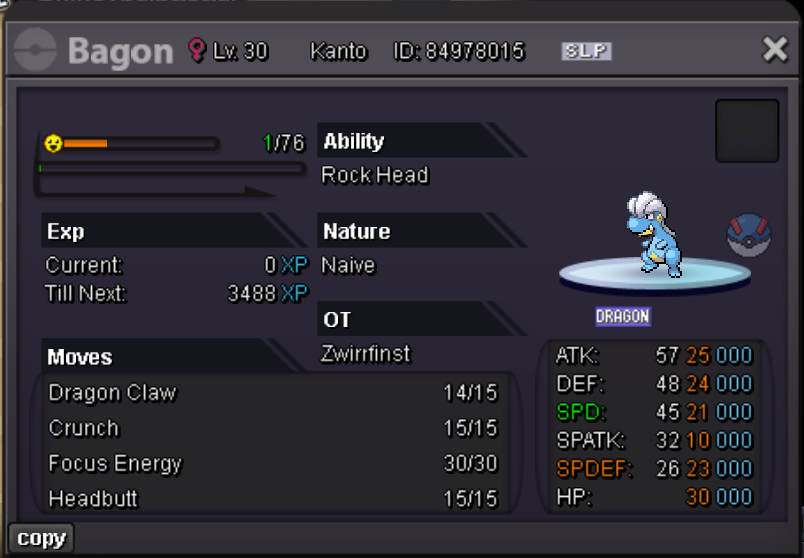
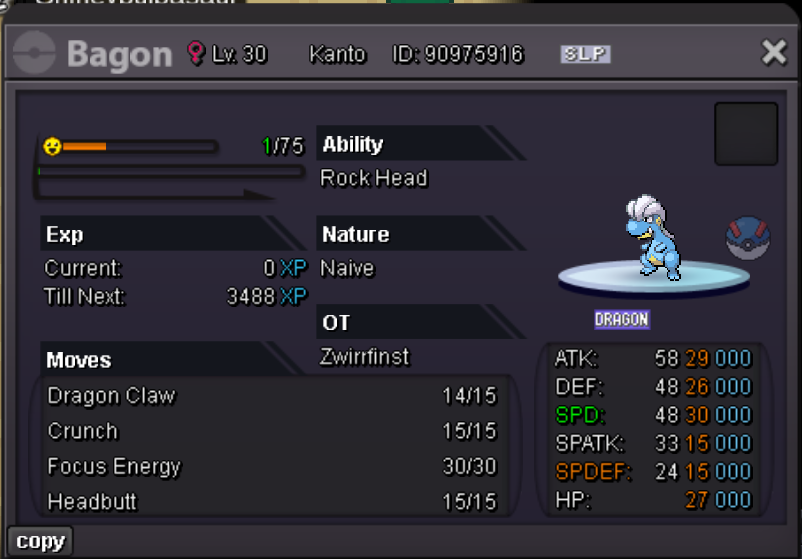
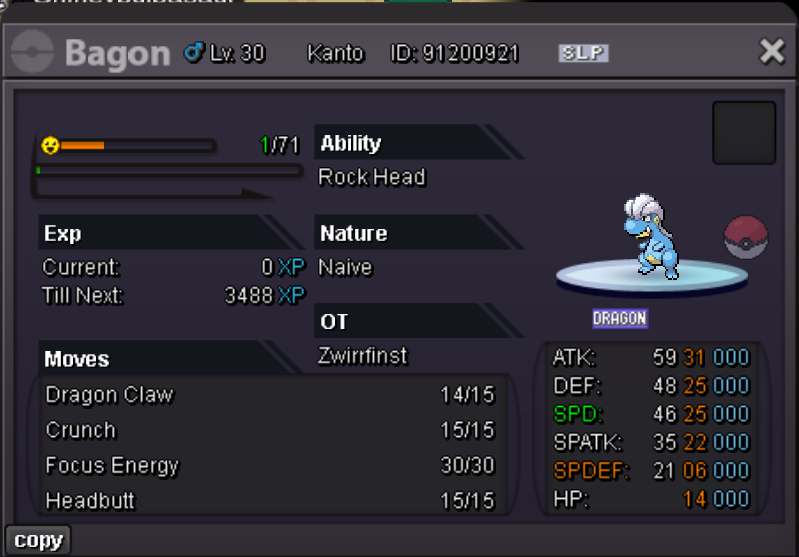

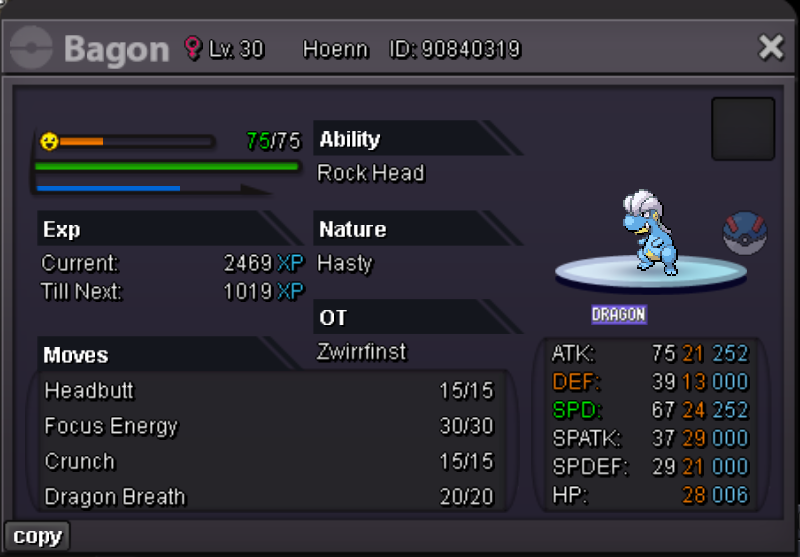
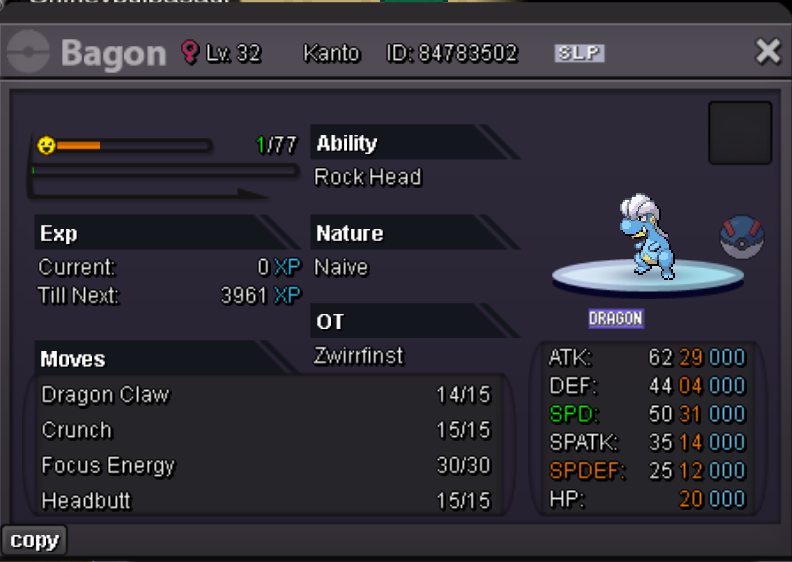
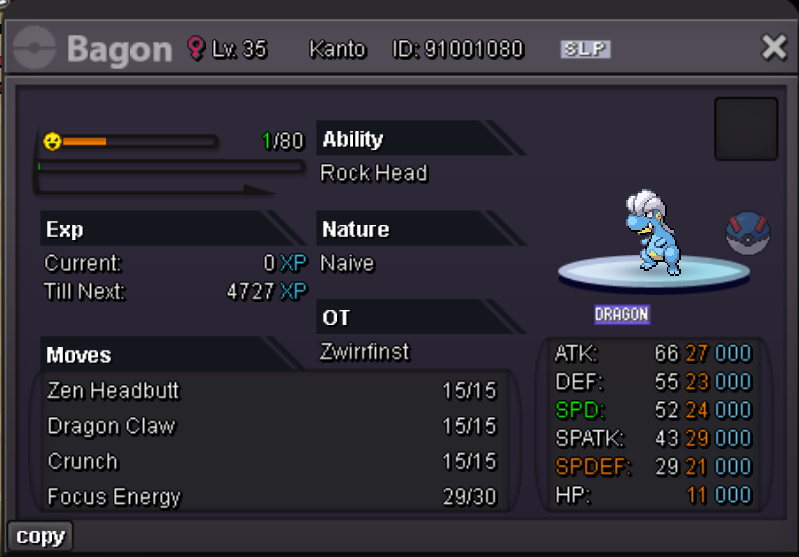
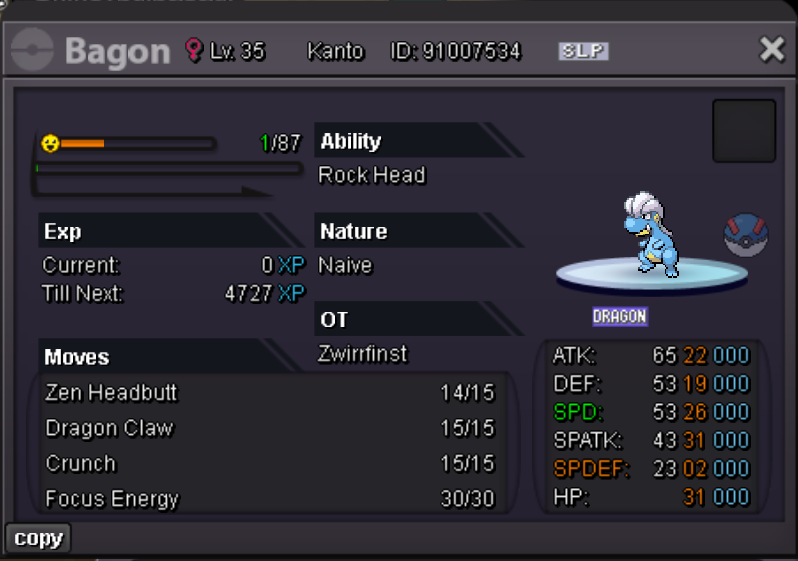
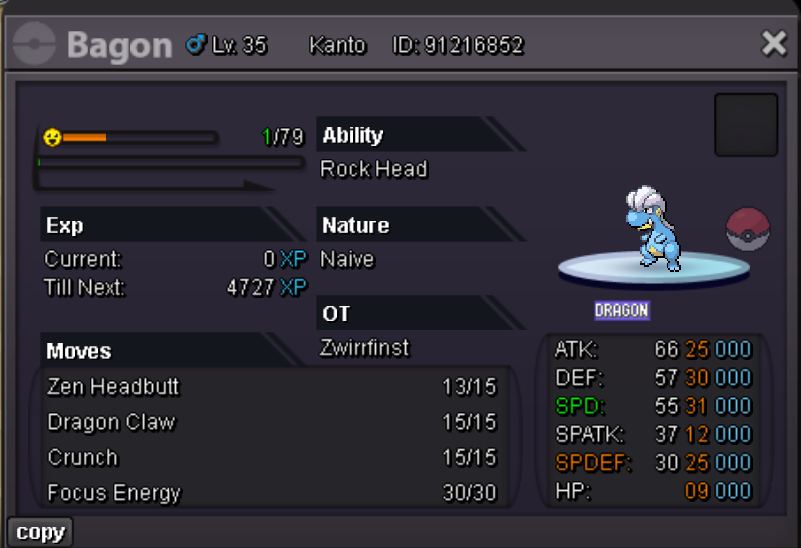
 1 point
 -
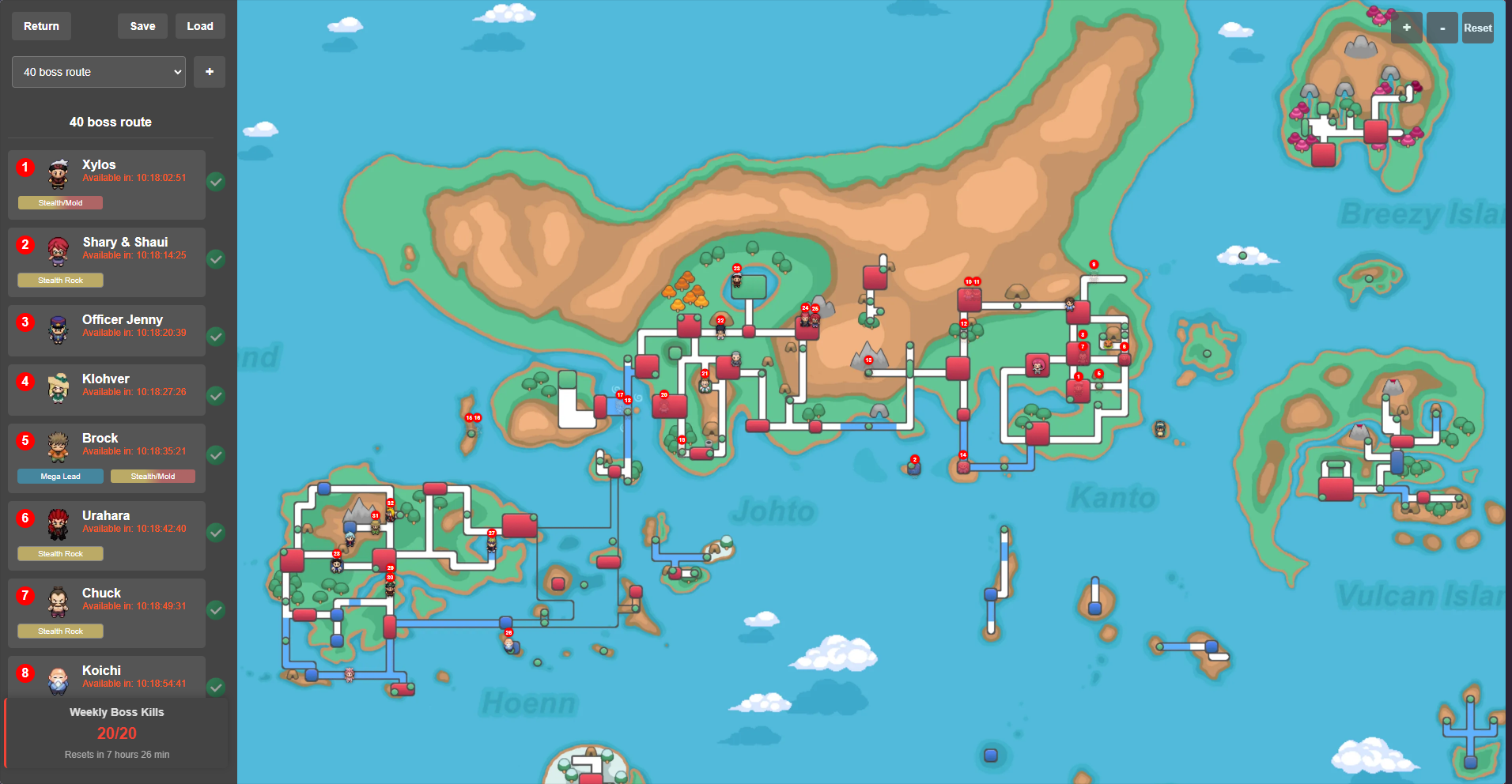
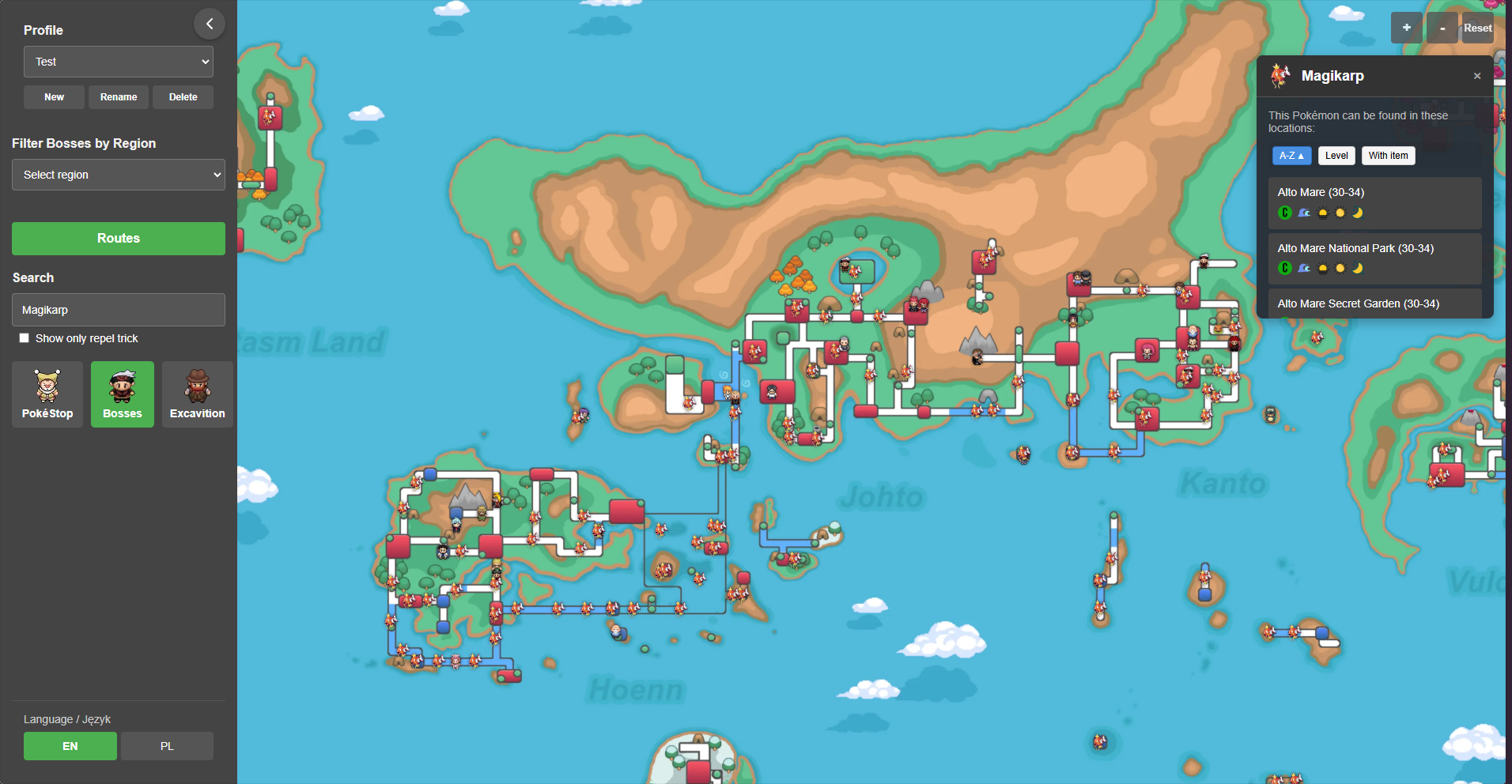
1 pointPokemap – Interactive Map for Pokemon Revolution Online Pokemap is a fan-made, interactive map for Pokemon Revolution Online (PRO). The tool allows players to view all in-game regions and locate key landmarks—especially boss characters—on one comprehensive map. Accessible directly through a web browser. Features: 1. Interactive World Map Region Navigation: Users can pan around the map and zoom in/out to explore various regions such as Kanto, Johto, Hoenn, Sinnoh, etc. The map marks important locations along with the positions of in-game bosses. 2. Boss Tracking and Management Boss Location and Cooldown Tracking: Boss icons are marked on the map, and players can click on them to view details. The system allows marking a boss as defeated, while automatically keeping track of its cooldown (time until it can be challenged again). It also monitors the weekly limit of up to 20 defeated bosses, notifying the user when they approach this threshold. 3. Custom Route Planning Route Creation and Management: Players can design their own routes by selecting bosses in a preferred order. Routes can be saved, named, and later loaded for repeated use. Additionally, the system supports exporting routes to a JSON file or importing previously saved routes, facilitating sharing and backup. 4. Multi-Profile System Profile Management: The application supports the creation of multiple user profiles. Each profile can have its own set of saved routes, boss statuses, pokestop statuses, excavitions statuses, map settings (such as camera position), and weekly boss counters. This feature is especially useful for users managing multiple accounts or sharing the tool on a single device. 5. Search and Filtering Efficient Navigation: An integrated search function allows users to quickly find a specific location, pokemon or item by entering its name. Upon selection, the map centers on the chosen location, making navigation easier. Filters: Users can filter displayed information, such as showing only bosses / pokestops / excavitions from a selected region or hiding all boss icons / pokestops icons / excavitions icons for a cleaner view of the map area. 6. Easy Access and No Login Requirement Instant Use: Since the application runs entirely in the browser ( hosted via GitHub Pages), no registration or login is required. All data—like saved routes and boss status—is stored locally in the browser, making it easy to start using immediately. Some images: Credits: https://wiki.pokemonrevolution.net/index.php - many usefull data and images https://pokemonrevolution.net/forum/topic/112424-hoenn-excavation-sites-guide/ - knowledge about excavition https://pokemonrevolution.net/forum/topic/227666-boss-pathing-website/ - An idea to create a similar page / marking of bosses
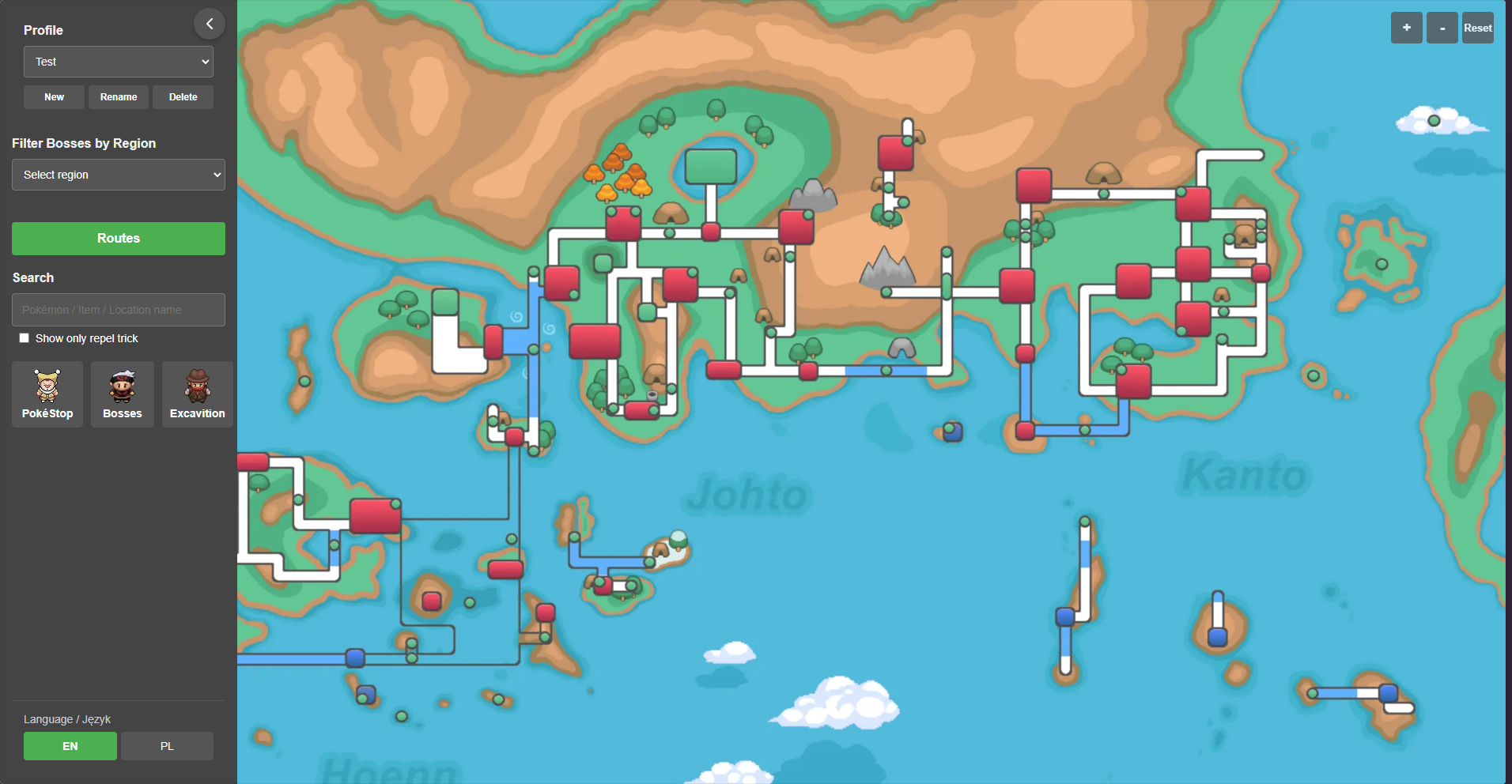
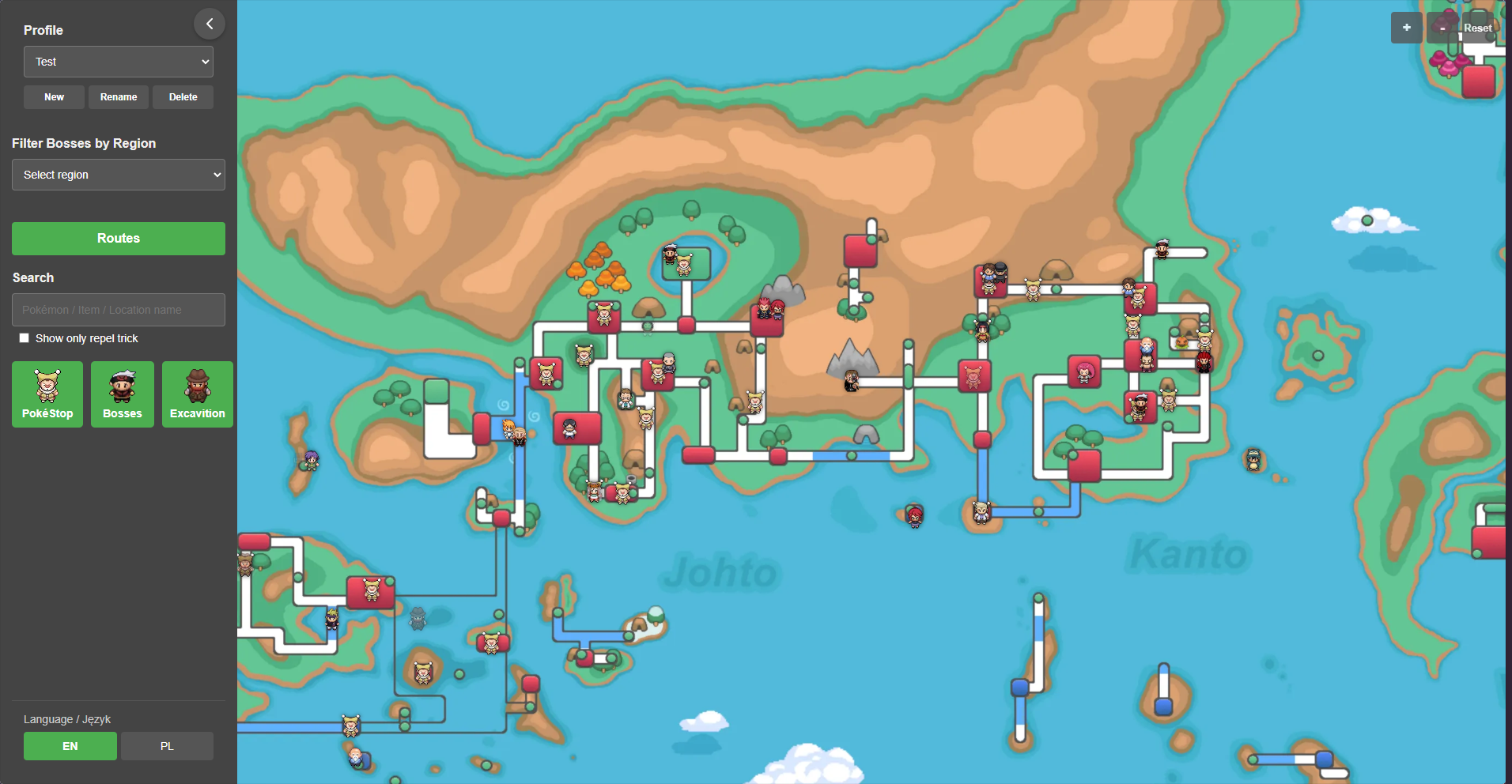
 1 point
 -
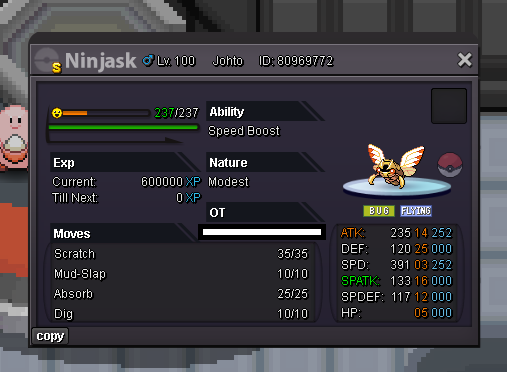
1 pointAuction Details: Start Price: 8m End Point: 48 hours (after start price is met) Insta Price: N/A Minimum Raise: 100k Accepted Payments: Pokedollars, Coin Capsules (x1 Coin Capsule = 500k), IV Reroll Tickets (x1 IV Reroll Ticket = 550k) Important Reminders: This is a Cross Server auction. You may bid from any server, and I will transfer to your preferred server upon winning. If you intend to purchase with an alt account, specify the account alongside your bid. If a bid is received in the final 15 minutes of the auction, the end point will be delayed by 15 minutes from that bid, and will be delayed by 15 minutes for each new bid thereafter, until the current offer has been held for a full 15 minutes. Happy Bidding!
 1 point
 -
C.O=15m Min bid=1m insta=25m ends in 72hours after 1st bid accept cc and rerol 500k 15min rule applicable currently in silver,if winner is from gold i can transfer! gl bidding <3!
 1 point
 -
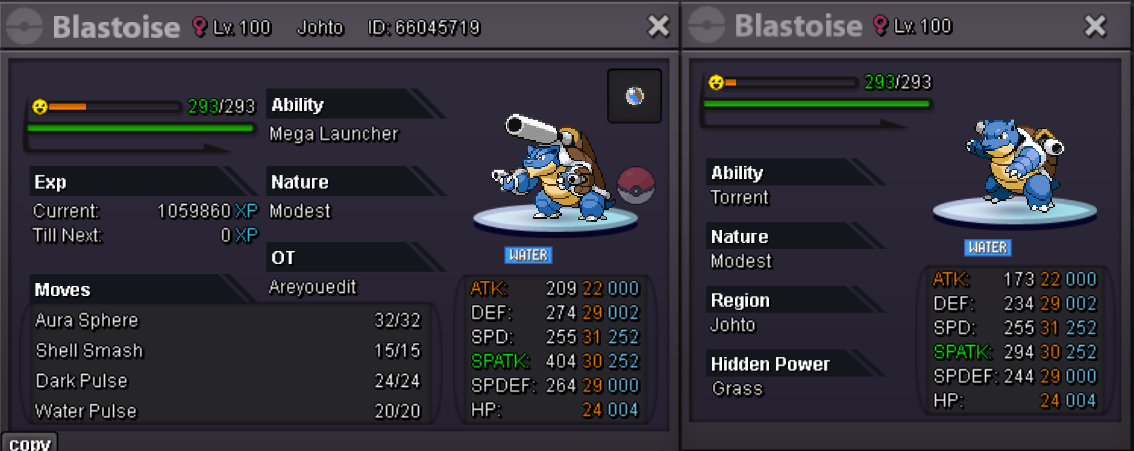
Auction Details: Start Price: 5m End Point: 48 hours (after start price is met) Insta Price: 15m Minimum Raise: 100k Accepted Payments: Pokedollars, Coin Capsules (x1 Coin Capsule = 500k), IV Reroll Tickets (x1 IV Reroll Ticket = 550k) Important Reminders: This is a Gold Server auction. However, you may bid from any server, and I will transfer to your preferred server upon winning. If you intend to purchase with an alt account, specify the account alongside your bid. If a bid is received in the final 15 minutes of the auction, the end point will be delayed by 15 minutes from that bid, and will be delayed by 15 minutes for each new bid thereafter, until the current offer has been held for a full 15 minutes. Happy Bidding!
 1 point
 -
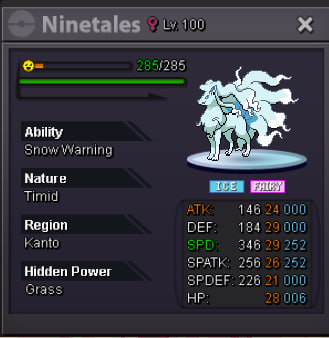
1 pointWelcome everybody! S.O = 1m Min bid = 100k Duration = 48hs after first bid No insta price 15-minutes rule applies CCs and RRs = 500k Good luck!
 1 point
 -
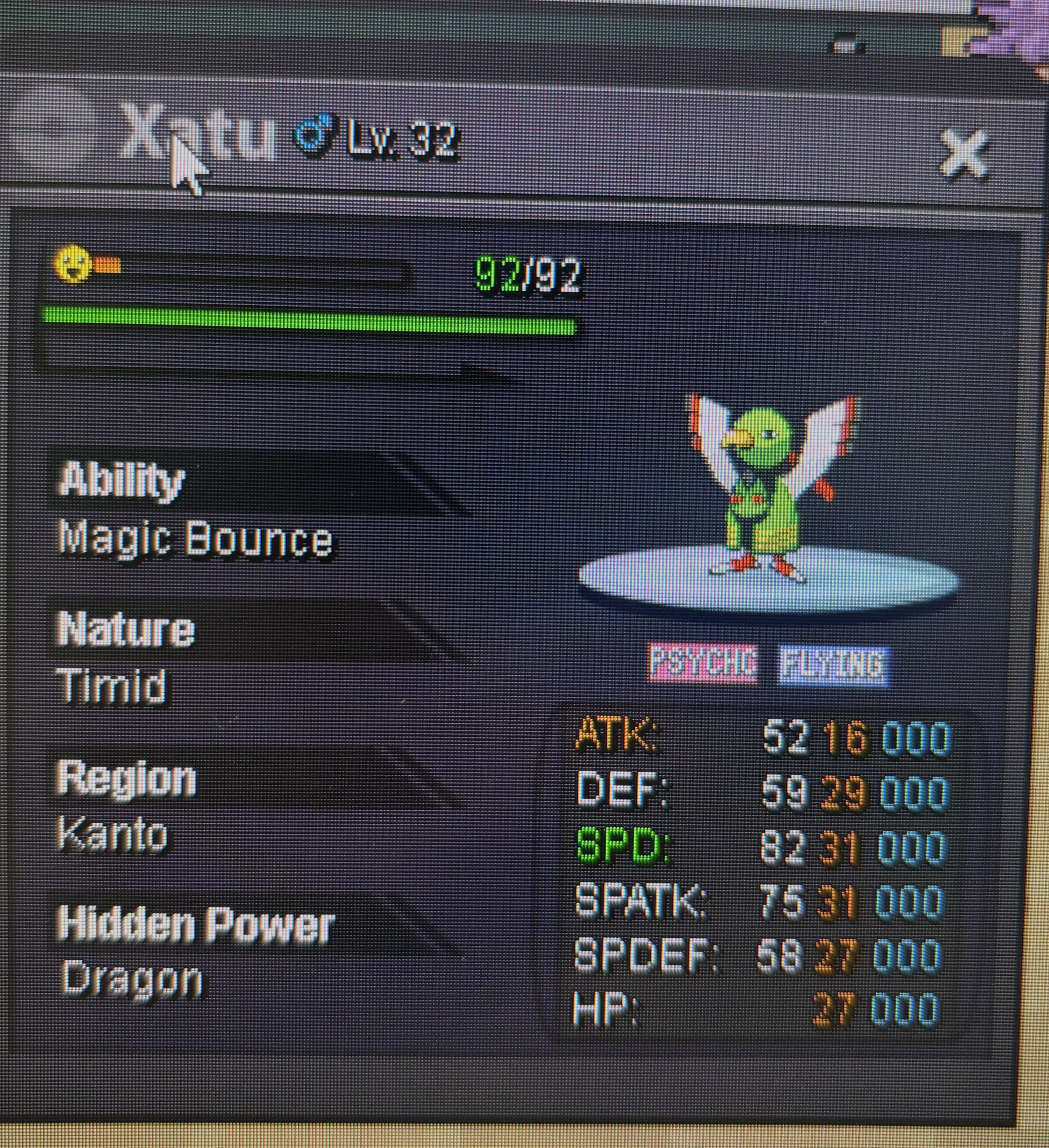
Starting price:1m Min bid 200k No insta 48h auction (AUCTION ENDS TUESDAY 25/03/2025 12:00 (GREEK TIME ) —-If a bid is received in the final 15 minutes of the auction, the end point will be delayed by 15 minutes from that bid, and will be delayed by 15 minutes for each new bid thereafter, until the current offer has been held for a full 15 minutes Payment methods: Pokedollars Coin capsule: 450k
 1 point
 -
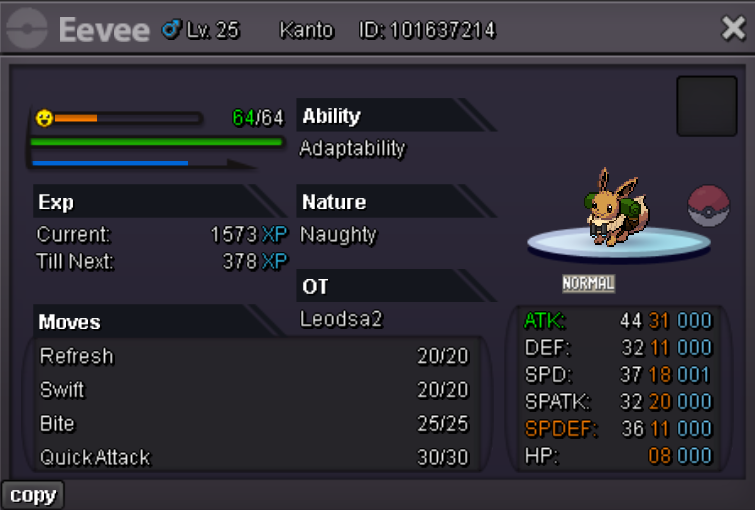
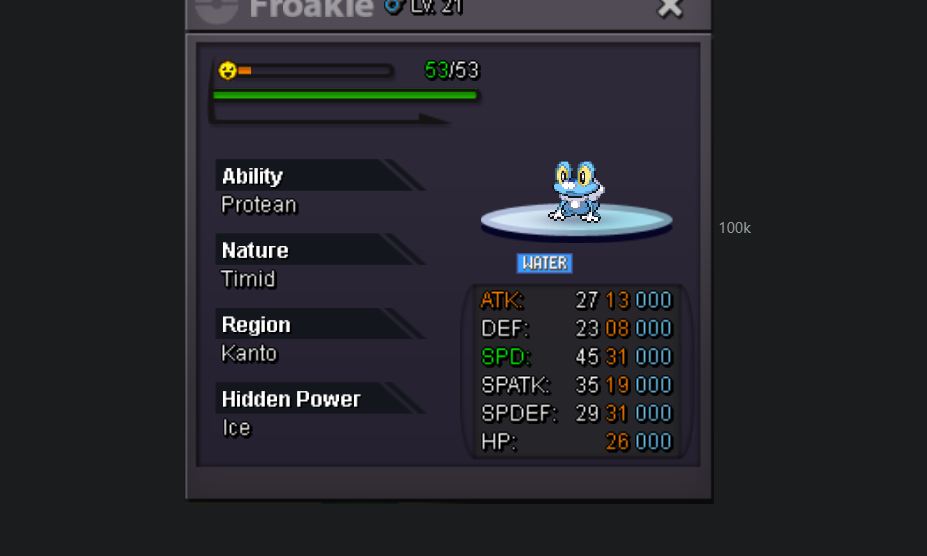
1 pointS.O 1.2 M MIN BID 100K AUCTION END 48 H AFTER FIRST BID ONLY CASH ACCEPTED
 1 point
 -
1 pointHello @Henrypart2, We updated Healing Wish and Lunar Dance to Gen 9. It means that if the switched in Pokémon is at full HP and hasn't any status, Healing Wish won't trigger and instead will be kept stored until a damaged or/and statused Pokémon switches in. Same for Lunar Dance, but on top of full HP and no status the switched in Pokémon must have not used a single PP for it to be stored. Latias used Healing Wish turn 3 and triggered turn 12 on Ninetales because it was the 1st damaged target that switched in. Side note, for the next time please add at least a sentence explaining your issue / what you felt was wrong, so we can have our attention focused on that matter and solve it faster. Feel free to continuously report anything you think is bugged in the Bug Resolution Center. Regards, Middleground1 point
-
auction for ralts has ended, @Jinhsi is the winner. 11min left for magnemite1 point
-
880k ralts1 point
-
1 point
-
1 pointbuy noth ferroseeeds ha jolly gible unburden ada 150k hawlucha relaxed careful hippo1 point
-
1 point
-
1 point
-
1 point
-
1 point
-
1 point
-
1 point
-
1 point
-
1 point
-
1 point
-
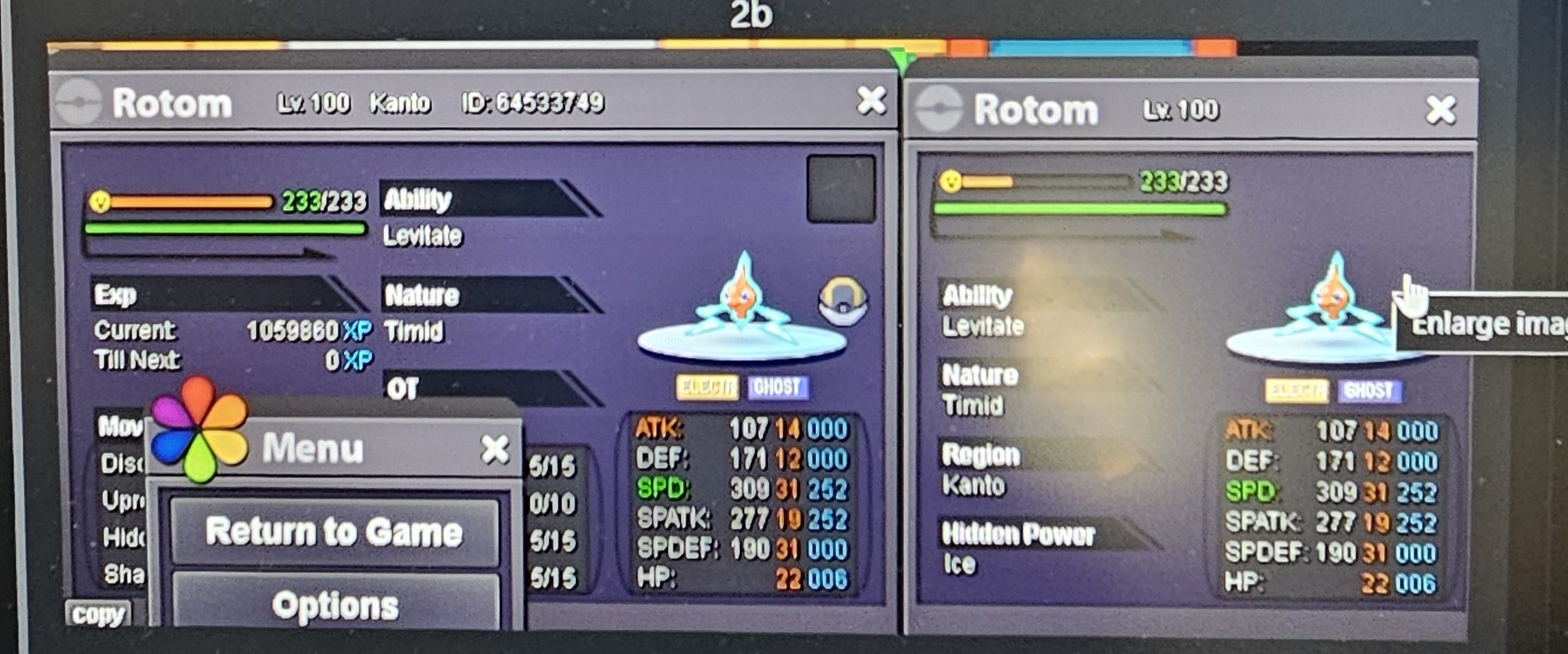
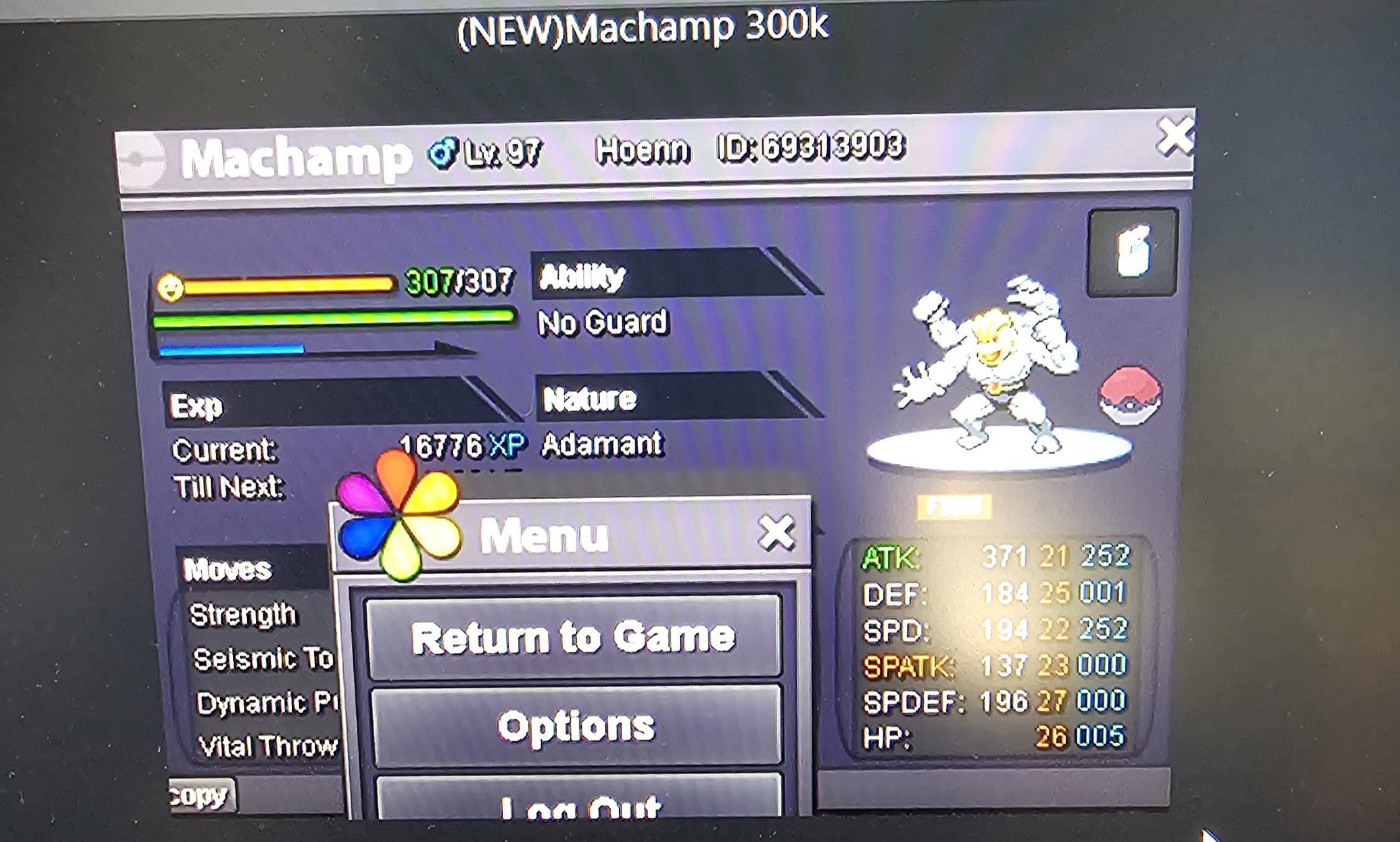
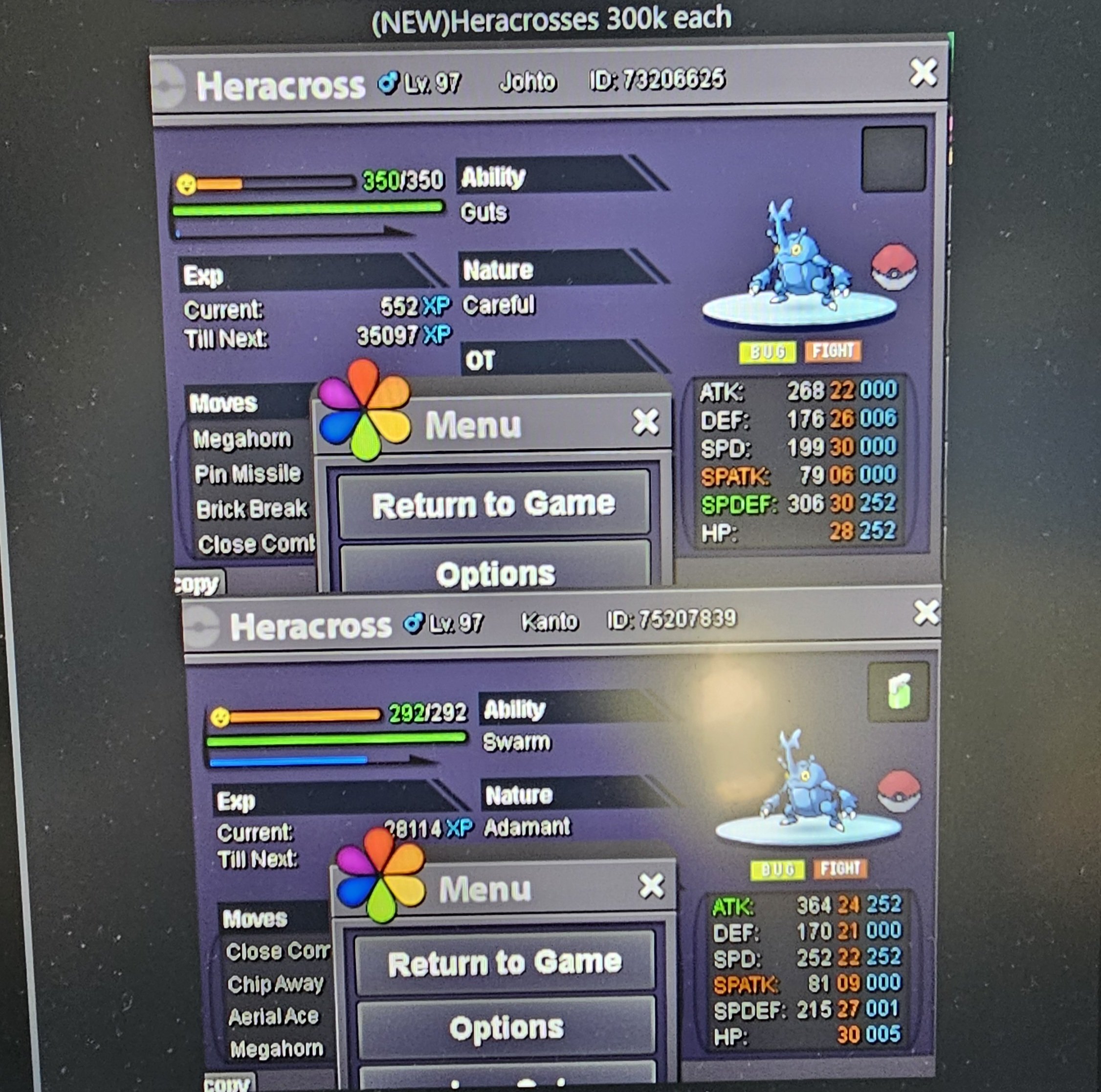
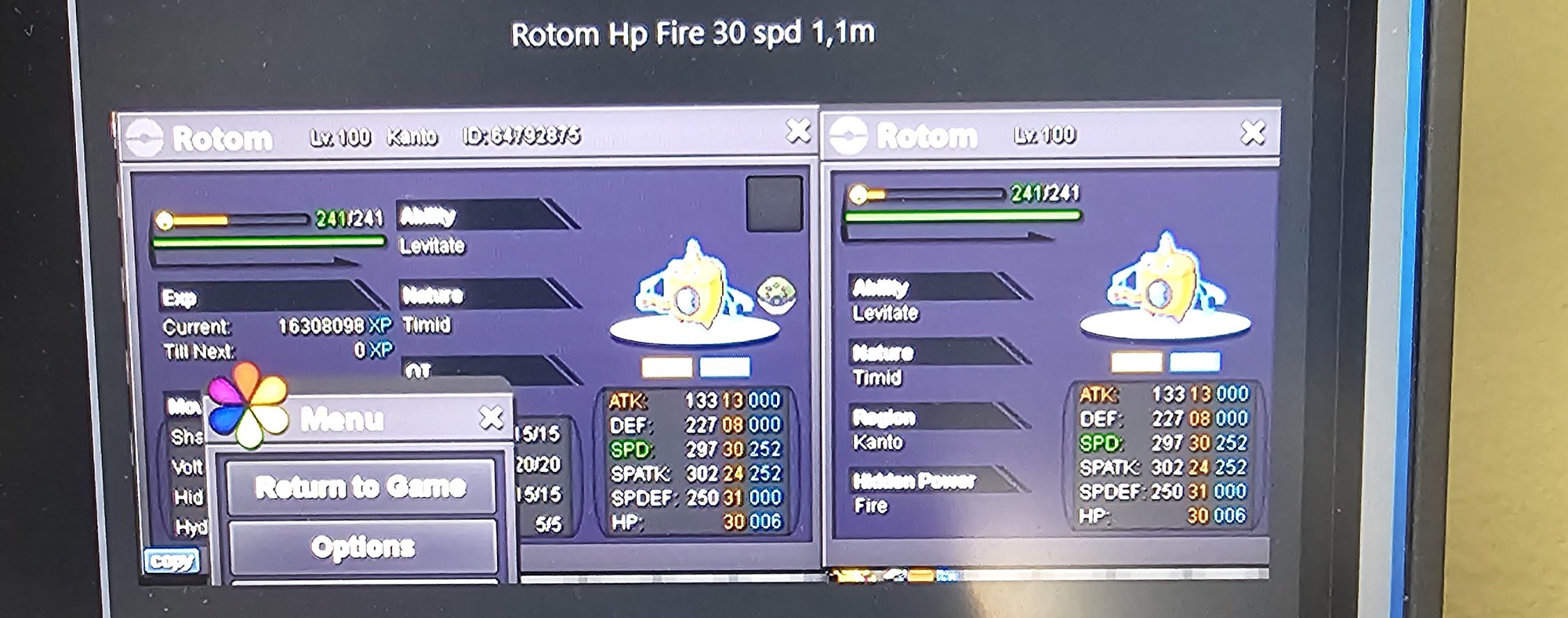
1 pointsure we can do 800k for the rotom but just to be sure tell me which heracross do you want to buy ? 🙂1 point
-
1 point
-
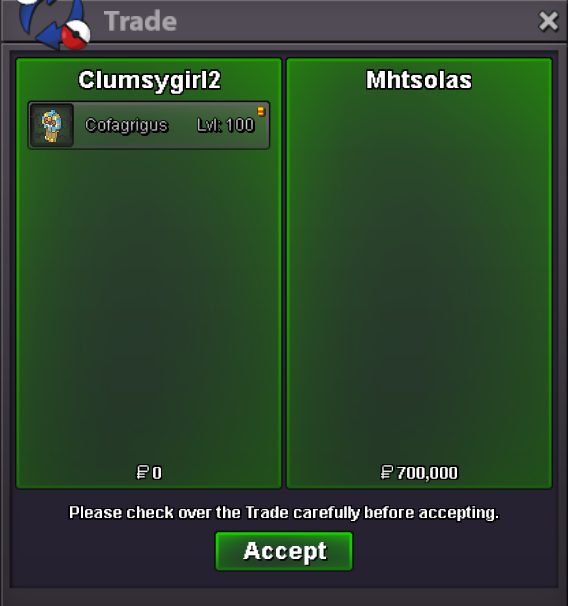
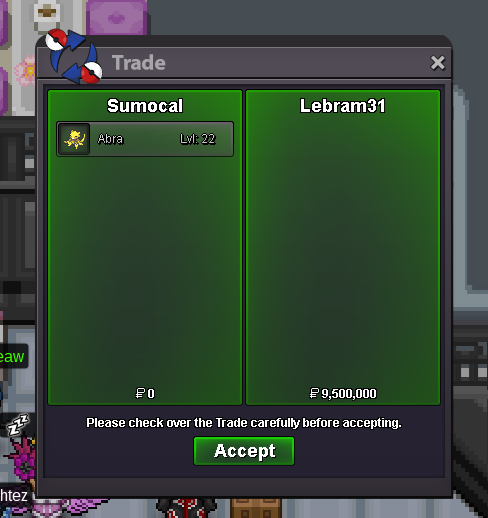
1 point1 point1 point1 point777k ralts1 point1 point1 point1 point1 point1 point1 point1 point200k magne1 point1 point1.3m for MG clefairy1 point1m and 50k for the clefairy magic guard1 point1 pointthank you for the guide,i guess we need a solution to the "puzzle" and it's prize pool so we can decide which one we should get1 point1 point850k mg clefairy1 point1 point1 point1 point1 pointWell, my auction has come to an end. I thank the participants. Assassin512 is the winner. I'll see you in Vermilion City. Thank you very much for your participation. We'll see you at the next auction.1 point1 point1 pointI really feel the sinnoh's underground NPC dialogue should change then, I mean below is the following list of dialogue I got. South-Western Room. Elenea : I've seen four kind of Crystal so far. what about you? come tell me if you find any more! (A good info 20/20) Trevor : The Sandslash I just caught dosen't seem particularly enthusiastic about digging holes. (no value in his quote) Miguel : Back in my day we got 2PvE Coins and were HAPPY with it (no value in his quote) South-Eastern Room. Nancy : Ever heard rumors of the secert glade hidden deep within Eterna Forest? (Sounds like random quote from base game) Ivor : Apparently, the treasure room has better stuff if you solve the puzzle in less tries! (Perfectly fine quote 20/20 would Ivor again) Elias : I miss the old puzzle. (no value in his quote) North-Eastern Room. Albert : I can't Believe every spot leads to treasure now! I just have to figure out this puzzle… (He's lying, every spot leads to a crystal NOT a treasure) Sabrina: My Arcanine loves digging! He finds mostly Fire crystals, but he's so excited every time! (Sounds like random meaningless npc quote from base game but it's a hint) Joel : My head hurts. I just want to revive my fossils. (Sounds like random meaningless npc quote from base game) South-Western Room. Silvia : Ever since the boss allowed Pokemon to dig here, I see more and more new faces! (Sounds like random meaningless npc quote from base game) Denis : My Onix only ever seems to dig up Rock crystals his first few tries, but he loves it here so I bring it daily anyways! (Sounds like random meaningless npc quote from base game but it's a hint) Todd : This cave really makes me feel uneasy… There aren't even any Bug-types here. Instead, some old guy released a bunch of Probopass around here for no Reason! One of them seemed unstable... (That sounds way more like a clue than any other NPC here, but it's not a clue for main treasure room only secret one) Only two NPC even mention the fact that you can change the crystal type you'll get (Denis and Sabrina), one of them (Todd) tells you something about the probopass that sounds a lot like a hit. None of them tells you that you CAN get softlocked, that's harsh. If I diden't found your answer about it NOT beeing RNG I could have sworn it was having dug up 4ground, 3rocks, 8fire and 1water while having no rock type in my party but having water, ground and fire types and not modifying the digging pkm or my party order. From the data I had I coulden't deduce anything even after I softlocked. Anyway I think paying 3k fee to enter a daily quest you can't understand without a guide or a confirmation of how it works by an admin feels very wrong, at least every other daily has either guarented reward/progression (like digging spots) or has clear explanation (bug/fishing contest). Sinnoh's underground is the only one I can think of that can litterally be rewardless and has no clear explanation of what's going on. The fact that this daily is in sinnoh (the only island cut off from the other main 3 region) already makes it underwhelming and not worth going for unless you're rich, I think it shoulden't be the case. TLDR: I think you should either make every npc give a hint of how it works, explain it clearly somewhere, or give a consolation prize to those who got softlocked. Sinnoh's underground was already not a popular daily; don't make it even less appealing. I was really hyped about the underground revamp, seeing updates and rework to make unpopular dailies better is what gave me the will to comeback in the game but I feel it's frustrating for all the wrong reasons and I'm really disapointed now.1 point


































Account
Navigation
Search
Configure browser push notifications
Chrome (Android)
- Tap the lock icon next to the address bar.
- Tap Permissions → Notifications.
- Adjust your preference.
Chrome (Desktop)
- Click the padlock icon in the address bar.
- Select Site settings.
- Find Notifications and adjust your preference.
Safari (iOS 16.4+)
- Ensure the site is installed via Add to Home Screen.
- Open Settings App → Notifications.
- Find your app name and adjust your preference.
Safari (macOS)
- Go to Safari → Preferences.
- Click the Websites tab.
- Select Notifications in the sidebar.
- Find this website and adjust your preference.
Edge (Android)
- Tap the lock icon next to the address bar.
- Tap Permissions.
- Find Notifications and adjust your preference.
Edge (Desktop)
- Click the padlock icon in the address bar.
- Click Permissions for this site.
- Find Notifications and adjust your preference.
Firefox (Android)
- Go to Settings → Site permissions.
- Tap Notifications.
- Find this site in the list and adjust your preference.
Firefox (Desktop)
- Open Firefox Settings.
- Search for Notifications.
- Find this site in the list and adjust your preference.