New Trade Zone
Trade Zone is now live
Use the new Trade Zone for auctions and instant-price trades so Pokemon and item offers are easy to find.


Exotyc
Former Staff
-
Joined
-
Last visited
Everything posted by Exotyc
-
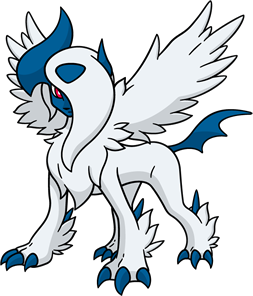
Hi there! I'm sorry for the late reply. You cannot get the shiny Gengar Clothes this year as it was exclusive to 2020. I'll lock this as we cannot proceed further. Have a nice day!I didn't check the title when I split the post from the guy's forum thread. I'll lock this thread as resolved. Have a nice day!Locked as it was handled and solved here.There is a misunderstanding from your side. Beating the special mode will grant you the normal Mega Gengar Clothes and not shiny as the shiny clothes were exclusive to 2020 Halloween. Some people may have got it this year due to a bug happening last year when they couldn't claim it.A browser can still have an integrated VPN which can be disabled in the settings of your browser. Please check it.I'll lock this as solved. Have a nice day!Hi there! As PVE suggested above. Please relog or move the Pokemon in your party around to fix the issue. Kind regardsAfter defeating the hard mode, you can talk to the Gengar in the Sealed Chamber again and select I'm tired of your lackeys, fight me! in order to do the special mode.Hey there! I'm sorry for the inconvenience and the late reply. Forum timezone is equally to your timezone. You may reboot your browser or refresh the website to update to the correct time. Furthermore, your browser may have a VPN that can influence the time. Kind regardsHey there! I'm sorry for the inconvenience. Please send me a screenshot of your folder to have a better understanding of your problem. Kind regardsHi there! I'm sorry for the inconvenience. PRO has some connection issues with mobile devices using mobile data. Could you please use WIFI or a VPN? Kind regardsAfter checking your variables, you haven't won the special mode yet. There are in total 3 modes where the normal mode gives you the Mega Stone, the hard mode the IV locked reroll ticket and lastly special mode which gives you the Gengar Clothes.Did you talk to the Selina NPC after winning in the special mode?Have you done the special mode yet?
Account
Navigation
Search
Configure browser push notifications
Chrome (Android)
- Tap the lock icon next to the address bar.
- Tap Permissions → Notifications.
- Adjust your preference.
Chrome (Desktop)
- Click the padlock icon in the address bar.
- Select Site settings.
- Find Notifications and adjust your preference.
Safari (iOS 16.4+)
- Ensure the site is installed via Add to Home Screen.
- Open Settings App → Notifications.
- Find your app name and adjust your preference.
Safari (macOS)
- Go to Safari → Preferences.
- Click the Websites tab.
- Select Notifications in the sidebar.
- Find this website and adjust your preference.
Edge (Android)
- Tap the lock icon next to the address bar.
- Tap Permissions.
- Find Notifications and adjust your preference.
Edge (Desktop)
- Click the padlock icon in the address bar.
- Click Permissions for this site.
- Find Notifications and adjust your preference.
Firefox (Android)
- Go to Settings → Site permissions.
- Tap Notifications.
- Find this site in the list and adjust your preference.
Firefox (Desktop)
- Open Firefox Settings.
- Search for Notifications.
- Find this site in the list and adjust your preference.