




New Trade Zone
Trade Zone is now live
Use the new Trade Zone for auctions and instant-price trades so Pokemon and item offers are easy to find.

Bitterblade
Community Coordinator
-
Joined
-
Last visited
Everything posted by Bitterblade
-
Good day @Khaltito I apologize for any issues this may have caused. I am looking into this and will update you when I have any information. Regards, Bitterblade
-
Good day @Ultraradiant I apologize for any issues this may have occurred and we are currently looking into it. In the meantime, do remember that the pickaxe is a tool that replaces the move Rock Smash. To keep from being unable to progress, you can use a Pokemon with the move Rock Smash for anything that would otherwise need the Pickaxe. I hope this information finds you well and I will update you once I have any further information. Regards, Bitterblade
-
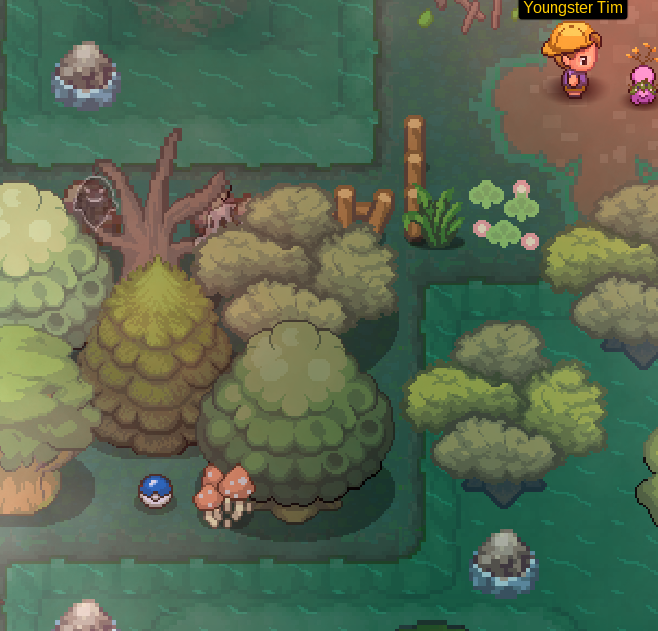
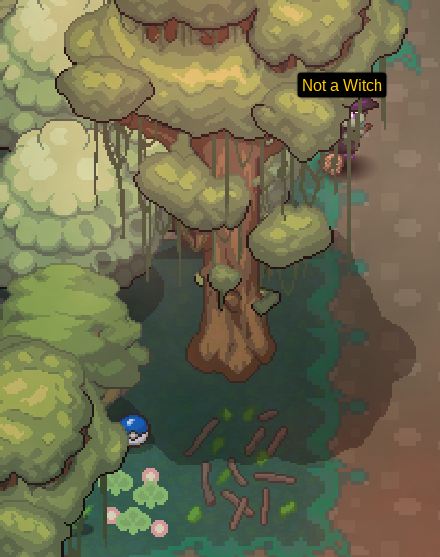
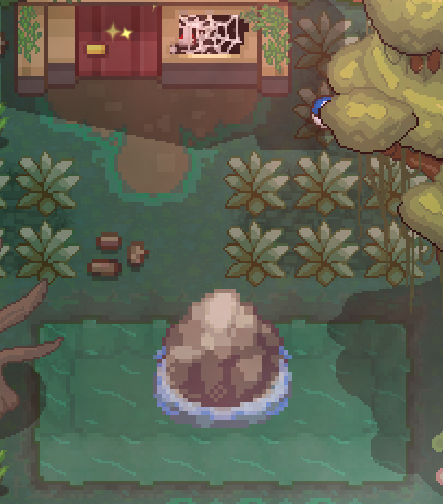
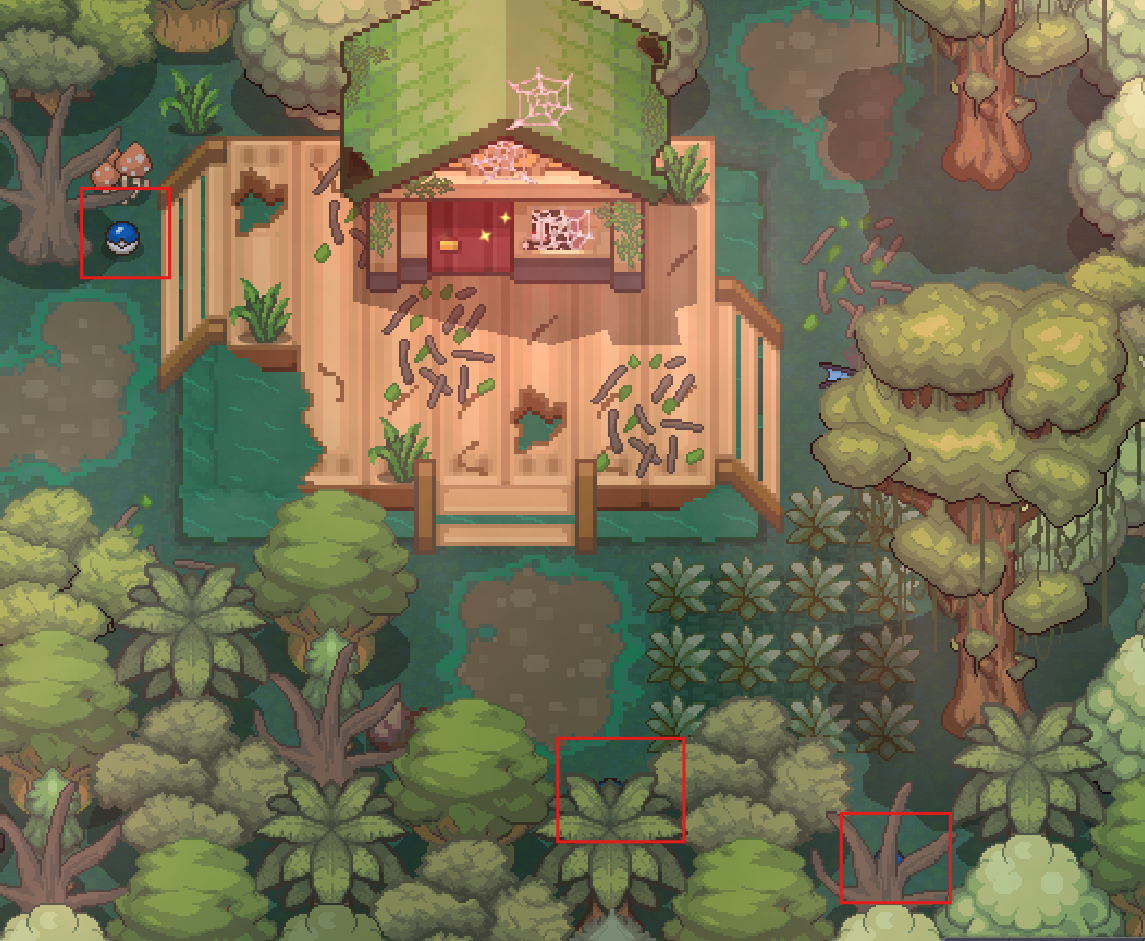
Good day @Iam934828483 I apologize for the issues you are experiencing. Could you provide a screenshot of what the ghost NPCs tell you when you speak with them as well as screenshots of the scattered blue Pokeball locations? In the meantime, here is a guide that you can use as reference - Phantasm Land Quest Part 1 I look forward to hearing from you. Regards, Bitterblade
-
Good day @Xanderthegreat I am glad that I was able to assist you in your trade evolution. In the future, please use the #request-chat in the PRO Official Discord or the Trade Evolution Megathread. With that being said, I will be closing this thread now. If you have any further questions or concerns, do not hesitate to reach out. Regards, Bitterblade
-
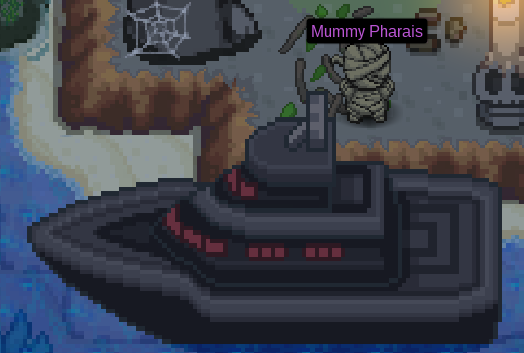
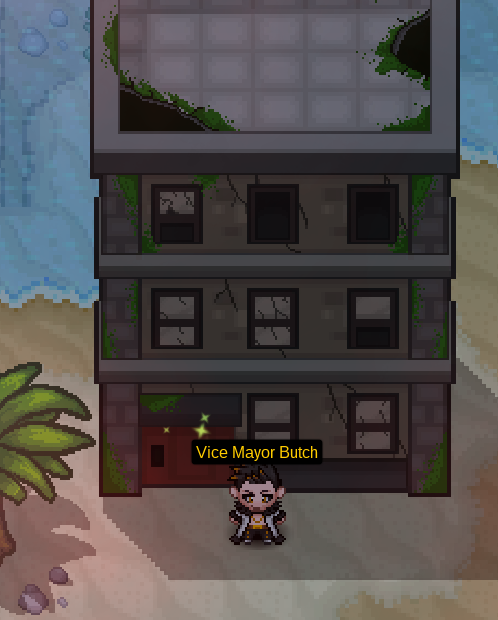
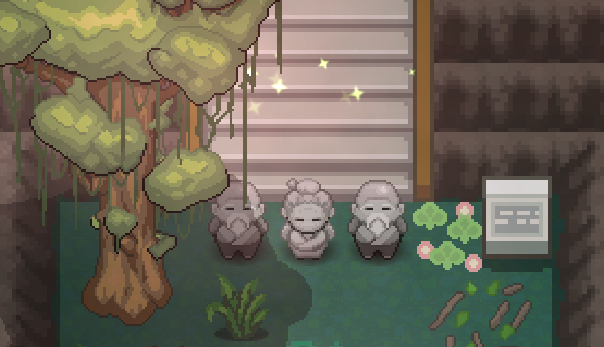
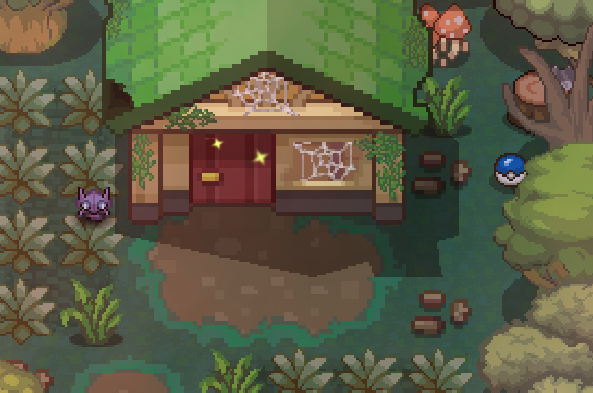
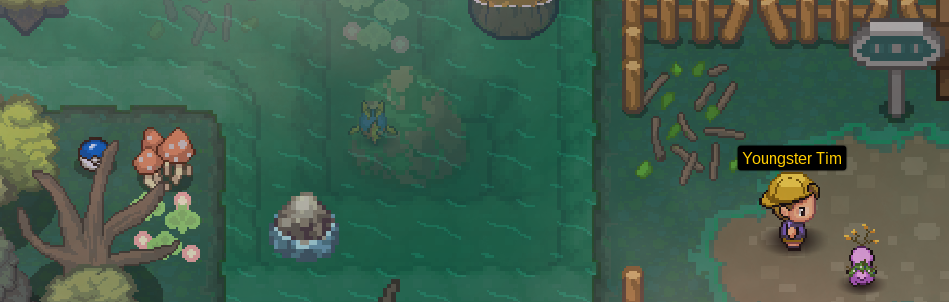
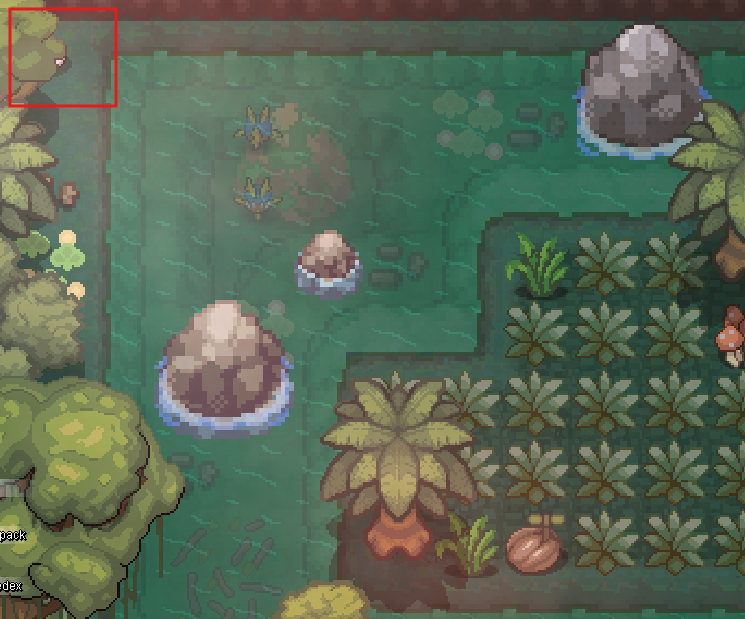
RequirementsTeam of strong Pokémon A Pokémon with the move Surf (or a Surf Mount) Getting StartedThe quest takes place in Phantasm Land and can be accessed by speaking with Mummy Pharais at any regional port city (Vermilion City, Olivine City, Lilycove City, and Canalave City). After speak with him, you will arrive in Murky Town. Mummy Pharais Trick-or-TreatingOnce you arrive, make your way off of the bridge and you will be stopped by Ninja Konohamaru. He will inform you about trick-or-treating. Trick-or-treating requires you to speak with NPCs around Murky Town who will either give you the candy for free or you will have to beat them in a battle to receive the candy. The NPCs that you can receive candy from are listed below. Trick-or-Treating NPCs Beginning the QuestNow that we have collected all of the needed candies, we can begin the quest! Speak with Vice Mayor Butch on the beach south of the Pokémon Center. He will tell you that there are issues between towns and that you must help resolve these issues. You are given a choice of which town's mayor you wish to stop (Serenia Village or Dreadtown). Vice Mayor Butch Ghoul SwampAfter selecting the mayor you wish to confront, head to the north side of Murky Town and speak with either of the two NPCs accompanied by Banette. They will disappear and allow you to enter Ghoul Swamp. Once you enter Ghoul Swamp, you will need to battle your way to the northern most exit. Here you will need to speak with the three ghost NPCs that appear as you attempt to exit the swamp. They will not let you pass until you to free the three spirits around Ghoul Swamp. Spirits in Ghoul Swamp Freeing the SpiritsYou will need to free the three spirits in Ghoul Swamp that are trapped in scattered blue Pokeballs. Be advised, some of the Pokeballs contain Pokémon that will battle you. The Pokeballs that contain spirits are random for each player; however, all Pokeball locations can be seen below. Once you free all three spirits, head back to the ghost NPCs and speak with them again. They will disappear, granting you access to Unison Mountain South Summit. Head into Unison Mountain South Summit (healing at the Pokémon Center if needed). If you chose to confront the mayor of Dreadtown, head to the Confronting the Mayor of Dreadtown section; otherwise, head to the Confronting the Mayor of Serenia Village section. Pokeball Locations in Ghoul Swamp Confronting the Mayor of DreadtownOnce you arrive at Unison Mountain South Summit, continue up the stairs and then hop over the first ledge to your west. Then continue north until you reach the Pokémon Center. Take the path south of the Pokémon Center and enter the cave. Unison Mountain 1FOnce you enter the cave, you will be in Unison Mountain 1F. There are NPCs scattered throughout the caves, Mountain Spirits, who you must avoid being seen by. If they see you, you will be sent out of the cave and must start over. Once you exit the cave, you will arrive at Unison Mountain East Summit. Continue east through Unison Mountain East and into Howling Woods. Howling WoodsAfter entering Howling Woods, you will need to battle your way through to Dreadtown. Continue east until you reach the Wandering Spirit trainer and then go south. Follow the path until you reach the Competitive Zombie and continue east. Stay on the path as it takes you to the northern most part of the map and then go east. Follow this path until you reach Werewolf Goku, who will demand five Halloween Candies (you should have 10 from the steps in the beginning of this guide). Select Yes to give him the candy and he will move out of the way. Continue into Dreadtown. DreadtownOnce you enter Dreadtown, heal at the Pokémon Center and prepare to confront the mayor. Leave the Pokémon Center and head north towards the castle. Speak with Mummy Phase and defeat him. His team can be seen below: After defeating Mummy Phase, prepare yourself for another tough battle. When you are ready, head into Dreadtown Vlads House (the castle) and speak with Mayor Vlad in the northern most part of the house and battle him. His team can be seen below: After defeating Vlad, he will agree to stop fighting with Serenia Village; however, he will be interrupted as reports of the mayor of Murky Town is causing people to disappear at Unison Mountain. Head back to Unison Mountain. Continue the guide at The Mayor of Mukry Town section. Confronting the Mayor of Serenia VillageOnce you arrive at Unison Mountain South Summit, continue up the stairs and then go west at the first ledge. Hop over the first edge to the west and then continue north until you reach the Pokémon Center. Take the path west of the Pokémon Center and enter the cave. Serenia VillageOnce you are in Serenia Village, you will need to battle prepare for tough battles. When ready, go across the set of stairs to the west of the entrance from Angel Hill and speak with Fairy Hilda. Her team can be seen below: Once you defeat Fairy Hilda, prepare for another tough battle against the mayor. When ready, head into the build that Fairy Hilda was guarding. Continue to the north eastern corner of Serenia Village Camelias House 1F and take the ladder to the next floor. Now go south and the west, taking the ladder once again. When you make it to Serenia Village Camelias House 3F you need to battle and defeat Mayor Camelia in the northern part of the room. Her team can be found below: After defeating Mayor Camelia, she will agree to stop fighting with Dreadtown; however, she will be interrupted as reports of the mayor of Murky Town is causing people to disappear at Unison Mountain. Head back to Unison Mountain. Continue the guide at The Mayor of Murky Town section. Unison Mountain 3FOnce you enter the cave, you will be in Unison Mountain 3F. There are NPCs scattered throughout the caves, Mountain Spirits, who you must avoid being seen by. If they see you, you will be sent out of the cave and must start over. Once you get exit the cave, you will arrive at Angel Hill. Continue west through Angel Hill, battling the trainers along the way until come across Fairy Grande. She will demand five Halloween Candy to allow you to pass. Give her the five candy and continue west into Serenia Village. The Mayor of Murky TownOnce you arrive at Unison Mountain South Summit, head north past the Pokémon Center and behind the shrine. Enter the cave to find Mayor George of Murky Town being confronted by the mayor of Dreadtown and Serenia Village. Talk to either mayor (ending with the Dreadtown and Serenia Town mayor being transported to the Distortion World). Talk to Mayor George to battle him. His team can be seen below: Once you defeat Mayor George, you need to speak with him in his house in Murky Town. Leave the cave and head south through Unison Mountain South Summit and then south through Ghoul Swamp. Mayor George's house can be found on the beach. Enter his house and and head to the northern most part of the house and speak with him to claim your reward (either a Houndoom Mount or Vampire Clothes). Quest Complete!
-
Good day @Marley47 I have restored your Basculin White Striped. In the future, please use the Pokemon Restore Megathread or the request-chat in the PRO Official Discord. With that being said, I will be closing this thread. If you have any further questions or concerns, do not hesitate to reach out. Regards, Bitterblade
-
Good day @Msora5822 I am glad to hear that you were able to get the Victreebel and access Shamouti Island. With that being said, I will be closing this thread now. If you have any further questions or concerns, do not hesitate to reach out. Regards, Bitterblade
-
Good day @Sucqubus I apologize for the delayed notification. 1 Tree Axe has been removed from you account and 75 coins restored. With that being said, I will be closing this thread. If you have any further questions or concerns, do not hesitate to reach out. Regards, Bitterblade
-
Good day @Fazko91 Apologies for the delay in response. There is current no available list of Pokemon. Previously, the Reborn Bot on the PRO Official Discord had the spawn information as well as the PRO wiki. This information has become unavailable as of 07/17/2026 for an indefinite period. Current ways to identify available Pokemon within PRO are through the act of discovery or asking your fellow players (as they have answered here but you can also ask in game). Furthermore, the Pokedex is a great source of Pokemon spawn information as well as the in-game route spawn (located in the pull out bar near the top right of your client). Not only does the route spawn include what Pokemon you have seen, caught, and are missing; there is also an indication of whether the spawn is membership or non-membership (a pink "?" for membership Pokemon that you have not seen before or the Pokemon's name will be pink for those that you have seen). I hope this information finds you well. Regards, Bitterblade
-
Good day @Gesoa I apologize for the delay and thank you for your patience. The issue that you are experiencing stems from not having the Mega Bracelet. Until you acquire the Mega Bracelet, you will be unable to begin any mega quest. The Mega Bracelet can be can be acquired by assisting Assistant Theodore in the Vermillion Library. He will ask you to show him a Pokemon that has the following requirements: Level 100 Your Original Trainer (OT) Has the ability to mega evolve Has maximum happiness Has maximum (510) Effort Values (EVs) Once you show him this, he will give you the Mega Bracelet. If you would like, you can find this information and more on the PRO Wiki Mega Pokemon page. I hope this information finds you well and look forward to hearing of your acquisition of the Mega Bracelet. Regards, Bitterblade
-
Good day @Scorpilee Thank you for your patience. Your Mysterious Ticket has been refunded and, given the steps previous taken through interacting with the Suicune, Entei and Raikou should be possible spawns on Birth Island. I hope this information finds you well and look forward to hearing of your successful Birth Island encounter. Regards, Bitterblade
-
Good day @Msora5822 According to our database, you appear to be missing the caught data for Victreebel. I hope this information finds you well and look forward to hearing from you. Regards, Bitterblade
-
Good day @Sandwichkatze Thank you for being forthcoming about your decision to go with the Metagross. The x1 Mysterious Ticket that was previously added to your account has been removed. With that being said, I will be closing this thread now. If you have any further questions or concerns, do not hesitate to reach out. Regards, Bitterblade
-
Good day @Msora5822 I apologize for the issues you are experiencing. Access to Shamouti Island is locked behind having all of Kanto non-legendary caught data. According to our database, you are still missing the caught data for 10 Kanto Pokemon. Once you acquire the caught data for these Pokemon, please try to enter the island again. I look forward to hearing of your success. Regards, Bitterblade
-
Good day @Vicrow Apologies for the delay in response. I am glad to hear that you were able to get this resolved! As stated, this issue usually occurs with your anti-virus is blocking files. With that being said, I will be closing this thread now. If you have any further questions or concerns, do not hesitate to reach out. Regards, Bitterblade
-
Good day @Kingbilly I apologize for the delay in response. As stated, guild renaming is unavailable. This update was announced in May 2025 and can be found here. I apologize for any inconvenience this may have caused. That aside, I see you have created a new guild. With that being said, this thread is now resolved and will be closed. If you have any further questions or concerns, do not hesitate to reach out. Good luck with your new guild! Regards, Bitterblade
-
Good day @Hhtoaya I apologize for the issue you were experiencing. There is currently no known issue with the information presented in the Pokedex not aligning with the in-game encounters. Overall, the encounters come down to RNG and, at times, that RNG is not in our favor. On a route with many different spawns, that pool of possibilities increases. I hope this information finds you well and look forward to hearing from you. Regards, Bitterblade
-
Good day @Bntz Are you still experiencing issues with the Victini Quest? I look forward to hearing from you. Regards, Bitterblade
-
Good day @Ramzi2525 Are you still experiencing these issues? I look forward to hearing from you. Regards, Bitterblade
-
Good day @Upsun Are you still experiencing these issues? I look forward to hearing from you. Regards, Bitterblade
-
Good day @Kairu I see that you have been successfully able to log in. This is fantastic news! With that being said, I will be closing this thread now. If you have any further questions or concerns, do not hesitate to reach out. Regards, Bitterblade
-
Good day @Lgxt As this thread has not received a response in some time, I will be closing it. If you continue to have these issues, please feel free to make a new thread. Regards, Bitterblade
-
Good day @Rxce I apologize for the delay in response. Are you looking to have a trade evolution assisted with? If not, could you elaborate further on what you are need assistance with? I look forward to hearing from you. Regards, Bitterblade
-
Good day @Bronzywinter179 I see that you were able to move freely in the game, this is great news! With that being said, I will be closing this thread. If you have any further questions or concerns, do not hesitate to reach out. Regards, Bitterblade
-
Good day @Gangstersus It appears that you were able to access the Trade Zone. That is fantastic news. With that being said, I will be closing this thread now. If you have any further questions or concerns, do not hesitate to reach out. Regards, Bitterblade
