




New Trade Zone
Trade Zone is now live
Use the new Trade Zone for auctions and instant-price trades so Pokemon and item offers are easy to find.


Hallowglow
Community Coordinator
-
Joined
-
Last visited
Everything posted by Hallowglow
-
Hello! Sorry for the inconvenience. Ralts doesn't currently spawn on Love Island. If you'd like to get a Ralts in Kanto before continuing your adventure through the other regions, you'll first need to complete the first part of the quest to get access to Pinkan Island. After that, you must complete a second part of the quest to unlock more areas on the island, such as Pinkan Island Peaks or Pinkan Island Woodlands East, where Ralts currently spawns. Alternatively, you'll need to complete Johto and travel to Hoenn, where you can hunt for Ralts on Route 102 or Route 123 Have fun and enjoy your hunt! Kind regards. Hallowglow.
-
Hi! Sorry for the inconvenience. According to our records, you haven't started the Bike Quest and haven't obtained the Old Rod in Vermilion City. Keep in mind that you can complete the story without these items. Is it possible that you're confusing this with another account? If that's the case, please don't share any personal information in this thread. If you need account assistance, you'll need to create a new post in [2FA - Email Recovery and Assistance]. Additionally, logging in after an event ends doesn't affect your account. Being unable to move is normal. That's fixed simply by relogging, and you won't lose any items or progress because of it. Hope this helps! Kind regards. Hallowglow.
-
Hello! I'm sorry for the inconvenience Windows Defender may sometimes detect some of the game's files as a false positive and quarantine them, which can prevent the client from launching or extracting correctly. Please add your Pokémon Revolution Online folder to Windows Defender's exclusions, then download a fresh copy of the latest client from our official website and place it in the excluded folder. Once you've done this, please restart your PC and try launching the game again. If the issue persists after following these steps, please let us know and we'll look into it further. Kind regards. Hallowglow
-
Hi! Sorry for the inconvenience. I'm glad to hear that you were able to resolve the issue on your own! Since everything is sorted out, I'll proceed to close this thread. If you need further help in the future, please feel free to create a new one. Kind regards. Hallowglow.
-
Hello! Your Pokémon has been successfully restored and can be found in the last position of your PC storage. As the issue has been resolved, I will go ahead and close this thread. Kind regards. Hallowglow.
-
Hello! As far as I can see, you have already submitted your appeal in the appropriate subforum. Please keep in mind that, according to our Rules, discussing disciplinary actions or punishments in public is strictly prohibited. We kindly ask you to refrain from posting about these matters publicly. Infractions Additionally, please make sure to read the PRO Rules carefully to avoid any future sanctions. Game Rules. PvP Rules. Forum Rules. Punishment Policy. I'll go ahead and close this thread as there is nothing further I can do. Please be patient while the appropriate team reviews your case. Kind regards. Hallowglow.

-
Hello! You're very welcome! Since the transfer is complete and there are no further issues reported, I'll go ahead and close this thread now. If you need anything else in the future, please feel free to create a new one. Hope you have a lot of fun playing! Kind regards. Hallowglow.
-
Hello! Your issue should now be resolved, and the transfer has been completed. Please let me know if everything is in order or if you need help with anything else. Kind regards. Hallowglow.
-
Hello! I'm sorry for the inconvenience. I've forwarded your issue to the appropriate team so they can look into it further. We'll keep you updated as soon as we have more information. Thank you for your patience in the meantime! Kind regards. Hallowglow.
-
Hello! I'm glad we were able to clear this up! Since everything is sorted out, I'll go ahead and close this thread now. If you need anything in the future don't hesitate to create a new one. Have a great time playing, and take care! Hallowglow.
-
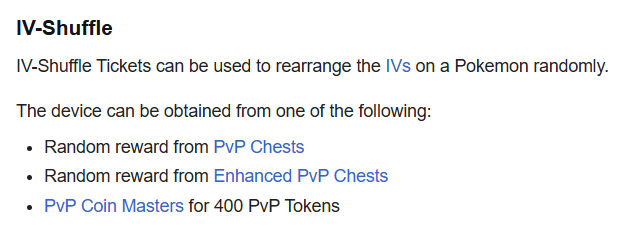
Hello. I'm sorry for the delay. To clarify, the IV Shuffle Reroll did work correctly on your Manaphy. Unlike an IV Reroll Ticket, which generates completely new values, an IV Shuffle Ticket doesn't generate new stats. Instead, it takes the exact same 6 IV values your Pokémon already has and redistributes them across different stats. IV Shuffle Your Manaphy's IV values didn't change; they were simply rearranged. If you have any further questions or need help, please let me know. Kind regards. Hallowglow.
-
Hello! I'm sorry for the inconvenience. If you trade a Pokémon holding a tradeable item, the item will indeed be sent along with the Pokémon. In that case, you'd need to contact the player you traded with or request assistance in the Report Center. However, this wasn't the case here, as the Choice Band wasn't included in any trade. Please keep in mind that certain items, such as Mega Stones and Z-Crystals, aren't tradeable. If a Pokémon is holding one of these items, you won't be able to drag it into the trade window, and you'll receive a message stating: "You can't trade a Pokémon holding [Item]". I hope this clarifies the situation. Kind regards. Hallowglow.
-
Hello! I'm sorry for the inconvenience. I have forwarded this issue to the relevant team. Please be patient while they look into it. Thank you for your understanding. Kind regards. Hallowglow.
-
Hello! I'm sorry for the inconvenience. I've forwarded this issue to the relevant team. Please be patient while they look into it. Thank you for your understanding. Kind regards. Hallowglow.
-
Hello. I'm really glad to hear that you were able to sort this out! Since everything is resolved now, I will proceed to lock this thread. If you need assistance with anything else in the future, please don't hesitate to create a new one. Regards. Hallowglow.
-
Hello! As there has been no further activity on this thread, I will proceed to close it. If you still require assistance in the future, please don't hesitate to create a new thread. Kind regards. Hallowglow.
-
Hello! First of all, I sincerely apologize for the incorrect information provided in my previous response. If a Legendary Pokémon is defeated on Birth Island, it won't respawn in its original location. The respawn mechanic I mentioned only applies to Legendaries defeated after completing their respective quest. This is why Latias didn't respawn as I previously stated. I'm also sorry for the delay in getting back to you. Since Latias was defeated on Birth Island, you'll need another Mysterious Ticket for another chance to encounter it. Once you use a new ticket, Latias will have a chance to spawn again according to the usual Legendary spawn system. You can obtain one Mysterious Ticket from each World Quest where you reach the required 0.5% contribution. World Quests are generally around the beginning of each season. For future Birth Island encounters, I recommend bringing a Master Ball with you. Master Balls can be obtained from PvE Shop for 60 PvE Coins, PvP Shop for 50 PvP Coins, and potentially from the Professor Rowan, Spectify, and Battle Bot boss NPCs. They can also potentially be obtained as a 1st Place reward from the Bug Catching Contest, 6th Day reward from the Solaceon Town News Reporter or through the Item Recycler. Unfortunately, there is no further solution we can provide for this encounter. I apologize for the inconvenience and appreciate your understanding. Kind regards. Hallowglow.
-
Hello! I'm very sorry for the delay in getting back to you. According to our database, you haven't completed the Blazikenite quest yet, although you have already completed the Swampertite quest. To obtain the Blazikenite, you will need to complete the challenge on Route 126 Underwater. Please keep in mind that you need to have a Torchic, Combusken, or Blaziken with your OT in your party. It doesn't need to be trained or leveled up. If you need one, Torchic can be found in Hoenn Festival Cave all day, or in Hoenn Safari Zone Area 4 during the morning and night. I hope you enjoy getting your new Mega Stone! Kind regards. Hallowglow.
-
Hello! I'm very sorry for the inconvenience. The HW Charizard Mount you're looking for is on your account on the Gold Server. Please check your bag for "HW Charizard Mount". You should be able to find it there I hope this clears things up. Kind regards. Hallowglow.
-
Hello! I'm very sorry for the delay in getting back to you. Your Pokémon has been restored, and the Event Coins have been reduced. Please make sure to be more careful in the future to avoid this happening again. As everything has now been resolved, I will proceed to close this thread. If you need any further assistance in the future, please feel free to create a new thread. Kind regards. Hallowglow.
-
Hello! Thank you for letting me know. I'll forward this to the appropriate team so they can look into your case. Please be patient while they investigate the issue, and we'll let you know once we have an update. Thank you for your patience and understanding. Kind regards. Hallowglow.
-
Hello. I'm really glad to hear that you were able to sort this out! Since everything is resolved now, I will proceed to lock this thread. If you need assistance with anything else in the future, please don't hesitate to create a new one. Regards. Hallowglow.
-
Hello. Your Pokémon have been restored and can be found in the last spot of your storage In the future, please use the RESTORE POKEMON MEGATHREAD or the #request-chat channel on the official PRO Discord for these requests. Kind regards. Hallowglow.
-
Hello! I'm sorry to hear that you accidentally defeated Latias. Legendary Pokémon now respawn after being defeated, with the same Nature, IVs, and Ability they had when you first encountered them. Please try returning to Southern Island by speaking with the Sailor on the S.S. Tidal in Slateport City, and check if Latias has respawned. If you can't travel, please send a screenshot of the Sailor's dialogue. If you can reach the island but Latias isn't there, please let me know so we can look into it. Please let me know whether you were able to find Latias or not Also, remember that you can unlock the Summer Skin for Latios & Latias in Alto Mare by completing a quest. Good luck with your new encounter! Kind regards. Hallowglow.
-
Hello! I'm sorry for the inconvenience and thank you for providing the details. The issue here is that there are two different Greninja variants that can have the Torrent ability. One belongs to the Torrent/Protean line, while the other belongs to the Torrent/Battle Bond line. Even though both of your Greninja currently have Torrent and have the same Poseidon appearance, they belong to different internal variants, which is why Bill doesn't recognize them as having the same appearance and doesn't allow the fusion. Unfortunately, Greninja from these two different variants can't be used together for the fusion. I hope this clears things up. Kind regards.
