




New Trade Zone
Trade Zone is now live
Use the new Trade Zone for auctions and instant-price trades so Pokemon and item offers are easy to find.
All Activity
Past hour
-
Hello, @Peakyyy In the future, please remember that you are not allowed to edit or cancel your bids, as per our auction rules: 2. Bids cannot be withdrawn once placed. Due to the circumstances, especially time, we are not going to force the correct outcome of this auction, but please always make sure to read our Trade and Auction rules before participating in trading activities in the future. Kind regards, Drakloak
-
Naplnwza007 joined the community
-
Mpoohpy joined the community
-
Remyzy joined the community
Today
-
Riznasrie joined the community
-
up
-
Superpokemon21 joined the community
-
wtb
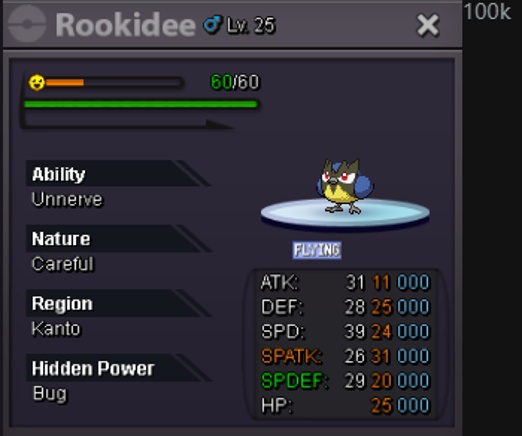
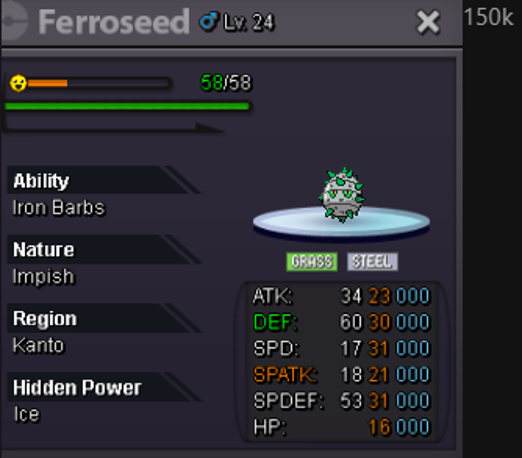
-
wtb
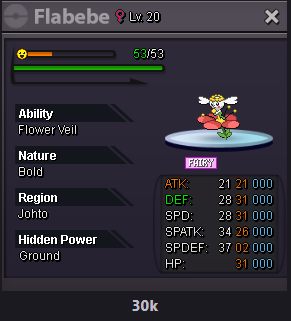
-
Evildropbear joined the community
-
Lyublyu joined the communitybumpDarkos24euz joined the communityGodmask joined the communityHello, thank you for reply, It is working now as intended, the verifying mail was received and device approved. Can close the topic. :) Most likely it was just a delay in receiving mail verification.Ocobyo joined the communityHello, I was unable to replicate this. Are you still experiencing this issue? It's possible this is a problem with the Mac client, but I'm just double checking before I proceed since it's been so long since someone has gotten back to you about this!Oh that's great! I'll go ahead and close your thread now, but please make another if you encounter any more strange issues, or if you have any other questions! Ayroonice serviceHi! @Pop3opkl Unfortunately we do not do De-evolving/De-leveling, In the future we can only advise you to double check every thing prior to confirming or accepting a prompt. From a personal opinion, I can see why you wanted it to be a Gallade and so i am sorry for the outcome, However there are a few Physical attacks you can use for Gardevoir so that this evolution can still be usable! If you check the Gardevoir Wiki you can see the types of moves that can benefit for it! I apologize i cannot assist much further, If that is everything then i will go ahead and lock this thread! Thanks, Satellar 🌟I am not online I can come in 12 hourssure im on meet in vermi ?I buy
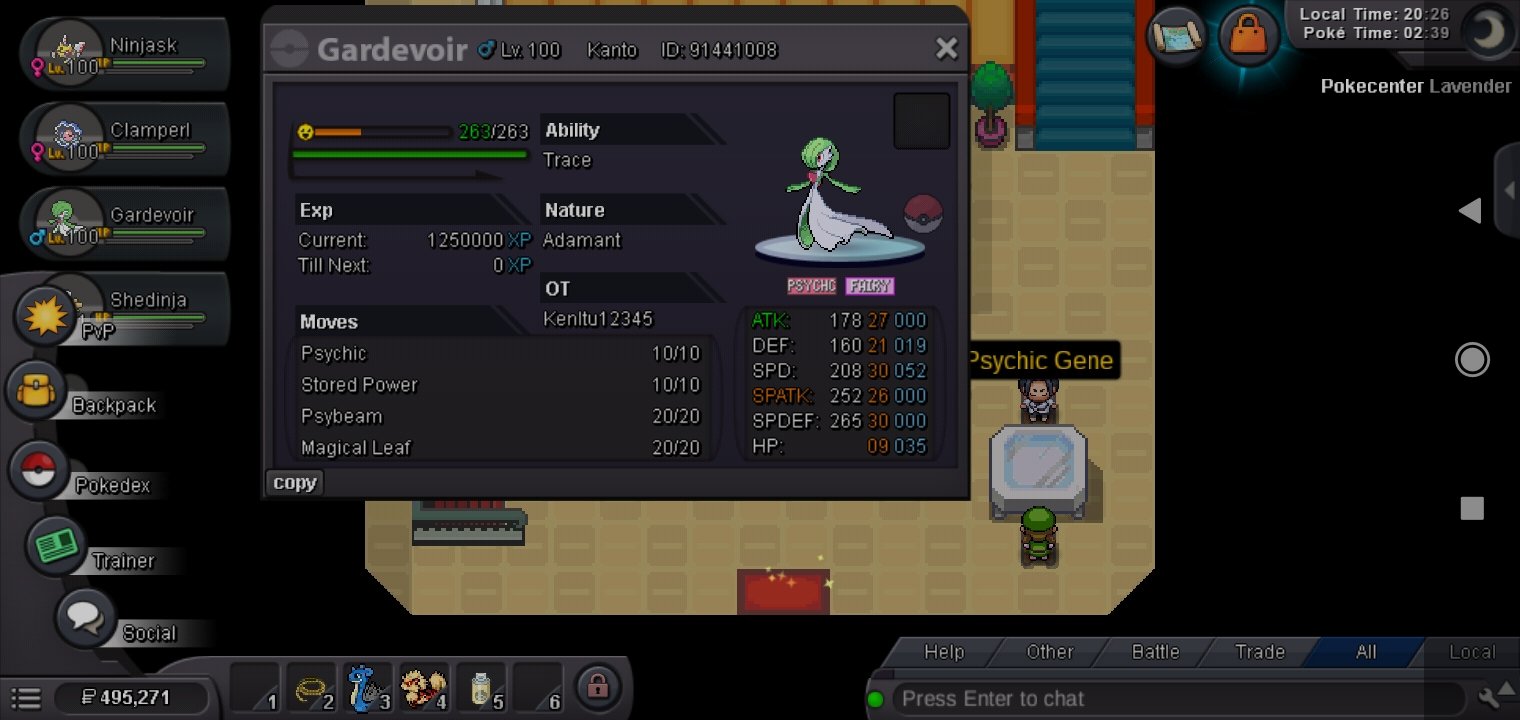
 Hello Staff, I accidentally evolved my Ralts into Gardevoir after using the Level Up Service. I thought the evolution prompt was for a different Pokémon, so I clicked "Yes" without realizing it was my Ralts. My original plan was to evolve it into Gallade, and this was a genuine mistake. If possible, could you please undo the evolution or revert it back to Ralts/Kirlia so I can evolve it into Gallade instead? I understand it was my mistake, but I would really appreciate it if you could help me. Thank you for your time.
 I can now thank youI can login from other phone with same pass but cnnt on otherGiving away in Freebie project
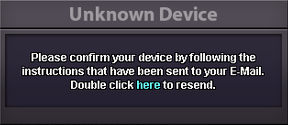
 It is available, please contact me ingame as I'm online now!Hey, I'm really sorry you're dealing with this! So there could be a couple things going on: Google Chrome Auto-fill: You may have an incorrect password saved in your browser. To fix this, you will have to access Google Chrome's password manager and emend the password attached to your account's Auto-Fill. Similarly, it's also possible that a browser extension is causing issues, so it's worth it to double check all extensions as well! Copy-Pasting Passwords: If you are copying your password from something like a notepad doc into the website's login bar, it's possible that you are accidentally copying an additional space character if you are copying more lines than just the line containing your password. Retyping the password by hand into the login screen would be one way to make absolutely certain this does not happen. If you have a second device, it'd be worth it to try logging into the website on that as well if the above doesn't work! Lastly, when you try logging into the website, does any message appear that looks unusual? You can include a screenshot here as well if you'd like, as long as the screenshot doesn't include any sensitive information!Hello, I would just like to suggest potentially adding the amount of artifact points we have from excavation to the trainer card. This way we do not have to pay to enter the route 111 every time we wish to check how many points we have. Thank you for your time.Hey, On your tablet, when you try to log into the game client, you should receive a popup to verify your device that looks exactly like this: Please double check that you are double clicking the blue word: here Once done, please check your email's inbox again!
 Hello @Crx116 , Did you get to the point where you fought Courtney a second time? You can take a look at this quest guide to see if you're missing a step Please let me know if that helps or if you need additional assistance








Account
Navigation
Search
Configure browser push notifications
Chrome (Android)
- Tap the lock icon next to the address bar.
- Tap Permissions → Notifications.
- Adjust your preference.
Chrome (Desktop)
- Click the padlock icon in the address bar.
- Select Site settings.
- Find Notifications and adjust your preference.
Safari (iOS 16.4+)
- Ensure the site is installed via Add to Home Screen.
- Open Settings App → Notifications.
- Find your app name and adjust your preference.
Safari (macOS)
- Go to Safari → Preferences.
- Click the Websites tab.
- Select Notifications in the sidebar.
- Find this website and adjust your preference.
Edge (Android)
- Tap the lock icon next to the address bar.
- Tap Permissions.
- Find Notifications and adjust your preference.
Edge (Desktop)
- Click the padlock icon in the address bar.
- Click Permissions for this site.
- Find Notifications and adjust your preference.
Firefox (Android)
- Go to Settings → Site permissions.
- Tap Notifications.
- Find this site in the list and adjust your preference.
Firefox (Desktop)
- Open Firefox Settings.
- Search for Notifications.
- Find this site in the list and adjust your preference.