




New Trade Zone
Trade Zone is now live
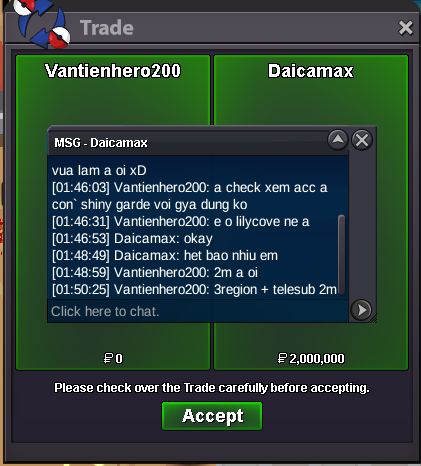
Use the new Trade Zone for auctions and instant-price trades so Pokemon and item offers are easy to find.
All Activity
Past hour
-
Customfurnish joined the community
-
Qeern joined the community
-
Lumou joined the community
-
@Hatree contact my discord : nnvntien.
-
Kacchanmike joined the community
-
wtb upgrade
-
Wtb Clear hoen + sinnohVictor972 joined the communityHatree joined the community
Today
Slockmaster joined the communityMatiii78 joined the communityBUY ALL. im reachable in discord also: mmreuco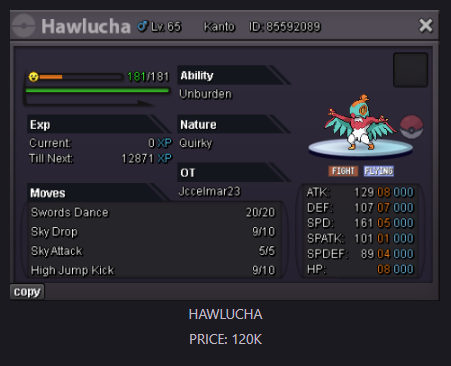
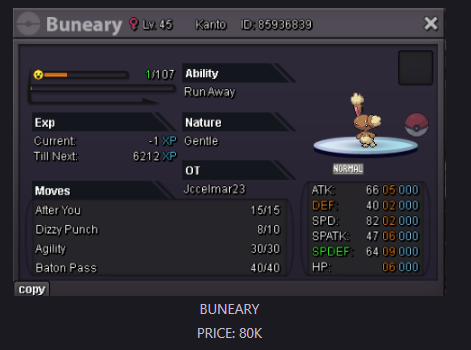
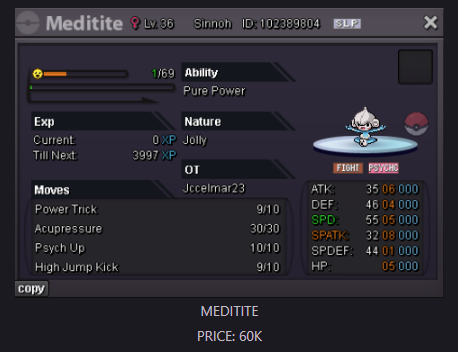
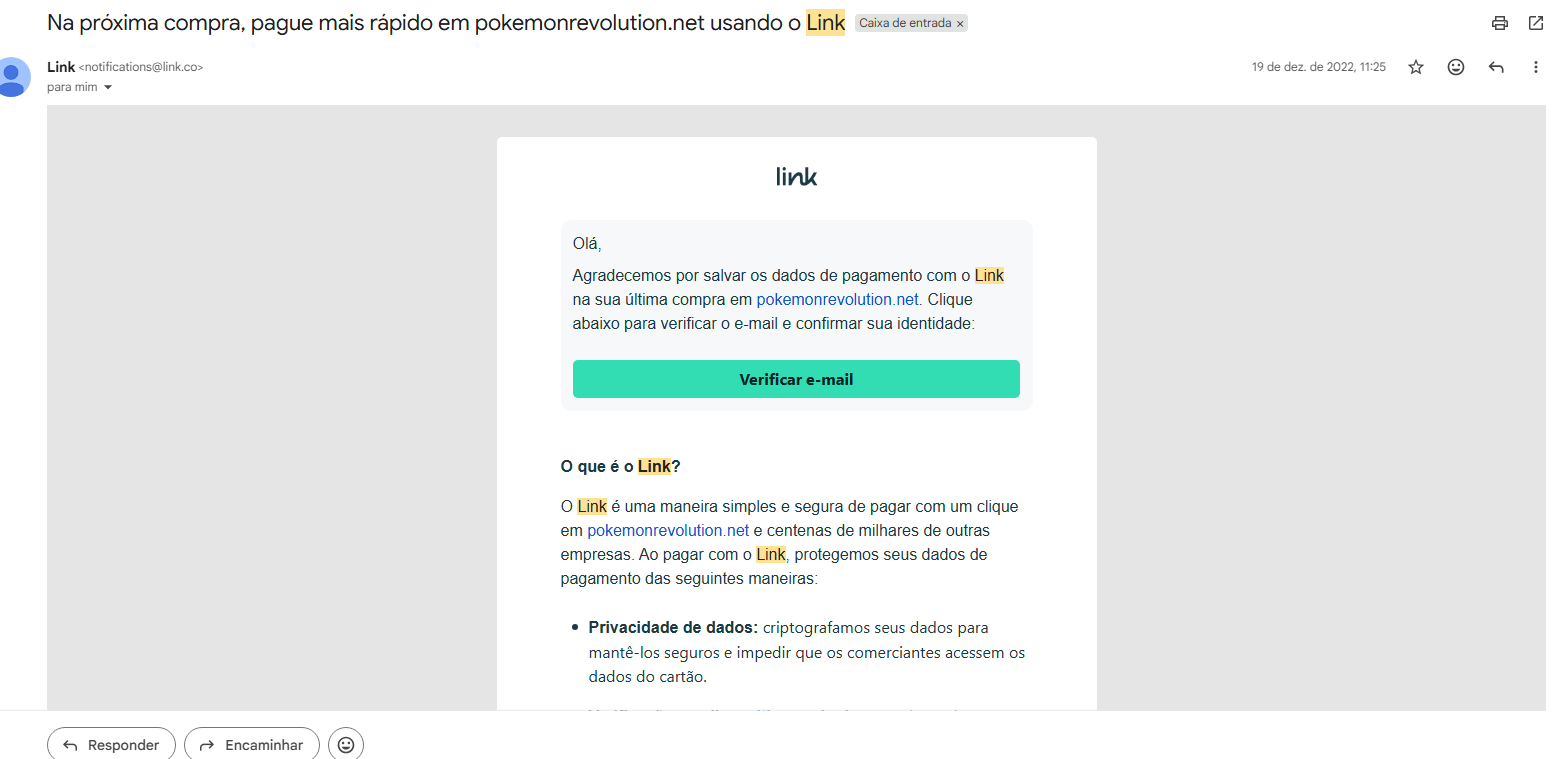
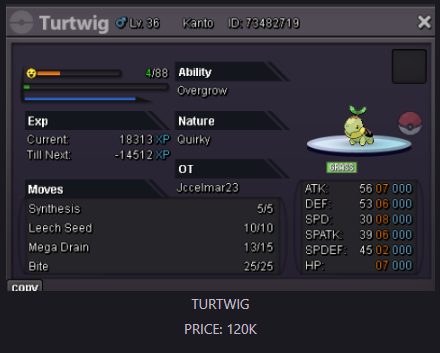 Hieulol1 joined the communityHello everyone, I'm from Brazil and I'm trying to recover one of my old Pokémon Revolution Online accounts. I still have access to the original email address associated with the account, but unfortunately I no longer remember the username. The only proof I currently have is a purchase-related email from December 2022, which I can provide if needed. I have two other PRO accounts linked to this same email address, and I still remember their usernames: Klushnewson Klush However, the account I'm trying to recover is not one of those two. I have already sent an email to the Support Team, but I wanted to ask here as well in case there is any additional step I should take or if someone from the staff could point me in the right direction. Any help would be greatly appreciated. Thank you!
 Klush joined the communityAccidently mass binned a lot of dreepys. I would like to ask if this one can be restored, due to the mass bin i lost the id in all the chaos. and noticed after i lost this one aswell. If its not possible to restore because i dont have an ID i fully understand. Thank you, Hefvermogen
Yesterday
Hello! I’m sorry for the inconvenience but we don’t offer de-evolve or de-level service, as it says here. I'm sorry I can't give you the answer you're looking for. You'll have to hunt another Galarian Corsola in its area. Good luck on the hunt! Have a nice day! Regards! Hallowglow.BUMP ADDED NEW POKEMONSHello! Thank you for letting us know you were able to resolve the issue. If you need anything else, please don't hesitate to contact us. Regards. Hallowglow.^Hello, im currently on gold as i putup@Qeight @Acaiberry @Eon @HoundstonebumpHi, sorry for the title haha, it's just to get your attention. I'd like to suggest an update for the Primal Kyogre mount. It's about time it received an update, as it's one of the very few prestigious surf mounts available. I hope you'll read my suggestion. Thanks.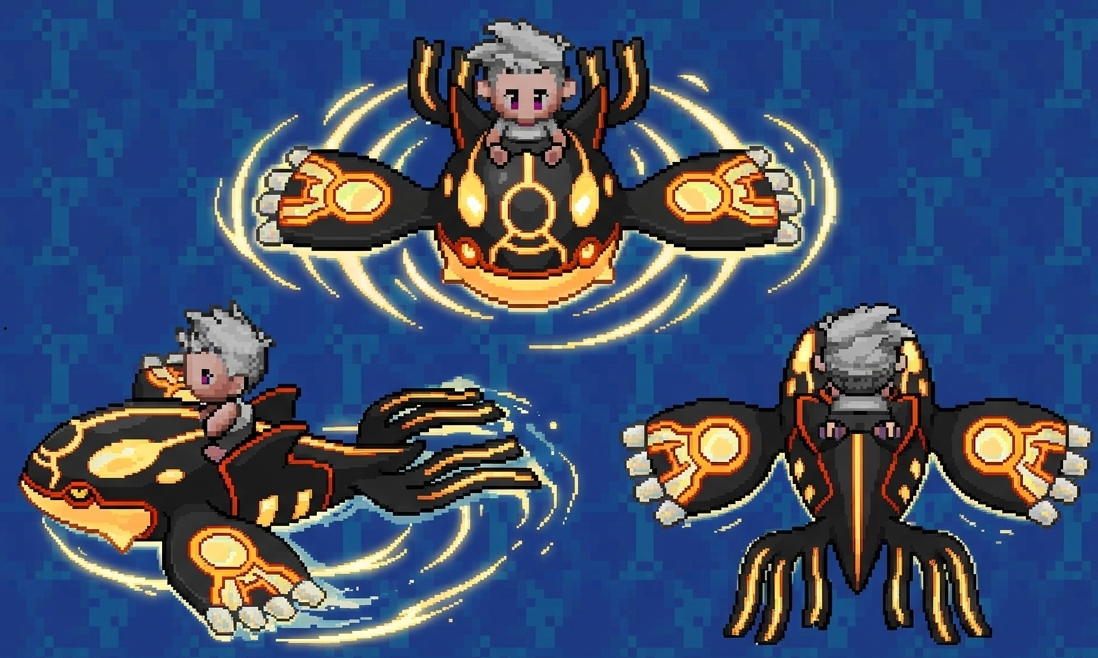 Shellos is normally evolving at level 30. I have allready trained mine to level 53, and have not seen any evolution screen yet.
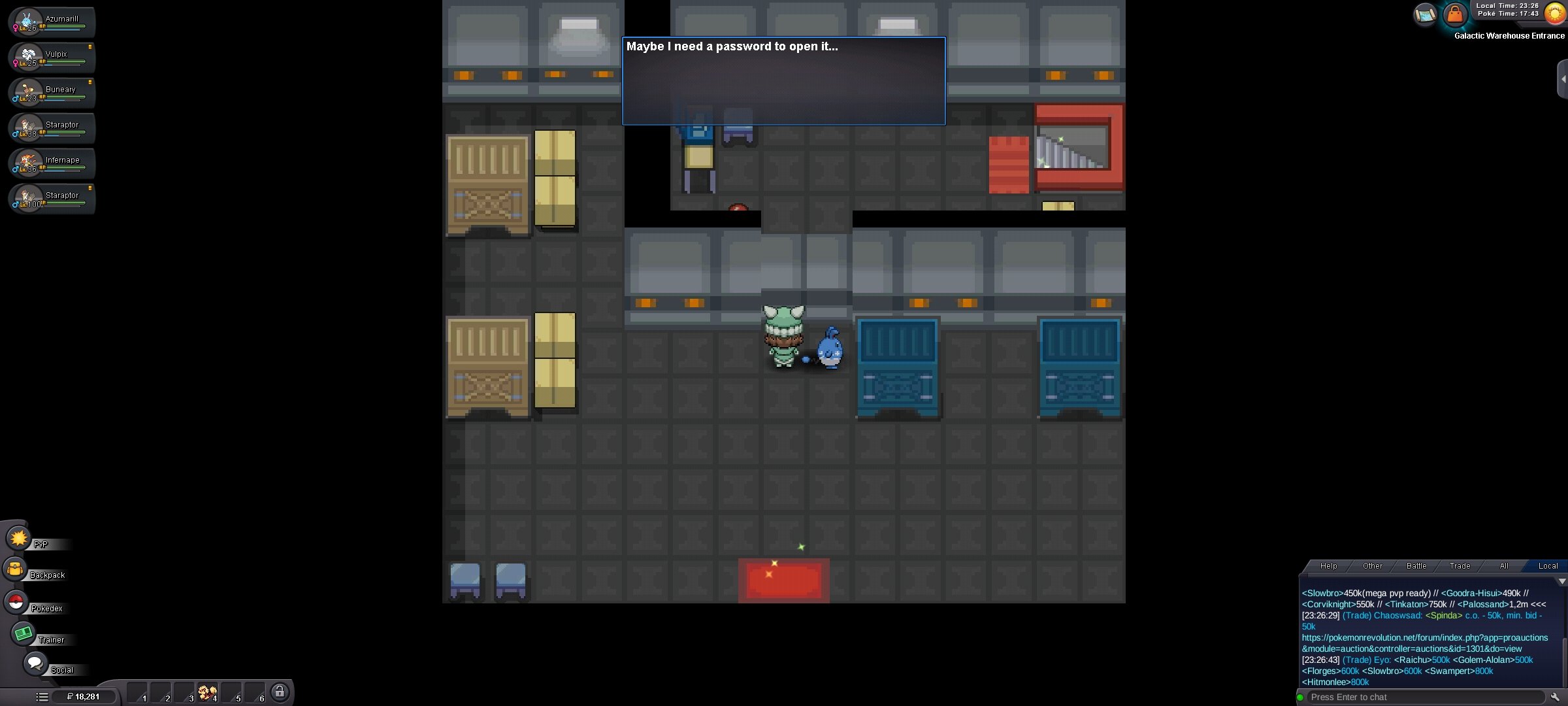
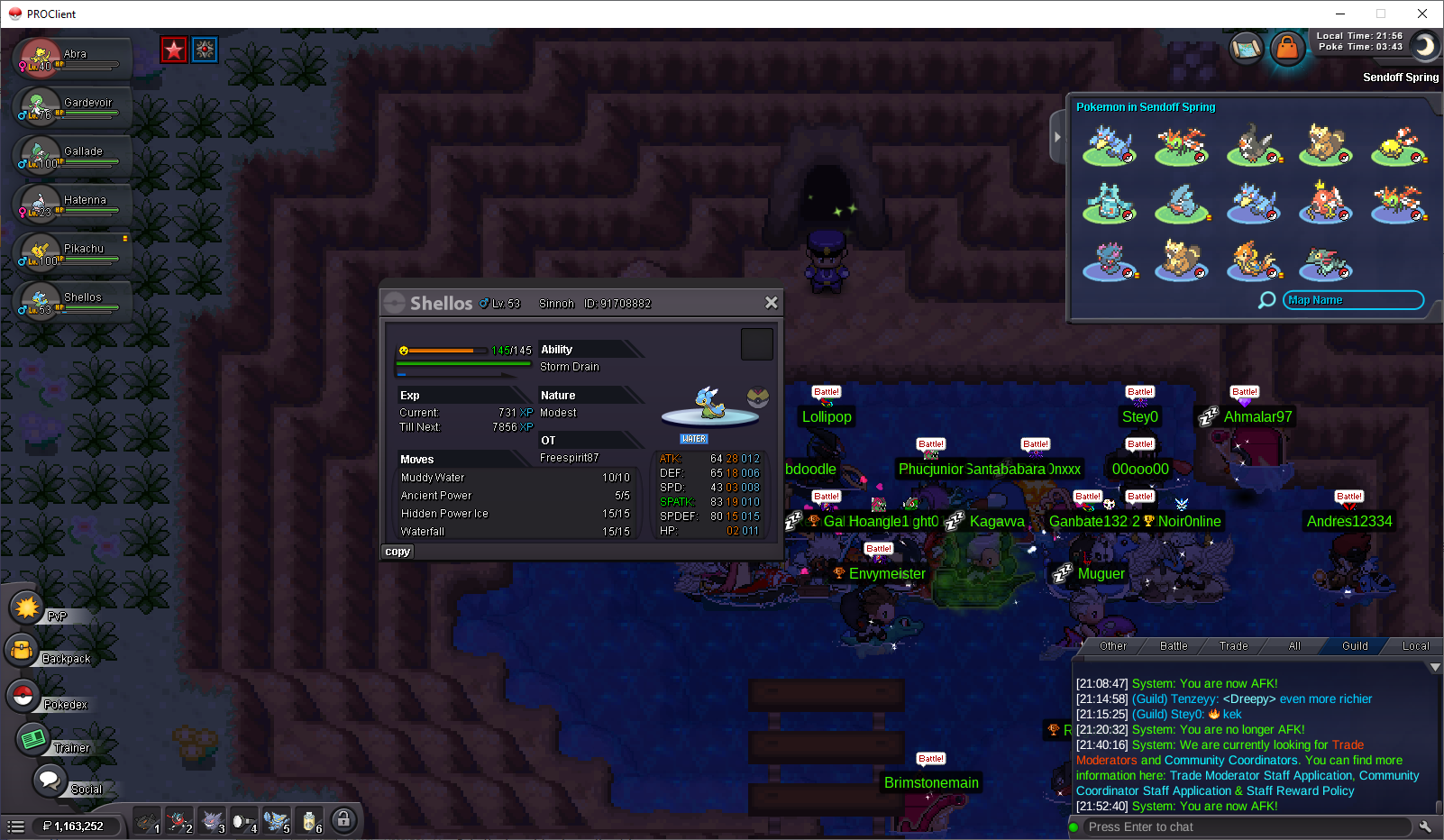 I wanna buy timid wingulllexcellent, high quality serviceNo but they probably have a threshold of points "discoveries" before you can have some of them just as the previous excavation system. The current "discoveries" are written on trainer card.wtb region sv for (tiennhattan)Hello, I checked the warehouse door. When I interact with it, it first says "The door is locked..." and then "Maybe I need a password to open it..." The Team Galactic Grunt still only says "I'm not doing business today." and does not start the battle, so I cannot obtain the password. Because of this, I am unable to continue the Sinnoh storyline. I have attached a screenshot of the door message. Could you please check my quest progression or reset the story trigger? Thank you.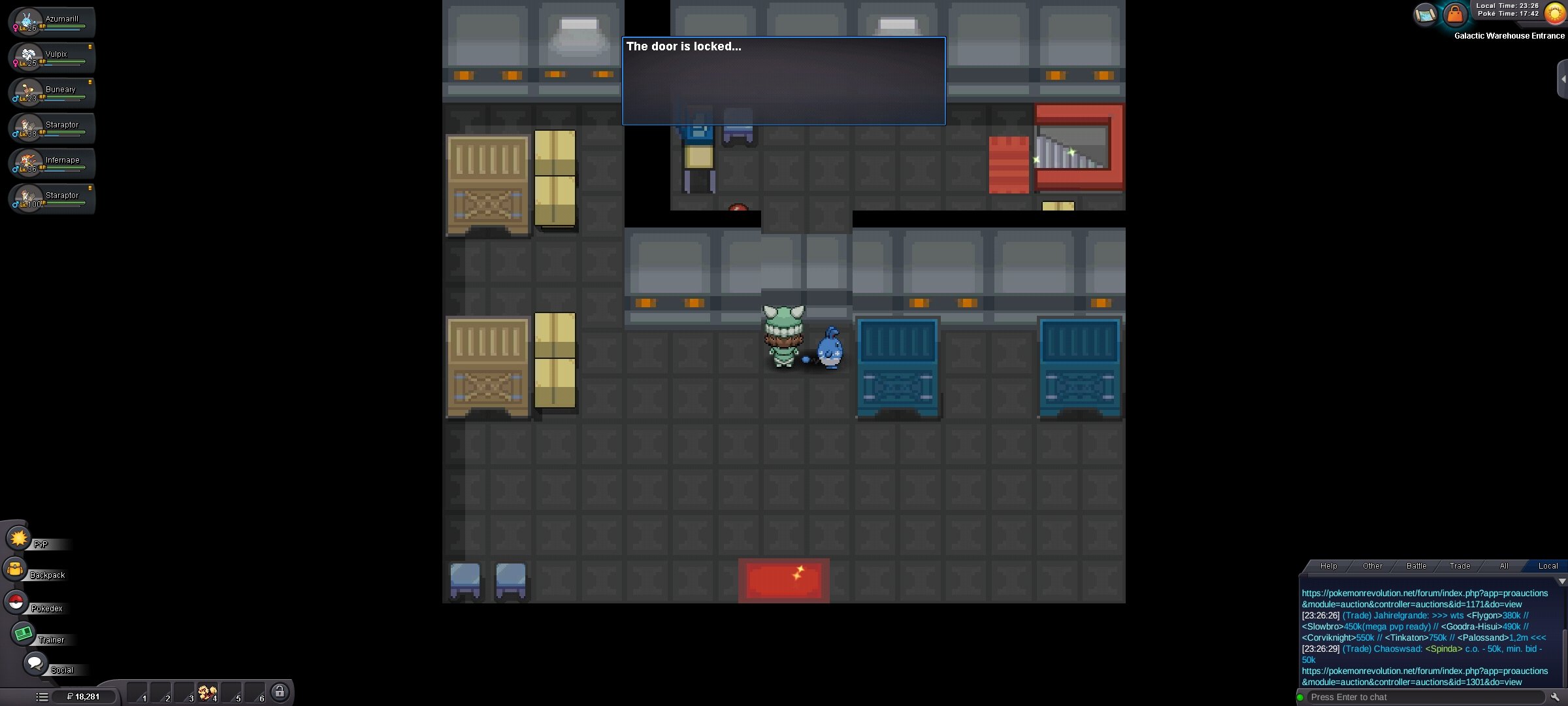























Account
Navigation
Search
Configure browser push notifications
Chrome (Android)
- Tap the lock icon next to the address bar.
- Tap Permissions → Notifications.
- Adjust your preference.
Chrome (Desktop)
- Click the padlock icon in the address bar.
- Select Site settings.
- Find Notifications and adjust your preference.
Safari (iOS 16.4+)
- Ensure the site is installed via Add to Home Screen.
- Open Settings App → Notifications.
- Find your app name and adjust your preference.
Safari (macOS)
- Go to Safari → Preferences.
- Click the Websites tab.
- Select Notifications in the sidebar.
- Find this website and adjust your preference.
Edge (Android)
- Tap the lock icon next to the address bar.
- Tap Permissions.
- Find Notifications and adjust your preference.
Edge (Desktop)
- Click the padlock icon in the address bar.
- Click Permissions for this site.
- Find Notifications and adjust your preference.
Firefox (Android)
- Go to Settings → Site permissions.
- Tap Notifications.
- Find this site in the list and adjust your preference.
Firefox (Desktop)
- Open Firefox Settings.
- Search for Notifications.
- Find this site in the list and adjust your preference.