




New Trade Zone
Trade Zone is now live
Use the new Trade Zone for auctions and instant-price trades so Pokemon and item offers are easy to find.
Leaderboard
-
Noluckyone
Registered User7Points736Posts -

Incandescent
Former Staff4Points2272Posts -

m1dnight00
Suspended3Points359Posts -
Potatisen
Registered User3Points9Posts




Popular Content
Showing content with the highest reputation on 08/21/24 in all areas
-
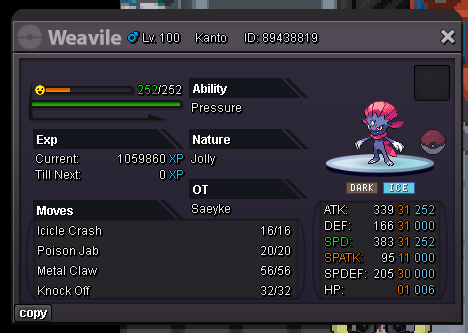
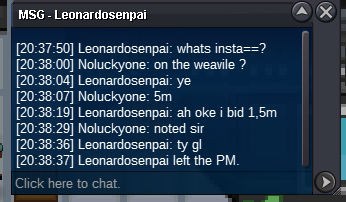
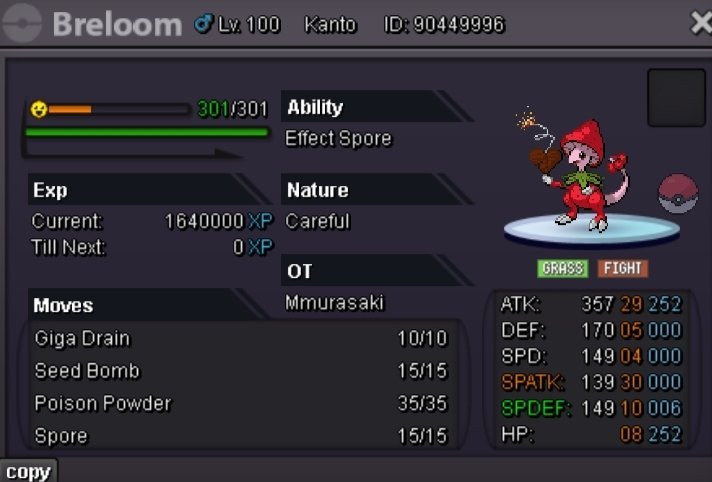
3 pointsStarting Offer : 1m Minimum Bid : 100k Insta : 5m Auction will last 48h after first bid is placed Accepted payment CC : 400k each Iv Reroll : 500k each Cash
 3 points
 -
3 points
-
3 points
-
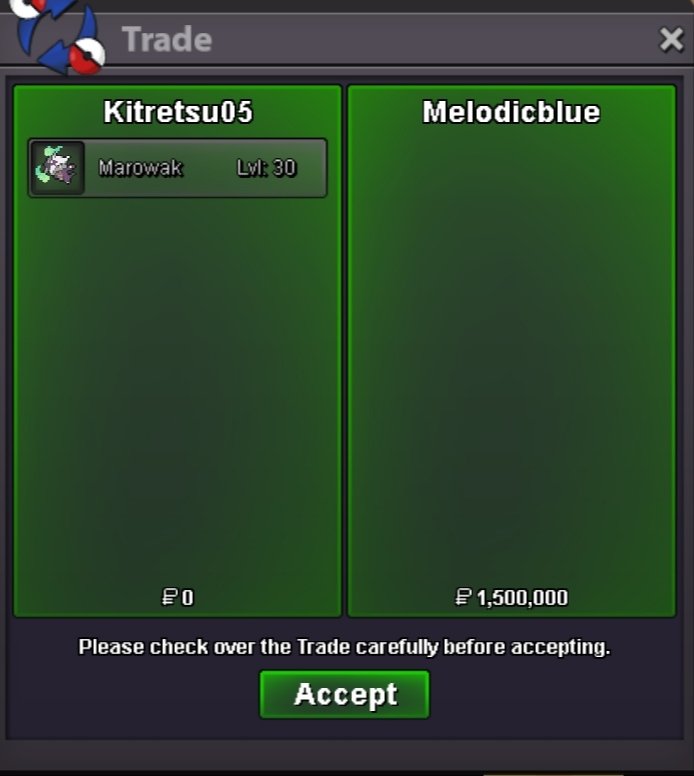
2 pointsHello @Princesspie @Lacomus @Fercholarga The trade has been forced. Have a great day!2 points
-
2 points
-
2 points
-
1 pointstart : 8m min bid: 250k Payment: Pokedollar only No Insta The auction will end after 1week from the start.
 1 point
 -
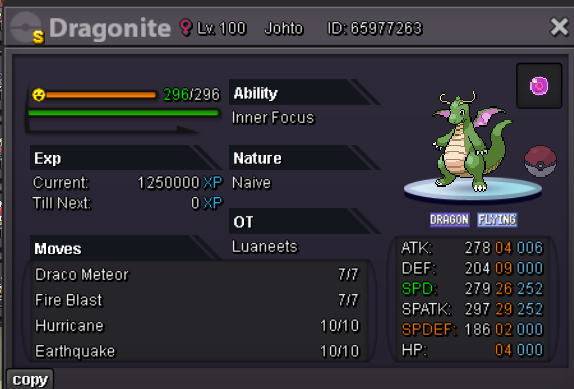
s.o. 12m min bid 250k insta 22m accepted payments cc = 400k rr = 500k 48hours after first bid
 1 point
 -
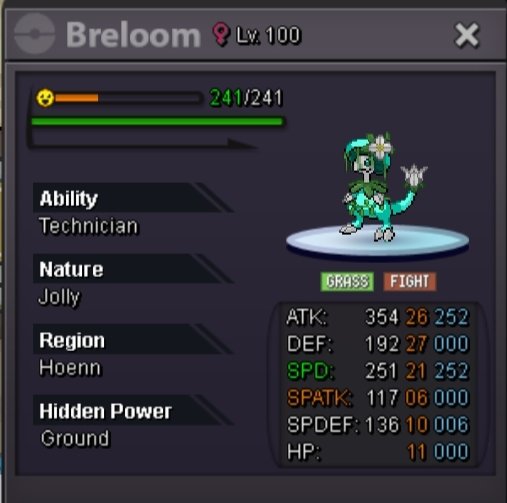
Start bid : 1m5 Min raise : 50k Insta 7m End 48h after first bid Accept payment : CC : 400k IV reroll : 500k
 1 point
 -
1 point
-
1 point
-
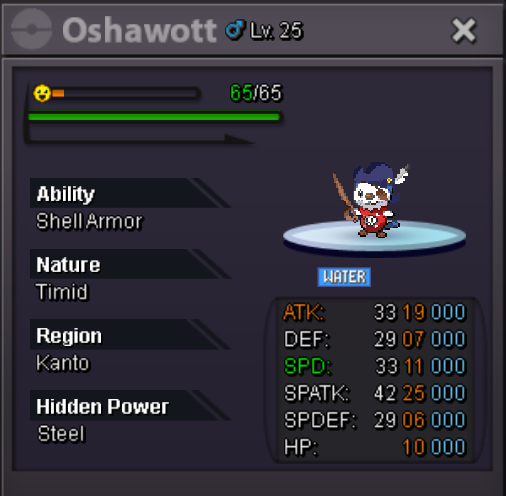
1 point1 point1 point1 point1 point1 point1 pointS.O - 1m Min Bid- 100k End point 24hrs after so Accept only cash, cc(400k) GL
 1 point1 point1 point1 point1 point1 point1 point1 point1 point1 point1 point1 point1 pointmate ngl it looks way worse now .makes me wanna take my bid back 😄1 point1 point-1 Game is supposed to be hard not like new gen game. We cant do everything easily just by buying item that can help you.1 point1 point1 point1 point1 point1 point1 point1 point1 point1 point1 point1 point1 point1 pointI think I win let me know when u available Pm me at discord : Ara_ara001 point1 point1 point1 point1 point1 point1 point




























Account
Navigation
Search
Configure browser push notifications
Chrome (Android)
- Tap the lock icon next to the address bar.
- Tap Permissions → Notifications.
- Adjust your preference.
Chrome (Desktop)
- Click the padlock icon in the address bar.
- Select Site settings.
- Find Notifications and adjust your preference.
Safari (iOS 16.4+)
- Ensure the site is installed via Add to Home Screen.
- Open Settings App → Notifications.
- Find your app name and adjust your preference.
Safari (macOS)
- Go to Safari → Preferences.
- Click the Websites tab.
- Select Notifications in the sidebar.
- Find this website and adjust your preference.
Edge (Android)
- Tap the lock icon next to the address bar.
- Tap Permissions.
- Find Notifications and adjust your preference.
Edge (Desktop)
- Click the padlock icon in the address bar.
- Click Permissions for this site.
- Find Notifications and adjust your preference.
Firefox (Android)
- Go to Settings → Site permissions.
- Tap Notifications.
- Find this site in the list and adjust your preference.
Firefox (Desktop)
- Open Firefox Settings.
- Search for Notifications.
- Find this site in the list and adjust your preference.