New Trade Zone
Trade Zone is now live
Use the new Trade Zone for auctions and instant-price trades so Pokemon and item offers are easy to find.
Leaderboard
-

Tathagatmani
Registered User3Points30Posts -

Swer4412
Registered User3Points659Posts -

Lyn1311
Registered User3Points3423Posts -
Leonardosenpai
Registered User3Points879Posts




Popular Content
Showing content with the highest reputation on 11/15/24 in all areas
-
3 pointsS.O. 5m Min Bid 100k No Insta Duration 72hrs after S.O. is met Gold Server CC accepted at 400k Winner: Edifier9
 3 points
 -
2 pointsAuction Details: Start Price: 500k End Point: 48 hours (after start price is met) no insta Minimum Raise: 100k Accepted Payments: Pokedollars, Coin Capsules (x1 Coin Capsule = 400k), IV Reroll Tickets (x1 IV Reroll Ticket = 500k) goodluck
 2 points
 -
2 pointsHi all, unfortunately the bid from Doogslayer was invalid as they do not have the means to follow through. Thus the bid of 3.801m from @Swer4412 is the winning bid. Sorry for any inconvenience cause @Leonardosenpai, please meet up with @Swer4412 and trade for the new amount of 3.801m. Best regards, Doakes.2 points
-
2 points
-
1 point
-
1 pointHello everyone, During the 2020 Christmas event, 2 World Quests were held which required the user to hunt Pikachu. During this sub-event Pikachu received 12 new huntable forms. During the 2021 Christmas event, the same 12 Pikachu forms were released for a pair of World Quests. Please bring back that world quest and let us have the chance to hunt them again. Thanks in advance! Sincerely, Lugario

 1 point
 -
1 pointS.O 10m Min bid 200k 48h after first bid Accept cc (400k), RR IV (500k) GLHF
 1 point
 -
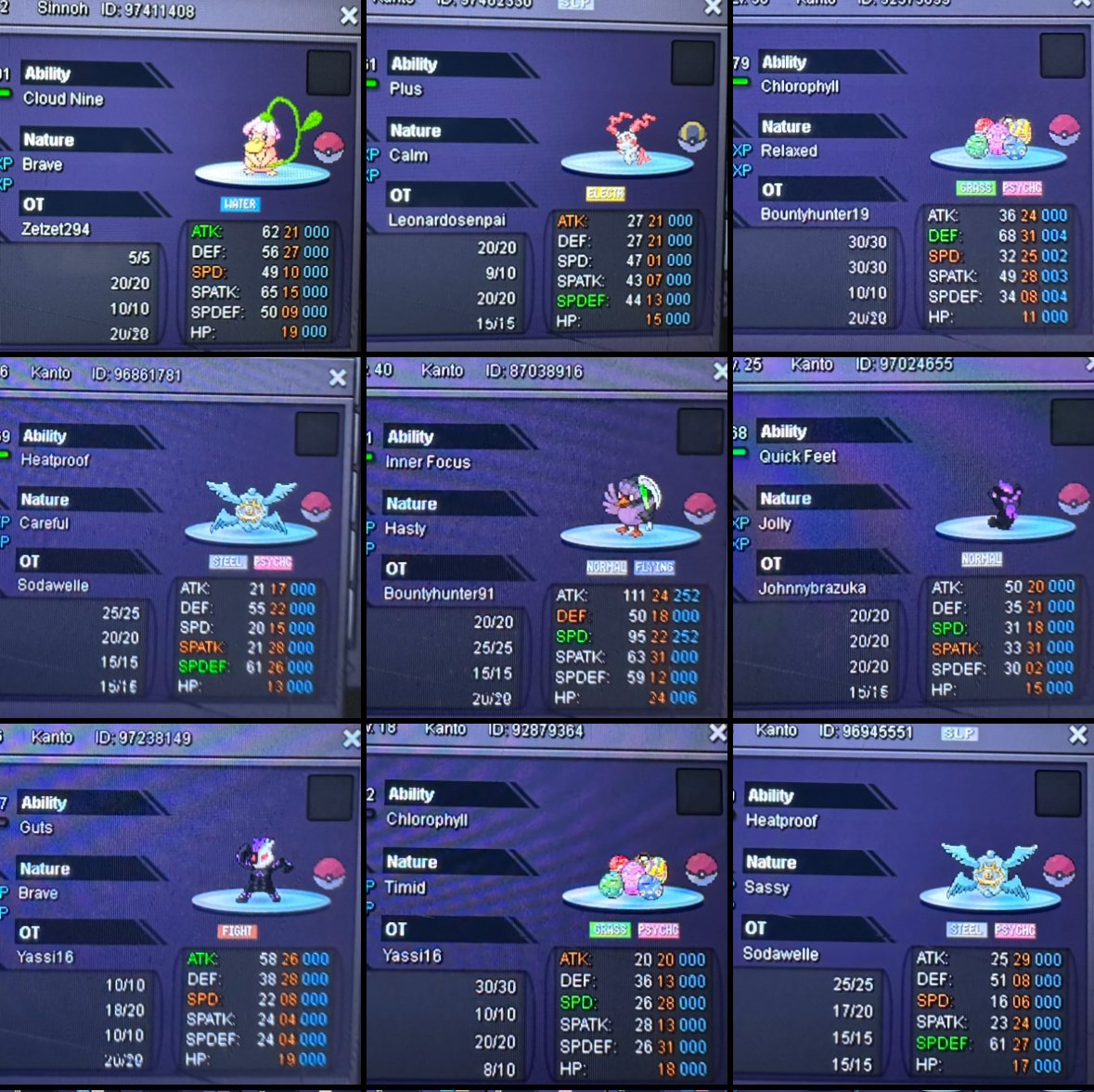
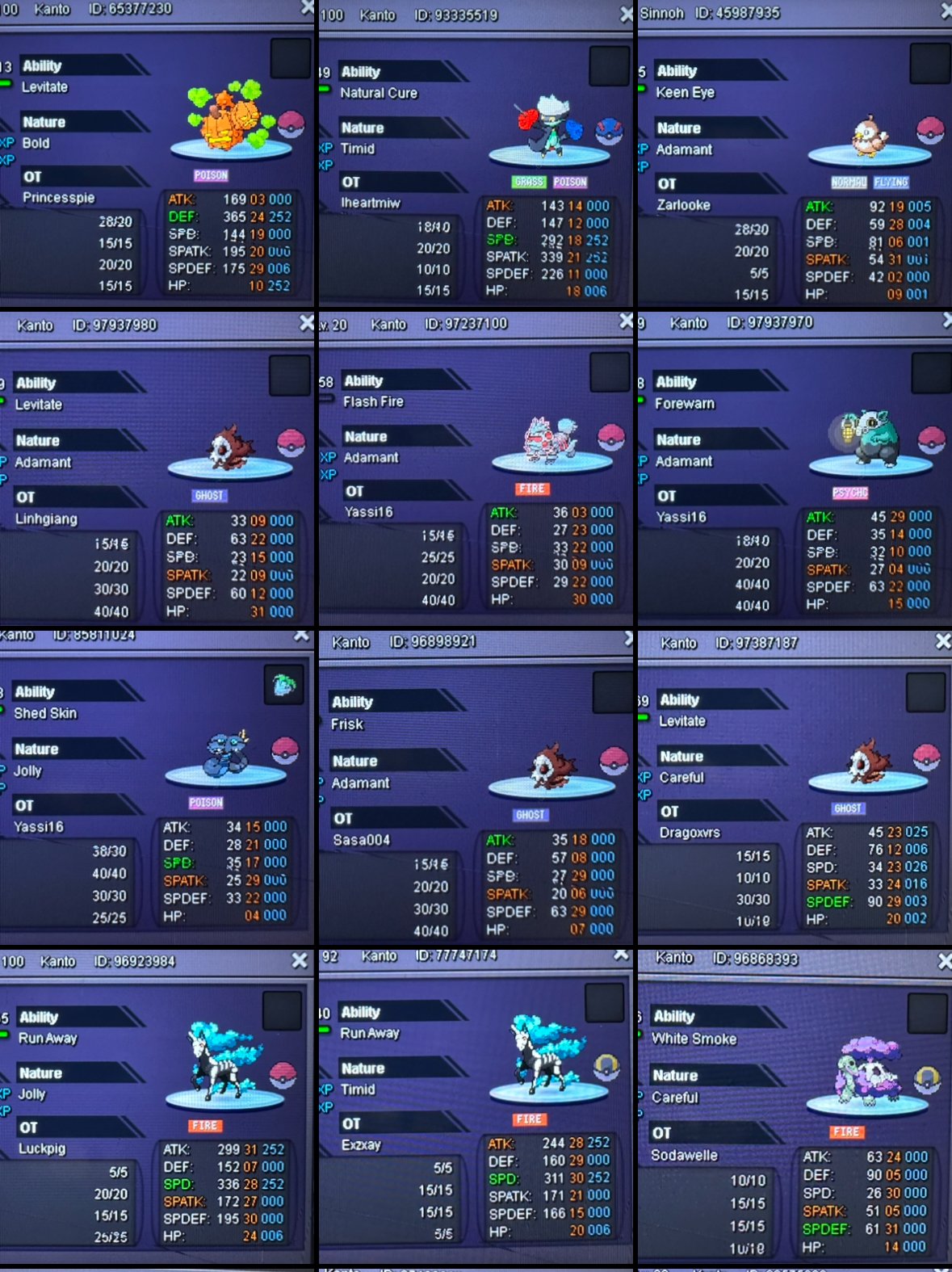
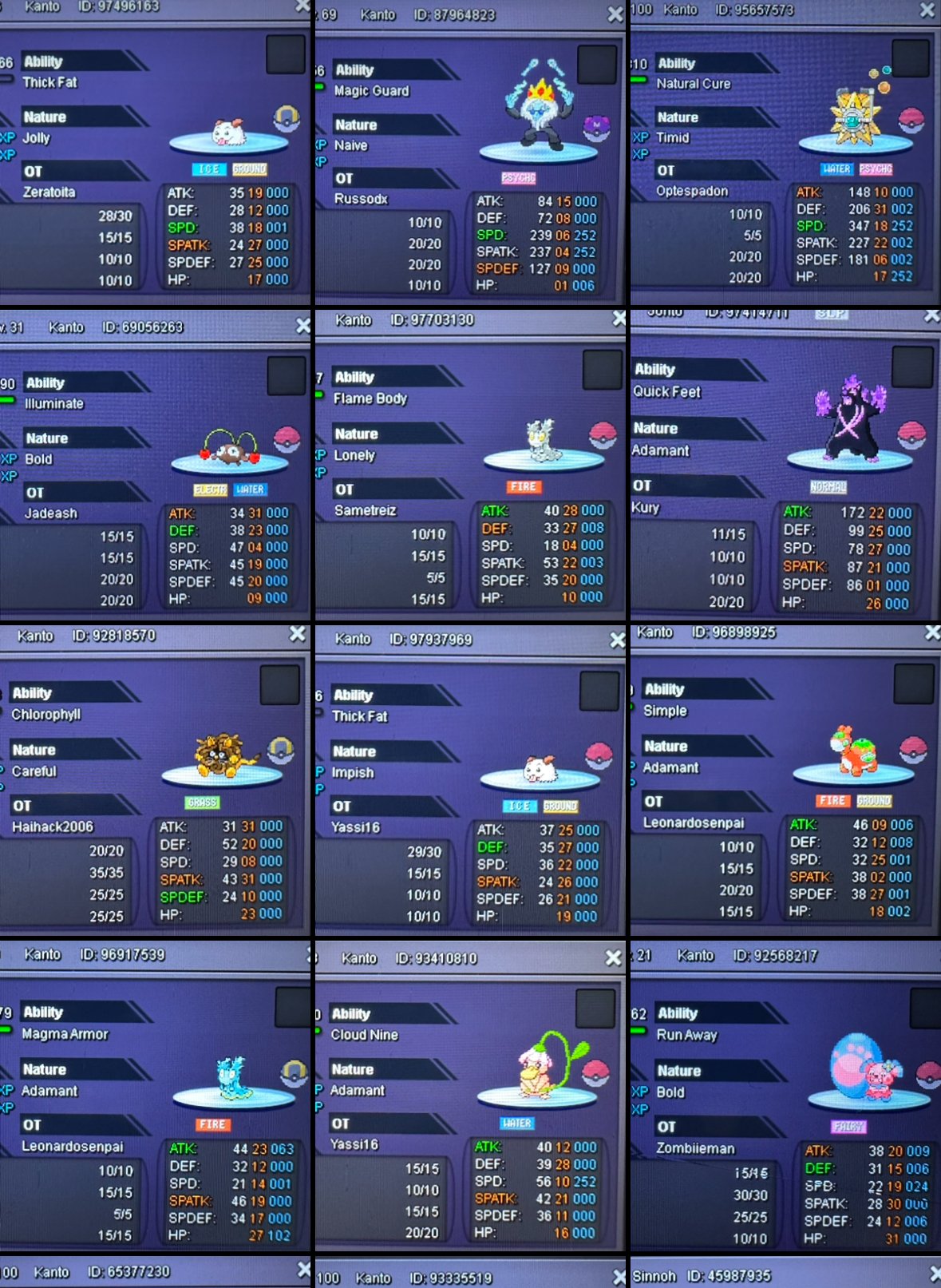
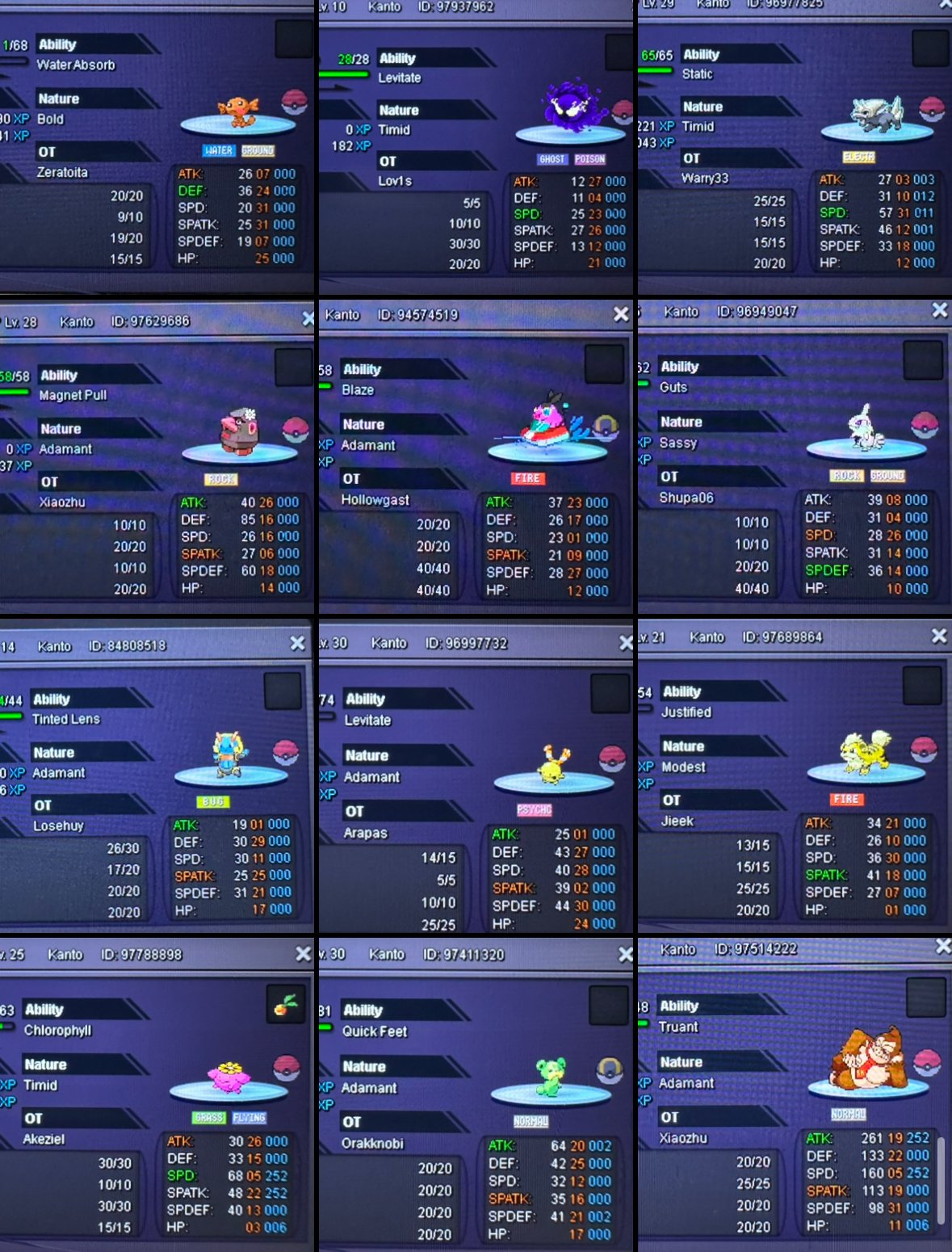
1 pointHello and welcome to this big Bundle hahaha im sorry that i couldnt Collab These in one picture. Bundle 45pokes: s.o 1pokedollar min raise 1pokedollar no insta and i accept cash + cc(450k) only. 72hrs After First bid. i will Transfer to the Winner for free. Gl&happy Biding❤️
 1 point
 -
1 point
-
1 point
-
1 point
-
1 point1 point1 pointSorry guys there were no respons in the first hour so i tried to delete my post, but i'll re post it!1 point1 point1 point1.3m for Chandelure from Norex3 account1 point1 point1 point1 pointstart magic guard clef, raise azuma 50k(319k)1 point1 point1 pointStart azumarill 269k1 point1 point1 point1 point1 point1 point1 pointI just win beacuse Forum: If a bid is received in the final 15 minutes of the auction, the end point will be delayed by 15 minutes from that bid, and will be delayed by 15 minutes for each new bid thereafter, until the current offer has been held for a full 15 minutes. Must be accurate to the minute that the auction is set to end.1 point1 point1 point1 point1 point1 point1 point1 point1.1m chandelure1 pointalakazam 550k1 point1 point1 point1 point1 point1 point1 pointMany things happening, check out the PRO discord server's latest announcement. Pretty huge 🙂1 point1 point1 point1 point1 point1 point1 pointerious categories Friendliest: Not Vegeta143, (mysticwind) Wittiest: Scam Funniest: Silverhawk Easiest to talk to: Sabetha Most trustworthy: Sabetha Most helpful: Abbw Most influential: Jadeash Most intriguing: BountyHunter91 Favorite guide maker: Jadeash Favorite guild: Triforce Best discussion sparker: ShyTiny96 For fun categories Most likely to catch a sync fail rare or shiny form: Terracotta Favorite staff member: Kvar Player who says they're retiring but not retiring yet: Blueciferrr Favorite PRO Pokemon form: Halloween Tyranitar Favorite Pokemon: Metagross1 point