New Trade Zone
Trade Zone is now live
Use the new Trade Zone for auctions and instant-price trades so Pokemon and item offers are easy to find.
Leaderboard
-
Suncity
Suspended9Points5399Posts -

Nxtaryan
Registered User3Points661Posts -
Abbixx1
Registered User3Points129Posts -
Envymeister
Registered User3Points1848Posts




Popular Content
Showing content with the highest reputation on 01/16/25 in all areas
-
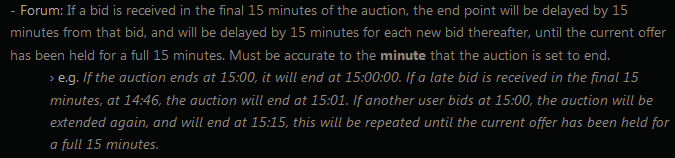
2 pointsS.O.: 7M Min Raise: 500K Insta: 25M C.O.: 7M byZz0ggy Ends: https://www.tickcounter.com/countdown/6495752/my-countdown Accepted Payments Reroll Ticket - 500k Nature Reroll - 250k Coin Capsule - 400k Rare Candy - 5k Pokedollars
.png.fd1f98f5f70b226b2ace227087f32c2d.png) 2 points
2 points -
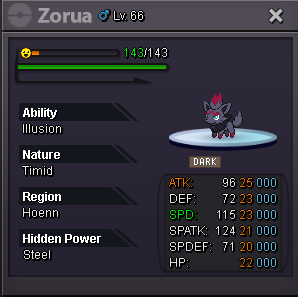
2 pointss.o 100k minimum bid 10k insta n/a ends in 48h after first bid
 2 points
 -
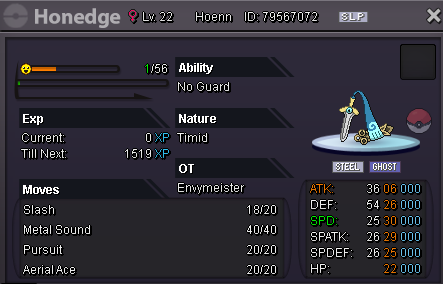
1 pointAuction Details: Start Price: 500k End Point: 48 hours (after start price is met) Insta Price: 2.2m Minimum Raise: 150k Accepted Payments: Pokedollars, Coin Capsules (x1 Coin Capsule = 400k), IV Reroll Tickets (x1 IV Reroll Ticket = 500k)
 1 point
 -
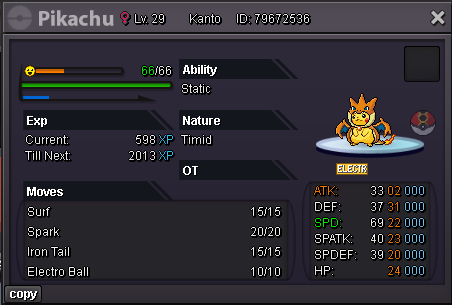
1 pointWTS SELL MY EVENT PIKACHU 20+ Start Offer 100K Min Bid 100k End Point 72 Hours After Start Offer Insta 5M
 1 point
 -
1 point
-
1 point1 point1 point1 point1 pointI won! See you online tomorrow1 point1 point1 point1 point1 point1 point1 point1 point1 point1 pointscyther 300k1 pointSure, i see you online all the time. I will PM you in game tonight1 point1 point1 point1 point1 point1 point1 point1 point1 point1 point1 point1 point1 pointHello, and apologies for the delay. I’ve been in the hospital for the past 15 days (and still am), which made it take a bit longer to address this case in specific given some circumstances related to it. I’ve now resolved the issue by removing 180 luxury balls (200 - 20) and refunding the event coins you used to purchase them. Thank you for your patience, and I hope you have a great day/week!1 point1 point1 point1 point1 point1 point1 point1 point1 point1 point1 point0 points0 points0 points0 points0 points0 points















.png.beae2584eb6093266f5f7d2e50e3cbde.png)