




New Trade Zone
Trade Zone is now live
Use the new Trade Zone for auctions and instant-price trades so Pokemon and item offers are easy to find.
Leaderboard
-

Lacomus
Registered User4Points9601Posts -
Buithanh2006
Registered User3Points18Posts -
Itssoham
Registered User2Points92Posts -
Houndstone
Game Master2Points1965Posts


Popular Content
Showing content with the highest reputation on 02/28/25 in Posts
-
3 points
-
2 points
-
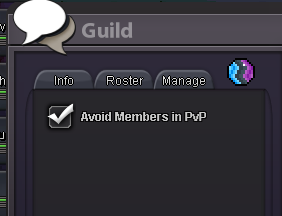
2 points2 points1 pointWith the addition of pvp cheststhat now means that the queue times are much faster so now can we add a button like this but for rand battles PLEASE ?
 1 point1 points.o 2.5m insta 10m ends after 48 form start with 15min rule payment accpted cc (450k) and pokedollars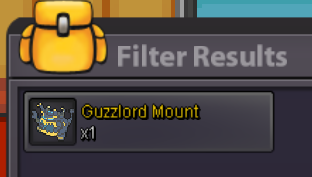
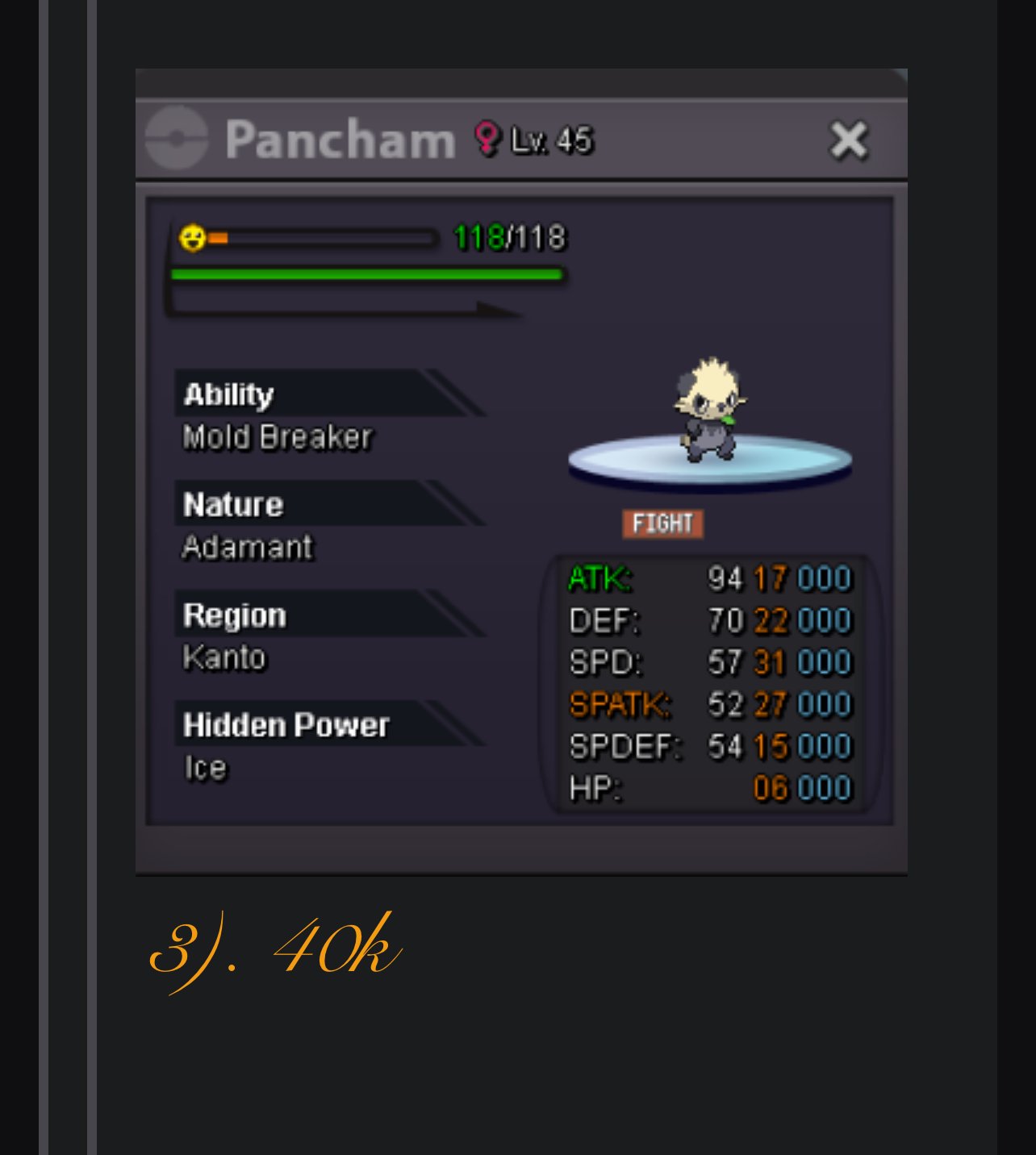
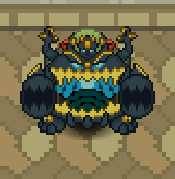 1 point1 point1 pointAccording to the rules I must increase 15 minutes after the last offer Start bid : 5m Min : 150k No insta ( cc = 480k, rr iv = 500k ) 3 min left AUCTION ENDS TOMOROOW AT 1:40PM(Afternoon)((GMT-5))

 1 point1 pointGold players are required to come to silver to trade the mon. Starting Bid : 700k Minimum increment: 50k Payment Accepted : CC 500k Iv reroll 500k Rc :6k Auction ends 24 hours after the last bid!
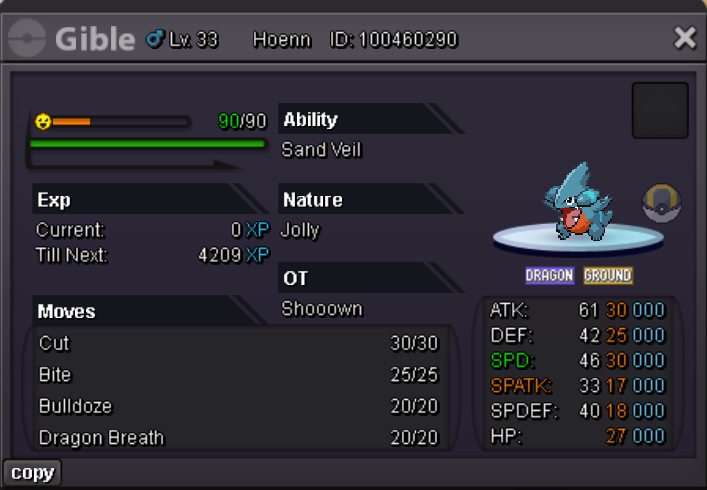 1 pointCurrent offer: 2m Insta price: 7m Min raise: 200k Auction time: 24h from the first bid
 1 pointStart Price: 1m Min Raise: 200k Insta: No Insta End: 72hours after first bid NOTE! Start bid time : 02-26-2025 2:56pm Japan time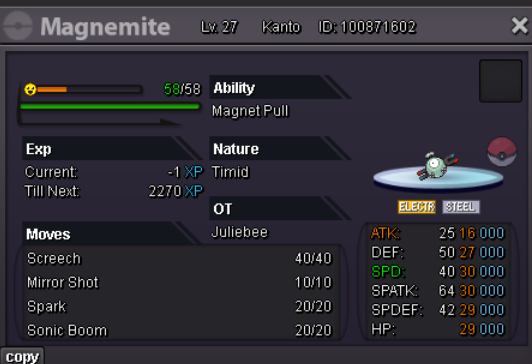
 1 point1 point"Your wish is my command!" - Shenlong PvP Chests: Battle, Win, and Earn Exclusive Rewards! - Announcements - Pokemon Revolution Online Auction Details: Start Price: 10m End Point: 72 hours (after start price is met) Insta Price: N/A Minimum Raise: 100k Accepted Payments: Pokedollars, Coin Capsules (x1 Coin Capsule = 500k), IV Reroll Tickets (x1 IV Reroll Ticket = 550k) Important Reminders: This is a Gold Server auction. However, you may bid from any server, and I will transfer to your preferred server upon winning. If you intend to purchase with an alt account, specify the account alongside your bid. If a bid is received in the final 15 minutes of the auction, the end point will be delayed by 15 minutes from that bid, and will be delayed by 15 minutes for each new bid thereafter, until the current offer has been held for a full 15 minutes. Happy Bidding!
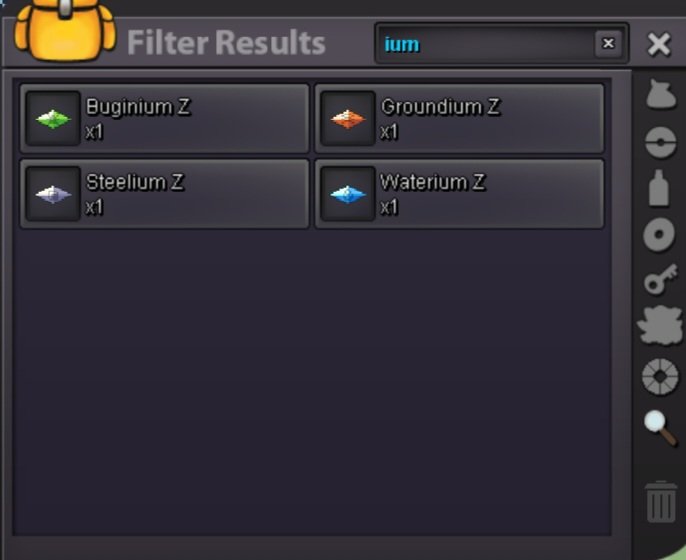
 1 pointHello there! This has been tested already and it has been found to be an issue with the settings and not a client bug. The options Compute Shaders and Frame Buffer Size can cause the sparkling animation to fail to display when adjusted. I was able to stop the animation from displaying on my own Shiny Pokemon by adjusting my settings. To reverse this, I activated Compute Shaders, set Frame Buffer Size to 2 and restarted the game. After this, the animation displayed correctly again. Try adjusting these settings yourself ans it should fix this issue. I hope this fixes the problem for you. Have a great day! Houndstone1 point1 pointcan u send here in forums screenshots from right, left and back ?1 point1 point1 point1 point1 point1 point1 point1 point1 point1 pointHello there! At the moment, there is no command or In-game system which allows you to track your encounters. Use of tracking tools is allowed but using any kind of unauthorised software, hacking or editing the PRO game/client is strictly prohibited. Unauthorised software includes: Any kind of automated software. (Bots, Macro). Software which injects into PRO's files to give unfair advantages. (Speed hacking). External software that gives unfair advantages, which is not endorsed by PRO. I hope this answers your question. If you need any more help, please let me know Have a great day! Houndstone1 point1 point1 point1 point1 point1 point1 pointIts 'shiny' raging bolt mount which is actually in very rare category1 point1 point1 point1 point1 point1 point1 point1 point1 point1 point1 point1 point1 pointSo this is about few day ago and i realize one of my z crystal thats ice z crystal disappear. So the photo i upload is before and now. As u see the icium z crystal have lost of sight. I check my pc on my all pokemon and no have one holding it. So i hope someone can help me solve this 🙂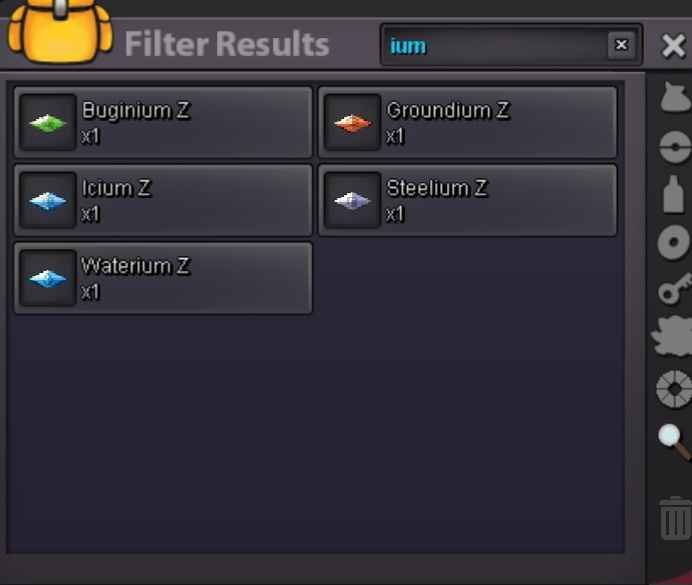
 1 point1 point1 point1 point1 point1 point1 point1 point1 point1 pointIt’s a low priority issue as it has no impact on the gameplay and does not ruin anyone’s experience. I’ve had enough of your snarky comments. Any further insults towards Staff will be punished.1 point


































Account
Navigation
Search
Configure browser push notifications
Chrome (Android)
- Tap the lock icon next to the address bar.
- Tap Permissions → Notifications.
- Adjust your preference.
Chrome (Desktop)
- Click the padlock icon in the address bar.
- Select Site settings.
- Find Notifications and adjust your preference.
Safari (iOS 16.4+)
- Ensure the site is installed via Add to Home Screen.
- Open Settings App → Notifications.
- Find your app name and adjust your preference.
Safari (macOS)
- Go to Safari → Preferences.
- Click the Websites tab.
- Select Notifications in the sidebar.
- Find this website and adjust your preference.
Edge (Android)
- Tap the lock icon next to the address bar.
- Tap Permissions.
- Find Notifications and adjust your preference.
Edge (Desktop)
- Click the padlock icon in the address bar.
- Click Permissions for this site.
- Find Notifications and adjust your preference.
Firefox (Android)
- Go to Settings → Site permissions.
- Tap Notifications.
- Find this site in the list and adjust your preference.
Firefox (Desktop)
- Open Firefox Settings.
- Search for Notifications.
- Find this site in the list and adjust your preference.